Preferences
Privacy is important to us, so you have the option of disabling certain types of storage that may not be necessary for the basic functioning of the website. Blocking categories may impact your experience on the website. More information
Privacy is important to us, so you have the option of disabling certain types of storage that may not be necessary for the basic functioning of the website. Blocking categories may impact your experience on the website. More information

Web analytics tools: compare Matomo, Piwik PRO, Wysistat, Eulerian and 6 other  Google Analytics alternatives on GDPR, features and prices in 2026.

Summarize this article with AI
Quick quiz
Which way of measuring your marketing fits you?
Sorank matches your answers


Test it for 3 days on your own site and see where you stand on Google, ChatGPT and the other AIs.
Start 3-day free trial3 days free, then stop whenever you want. 90-day results guarantee, conditions apply.
Looking for a Google Analytics alternative starts with two questions: what do you want to measure, and under which rules? A brochure site that wants to count its visits without a consent banner, a media outlet that needs its traffic certified, a product team that follows every click in its app and an advertiser that splits its budget across several channels do not need the same tool. This ranking compares ten web analytics tools, led by Stormly, an AI-assisted product analytics platform for e-commerce, with Google Analytics as the alternative, based on the information each vendor displayed on its own site in October 2026.
Depending on the tool you pick and how you configure it, you may or may not be able to count your visitors without asking for their agreement. The CNIL, France's data protection authority, accepts audience measurement without consent when the tool only produces anonymous statistics on behalf of the site publisher alone, and states on its page on these tools that no provider can, for all that, call itself "approved by the CNIL". In its FAQ on cookies, it adds that the site publisher must be able to prove these safeguards are met and give every visitor an easy way to object to the processing when it rests on legitimate interest.
When the tool asks for consent, refusals leave a gap in your figures. According to its help page on behavioral modeling, Google Analytics gets no data on users who decline consent when a banner is in place. Its Consent Mode then estimates their behavior through machine learning, based on similar users who accepted cookies, but only if the property reaches certain thresholds: at least 1,000 events per day without consent for at least seven days, and at least 1,000 users per day with consent on at least seven of the previous 28 days. If your site stays below these thresholds, check what your tool actually counts when a visitor says no.
History length matters too. According to its help page on data retention, Google Analytics keeps user data for 2 or 14 months on a standard property, and offers 26, 38 or 50 months for other event data only with Analytics 360. This setting has no effect on standard aggregated reports: it affects explorations and funnel reports.
Only information published by the vendors was used. In October 2026, we read each tool's home page, a page describing its features and its price list when there was one, with no paid subscription for testing and no agreement with any vendor. Four criteria carried weight.
1. What the tool measures. Visits, sources and conversions, but also apps, cross-channel attribution or product usage.
2. Control over data. Hosting, ownership, anonymization, cookies and consent.
3. Ease of use. Installing the tracking code, integrations, readability of reports without a full-time analyst.
4. Clarity of the offer in France. Site language, amounts shown in euros, free plan or trial, and billing unit.
We did not use customer counts or numbers of sites equipped, review scores, or performance gains quoted in testimonials: none of these figures can be checked from the outside.
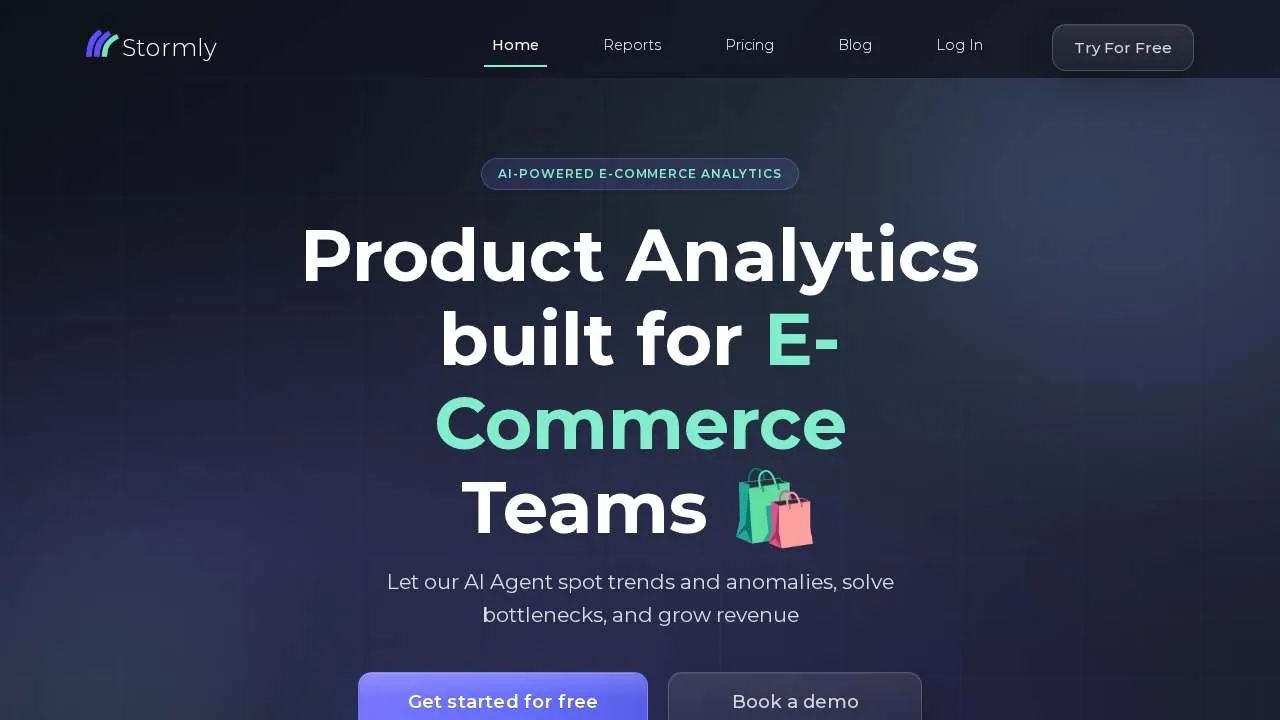
 Stormly
 is a product analytics platform built for e-commerce teams, whose AI agent spots trends and anomalies, looks for their root cause and sends its findings by email. Data connects from Shopify, Adobe Commerce or Segment with no engineering required, according to the vendor, which suits an online store that wants answers about its products and conversions without waiting on a data team.
A library of ready-made reports covers, among other things, new arrivals performance, unviewed or unsold products, A/B test results and the conversion journey, with drop-off points by device or region. If a report is missing, the vendor offers to build it at no extra cost, included in the subscription.
Best for: e-commerce teams on Shopify or Adobe Commerce that want to understand their sales, conversions and cart abandonment without depending on a data team. The tool targets online stores more than audience measurement for an editorial site: ask for a demo on your own data and the exact terms of the free offer before signing.
Strengths: one-click connection to Shopify, Adobe Commerce or Segment, according to the vendor; anomaly detection with an explanation of their cause; custom reports built at no extra cost, included in the subscription.
Limitations: site in English only. Designed for online retail, the tool is a poor fit for a site without a store, and its home page says nothing about data hosting, cookies or consent.
Pricing: free start, with no credit card; no price is shown on the home page, so ask for the price list and what makes the amount change.
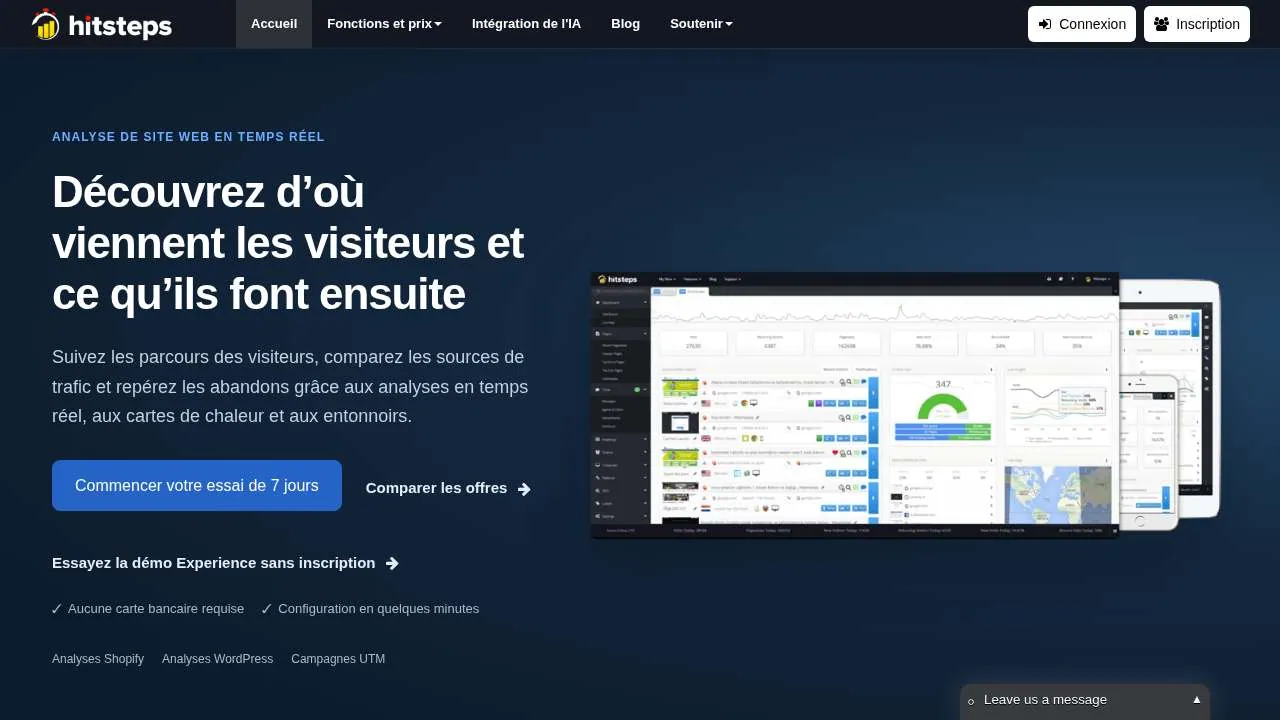
 Hitsteps
 brings real-time web analytics and site statistics together in one workspace: live visitors, traffic sources, page-by-page journeys, heatmaps and funnels to spot drop-offs. The vendor presents it as a visit-centered tool rather than one built on aggregated charts, which suits a site that wants to know where each visitor comes from and what they do next.
Session recording, available from the Pro plan, replays a daily sample of visits and shows where visitors click, scroll and leave; uptime monitoring comes with Pro and higher plans. The live chat keeps the visitor's source, device and journey in view during the conversation. On the AI side, Hitsteps AI answers in the dashboard, a free MCP plugin (a protocol that links the tool to external AI assistants) connects it to your own assistant, and AI referrer tracking is offered.
Best for: sites on WordPress, Shopify or Wix that want to see their visitors live, replay their journeys and talk to them by chat from the same tool. The tool targets visit-by-visit analysis more than traffic certification or cross-channel attribution: test it on your own traffic during the trial and ask what each plan includes, along with data hosting and consent terms, before signing.
Strengths: site in French; Experience demo with no sign-up and a 7-day trial with no credit card; installation with a tracking tag or through WordPress, Shopify, Google Tag Manager and Wix, with the visit confirmed in the live dashboard; free MCP plugin to analyze your site from your own AI assistant.
Limitations: at the end of the trial, you must choose a paid plan to continue. Heatmaps, session recording, uptime monitoring and chat depend on the plan, and on a new account recording can switch on automatically during the trial. The home page says nothing about data hosting, cookies or consent.
Pricing: 7-day trial with no credit card, and no automatic charge when it ends; no price is shown on the home page, so compare the plans on the site and check what makes the amount change.

 Google Analytics
 analyzes how your customers interact with your sites and apps throughout their journey. Google describes it as a set of no-cost tools for analyzing the customer journey and improving the return on investment of your marketing. Reports cover real time, acquisition, engagement, conversions and monetization, e-commerce included.
Google's machine learning adds predictions, such as the likelihood that a user will buy or stop using your services, from which you build audiences. A search bar answers questions asked in everyday language, and explorations (funnel, path, cohorts) serve finer analyses.
Best for: companies that want to track sites and apps in the same tool and connect their measurement to Google Ads and Google's other products.
Strengths: tools advertised as no-cost; advertising reports from Google Ads, Display & Video 360 and Search Ads 360; data-driven attribution, which splits credit for a conversion across touchpoints.
Limitations: several features are reserved for Analytics 360, the paid version: continuous intraday data, subproperties by country or product line, reports combining several properties. The site publishes no price list for this version.
Pricing: tools presented as no-cost; prices not published for Analytics 360.

 Matomo
A web analytics platform designed for privacy, Matomo runs in the vendor's cloud or on your own servers. Data is not sampled, tracking can work without cookies and the tool offers data anonymization. On Matomo Cloud, data is stored in Frankfurt, Germany.
The feature list covers standard reports, real time, more than 110 combinable segments, goal tracking and e-commerce tracking. Premium features add heatmaps, session recording and A/B testing. Matomo also adds tracking of AI-generated traffic, to spot the AIs that send visitors or crawl your pages.
Best for: organizations, from large companies to the public sector, that want to keep full ownership of their data and be able to move from cloud to self-hosting.
Strengths: site and pricing in French; a Community version free for life when self-hosted, with unlimited users and hits (tracking requests); a Google Analytics data importer and more than 100 integrations. The vendor states it can work without consent; the CNIL approves no tool, and it is up to you to check that your configuration meets its conditions.
Limitations: when self-hosted, Community is limited to core features and forum support; custom reports, funnels, heatmaps and session recording go through the paid plans. In the cloud, the price follows traffic volume in tiers.
Pricing: when self-hosted, the Team plan costs €275 per month billed monthly or the equivalent of €230 per month billed annually, and the Business plan €1,450 per month or €1,209 per month billed annually; price checked on October 10, 2026, VAT treatment not stated. For Matomo Cloud, the page shows 29 per month excluding tax with no currency, and its structured data shows €22 excl. VAT per month for 50,000 hits: amount to confirm with Matomo. The Cloud trial lasts 21 days, with no credit card.

 Piano Analytics
 is the measurement layer of a platform with four products: Analytics, Subscriptions for paywalls and subscriptions, Audience for real-time customer data management, and Amplifier for social media, newsletters and notifications. Behavioral data moves from Analytics into segments in Audience, which drive personalized offers in Subscriptions, then the results flow back into Analytics.
The vendor collects events through JavaScript tags and server-side API, without sampling, with unlimited custom events and properties. Piano AI adds insights on every report, questions asked in everyday language with no SQL, and an MCP connection (a protocol that links the tool to external AI assistants).
Best for: companies that sell mainly online, particularly in media and publishing, transport and financial services, the sectors the vendor highlights.
Strengths: the vendor says it excels in environments where compliance is critical; segments exportable to third-party tools; an average delay of one minute between an event and its appearance in reports, according to the vendor.
Limitations: site in English only. No price is published; the site offers a demo request. The platform is built around the needs of subscription businesses, which the vendor describes as rich in audience data but slow to act.
Pricing: prices not published.
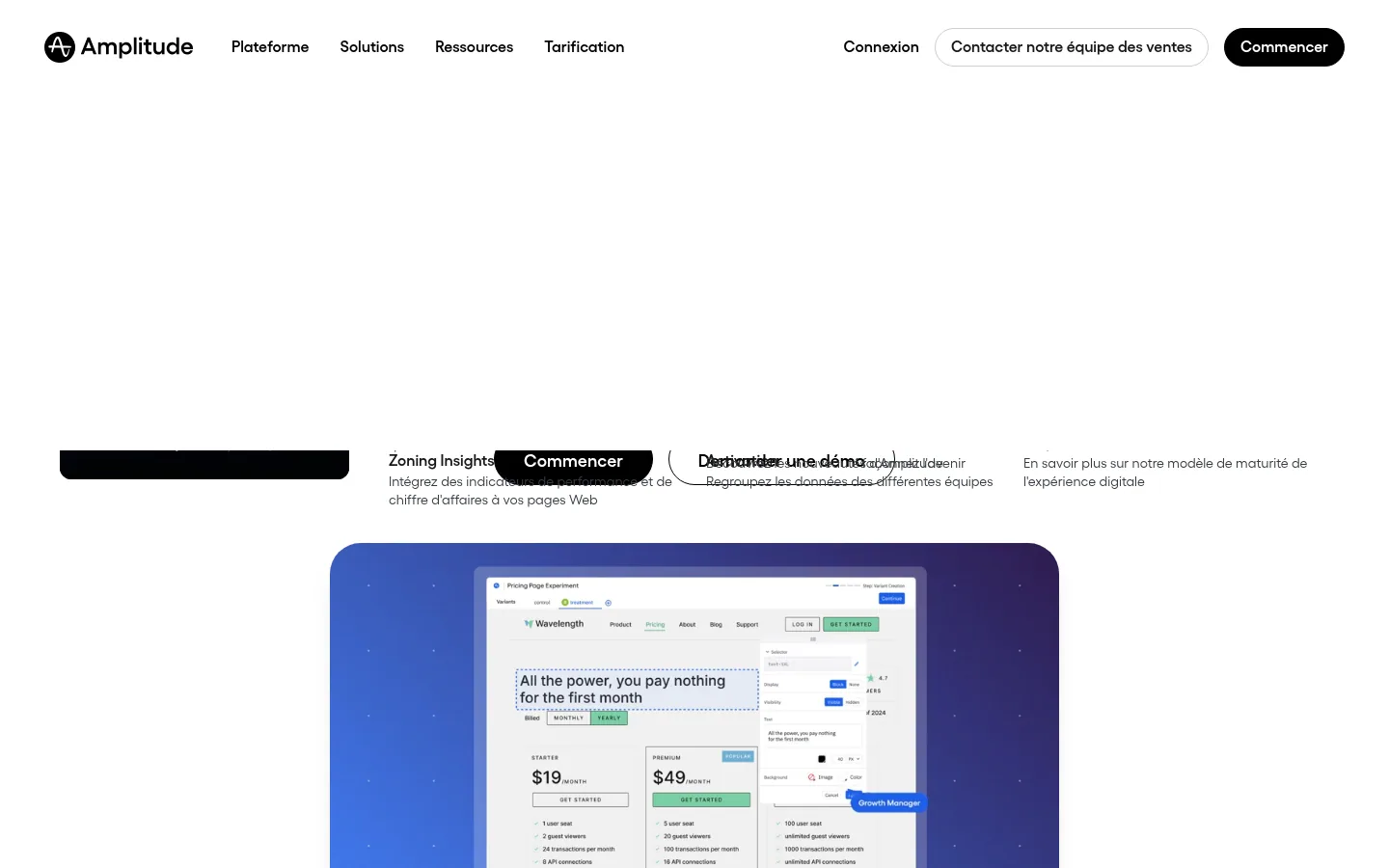
 Amplitude
 brings several tools together around user data: product analytics, web analytics, session replay, feature experimentation, web A/B testing, in-app guides and surveys. Every plan includes the full platform and an unlimited number of user seats, with AI built in.
On the AI side, the vendor offers agents that continuously detect and analyze data-related issues, an MCP connection to query Amplitude from Claude or Cursor, and an AI visibility module that shows how large language models talk about your brand.
Best for: product, marketing, data and engineering teams that want to analyze, test and personalize from the same platform.
Strengths: site and pricing in French; a Gratuit (free) plan for life up to 2 million events per month, with no credit card; one free year on the Croissance (Growth) plan for startups with fewer than 20 employees and less than $10 million in funding.
Limitations: heatmaps, A/B/n feature tests and behavioral cohorts start with the Plus plan, and the Croissance and Entreprise plans are priced on quote, based on event volume.
Pricing: prices published in dollars on the site.
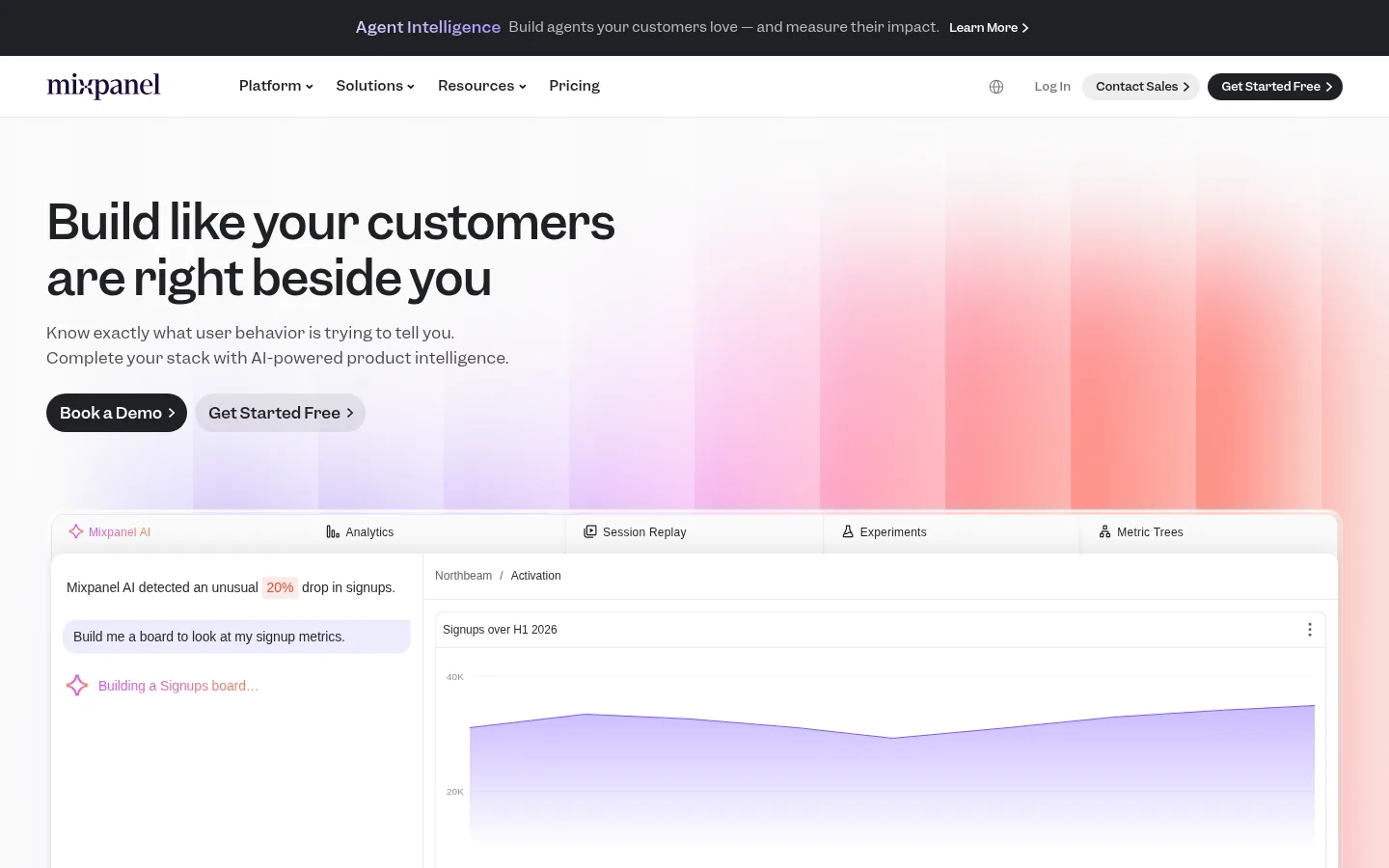
 Mixpanel
, which its vendor defines as a product intelligence platform, combines analytics, session replay, experiments, feature flags (to turn a feature on for part of your users) and AI-assisted analysis. Its site highlights agents that monitor the product continuously and flag what changes, as well as metric trees that connect product data to business goals.
The analytics module spots drop-off points in journeys, measures retention and segments users into cohorts. Session replay comes with heatmaps and AI summaries, and the vendor advertises integrations with more than 100 marketing tools.
Best for: product, data, marketing and engineering teams that want to understand how a digital product is used and spot the features that retain users.
Strengths: a Free plan at no cost, with no credit card, up to 1 million events and 10,000 session replays per month; unlimited seats; first year free for startups under 5 years old, subject to funding conditions.
Limitations: site and pricing in English only. The Free plan limits saved reports to 5 per seat and keeps session replays for 30 days. The price of the Growth plan depends on event volume, and the Enterprise plan is priced on quote.
Pricing: prices published in dollars on the site.
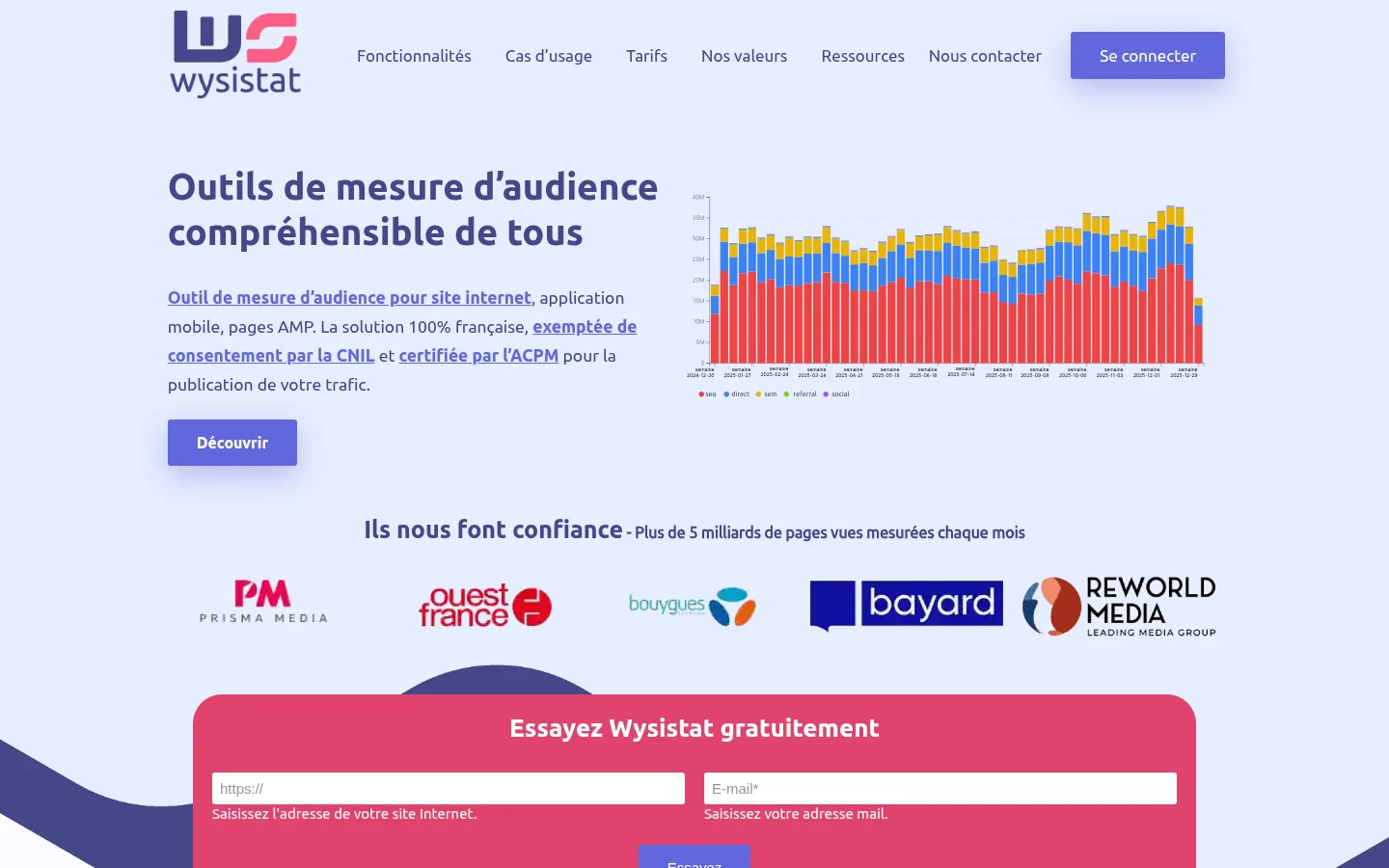
 Wysistat
 measures the audience of websites, mobile apps and AMP pages (lightweight versions of web pages for mobile). The vendor presents its solution as 100% French, exempt from consent and certified by the ACPM, the Alliance pour les Chiffres de la Presse et des Médias (France's press and media audience certification body); it is up to you to check that your configuration meets the conditions for the exemption. It states that it uses no third-party cookie and does not store visitors' IP addresses.
The interface deliberately sticks to the essential metrics. For ACPM certification, Wysistat transmits page views, visits and visitors, and separates mobile traffic automatically. Prices follow measured traffic, with an ecological bonus tied to the site's eco-design.
Best for: site publishers that must publish certified traffic, for example to run legal notices, and agencies that manage several clients.
Strengths: site and pricing in French; a Free plan at no cost up to 10,000 page views per month; hosting in France and French ownership, B-Corp label.
Limitations: the Free plan updates data once a day and does not track events; campaign details, URLs of viewed pages and API access require the Premium plan. ACPM certification also requires a contract signed directly with the ACPM.
Pricing: Free at no cost up to 10,000 page views per month; Business from €19 per month and Premium from €49 per month, for 100,000 page views per month, VAT treatment not stated; ACPM certification from €90 excl. VAT per month for 1 million page views; price checked on October 10, 2026.
 Piwik PRO
 presents itself as a flexible analytics suite, built for marketers and analysts, that respects user privacy. It brings together four modules: Analytics, Tag Manager to manage the tags of your marketing tools, Customer Data Platform (a platform that centralizes customer profiles) and Consent Management Platform, to collect consent.
The tool tracks websites and mobile apps, including areas reached after login, such as member areas. It connects behavioral data to campaigns and the CRM, and gives access to raw, unsampled data. Data can be hosted in a public cloud, notably in France, Germany or Sweden, or in a private cloud.
Best for: marketing teams that want complete data on their users while staying compliant, and, with the Enterprise plan, banks, insurers and healthcare organizations.
Strengths: site and pricing in French; predefined GDPR settings and data anonymization; integrations with Google Ads, Google Search Console, Looker Studio and Power BI.
Limitations: the Business plan stops at 20 domains and 2 million actions per month, tag manager and consent banner loads included. Data is kept there for 25 months, and premium services are sold as add-ons.
Pricing: Business from €36 per month, with a 30-day trial; Enterprise from €366 per month, billed annually; VAT treatment not stated; price checked on October 10, 2026.
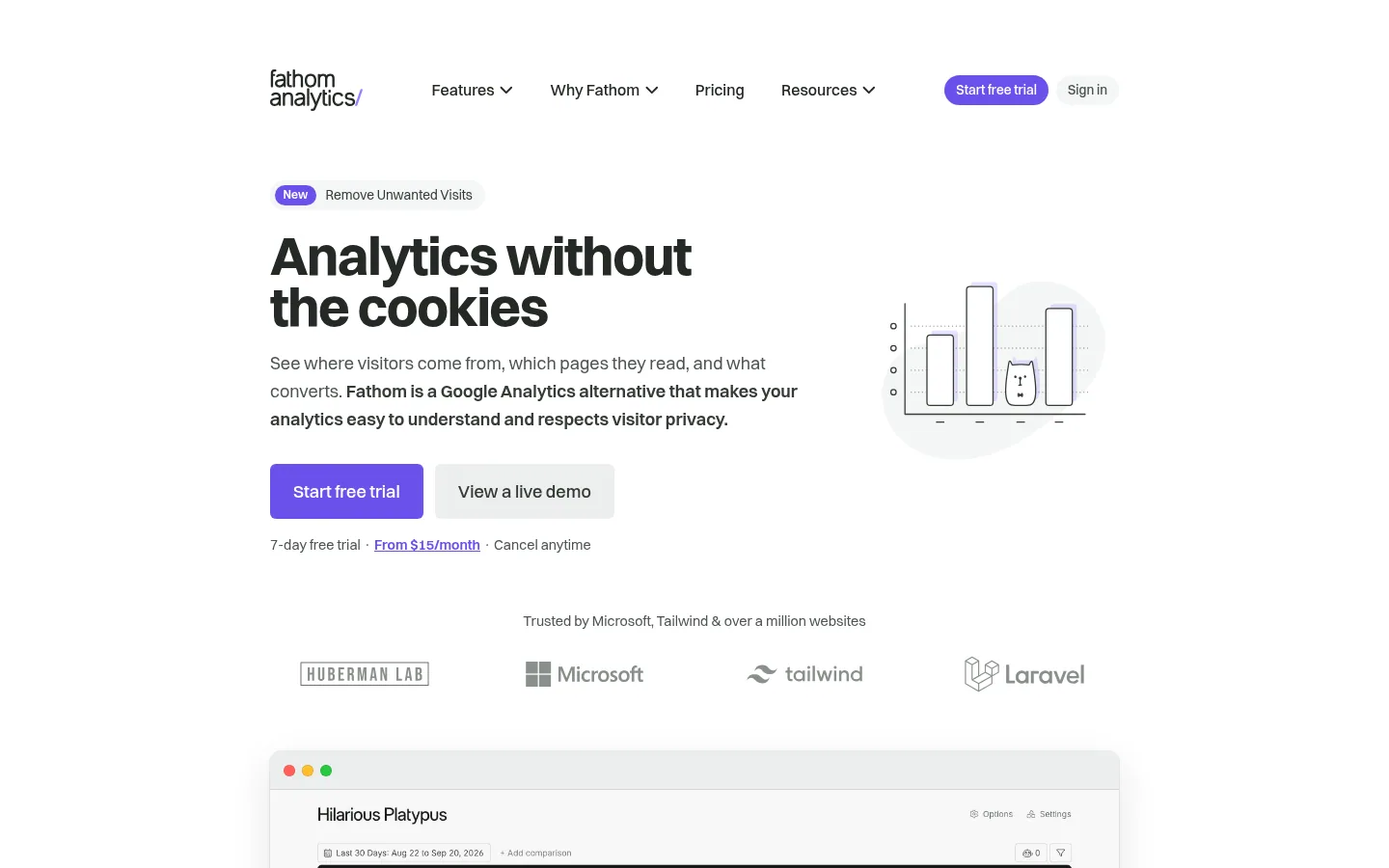
 Fathom Analytics
Without cookies, Fathom Analytics shows where your visitors come from, which pages they read and what converts, in a single-page dashboard. The vendor, a Canadian company, states that European traffic is automatically routed through infrastructure owned in Europe and that the tool complies with GDPR.
Features cover UTM campaign tracking (the parameters added to your links to tell newsletters, ads and social media apart), events and associated revenue, reports emailed to your clients and an API. Fathom filters bots and imports your Google Analytics history.
Best for: agencies and European companies that track several sites and want a tool with no consent banner for their audience measurement, according to the vendor.
Strengths: at least 50 sites included in every plan, with a view of all sites on a single screen; history kept as long as the subscription runs; a lightweight script loaded asynchronously.
Limitations: site and pricing in English only. No free plan, and the 7-day trial requires a credit card. The tool only works in the version hosted by the vendor, and custom events count toward the monthly page view quota.
Pricing: prices published in dollars on the site.
Prices checked on October 10, 2026 on the vendors' sites. Of the ten, Wysistat, Piwik PRO and Matomo display amounts in euros (Matomo for self-hosting only): the last column shows what pushes the bill up, with the entry price when published.
| Software | Who it is for | Free or trial | French-language site | What pushes the bill up |
|---|---|---|---|---|
| Stormly | E-commerce teams (Shopify, Adobe Commerce) | Free start with no credit card | No | Prices not published |
| Hitsteps | Sites that want to follow their visitors live | 7-day trial with no credit card | Yes | Plan chosen (heatmaps from Growth+, session recording from Pro) |
| Google Analytics | Companies tracking sites and apps, linked to Google Ads | No-cost tools | Yes | Moving to Analytics 360 (price not published) |
| Matomo | Organizations that want to keep ownership of their data | Community free when self-hosted, 21-day Cloud trial | Yes | Users and hits; Team from €230 per month billed annually; Cloud to be confirmed |
| Piano Analytics | Media and subscription businesses | Demo on request | No | Prices not published |
| Amplitude | Product, marketing and data teams | Gratuit plan (2 million events per month) | Yes (prices in dollars) | Event volume, add-ons |
| Mixpanel | Product teams | Free plan (1 million events per month) | No | Event volume, options (group analytics, metric trees) |
| Wysistat | French sites, ACPM certification | Free plan (10,000 page views per month) | Yes | Measured page views, plan (events, API); Business from €19 per month |
| Piwik PRO | Marketing teams subject to privacy rules | 30-day trial | Yes | Number of domains and actions collected; Business from €36 per month |
| Fathom Analytics | Agencies and companies tracking several sites | 7-day trial with credit card | No | Monthly page views (events included), packs of 50 extra sites |
The euro amounts in this table are entry prices checked on October 10, 2026: VAT treatment not stated for Matomo, Wysistat and Piwik PRO.
To run Matomo analytics, you choose a host, paste one tracking snippet on every page and set your consent options before the first visit is counted. Matomo Cloud is run by the vendor. Self-hosting means your own server runs Matomo, so you also handle updates and backups. In both cases the snippet is the same: in Matomo, go to Administration, then Tracking Code, then JavaScript Tracking, select your website and copy the code.
For a self-hosted instance, the code looks like this. Replace the example address with your own Matomo URL, and the site ID with the one shown for your website.
<script>
  var _paq = window._paq = window._paq || [];
  _paq.push(['trackPageView']);
  _paq.push(['enableLinkTracking']);
  (function() {
    var u = 'https://analytics.example.com/';
    _paq.push(['setTrackerUrl', u + 'matomo.php']);
    _paq.push(['setSiteId', '1']);
    var d = document, g = d.createElement('script'), s = d.getElementsByTagName('script')[0];
    g.async = true; g.src = u + 'matomo.js'; s.parentNode.insertBefore(g, s);
  })();
</script>
Paste it in your page template, just after the opening <body> tag or inside <head>, so it runs on every page and not only on the home page. Matomo loads its tracker asynchronously, and every later tracking call is pushed onto the same _paq array.
Matomo's FAQ on consent-free use says JavaScript tracking should be treated as requiring consent, unless a supervisory authority says otherwise. It describes one narrow setup that can run without a banner: tracking is anonymised, no cookies are set, browser feature detection is off, and the User ID features stay disabled. It also lists “Disable Cookies” as a configuration step, and IP addresses must be anonymised by at least 2 or 3 bytes. Whether your country accepts that setup is a legal question, so put it to your privacy team before launch.
According to Matomo's requirements page, read in November 2026, Matomo 6.0.0 needs PHP 8.1 or newer, and MySQL 8.0 or newer or MariaDB 10.6 or newer. The same page gives these starting points by monthly page views:
| Page views per month | Suggested setup |
|---|---|
| Up to 100000 | One server with 2 CPU, 2 GB RAM and 50 GB SSD, hosting the application and the database |
| Up to 1000000 | One server with 4 CPU, 8 GB RAM and 250 GB SSD |
| Up to 10000000 | Two servers: the application (8 CPU, 16 GB RAM, 100 GB SSD) and the database (8 CPU, 16 GB RAM, 400 GB SSD) |
Size the server for the traffic you expect over the next year, not for this month alone, because you will need to change the setup as visits grow.
Tip
Open your site in a private browser window, load two or three pages, then check that the visits appear in your Matomo reports. If they do not, the snippet is missing from some templates or the site ID is wrong.
Tag your campaign links with UTM parameters so Matomo can tell your newsletter from your ads. Our free UTM link builder writes them for you. If part of your traffic reaches your server without a browser, such as API calls or server logs, read our guide to server side tracking first.
1. Can the tool work without consent, and on what basis? Ask the provider how to configure it so you can do without, and which documents support this. An "exempt" label on a home page does not replace those documents.
2. Where does your data go, and who can reuse it? Hosting location, transfers outside the European Union, reuse by the provider: ask in writing. Matomo and Piwik PRO, for example, let you choose where data is stored, and Matomo can be hosted on your own servers.
3. How much history do you keep? Compare retention periods and what they affect. A free plan limited to a few months of history does not let you compare one year with the previous one.
4. Which unit drives the price up? Depending on the vendor, you pay by number of page views (Wysistat, Fathom), events (Amplitude, Mixpanel), actions and domains (Piwik PRO) or hits (Matomo Cloud). Estimate your real volume over twelve months, custom events included, before comparing entry prices.
5. What do you want to measure beyond visits? Cohorts, journeys and experiments inside an app are the domain of Amplitude or Mixpanel. A team that buys media will look at cross-channel attribution, offered notably by Google Analytics.
Website demographics are the age, gender and interest profiles of the people who visit your site. Google Analytics shows them in its demographics reports, but only for part of your traffic, and only when the property is set up to collect them. Read these reports as an estimate of your audience, not a full census.
Google can report demographics only for users who are signed in to a Google account, allow ads personalization, and reach your site under the signals you have enabled. Visitors who block cookies, decline consent or use a browser that hides this data are missing from the figures. The covered share can be small, so check the profile against your sales or sign-up data before you act on it.
A demographic profile can guide the words and examples on your pages. If most of your readers fall in one age group or come from one country, write for them in their language and use examples they recognize. Treat the profile as a hint about who reads you, then test the change on the pages that matter most.
Tools that avoid cookies and personal data usually cannot report age or gender at all. That is a trade-off, not a flaw: you get reliable counts of visits and pages, but no profile of the people behind them. If you need to know who your buyers are, build that picture from your own customer research instead, using the method in our guide to buyer personas for SEO and AI search.
It is limited to public information. The sites were read in October 2026, without installing any of the ten tools. Our reading did not cover every page: for Piano Analytics and Google Analytics, we found no detailed price list, and a plan with little description may look less complete than it really is.
It does not settle legal questions. Vendors' claims about GDPR and consent are reported as they stand. Only the actual configuration of the tool on your site determines whether you can do without consent; if in doubt, have your choice reviewed by your data protection officer or a lawyer.
Your use case matters more than the rank. Read the Best for line of each review before looking at the position, and check every price with the vendor when you sign. We will revise this page regularly.
A web analytics tool counts and explains the visits your site already receives. It tells you where your visitors come from and what they do, but it does not make your site more visible when a buyer looks for a solution on Google or asks ChatGPT for advice. To isolate visits from ChatGPT, Perplexity, Gemini or Copilot in Google Analytics starting today, follow our guide to measuring your AI citations with Google Analytics, which details the filters to set up step by step.
Sorank works mainly upstream: this autopilot SEO and GEO platform chooses the keywords to target, writes then publishes the articles on your site and tracks the prompts in which ChatGPT, Claude or Gemini cite your brand. It also displays visits coming from AIs, page by page, without replacing your analytics tool, which remains the reference for all your traffic. The GEO software page details these features. If you want to discuss it for your business, book a call.
Search analytics and web analytics answer different questions. Search analytics shows how your pages perform on Google before a visitor clicks: which queries trigger your pages, how often they appear, and how often people click. Web analytics starts when the visitor arrives: which pages they read, how long they stay, and whether they convert. You need both to see the full path from a search to a sale.
Google Search Console is the most common source of search analytics. Its performance report lists clicks, impressions, click-through rate and average position, by query, page, country and device. Look for queries where your page appears often but gets few clicks. A clearer title or description can fix that without writing new content.
Web analytics tools cover the other side. They show whether a visitor who came from a query stayed, read a second page, or bought. A query with many clicks and no conversions usually points to a mismatch between the question and the page, not to a ranking problem.
| Question | Search analytics | Web analytics |
|---|---|---|
| Where does the visit come from? | Google query, position, impressions | Source and medium recorded by your tool |
| What happens after the click? | Not shown | Pages viewed, time, events, conversions |
| Best used for | Finding queries worth targeting | Judging what visitors do |
| Data history | Limited, depending on the report | Set by your tool and its retention settings |
Tip
Export the query report and the landing page report from your analytics tool, then match them by page in a spreadsheet. Pages with high impressions and low clicks need a better title. Pages with clicks and no conversions need clearer content or a stronger next step.
To follow Microsoft Bing traffic next to Google, read our guide to Bing Webmaster Tools and its reports. Queries that include your brand name deserve their own view, since they behave differently from generic searches, as explained in our guide to branded keywords.
Our recommendation depends on your profile: Stormly for an e-commerce team that wants ready-made reports and an AI agent that flags trends and anomalies; Google Analytics for a company that buys advertising on Google and wants a no-cost tool for its sites and apps; Matomo for an organization that wants to stay in control of its data, in a European cloud or on its own servers; Wysistat for a French site looking for simple measurement, in euros, and certification of its traffic by the ACPM.
Before installing anything, pick three or four metrics tied to your goals and build your reports around them. Then ask the vendor you choose how to configure the tool against the CNIL's criteria, and plan a period where the old and new tools run side by side, to compare their figures before switching over.
| Software | What it does, according to its site |
|---|---|
| Adobe Analytics | Analytics range that brings together web, mobile and product data, with persistent customer identity and AI-assisted analysis. |
| Eulerian | Marketing platform that presents itself as sovereign and French, bringing together measurement, attribution across online and offline media, and segment activation. |
| Simple Analytics | Cookie-free measurement, hosted in the European Union, to run alongside Google Analytics to count traffic from visitors who decline consent. |
| Microsoft Clarity | Free tool for analyzing visitor behavior, through session recordings and heatmaps. |
| PostHog | Platform that brings together product analytics, session replay, errors and logs, with a free start. |
| Umami | Open source, cookie-free web and product analytics, to host yourself or in Umami Cloud. |
| Statcounter | Real-time web analytics service, with a 30-day trial of all its features. |
| KISSmetrics | Analytics that ties each customer to their value and to the channel that brought them in, with a French-language pricing page. |
| Woopra | Customer journey analytics, from the first marketing touch to product usage, with a free plan. |
| GoSquared | Privacy-focused real-time web analytics, presented as an alternative to Google Analytics. |
If you would rather hand the setup of your measurement to a team, see the 10 best data and analytics agencies in France. To put this data to work and improve the conversion rate of your pages, see also the best CRO and conversion agencies.
This ranking reflects my own experience and opinion as an SEO expert with more than 7 years in the field. It is based on verified facts, but the order itself is my personal view.

It all depends on what you want to measure. To keep ownership of your data, Matomo runs in a cloud hosted in Europe or on your own servers, with a free Community version when self-hosted. Wysistat and Eulerian publish their prices in euros on a French-language site, and Piwik PRO brings analytics, tag management and consent together in one suite. For a product team, Amplitude and Mixpanel offer free plans.
Yes, under certain conditions. The CNIL, France's data protection authority, accepts audience measurement without consent when the tool is limited to anonymous statistics produced solely on behalf of the site publisher. Several tools in this ranking, such as Wysistat, Eulerian or Fathom Analytics, highlight operation without a banner or without cookies: ask them for the documents that support this for your own configuration.
Google presents Google Analytics as a set of no-cost tools. Some features, such as continuous intraday data or subproperties, are reserved for Analytics 360, whose price the site does not publish. On a standard property, Google's help states that user data is kept for 2 or 14 months.
We analyse your competitors, your website and your AI visibility to create a tailored content plan for free.
 Website Value Calculator
 Website Accessibility Checker
 Google Analytics Checker
 Duplicate Content Checker
 Mobile-Friendly Test
 Website Speed Test
 Subdomain Finder
 Domain Age Checker
 CMS Detector
 Googlebot Simulator
 Nofollow Link Checker
 Meta Tag Checker
 Keyword Cannibalization Checker
 Keyword Intent Checker
 Keyword Extractor
 Google Ads Cost Calculator
 CPC Calculator
 Local Citation Finder
 Reddit Threads Finder
 Disavow File Generator
 Redirect Generator
 Canonical Tag Generator
 Passive Voice Checker
 Google Location Changer
 Google Review Calculator
 Google Review Link Generator
 Keyword Combiner
 Podcast Show Notes Generator
 AI Content Rewriter
 AI Text Humanizer
 ChatGPT Prompt Generator
 Twitter Thread Generator
 Tweet Generator
 Landing Page Copy Generator
 Google Ads Copy Generator
 Pinterest Pin Description Generator
 Anchor Text Generator
 Social Media Post Generator
 LinkedIn Post Generator
 Free AI Writer
 Review Response Generator
 LSI Keyword Generator
 YouTube Video Ideas Generator
 YouTube Tag Generator
 YouTube Description Generator
 Product Description Generator
 CTA Generator
 Blog Introduction Generator
 Conclusion Generator
 Hook Generator
 AI Content Brief Generator
 FAQ Schema Generator
 AI Blog Post Ideas Generator
 Structured Data Validator (Schema Validator)
 Alt Text Checker
 Internal Link Analyzer
 Backlink Challenge
 AI Meta Description Generator
 AI Blog Title Generator
 Google Indexability Checker
 AI Blog Outline Generator
 UTM Link Builder
 Keyword Clustering Tool
 Canonical Tag Checker
 XML Sitemap Generator
 Broken Link Checker
 AI SEO Title Generator
 Headline Analyzer
 SERP Preview Tool
 Redirect Checker
 Hreflang Tag Generator
 Heading Structure Analyzer
 HTTP Headers Checker
 Favicon Extractor
 SERP CTR Calculator
 SEO vs Paid Search Savings Calculator
 SEO Share of Voice Calculator
 SEO ROI Calculator
 SEO Traffic and Revenue Forecast Calculator
 SEO Budget Calculator
 SEO Break-Even Calculator
 SaaS SEO ROI Calculator
 ROAS Calculator
 Reading Time Calculator
 Ranking Gain Simulator
 Organic Traffic Value Calculator
 Organic Traffic Estimator and Website Traffic Checker
 LTV to CAC Ratio Calculator
 Local SEO ROI Calculator
 Link Building Cost Calculator
 Keyword Value Calculator
 Keyword Opportunity Score Calculator
 Keyword Density Calculator
 GEO ROI Calculator
 GEO Content Investment Calculator
 Ecommerce SEO ROI Calculator
 Customer Lifetime Value Calculator
 Customer Acquisition Cost Calculator
 CTR Calculator
 Cost Per Article Calculator
 Conversion Rate Calculator
 Content Marketing ROI Calculator
 ChatGPT Referral Traffic Estimator
 Bounce Rate Calculator
 Backlink ROI Calculator
 AI Visibility Score Calculator
 AI Traffic Value Calculator
 AI Share of Voice Calculator
 Cost of AI Invisibility Calculator
 AI Citation Rate Calculator
 llms.txt Validator
 AI Overview Checker and AI Overviews Rank Checker
 Robots.txt Checker
 AI SEO Audit
 LLM Readability Checker
 SearchGPT Readiness Checker
 Structured Data LLM Audit
 Website Crawlability AI Audit
 Why ChatGPT Is Not Recommending My Website
 Gemini Ranking Tool
 Perplexity Ranking Checker
 LLM Citation Checker
 Answer Engine Optimization Audit
 GEO Audit
 AI Search Visibility Test
 ChatGPT Visibility Checker
 llms.txt Generator
 URL Extractor
 Webpage to Markdown
 Sitemap Checker
 SERP Volatility Sensor
 Page Size Checker
 Word Counter
 Slug Generator
 Schema Generator
 Robots Generator
 OG Preview
 Meta Tags Generator
 Image Compressor
 Favicon Generator
 On-Page SEO Audit: SEO Checker and SEO Analyzer
 Backlink Analysis Tool
 Keyword Research Tool
 Domain Authority Checker
 “I tested Sorank on a real client site and it's insane. It does everything an agency would bill you $1500 a month for. It's going into production on that client now.”

 Guillaume Guersanguersanguillaume.com
 “I just let the Sorank software do its thing, and now my DR is 25 and my page is ranking higher.”
 Lucas Flandrefoundertrace.fr“We are an Ads agency and we wanted to get our SEO back on track once and for all. Sorank gave us a clear view of our site, helped us prioritize optimizations, and properly structure our content. The tool is easy to use, well designed for a team, and very practical for centralizing tracking without having to juggle multiple platforms. A very solid foundation to start fresh with our SEO.”
 Gaspard MadouiAds Agency“I specialized in GEO thanks to Sorank. The GEO Leaderboard allows me to show my clients their position vs competitors on ChatGPT. It’s a real commercial differentiator.”
 MélanieSEO Freelance