Preferences
Privacy is important to us, so you have the option of disabling certain types of storage that may not be necessary for the basic functioning of the website. Blocking categories may impact your experience on the website. More information
Privacy is important to us, so you have the option of disabling certain types of storage that may not be necessary for the basic functioning of the website. Blocking categories may impact your experience on the website. More information

10 B2B ecommerce website examples reviewed: quick order, account pricing, punchout, payment terms. See what to copy from each and how to choose yours.
In short
The best B2B ecommerce website examples are McMaster-Carr, Uline, DigiKey, Staples Business Advantage, Dell Premier, Faire, Alibaba.com, Thermo Fisher Scientific, Berlin Packaging and WebstaurantStore. Each one solves a business buying problem: ordering by part number, account pricing, procurement integration, payment terms or expert content. Copy the feature that matches your buyers, not the whole site.
Want to go further? Ask
Quick quiz
Where should your online shop find its next customers?
Sorank matches your answers


Test it for 3 days on your own site and see where you stand on Google, ChatGPT and the other AIs.
Start 3-day free trial3 days free, then stop whenever you want. 90-day results guarantee, conditions apply.
These 10 sites were picked because each one shows a B2B feature clearly on its public pages, and we checked every claim below on the official site on 26 November 2026. The table gives you the shortlist; the reviews below explain what to copy from each one.
A B2B ecommerce website sells to companies, not to consumers. That changes almost everything: the buyer is often not the payer, prices depend on the account, orders repeat, and a purchase can need an approval from someone who never visits the site. If you sell to both businesses and consumers through partners, the model is close to B2B2C ecommerce, and some of these examples still apply.
| Site | Model | Best for | Standout feature | Published entry terms (checked 26/11/2026) |
|---|---|---|---|---|
| McMaster-Carr | Industrial distributor | Engineers and maintenance teams | CAD downloads and same-day shipping from stock | Not published |
| Uline | Shipping and packaging distributor | Warehouses and shipping teams | Quick order by model number | Order by 6pm for same day shipping |
| DigiKey | Electronic components distributor | Electronics engineers and buyers | List upload and quotes inside the account | Shipping from $4.99 (US) |
| Staples Business Advantage | Contract procurement portal | Multi-site organizations | Approval workflows and spend reporting | 3% off orders of $150 or more for new accounts |
| Dell Premier | Manufacturer portal | IT departments | Tiered savings and multi-country ordering | Not published |
| Faire | Wholesale marketplace | Independent retailers | 60 days to pay, interest free | Free returns on every first order with a brand |
| Alibaba.com | Global sourcing marketplace | Importers and private-label brands | Request for quotation to many suppliers | MOQ set by each supplier |
| Thermo Fisher Scientific | Scientific supplier | Labs and research buyers | Quick order plus learning centers | Not published |
| Berlin Packaging | Packaging supplier and design studio | Consumer brands | Packaging design service next to the catalog | Free shipping on $300+ online orders |
| WebstaurantStore | Foodservice distributor | Restaurants and caterers | Bulk quote request and buying guides | Not published |
Why does this matter now? Business buyers no longer wait for a sales rep to place an order. In its ninth B2B Pulse survey of 3942 decision makers, reported by Digital Commerce 360 on 12 September 2024, McKinsey found that online sales made 34% of revenue for a typical B2B organization. And according to a Gartner survey of 646 buyers covered by Mark Brohan at Digital Commerce 360 on 17 March 2026, 67% of B2B buyers favor a rep-free experience.
Why your B2B website now does the selling
Sources: McKinsey B2B Pulse via Digital Commerce 360, 2024; Gartner via Digital Commerce 360, 2026
Each review follows the same grid: what the site is, who it serves, what works, one honest limit, and the terms published on the site. Read the "what to copy" line first if you are short on time.
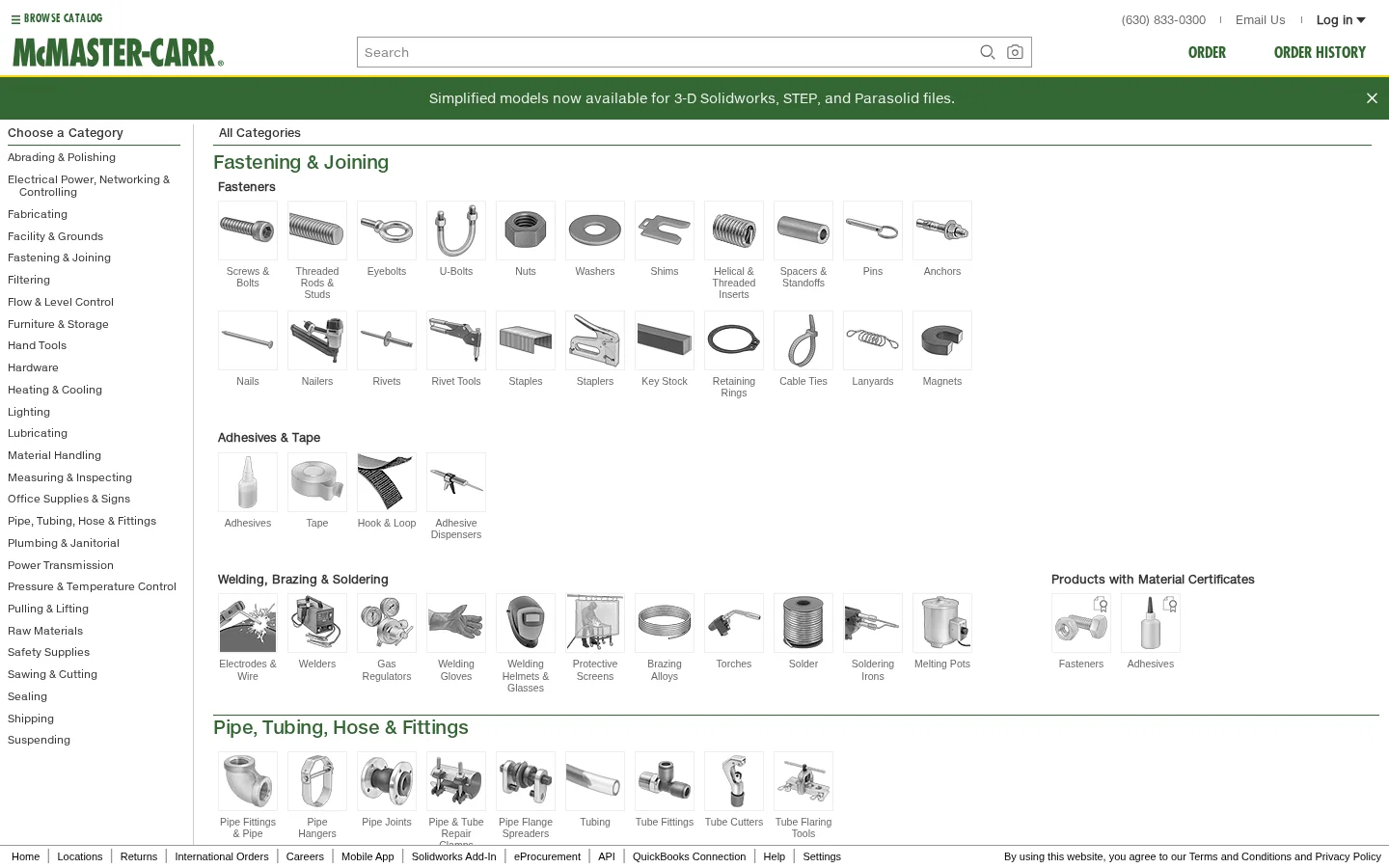
McMaster-Carr is an industrial supplier whose website is a catalog first and a store second. It serves engineers, maintenance technicians and plant buyers who know what they need and want it fast.
What works. The homepage opens on a "Browse Catalog" button that leads to dozens of categories (Fastening and Joining; Pipe, Tubing, Hose and Fittings; Power Transmission) with their subcategories listed directly. The site states that "98% of orders ship from stock today at standard rates." Engineers can "download CAD models for our products from our site or Solidworks Add-In", which turns the catalog into a design tool: once a part is in the drawing, it is very likely to be the part that gets ordered. Material certificates are "emailed and available for download as soon as your order ships", and the order history page lets users see current orders, past orders and print invoices. Punchout and eProcurement links sit at account level.
The limit. The homepage shows no payment methods or payment terms, so a new buyer has to look elsewhere to know whether net terms are possible.
What to copy. Give engineers the files they use at work (CAD, certificates, spec sheets). Every download is a step toward the order.
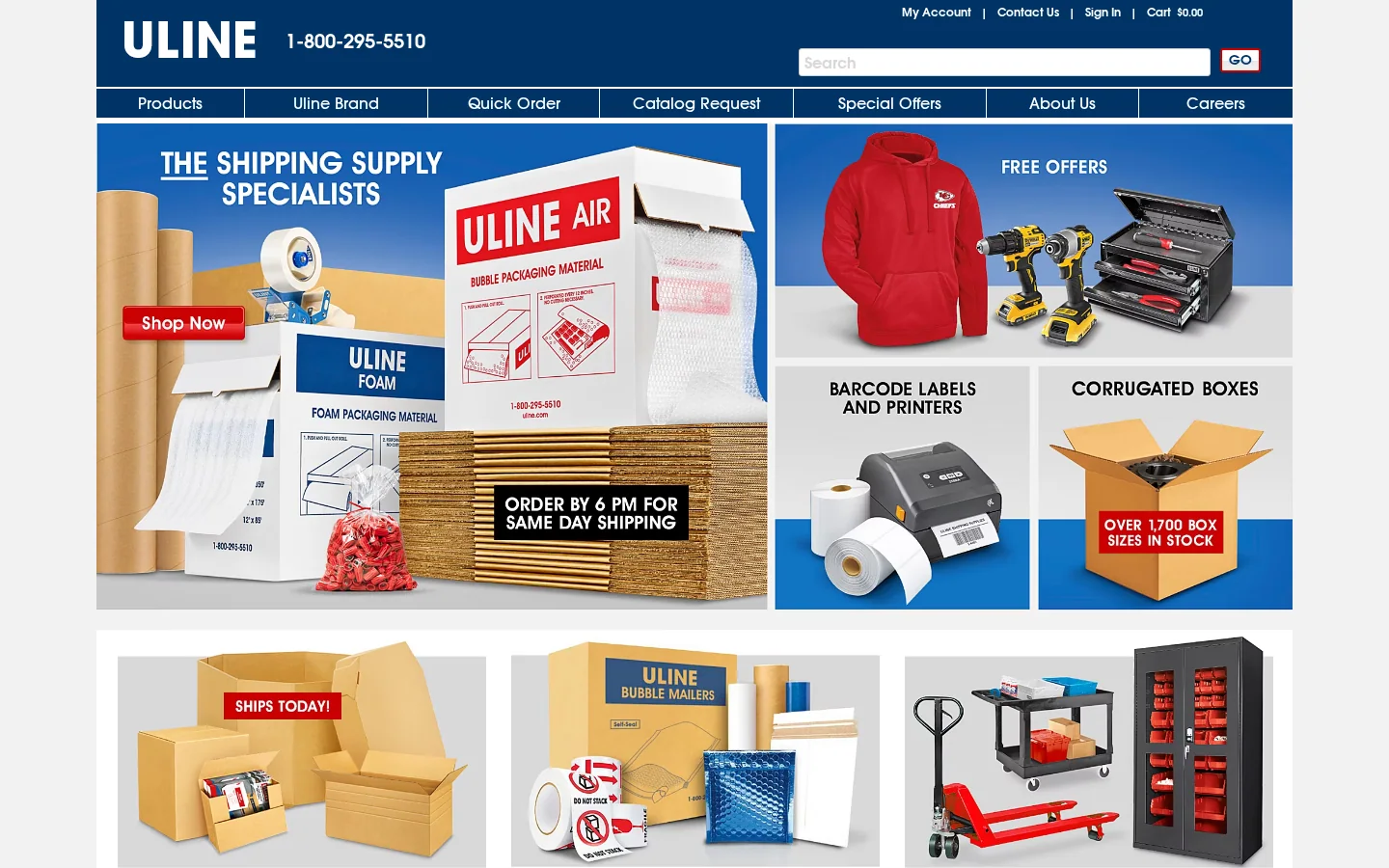
Uline sells shipping, packaging and warehouse supplies. Its buyers are shipping managers and office managers who reorder the same items every month.
What works. A "Quick Order" menu with "Order By Model Number" lets a repeat buyer skip search entirely. The banner promise is concrete: "Order by 6pm for same day shipping", and a feature banner claims over 1700 box sizes in stock. Uline also keeps a paper catalog alive with a "Catalog Request" link next to the online catalog, because many warehouse teams still circle items on paper. The account area includes a saved cart, and the header shows a punchout exit to Ariba, which tells you large customers order from inside their procurement system.
The limit. No quantity price breaks are visible on the homepage. A buyer comparing volume pricing has to open product pages one by one.
What to copy. A cut-off time in the header. "Order by 6pm" answers the buyer's real question (will it arrive tomorrow?) before they ask it.
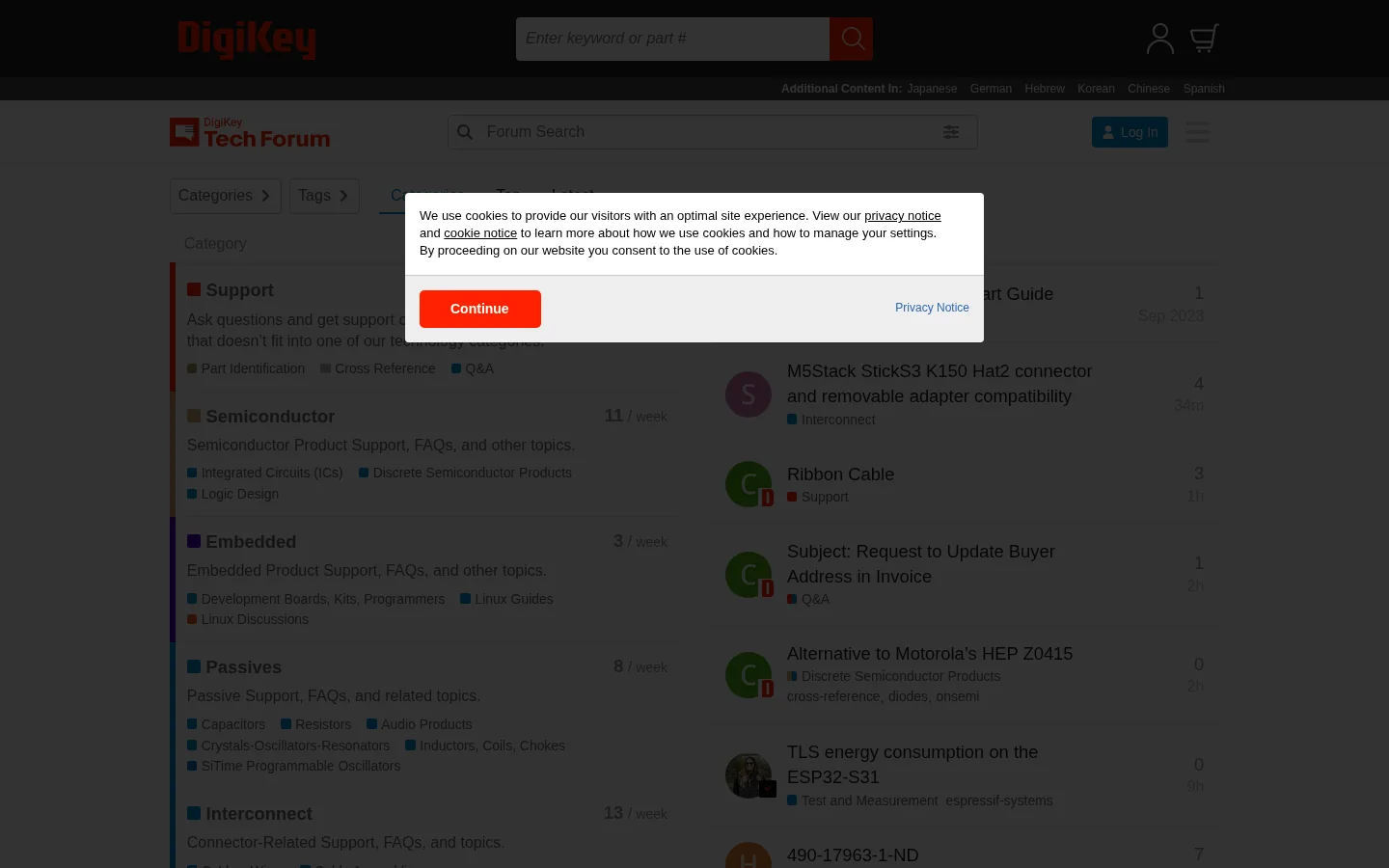
DigiKey distributes electronic components. Its users are electronics engineers and purchasing teams working from a bill of materials (BOM).
What works. The header has an "Upload a List" entry, and the account menu groups Orders, Carts, Lists and Quotes. That is exactly how a component buyer works: upload the BOM, check stock, save the list, request a quote for volumes. Category links go straight to filtered listings (for example "Machine Safety, Light Curtains" or "Tactile Switches"). The payment options are written for businesses: "Credit account for qualified institutions and businesses" and "Payment in Advance by Wire Transfer", next to cards and wallets. US shipping rates start "as low as $4.99".
The limit. DigiKey mixes its own stock with Marketplace products, whose page states "Average Time to Ship 1-3 Days" and "Extra Ship Charges May Apply". A buyer has to watch which items come from where.
What to copy. List upload. If your buyers start from a spreadsheet, let them paste or upload it instead of searching 80 references by hand.
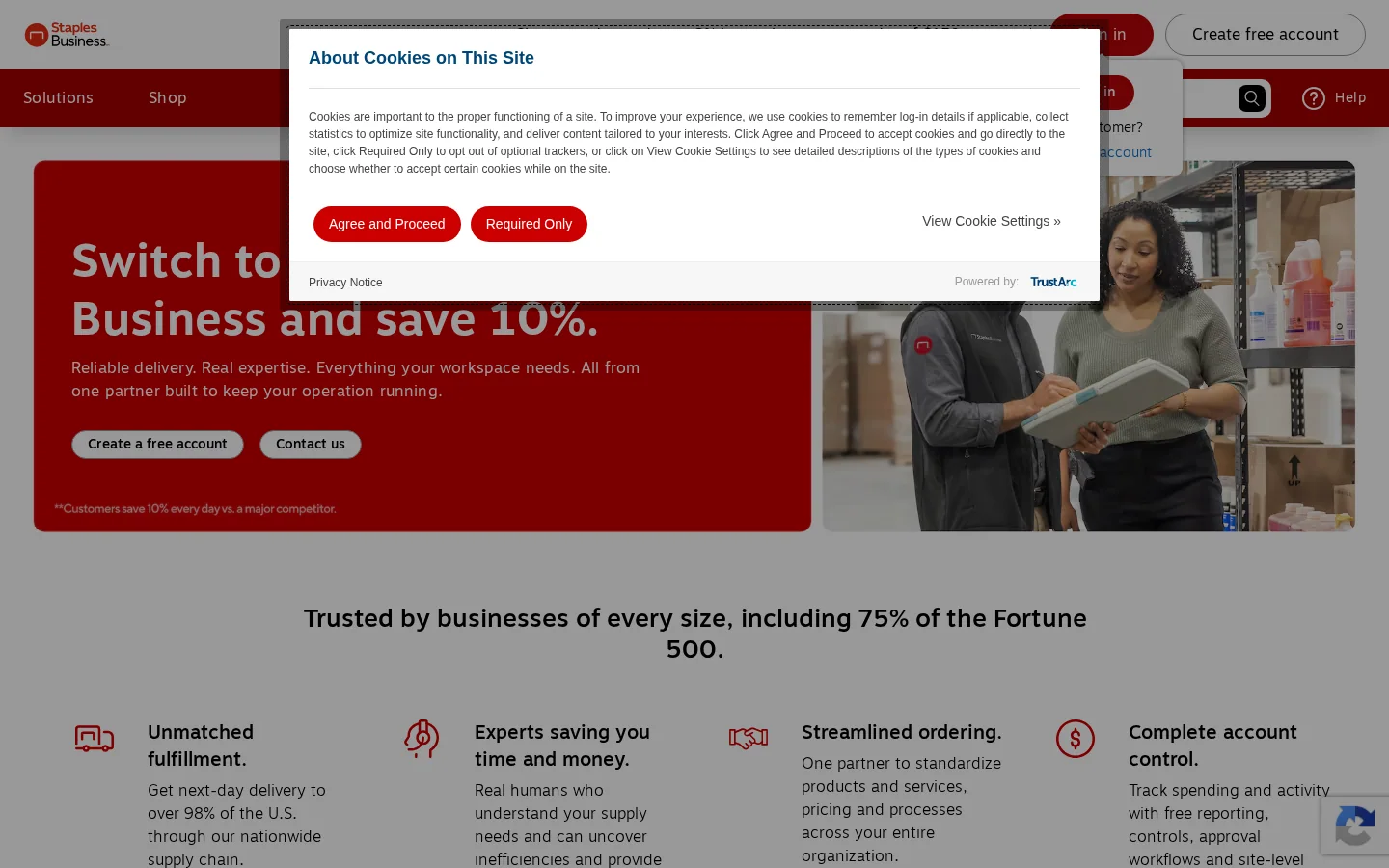
Staples Business Advantage is the contract side of Staples: a procurement portal for companies that buy office supplies, furniture, coffee, print and technology across many sites.
What works. The page sells control, not products. "Complete account control" lists approval workflows, spending tracking and site-level insights, with free reporting. It promises to "standardize products and services, pricing and processes across your entire organization" and integration with "over 170 purchasing platforms". Delivery is precise: next-day delivery to "over 98% of the U.S." when you "Order by 3 PM" for in-stock items. New accounts get "3% instantly on every order of $150 or more".
The limit. The page mentions "customized pricing" in a footnote but does not explain how contract pricing is set, so you still need a conversation with sales to compare.
What to copy. Talk to the person who controls the budget. Approval rules and reports are what the finance team buys; the products come second.
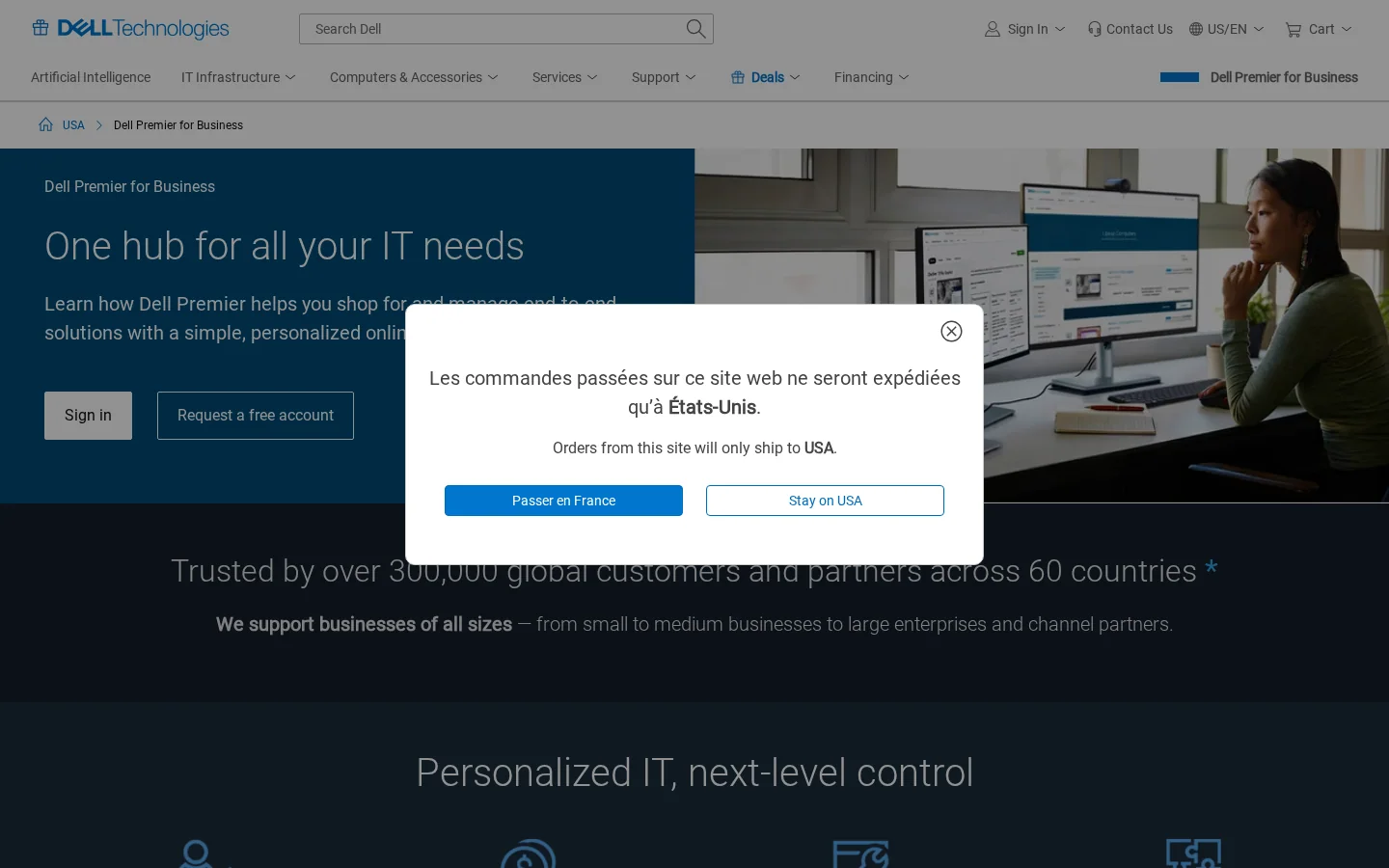
Dell Premier is a manufacturer's own B2B portal: a custom store for organizations that buy Dell hardware and software.
What works. Premier offers "tiered savings" on qualifying items from the full catalog and saved favorite products for repeat orders. Admins control user access, build custom reports and view software licenses. It promises "easy integration with your existing procurement system" and ordering that is either single-country or "multi-country with multi-currency ordering capabilities", so employees buy within procurement policies.
The limit. The public page gives no detail on custom pricing, approval workflows or cost. You learn those only after contacting Dell.
What to copy. If you are a manufacturer, a portal with saved configurations and license views keeps the account loyal far better than a generic shop.
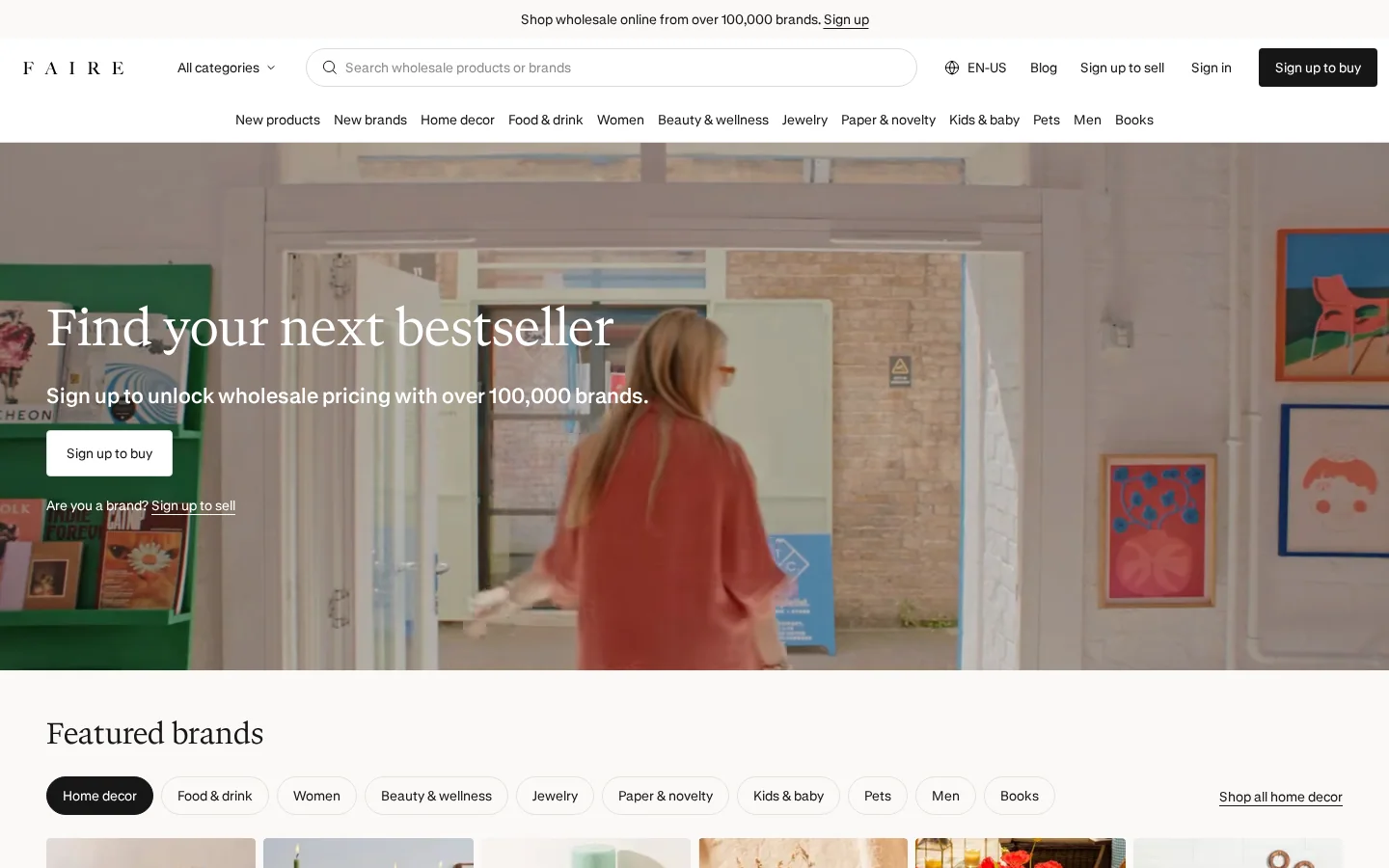
Faire is a wholesale marketplace where independent retailers buy from brands. It says shoppers can buy wholesale online from over 100000 brands.
What works. Faire removed the three things that stop a small retailer from trying a new brand. Cash: "60 days to pay, interest free", "pay invoices 60 days later with zero fees". Risk: "You get free returns on every first order with a brand." Volume: "Thousands of brands with low or no minimums." Wholesale prices are gated: "Sign up to unlock wholesale pricing", which turns the price itself into a reason to create an account.
The limit. Free returns apply to the first order with each brand only, so reorders carry normal risk.
What to copy. Remove the risk of the first order. A trial order with easy returns or deferred payment converts a curious buyer into an account.
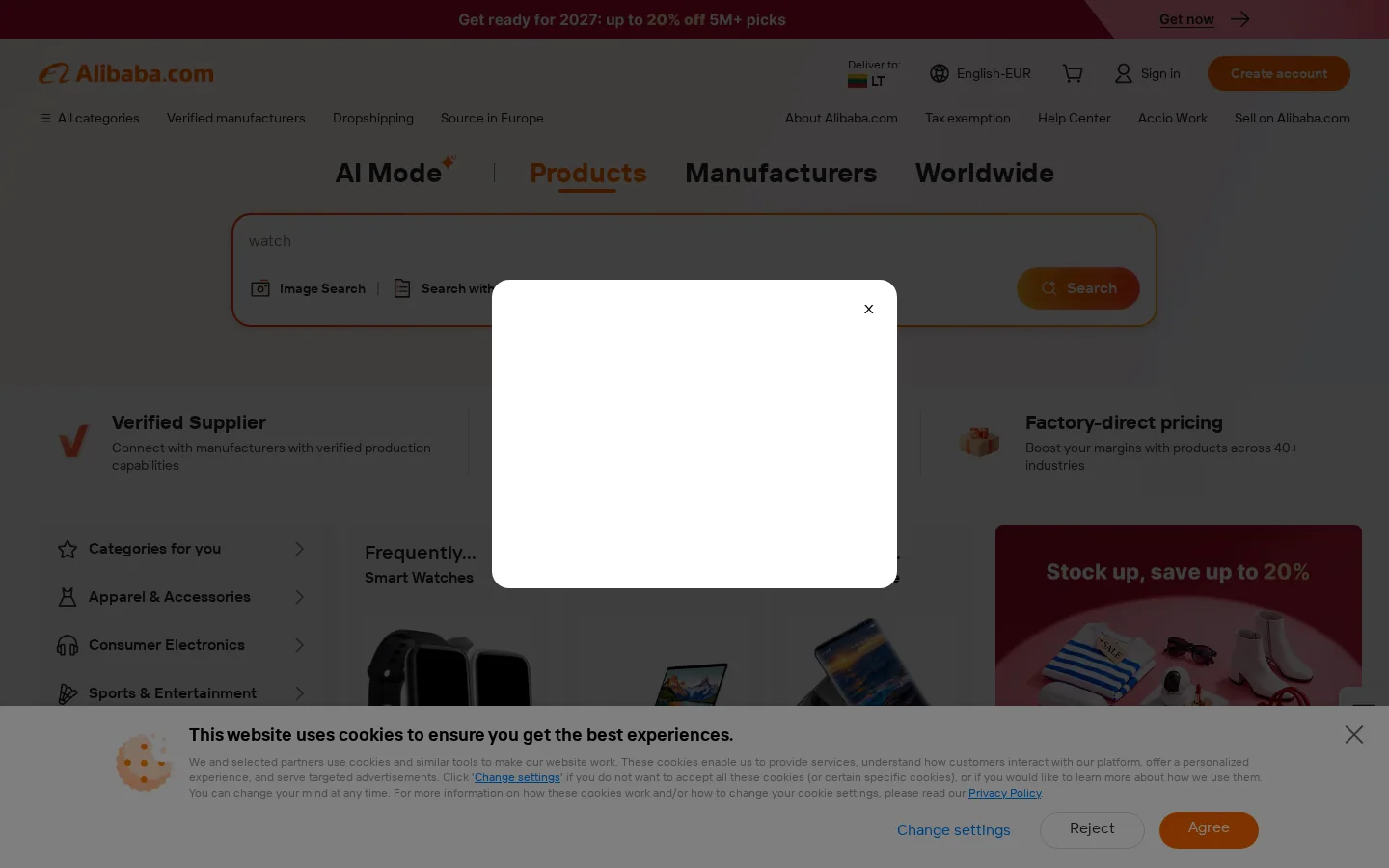
Alibaba.com is a global sourcing marketplace connecting buyers with manufacturers. Its homepage claims "50M+ buyers already source from verified suppliers" and invites you to "connect with 34K+ verified manufacturers".
What works. The request for quotation (RFQ) is the heart of the site: "Post customized sourcing requirements to get quotes from multiple matching suppliers." When search fails, a prompt says "Can't find the product you need? Post custom requirements to get accurate RFQ quotes." Every product card shows its minimum order quantity (MOQ: 1, MOQ: 12, MOQ: 2000), and order protection covers the buyer "from payment to delivery".
The limit. The homepage numbers do not always agree (one block says "5K+ industries covered", another "products across 40+ industries"), which shows how hard it is to keep claims consistent on a large site.
What to copy. Turn a failed search into a lead. A "no result" page with a request form recovers buyers who would have left.
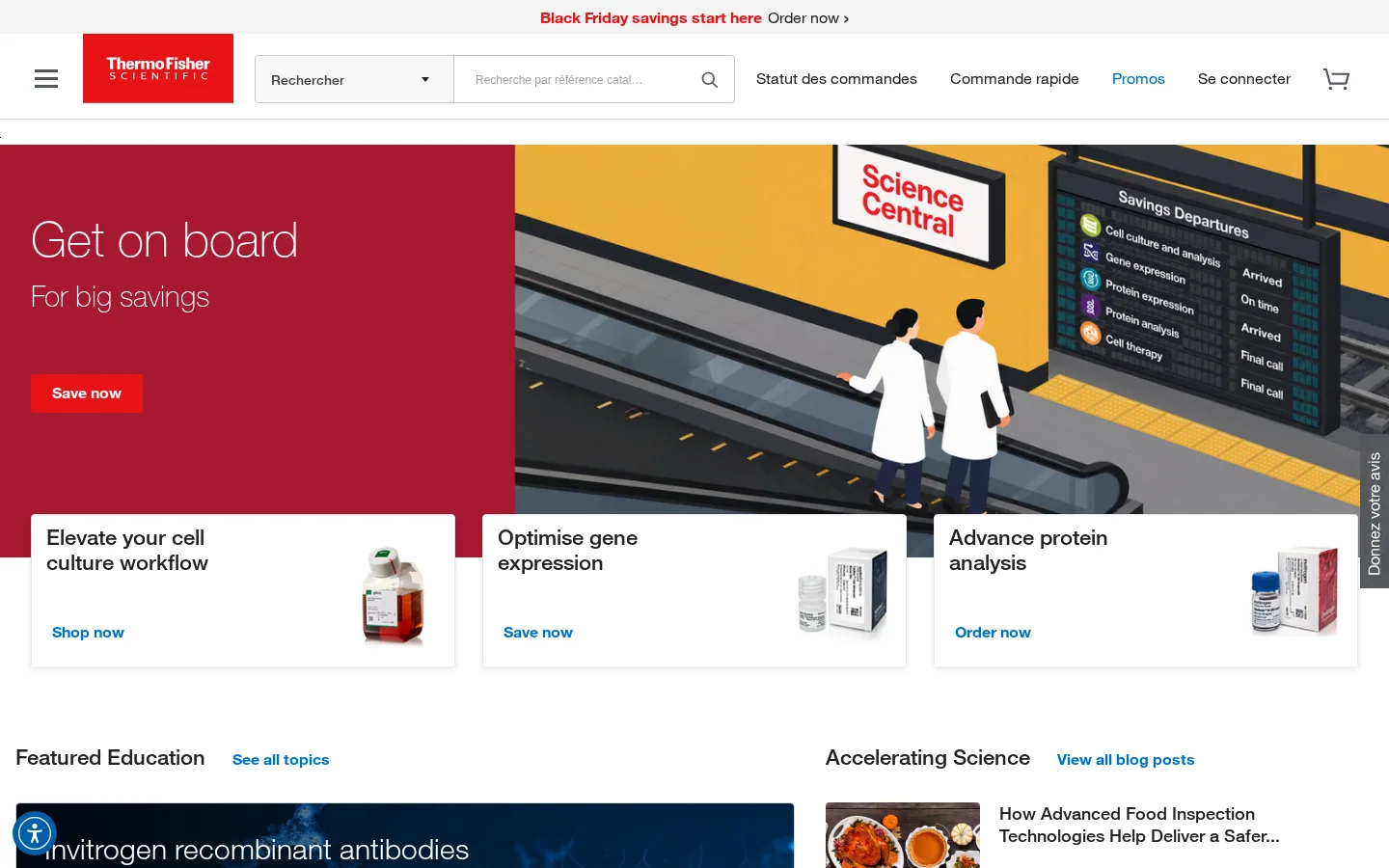
Thermo Fisher Scientific sells instruments, reagents and lab supplies. Its buyers are scientists, lab managers and purchasing departments.
What works. The header carries a "Quick Order" link, an order status page and order support. An online procurement page and a supply center serve purchasing teams, and a section for commercial and OEM offers serves companies that integrate products into their own. The strongest asset is content: learning centers and technical support centers sit in the main navigation, because a scientist chooses a reagent after reading a protocol, not a banner.
The limit. When we loaded the US English address, our checker received French labels. Geo-detection that overrides the language in the address can confuse buyers who travel or use a VPN.
What to copy. Put learning content in the main menu, not in a blog hidden in the footer.
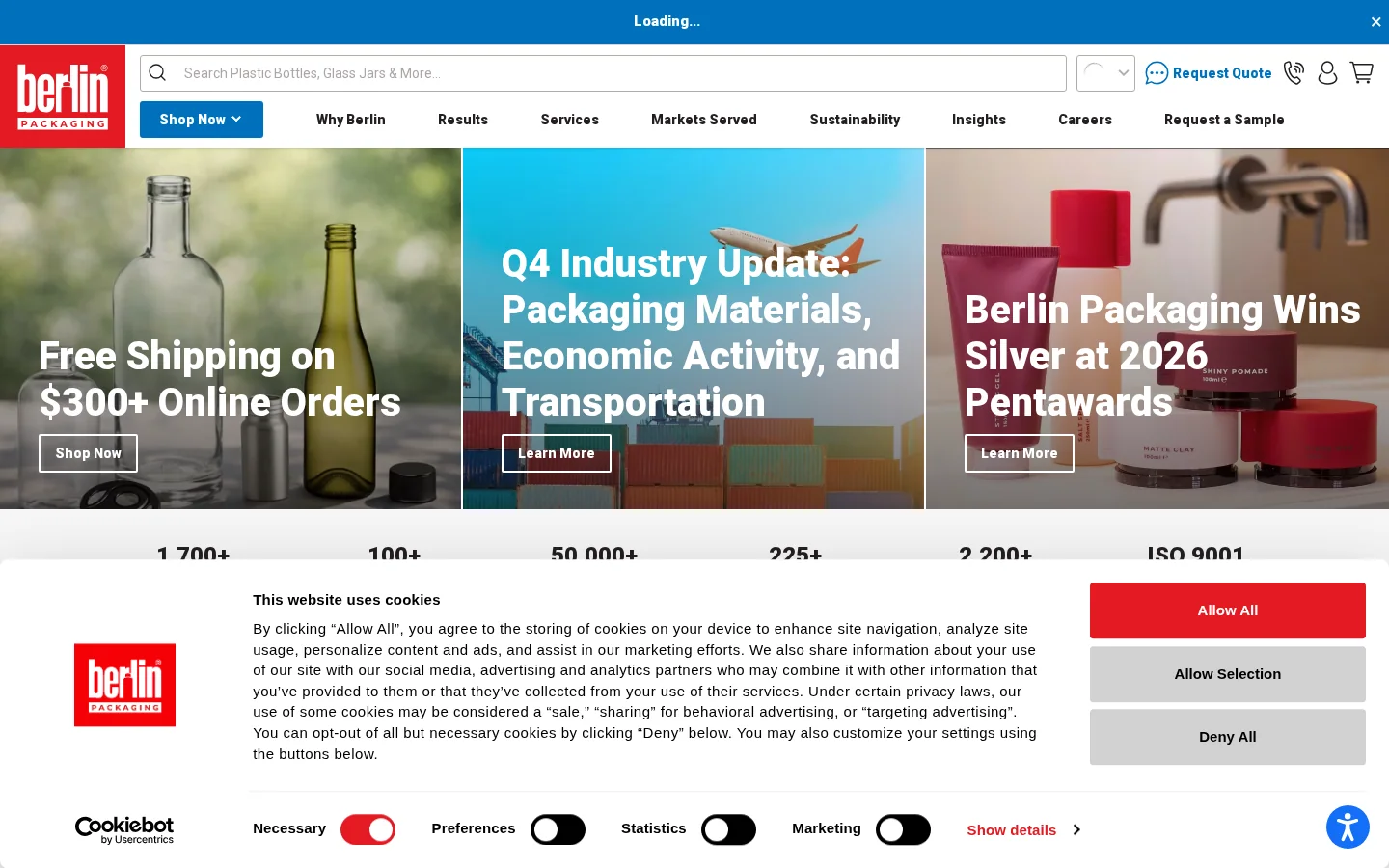
Berlin Packaging supplies bottles, jars and containers, and designs packaging through its studio. It serves food, beverage, beauty and industrial brands.
What works. The site blends a catalog of more than 50000 SKUs from more than 1700 global suppliers with a design service, Studio One Eleven. Trust signals are specific: "225+ Packaging Awards", "ISO 9001 Certified", 100+ locations. The free shipping threshold ("Free Shipping on $300+ Online Orders") is a simple rule that pushes order value up.
The limit. The homepage does not explain how to get a quote or samples, two steps a brand needs before committing to a new bottle.
What to copy. Sell the service next to the product. A design studio turns a commodity order into a project.
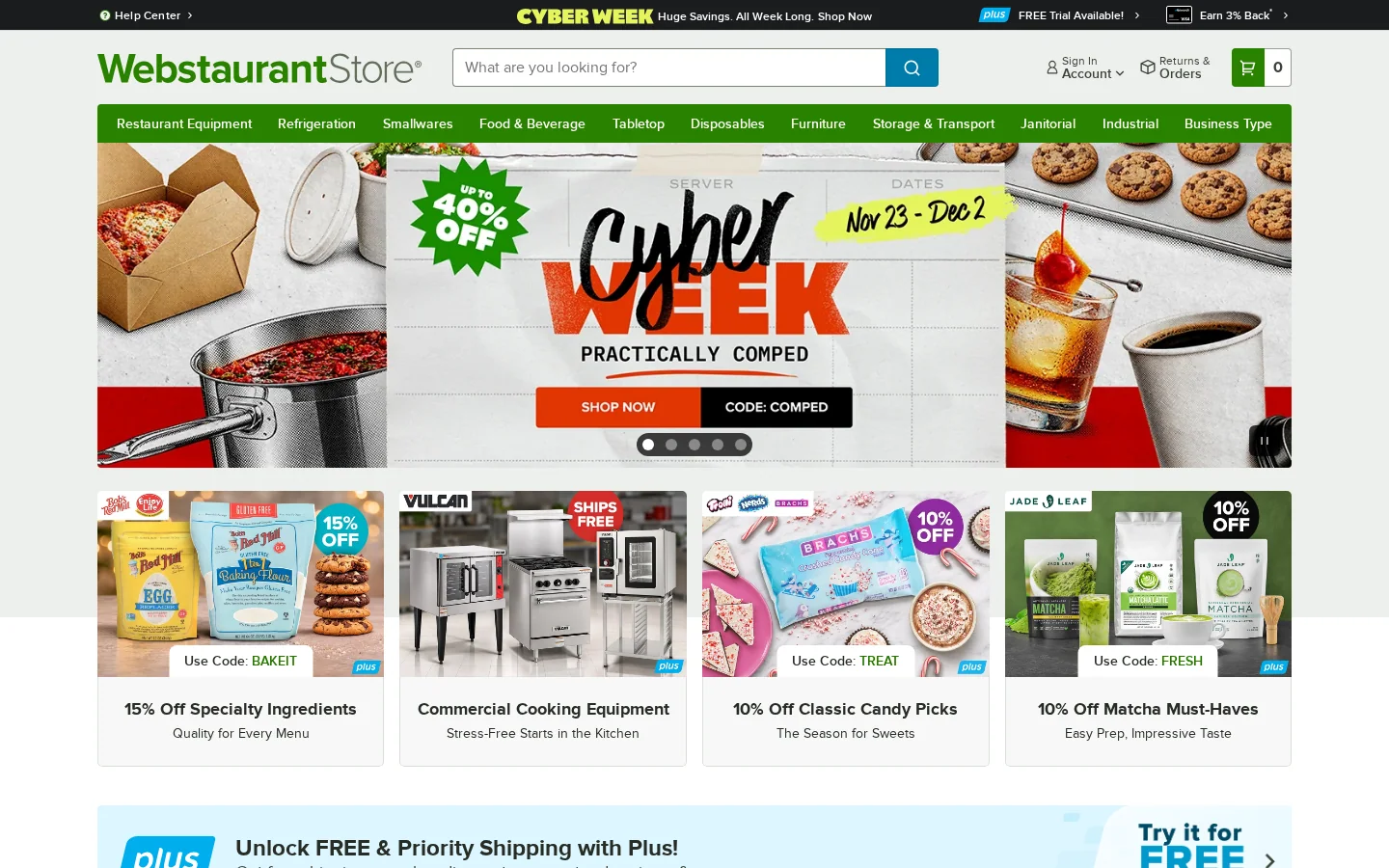
WebstaurantStore is a foodservice supplier for restaurants, caterers and institutions.
What works. Prices are shown per case or per pallet ("$24.49/Case", "$349.99/Pallet"), the units a restaurant actually buys. A bulk path asks "Have a large list of items?" and offers "a personalized quote just for you". A "Foodservice Resources" section holds buying guides, articles and a Recipe Resizer tool, content that brings chefs and owners to the site long before they need a new fryer. A membership, WebstaurantPlus, promises free shipping with "no commitment, cancel at anytime".
The limit. The membership price is not shown on the homepage, so a buyer has to click further to compare it with shipping costs.
What to copy. Price in the buyer's unit. If your customers think in cases, pallets or meters, show that, not the single item.

The 10 examples follow five different models, and the model decides which features matter. Pick your model first; then copy the features of the examples that share it.
Principle: a huge catalog, public prices, fast delivery. When to use it: you sell many standard references to buyers who reorder. Advantages: pages can rank on Google for every product and category; the buyer orders without talking to anyone. Limits: you compete on price and speed, and search and filters must be excellent or the catalog becomes a maze. Example: Uline's order by model number.
Principle: negotiated prices, approval rules and reporting for one organization. When to use it: large accounts with many buyers and a finance team that wants control. Advantages: high retention, the portal becomes part of the customer's process. Limits: pages behind login cannot rank, so you need public pages for acquisition. Example: integration with over 170 purchasing platforms.
Principle: the brand sells its own products directly to companies, often next to resellers. When to use it: you make the product and have enough repeat buyers. Advantages: full control of data, pricing and content. Limits: channel conflict with distributors who also sell your products. Example: Dell's multi-country, multi-currency ordering.
Principle: many brands, many retailers, the platform handles payment and risk. When to use it: you are a small brand looking for retailers, or a platform builder. Advantages: instant reach, payment terms financed by the platform. Limits: you rent the customer relationship. Example: 60 days to pay, interest free.
Principle: buyers post needs, suppliers answer with quotes. When to use it: custom or private-label products where price depends on specs and volume. Advantages: works for products that have no fixed price. Limits: trust has to be built with verification and payment protection. Example: RFQ sent to multiple matching suppliers.
| Model | Prices | Who buys | SEO potential | Main risk | Example |
|---|---|---|---|---|---|
| Distributor catalog | Public, volume breaks | Repeat buyers, technicians | High (every product page can rank) | Price war, weak search | Uline |
| Contract procurement portal | Negotiated per account | Purchasing and finance teams | Low behind login, needs public pages | Slow onboarding | Staples Business Advantage |
| Manufacturer portal | Tiered or custom | IT, labs, engineering | Medium to high with technical content | Conflict with resellers | Dell Premier |
| Wholesale marketplace | Hidden until sign-up | Retailers | High for the platform, low for each brand | Dependence on the platform | Faire |
| Sourcing marketplace | On quote | Importers, private-label brands | High for categories | Trust and quality control | Alibaba.com |
Public catalog vs login-only portal
Most mature sites in the list run two models at once: a public catalog that wins new buyers, and an account layer (contract pricing, approvals, punchout) that keeps them. McMaster-Carr and Uline both show punchout links on top of a public catalog.
Seven features appear again and again in these examples: account pricing, quick order, list upload, procurement integration, payment terms, buyer-unit pricing and expert content. You do not need all seven on day one; you need the ones your buyers ask for most often.
B2B ecommerce feature checklist
In B2B the price depends on who buys and how much. Dell shows "tiered savings", Faire hides wholesale prices until sign-up, Staples uses customized pricing. Most platforms now handle this natively. Shopify, for example, says in its B2B help center that "you must set up your B2B customers as companies in your Shopify admin", and that B2B is available on the Basic, Grow, Advanced and Shopify Plus plans (not on Starter or Retail). If you are still choosing a platform, our comparison of the best ecommerce platforms for SEO covers which ones let you keep public prices indexable while serving account prices to logged-in buyers.
The technical detail that matters for search: Google and AI assistants only see the price the public sees. If you want rich results with a volume price, mark it up in your structured data with a UnitPriceSpecification and an eligibleQuantity:
{
  "@context": "https://schema.org",
  "@type": "Product",
  "name": "Stainless steel hex bolt M8 x 40 mm",
  "sku": "HB-M8-40-SS",
  "offers": {
    "@type": "Offer",
    "priceCurrency": "USD",
    "price": "0.42",
    "availability": "https://schema.org/InStock",
    "priceSpecification": {
      "@type": "UnitPriceSpecification",
      "price": "0.42",
      "priceCurrency": "USD",
      "eligibleQuantity": {
        "@type": "QuantitativeValue",
        "minValue": 100,
        "unitCode": "C62"
      }
    }
  }
}
Tip
Build this markup without writing JSON by hand with the free schema markup generator, then paste a product URL into the structured data validator to check that Google can read it.
A repeat buyer does not browse. Uline offers order by model number; DigiKey offers list upload; Thermo Fisher puts Quick Order in the header. Build a form that accepts SKU and quantity pairs, one per line, and accepts pasted spreadsheet columns. Then show errors line by line ("SKU 4471-B not found, did you mean 4471-BX?") instead of rejecting the whole list.
Large companies buy from inside their procurement system (Ariba, Coupa, Jaggaer and others). Punchout lets the buyer leave that system, shop your site, and send the cart back for approval. Uline's "Exit to Ariba" link and Staples' 170 purchasing platforms are signs of this. Most punchout connections use cXML; the procurement system opens the session with a setup request like this one:
<cXML payloadID="[email protected]" timestamp="2026-11-26T10:00:00+00:00">
  <Header>
    <From><Credential domain="NetworkID"><Identity>BUYER-ID</Identity></Credential></From>
    <To><Credential domain="DUNS"><Identity>SUPPLIER-ID</Identity></Credential></To>
    <Sender>
      <Credential domain="NetworkID"><Identity>BUYER-ID</Identity><SharedSecret>****</SharedSecret></Credential>
      <UserAgent>Procurement system</UserAgent>
    </Sender>
  </Header>
  <Request>
    <PunchOutSetupRequest operation="create">
      <BuyerCookie>session-4f2a</BuyerCookie>
      <BrowserFormPost><URL>https://procurement.example.com/punchout/return</URL></BrowserFormPost>
    </PunchOutSetupRequest>
  </Request>
</cXML>
Your site answers with a URL for a pre-logged session, and at checkout it posts the cart back to the BrowserFormPost address instead of taking payment. Do not build this before a customer asks for it: it is a project per procurement system.
Faire's "60 days to pay" and DigiKey's "credit account for qualified institutions and businesses" both answer the same fact: companies pay on invoice. Offer card payment for small first orders, then a credit application that unlocks invoice payment. Write the terms on a public page; buyers search for "net 30" before they apply.
WebstaurantStore shows "$/Case" and "$/Pallet". Electronics distributors price per reel or per 100 units. Show the price per unit and per pack side by side, and let the quantity field step in pack multiples so nobody orders 7 units of a 10-pack.
Thermo Fisher's learning centers, WebstaurantStore's buying guides and McMaster-Carr's CAD files all do the same job: they help the buyer decide, then make your product the default choice. This is where content that convinces a B2B buying committee pays off: one guide for the engineer, one comparison for the purchasing manager, one cost page for finance.
Start from your buyers' top three tasks, match them to one model, and copy one feature at a time from the example that does it best. Here is the method, in five steps you can start today.
Choose your B2B reference site in 5 steps
Do not ask your sales team which features they want; read what customers actually do. Tag the last 200 orders and support emails: "reorder same items", "asked for a quote", "asked for invoice payment", "asked for a spec sheet". The top three tags are your roadmap. If "asked for a quote" dominates, Alibaba.com and WebstaurantStore are your references. If "reorder" dominates, look at Uline and DigiKey.
A manufacturer with 40 products and 12 distributors should not copy McMaster-Carr. Use the model table above. The test is simple: can a new buyer see a price and order without talking to you? If yes, you are a catalog. If no, you are a portal, and your public pages exist to generate accounts and quote requests.
Go through each reference site with a stopwatch. How many clicks to reorder an item you know? How many to find a spec sheet? What happens when search returns nothing? Write the answers in a sheet with three columns: task, clicks on the reference site, clicks on yours.
Whatever you put behind a login, keep the category pages, product pages and guides public and indexable. Block only the private paths in robots.txt:
User-agent: *
Disallow: /cart
Disallow: /checkout
Disallow: /account/
Disallow: /quick-order
Disallow: /*?sort=
Disallow: /*?sessionid=

Sitemap: https://www.example.com/sitemap.xml
Generate yours with the free robots.txt generator and check that you did not block product pages by mistake. For the structure of the pages that stay public, our guides to category page SEO for online stores and to the elements of a product page that ranks and converts go into the detail.
Launch the most requested feature first. Measure it against a baseline: share of orders placed without a sales rep, average time from first visit to first order, number of quote requests from organic traffic. If you need a business case for the content and SEO side, the ecommerce SEO ROI calculator projects revenue from organic traffic for your store.
B2B buyers find suppliers through Google searches on product and problem terms, and more and more through AI assistants like ChatGPT, Gemini and Claude. The Gartner survey reported by Digital Commerce 360 in March 2026 found that 45% of B2B buyers used AI tools during a recent purchase. Your public pages are the only thing those tools can read.
The B2B buyer path to a first online order
Early searches are problems ("how to choose a pallet wrap gauge"), middle searches are comparisons ("stretch film vs pallet wrap machine"), late searches are references ("80 gauge stretch film 18 inch"). Each stage needs a different page type: guide, comparison, product. Our B2B SEO strategy by buying stage details how to map them.
AI assistants recommend suppliers whose pages state facts clearly: dimensions, standards, lead times, minimums, certifications. Berlin Packaging's "ISO 9001 Certified" and Uline's "Order by 6pm for same day shipping" are exactly the kind of sentences an assistant can quote. Put them in plain text, not in images. For the product side, see how to get your products recommended by ChatGPT and Gemini.
Producing that volume of guides is the bottleneck for most B2B teams. Sorank's blog article generator researches the keywords, writes and publishes the articles on autopilot, and its AI mention tracking shows whether ChatGPT, Gemini and Claude cite your brand when buyers ask about your category.
The most common mistake is copying a site's look instead of the buyer task it solves. Here are six mistakes we see often, how to spot each one, and how to fix it.
A typical B2B site before and after the fixes
What it is: every product page requires an account. How to spot it: search site:yourdomain.com on Google; if only the homepage and contact page appear, your catalog is invisible. How to fix it: make product and category pages public, show a "from" price or "Log in for your price", and keep only cart, checkout and account pages private.
What it is: card-only payment, one shipping address, no PO number field. How to spot it: count abandoned carts from logged-in business accounts and read the support emails that follow. How to fix it: add a purchase order field, multiple ship-to addresses per account and invoice payment for approved accounts.
What it is: months of integration work for a feature no current customer uses. How to spot it: no customer has mentioned Ariba, Coupa or a procurement system in a contract or email. How to fix it: start with saved lists and quick order; build punchout when a signed account requires it.
What it is: the same description as 30 other distributors. How to spot it: paste a sentence from your product page into Google between quotes; if dozens of sites show the same text, it is duplicate. How to fix it: add what only you know: real lead time, pack quantity, compatible parts, certificates, a short "when to choose this one" paragraph. The technical side (facets, variants, stock) is covered in our guide to technical SEO for ecommerce.
What it is: every combination of size, material and brand gets its own crawlable URL. How to spot it: in Google Search Console, the "Crawled, currently not indexed" report is full of parameter URLs. How to fix it: pick the few filter combinations people search for (for example "stainless steel M8 bolts") and give them clean, indexable pages; add noindex or a canonical to the rest, and do not link to infinite combinations.
What it is: the homepage says one number, a category page another. Even Alibaba.com shows "5K+ industries" and "40+ industries" on the same page. How to spot it: list every number your site claims (products, years, delivery times) and search each one across your pages. How to fix it: keep each claim in one place (a shared snippet or CMS field) and reuse it everywhere, so Google, AI assistants and buyers read the same fact.
If you sell a catalog of standard products, start with Uline: a quick order by model number and a visible cut-off time are cheap to build and help repeat buyers right away. If you sell to large organizations, study Staples Business Advantage for approvals and reporting. If your price depends on specs, copy Alibaba.com's request for quotation and turn failed searches into leads.
Whatever you copy, keep your product, category and guide pages public: they are what Google and AI assistants read before a buyer ever logs in. Your action for today: tag your last 200 orders and support emails, find your buyers' top three tasks, and pick the one feature from this list that solves the first one. For the full build, from platform to launch, follow our guide on how to build an ecommerce website step by step.
This ranking reflects my own experience and opinion as an SEO expert with more than 7 years in the field. It is based on verified facts, but the order itself is my personal view.
McMaster-Carr is a classic example: an industrial supplier whose public catalog lets engineers download CAD models and order parts that mostly ship from stock the same day. Uline, DigiKey, Faire and Alibaba.com are other well-known B2B ecommerce websites, each built around a different buying model.
The features that come up most are account or volume pricing, quick order by SKU, list upload, payment on invoice and prices shown in the buyer's unit (case, pallet, reel). Large accounts also expect approval workflows and punchout integration with their procurement system.
Hide account-specific prices if you must, but keep product and category pages public. Pages behind a login cannot rank on Google or be read by AI assistants, so a public catalog with a "log in for your price" message usually wins more new buyers.
We analyse your competitors, your website and your AI visibility to create a tailored content plan for free.
 Website Value Calculator
 Website Accessibility Checker
 Google Analytics Checker
 Duplicate Content Checker
 Mobile-Friendly Test
 Website Speed Test
 Subdomain Finder
 Domain Age Checker
 CMS Detector
 Googlebot Simulator
 Nofollow Link Checker
 Meta Tag Checker
 Keyword Cannibalization Checker
 Keyword Intent Checker
 Keyword Extractor
 Google Ads Cost Calculator
 CPC Calculator
 Local Citation Finder
 Reddit Threads Finder
 Disavow File Generator
 Redirect Generator
 Canonical Tag Generator
 Passive Voice Checker
 Google Location Changer
 Google Review Calculator
 Google Review Link Generator
 Keyword Combiner
 Podcast Show Notes Generator
 AI Content Rewriter
 AI Text Humanizer
 ChatGPT Prompt Generator
 Twitter Thread Generator
 Tweet Generator
 Landing Page Copy Generator
 Google Ads Copy Generator
 Pinterest Pin Description Generator
 Anchor Text Generator
 Social Media Post Generator
 LinkedIn Post Generator
 Free AI Writer
 Review Response Generator
 LSI Keyword Generator
 YouTube Video Ideas Generator
 YouTube Tag Generator
 YouTube Description Generator
 Product Description Generator
 CTA Generator
 Blog Introduction Generator
 Conclusion Generator
 Hook Generator
 AI Content Brief Generator
 FAQ Schema Generator
 AI Blog Post Ideas Generator
 Structured Data Validator (Schema Validator)
 Alt Text Checker
 Internal Link Analyzer
 Backlink Challenge
 AI Meta Description Generator
 AI Blog Title Generator
 Google Indexability Checker
 AI Blog Outline Generator
 UTM Link Builder
 Keyword Clustering Tool
 Canonical Tag Checker
 XML Sitemap Generator
 Broken Link Checker
 AI SEO Title Generator
 Headline Analyzer
 SERP Preview Tool
 Redirect Checker
 Hreflang Tag Generator
 Heading Structure Analyzer
 HTTP Headers Checker
 Favicon Extractor
 SERP CTR Calculator
 SEO vs Paid Search Savings Calculator
 SEO Share of Voice Calculator
 SEO ROI Calculator
 SEO Traffic and Revenue Forecast Calculator
 SEO Budget Calculator
 SEO Break-Even Calculator
 SaaS SEO ROI Calculator
 ROAS Calculator
 Reading Time Calculator
 Ranking Gain Simulator
 Organic Traffic Value Calculator
 Organic Traffic Estimator and Website Traffic Checker
 LTV to CAC Ratio Calculator
 Local SEO ROI Calculator
 Link Building Cost Calculator
 Keyword Value Calculator
 Keyword Opportunity Score Calculator
 Keyword Density Calculator
 GEO ROI Calculator
 GEO Content Investment Calculator
 Ecommerce SEO ROI Calculator
 Customer Lifetime Value Calculator
 Customer Acquisition Cost Calculator
 CTR Calculator
 Cost Per Article Calculator
 Conversion Rate Calculator
 Content Marketing ROI Calculator
 ChatGPT Referral Traffic Estimator
 Bounce Rate Calculator
 Backlink ROI Calculator
 AI Visibility Score Calculator
 AI Traffic Value Calculator
 AI Share of Voice Calculator
 Cost of AI Invisibility Calculator
 AI Citation Rate Calculator
 llms.txt Validator
 AI Overview Checker and AI Overviews Rank Checker
 Robots.txt Checker
 AI SEO Audit
 LLM Readability Checker
 SearchGPT Readiness Checker
 Structured Data LLM Audit
 Website Crawlability AI Audit
 Why ChatGPT Is Not Recommending My Website
 Gemini Ranking Tool
 Perplexity Ranking Checker
 LLM Citation Checker
 Answer Engine Optimization Audit
 GEO Audit
 AI Search Visibility Test
 ChatGPT Visibility Checker
 llms.txt Generator
 URL Extractor
 Webpage to Markdown
 Sitemap Checker
 SERP Volatility Sensor
 Page Size Checker
 Word Counter
 Slug Generator
 Schema Generator
 Robots Generator
 OG Preview
 Meta Tags Generator
 Image Compressor
 Favicon Generator
 On-Page SEO Audit: SEO Checker and SEO Analyzer
 Backlink Analysis Tool
 Keyword Research Tool
 Domain Authority Checker
 “I tested Sorank on a real client site and it's insane. It does everything an agency would bill you $1500 a month for. It's going into production on that client now.”

 Guillaume Guersanguersanguillaume.com“We are an Ads agency and we wanted to get our SEO back on track once and for all. Sorank gave us a clear view of our site, helped us prioritize optimizations, and properly structure our content. The tool is easy to use, well designed for a team, and very practical for centralizing tracking without having to juggle multiple platforms. A very solid foundation to start fresh with our SEO.”
 Gaspard MadouiAds Agency
 “I just let the Sorank software do its thing, and now my DR is 25 and my page is ranking higher.”
 Lucas Flandrefoundertrace.fr“I specialized in GEO thanks to Sorank. The GEO Leaderboard allows me to show my clients their position vs competitors on ChatGPT. It’s a real commercial differentiator.”
 MélanieSEO Freelance“Great service, works well for our website and helps us understand how to improve it to rank better on Google and elsewhere. Congrats, keep going, I recommend it.”
 Hugo T.E-commerce merchant