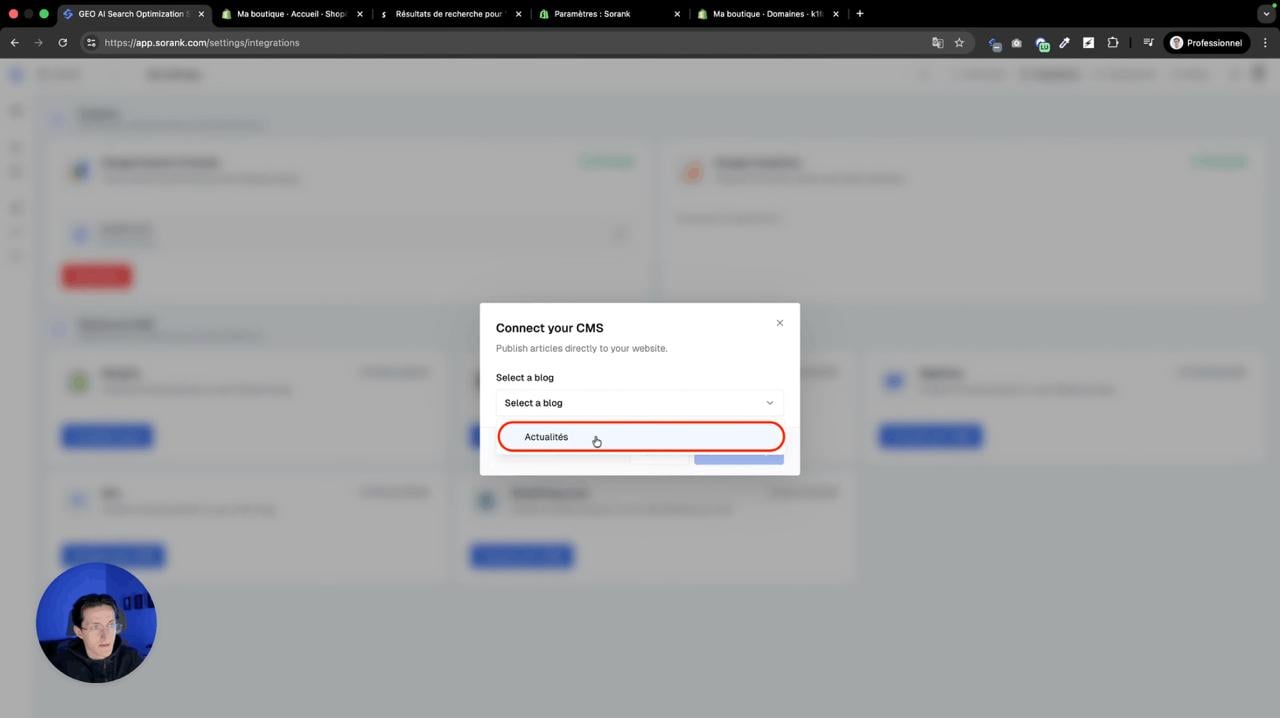

Open the Integrations page in Sorank
In the left menu, open Settings, then Publishing platforms. In this article, we explain how you can create and update a Sorank app to allow us to manage your blog articles and other SEO/GEO optimisation. First, let’s create an app. You will find a tutorial for updating your existing app at the bottom of this page. CREATE THE APP
Step 1: Go to Your Integration Settings
In Sorank, click the publish button on the SEO articles page or go to Publishing platforms. Click “Connect your CMS” and select Shopify.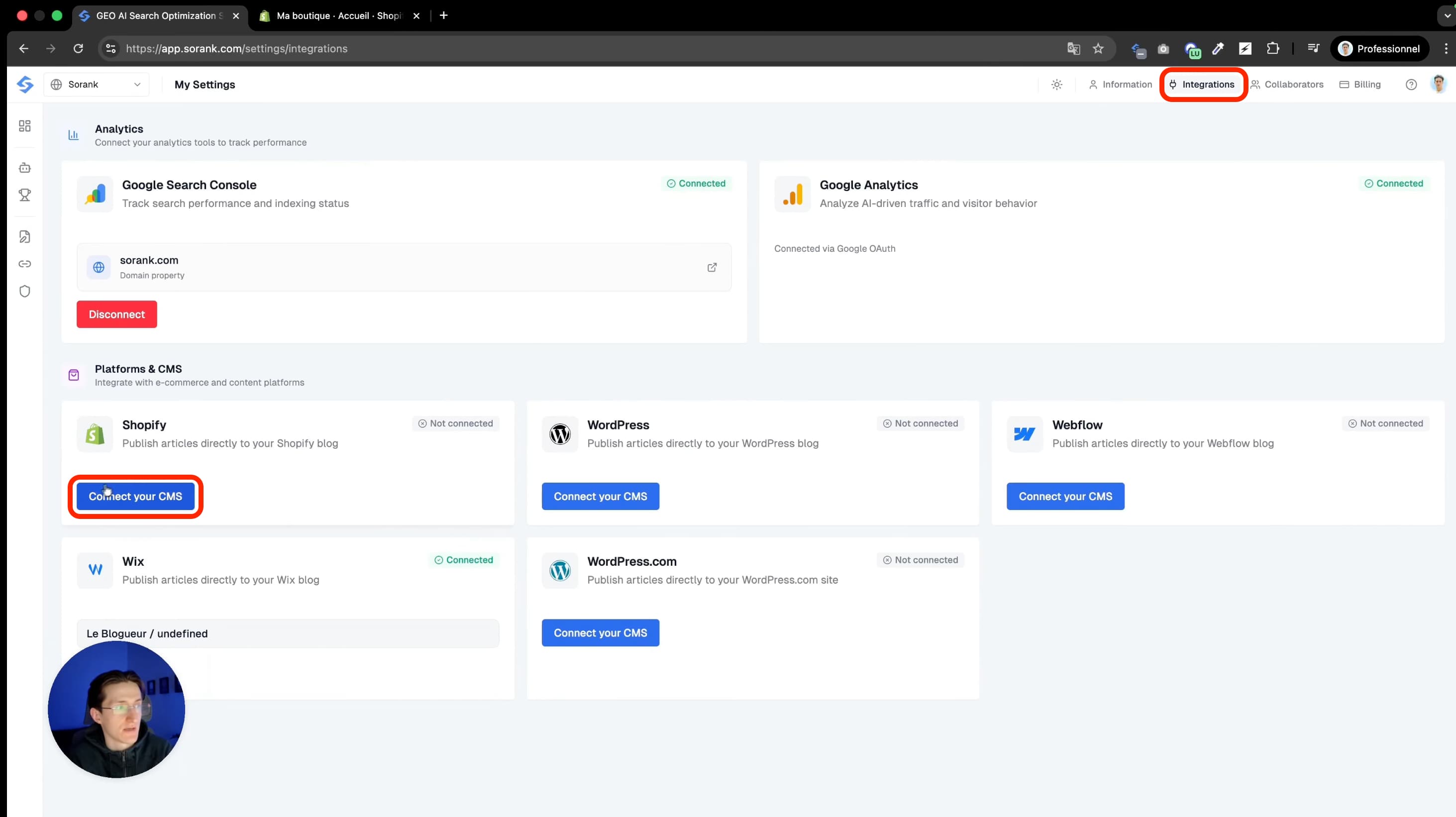
Step 2: Create an App on Shopify
Go to the Shopify Dev Dashboard. Search “dev dashboard Shopify” on Google and click the first link. Click “Create an application” and select “Start from dev dashboard.” Name it “sorank” and create it.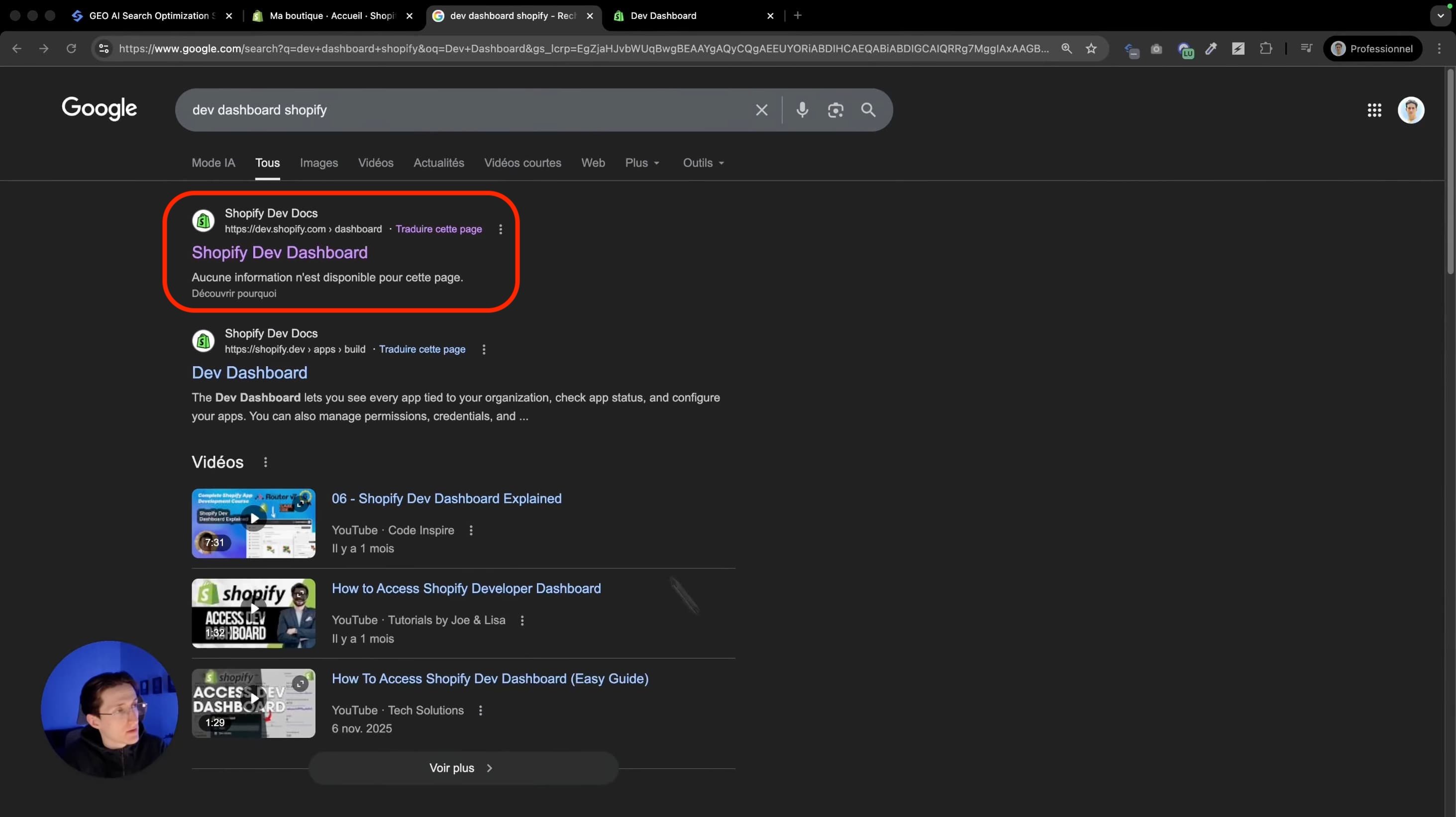
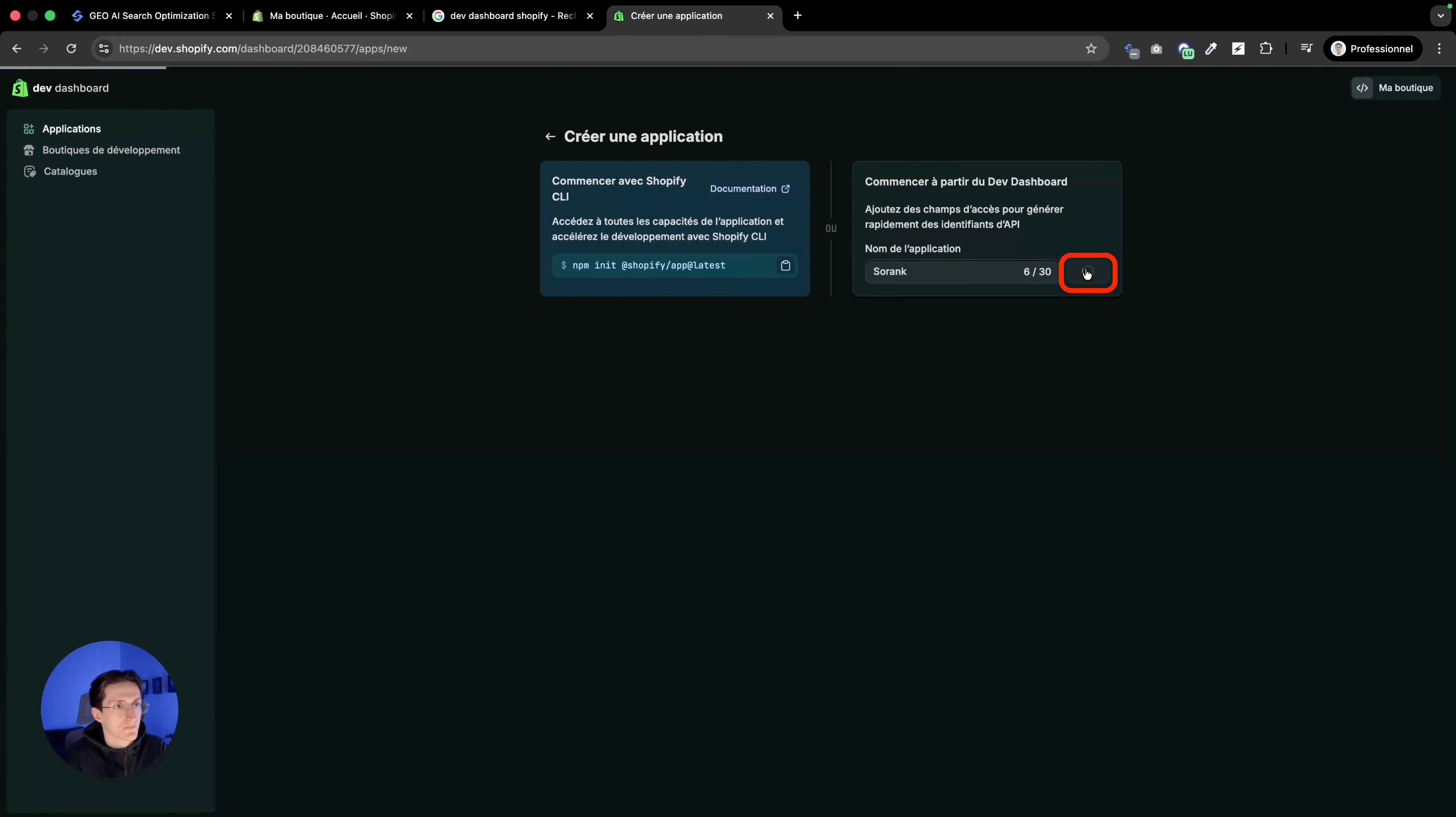
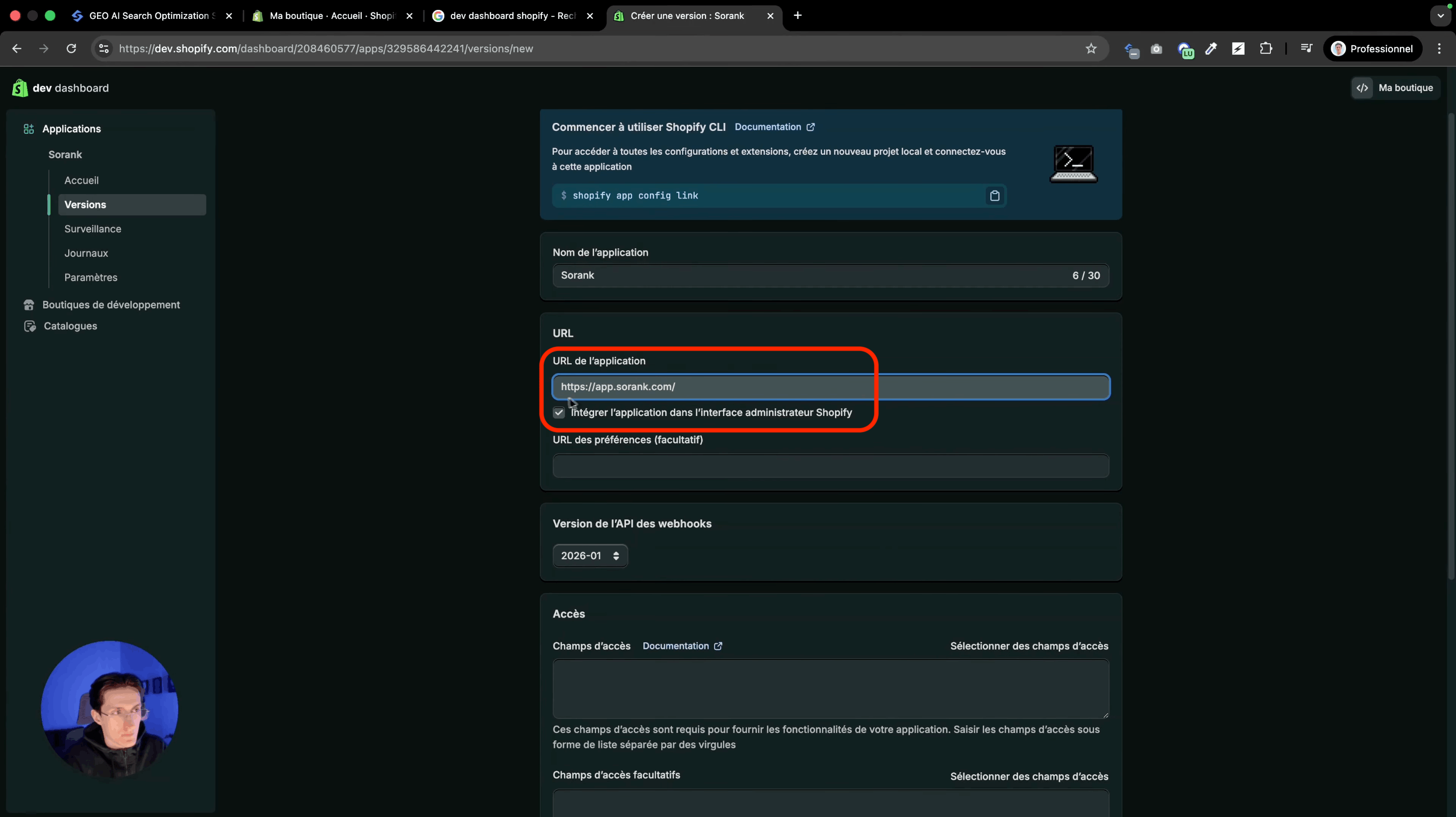
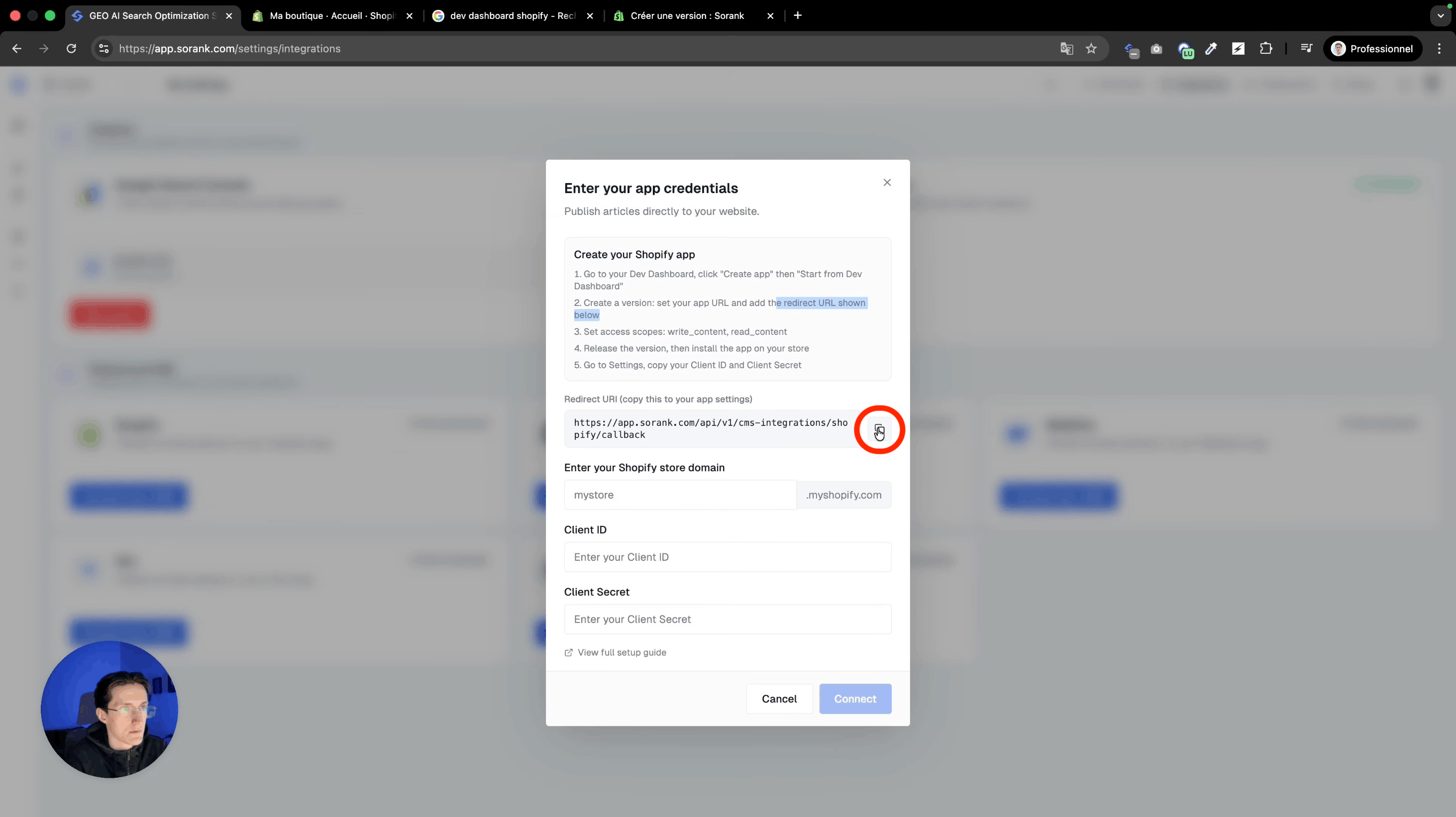
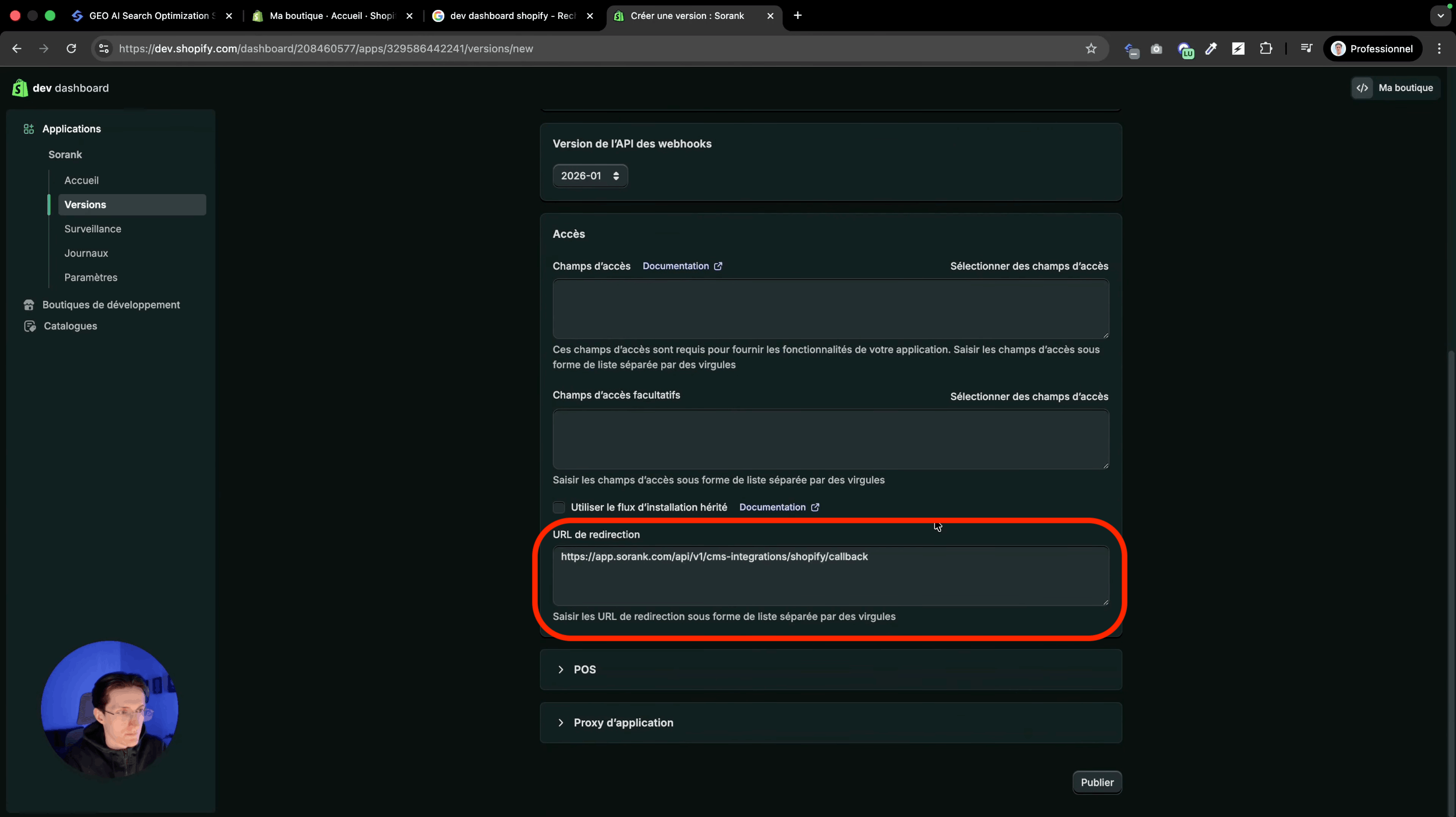
Step 3: Set Up the App URL and Redirect URL
Step 4: Select the Scopes
In your Shopify app, go to access fields and add the following scopes: Content: “write_content” and “read_content” Files: “write_files” and “read_files” Click finish once all four scopes are added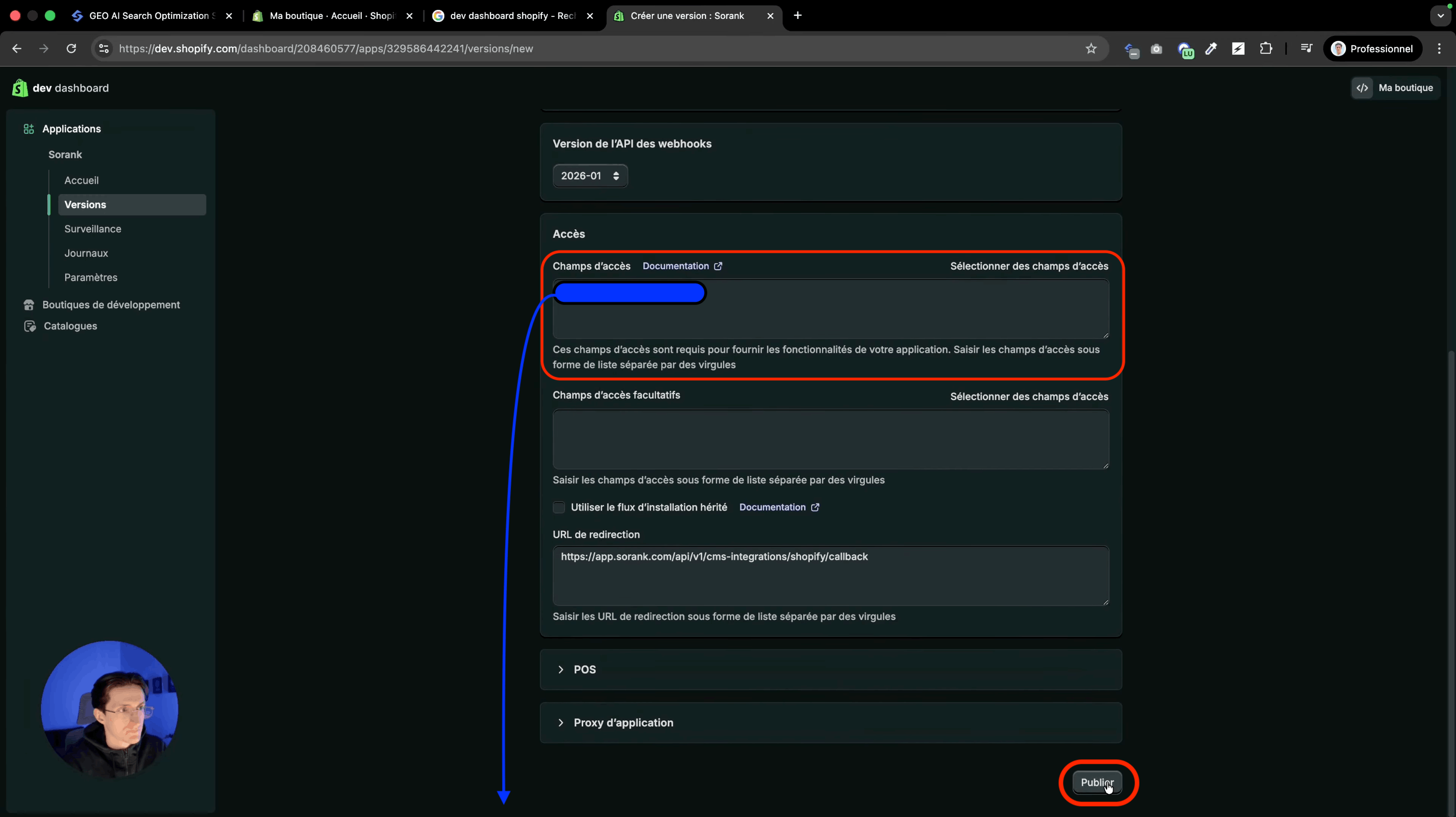
Step 5: Publish and Install the App
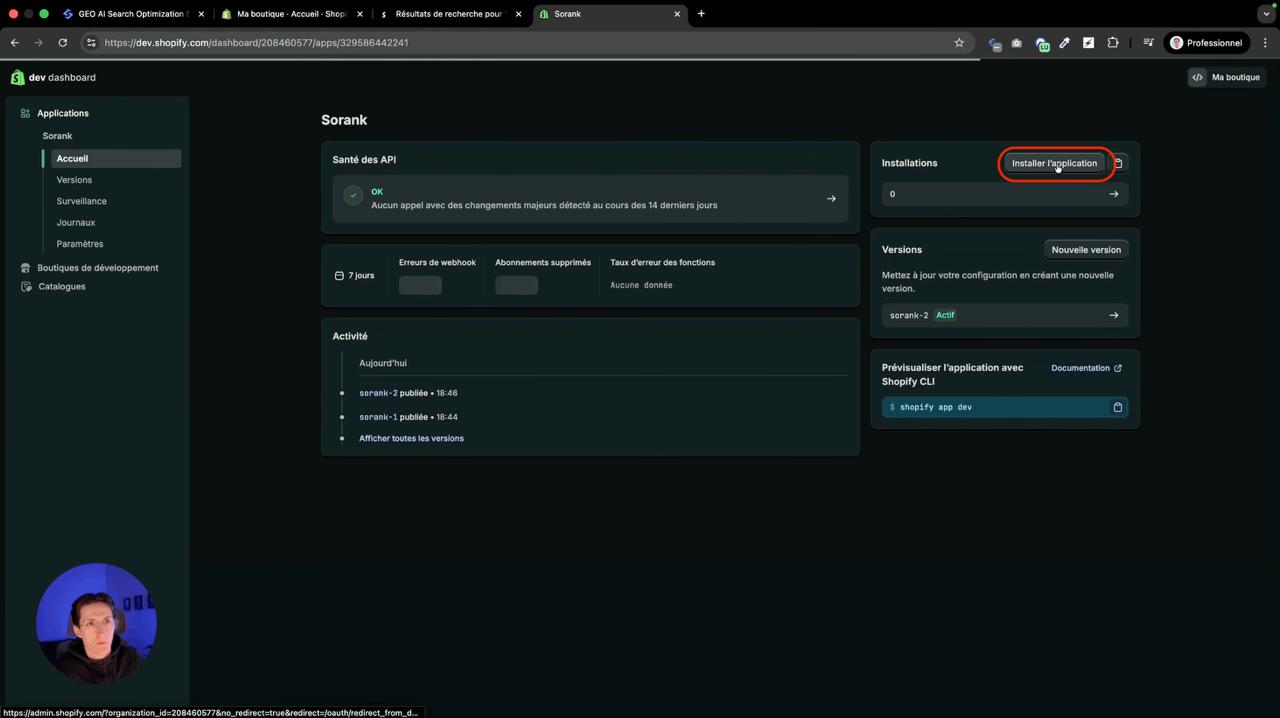
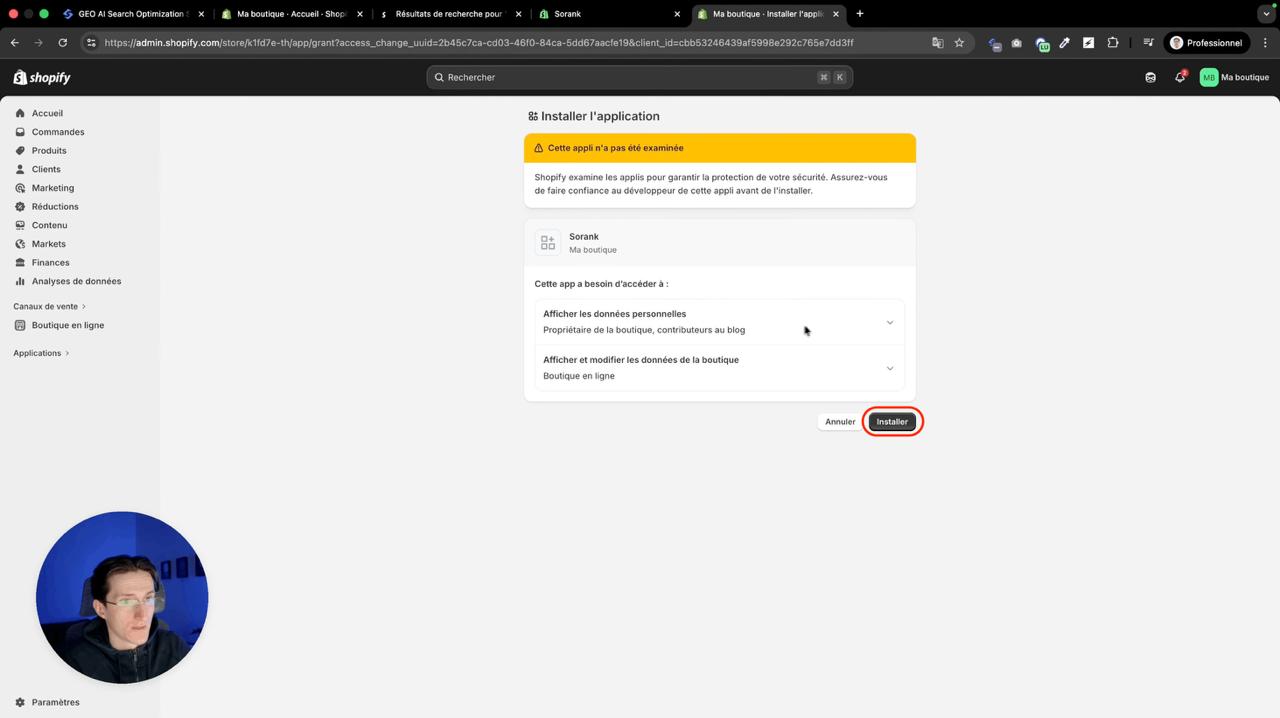
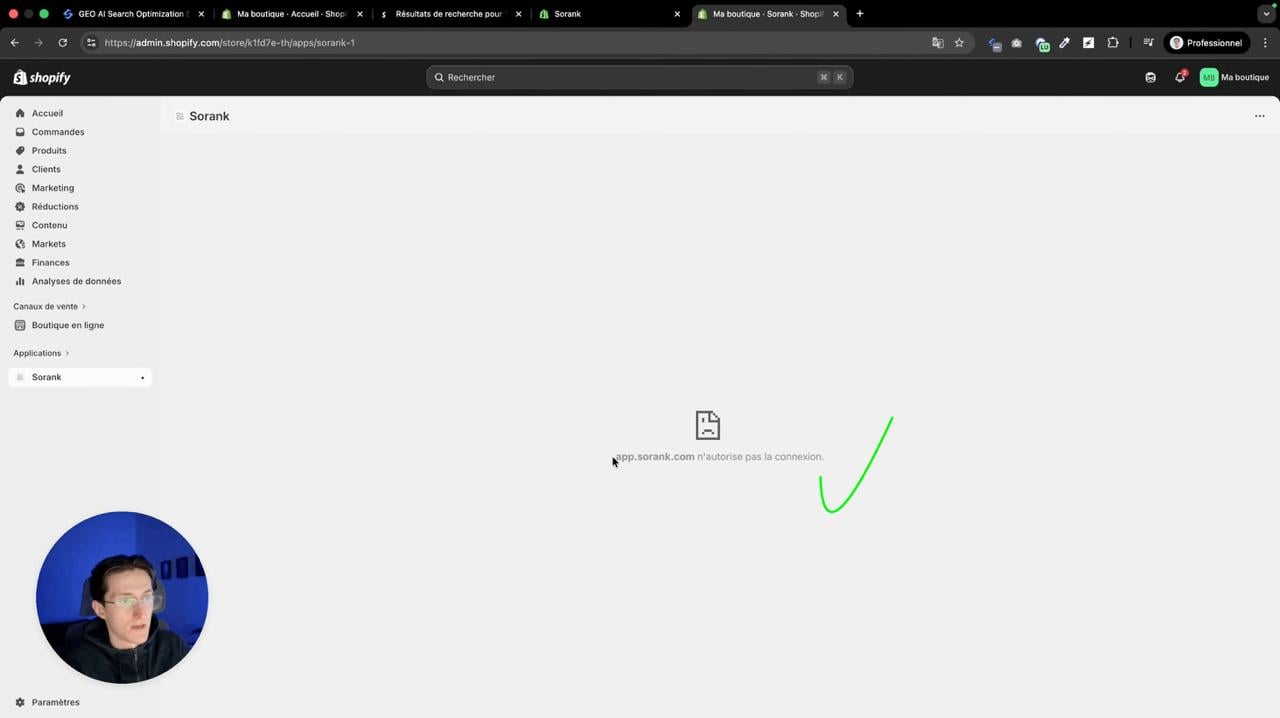
Click publish in your Shopify app. The version name is optional. Once published, go to your Shopify store, then to Apps > Add. Select your app and install it.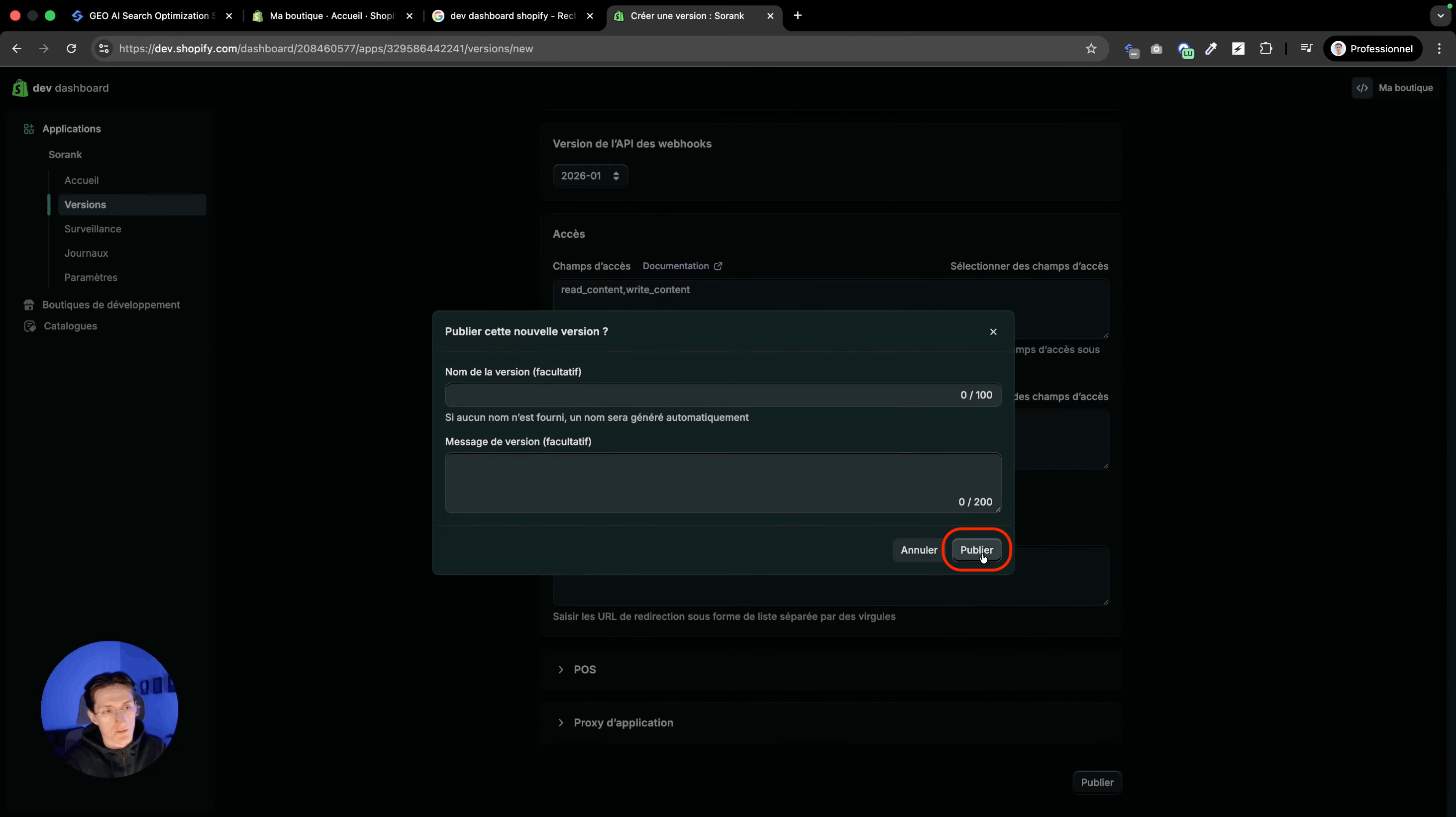
Step 6: Connect Shopify to Sorank
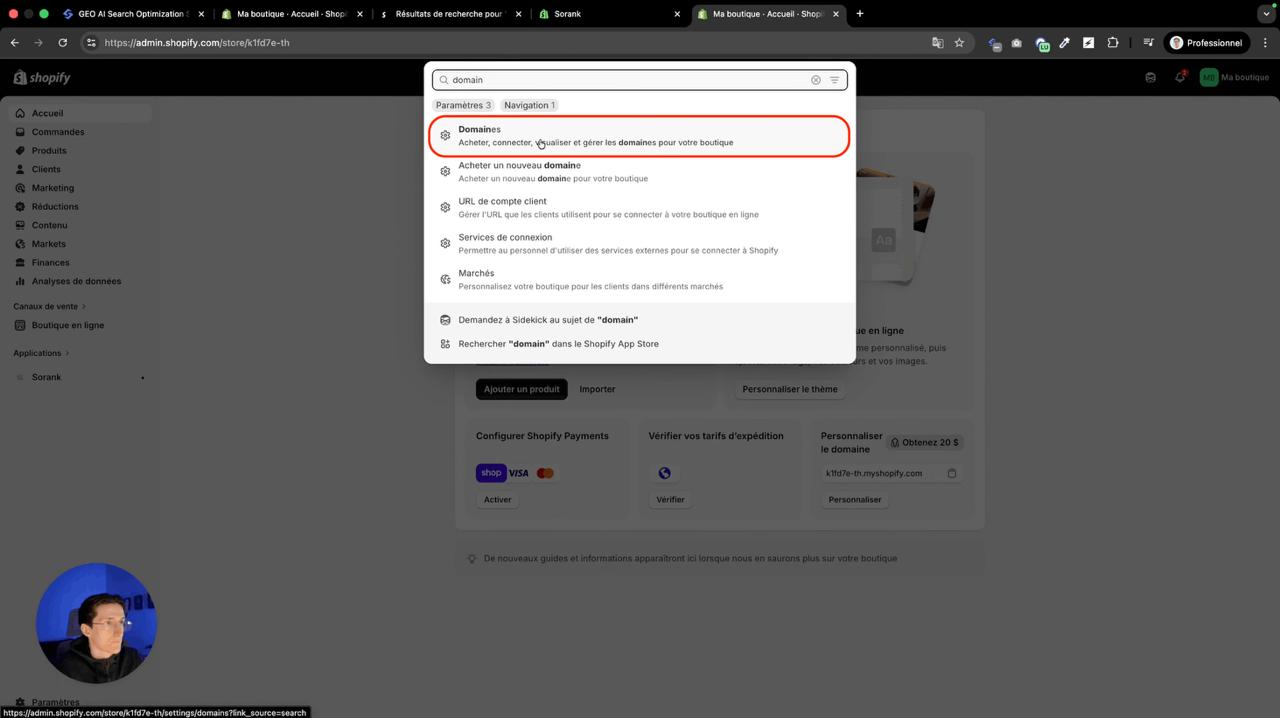
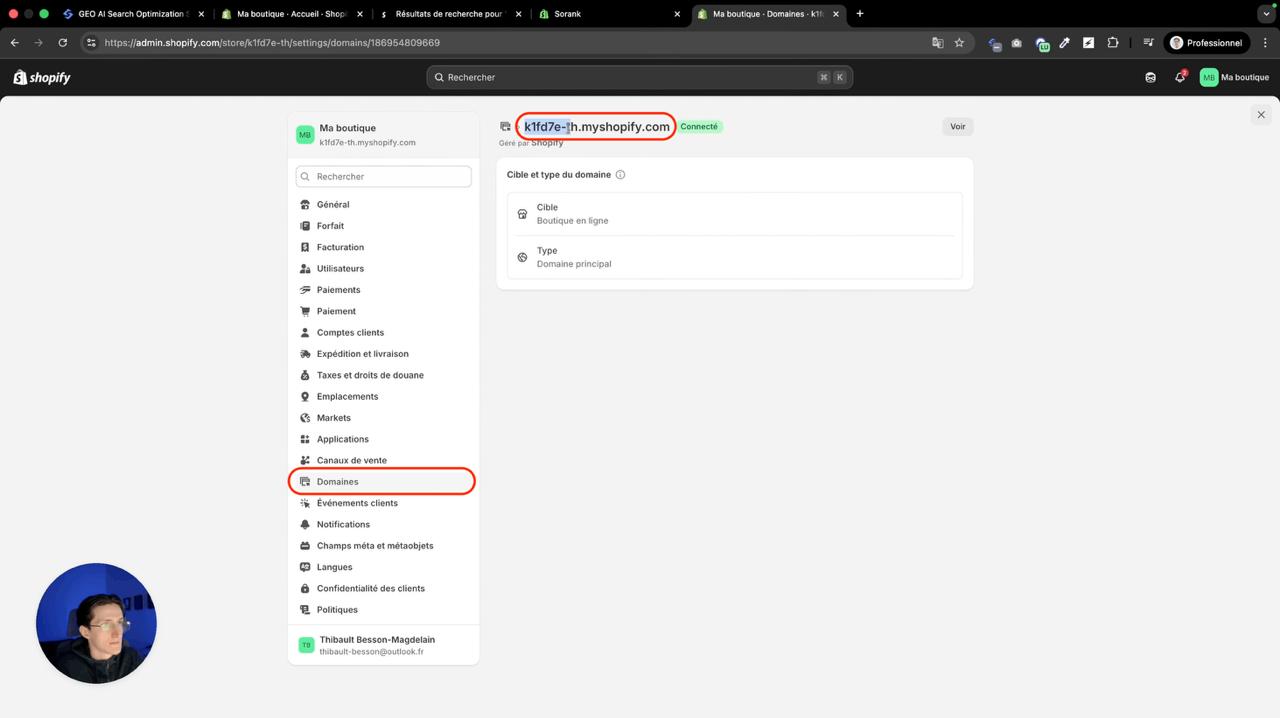
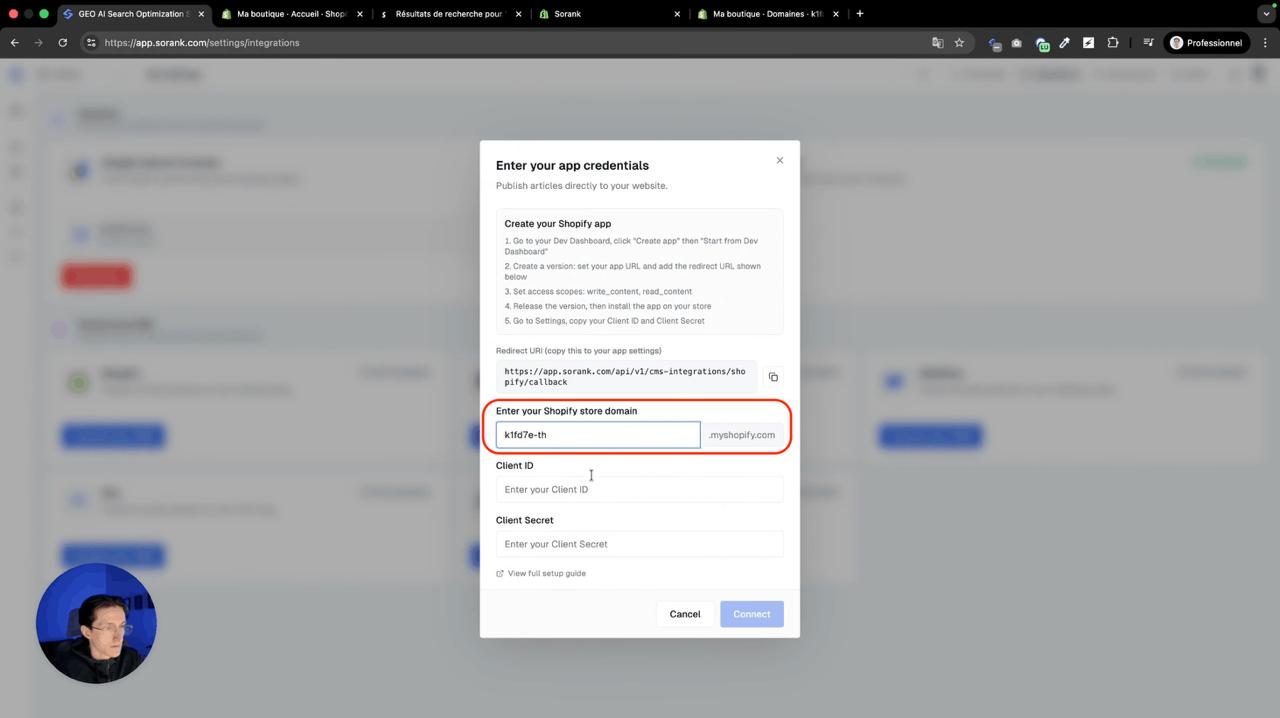
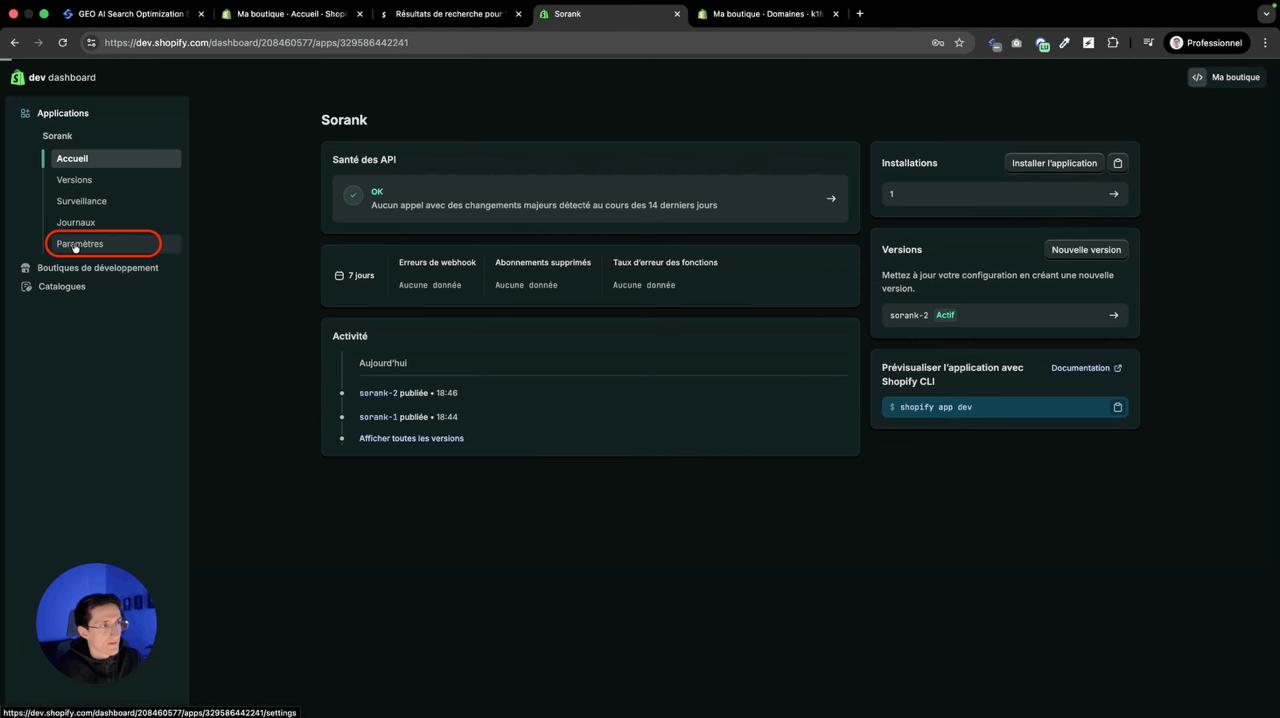
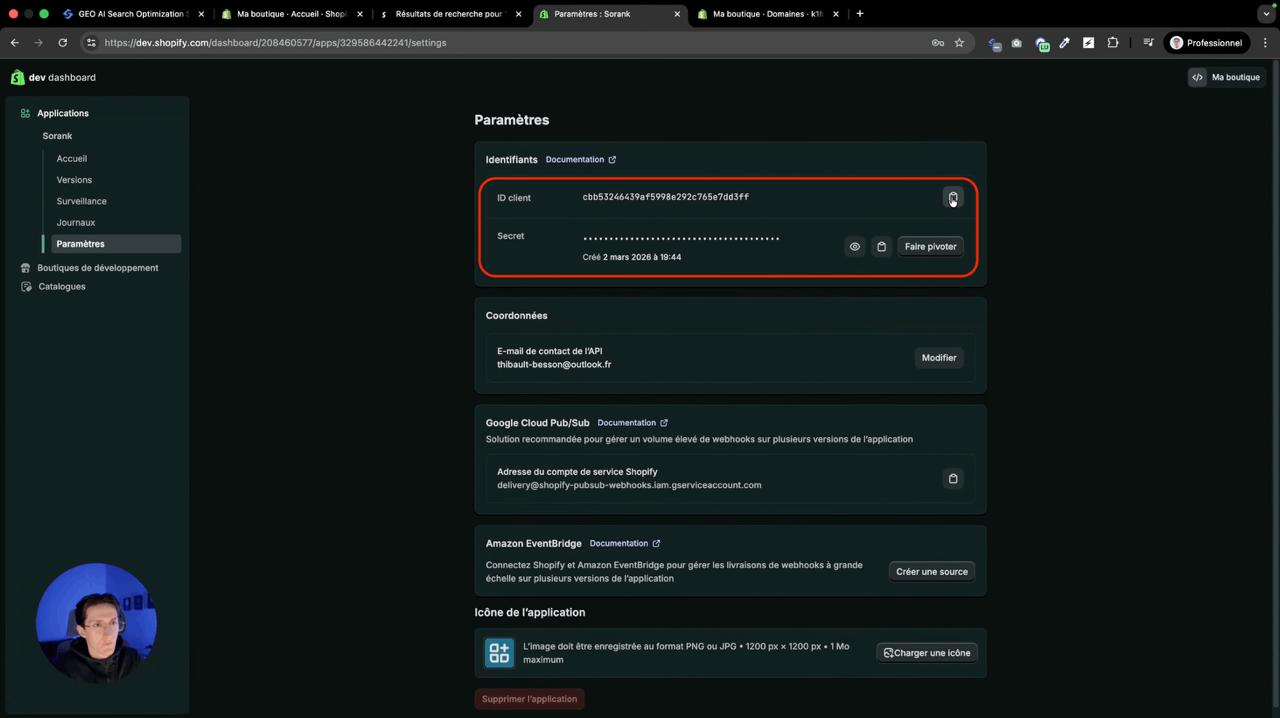
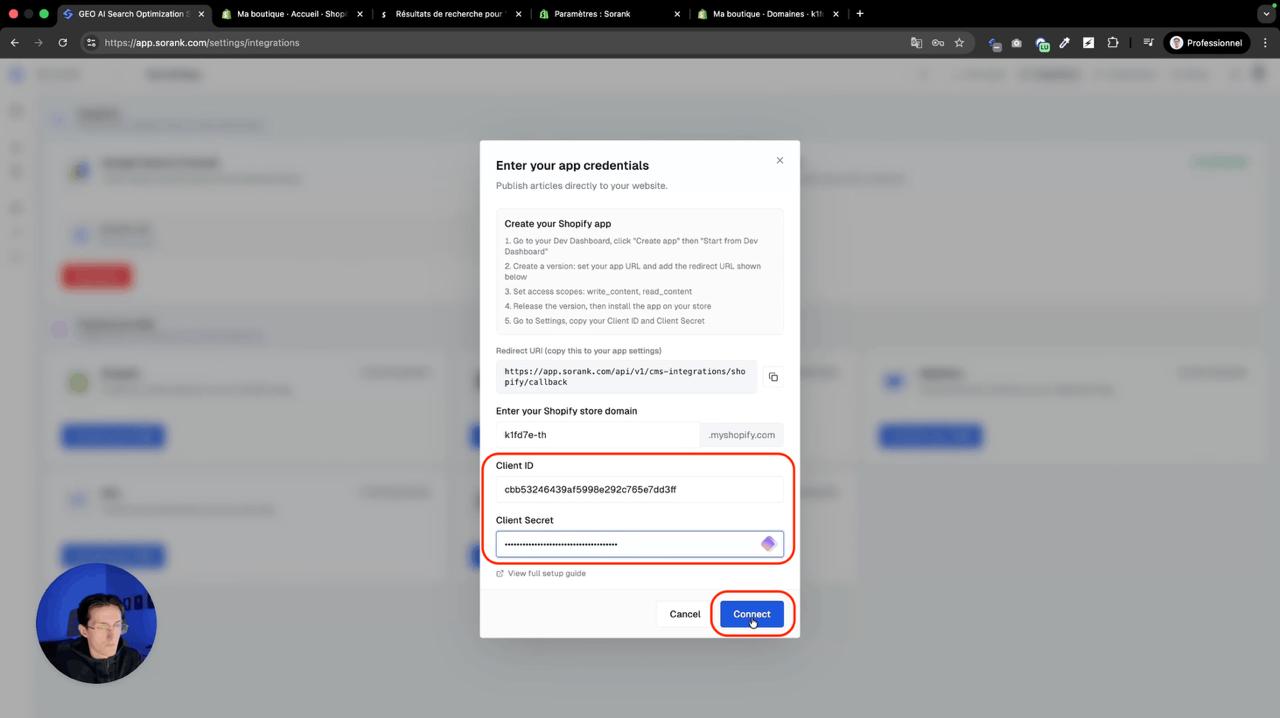
Get your myshopify domain from your Shopify store settings under Domain. Get your Client ID and Client Secret from the Shopify Dev Dashboard in your app settings. Paste everything in Sorank under Publishing platforms > Shopify and click Connect.