
Before you start
Your Webflow site must meet these requirements:- Publish the site live at least once.
- Create a Blog Posts CMS collection.
- Bind SEO Title and Meta Description to the corresponding CMS fields in the Webflow Designer.
Step 1: Open Webflow app development
Go to the Webflow Dashboard. Open Apps & Integrations, select Develop, then click Create an App.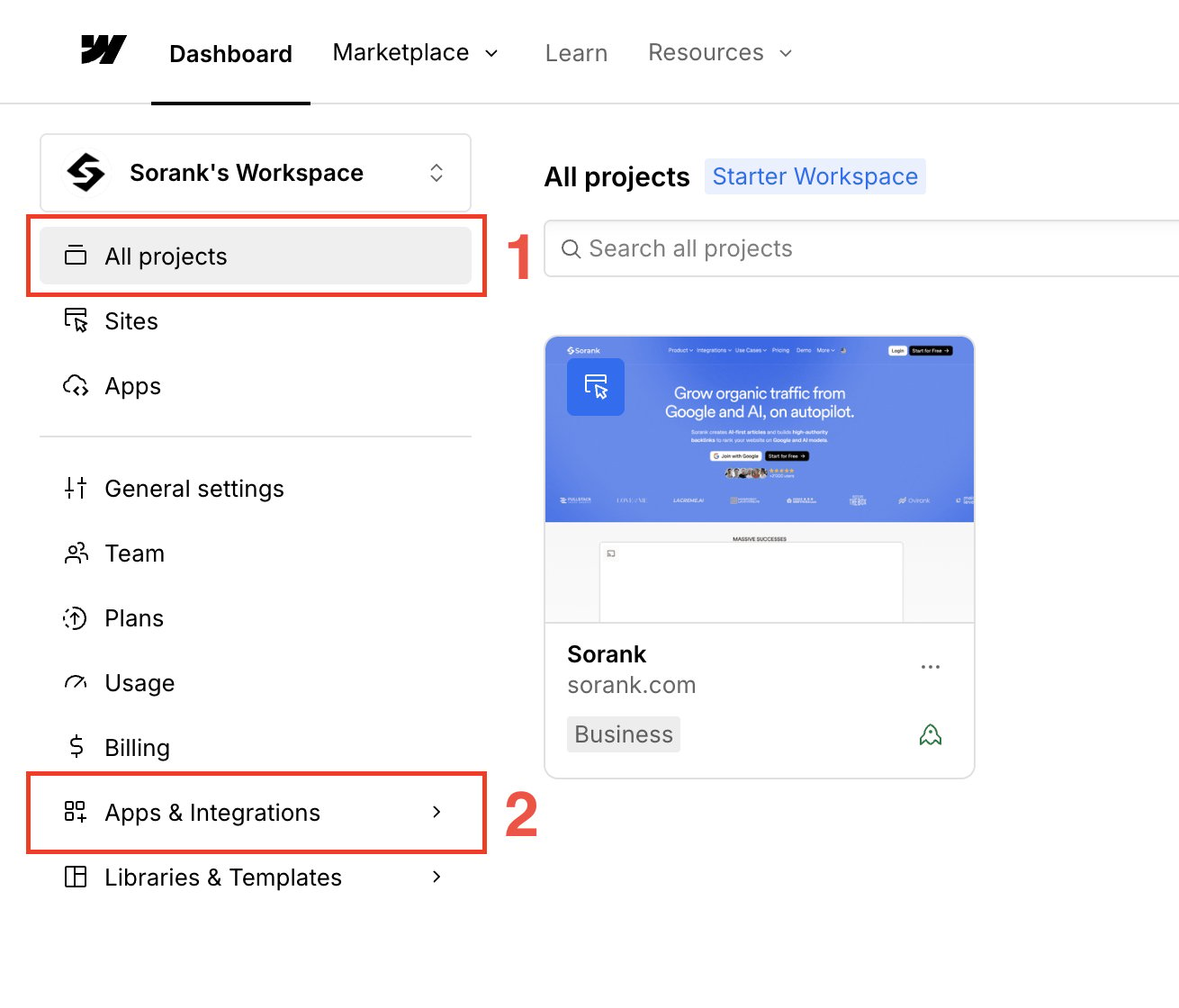
Step 2: Create your app
In App Development, click Create an App.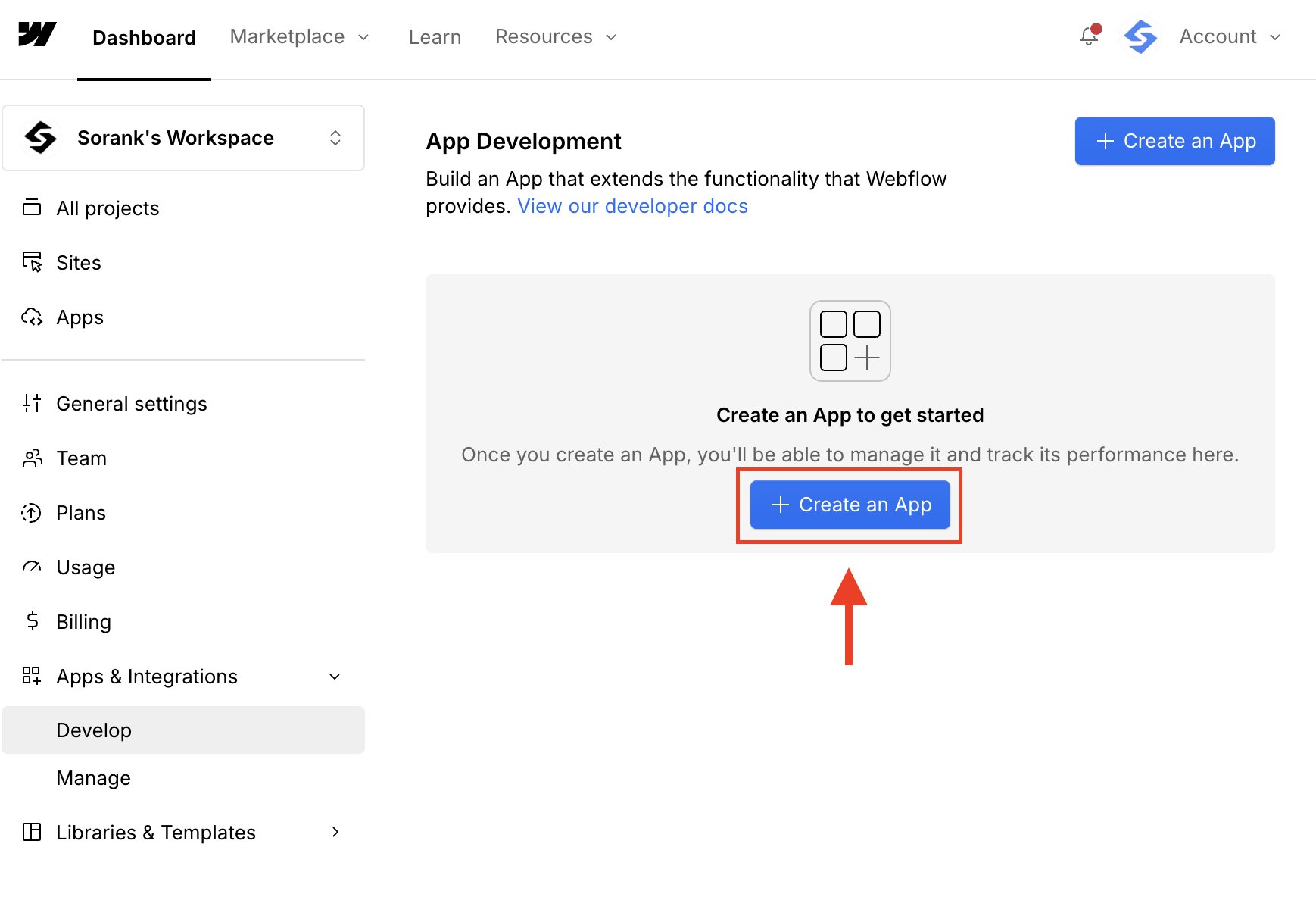
Step 3: Enter the app information
Enter an App name, Description, and App homepage URL. You can use your website URL as the homepage. Click Continue.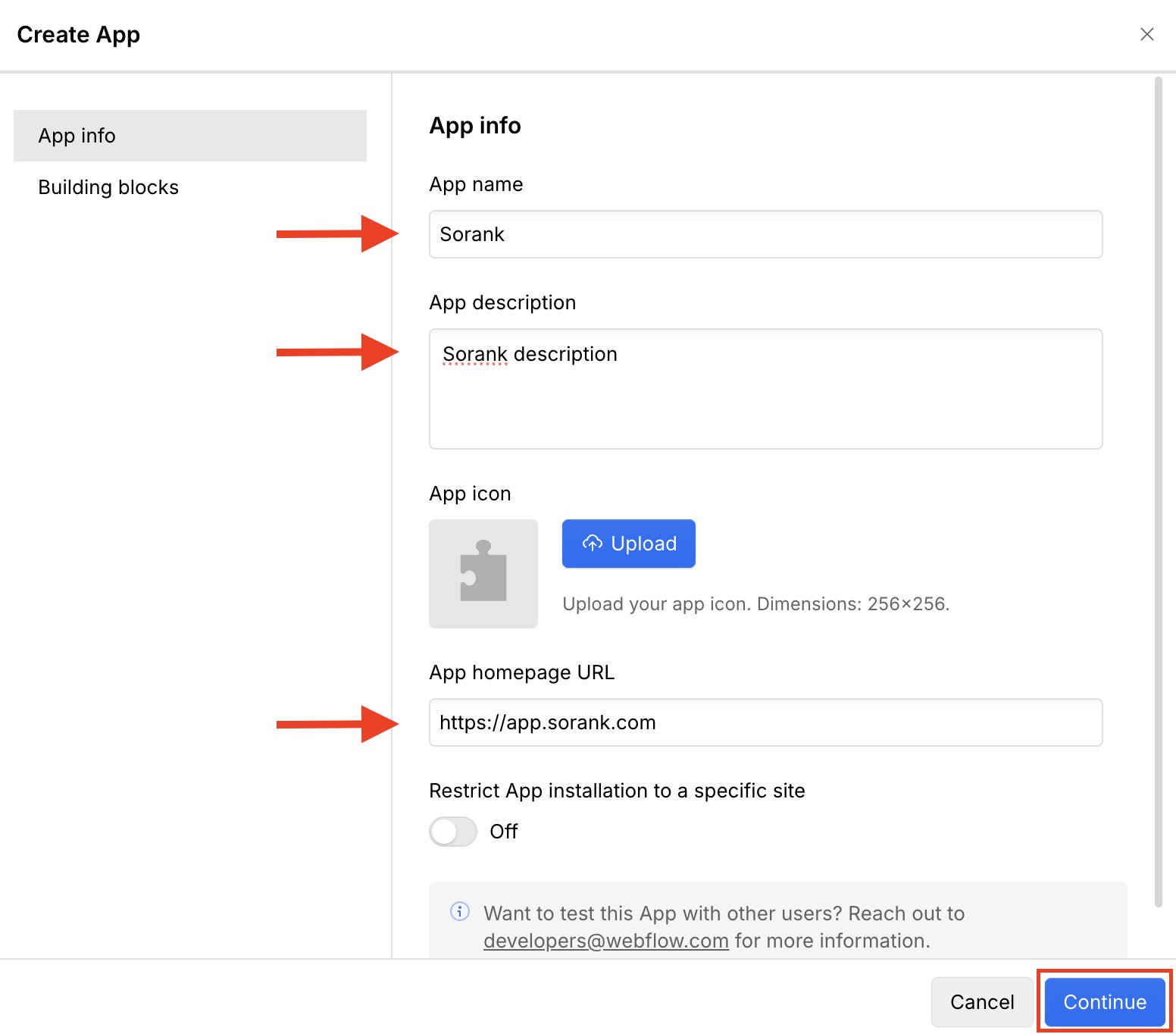
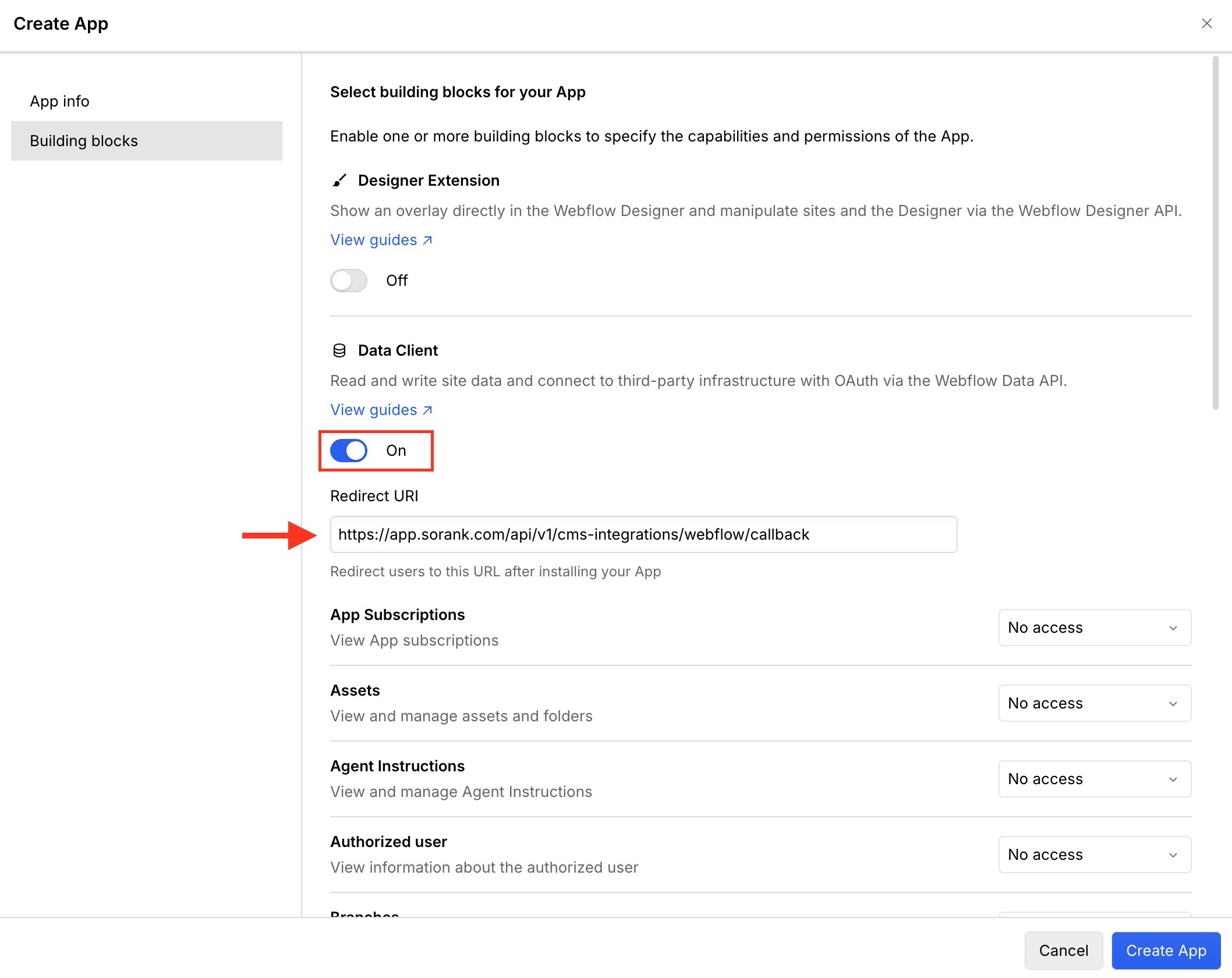
Step 4: Enable Data Client and add the redirect URI
Open Building blocks and enable Data Client. Copy the redirect URI displayed in the Sorank setup guide and paste it into Redirect URI. For the production Sorank application, the URI is:https://app.sorank.com/api/v1/cms-integrations/webflow/callback
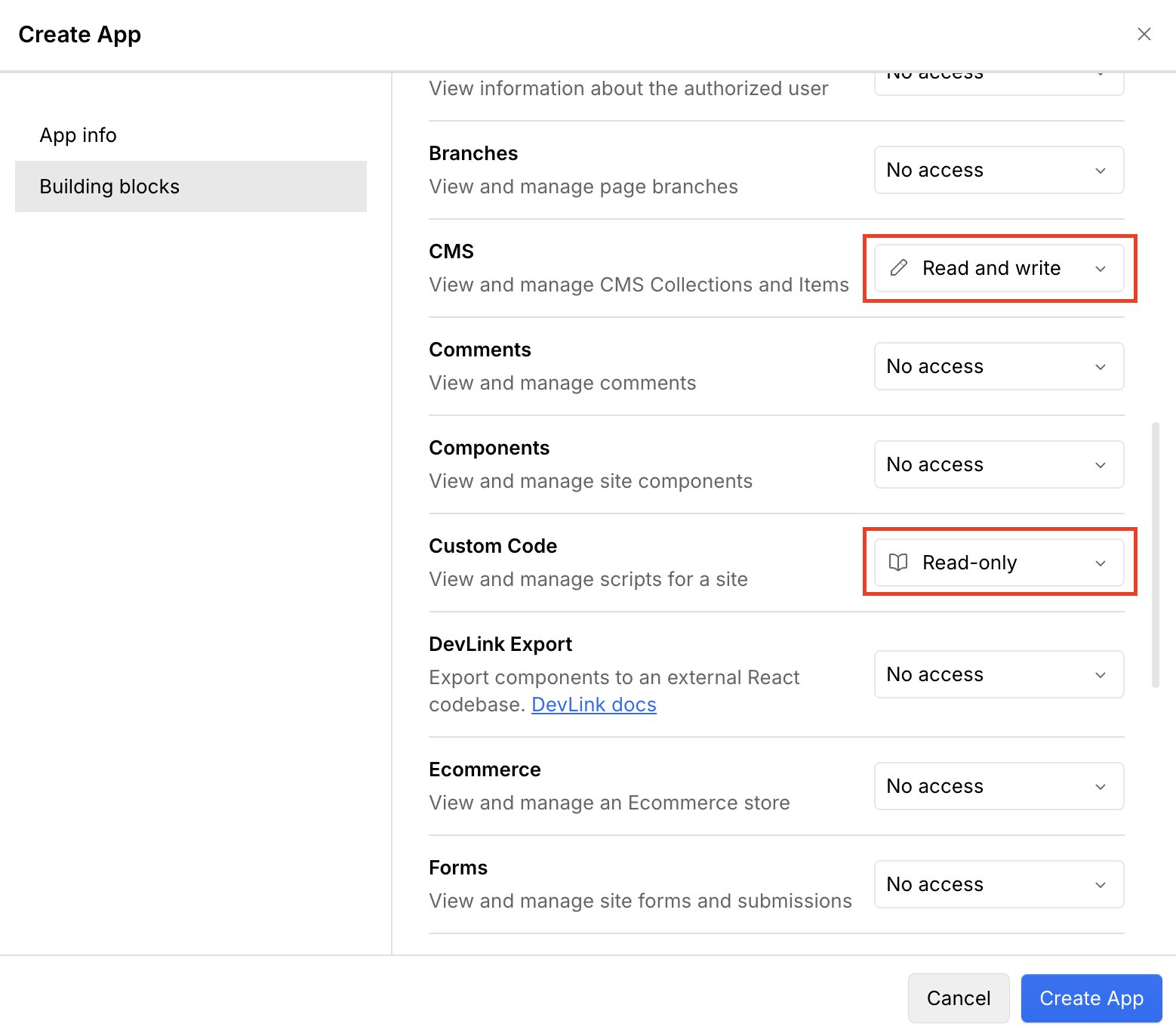
Step 5: Configure CMS and Custom Code permissions
Set these permissions:- CMS: Read and write
- Custom Code: Read-only
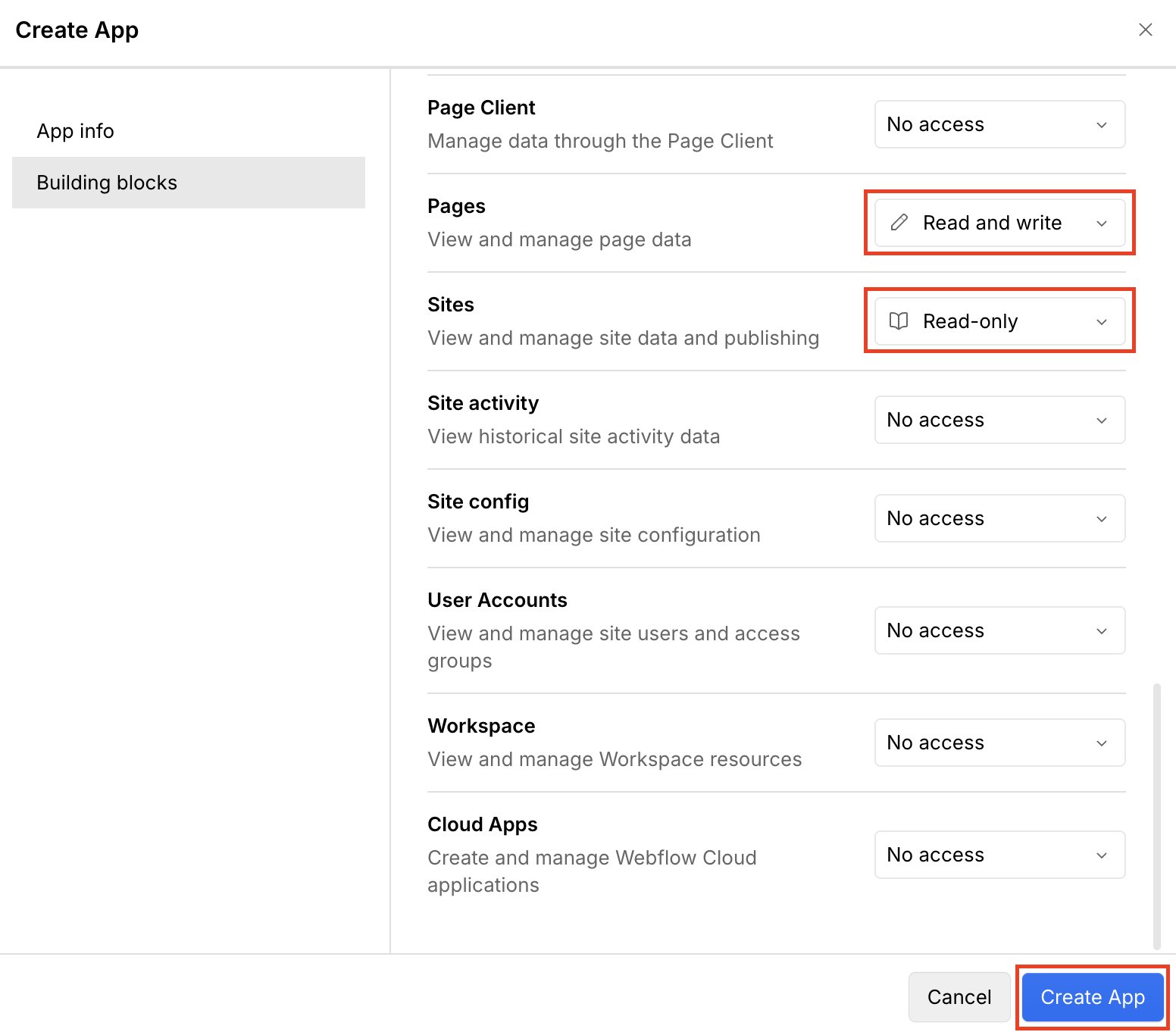
Step 6: Configure Pages and Sites permissions
Set these permissions:- Pages: Read and write
- Sites: Read-only
Step 7: Edit the app
In App Development, open the menu for your app and click Edit App.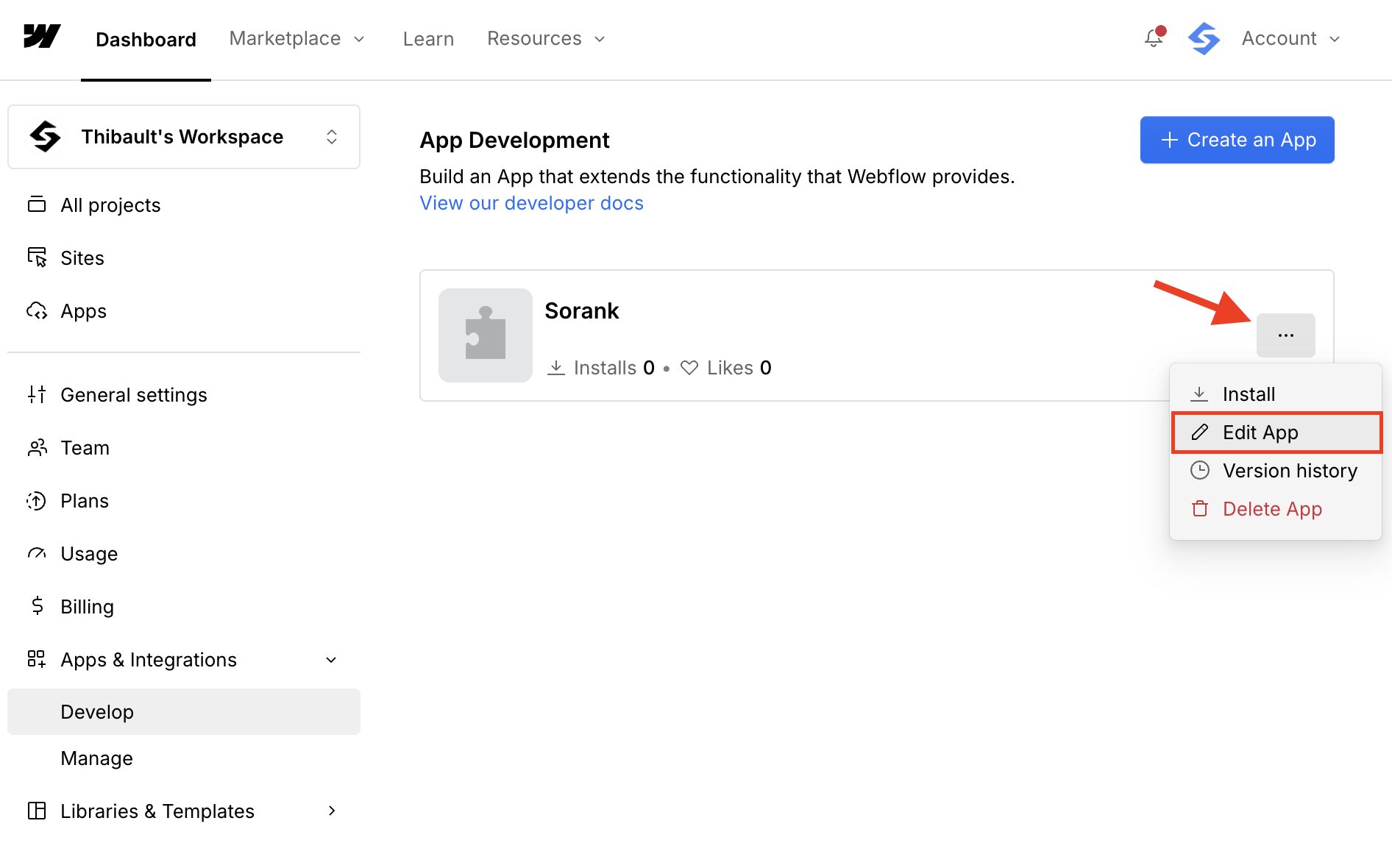
Step 8: Copy your credentials
Open Building blocks. Copy the Client ID, then reveal and copy the Client Secret. Keep the Client Secret private.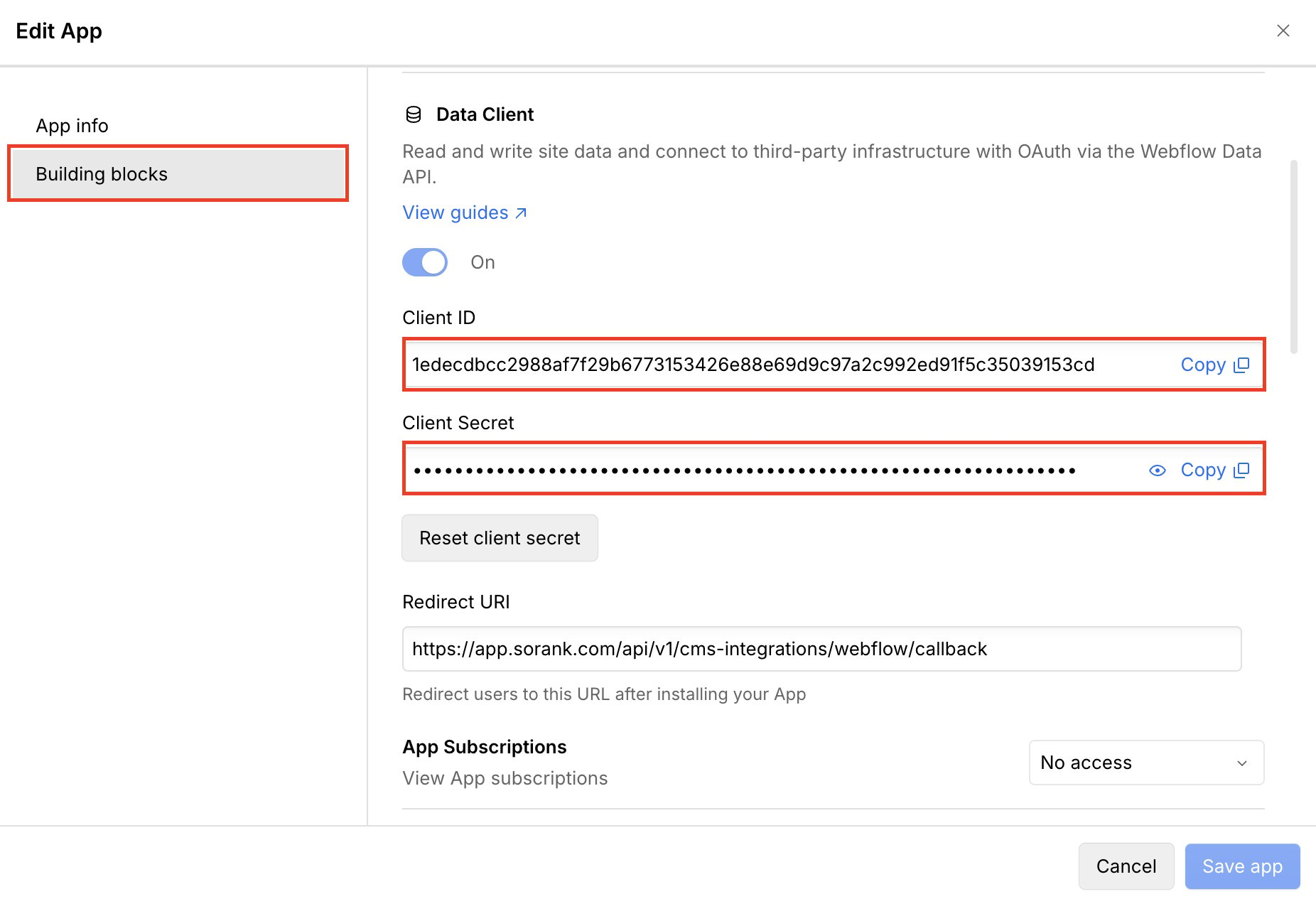
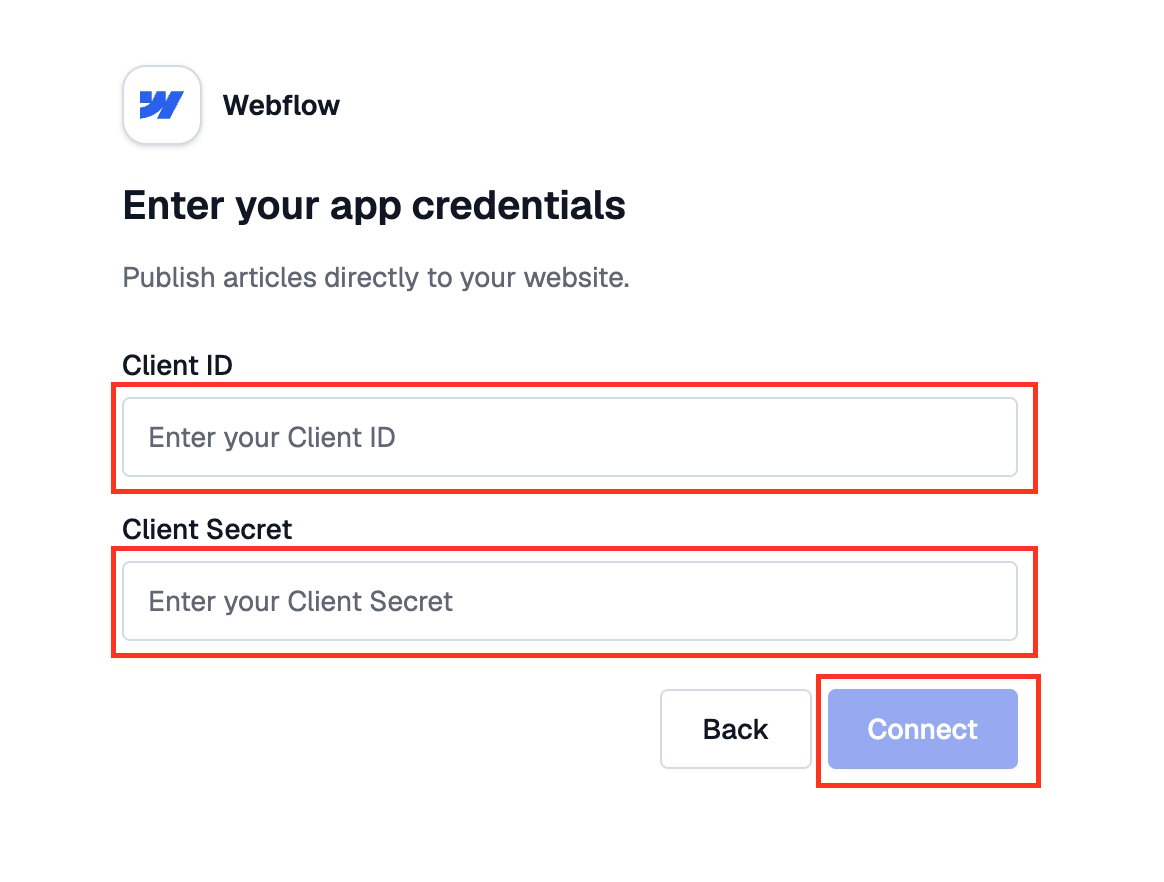
Step 9: Connect Webflow to Sorank
Return to Sorank. Paste the Client ID and Client Secret, then click Connect.