

1. Use a native connector when available
Native connectors are the simplest option. Sorank handles authentication, formatting, images and publishing for you.WordPress.org
WordPress.com
Shopify
Connect Webflow
Wix
2. Use the Sorank hosted blog for zero setup
If your platform has no native connector and you do not want to build an automation, Sorank can host the blog on your own domain. Hosting is included and your SEO authority remains attached to your domain.Sorank hosted blog
If your platform has no native connector and you do not want to build an automation, Sorank can host the blog on your own domain. Hosting is included and your SEO authority remains attached to your domain.
3. Use a webhook for a custom automation
Choose a webhook when you have a developer, Make, Zapier or n8n. Sorank sends the complete article payload; your automation is responsible for creating the post.Webhooks
Choose a webhook when you have a developer, Make, Zapier or n8n. Sorank sends the complete article payload; your automation is responsible for creating the post.
4. Export when automation is not possible
You can copy an article as HTML or plain text, or export structured content for platforms with an import workflow such as HubSpot.Still unsure?
Browse the other-platform directory. Each platform guide points to the supported publishing method without pretending a native connector exists.Other platforms
Find the recommended Sorank publishing method for CMSs and website builders without a native connector.
Find your settings
Open Settings in the left menu. The main navigation keeps your display preference. When collapsed, it opens on hover. The settings menu scrolls independently. On a small screen, use the settings menu button. Select the website you want to configure first.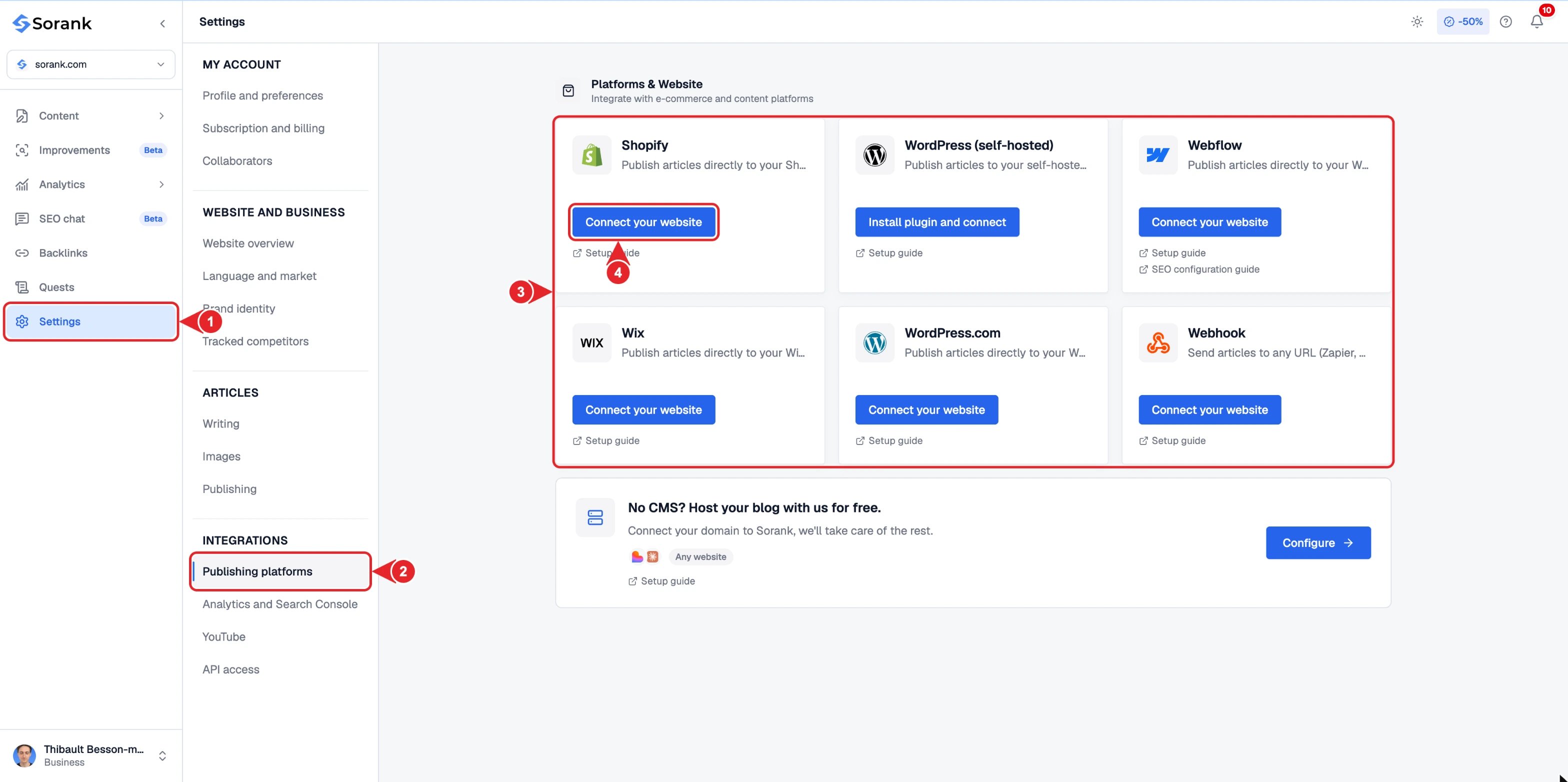
- Settings in the main sidebar.
- Publishing platforms in the settings menu.
- Pick the card that matches your website.
- Click Connect on that card.