
How VAT is calculated on your Sorank invoices
Sorank is a Hungarian company, so the VAT applied to your subscription depends on who you are and where you’re based. Here are the four cases that determine your VAT rate:- Hungarian business and private customers: always 27% VAT (standard Hungarian rate).
- Foreign non-EU companies: always 0% VAT (reverse-charge mechanism). You self-declare VAT in your own country.
- Foreign EU companies (with a valid VAT number): always 0% VAT (reverse-charge mechanism). You self-declare VAT in your own country.
- Foreign private individuals: VAT at the rate of your country of residence (for example France 20%, Belgium 21%, Germany 19%, Spain 21%, Italy 22%, Portugal 23%).
Why add your VAT number
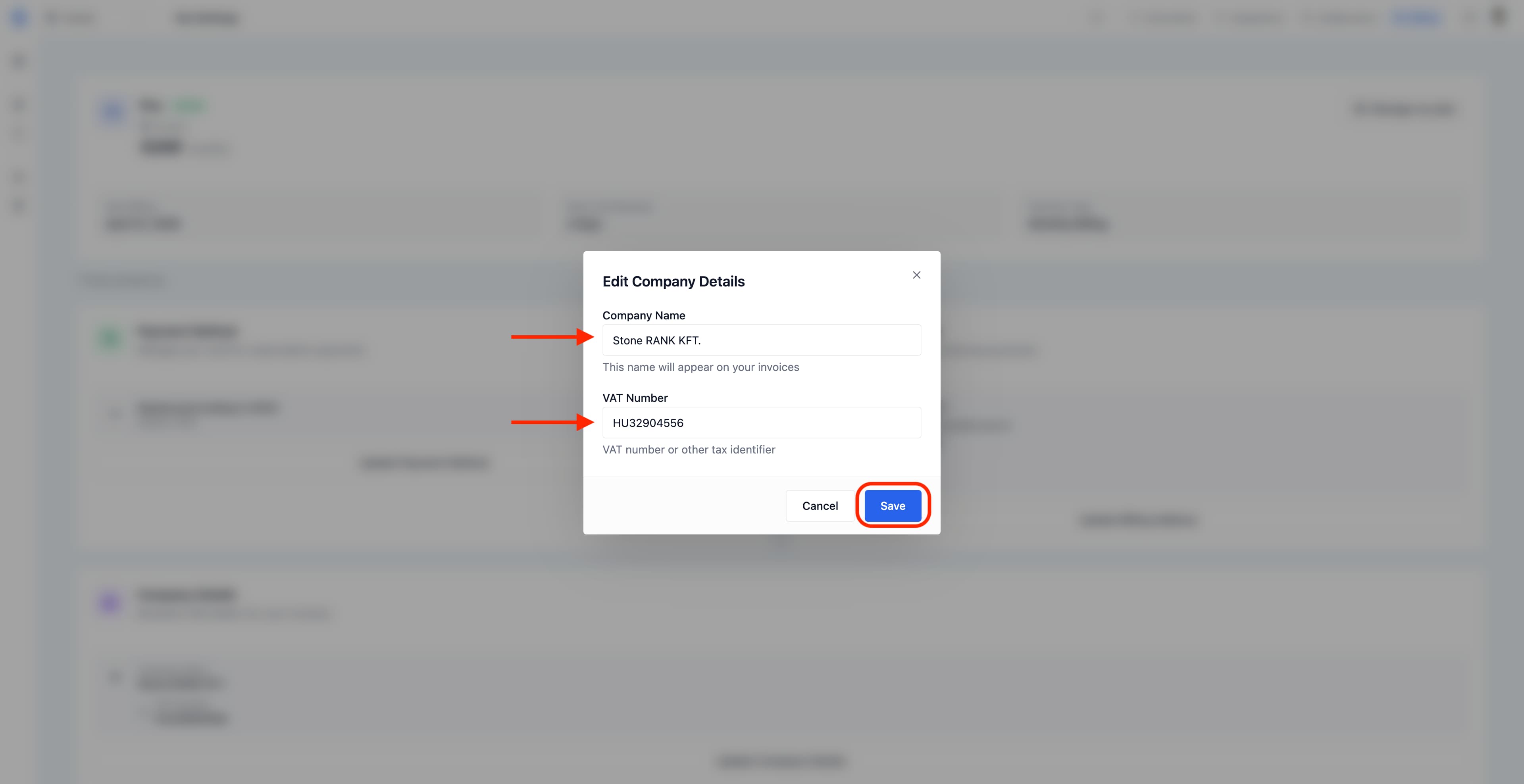
Adding your VAT number to Sorank ensures it appears on every invoice we generate, which matters for your bookkeeping and for reclaiming VAT where applicable. Here’s how to set it up in under a minute.Step 1: Open your Settings
On the selected website, open Settings in the main sidebar, then select Subscription and billing.Step 2: Edit Company Details
Scroll to Company Details and click Update Company Details.Step 3: Enter your details and save
The Edit Company Details modal opens. Fill in your Company Name exactly as it should appear on your invoices, then your VAT Number including the country prefix (for example HU32904556 for Hungary or FR12345678901 for France). Click Save to confirm.