
Preferences
Privacy is important to us, so you have the option of disabling certain types of storage that may not be necessary for the basic functioning of the website. Blocking categories may impact your experience on the website. More information

Privacy is important to us, so you have the option of disabling certain types of storage that may not be necessary for the basic functioning of the website. Blocking categories may impact your experience on the website. More information


The Technical SEO Audit is a powerful feature that crawls any website and delivers a comprehensive health report : highlighting errors, indexing issues, and optimization opportunities so you can take action fast.
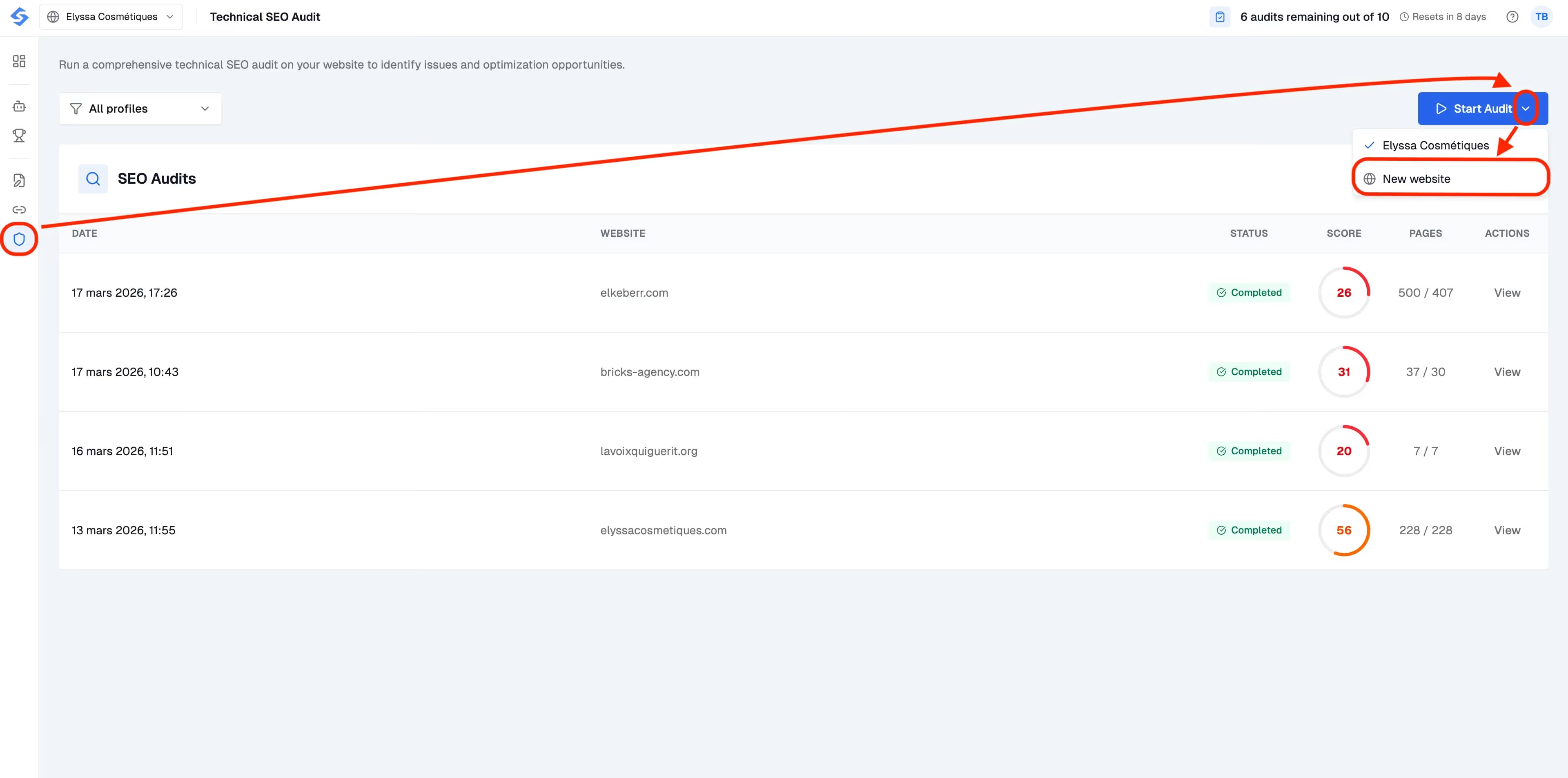
To launch an audit, click Start Audit in the top-right corner of the Technical SEO Audit page. You have two options:
The crawler will scan up to 500 pages and typically completes in under a minute. Once done, the status will show as Completed and your audit will appear in the SEO Audits list with its score and date.

Every audit produces a Health Score from 0 to 100. This is your site's overall SEO health at a glance. The lower the score, the more critical issues need attention. For example, a score of 26 means the site has significant technical problems to resolve, while a score of 56 indicates a more solid foundation with room for improvement.
The Domain Checks section shows how well your domain-level configuration is set up : things like SSL certificates, robots.txt, sitemap accessibility, and more. A percentage tells you how many checks passed out of the total (e.g. 14 of 16 checks passed = 88%).
The Pages Score panel gives you a breakdown of all crawled pages by HTTP status:
You'll also see how many pages are in your sitemap, how many are not, and how many are orphan pages : pages that exist but aren't linked from anywhere on your site.
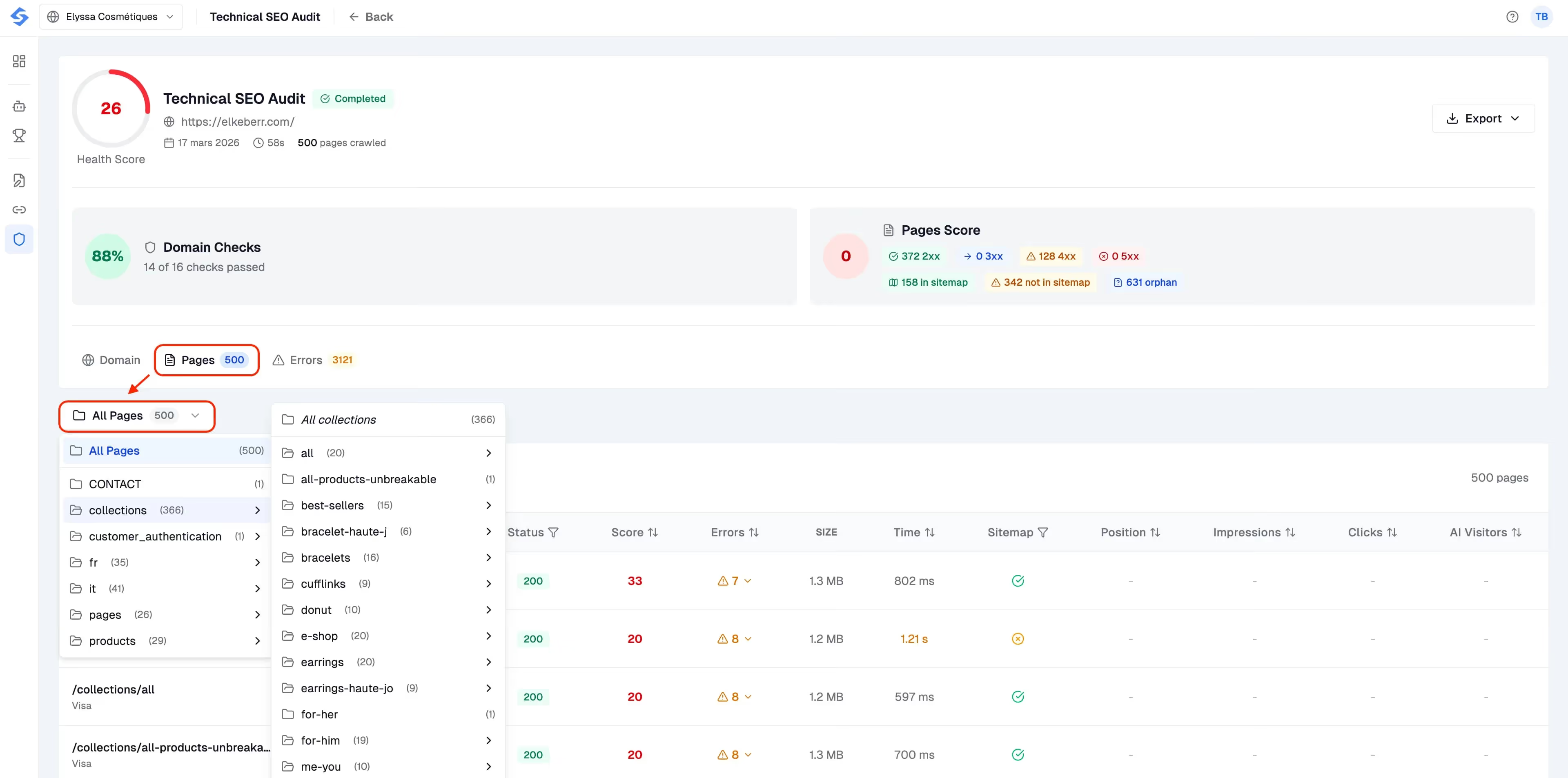
Switch to the Pages tab to explore every crawled URL individually. Pages are organized by directory structure (collections, products, etc.), making it easy to drill into a specific section. For each page, you can see its HTTP status, SEO score, number of errors, page size, load time, and whether it's included in your sitemap.

The Errors tab is where the real value lives. Errors are organized into clear categories:
Each error entry tells you the category, the specific issue, which page is affected, and a concrete recommendation on how to fix it. This makes it easy to hand off tasks to your development team or work through them yourself.
One of the most useful aspects of the Technical SEO Audit is that it works on any public website, not just sites you own. Here are a few ways to take advantage of this:







































.avif)




























.webp)
.webp)











.svg)
.svg)


