

Describing your business
Fill in your site brief: your products and services, your audience, your language and the geographic areas you serve. This information guides topic suggestions and article writing. You can specify your positioning in the instructions, for example: “We offer equipment for individuals in France. Use an educational tone and illustrate everyday use cases.”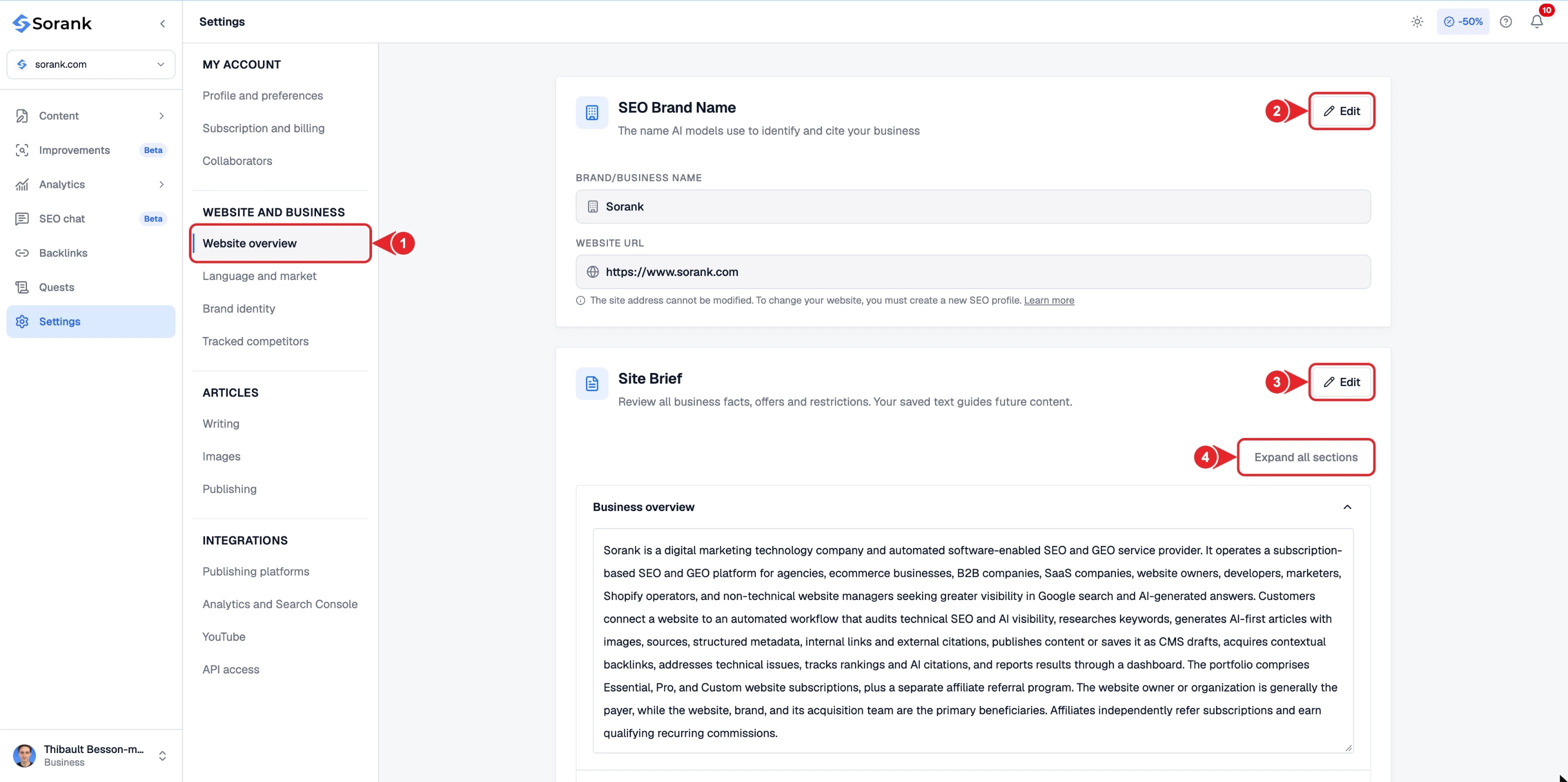
- Website overview in the settings menu.
- Edit your SEO brand name.
- Edit your site brief.
- Expand a section to review it.
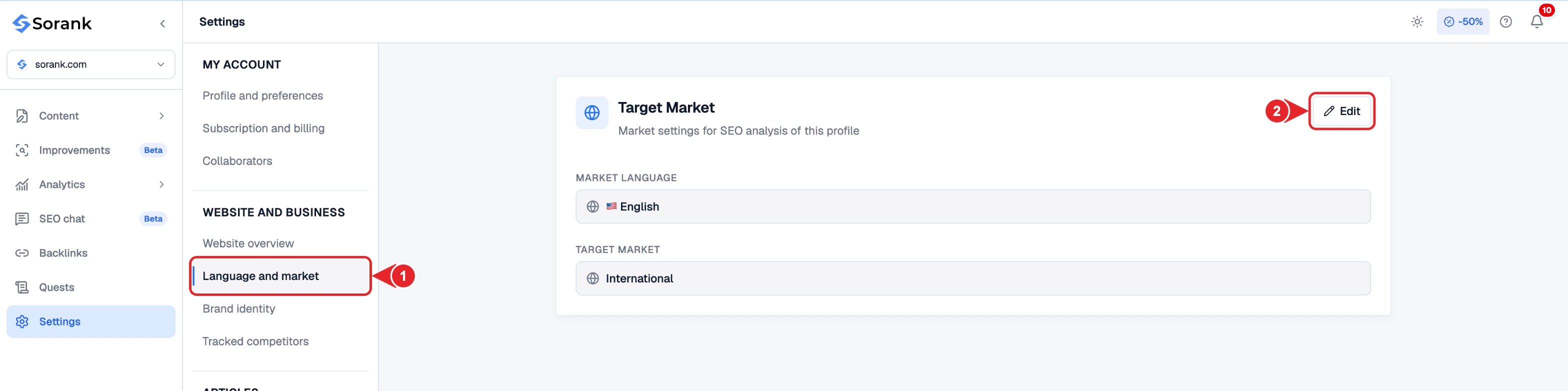
- Language and market in the settings menu.
- Edit your market language and target market.
Choosing the keywords to cover
Browse the suggested keywords and select the ones you want to develop. Add your selection to the content calendar to schedule article generation and publication. You can adjust this selection according to your priorities and remove a topic from the calendar before it is generated.Choosing competitors and comparisons
Select the competitors in your market to guide the strategy. Comparison content lets you address the differences between your offering and those of the selected competitors. You remain in control of the planned topics and can customize the content of an article from the editor.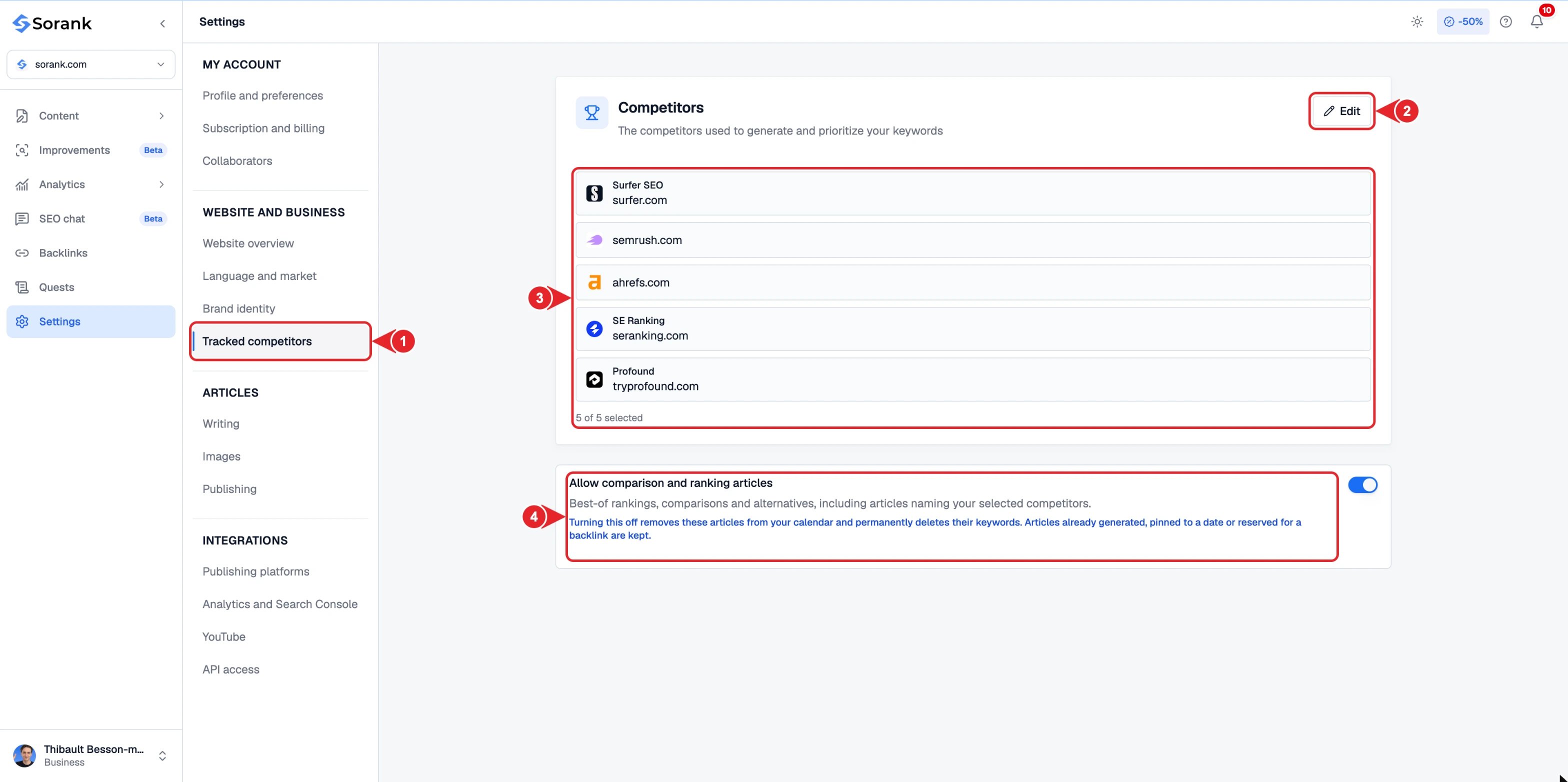
- Tracked competitors in the settings menu.
- Edit your competitor list.
- The competitors used for your keywords.
- Allow or block comparison and ranking articles.
Customizing the writing
Specify the tone, the elements to include and the desired format: numbered steps, lists, examples or a comparison table. Add your shared instructions in Settings > Writing and adapt those of a specific article as needed. Instructions apply to upcoming generations. Articles that have already been created remain editable in the editor.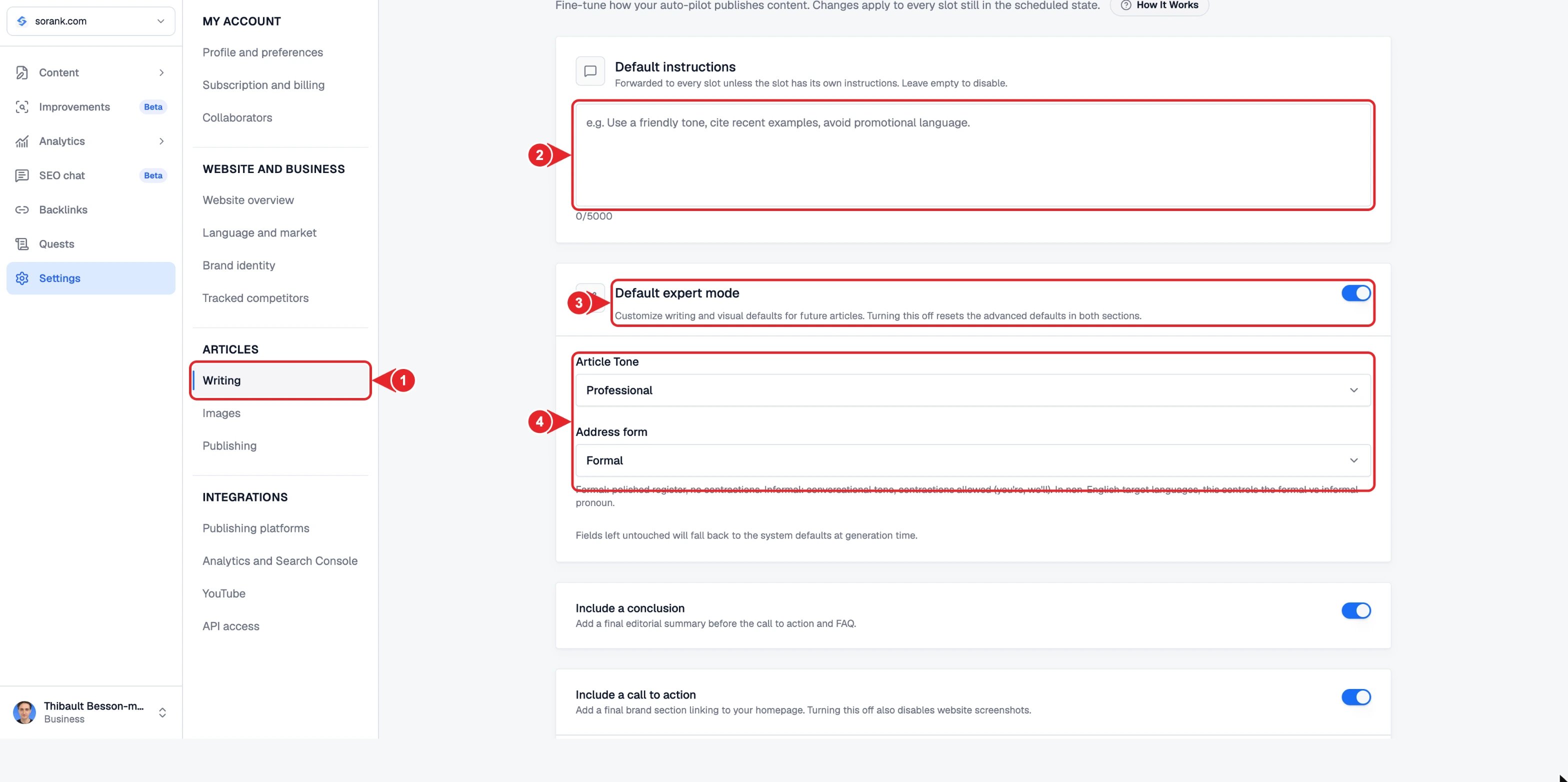
- Writing in the settings menu.
- Default instructions sent to every article.
- Default expert mode for advanced defaults.
- Article tone and address form.
Automatic internal linking
During generation, Sorank automatically selects and integrates relevant internal links from the available pages of your site, based on the topic being covered. Internal linking is part of the generation process: you do not need to add these links manually for each article.Understanding the elements of your strategy
A silo groups keywords around a theme. This grouping is used to organize your strategy; it does not replace the choice of blog or category in your CMS.