

The scheduling calendar
The calendar is at the heart of the Automatic Schedule. Each cell represents a publication slot for a given day. Adding a keyword prepares the article to be produced for that slot. Sorank then takes care of generation and delivery to your destination according to the calendar settings. From the top-right of the page you can:- Schedule keywords in bulk from your existing silos.
- Generate articles immediately for the current slots.
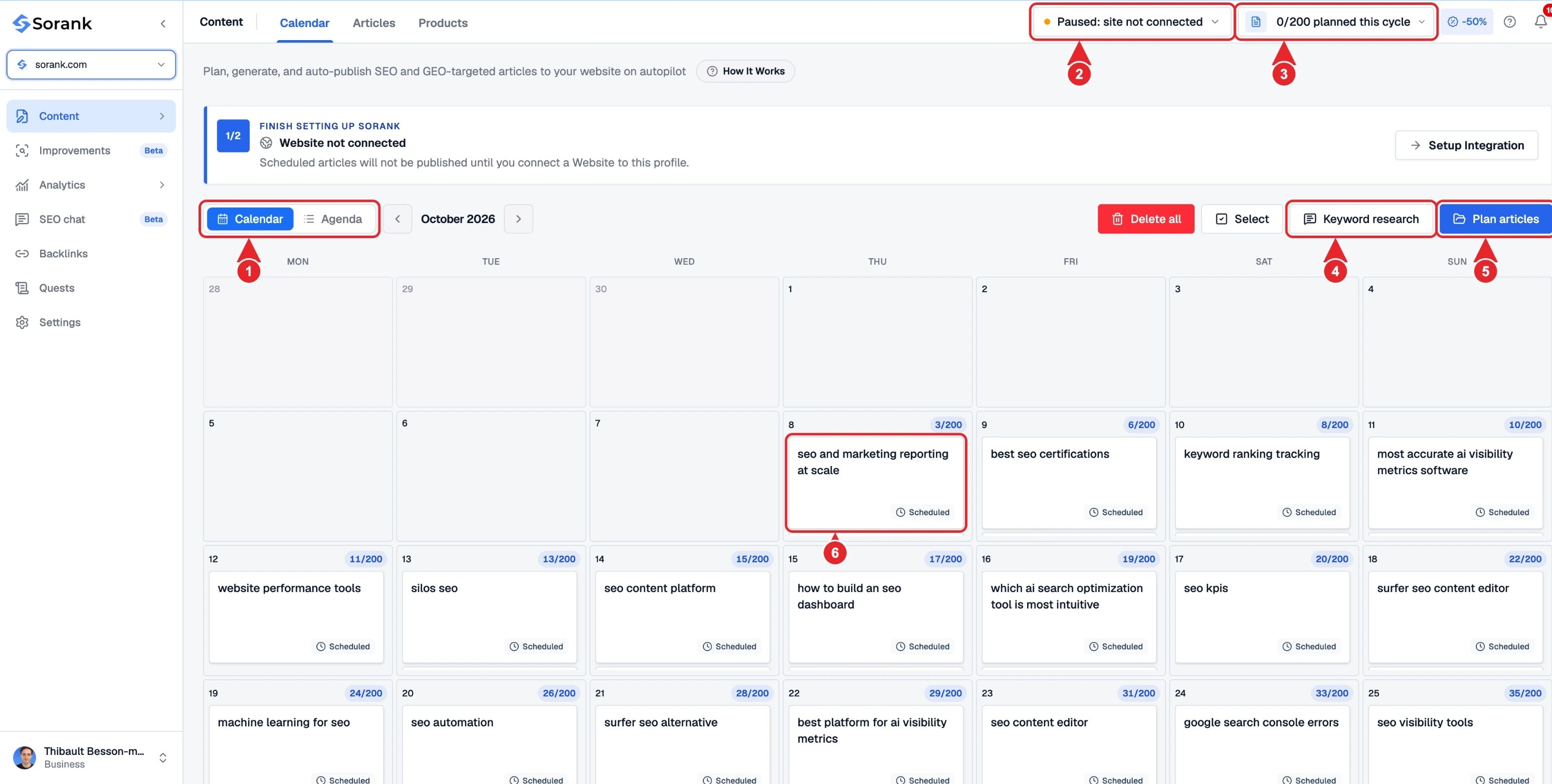
- Switch between the Calendar and Agenda views.
- Autopilot status.
- Articles planned for the current cycle.
- Keyword research to find new topics.
- Plan articles to schedule keywords.
- A scheduled or published article.
Scheduling keywords from your silos
Click Schedule keywords to open the keyword selector. You can browse your existing silos, see the monthly search volume for each keyword and check the ones you want to publish on. This is the fastest way to schedule an entire content sprint in a matter of seconds.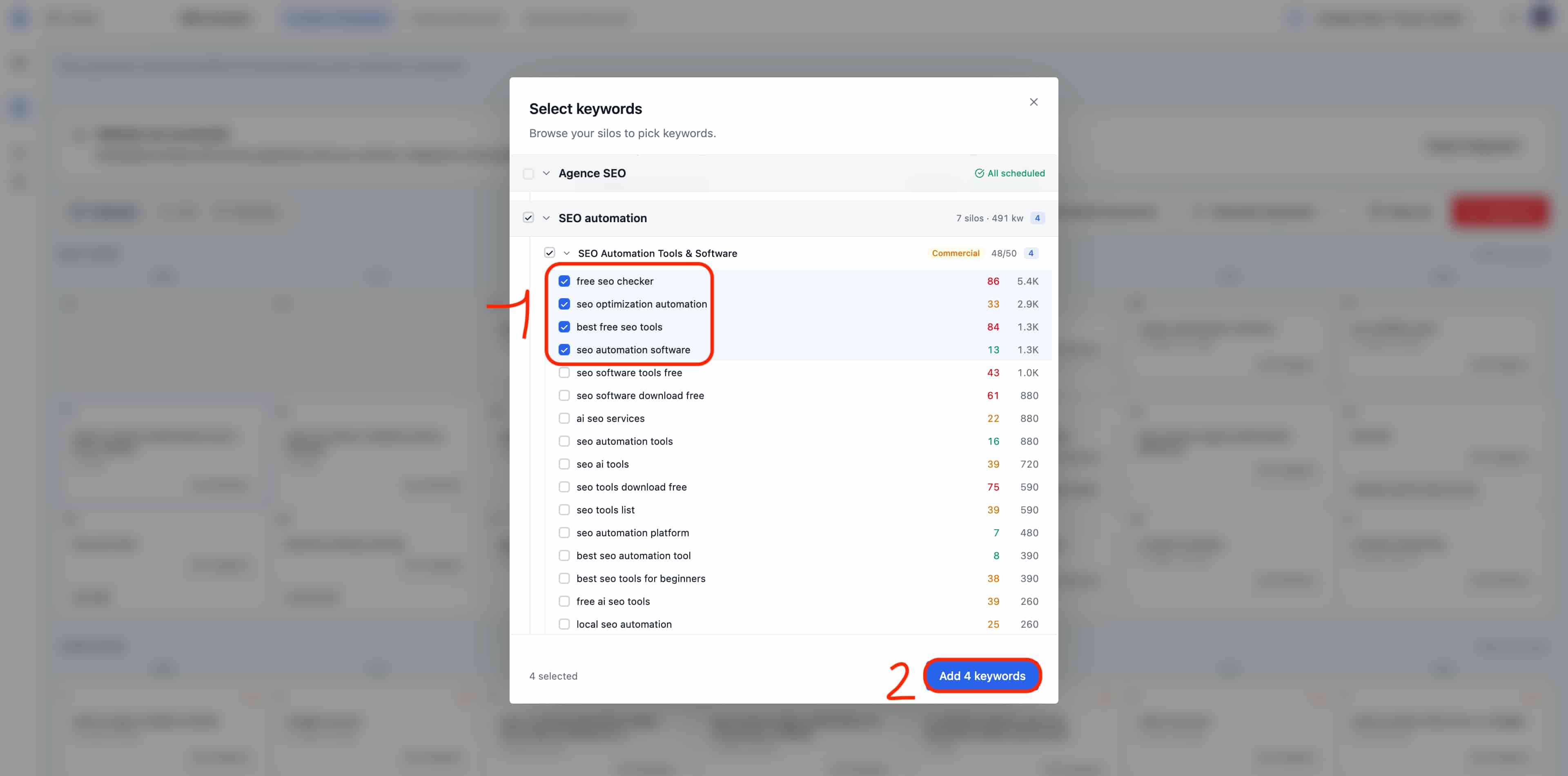
Configure your schedule settings
Select your website, then open Settings in the main sidebar. Configure each section separately and save your changes:- Publishing: Choose the timezone and publication time for scheduled articles.
- Writing: Add default instructions and enable advanced defaults to customize the tone and writing. Configure calls to action, including the homepage screenshot, and YouTube video insertion in Writing.
- Images: Manage your image gallery and cover image here. To customize AI-generated image styles, first enable advanced defaults in Writing.
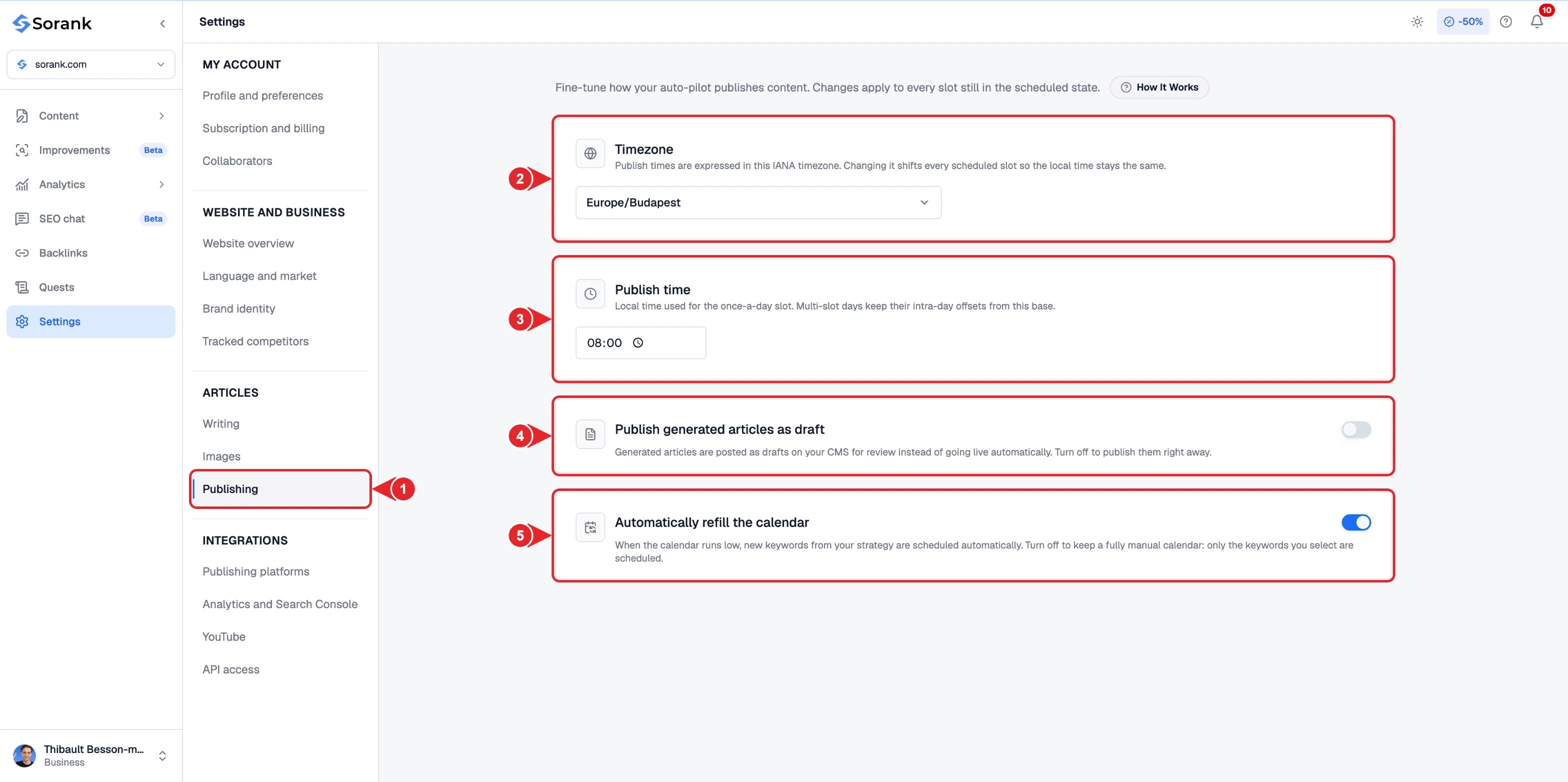
- Publishing in the settings menu.
- Timezone of your publications.
- Daily publish time.
- Publish generated articles as draft to review them in your CMS first.
- Automatically refill the calendar with new keywords from your strategy.
Manual articles and calendar slots
An article created from Generate an article is not necessarily a scheduled slot. Find it in the article list and check its publication date if you want to schedule it. Your plan quota determines your generation capacity. The calendar slots define the topics and publication dates.Editing topics and instructions
You can remove a topic from the calendar before it is generated. A change to the default instructions applies to upcoming generations; articles that have already been created remain editable in the editor. Deleting an already generated article does not automatically restore its quota. See credits and quotas.Understanding common settings and slot-level settings
Use Calendar and Agenda in Content to plan your topics. Manage shared defaults in Writing, Images and Publishing from the main sidebar. Shared defaults apply to upcoming generations for slots that are still scheduled. Default Instructions are used when a slot does not have its own personal instructions. If you enter instructions for a specific slot, they are used for that topic. Advanced settings also allow you to adapt the tone, images and call to action. Example: your common instruction asks for beginner-friendly explanations. For a single slot aimed at professionals, enter a specific instruction. The other slots keep the common settings.Generating in advance or publishing immediately
From a slot, the available actions serve different needs:
Early generation uses the generation quota available at the time it is launched. It does not create a second copy simply because the scheduled date arrives afterwards.
Example: an article is planned for Friday. By choosing Generate now on Tuesday, you can have the content available on Tuesday while keeping its scheduled publication on Friday.