

Choosing your method
Shared defaults are configured in Writing. The guides below explain how to adjust them for a specific article or scheduled slot.
Your publication choice determines where your articles go, not their topic or tone. Writing settings are found in generation and the content calendar.
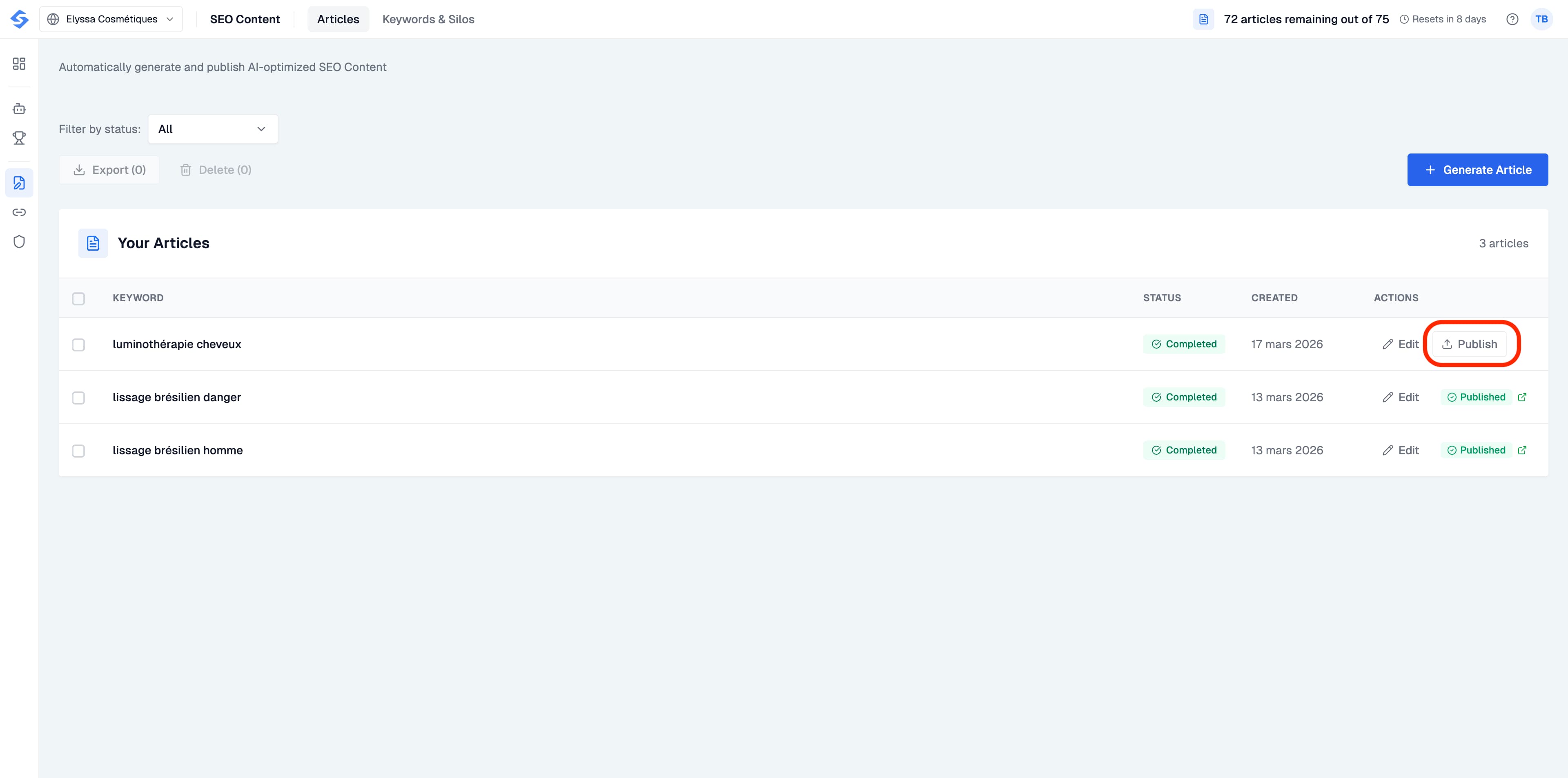
Publishing directly to your CMS
From the Articles list, click the Publish button next to any completed article. If you have not yet connected a CMS, you will be prompted to do so. Click Connect your CMS and select your provider. We currently support direct publishing to Webflow, Shopify, WordPress, Wix and WordPress.com. Each provider has a setup guide accessible directly from the connection window.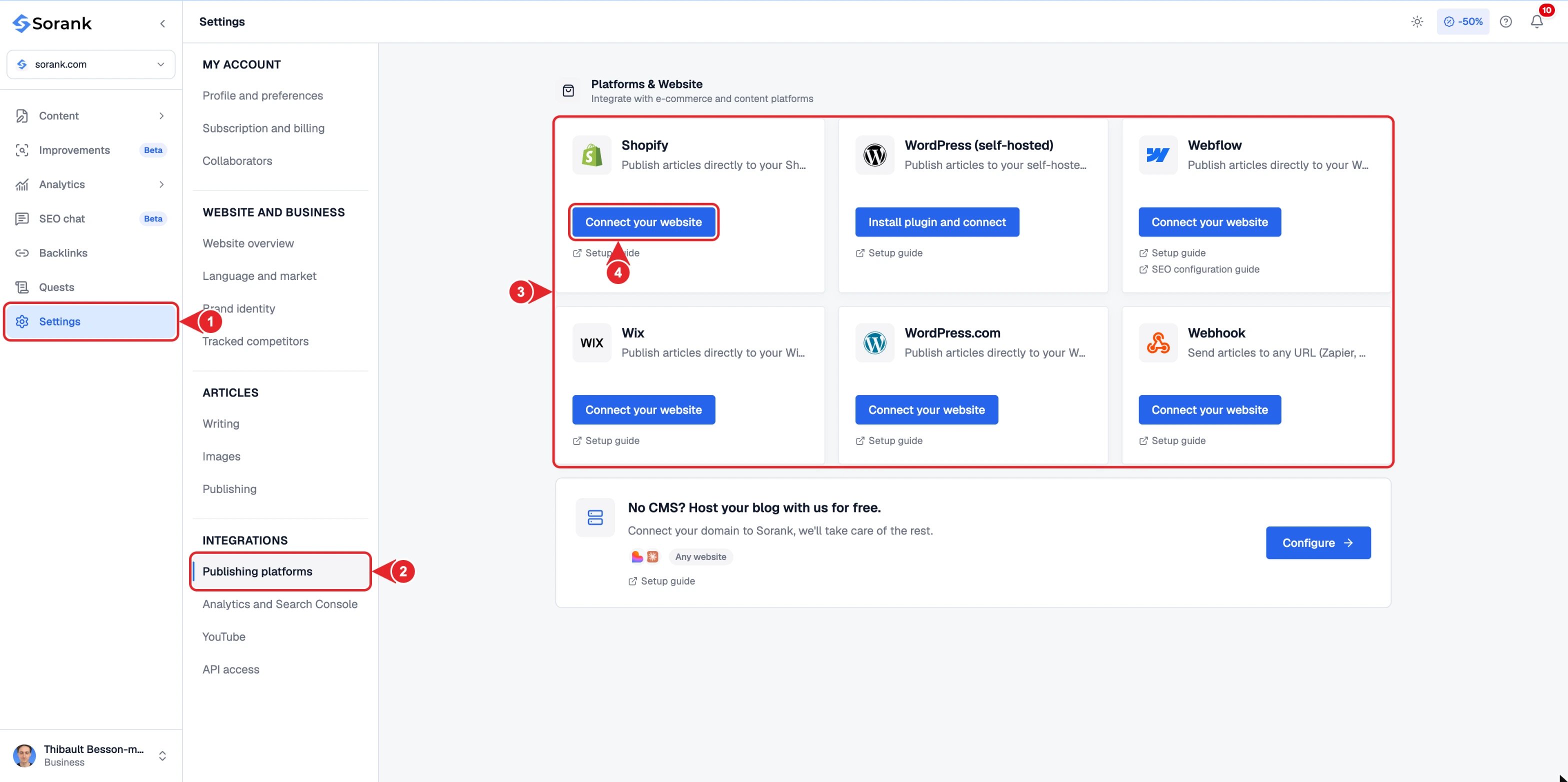
Exporting manually
In the articles list, select the articles you want to retrieve, then click Export. Sorank downloads a CSV file containing the data for the selected articles: keyword, title, language, slug, description, content and image references, along with their publication information. The file contains image URLs; it is not an archive of image files. You can use this export to prepare an import into your CMS. Importing and publishing then depend on the destination tool. Exporting alone does not publish the articles. For a single article, you can also copy the content directly from the editor.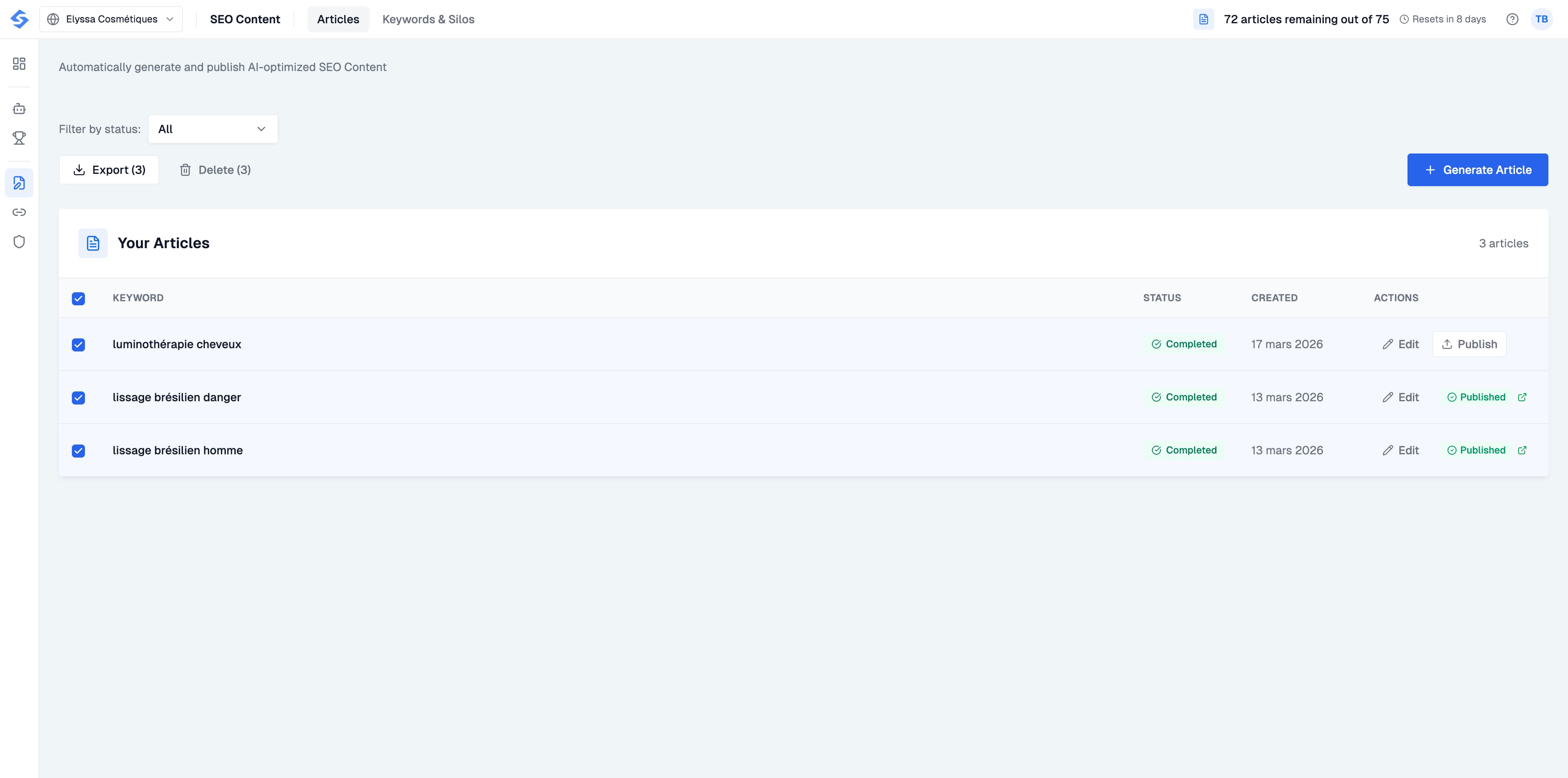
Choosing your publication destination
Choose the connector that matches your setup: self-hosted WordPress uses the WordPress.org flow; WordPress.com has its own flow. For Shopify, enter your store address during connection and select your blog. For Wix, authorize the app on the correct site. IONOS MyWebsite Creator and Framer do not have a dedicated native connector in Sorank. Use the options described in the IONOS, Framer, webhook or hosted blog guides, depending on your setup.Updating an existing article
To customize a published article, open it in the editor, make your changes, then use Send article update when that action is available. Sorank then sends the new version to the existing page. Saving in the editor and sending to your website are two separate actions: until the update is sent, the public page retains its previous version. You can therefore prepare changes in Sorank before making them live. Before sending an update, review any changes made directly in the CMS: an update from Sorank may overwrite them. For a webhook, the availability of this action depends on whether your integration supports updates. See the webhook guide.Scheduling publication
For an already generated article, use Schedule in the articles list and choose its publication date. To organize topics that have not yet been written, use the editorial calendar: Sorank handles their generation and publication according to the planned slots. Example: you can create an article today, customize it in the editor and schedule its publication for Friday. If you prefer to automate an entire series, add its keywords directly to the calendar.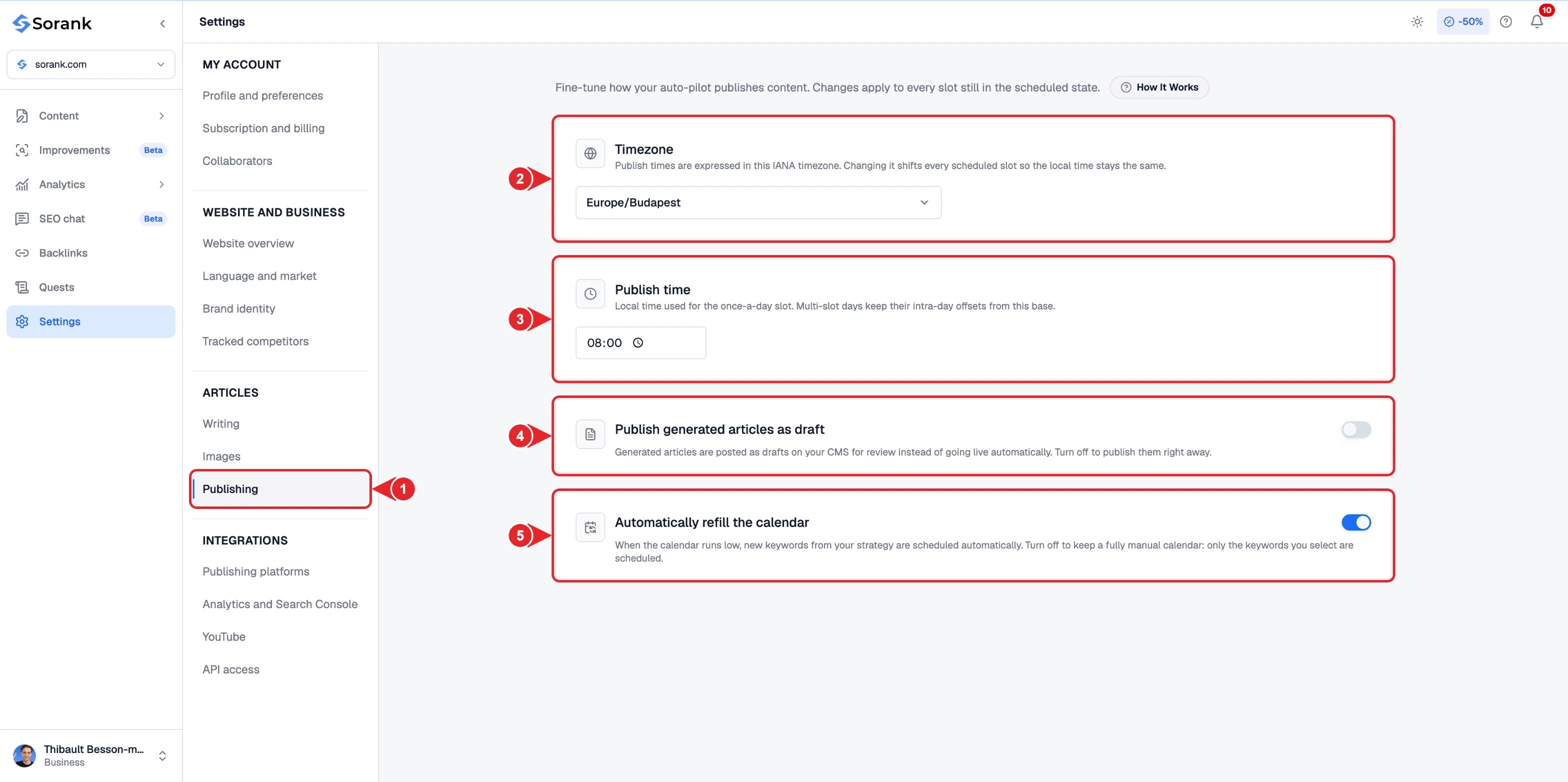
- Publishing in the settings menu.
- Timezone of your publications.
- Daily publish time.
- Publish generated articles as draft to review them in your CMS first.
- Automatically refill the calendar with new keywords from your strategy.