

Before you start
Sorank checks whether your account can be deleted when you open the deletion window. Deletion is unavailable in these cases:
A subscription whose cancellation is already scheduled for the end of the paid period does not block deletion. If you delete your account before that date, the remaining paid period is lost and is not refunded.
Save the articles and invoices you want to keep before you start. You will no longer have access to them in Sorank.
Delete your account
- In the main sidebar, open Settings.
- Select Profile and preferences.
- At the bottom of the page, in the Delete account card, click Delete my account.
- Review what will be erased and what is kept.
- Type DELETE in the confirmation field.
- Click Delete my account to confirm.
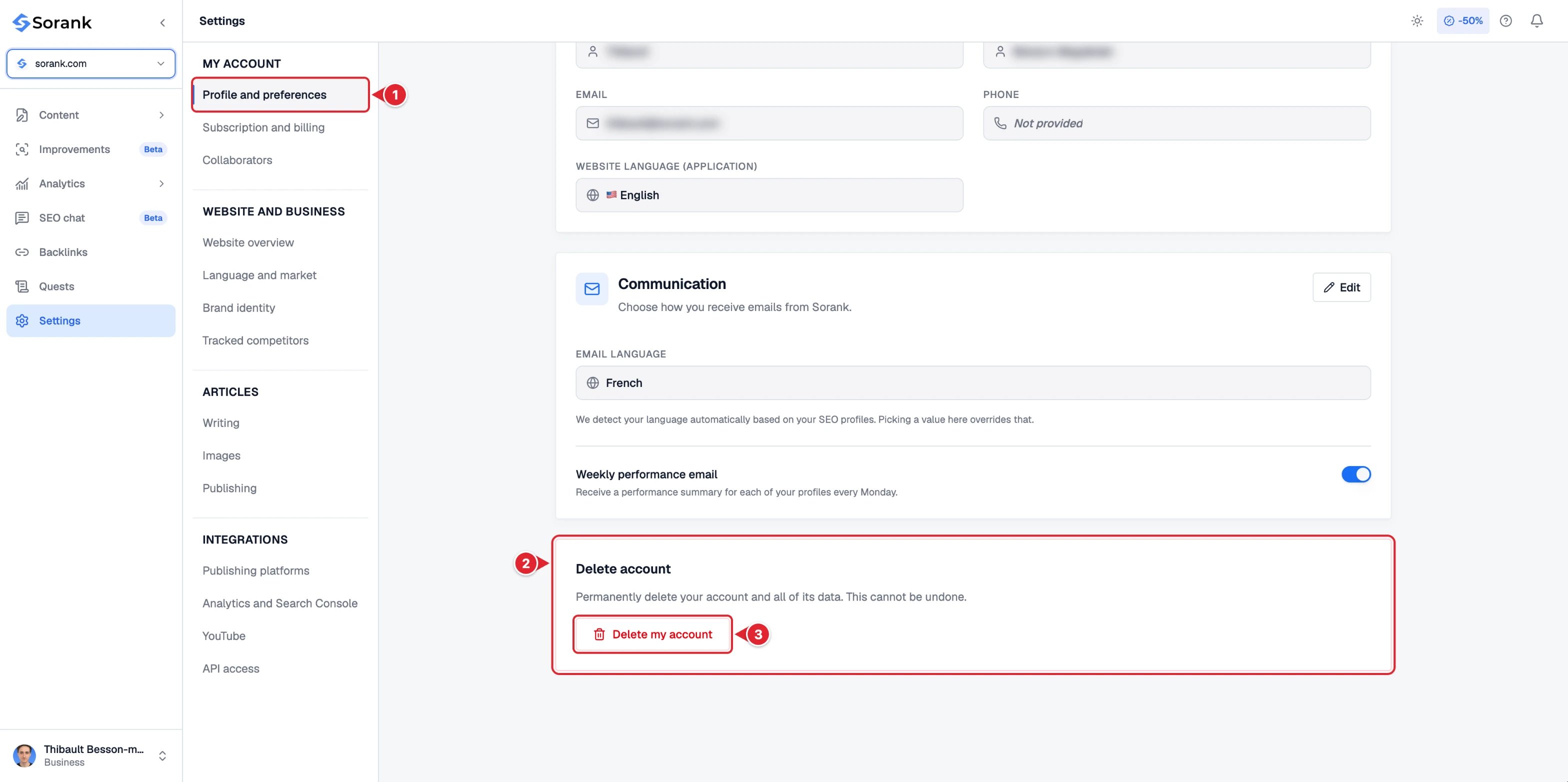
- Profile and preferences in the settings menu.
- The Delete account card at the bottom of the page.
- Delete my account to open the deletion window.
What happens next
- You are signed out immediately, on every device.
- The sign-in page displays: “Your account deletion is in progress. You will receive a confirmation email.”
- You cannot sign in again while the deletion is in progress.
- When the deletion is complete, you receive a confirmation email at your account’s email address. It includes a reference for your request.
What is erased
- Your account, sign-in access, profile and settings.
- The SEO profiles you own and their content: articles, keywords, reports, hosted blogs and uploaded files.
- Your connections to Google Search Console and publishing platforms, and your subscription to our emails.
What is kept
- An anonymized fingerprint of any card used for a free trial, kept for 3 years from the trial. It is no longer linked to your account and only prevents another free trial with the same card.
- Your invoices, kept by our payment processor to meet legal accounting obligations.