Preferences
Privacy is important to us, so you have the option of disabling certain types of storage that may not be necessary for the basic functioning of the website. Blocking categories may impact your experience on the website. More information

Privacy is important to us, so you have the option of disabling certain types of storage that may not be necessary for the basic functioning of the website. Blocking categories may impact your experience on the website. More information

Technical SEO for ecommerce: control faceted URLs, pagination, canonicals, variants, out-of-stock pages, speed, Product schema and sitemaps, per Google's rules.

Tools

In short
technical SEO for ecommerce means making sure Google can crawl, index and understand a catalog that generates far more URLs than it has products. The eight fixes that matter most are: control faceted navigation, give each paginated page its own canonical, pick one canonical per product, mark up variants with ProductGroup, handle out-of-stock and discontinued products without soft 404s, pass Core Web Vitals on templates, add Product structured data plus a Merchant Center feed, and keep XML sitemaps limited to indexable URLs.
Want to go further? Ask
Quick quiz
Where should your online shop find its next customers?
Sorank matches your answers


Test it for 3 days on your own site and see where you stand on Google, ChatGPT and the other AIs.
Start 3-day free trial3 days free, then stop whenever you want. 90-day results-or-refund guarantee.
A blog with 200 articles has about 200 URLs. A store with 2,000 products can expose hundreds of thousands, once every filter, sort order, color and page number becomes a link. That is why technical SEO for ecommerce is a discipline of its own: the general rules of technical SEO still apply, but the scale and the templates change the priorities. Google documents most of what follows in its guide to managing faceted navigation and its ecommerce section. This guide turns it into a checklist by page template, so each fix is applied once and works for the whole catalog.
Three things set a store apart from a content site:
The consequence is a problem of crawl budget and duplication: Googlebot spends its visits on filtered or sorted copies while new products and important categories wait. The table below maps each recurring issue to its cause and to the fix Google recommends.
| Issue | Typical cause | Fix |
|---|---|---|
| Crawl wasted on filters | Faceted navigation links (color, size, price) | Block non-useful facets in robots.txt, index only facets with search demand |
| Duplicate lists | Sort orders, tracking parameters | Canonical to the clean URL, robots.txt for sort parameters |
| Deep products not found | Pagination by JavaScript or #fragment | Crawlable ?page=n links, each page self-canonical |
| Same product at several URLs | Product reached through several category paths | One category-free product URL, canonical to it |
| Variants competing | One URL per color or size, no grouping | ProductGroup markup, one canonical per group or per variant page |
| Soft 404s | Empty out-of-stock or discontinued pages | Keep the page with alternatives, 301 or 404 when gone for good |
| Slow templates | Heavy images, third-party scripts | Fix LCP, INP and CLS at template level |
| Sitemap noise | Filtered, redirected or noindex URLs listed | Only canonical, indexable 200 URLs |
Faceted navigation (the filters on a category page) is the first source of crawl waste on most stores. Google's guidance is direct: if filtered URLs do not need to appear in search results, block them in robots.txt, because canonical tags only reduce crawling of non-canonical URLs slowly over time, and nofollow only works if every single link to the URL carries it.
The method that works in practice is to split facets into two groups:
When filtered URLs must stay crawlable, Google asks for the standard & parameter separator, a fixed order of filters so the same combination never produces two URLs, and an HTTP 404 status when a combination returns no products.
Watch out
Do not combine a robots.txt block with a noindex tag on the same URL. If Google cannot crawl the page, it never sees the noindex, and the URL can stay indexed with no description. Choose one: block the crawl for pure waste, or allow the crawl with noindex while old URLs drop out, then block.
Large categories are split into pages, and products on page 8 are only found if Google can reach page 8. Google's pagination guidelines for ecommerce set four rules:
For a deeper look at view-all pages and load-more patterns, see our article on pagination SEO.
A canonical tag tells Google which URL is the reference version among several near-identical pages. On a store, three rules cover most cases:
A canonical is a hint that Google overrides when the signals contradict it: internal links pointing to the parameter version, a sitemap listing it, or a canonical that points to a redirected or noindex page. Consistency between links, canonicals and sitemaps matters more than the tag alone.
Colors, sizes and materials raise the same question on every store: one page for all variants, or one page per variant? Google supports both, as described in its product variant structured data documentation:
In both cases, mark up the group with ProductGroup, list the variants with hasVariant, declare the attributes in variesBy (color, size, material, pattern, suggestedAge, suggestedGender) and give each variant its own sku or gtin. Google also asks that each variant can be preselected through its own URL, for example with ?color=green&size=small, and that the page then shows the right image, price and availability.
Example
A T-shirt sold in 5 colors and 6 sizes creates 30 variants. Indexing 30 pages would spread signals thin. A common choice is one page per color (5 pages, each with its own photos and demand) and sizes selected on the page, all grouped under the same productGroupID.
Stock is where store URLs break most often. An empty product page with "Unavailable" and nothing else can be reported as a soft 404 in Search Console, and the page loses its rankings and links. The right answer depends on how long the product is gone:
| Situation | Recommended handling |
|---|---|
| Temporarily out of stock | Keep the page live (200), set availability to OutOfStock in the markup, show the restock date and similar in-stock products |
| Seasonal product, back next year | Keep the page and its URL, add alternatives and a notification signup |
| Discontinued, with a close replacement | 301 redirect to the replacement or to the nearest category |
| Discontinued, no equivalent, no links | Return 404 or 410 and remove it from the sitemap and internal links |
| Discontinued, but still earns traffic or links | Keep an archive page with specifications and successors |
Avoid redirecting every discontinued product to the homepage: Google tends to treat these mass redirects as soft 404s. For the redirect rules themselves, see our guide to SEO redirects.
Google measures page experience with the Core Web Vitals. According to web.dev, a page is "good" when, at the 75th percentile of real visits on mobile and desktop, LCP is 2.5 seconds or less, INP 200 milliseconds or less and CLS 0.1 or less. Stores fail these thresholds for recurring reasons:
Work by template, not by URL: fixing the product template fixes thousands of pages at once. Search Console's Core Web Vitals report already groups URLs by similar pages.
Product structured data (name, image, offers with price, currency and availability, aggregateRating when the reviews are real and on the page) makes product pages eligible for rich results with price and stock. Add BreadcrumbList on categories and products, and Organization on the homepage. Google also recommends sending a product feed to Merchant Center in addition to the markup: the feed controls what appears in the Shopping tab and is updated on your schedule. Our guide to the ecommerce product page covers the content side of the same template.
For XML sitemaps, Google's sitemap documentation sets the limit at 50,000 URLs or 50MB uncompressed per file, ignores the priority and changefreq tags, and uses lastmod only when it is consistently accurate. Practical rules for a store:
The free sitemap checker flags redirected, broken or noindex URLs listed by mistake.
Tip
Compare the number of URLs in your product sitemap with the number of products marked "Indexed" in Search Console's page indexing report, filtered on that sitemap. A large gap points to duplicates, thin pages or crawl issues on the product template.
Yes. ChatGPT, Gemini and Perplexity now recommend products and stores, and they rely on pages they can fetch and read. Three technical points decide whether your catalog can be cited:
Our retail AI citation study shows which sources the AIs cite for shopping questions, and the article on AI in ecommerce covers the new AI shopping channel. To see whether your store is named in these answers, AI mention tracking follows your brand across ChatGPT, Claude and Gemini.
Start with what blocks indexing, then what wastes crawl, then what improves rankings and clicks:
Run a full ecommerce SEO audit every few months and after each platform migration, and estimate what the fixes are worth with the ecommerce SEO ROI calculator.
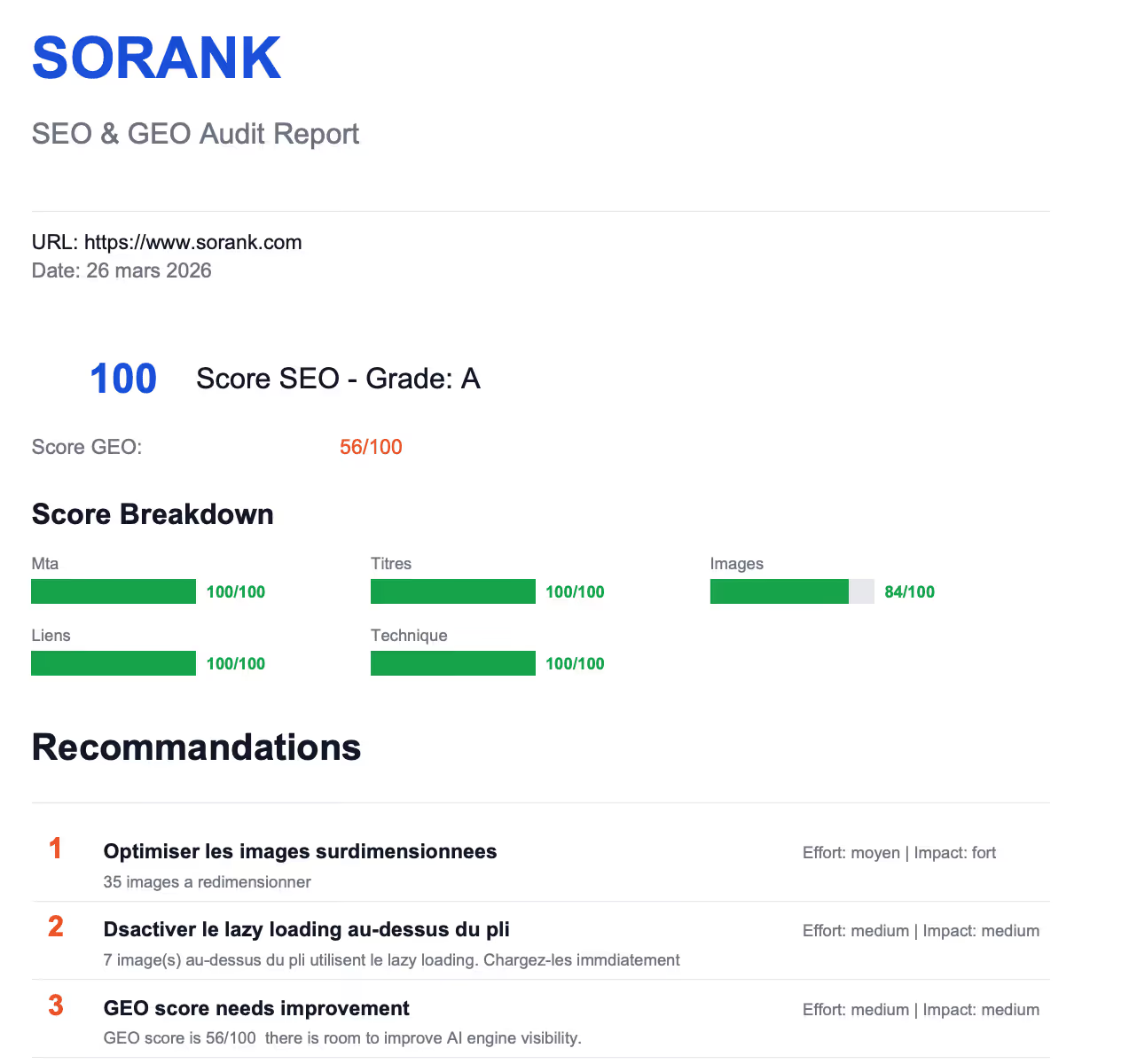
A technically clean store lets every product and category compete on its content instead of fighting duplicates. Once the templates are sound, growth comes from content and authority: Sorank finds the keywords your store can win, writes and publishes optimized buying guides with internal links to your categories, obtains natural backlinks automatically from the sites of its 5,000+ users and tracks your citations in the AIs, on autopilot. See the plans, from $49 per month billed annually, with a 3-day free trial.

It carries more weight because stores generate many more URLs than they have products, through filters, sorting, pagination and variants. A single error in a product or category template is repeated on every page of that type. For small catalogs with few filters, the basics are enough; for large catalogs, crawl and duplication control often decide whether new products get indexed at all.
Only the filtered pages that match a real search, such as a color or a material people type into Google, and only with a clean URL, a unique title and some unique content. Combinations of several filters, price ranges and sort orders should be kept out of the crawl, usually with robots.txt rules on their parameters.
Shopify, WooCommerce, Magento, BigCommerce and PrestaShop can all rank well when configured correctly. The differences lie in control: some platforms impose URL structures, duplicate product paths or limited robots.txt editing. Check how each platform handles canonicals, faceted URLs, redirects and structured data before choosing or migrating.
We analyse your competitors, your website and your AI visibility to create a tailored content plan for free.
 AI Content Brief Generator
 FAQ Schema Generator
 AI Blog Post Ideas Generator
 Structured Data Validator (Schema Validator)
 Alt Text Checker
 Internal Link Analyzer
 Backlink Challenge
 AI Meta Description Generator
 AI Blog Title Generator
 Google Indexability Checker
 AI Blog Outline Generator
 UTM Link Builder
 Keyword Clustering Tool
 Canonical Tag Checker
 XML Sitemap Generator
 Broken Link Checker
 AI SEO Title Generator
 Headline Analyzer
 SERP Preview Tool
 Redirect Checker
 Hreflang Tag Generator
 Heading Structure Analyzer
 HTTP Headers Checker
 Favicon Extractor
 SERP CTR Calculator
 SEO vs Paid Search Savings Calculator
 SEO Share of Voice Calculator
 SEO ROI Calculator
 SEO Traffic and Revenue Forecast Calculator
 SEO Budget Calculator
 SEO Break-Even Calculator
 SaaS SEO ROI Calculator
 ROAS Calculator
 Reading Time Calculator
 Ranking Gain Simulator
 Organic Traffic Value Calculator
 Organic Traffic Estimator and Website Traffic Checker
 LTV to CAC Ratio Calculator
 Local SEO ROI Calculator
 Link Building Cost Calculator
 Keyword Value Calculator
 Keyword Opportunity Score Calculator
 Keyword Density Calculator
 GEO ROI Calculator
 GEO Content Investment Calculator
 Ecommerce SEO ROI Calculator
 Customer Lifetime Value Calculator
 Customer Acquisition Cost Calculator
 CTR Calculator
 Cost Per Article Calculator
 Conversion Rate Calculator
 Content Marketing ROI Calculator
 ChatGPT Referral Traffic Estimator
 Bounce Rate Calculator
 Backlink ROI Calculator
 AI Visibility Score Calculator
 AI Traffic Value Calculator
 AI Share of Voice Calculator
 Cost of AI Invisibility Calculator
 AI Citation Rate Calculator
 llms.txt Validator
 AI Overview Checker and AI Overviews Rank Checker
 Robots.txt Checker
 AI SEO Audit
 LLM Readability Checker
 SearchGPT Readiness Checker
 Structured Data LLM Audit
 Website Crawlability AI Audit
 Why ChatGPT Is Not Recommending My Website
 Gemini Ranking Tool
 Perplexity Ranking Checker
 LLM Citation Checker
 Answer Engine Optimization Audit
 GEO Audit
 AI Search Visibility Test
 ChatGPT Visibility Checker
 llms.txt Generator
 URL Extractor
 Webpage to Markdown
 Sitemap Checker
 SERP Volatility Sensor
 Page Size Checker
 Word Counter
 Slug Generator
 Schema Generator
 Robots Generator
 OG Preview
 Meta Tags Generator
 Image Compressor
 Favicon Generator
 On-Page SEO Audit: SEO Checker and SEO Analyzer
 Backlink Analysis Tool
 Keyword Research Tool
 Domain Authority Checker
THEY TRIED SORANK BEFORE YOU
 “I tested Sorank on a real client site and it's insane. It does everything an agency would bill you $1500 a month for. It's going into production on that client now.”

 Guillaume Guersanguersanguillaume.com“We are an Ads agency and we wanted to get our SEO back on track once and for all. Sorank gave us a clear view of our site, helped us prioritize optimizations, and properly structure our content. The tool is easy to use, well designed for a team, and very practical for centralizing tracking without having to juggle multiple platforms. A very solid foundation to start fresh with our SEO.”
 Gaspard MadouiAds Agency
 “I just let the Sorank software do its thing, and now my DR is 25 and my page is ranking higher.”
 Lucas Flandrefoundertrace.fr“I specialized in GEO thanks to Sorank. The GEO Leaderboard allows me to show my clients their position vs competitors on ChatGPT. It’s a real commercial differentiator.”
 MélanieSEO Freelance“Great service, works well for our website and helps us understand how to improve it to rank better on Google and elsewhere. Congrats, keep going, I recommend it.”
 Hugo T.E-commerce merchant