

URLs containing optimized slugs receive up to 25% more organic clicks than those with auto-generated or parameter-heavy URLs. A well-crafted URL slug is one of the simplest yet most impactful on-page SEO factors, it tells both search engines and users exactly what to expect on a page.
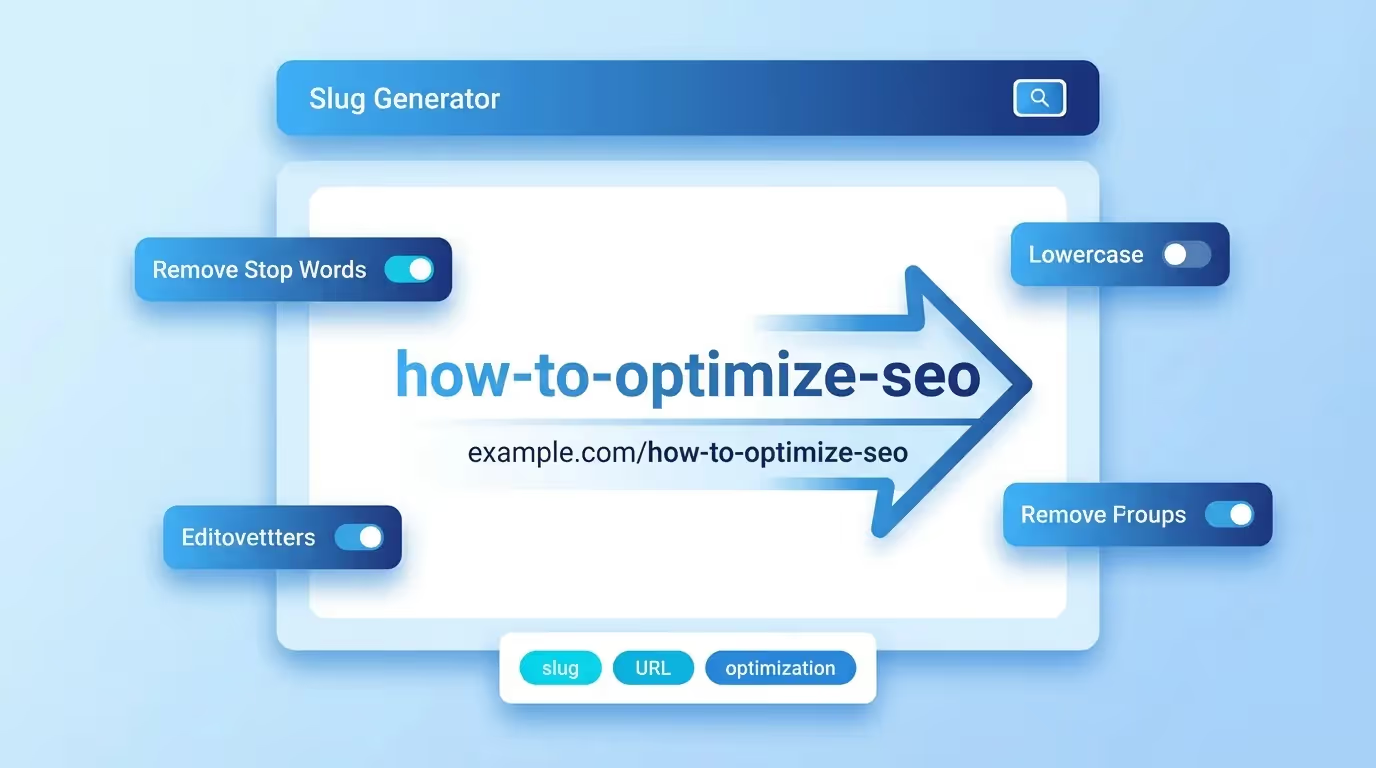
The Sorank Slug Generator instantly transforms any title, heading, or phrase into a clean, SEO-friendly URL slug ready for any CMS or web framework.
What Is a URL Slug?
A URL slug is the human-readable portion of a web address that appears after the domain name. For example, in https://example.com/seo-friendly-url-guide, the slug is seo-friendly-url-guide. The slug identifies a specific page on a website and plays a direct role in how search engines understand and rank that page.
URL slugs differ from the full URL path. The path may contain directories like /blog/2024/seo-friendly-url-guide, while the slug is just the final segment. Together with the domain and path structure, the slug creates the complete permalink for your content.
Why URL Slugs Matter for SEO
Search engines use URLs as one of many ranking signals. Google's own documentation confirms that words in the URL provide useful information about a page's content. A descriptive slug helps search engines understand topical relevance before even crawling the page body.
Here's why optimized slugs boost your SEO performance:
- Keyword visibility: Including your target keyword in the slug reinforces topical relevance for both crawlers and users.
- Click-through rate: Users in search results can preview the URL. Clean, descriptive slugs build trust and encourage clicks.
- Link sharing: When URLs are shared on social media, forums, or messaging apps, readable slugs look more trustworthy than cryptic parameter strings.
- Anchor text signals: When other sites link to your page using the raw URL, an optimized slug acts as implicit anchor text.
- Crawl efficiency: Clean URL structures help search engine bots navigate and index your site more effectively.
How to Use the Sorank Slug Generator
Using the tool is straightforward:
- Enter your text: Type or paste any title, heading, or phrase into the input field.
- Generate the slug: Click the generate button. The tool instantly converts your text into a URL-safe slug.
- Copy and use: Copy the generated slug and paste it into your CMS, code editor, or URL configuration.
The generator handles all the necessary transformations automatically: converting to lowercase, replacing spaces with hyphens, removing special characters, stripping accents from international characters, and eliminating stop words when appropriate.
Best Practices for SEO-Friendly URL Slugs
Follow these guidelines to maximize the SEO value of your slugs:
- Keep it short: Aim for 3-5 words. Shorter slugs are easier to read, remember, and share. Avoid exceeding 60 characters.
- Include the target keyword: Place your primary keyword naturally within the slug. For a page about "best running shoes," use
best-running-shoesinstead ofour-guide-to-the-best-running-shoes-for-2024. - Use hyphens as separators: Hyphens (
-) are the standard word separator in URLs. Never use underscores (_), spaces (%20), or other characters. - Remove stop words: Words like "a," "the," "and," "of," and "in" usually add no SEO value. Remove them unless they're part of a brand name or essential for meaning.
- Lowercase only: URLs are case-sensitive on most servers. Using lowercase consistently avoids duplicate content issues.
- Avoid dates and numbers: Unless your content is inherently time-bound, don't include years or dates in slugs. This keeps your URL evergreen.
- No special characters: Remove punctuation, symbols, and non-ASCII characters. Accented letters should be transliterated (e.g., "ü" becomes "u").
Common URL Slug Mistakes to Avoid
Even experienced developers and content creators make these mistakes:
- Auto-generated slugs: Many CMS platforms create slugs from the full page title, resulting in overly long URLs. Always review and edit them manually.
- Keyword stuffing: A slug like
seo-seo-tools-best-seo-slug-seolooks spammy and can trigger search engine penalties. - Changing slugs after publishing: Modifying a slug breaks all existing links and bookmarks. If you must change a slug, always set up a 301 redirect from the old URL to the new one.
- Using IDs or parameters: Slugs like
post-12847orpage?id=482provide zero SEO value and confuse users. - Ignoring localization: For multilingual sites, use language-appropriate slugs in each locale rather than keeping the English slug across all versions.
- Trailing slashes inconsistency: Pick one convention (with or without trailing slash) and stick to it site-wide to avoid duplicate content.
Slug Handling Across CMS Platforms
Each CMS manages slugs differently. Here's how to optimize them on popular platforms:
WordPress
WordPress auto-generates slugs from the post title. Edit them under the permalink settings in the block editor. Go to Settings → Permalinks and choose the "Post name" structure (/%postname%/) for the cleanest URLs. Use plugins like Yoast SEO to get slug optimization suggestions.
Webflow
In Webflow, each page and CMS item has an editable slug field. For CMS collections, the slug is derived from the item name by default. Edit it in the item settings panel. Webflow automatically handles URL encoding and character replacement.
Shopify
Shopify generates slugs from product and page titles. Edit the "URL and handle" field under the SEO section of any product, collection, or page editor. Note that Shopify prefixes product slugs with /products/ and collection slugs with /collections/.
Next.js and Static Generators
In file-based routing frameworks like Next.js, Astro, or Gatsby, the filename or folder name becomes the slug. For dynamic routes, generate slugs programmatically using a slugify function. Example in JavaScript:
function slugify(text) { return text.toLowerCase().normalize('NFD').replace(/[\u0300-\u036f]/g, '').replace(/[^a-z0-9]+/g, '-').replace(/(^-|-$)+/g, ''); }
Technical Slug Specifications
Understanding the technical constraints helps you create better slugs:
- Character set: Valid slug characters are lowercase letters (a-z), digits (0-9), and hyphens (-). All other characters should be removed or transliterated.
- Maximum length: While URLs can technically be up to 2,048 characters, keep slugs under 60 characters for optimal display in search results.
- Unicode handling: For international content, transliterate accented characters (café → cafe, über → uber) or use punycode encoding. Most modern CMS platforms handle this automatically.
- URL encoding: Characters outside the safe ASCII range are percent-encoded (e.g., space becomes
%20). A good slug generator eliminates the need for encoding by only producing safe characters.
Slug Optimization for Different Content Types
Different types of content benefit from different slug strategies:
- Blog posts: Use the target keyword. Example:
improve-core-web-vitals - Product pages: Include the product name and key attribute. Example:
wireless-noise-cancelling-headphones - Category pages: Keep it to one or two words. Example:
running-shoes - Landing pages: Match the search intent. Example:
free-seo-audit - Documentation: Use a clear hierarchy. Example:
api-authentication-guide
The Sorank Slug Generator handles all these scenarios, producing clean slugs optimized for maximum search visibility regardless of your content type or CMS platform.