Preferences
Privacy is important to us, so you have the option of disabling certain types of storage that may not be necessary for the basic functioning of the website. Blocking categories may impact your experience on the website. More information

Privacy is important to us, so you have the option of disabling certain types of storage that may not be necessary for the basic functioning of the website. Blocking categories may impact your experience on the website. More information

Video editing software: DaVinci Resolve, Adobe Premiere, Final Cut Pro and 7 other tools compared on features, limitations and euro pricing in 2027.

Summarize this article with AI
Choosing video editing software starts with where you edit (a powerful computer, a plain web browser, a phone) and with what you publish afterward: a corporate film, a product demo, short formats for social media. This ranking brings together ten very different tools, from postproduction suites used in film and television to online editors that add subtitles to a video in a few clicks. Each entry describes the tool based on its vendor's own pages, states the profile it serves best and its limitations, then gives the price published in euros when the site shows one.
An edited video nearly always ends up online, and publishing it puts the company behind it on the line. Service Public, the French government's official information site, points out that you need a person's written consent to use an image in which they can be recognized, whether that image is a photo or a video. Filming someone in a private place without their consent, then distributing the footage, carries a penalty of one year in prison and a €45,000 fine (articles 226-1 and 226-2 of the French Criminal Code). Since May 2024, the French Criminal Code also penalizes distributing, without consent, a doctored or AI-generated video that reproduces a person's image or voice without disclosing it: one year in prison and a €15,000 fine, two years and €45,000 if it is published online (article 226-8). A customer testimonial, footage from a trade show or a shoot in your offices therefore calls for signed releases before the final cut. Some tools help blur a face: Filmora lists an AI face mosaic, Flixier a tool to blur or pixelate a video.
AI raises a second question. The EU AI Act, whose transparency rules have applied since August 2, 2026, requires a company that uses AI to produce a doctored image or video (a "deepfake") to disclose that the content was generated or manipulated by AI. Keep this rule in mind if you use PlayPlay's AI avatars or Filmora's translation with voice cloning.
Then there is the budget. With several vendors, the listed price is not enough to predict the bill, because AI features consume credits: Adobe's Premiere plan includes 25 per month, Filmora's Plan Avancé 1,000 per month, and Flixier's free plan 500. A poorly chosen tool costs you in editing hours on software that is too heavy or too limited, then in extra credits purchased project after project.
We did not edit a single video with these programs. Each entry relies on the pages the vendor publishes itself (home page, features, pricing), read in October 2026, with no paid subscription and no commercial agreement with the vendors. Four criteria set the order:
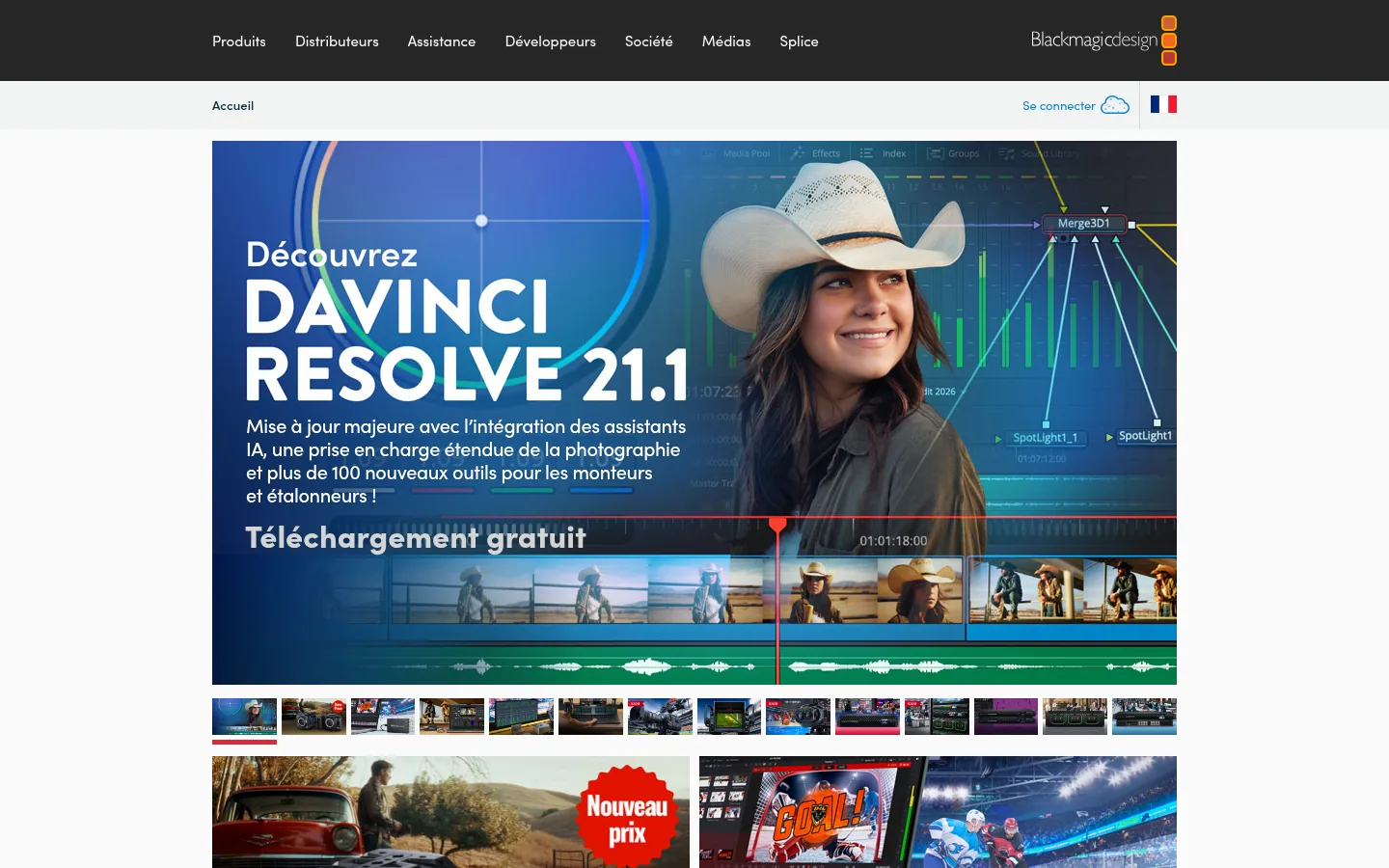
DaVinci Resolve combines editing, color grading, visual effects, motion graphics, audio postproduction and, since version 21, photo editing in a single program. Work is split into pages: Cut and Edit to trim and assemble, Fusion for visual effects, Color for grading, Fairlight for sound, then Media and Deliver. Blackmagic Design, which also makes cinema cameras, highlights version 21.1 with built-in AI assistants and more than 100 new tools for editors and colorists.
Collaboration sets it apart: project libraries support multi-user work, locally or remotely, and the Blackmagic Cloud site hosts projects and media. The vendor writes that every member of the team can work on the same project at the same time. The new AI tools in version 21 include IntelliSearch, to find a piece of content, and CineFocus, to adjust the focal point.
Best for: editors and colorists who want a single postproduction tool, from a first project all the way to feature films and television shows.
Strengths: a free version to download; editing, color, effects and sound without switching programs; several people on the same project at once.
Limitations: DaVinci Resolve is downloaded and installed, and the site makes no mention of using it in a browser. Its vocabulary (node editors, trim passes, conforming) is aimed first at postproduction professionals.
Pricing: DaVinci Resolve is a free download; DaVinci Resolve Studio sells for €255 excl. VAT when bought online (suggested retail price, excluding sales taxes and shipping), price checked on October 10, 2026.
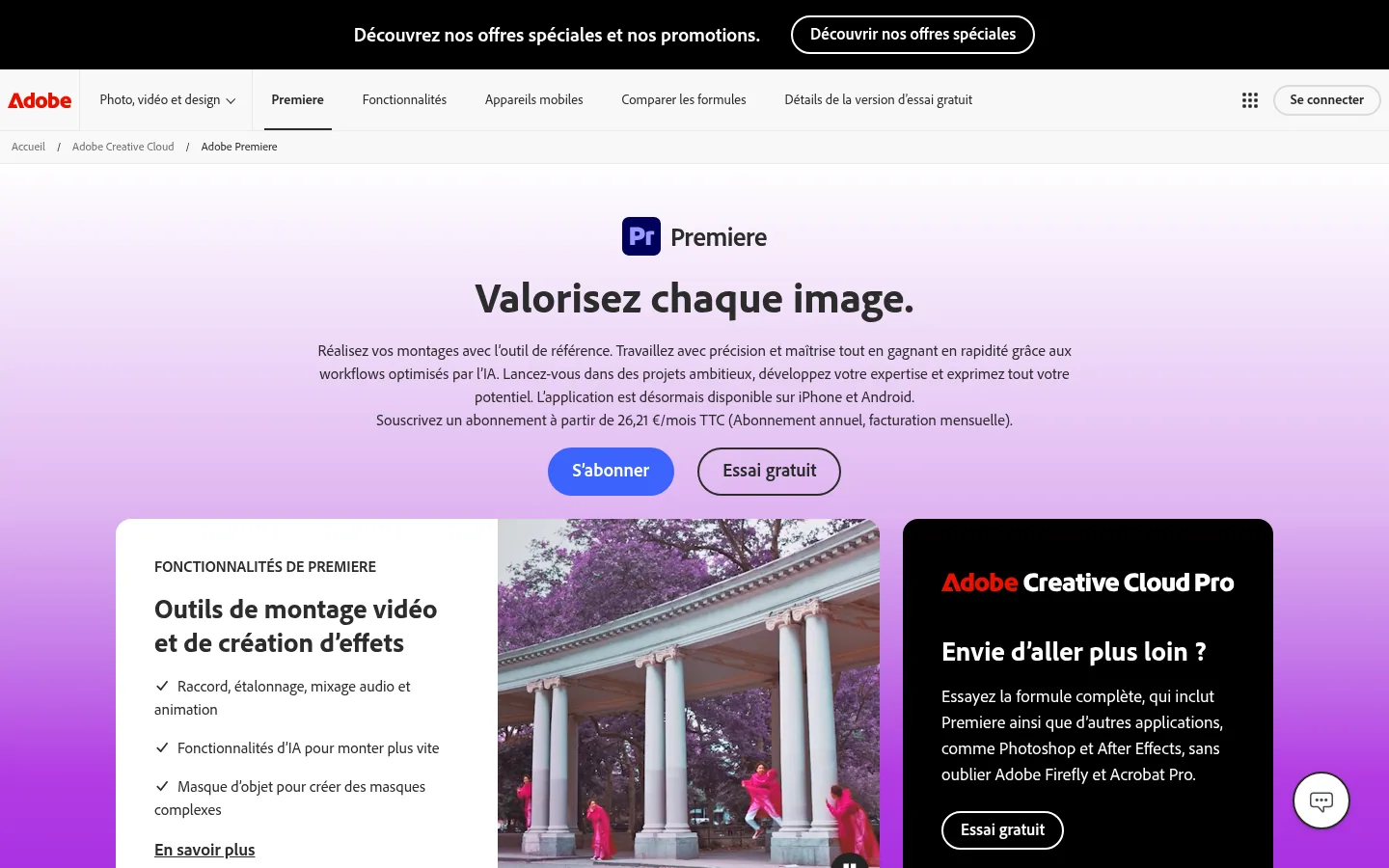
Adobe Premiere is Adobe's professional video editing and postproduction application; the site's FAQ explains why Adobe Premiere Pro was renamed Adobe Premiere. It covers trimming, color grading, audio mixing and animation, more than 100 effects and transitions, and an app now available on iPhone and Android.
Here, AI mostly saves time on everyday editing tasks. Object Mask creates a mask when you hover over the subject and click, replacing long hours of rotoscoping (frame-by-frame cutout). Text-Based Editing transcribes videos on import and builds a first cut as you copy and paste the text. Media Intelligence finds a shot described in plain language, Enhance Speech removes background noise, and Generative Extend lengthens a clip using Adobe Firefly.
Best for: editors and creators who want an industry-standard tool connected to Adobe's other applications, such as Photoshop and After Effects.
Strengths: AI tools built into the editing window; Frame.io and 100 GB of cloud storage included in the Premiere plan; the same application on desktop and mobile.
Limitations: the Premiere plan on its own includes 25 generative credits per month. The new color mode, designed for editing teams, is presented in Premiere (beta), the test version.
Pricing: €26.21 incl. VAT per month on an annual plan billed monthly, with a seven-day free trial, price checked on October 10, 2026. The Creative Cloud Pro plan, which adds about twenty applications, shows €39.31 incl. VAT per month for 3 months on a new subscription, instead of €78.65 per month.
With Wondershare Filmora, now at version 16, the vendor offers AI video editing software for desktop and mobile. The workflow follows the steps of the craft: AI Media Analysis spots people, scenes, actions and dialogue in your rushes (the raw, unedited footage from the shoot), the rough cut removes silences and lets you edit from the text, then keyframes, Camera Tracking and work on two timelines refine the result.
The features page also lists a stabilizer, Mocha tracking and visual effects, multicam editing and a long run of AI tools: video translation with voice cloning and lip sync, text to speech with 40 voices, transcription into subtitles, object removal. A recorder captures the screen, camera, microphones and system audio at the same time, with each source remaining editable on its own.
Best for: YouTube and social media creators, as well as business, marketing, education and training uses, when you want plenty of ready-to-use effects.
Strengths: a perpetual license with a one-time payment alongside the subscriptions; thousands of effects, transitions and titles in the creative assets; a 30-day money-back guarantee.
Limitations: most AI tools (video extension, translation, voice cloning, transcription) are paid for with AI credits. The perpetual license covers one specific version and does not include future versions of Filmora.
Pricing: Plan Avancé at €49.99 per year, or €19.99 per quarter; Plan Premium at €79.99 per year, or €6.69 per month (VAT treatment not stated), prices checked on October 10, 2026.

Microsoft Clipchamp runs directly in the browser, with no software to download, or as a desktop app: you find it in the Windows 11 Start menu, and it can be downloaded for Windows 10 from the Microsoft Store. It brings together screen, webcam and voice recording, editing, templates and a library of royalty-free videos, images, music and sound effects.
Its AI tools cover the usual needs of a business video: subtitles in more than 80 languages, text-to-speech voiceover, removal of silences and background noise, background removal. A resizer adapts the format to Instagram, YouTube or Facebook, and Clipchamp connects to OneDrive, Dropbox, YouTube, TikTok and LinkedIn.
Best for: beginners who want to edit for free without installing anything, and Microsoft 365 users.
Strengths: a free editor with no payment and no download; HD exports without a watermark; integrations with social networks and online storage.
Limitations: you need a personal Microsoft account to get started. The free version exports up to 1080p: 4K and the brand kit (logos, colors, fonts) belong to the Premium plan.
Pricing: the pricing page shows no amount; Premium features are included in the Microsoft 365 Personal and Family plans (page checked on October 10, 2026).

VEED edits your videos online and dresses them in your brand's look: colors, fonts, logos and voices apply to every video. The pricing page lists unlimited automatic subtitles, a full audio and video library and more than 15 AI tools; higher plans add multi-brand kits and translation into more than 50 languages.
The vendor also describes itself as an AI video platform built for "marketers and solopreneurs," and offers to generate videos from an idea.
Best for: marketing teams and freelancers who post videos to social media often.
Strengths: everything happens online and getting started is free; brand identity applied automatically; built-in subtitles and translation.
Limitations: each plan sets a volume of AI credits (6,000 for Creator, 30,000 for Pro, according to the pricing page). The Enterprise plan, with centralized team management, is negotiated case by case with the sales team.
Pricing: Creator at €11 per user per month billed annually (€129 per year), Pro at €23 (€278 per year), Studio at €37 (€448 per year); the page also offers monthly billing and advertises up to 51% savings on annual billing (VAT treatment not stated), prices checked on October 10, 2026.

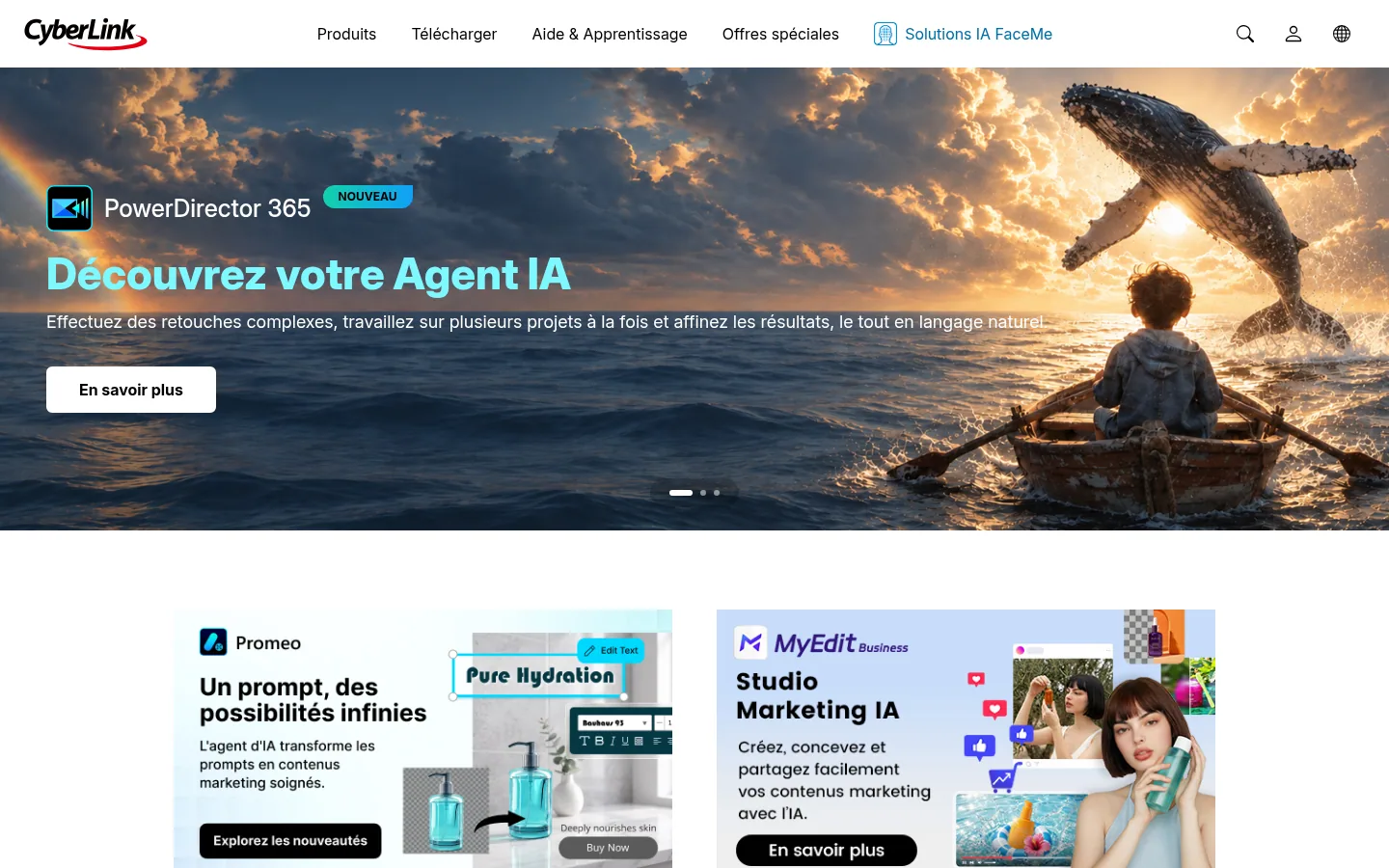
At CyberLink, PowerDirector 365 is the video editing software, and its new feature is called "your AI Agent": you request complex edits in natural language and run several projects at once. It comes in a Windows version and a Mac version, with templates and effects, and the PowerDirector mobile app is a free download on the App Store and Google Play.
The vendor also sells Director Suite, which bundles video, photo and audio editing for Windows, and more specialized software: ColorDirector 365 for color correction and grading, AudioDirector 365 for editing and restoring audio on podcasts and voiceovers.
Best for: Windows users who want installed software guided by templates, and possibly a complete suite for video, photo and sound.
Strengths: edits driven by natural language; Windows, Mac and mobile versions; dedicated color and audio software in the same lineup.
Limitations: PowerDirector 365 is a subscription billed annually, and the site makes no mention of a one-time purchase for this software.
Pricing: PowerDirector 365 and Director Suite are subscriptions billed annually. Check the current price on the CyberLink website when you subscribe.
PlayPlay is a video and visual creation platform for businesses, designed for teams with no editing or design skills. Editing goes through a storyboard: you arrange your scenes like slides, then pick from more than 300 customizable templates and motion design animations made by the vendor's experts.
Brand identity (logos, colors, fonts) is imported once and applied everywhere, and the team creates, comments and approves in one place. The AI features include automatic subtitles, voiceover, audio cleanup, translation, social media clips, avatars and text-based trimming.
Best for: communications, marketing and employer branding departments that produce many on-brand videos without a dedicated editor.
Strengths: unlimited videos on both plans; access to a video and image library through the partnership with Getty Premium; a 7-day free trial with no credit card.
Limitations: the Business subscription goes through a demo with an expert, and its commitment period is the one set in the quote. Payment is made by SEPA transfer (the European bank transfer).
Pricing: prices not published, the Business subscription is offered on a quote after a demo (pricing page checked on October 10, 2026).

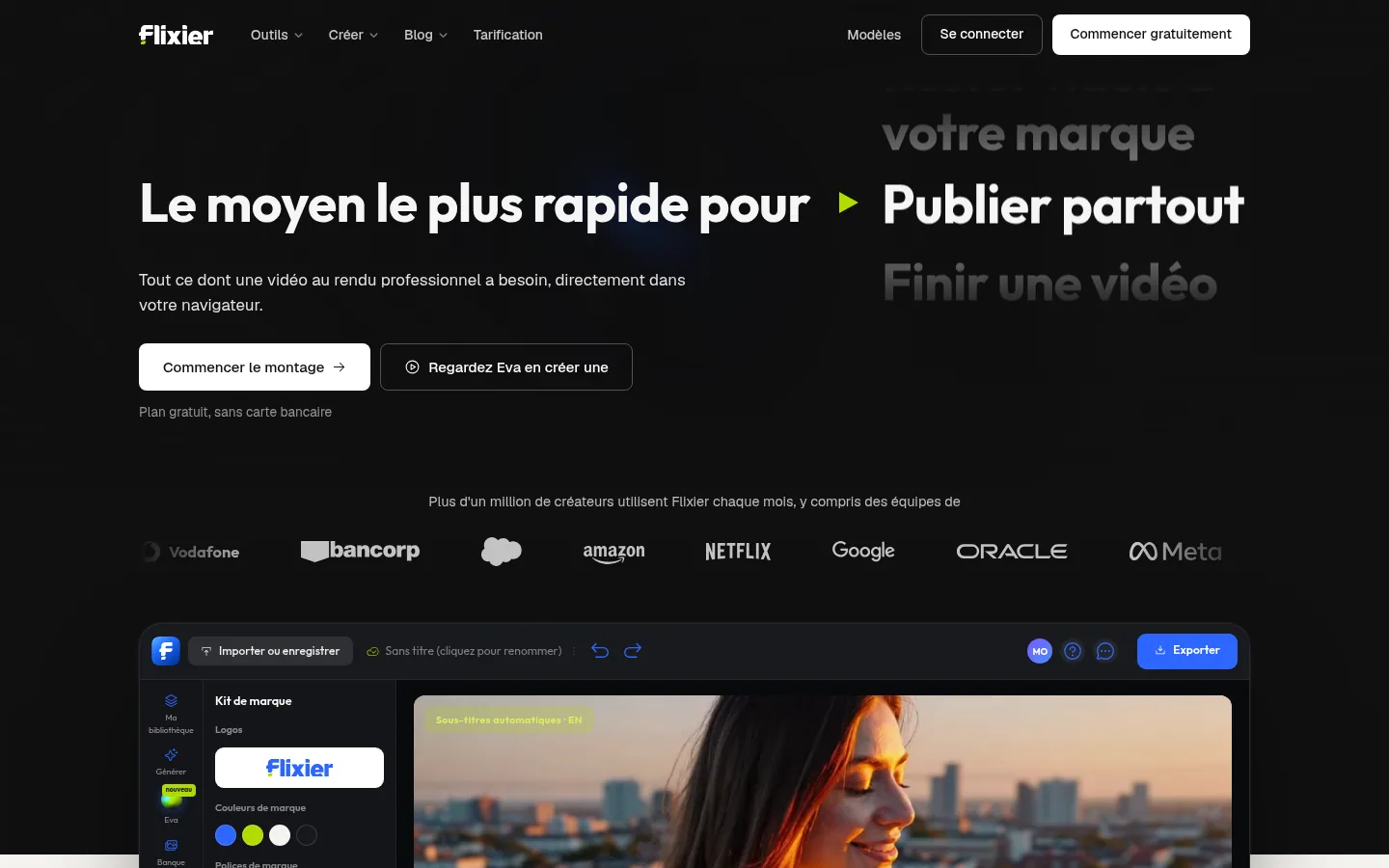
Flixier edits your videos in a browser tab: no installation, and rendering is computed in the cloud, away from your computer. The editor handles multiple video and audio tracks, frame-by-frame work, subtitles in more than 130 languages and 4K export.
Eva, its AI editor, automates the tedious steps of editing; the site says she can also produce the first cut, or the entire video. Flixier adds a screen and webcam recorder, transcript-based editing, a brand kit and real-time collaboration.
Best for: creators and teams producing YouTube videos, short formats, online courses, product demos or training videos.
Strengths: a free plan with no credit card; rendering that leaves your machine free; unlimited collaborators from the Creator plan up.
Limitations: the free plan exports 10 minutes of video per month, in 720p and with the Flixier watermark. Extra AI credits can only be bought with the Creator and Entreprise plans.
Pricing: Starter, Creator and Entreprise plans, billed monthly or annually; price varies by visitor country, to be checked from France.
FlexClip is an online video maker and editor that bets on templates: more than 6,000, sorted by use (business, store, wedding, marketing, slideshow). The basic tools cover trimming, merging, reversing, variable speed, chroma key for green screens and screen recording.
Its AI tools generate a video from a prompt, an article or a URL, write a script, and add automatic subtitles, a voiceover or a translation. The library advertises more than 4 million videos and photos and more than 74,000 music tracks and sound effects.
Best for: beginners who want to get a promotional video, a slideshow or an event video out quickly from a template.
Strengths: a very wide choice of templates; export up to 4K; collaboration with your teammates and cloud storage.
Limitations: the Free plan caps export at 720p, video length at 10 minutes and the number of projects at 12. The FlexClip watermark is added when the assets used go beyond the plan you subscribed to.
Pricing: Free plan; Plus at $11.99 per month billed annually ($143.88 per year) or $19.99 monthly; Business at $19.99 per month billed annually ($239.88 per year) or $29.99 monthly (VAT treatment not stated). These amounts are shown in dollars on the French pricing page, prices checked on October 10, 2026. The first payment comes with a 7-day refund guarantee.

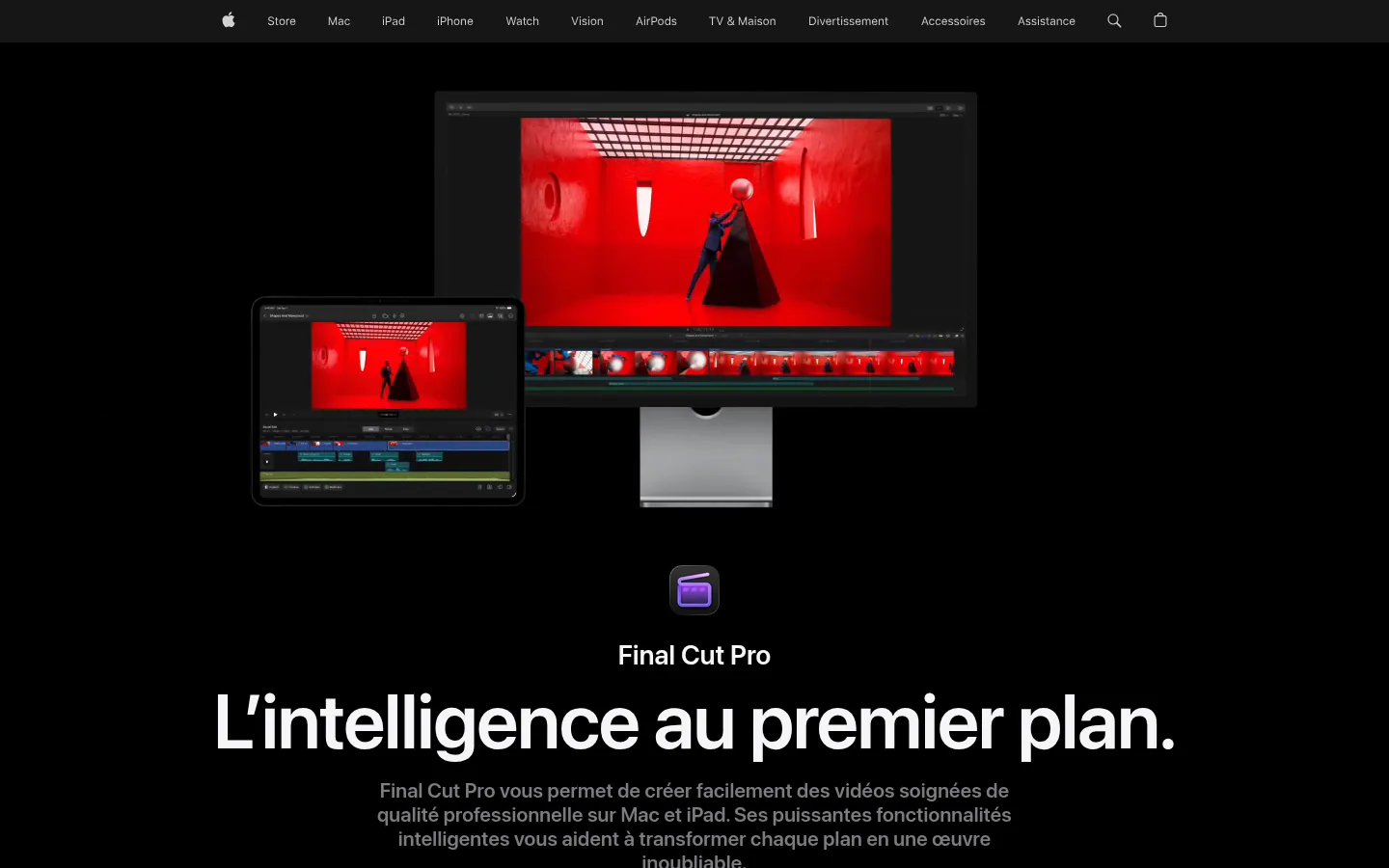
Final Cut Pro is Apple's video editing software, for Mac and iPad. Its Magnetic Timeline moves and shortens clips while keeping them in sync, Magnetic Mask isolates a subject from its background without a green screen or rotoscoping, and captions are created automatically from spoken audio.
The AI features rely on Apple Intelligence: object tracking, one-click color grading, smooth slow motion, automatic reframing to social media formats. Final Cut Pro comes with Motion for animation and Compressor for encoding, and is part of Apple Creator Studio, a collection of creative apps that also includes Logic Pro and Pixelmator Pro.
Best for: creators and editors who work on a Mac or an iPad.
Strengths: a standalone purchase available on the Mac App Store; Visual Search and Transcript Search to find a shot; support for professional formats such as ProRes, ProRes RAW, RED and HEVC.
Limitations: the site makes no mention of a Windows version. The app sold on the App Store is labeled "Mac only," requires macOS 26.6 or later, and some features need a Mac with Apple silicon.
Pricing: €349.99 to buy on the Mac App Store (VAT treatment not stated), price checked on October 10, 2026; a free trial is offered. Final Cut Pro is also available by subscription within Apple Creator Studio, whose price does not appear on the software's page.
Prices checked on October 10, 2026 on the vendors' websites. The last column gives the first paid amount shown, excluding AI credits and add-ons; FlexClip shows it in dollars on its French page.
| Software | Who it is for | Where it runs | Free plan or trial | Published starting price |
|---|---|---|---|---|
| DaVinci Resolve | Editors and colorists, from beginner to professional | Downloadable software | Free version | €255 excl. VAT to buy (Studio) |
| Adobe Premiere | Editors and creators | Desktop, iPhone and Android | Seven-day trial | €26.21 incl. VAT per month (annual plan) |
| Wondershare Filmora | Creators, business, training | Windows, macOS, mobile | Free download | €19.99 per quarter or €49.99 per year, VAT treatment not stated |
| Microsoft Clipchamp | Beginners, Microsoft 365 users | Browser, Windows app | Free editor | Premium included in Microsoft 365 Personal and Family |
| VEED | Marketing teams and freelancers | Online | Free to start | €11 per user per month (annual), VAT treatment not stated |
| CyberLink PowerDirector | Windows or Mac users | Windows, Mac, mobile | Free mobile app | Annual subscription, price to be checked on the site |
| PlayPlay | Corporate teams | Online | 7-day trial | On quote |
| Flixier | Creators and training teams | Browser | Free plan | Depends on visitor country, to be checked |
| FlexClip | Beginners, template-based videos | Online | Free plan | $11.99 per month (annual), shown in dollars |
| Final Cut Pro | Mac and iPad users | Mac, iPad | Free trial | €349.99 to buy (App Store), VAT treatment not stated |
| Software | What it does |
|---|---|
| Movavi | A range of programs, including Movavi Video Editor and Movavi Video Suite, for creating content aimed at channels and social networks. |
| Shotcut | A free, open source video editor for Windows, Mac and Linux. |
| Kdenlive | KDE's free video editor, which runs on Linux, Windows, macOS and BSD. |
| OpenShot | A free, open source video editor for Linux, Mac and Windows, with effects, titles and animations. |
| Lightworks | Editing software designed for every level, from a first edit to professional work. |
| KineMaster | A multilayer mobile video editor for iOS and Android. |
| Avid | Professional audio and video production tools, including the Media Composer editing software. |
| AutoCut | A plugin for Premiere Pro and DaVinci Resolve that removes silences and adds subtitles, B-roll and zooms in the timeline. |
| Animoto | A drag-and-drop video maker working from photos, clips and music, with a free plan. |
| MAGIX Video deluxe | MAGIX's consumer editing software, also available in a professional edition, Video Pro X. |
| WeVideo | A video and interactive video creation platform geared toward education. |
| Vegas Pro | The editing software from Vegas Creative Software, published by Boris FX alongside Sound Forge and Acid Pro. |
We imported no footage and measured no exports: we compare neither rendering speed, nor stability on a long timeline, nor the quality of generated subtitles. Yet these criteria matter a great deal to an editor, and only a trial on your own footage answers them. The entries reflect what vendors display on their French pages at the time we read them; a few sites show their prices only after a script runs, or depending on the country you connect from, so some of this information may have escaped us. Flixier, for instance, sets its prices by country, and FlexClip shows dollars on its French page.
Prices move fast in this category: time-limited discounts, plans at half price for a few months, AI credits that change from one version to the next. Rank is no substitute for your own context: an editor on macOS, a communications team with no technical skills and a creator who publishes from a phone do not need the same tool. We will review this ranking regularly, first whenever a program changes major version or pricing structure. If you would rather hand your videos to professionals, see our ranking of video and motion design agencies in France.
Good editing software gives you a clean, subtitled video in the right format for YouTube or LinkedIn. What comes next is outside its scope: making your business show up when a buyer puts their question to Google or to an AI like ChatGPT. A demo video works better alongside a written page that answers that question, in your words and with your sources.
Sorank automates that writing. It is an SEO and GEO platform on autopilot that drafts articles built for AI assistants; every article includes its sources, internal links and your brand's own tone. Your site connects in a few minutes (WordPress, Shopify, Webflow, Wix or webhook), and mention tracking shows you, prompt by prompt, when an AI cites you. To plan with us the written pages that will accompany your next videos, book a call.
Three profiles stand out from this ranking. If you edit long or demanding projects, alone or as a team, DaVinci Resolve offers editing, color grading, effects and sound in one tool, with a free version to start. If you are just starting and want to edit without installing anything, Microsoft Clipchamp works for free in the browser. If your communications team has to produce on-brand videos without an editor, PlayPlay was designed for exactly that case.
Between these three profiles, the other entries cover specific needs: Final Cut Pro for anyone working on a Mac, Adobe Premiere for those already living in Adobe's applications, Flixier and VEED for online editing geared toward social media. Before paying, test your favorite on a real video from your business, from raw footage to export, keeping an eye on the AI credits consumed.

DaVinci Resolve is a free download and combines editing, color grading, effects and sound. To edit without installing anything, Microsoft Clipchamp runs for free in the browser with a personal Microsoft account and exports up to 1080p. Flixier also offers a free plan, limited to 10 minutes of export per month in 720p with a watermark.
Final Cut Pro, Apple's software for Mac and iPad, sells for €349.99 on the Mac App Store (price checked on October 10, 2026). Wondershare Filmora runs on macOS 10.15 or later, and CyberLink offers a Mac version of PowerDirector 365. Compare them on a real video before buying.
In most cases, yes. Service Public, the French government's information site, states that you need a person's written consent to use an image in which they can be recognized, whether it is a photo or a video. Exceptions exist, for example a street scene in a public place where no one is singled out, provided the person's dignity is respected and the image is not used for a commercial purpose.
 AI Meta Description GeneratorAI Blog Title Generator
 Google Indexability CheckerAI Blog Outline Generator
 UTM Link Builder
 Keyword Clustering ToolCanonical Tag Checker
 XML Sitemap GeneratorBroken Link CheckerAI SEO Title GeneratorHeadline AnalyzerSERP Preview ToolRedirect Checker
 Hreflang Tag GeneratorHeading Structure AnalyzerHTTP Headers CheckerFavicon Extractor
 SERP CTR Calculator
 SEO vs Paid Search Savings Calculator
 SEO Share of Voice Calculator
 SEO ROI Calculator
 SEO Traffic and Revenue Forecast Calculator
 SEO Budget Calculator
 SEO Break-Even Calculator
 SaaS SEO ROI Calculator
 ROAS Calculator
 Reading Time Calculator
 Ranking Gain Simulator
 Organic Traffic Value Calculator
 Organic Traffic Estimator
 LTV to CAC Ratio Calculator
 Local SEO ROI Calculator
 Link Building Cost Calculator
 Keyword Value Calculator
 Keyword Opportunity Score Calculator
 Keyword Density Calculator
 GEO ROI Calculator
 GEO Content Investment Calculator
 Ecommerce SEO ROI Calculator
 Customer Lifetime Value Calculator
 Customer Acquisition Cost Calculator
 CTR Calculator
 Cost Per Article Calculator
 Conversion Rate Calculator
 Content Marketing ROI Calculator
 ChatGPT Referral Traffic Estimator
 Bounce Rate Calculator
 Backlink ROI Calculator
 AI Visibility Score Calculator
 AI Traffic Value Calculator
 AI Share of Voice Calculator
 Cost of AI Invisibility Calculator
 AI Citation Rate Calculatorllms.txt ValidatorAI Overview CheckerRobots.txt Checker
 AI SEO AuditLLM Readability CheckerSearchGPT Readiness Checker
 Structured Data LLM AuditWebsite Crawlability AI AuditWhy ChatGPT Is Not Recommending My Website
 Gemini Ranking ToolPerplexity Ranking CheckerLLM Citation CheckerAnswer Engine Optimization AuditGEO AuditAI Search Visibility TestChatGPT Visibility Checkerllms.txt Generator
 URL ExtractorWebpage to MarkdownSitemap CheckerSERP Volatility SensorPage Size Checker
 Word Counter
 Slug GeneratorSchema GeneratorRobots Generator
 OG PreviewMeta Tags Generator
 Image CompressorFavicon Generator
 On-Page SEO Audit
 Backlink Analysis Tool
 Keyword Research Tool
 Domain Authority Checker
THEY TRIED SORANK BEFORE YOU
 “I tested Sorank on a real client site and it's insane. It does everything an agency would bill you $1500 a month for. It's going into production on that client now.”
 Guillaume Guersanguersanguillaume.com“We are an Ads agency and we wanted to get our SEO back on track once and for all. Sorank gave us a clear view of our site, helped us prioritize optimizations, and properly structure our content. The tool is easy to use, well designed for a team, and very practical for centralizing tracking without having to juggle multiple platforms. A very solid foundation to start fresh with our SEO.”
 Gaspard MadouiAds Agency
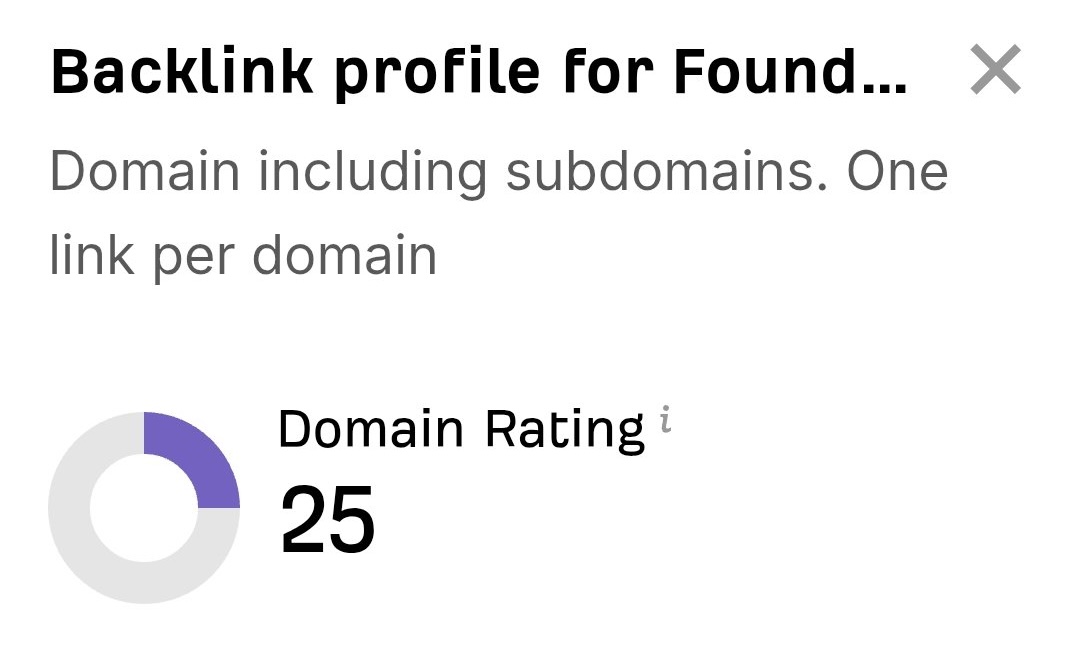 “I just let the Sorank software do its thing, and now my DR is 25 and my page is ranking higher.”
 Lucas FlandrePodcast Host“I specialized in GEO thanks to Sorank. The GEO Leaderboard allows me to show my clients their position vs competitors on ChatGPT. It’s a real commercial differentiator.”
 MélanieSEO Freelance“Great service, works well for our website and helps us understand how to improve it to rank better on Google and elsewhere. Congrats, keep going, I recommend it.”
 Hugo T.E-commerce merchant