
Preferences
Privacy is important to us, so you have the option of disabling certain types of storage that may not be necessary for the basic functioning of the website. Blocking categories may impact your experience on the website. More information

Privacy is important to us, so you have the option of disabling certain types of storage that may not be necessary for the basic functioning of the website. Blocking categories may impact your experience on the website. More information

The best WordPress SEO plugins in 2026: Yoast SEO, Rank Math, All in One SEO, SEOPress, The SEO Framework, plus the essential plugins for redirects, speed and images.

Tools


In short
Rank Math is the best choice if you want the most features in a free plugin, and Yoast SEO remains the safest pick for beginners and editorial teams thanks to its stability, documentation and readability analysis. All in One SEO suits users who want guided checklists and strong local or e-commerce add-ons, SEOPress is a clean option with white label features for agencies, and The SEO Framework fits those who want a lightweight plugin that works without setup. Whatever you pick, complete it with a redirect plugin, a caching plugin, an image optimiser and Google's Site Kit.
Want to go further? Ask
Method: this ranking relies on what each publisher says about its plugin, checked in October 2026, and on common use on real WordPress sites. Feature lists change with every release, so confirm the details on each plugin's page before installing. Sorank is our own software; it is not ranked here because it is not a WordPress plugin.
We compared the plugins on the criteria that matter for a site that wants traffic from Google and visibility in AI answers:
The first five are general SEO plugins: choose one of them. The next four are complementary plugins that cover what SEO plugins do not handle well on their own.
What it does. Rank Math covers titles and meta descriptions, XML sitemaps, a schema generator with many types, a redirect manager, a 404 monitor, breadcrumbs and a content analysis that checks several keywords per page. The Pro version adds advanced schema, more tracking and AI writing features.
Who it is for. Bloggers, small businesses and SEO practitioners who want many options without paying at first.
Strengths. A very generous free version, a setup wizard, modules you can switch on or off, and an import tool from Yoast and other plugins.
Limits. The number of options can overwhelm beginners, and the interface pushes Pro features. Disable the modules you do not use to keep the plugin light.
What it does. Yoast SEO handles titles, meta descriptions, XML sitemaps and a structured data graph, with an SEO analysis and a readability analysis in the editor. Since 2025 the free version can also generate an llms.txt file, a file meant to guide AI assistants to your key pages (read our page on llms.txt for its real impact). Yoast SEO Premium adds a redirect manager, internal linking suggestions, several keywords per page and AI generation of titles and descriptions.
Who it is for. Beginners, content teams and sites that value stability over the number of features.
Strengths. One of the most widely installed SEO plugins, excellent documentation, a clear traffic light analysis that helps writers, and a reliable track record over many WordPress versions.
Limits. The free version checks one focus keyword per page and has no redirect manager. Writers can also over-optimise to turn every light green, which does not guarantee rankings.
What it does. All in One SEO offers titles and meta descriptions, sitemaps, schema, social settings and TruSEO, a real-time score with a checklist for each page. Paid plans add a full redirection manager with 404 tracking, local SEO, advanced e-commerce features and more.
Who it is for. Site owners who want step by step guidance, and WooCommerce or local businesses ready to pay for add-ons.
Strengths. A guided interface with clear checklists, a long history (it is one of the oldest WordPress SEO plugins) and a broad set of paid modules.
Limits. Many of the most useful features, such as advanced redirects, sit in the paid plans, and the free version shows frequent upgrade prompts.
What it does. SEOPress manages titles, meta descriptions, social previews, sitemaps, schema and content analysis. The Pro version adds features such as redirects with 404 monitoring, extended schema, WooCommerce options and white label settings.
Who it is for. Agencies and freelancers who manage several client sites, and users who prefer a sober interface without advertising.
Strengths. A clean admin, multiple keywords in the content analysis, white label options for agencies, and import tools from the other major plugins.
Limits. A smaller community than Yoast or Rank Math, so fewer tutorials, and several useful features require Pro.
What it does. The SEO Framework automatically generates titles, meta descriptions, canonical URLs, a sitemap and basic structured data, with sensible defaults and very little setup. Paid extensions add features for those who need more.
Who it is for. Developers and site owners who want solid SEO foundations without an analysis panel in every post.
Strengths. A light footprint, no setup wizard to go through, few notices in the admin, and a focus on doing the essentials correctly.
Limits. No traffic light content analysis and fewer advanced options than Rank Math. Writers who like guidance in the editor may miss it.
What it does. Redirection is a free plugin that creates and manages 301 redirects, logs 404 errors and can track URL changes when you edit a slug.
Who it is for. Sites using Yoast free, The SEO Framework or any SEO plugin without a redirect manager, and anyone preparing a migration.
Strengths. Free, widely used, precise rules (including regular expressions) and import and export of redirects.
Limits. If your SEO plugin already manages redirects, keep only one system to avoid conflicts.
What it does. These caching plugins speed up the site with page caching, file minification, lazy loading and delayed scripts, which helps Core Web Vitals.
Who it is for. Every site; choose LiteSpeed Cache if your host runs a LiteSpeed server, WP Rocket otherwise.
Strengths. WP Rocket is known for its simple setup; LiteSpeed Cache is free and very complete on compatible hosting.
Limits. WP Rocket is paid only. Aggressive optimisation settings can break layouts, so test after each change.
What it does. ShortPixel compresses images and can convert them to modern formats such as WebP and AVIF, which reduces page weight.
Who it is for. Image heavy sites: blogs, e-commerce, portfolios.
Strengths. Compresses existing images in bulk and new uploads automatically, with a choice of compression levels.
Limits. The free tier has a limited monthly quota; large libraries need a paid plan.
What it does. Site Kit is Google's official plugin. It connects Search Console, Analytics and PageSpeed Insights and shows their key data in the WordPress dashboard.
Who it is for. Site owners who want to follow impressions, clicks and speed without leaving WordPress.
Strengths. Free, official and quick to connect, including verification in Search Console.
Limits. It displays data but does not optimise anything; detailed analysis still happens in the Google tools themselves.
| Plugin | Ideal for | Main strengths | Main limit |
|---|---|---|---|
| Rank Math | Most features for free | Redirects, 404 monitor, rich schema, several keywords | Many options, upgrade prompts |
| Yoast SEO | Beginners, editorial teams | Stability, readability analysis, llms.txt, documentation | Redirects and internal link suggestions in Premium |
| All in One SEO | Guided optimisation | TruSEO checklist, local and e-commerce modules | Key features in paid plans |
| SEOPress | Agencies, clean admin | White label, no ads, several keywords | Smaller community |
| The SEO Framework | Lightweight setups | Automatic defaults, light footprint | No content analysis |
| Redirection | Redirect management | Free, precise rules, 404 logs | Overlaps with SEO plugins that manage redirects |
| WP Rocket / LiteSpeed Cache | Speed | Caching, minification, lazy loading | Settings need testing |
| ShortPixel | Images | Compression, WebP and AVIF | Limited free quota |
| Site Kit by Google | Data in WordPress | Official, free, Search Console and Analytics | Reporting only |
Pick one general SEO plugin based on your profile, then add only the complementary plugins you need.
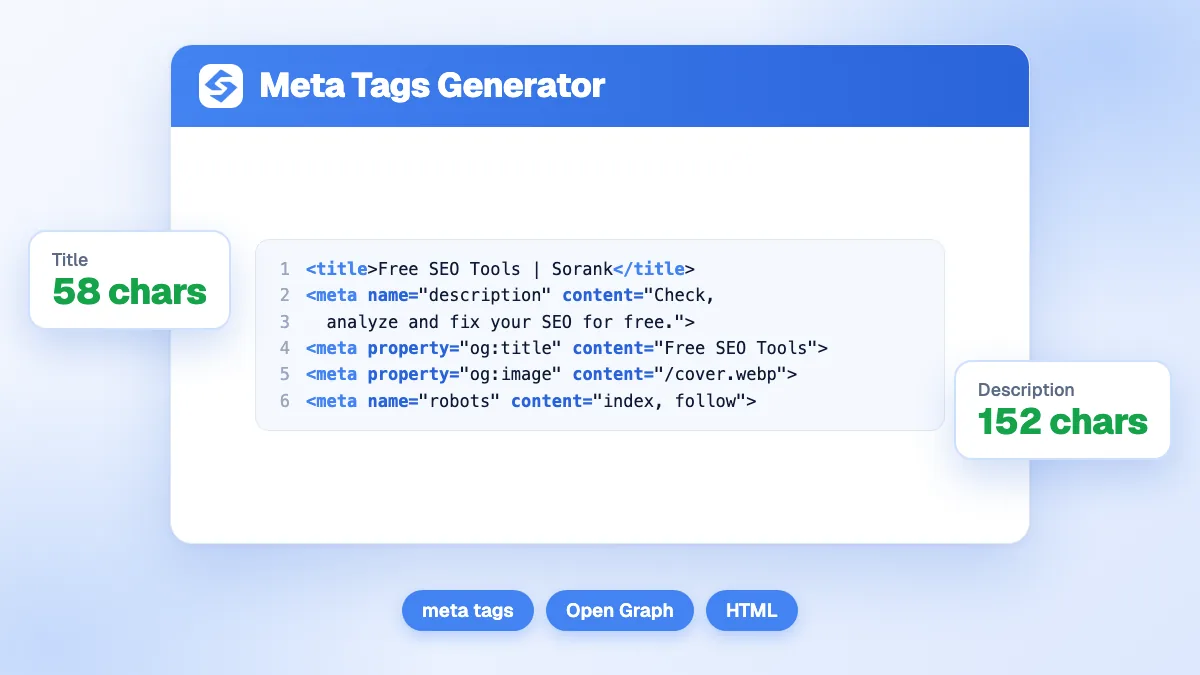
Never run two general SEO plugins at once: both would output titles, canonicals and sitemaps. Check your title tags and descriptions with the free meta tags generator, and remember that a plugin only gives you controls. Rankings and AI citations still depend on the quality of your content, your internal links and your backlinks.
They help with the foundations, but they do not make ChatGPT, Gemini or Perplexity cite you on their own. Clean titles, structured data, sitemaps and fast pages make your content easier for search engines and AI crawlers to read. Features such as Yoast's llms.txt file are a small extra. What gets a brand quoted in AI answers is clear, well sourced content that answers real questions, and mentions on other trusted sites. Our guide to SEO and GEO on WordPress covers the full setup.
For most WordPress sites, the choice comes down to Rank Math for the richest free version or Yoast SEO for stability and guidance, with SEOPress, All in One SEO and The SEO Framework as strong alternatives for specific needs. Complete your SEO plugin with redirects, caching, image optimisation and Site Kit, and keep only one tool per job.
A plugin gives you the controls; content still has to be written. Sorank, which is software and not a plugin, can publish optimised SEO and GEO articles on your WordPress site every day on autopilot, alongside the SEO plugin you already use.

Rank Math and Yoast SEO offer the most complete free versions. Rank Math includes more features at no cost, such as a redirect manager and a 404 monitor, while Yoast's free version is very stable, well documented and includes a readability analysis and an llms.txt generator. SEOPress and The SEO Framework are also good free options for lighter needs.
No, you should run only one general SEO plugin. Two plugins would both output titles, meta descriptions, canonical tags, sitemaps and schema, which creates duplicates and conflicts. You can, however, combine one SEO plugin with specialised plugins for caching, image compression or redirects, as long as their features do not overlap.
The main plugins offer import tools that transfer titles, meta descriptions and most settings, so a switch is usually safe. Back up the site first, run the import, then check a sample of pages, the sitemap and the redirects in Google Search Console. Remove the old plugin only once everything is confirmed.
 AI Content Brief Generator
 FAQ Schema GeneratorAI Blog Post Ideas GeneratorStructured Data Validator
 Alt Text Checker
 Internal Link AnalyzerBacklink ChallengeAI Meta Description GeneratorAI Blog Title Generator
 Google Indexability CheckerAI Blog Outline GeneratorUTM Link BuilderKeyword Clustering ToolCanonical Tag Checker
 XML Sitemap GeneratorBroken Link CheckerAI SEO Title GeneratorHeadline AnalyzerSERP Preview ToolRedirect Checker
 Hreflang Tag GeneratorHeading Structure AnalyzerHTTP Headers CheckerFavicon Extractor
 SERP CTR Calculator
 SEO vs Paid Search Savings Calculator
 SEO Share of Voice Calculator
 SEO ROI Calculator
 SEO Traffic and Revenue Forecast Calculator
 SEO Budget Calculator
 SEO Break-Even Calculator
 SaaS SEO ROI Calculator
 ROAS Calculator
 Reading Time Calculator
 Ranking Gain Simulator
 Organic Traffic Value Calculator
 Organic Traffic Estimator
 LTV to CAC Ratio Calculator
 Local SEO ROI Calculator
 Link Building Cost Calculator
 Keyword Value Calculator
 Keyword Opportunity Score Calculator
 Keyword Density Calculator
 GEO ROI Calculator
 GEO Content Investment Calculator
 Ecommerce SEO ROI Calculator
 Customer Lifetime Value Calculator
 Customer Acquisition Cost Calculator
 CTR Calculator
 Cost Per Article Calculator
 Conversion Rate Calculator
 Content Marketing ROI Calculator
 ChatGPT Referral Traffic Estimator
 Bounce Rate Calculator
 Backlink ROI Calculator
 AI Visibility Score Calculator
 AI Traffic Value Calculator
 AI Share of Voice Calculator
 Cost of AI Invisibility Calculator
 AI Citation Rate Calculatorllms.txt ValidatorAI Overview CheckerRobots.txt CheckerAI SEO AuditLLM Readability CheckerSearchGPT Readiness Checker
 Structured Data LLM AuditWebsite Crawlability AI AuditWhy ChatGPT Is Not Recommending My Website
 Gemini Ranking ToolPerplexity Ranking CheckerLLM Citation CheckerAnswer Engine Optimization AuditGEO AuditAI Search Visibility TestChatGPT Visibility Checkerllms.txt Generator
 URL ExtractorWebpage to MarkdownSitemap CheckerSERP Volatility SensorPage Size Checker
 Word Counter
 Slug GeneratorSchema GeneratorRobots Generator
 OG PreviewMeta Tags Generator
 Image CompressorFavicon Generator
 On-Page SEO Audit
 Backlink Analysis Tool
 Keyword Research Tool
 Domain Authority Checker
THEY TRIED SORANK BEFORE YOU
 “I tested Sorank on a real client site and it's insane. It does everything an agency would bill you $1500 a month for. It's going into production on that client now.”
 Guillaume Guersanguersanguillaume.com“We are an Ads agency and we wanted to get our SEO back on track once and for all. Sorank gave us a clear view of our site, helped us prioritize optimizations, and properly structure our content. The tool is easy to use, well designed for a team, and very practical for centralizing tracking without having to juggle multiple platforms. A very solid foundation to start fresh with our SEO.”
 Gaspard MadouiAds Agency
 “I just let the Sorank software do its thing, and now my DR is 25 and my page is ranking higher.”
 Lucas Flandrefoundertrace.fr“I specialized in GEO thanks to Sorank. The GEO Leaderboard allows me to show my clients their position vs competitors on ChatGPT. It’s a real commercial differentiator.”
 MélanieSEO Freelance“Great service, works well for our website and helps us understand how to improve it to rank better on Google and elsewhere. Congrats, keep going, I recommend it.”
 Hugo T.E-commerce merchant






















