Preferences
Privacy is important to us, so you have the option of disabling certain types of storage that may not be necessary for the basic functioning of the website. Blocking categories may impact your experience on the website. More information
Privacy is important to us, so you have the option of disabling certain types of storage that may not be necessary for the basic functioning of the website. Blocking categories may impact your experience on the website. More information

Compare the 10 best PPC management software for Google, Microsoft and Meta Ads: prices read on official sites, strengths, limits and a 14-day trial plan.
In short
PPC management software is a tool that audits, automates and reports on your paid search and social campaigns faster than the native ad platforms. For most Google and Microsoft Ads accounts, Optmyzr, Adalysis and Opteo are the strongest picks. Small budgets can start free with TrueClicks and the official editors.
Want to go further? Ask
Quick quiz
Ads, SEO or both: what is right for you now?
Sorank matches your answers


Test it for 3 days on your own site and see where you stand on Google, ChatGPT and the other AIs.
Start 3-day free trial3 days free, then stop whenever you want. 90-day results guarantee, conditions apply.
The right tool depends on three things: the ad platforms you run, your monthly ad spend and whether you want rules, recommendations or pure bulk editing. The table below sums up the ten tools we kept. Every price was read on the publisher's own site in November 2026.
We left out three names that still appear in older rankings. Marin Software announced a plan of dissolution in 2025. Shape.io now redirects to NinjaCat, which bought it. WordStream's site blocked every check we ran, so we could not confirm a current price or product.
| Tool | Best for | Main strength | Platforms | Starting price (Nov 2026) |
|---|---|---|---|---|
| 1. Optmyzr | Agencies and in-house teams on several networks | Rule engine, audits, budget pacing, Shopping and PMax tools | Google, Microsoft, Amazon, Meta, LinkedIn, Yahoo! Japan | $209/month (annual, up to $25K spend) |
| 2. Adalysis | Search specialists who want deep audits | 100+ audit checks, ad testing, budget automation | Google, Microsoft | Not published (spend calculator) |
| 3. Opteo | Google Ads freelancers and small agencies | Prioritized one-click improvements | $129/month | |
| 4. TrueClicks | Teams that want monitoring at no cost | Free plan up to $50K monthly spend | Google, Microsoft | Free, then $249/month |
| 5. Google Ads Editor | Anyone making bulk changes on Google Ads | Offline bulk editing, free | Free | |
| 6. Microsoft Advertising Editor | Advertisers copying campaigns to Bing | Imports Google Ads campaigns | Microsoft | No fee listed |
| 7. Madgicx | Ecommerce brands spending mostly on Meta | AI automation and one-click reports | Meta first, Google and TikTok in reports | $45/month (under $1K spend) |
| 8. Bïrch | Social media buyers who want automated rules | Rules and bulk launching on four networks | Meta, Google, Snapchat, TikTok | $49/month |
| 9. SpyFu | Competitor research before and during campaigns | Rivals' paid keywords and ad history | Google (research only) | $33/month |
| 10. Skai | Enterprise brands with retail media and search | Omnichannel data across hundreds of channels | Search, social, retail media | Not published |
Read the bars with care. A starting price only covers the smallest spend tier. Optmyzr, TrueClicks, Madgicx and Adalysis all raise the price as your monthly ad spend grows, so the real comparison is the price at your spend level.
Each review follows the same pattern: what the tool is, who it suits, its strengths, one honest limit and the price we read on the official site. The order reflects how well each tool covers day-to-day PPC management (audits, changes, automation and reporting) for a typical Google and Microsoft Ads account.
Optmyzr is a paid media management platform for optimizing, auditing and reporting on ad campaigns. It connects to Google Ads, Microsoft Ads, Amazon Ads, Meta Ads, LinkedIn Ads and Yahoo! Japan Ads. It suits agencies and in-house teams that run several networks and want one place to set rules.
Limit: rule frequency and Shopping depend on the plan. On Essentials, rules run weekly or monthly; daily runs and full Shopping or PMax management need Premium.
Price (read on optmyzr.com, November 2026): Essentials starts at $209 per month billed annually for up to $25K monthly spend and 25 accounts. Premium starts at $272 per month at the same tier. Annual prepaid billing saves 30% compared with monthly. Enterprise is on quote.
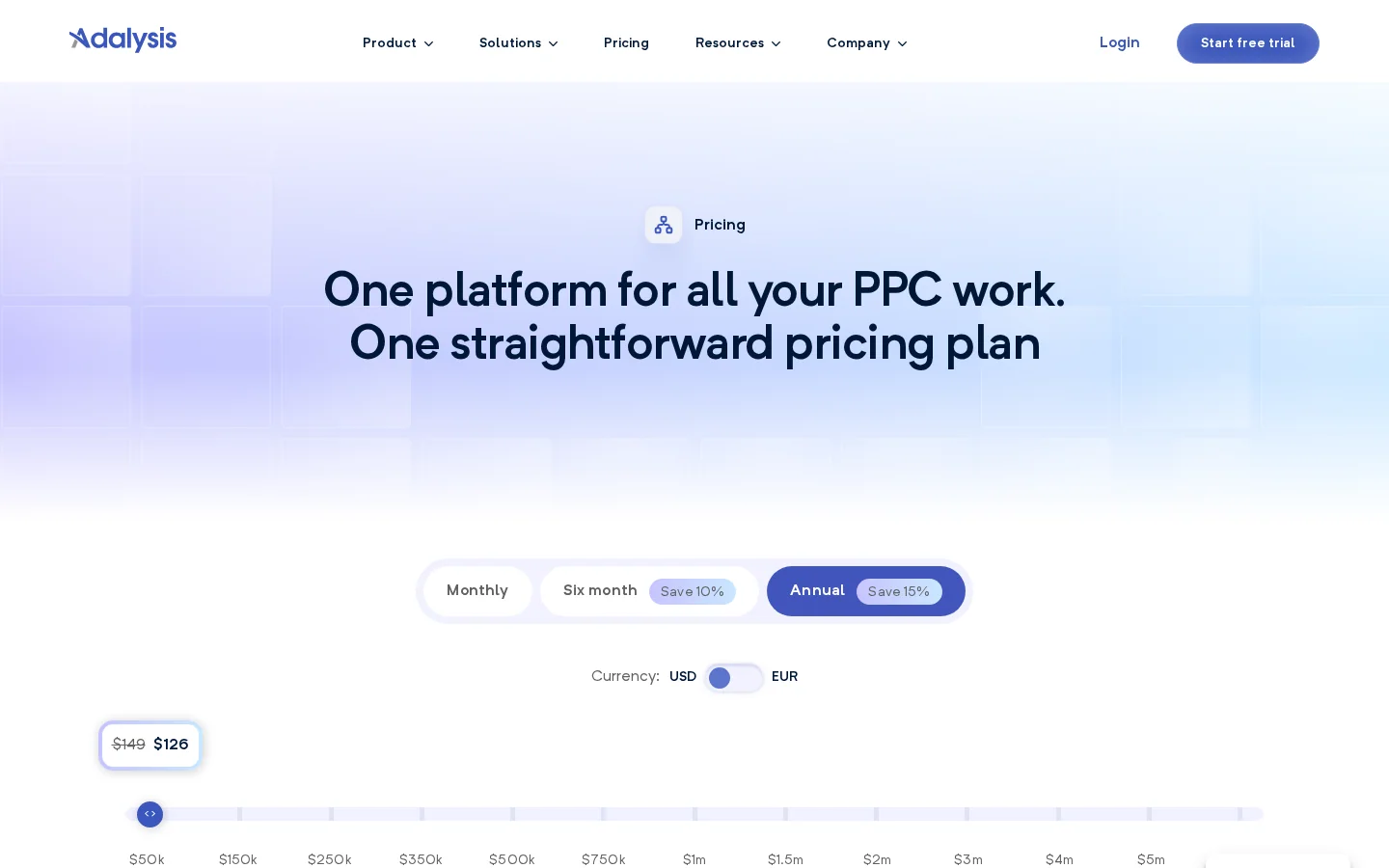
Adalysis is an audit and optimization platform for Google Ads and Microsoft Ads. It is built for search specialists who want to find problems before they cost money: more than 100 audit checks, nine prebuilt performance monitors and more than 40 PPC tools.
Limit: no social networks. If Meta or TikTok carry a large share of your budget, you will need a second tool.
Price (read on adalysis.com, November 2026): the price is set by your maximum monthly ad spend through an on-page calculator, so no fixed figure is published as text. Billing is monthly, every six months (10% off) or yearly (15% off). The free trial lasts 30 days on the first tier, 45 days on the second and 60 days on the third.
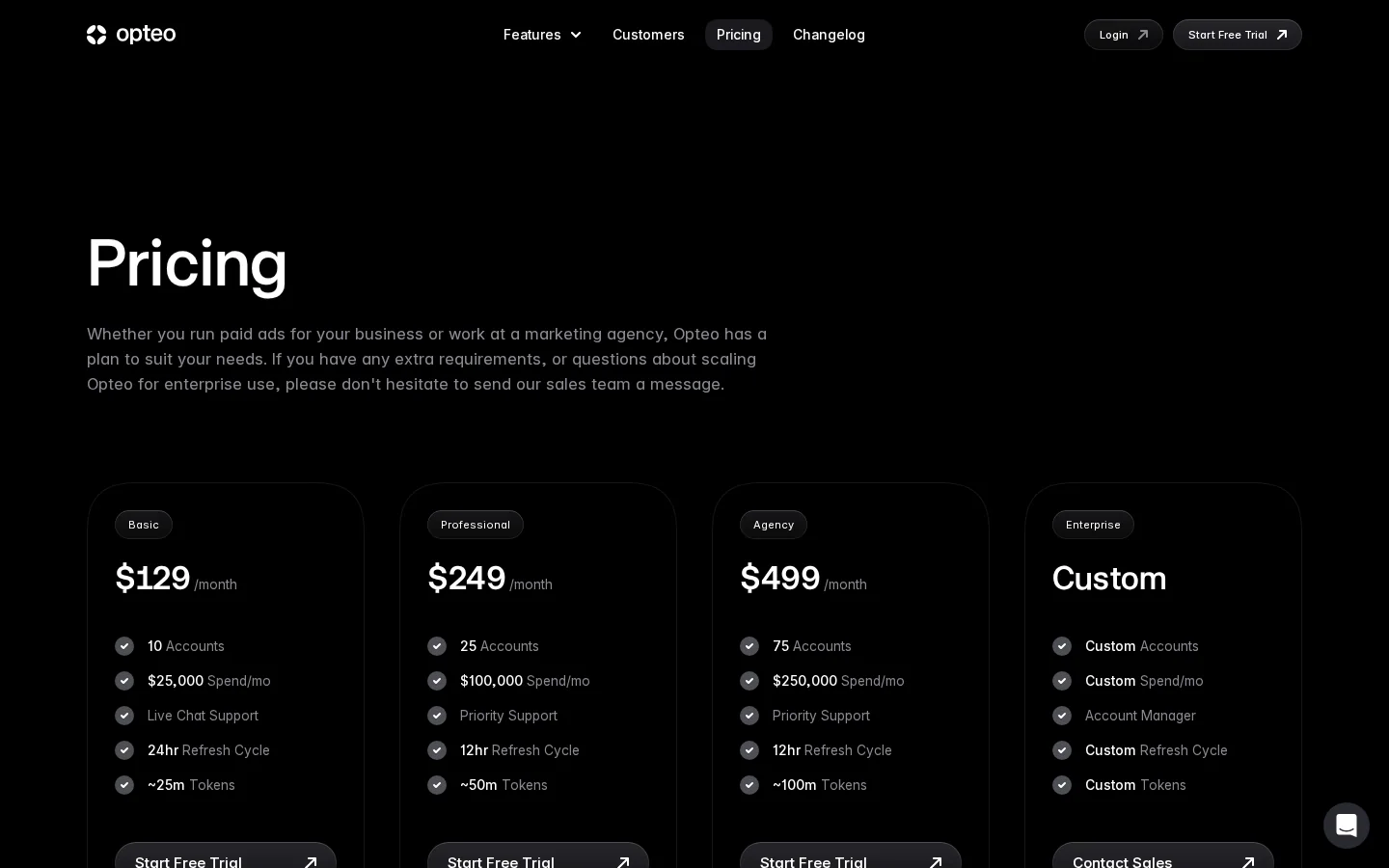
Opteo is a Google Ads optimization tool that lists improvements, ranks them and lets you apply each one in a click. It suits freelancers and small agencies who manage many Google Ads accounts and want clear reasons behind every change, which helps when a client or manager asks why.
Limit: Google Ads only. Opteo also states that languages with double-width characters or right-to-left scripts are not supported, which rules it out for some Asian and Middle Eastern accounts.
Price (read on opteo.com, November 2026): Basic at $129 per month (10 accounts, $25K spend), Professional at $249 (25 accounts, $100K spend), Agency at $499 (75 accounts, $250K spend), Enterprise on quote. Yearly billing gives two months free.
TrueClicks is a PPC auditing, monitoring and budget pacing platform for Google Ads and Microsoft Advertising. Its main draw is a free plan with all features up to $50K of monthly spend, which makes it the easiest paid-grade tool to test.
Limit: the free plan requires all users to share one email domain and has a hard cap at $50K a month; above your allowance, updates stop until you upgrade.
Price (read on trueclicks.com, November 2026): free up to $50K monthly spend, then $249 per month for $100K, $349 for $200K, up to $4999 for $10M. Yearly billing gives two months free. Every paid level has a 30-day trial with unlimited spend.
 Google Ads Editor
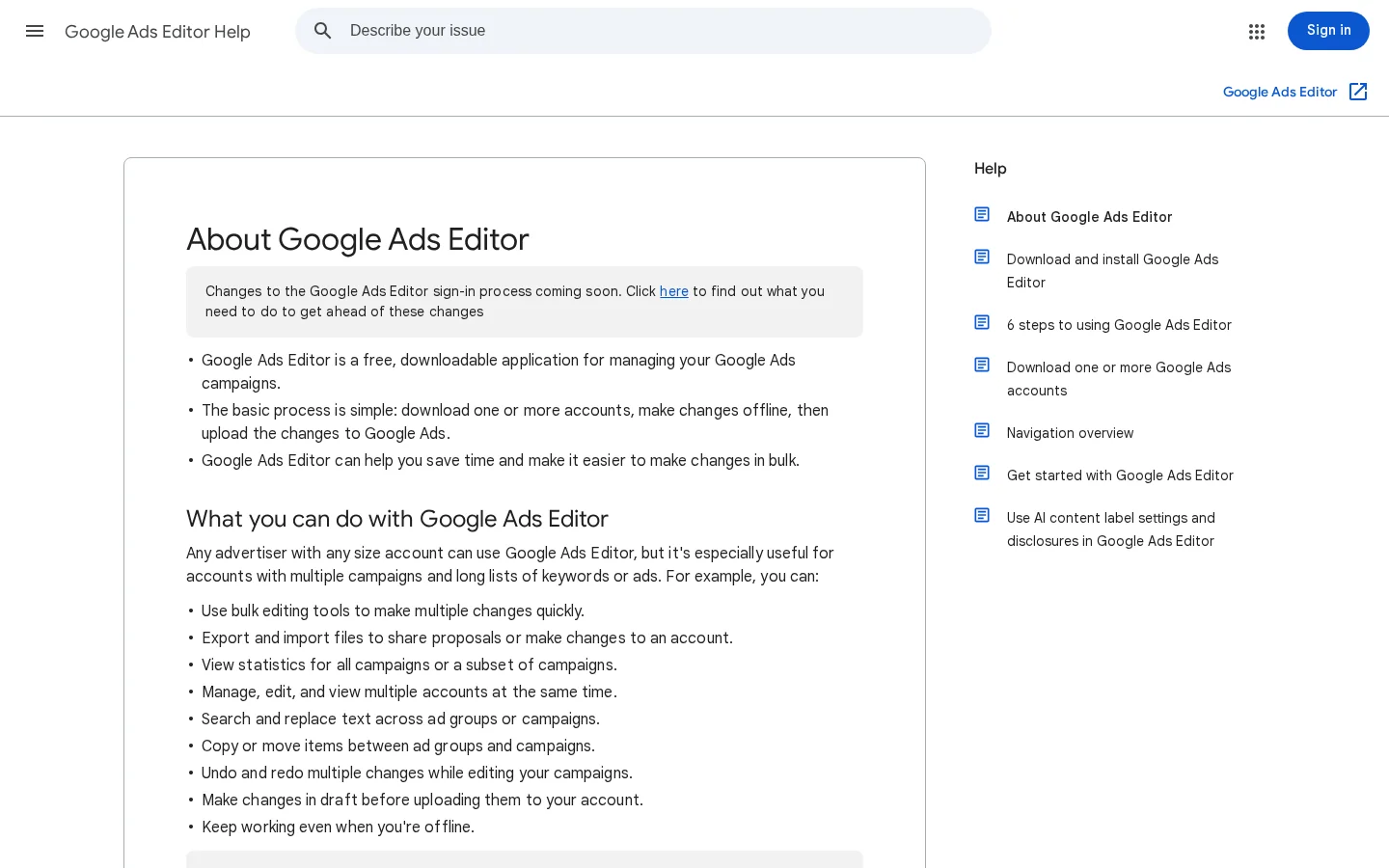
Google Ads Editor is Google's free desktop application for managing Google Ads campaigns. You download your accounts, work offline, make bulk changes and post them in one go. Every PPC manager should have it installed, whatever else they buy.
Limit: no automation, no alerts, no recommendations. It also needs macOS 12 or later on a Mac since version 2.9, according to the same Google release notes.
Price (read on support.google.com, November 2026): free.
 Microsoft Advertising Editor
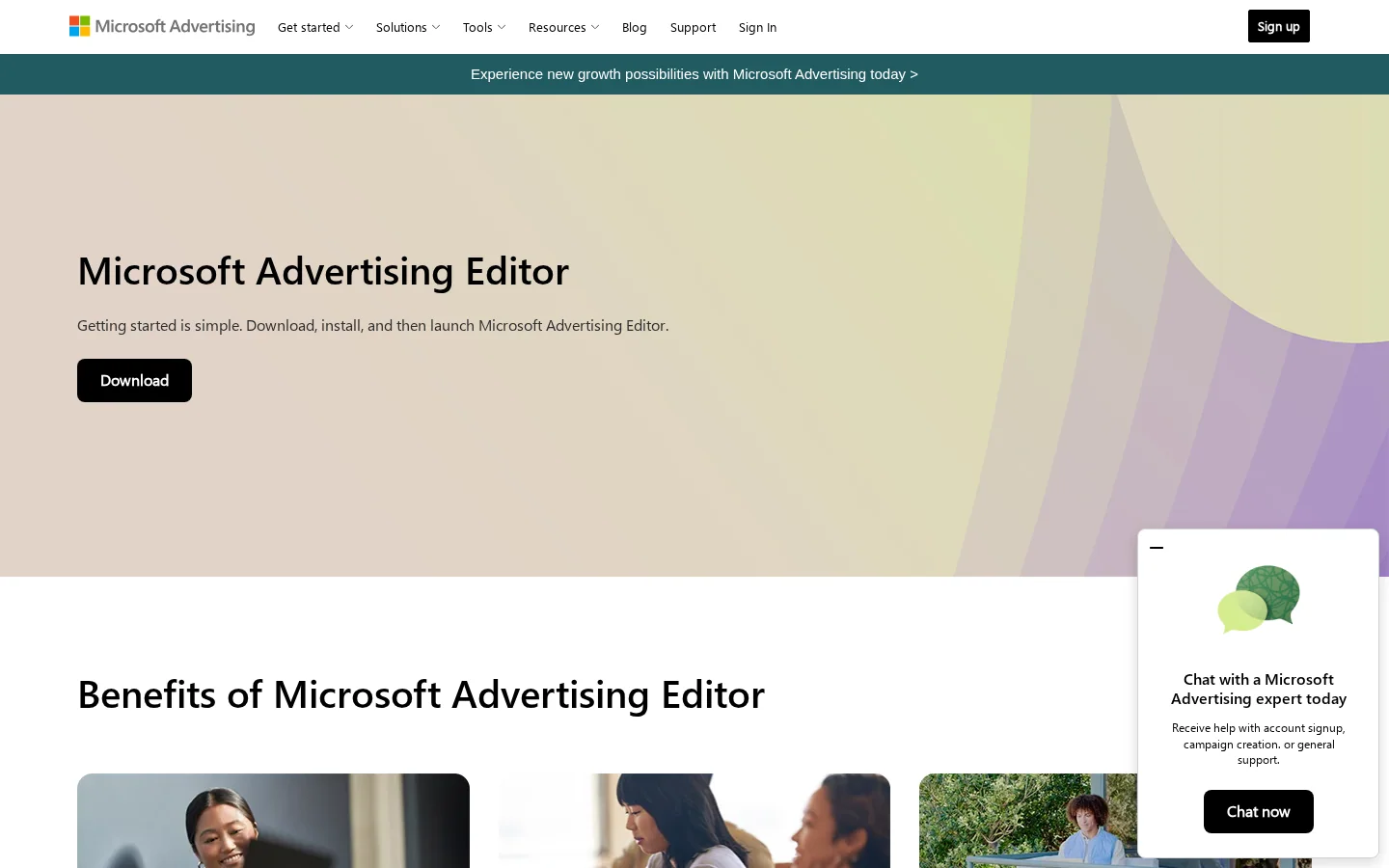
Microsoft Advertising Editor is Microsoft's desktop app to create, review and manage campaigns at scale on the Microsoft network (Bing and partners). Its key feature for most advertisers is the import: you pull your Google Ads campaigns in, adjust them and publish them on Microsoft without rebuilding anything.
Limit: it only manages Microsoft Advertising accounts and has no automation layer.
Price (read on about.ads.microsoft.com, November 2026): no fee is listed on the download page; any Microsoft Advertising account can use it. Our guide to running Microsoft Advertising (Bing Ads) campaigns explains when this second network pays off.
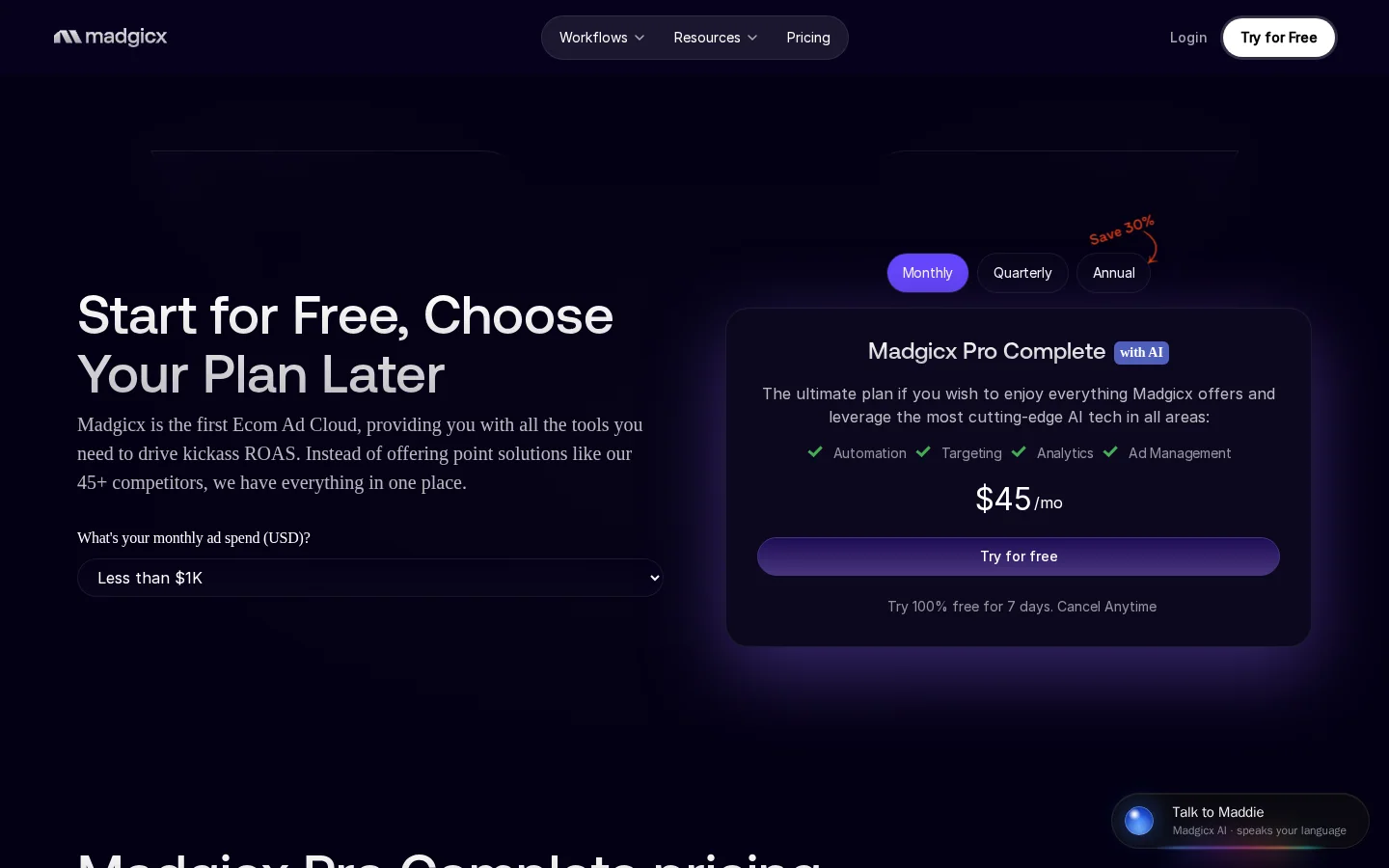
Madgicx is an AI ad management platform built around Meta ads, with automation, targeting, analytics and ad management in one plan. Its One-Click Report also pulls in Google Ads, GA4, Shopify, Klaviyo and TikTok data. It suits ecommerce brands where Facebook and Instagram take most of the budget.
Limit: it is Meta-first; for deep Google Ads search work you still need a search tool. Tracking Pro costs an extra $49 per month per connected account.
Price (read on madgicx.com, November 2026): one plan, Madgicx Pro Complete, priced by spend: $45 per month under $1K spend, $99 for $1K to $2.5K, up to $329 for $20K to $30K (monthly billing; $32 to $230 on annual billing). A 7-day free trial is offered.
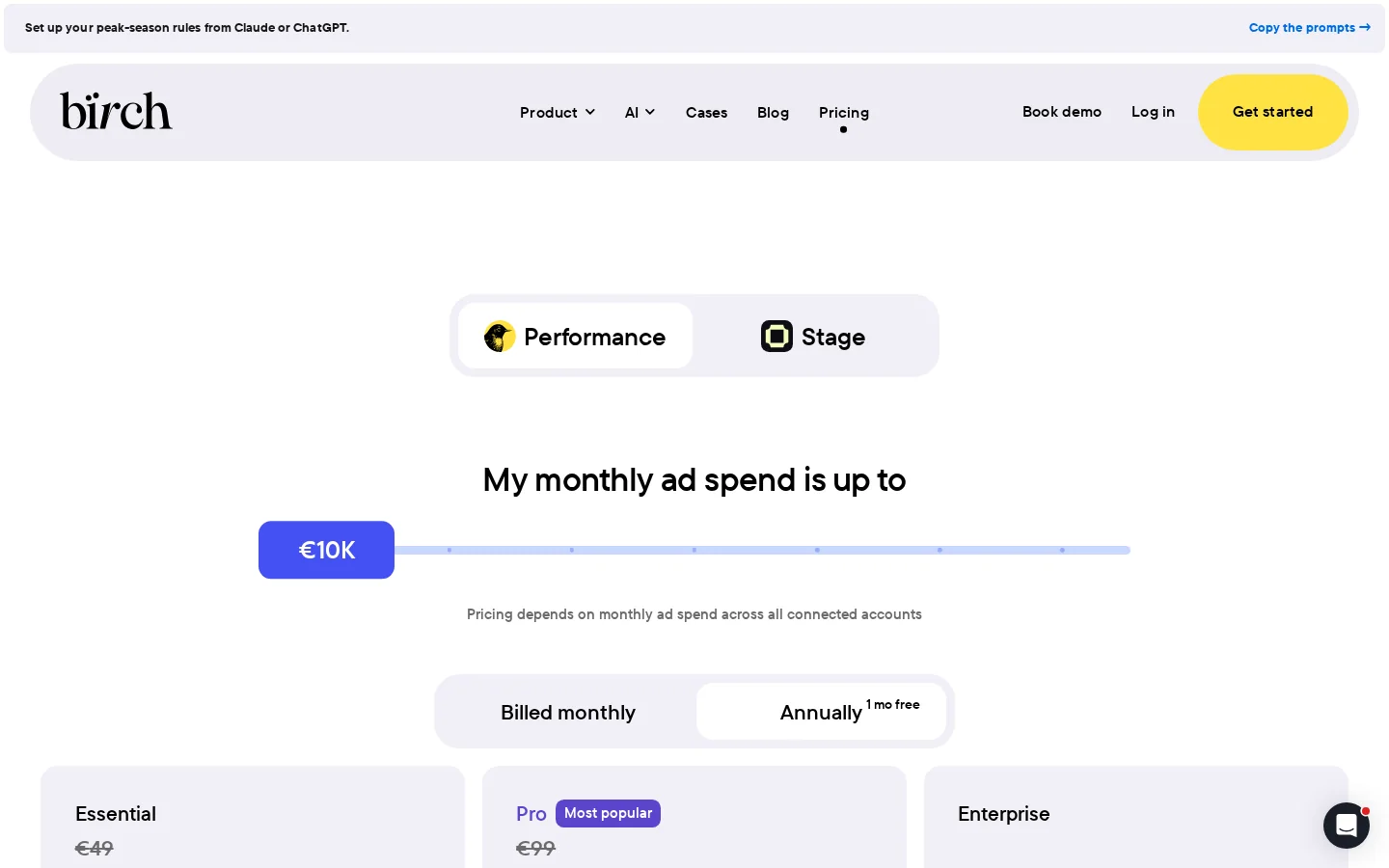
Bïrch (formerly Revealbot) is an automation tool for paid social and Google ads. It connects to Meta, Google, Snapchat and TikTok and lets media buyers write automated rules, launch ads in bulk and report across accounts.
Limit: automated rules are not in the entry plan, and the page says extra fees apply when your spend passes your plan's limit, without listing the spend thresholds.
Price (read on bir.ch, November 2026): Essential at $49 per month ($540 a year), Pro at $99 per month ($1090 a year), Enterprise on quote. 14-day free trial, no card required.
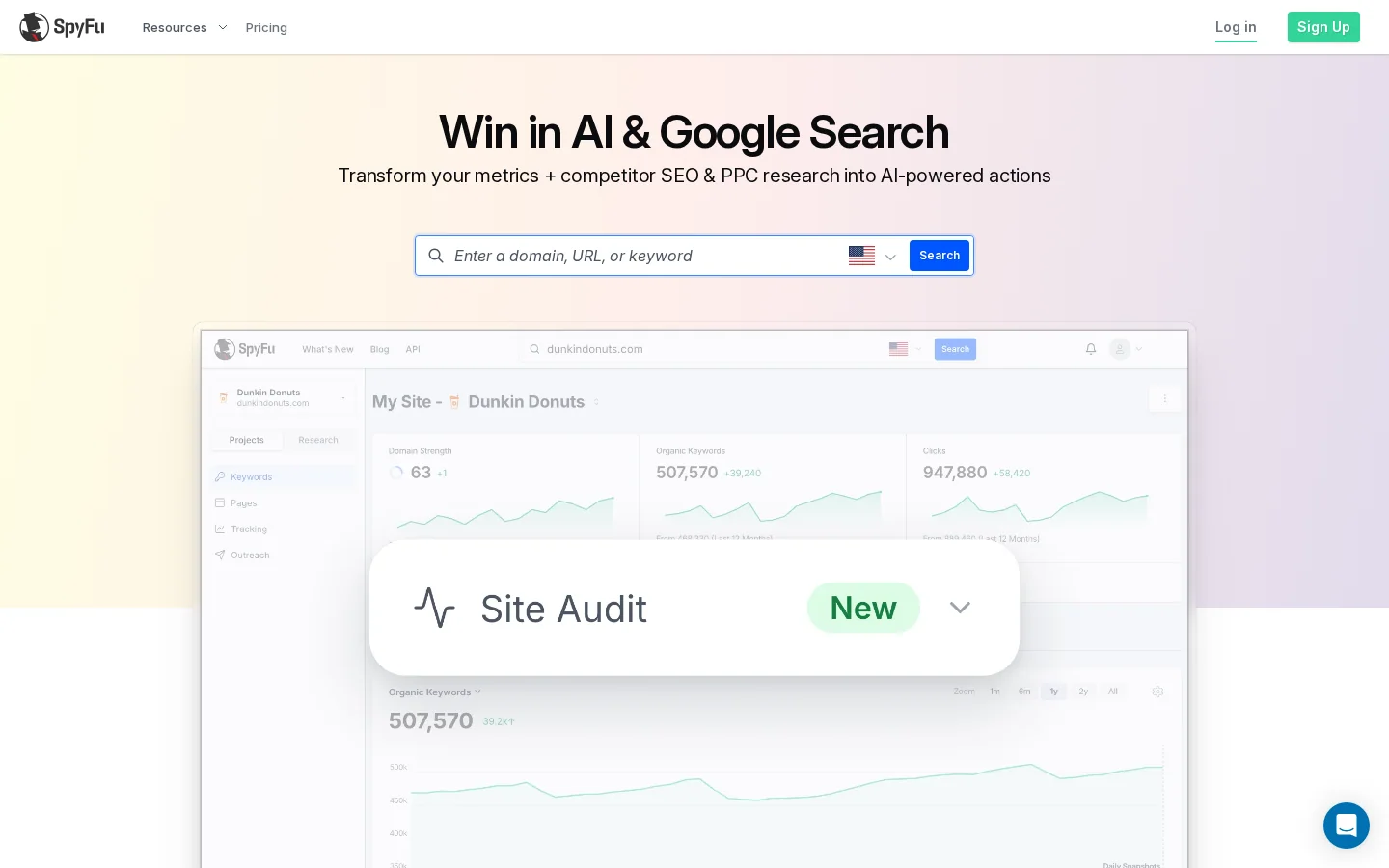
SpyFu is a competitor research tool. It does not edit your campaigns; it shows what your rivals buy on Google Ads: the keywords they bid on, their ad tests over time and how much they appear to pay per click. It belongs in a PPC stack as the research layer, before you build or expand a campaign.
Limit: it is a research tool, not a management tool, and click and cost figures for other advertisers are modeled estimates, not their real account data.
Price (read on spyfu.com, November 2026): "Membership starts at just $33/month". For the method behind this kind of research, read our guide to analyzing competitors' Google Ads.
Skai (formerly Kenshoo) is an omnichannel marketing platform for brands and agencies, covering paid search, paid social and retail media. Its site cites unified data from more than 200 retail media networks and more than 8200 brands using it. It suits large advertisers who sell on Amazon, Walmart and other marketplaces as well as on Google.
Limit: no public pricing and an enterprise sales process; it is oversized for a single Google Ads account.
Price (read on skai.io, November 2026): not published, on quote.
Google's own enterprise option, Search Ads 360, plays in the same league: Google presents it as a way to "scale your enterprise search marketing" with automated bidding and cross-channel reporting, with no public price. Consider it if you already pay for Analytics 360 or Display & Video 360.

PPC management software sits on top of Google Ads, Microsoft Advertising or Meta and does four jobs the native interfaces do slowly: it checks accounts for problems, applies changes in bulk, automates recurring decisions and builds reports. If you need a refresher on the model itself, our glossary entry on pay-per-click advertising covers the basics.
What none of them replaces: clean conversion data. A rule that cuts bids on keywords "without conversions" will kill your best terms if your tags are broken. Fix measurement first with our GA4, Google Ads and Meta conversion tracking guide, then automate.
Free native tools vs a paid PPC platform
There is no single way to manage paid campaigns. Each tool above follows one of six approaches, and most mature teams combine two or three. Pick the approach first, then the tool.
Principle: you use Google Ads Editor, Microsoft Advertising Editor and Google Ads scripts (JavaScript that runs inside your account). When to use it: one or two accounts, a technical person on the team. Strengths: free, full control. Limits: scripts break when Google changes its API, and nobody maintains them when the author leaves. Example: a budget pacing alert like the one in the step-by-step section below.
Principle: the tool suggests changes, you approve them. When to use it: you want speed but keep a human decision on each change. Strengths: each suggestion comes with a reason, easy to explain to a client. Limits: you still spend time clicking. Example: Opteo's ranked improvements, Adalysis performance insights.
Principle: you write if/then rules that run on a schedule. When to use it: repeated decisions across many accounts. Strengths: consistent, fast, works at night. Limits: a bad rule repeats the same mistake everywhere, and rules can fight Google's Smart Bidding strategies. Example: Optmyzr rules, Bïrch strategies, Adalysis automated actions.
Principle: automation built around Meta's ad system, with creative and audience tools. When to use it: most spend on Facebook and Instagram. Strengths: creative and audience insights that search tools lack. Limits: weak on search keyword work. Example: Madgicx.
Principle: one platform for search, social and retail media, with cross-channel bidding and attribution. When to use it: large budgets on many networks and marketplaces. Strengths: one data model, one source of truth. Limits: price on quote, long onboarding. Example: Skai, Search Ads 360.
Principle: study what rivals bid on and write. When to use it: before launch, or when CPCs jump. Strengths: cheap shortcut to a keyword list and ad angles. Limits: estimated data; it changes nothing in your account. Example: SpyFu.
| Approach | Best for | Cost | Skill needed | Main risk | Example tools |
|---|---|---|---|---|---|
| Native editors plus scripts | 1 to 3 accounts | Free | High (JavaScript) | Unmaintained scripts | Google Ads Editor, Microsoft Advertising Editor |
| Recommendation engines | Freelancers, small agencies | Low to medium | Medium | Approving suggestions blindly | Opteo, Adalysis |
| Rule-based automation | Agencies, many accounts | Medium | Medium to high | Bad rule applied everywhere | Optmyzr, Bïrch, TrueClicks |
| Social-first AI | Meta-heavy ecommerce | Low to medium | Low | Weak search coverage | Madgicx |
| Enterprise omnichannel | Large brands, retail media | High, on quote | High | Overpaying for unused features | Skai, Search Ads 360 |
| Competitive intelligence | Launches, CPC spikes | Low | Low | Treating estimates as facts | SpyFu |
Choose by elimination: platforms first, then budget, then the job you most want to save time on. Three questions remove most of the list in five minutes.
Narrowing the shortlist
Google Ads only: Opteo, Adalysis, TrueClicks, Optmyzr. Google plus Microsoft: Adalysis, TrueClicks, Optmyzr. Google plus Meta and LinkedIn: Optmyzr or Bïrch. Mostly Meta: Madgicx or Bïrch. Search plus Amazon and retail media: Optmyzr (Amazon add-on) or Skai.
Express the fee as a share of ad spend. It makes tools comparable and shows quickly whether a tool is worth it.
tool cost share = monthly tool fee / monthly ad spend x 100

Opteo Basic at $15000 spend:      129 / 15000 x 100 = 0.86%
Optmyzr Essentials at $25000:     209 / 25000 x 100 = 0.84%
TrueClicks at $100000:            249 / 100000 x 100 = 0.25%
Madgicx at $800 spend:            45 / 800 x 100 = 5.6%
Under roughly 1% of spend, a tool pays for itself if it saves a few hours or removes a small amount of waste each month. At 5% or more, as in the last line, ask whether the free editors and a weekly manual review would do. To size the media budget itself, plan it with our Google Ads budget calculator.
| Monthly ad spend | Sensible stack | Why |
|---|---|---|
| Under $2K | Google Ads Editor, Microsoft Advertising Editor, TrueClicks free | Any paid fee is a large share of spend |
| $2K to $25K | Opteo or Optmyzr Essentials, plus the editors | Starting tiers fit, time savings start to matter |
| $25K to $250K | Optmyzr Premium, Adalysis or TrueClicks paid, SpyFu for research | Rules, pacing and audits across many accounts |
| Above $250K, several networks | Optmyzr Enterprise, Skai or Search Ads 360 | Cross-channel data and dedicated support |
Write down last month's PPC hours by task: building, auditing, reporting, bidding, search term review. The tool to buy is the one that removes your largest block. If reporting eats a day a week, a tool with white-label reports (Adalysis, Optmyzr) wins. If search terms are the drain, look for n-gram and negative keyword tools, and pair them with our starter lists of negative keywords.
Run a structured trial on one real account, with a baseline and a scorecard. Most tools above offer 7 to 60 days free, so you can test two in parallel without paying.
The 14-day trial method
Without a baseline, every tool looks good. Pull the same metrics you will judge it on; our list of PPC metrics with their formulas gives the definitions. Note the hours too: a tool that saves four hours a week is worth more than a 2% CPA gain on a small account.
Before you let any tool make automatic changes, set a free alert directly in Google Ads. This script runs daily and emails you when month-to-date spend runs more than 15% ahead of plan. Paste it in Tools, Bulk actions, Scripts, set your budget and email, and schedule it daily.
function main() {
  var monthlyBudget = 3000; // your planned spend for the month
  var tolerance = 1.15;     // alert at 15% over pace
  var today = new Date();
  var day = today.getDate();
  var daysInMonth = new Date(today.getFullYear(), today.getMonth() + 1, 0).getDate();
  var spent = AdsApp.currentAccount().getStatsFor('THIS_MONTH').getCost();
  var expected = monthlyBudget * day / daysInMonth;
  if (spent > expected * tolerance) {
    MailApp.sendEmail('[email protected]', 'PPC budget pacing alert',
      'Spent ' + spent.toFixed(2) + ' vs expected ' + expected.toFixed(2));
  }
}
Warning
The script uses the account time zone and counts today as a full day, so it reads slightly low in the morning. Keep the tolerance at 10% or more to avoid false alarms in the first days of the month.
Trial scorecard
Most failed PPC tool purchases come from the same seven errors. Each one is easy to spot if you know where to look.
What it is: letting rules and bids act on wrong conversion data. How to spot it: conversions in Google Ads differ from your CRM or shop by more than 10 to 20%, or one action counts twice. How to fix it: audit your conversion actions and primary goals before any trial; our 12-point Google Ads audit starts there.
What it is: picking the cheapest headline price. How to spot it: the pricing page has a spend slider or tier table. How to fix it: read the price at your current spend and at double your spend, since you hope to grow.
What it is: manual bid rules running on campaigns that use Target CPA or Target ROAS. How to spot it: bid changes in the history from both the tool and Google, with unstable CPA. How to fix it: on Smart Bidding campaigns, limit rules to budgets, targets, alerts and pausing; leave keyword bids to Google.
What it is: giving a trial tool the right to edit users, billing or every account. How to spot it: the connection screen asks for admin on your manager account. How to fix it: connect through a dedicated user with standard access on one account, then widen access after the trial.
What it is: clicking "apply all". How to spot it: broad match expansions, new keywords or budget raises you can't explain. How to fix it: approve only changes whose reason you could defend to your boss, and review weekly what was applied.
What it is: an omnichannel suite for a Google-only account. How to spot it: more than half the menu is greyed out or unused after a month. How to fix it: go back to Filter 1 and downgrade to a specialist tool.
What it is: copying a rival's bids from a research tool. How to spot it: your bids match "their" CPC to the cent. How to fix it: use research tools for ideas (keywords, ad angles), and let your own data set bids.
Buying a PPC tool: the wrong way and the right way
PPC software makes each paid click cheaper; it does not reduce how many clicks you have to buy. When the ads stop, the traffic stops. That is why the best paid search teams track which keywords they pay for and could rank for organically.
Your search term report is a list of queries that convert. Export the top converters, check where you rank organically for each, and plan content for the ones where you are not on page one. Our guide to combining SEO and PPC on the same results page details the method, and our glossary page on cost per click explains why high-CPC terms are the best candidates.
Free and low-cost entry points, as published
Sources: TrueClicks, Optmyzr and Adalysis pricing pages, November 2026
If you want that organic side to run without a content team, Sorank's automated keyword research finds the queries you can win on Google and in AI answers, then writes and publishes the articles.
Tip
Before your next budget meeting, run your paid keywords through our free SEO vs PPC savings calculator to see what ranking organically for them would save each month.
For most advertisers on Google and Microsoft Ads, start with Optmyzr if you run several networks, Adalysis if search audits are your priority, or Opteo if you are a freelancer on Google Ads only. On a small budget, combine the two free editors with TrueClicks' free plan. If Meta carries your budget, test Madgicx or Bïrch. Keep SpyFu for research and Skai or Search Ads 360 for enterprise, multi-marketplace accounts.
Your action for today: write down your platforms and monthly spend, cut the list with the three filters, and start two free trials on one account with the 14-day scorecard above.
This ranking reflects my own experience and opinion as an SEO expert with more than 7 years in the field. It is based on verified facts, but the order itself is my personal view.
On a small budget, start with the free Google Ads Editor and Microsoft Advertising Editor, plus TrueClicks, which is free with all features up to $50K of monthly spend. If you want ranked improvements on Google Ads, Opteo starts at $129 per month. Keep the tool fee under about 1% of your ad spend.
Yes. Google Ads Editor is free and lets you make bulk changes offline, and Microsoft Advertising Editor lists no fee and imports your Google Ads campaigns. TrueClicks also has a free plan for Google and Microsoft Ads up to $50K of monthly spend.
Published entry prices in November 2026 range from $33 per month (SpyFu) to $249 per month (TrueClicks' first paid tier), and most tools raise the price with your monthly ad spend. Enterprise platforms such as Skai and Search Ads 360 do not publish prices. Compare tools at your own spend tier, not at the headline price.
We analyse your competitors, your website and your AI visibility to create a tailored content plan for free.
 Website Value Calculator
 Website Accessibility Checker
 Google Analytics Checker
 Duplicate Content Checker
 Mobile-Friendly Test
 Website Speed Test
 Subdomain Finder
 Domain Age Checker
 CMS Detector
 Googlebot Simulator
 Nofollow Link Checker
 Meta Tag Checker
 Keyword Cannibalization Checker
 Keyword Intent Checker
 Keyword Extractor
 Google Ads Cost Calculator
 CPC Calculator
 Local Citation Finder
 Reddit Threads Finder
 Disavow File Generator
 Redirect Generator
 Canonical Tag Generator
 Passive Voice Checker
 Google Location Changer
 Google Review Calculator
 Google Review Link Generator
 Keyword Combiner
 Podcast Show Notes Generator
 AI Content Rewriter
 AI Text Humanizer
 ChatGPT Prompt Generator
 Twitter Thread Generator
 Tweet Generator
 Landing Page Copy Generator
 Google Ads Copy Generator
 Pinterest Pin Description Generator
 Anchor Text Generator
 Social Media Post Generator
 LinkedIn Post Generator
 Free AI Writer
 Review Response Generator
 LSI Keyword Generator
 YouTube Video Ideas Generator
 YouTube Tag Generator
 YouTube Description Generator
 Product Description Generator
 CTA Generator
 Blog Introduction Generator
 Conclusion Generator
 Hook Generator
 AI Content Brief Generator
 FAQ Schema Generator
 AI Blog Post Ideas Generator
 Structured Data Validator (Schema Validator)
 Alt Text Checker
 Internal Link Analyzer
 Backlink Challenge
 AI Meta Description Generator
 AI Blog Title Generator
 Google Indexability Checker
 AI Blog Outline Generator
 UTM Link Builder
 Keyword Clustering Tool
 Canonical Tag Checker
 XML Sitemap Generator
 Broken Link Checker
 AI SEO Title Generator
 Headline Analyzer
 SERP Preview Tool
 Redirect Checker
 Hreflang Tag Generator
 Heading Structure Analyzer
 HTTP Headers Checker
 Favicon Extractor
 SERP CTR Calculator
 SEO vs Paid Search Savings Calculator
 SEO Share of Voice Calculator
 SEO ROI Calculator
 SEO Traffic and Revenue Forecast Calculator
 SEO Budget Calculator
 SEO Break-Even Calculator
 SaaS SEO ROI Calculator
 ROAS Calculator
 Reading Time Calculator
 Ranking Gain Simulator
 Organic Traffic Value Calculator
 Organic Traffic Estimator and Website Traffic Checker
 LTV to CAC Ratio Calculator
 Local SEO ROI Calculator
 Link Building Cost Calculator
 Keyword Value Calculator
 Keyword Opportunity Score Calculator
 Keyword Density Calculator
 GEO ROI Calculator
 GEO Content Investment Calculator
 Ecommerce SEO ROI Calculator
 Customer Lifetime Value Calculator
 Customer Acquisition Cost Calculator
 CTR Calculator
 Cost Per Article Calculator
 Conversion Rate Calculator
 Content Marketing ROI Calculator
 ChatGPT Referral Traffic Estimator
 Bounce Rate Calculator
 Backlink ROI Calculator
 AI Visibility Score Calculator
 AI Traffic Value Calculator
 AI Share of Voice Calculator
 Cost of AI Invisibility Calculator
 AI Citation Rate Calculator
 llms.txt Validator
 AI Overview Checker and AI Overviews Rank Checker
 Robots.txt Checker
 AI SEO Audit
 LLM Readability Checker
 SearchGPT Readiness Checker
 Structured Data LLM Audit
 Website Crawlability AI Audit
 Why ChatGPT Is Not Recommending My Website
 Gemini Ranking Tool
 Perplexity Ranking Checker
 LLM Citation Checker
 Answer Engine Optimization Audit
 GEO Audit
 AI Search Visibility Test
 ChatGPT Visibility Checker
 llms.txt Generator
 URL Extractor
 Webpage to Markdown
 Sitemap Checker
 SERP Volatility Sensor
 Page Size Checker
 Word Counter
 Slug Generator
 Schema Generator
 Robots Generator
 OG Preview
 Meta Tags Generator
 Image Compressor
 Favicon Generator
 On-Page SEO Audit: SEO Checker and SEO Analyzer
 Backlink Analysis Tool
 Keyword Research Tool
 Domain Authority Checker
 “I tested Sorank on a real client site and it's insane. It does everything an agency would bill you $1500 a month for. It's going into production on that client now.”

 Guillaume Guersanguersanguillaume.com“We are an Ads agency and we wanted to get our SEO back on track once and for all. Sorank gave us a clear view of our site, helped us prioritize optimizations, and properly structure our content. The tool is easy to use, well designed for a team, and very practical for centralizing tracking without having to juggle multiple platforms. A very solid foundation to start fresh with our SEO.”
 Gaspard MadouiAds Agency
 “I just let the Sorank software do its thing, and now my DR is 25 and my page is ranking higher.”
 Lucas Flandrefoundertrace.fr“I specialized in GEO thanks to Sorank. The GEO Leaderboard allows me to show my clients their position vs competitors on ChatGPT. It’s a real commercial differentiator.”
 MélanieSEO Freelance“Great service, works well for our website and helps us understand how to improve it to rank better on Google and elsewhere. Congrats, keep going, I recommend it.”
 Hugo T.E-commerce merchant