Preferences
Privacy is important to us, so you have the option of disabling certain types of storage that may not be necessary for the basic functioning of the website. Blocking categories may impact your experience on the website. More information
Privacy is important to us, so you have the option of disabling certain types of storage that may not be necessary for the basic functioning of the website. Blocking categories may impact your experience on the website. More information

Learn how Google Ads Smart Bidding works, which of its four strategies to pick, how to set targets, and the mistakes that waste your ad budget.
In short
Google Ads Smart Bidding uses Google's AI to set your bid in every auction, aiming at a goal you choose: a cost per conversion (Target CPA), a return on ad spend (Target ROAS), the most conversions for your budget (Maximize conversions), or the most conversion value for your budget (Maximize conversion value). It works only as well as your conversion data. Track the right actions with the right values, set a target close to what you already achieve, change it in small steps, and judge the result over at least two full conversion cycles.
Want to go further? Ask
Quick quiz
Ads, SEO or both: what is right for you now?
Sorank matches your answers


Test it for 3 days on your own site and see where you stand on Google, ChatGPT and the other AIs.
Start 3-day free trial3 days free, then stop whenever you want. 90-day results guarantee, conditions apply.
Most advertisers meet Smart Bidding after a bad month. A campaign spends its budget on clicks that never convert, or a target someone set months ago quietly stops your ads from showing. This guide explains how each strategy works, what data it needs, how to set it up step by step, and which mistakes cost the most money. It is written for the person who owns the budget and for the specialist who runs the account.
Smart Bidding is a group of automated bid strategies. Each time one of your ads is eligible to show, Google's system predicts how likely that auction is to produce a conversion, then sets the bid for that one auction. You do not choose a bid for each keyword. You choose a goal and, for most strategies, a budget.
Manual bidding works the other way. You set a maximum cost per click (CPC) for an ad group or a keyword, and Google spends up to that number. Manual bidding gives you direct control, but it cannot react to the signals that change from one auction to the next, such as the device, the location, the time of day and the other advertisers competing for the same query.
| Topic | Manual bidding | Smart Bidding |
|---|---|---|
| What you set | A maximum CPC per keyword or ad group | A goal (target CPA or target ROAS, or a volume goal) and a budget |
| Signals used | The ones you check yourself | Many signals in every auction, such as device, location, time and query |
| Data needed | Little, you decide from your own numbers | Accurate conversion tracking and enough conversions to learn from |
| Control | Direct, bid by bid | Indirect, through goals, targets and settings |
| Your weekly work | Adjusting bids often | Reviewing conversion data and targets |
Smart Bidding does not fix a weak campaign. If your keywords are loose, your ad promises something your page does not deliver, or your landing page converts poorly, the system spends faithfully on the wrong traffic. It optimizes toward the conversions you feed it. If your conversion is a form fill that never turns into a customer, you will get more form fills, and your cost per sale will rise without any warning in the bidding screen.
Smart Bidding needs two things: conversion data you can trust, and enough of it. On its About Smart Bidding help page, Google says that Smart Bidding can work without prior data, but that some strategies rely on a minimum volume of historical conversion data, depending on the campaign type. For measuring results over a longer period, the same page gives a general recommendation of at least 30 conversions.
The minimums differ by strategy and campaign type. For Target ROAS, Google's About Target ROAS bidding page asks for at least 15 conversions in the past 30 days for Search and Shopping campaigns, and for Display it asks for 15 conversions with valid conversion values across all your campaigns combined.
Those numbers are floors, not goals. Fifteen conversions a month gives the system a thin signal, so expect wider swings and set a more cautious target than you would with 150 conversions a month.
A practical rule follows. If a campaign has fewer conversions than the minimum for the strategy you want, do not start there. Begin with Maximize conversions and no target, or keep manual bidding while the data builds up, then switch once the numbers support it. Smart Bidding is a stronger tool on a campaign that already converts than on one that is still looking for its first customers.
Stay manual or switch to Smart Bidding
Keep manual bidding when the campaign is brand new, when the account has very few conversions, when you need to cap the cost of a small keyword set, or when you are testing one change and need the bid to stay fixed for the comparison.

Google names four Smart Bidding strategies. They look alike in the interface, but each one optimizes for a different number, and each one needs different inputs. Choose by the business result you want, not by the label that sounds most advanced.
| Strategy | What it optimizes | What you set | Best when |
|---|---|---|---|
| Target CPA | Conversions at your average cost per conversion | A target cost per conversion | Each conversion is worth about the same to you |
| Target ROAS | Conversion value per ad dollar | A target return, as a percentage | Values differ and you measure them accurately |
| Maximize conversions | The most conversions for your budget | A budget, with an optional target CPA | Volume matters and you have no firm cost target yet |
| Maximize conversion value | The most conversion value for your budget | A budget, with an optional target ROAS | Values are reliable and you want the biggest sales |
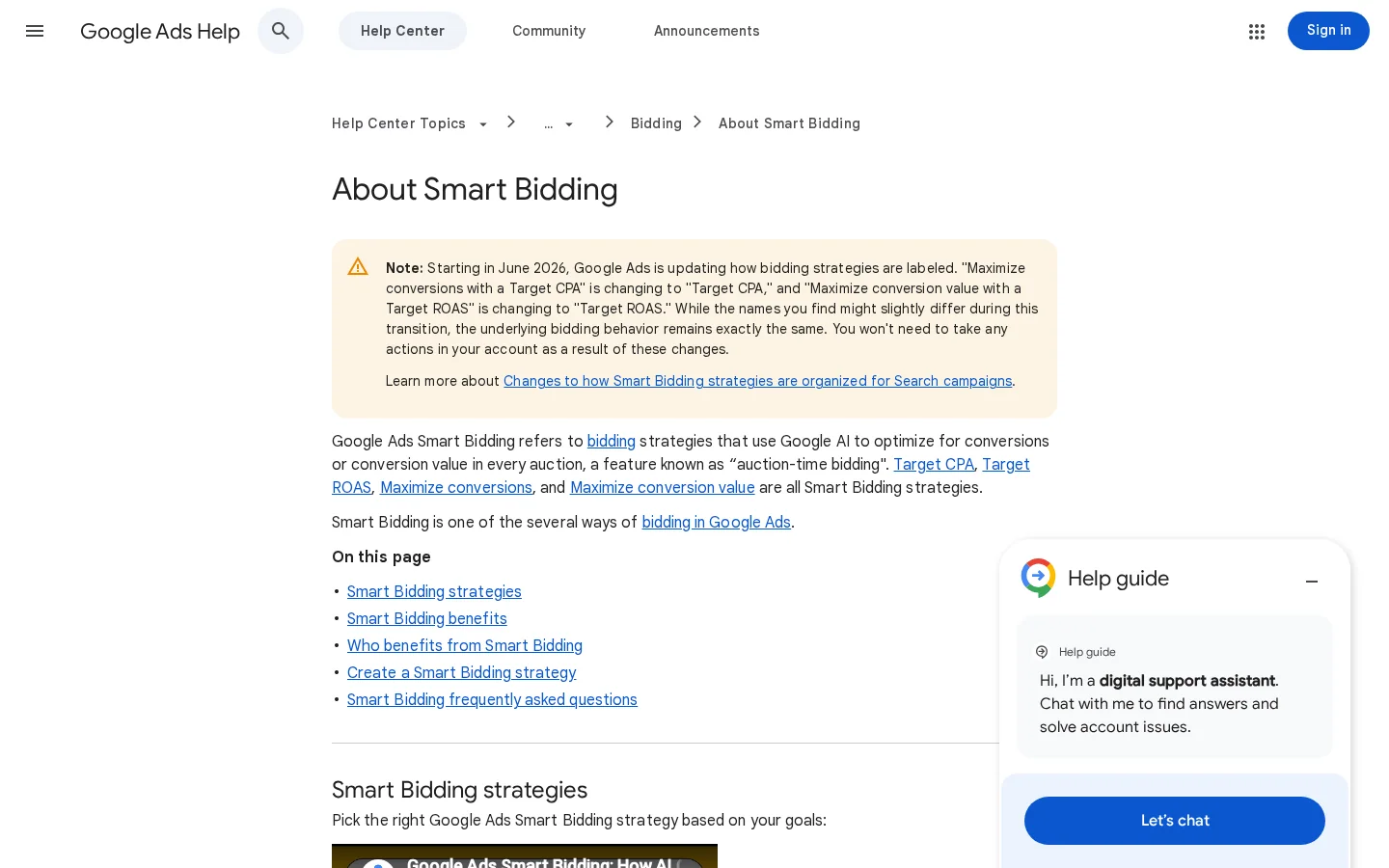
Note
Google is renaming two strategies from June 2026. "Maximize conversions with a Target CPA" becomes "Target CPA", and "Maximize conversion value with a Target ROAS" becomes "Target ROAS". Google says the underlying behavior does not change, but older reports and screenshots may still show the old names.
The principle. You enter the average cost you will accept for one conversion. The system then bids on each auction to bring your average cost per conversion close to that number over time, using the history of your campaign to decide how aggressive each bid should be.
When to use it. Use Target CPA when your economics are stable: you know the cost of a lead or a sale above which it stops being profitable, and each conversion is worth roughly the same. A demo request, a quote request or a newsletter sign-up fits well, because one looks much like another.
The advantage. It gives you a direct handle on acquisition cost. You know what the campaign will try to spend per conversion, so budget planning becomes simpler.
The limit. Target CPA does not know what each conversion is worth. A $40 order and a $900 order count the same, so the system will happily chase cheap sales at the expense of the large ones.
An example. Imagine a B2B software company that can afford $150 per demo request. A Target CPA of $150 tells the system to find demo requests at that cost. If the real average is $90, the target is loose and the campaign spends more than it needs to. If the real average is $240, the target is too tight and volume drops. The goal is a target near what you already achieve, which is the subject of the section on targets.
The principle. You set the average conversion value you want for each dollar of ad spend. Google's Target ROAS page defines it that way and gives the example of $5 in sales for $1 of ad spend, which is a 500% target ROAS.
When to use it. Use Target ROAS when conversions carry different values, such as ecommerce orders of different sizes, and you trust the values you send back. The value must be real revenue or, better, margin. Remember the Search and Shopping minimum shown above: 15 conversions in the past 30 days at the conversion tracking level.
The advantage. It optimizes for money, not for the count of sales. The system can favor one $900 order over three $40 orders when the target allows it.
The limit. It is the strategy most sensitive to bad data. If every sale is recorded as $1, or your values include tax and shipping, the system optimizes the wrong thing with great confidence. A high target can also cut volume sharply, because the system only bids where it expects the return.
The break-even floor. Your target should never sit below break-even. Break-even ROAS is 1 divided by your gross margin. At a 45% margin, break-even ROAS is about 2.22, so a target of 2.00 loses money on every sale even while the dashboard looks green. Use break-even as the floor and set the target above it.
The principle. The system spends your budget to get as many conversions as it can. You can add an optional target CPA to cap the cost per conversion. Google's Finding success with Smart Bidding guidance lists Maximize conversions with an optional target CPA as an AI-powered option for conversion goals.
When to use it. Use it when volume is the goal, for example leads or sign-ups within a fixed budget, and you have not yet measured what a conversion should cost. It is also the simplest way to start, because there is nothing to calibrate.
The advantage. It is easy to launch, and it uses the whole budget when conversions are available to buy.
The limit. Without a target CPA, the system may buy expensive conversions to reach the volume. If the budget is far above what the market can absorb, it spends on weak auctions. Watch the average cost per conversion from the first week, and add a target once you know a sensible number.
The principle. The system spends your budget to get the most conversion value, with an optional target ROAS.
When to use it. Use it when your values are reliable and you care about revenue more than order count. It suits an ecommerce store that has checked its value feed against the back office.
The advantage. Large orders and high-value leads get their share of the budget, instead of being averaged out.
The limit. It depends on value data just as Target ROAS does. Google's own testing example uses this strategy with an optional target ROAS, which we come back to in the section on experiments.
Smart Bidding can only optimize toward what it can see. Before you change any bid strategy, audit the conversion setup. Most failures start here, and they never show up in the bidding screen.
Count only actions that lead to money: purchases, qualified leads, booked calls with a real prospect. Page views and button clicks inflate the volume and teach the system to chase cheap actions that never close. Mark one or two primary actions for bidding, and keep the rest as secondary actions for reporting.
| Setting | What to check | Why it matters |
|---|---|---|
| Primary actions | Only the actions that matter to revenue are primary | Bidding uses primary actions, so one noisy action steers the whole campaign |
| Count | One per lead, every for purchases | Counting every form submission from the same person inflates the volume |
| Value | Real revenue, or margin, per action | Target ROAS and Maximize conversion value read this number |
| Conversion window | Matches your real sales cycle | A window that is too short misses the slow deals |
| Enhanced conversions | Matching on hashed first-party data, where consent allows | Improves the link between a click and the sale that follows |
For the full setup, read our guide to conversion tracking. For matching and consent rules, read our guide to enhanced conversions.
If every sale is worth $1 in your account, your ROAS report is fiction. Send the order value without tax and shipping, or send the margin itself if profit is the point. For lead generation, give each lead the value it is worth to you. Your close rate times the average deal value is a simple place to start. A rough value that reflects reality beats a precise value that is wrong.
Some conversions take days or weeks to arrive. Google's tips on measuring Smart Bidding performance says that recent performance may look weaker than past performance because of conversion delay, so you should not read that gap as a decline. Compare full periods, and wait before you cut a campaign that looks weak this week.
This is the sequence to follow for a campaign you want to move to Smart Bidding. Done properly, it takes an afternoon, and it saves weeks of noise.
Setup in five steps
Run a test conversion yourself. Submit the form, make the purchase or book the call, then check that the action is recorded once, with the value you expect. Compare the conversion count in Google Ads with your CRM or shop report for the last 7 days. A gap of more than a few percent means the setup needs fixing before you change a bid.
Google's Finding success with Smart Bidding guidance says to create campaigns with single objectives and to use accurate conversion data. In practice, a campaign that mixes sign-ups and purchases has two goals and one bid target, so the target is wrong for at least one of them. Split them, even if each budget gets smaller.
The same guidance suggests pairing Smart Bidding with broad match keywords and responsive search ads to find additional queries. That only works with negative keywords in place. Otherwise broad match spends on searches that look close to your offer but never convert. Read our guide to negative keywords before you widen the match types.
Start from the number your business needs, not from the strategy you have heard about most. If a lead is worth a fixed amount, use Target CPA. If each sale has a different value, use Target ROAS, provided the values are real. If you need volume within a fixed budget and have no firm cost target, use Maximize conversions. Google's guidance puts it the same way: base the choice on your main business goal.
Open the account history for the last few weeks. Calculate the average cost per conversion, or the average ROAS, and use that as the first target. The next section shows the formulas and the errors to avoid. A target far from your history does not make the campaign more ambitious. It makes the campaign unstable.
Launch the change and leave it alone for at least one or two conversion cycles before you read the result. Then compare full periods, not the first three days.
The target is the setting that does the most damage. Set it too tight and the campaign stops serving, which looks like a traffic problem but is a bidding problem. Set it too loose and the campaign spends on weak auctions. Google's guidance on bids and bid targets says to use historical data and keep targets close to actual averages to minimize fluctuations in performance, as explained on its page on performance fluctuations caused by bids and bid targets.
Target CPA      = total cost / conversions
Target ROAS (%) = conversion value / cost x 100
Break-even ROAS = 1 / gross margin

Example: $5 in sales for $1 of spend
         $5 / $1 x 100 = 500% target ROAS
Tip
Before you set a target ROAS, plug your numbers into the ROAS calculator. It gives you the break-even ROAS for your margin, which is the floor your target should sit above.
Example
Google's example is a Target CPA campaign with an actual average CPA of about $10 over the past 14 days. Lowering the target to $2 makes fluctuations more likely. The campaign may need to reduce spend from time to time, because the system aims to keep the CPA within that lower target on a monthly average basis.
Compare your target with an average over the same window the system uses, usually the last 14 to 30 days. Do not use one good week or last year's numbers. If the window includes a holiday spike or a budget change, pick a cleaner period or note the distortion before you set the number.
Google does not publish a step size for target changes. A common approach is to move the target by about 10 to 20 percent per change, then wait one or two conversion cycles before the next move. This is a working rule, not a Google rule. Big jumps, such as halving a target, are the ones that most often make a campaign stall.
A portfolio strategy applies one target to several campaigns. It helps when the campaigns share the same goal and each one converts often enough. The downside is that a small campaign can borrow the data of a large one, which hides a weak spot. Check each campaign's own numbers before you trust the shared average.
Smart Bidding needs data to find patterns, so the first days after a change are noisy. Google does not give one length for every strategy, so judge by full conversion cycles instead of calendar days.
How long to wait
Source: Google Ads Help, Tips on measuring Smart Bidding performance
Treat these as resets: a new strategy, a target that moves far from history, a budget that jumps, a new conversion action, or a new landing page for the same ads. Each one asks the system to learn again. Make them in batches, not one by one each morning.
In the first week, you have few conversions, and the latest ones are still arriving. That is not enough to judge a strategy. Wait for a full cycle, then read the bid strategy report before you decide anything.
Measure the bid strategy, not the surface numbers of the campaign. Google's guidance on measuring Smart Bidding performance says the bid strategy report shows how the strategy performs on average against the set target. For ROAS, compare your average actual ROAS with the average target ROAS. Do not treat cost per click and impressions as proof of anything. They are side effects of the strategy, so they tell you little about whether it works.
| Question | Where to look | Rule |
|---|---|---|
| Is the target realistic? | Bid strategy report | The actual average should sit close to the target |
| Is ROAS on track? | Bid strategy report | Compare average actual ROAS with average target ROAS |
| Is the result real? | Campaign report, full period | Use at least two full conversion cycles |
| Is it a lasting result? | Campaign report, monthly view | A month gives a clearer picture |
| Is the drop real? | Conversion dates | Check conversion delay before you act |
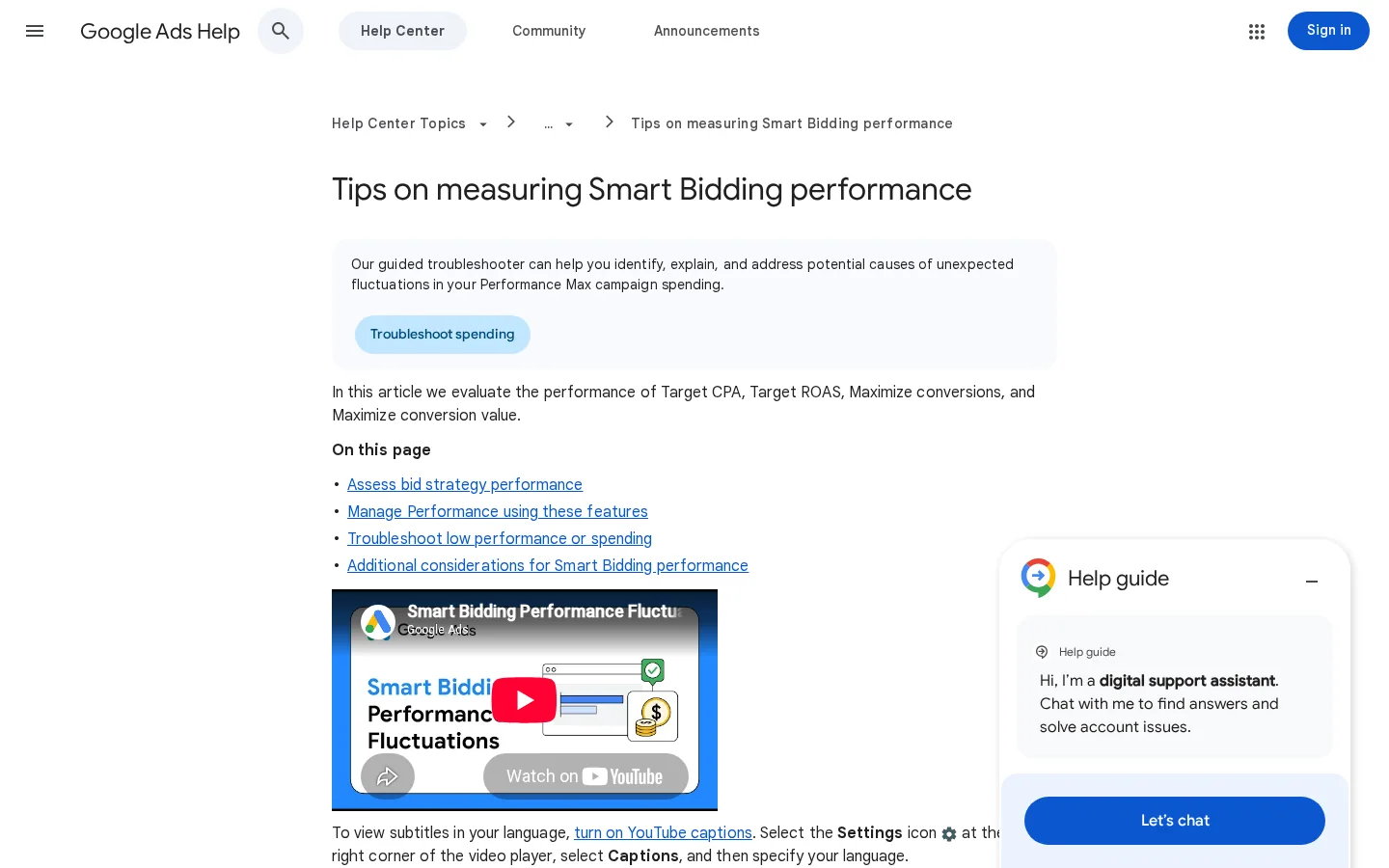
Google's tips suggest a time frame that includes at least two full conversion cycles as a good first step, and a longer view, such as a month, for a clearer perspective. Short windows exaggerate noise, and long windows hide a change you made last week. Use both: a two-cycle check for direction, and a monthly view for the result.
A single day tells you nothing about a Smart Bidding campaign. Plot the actual CPA or ROAS against the target week by week. A line that stays near the target means the strategy is doing its job. A line that drifts away for three weeks in a row is a signal to act.
If you want to know whether a strategy is better, test it. Google's Finding success with Smart Bidding guidance recommends testing one variable at a time, on a large campaign that runs for a long time. Its example is to test Maximize conversion value with an optional target ROAS against your current strategy.
Google also reports internal data from February 2023 showing that switching from Target CPA to Target ROAS can bring about 14% more conversion value at a similar return on ad spend. Treat that as a reason to test, not as a result for your account. Your margins, your values and your conversion volume decide the outcome.
Run a clean test in four steps
A test is fair when both arms have the same budget pool, the same keywords, the same ads and the same period. If the trial campaign also gets new ads, you are measuring the ads, not the bidding. Change one thing, and write it down before the test starts.
The last few days of any test are the least complete, because conversions are still arriving. Stop the comparison only after most of those conversions have come in, or wait longer before you call a winner.
Most failing Smart Bidding campaigns make one of the mistakes below. For each one, check the signs first, then apply the fix.
A target that is too tight
Source: Google Ads Help, Bids and bid targets
What it is. Setting a Target ROAS on a campaign with a handful of conversions a month, or moving a new campaign straight to a value-based strategy.
How to spot it. Count the conversions of the last 30 days against the minimum for your strategy. If the count is below it, the target is a guess.
How to fix it. Start with Maximize conversions or manual bidding, collect the data, and move to a target strategy once the count and the values are there.
What it is. A target CPA well below your average, or a ROAS target far above your real return.
How to spot it. Impressions and spend fall after the change, and the campaign seems to switch off for long stretches. In the bid strategy report, the actual average sits far from the target.
How to fix it. Set the target to your recent average, then lower or raise it in small steps across conversion cycles.
What it is. One campaign that collects leads, sign-ups and purchases under the same target.
How to spot it. The average cost per conversion looks fine, but one type of conversion is almost absent from the report, or its cost is much higher than the others.
How to fix it. Split the campaign by objective, as Google recommends, and give each group its own target or strategy.
What it is. Every conversion is recorded at the same value, or the value includes tax and shipping and does not match your accounting.
How to spot it. Take a sample of conversions and compare the value in Google Ads with the order total in your shop or CRM. A flat value on a catalog with very different prices is an obvious sign.
How to fix it. Send the real value or the margin, and write down the rule you use. Then give the history time to reflect it before you switch the strategy.
What it is. Cutting a campaign after three days because the latest conversions have not been reported yet.
How to spot it. The last days look much worse than the earlier ones, and the gap closes when you check again a week later.
How to fix it. Compare full cycles, and leave the most recent days out of the decision until the conversions have arrived.
What it is. Changing the target, the budget and the strategy every few days in the hope of a quick fix.
How to spot it. Your change log is longer than your results, and no single change has had time to show its effect.
How to fix it. Batch the changes, make one at a time, and log each one with its date and reason.
What it is. A maximum bid limit set under your average CPC, often added to stop overspending.
How to spot it. You lose impression share because of ad rank, and the limit sits below the average cost per click.
How to fix it. Remove the limit or raise it above your average CPC, and control the spend with the budget or the target instead.
Warning
Google's bid-target guidance warns that a bid limit below your current average CPCs can "potentially cause further performance fluctuations." Do not add a bid limit as a quick fix for overspend. Change the target or the budget first.
Smart Bidding makes the bid decisions inside the auctions you can enter. It does not create demand, and it does not repair the parts of your funnel that happen after the click. Before you blame or praise the strategy, check what sits outside it.
A campaign that runs out of budget by noon cannot buy the afternoon auctions, whatever the strategy. A campaign with thin search demand cannot spend a budget it has no volume for. A landing page that converts poorly will lose money on any bid strategy, because the strategy only sees the clicks it is given.
| What you need | Does Smart Bidding cover it? | Where to go next |
|---|---|---|
| A bid in each auction | Yes | The strategy and targets in this guide |
| New queries to bid on | Partly, with broad match | Negative keywords |
| Profit per sale | No, you have to send it | Marketing ROI |
| Conversions from the landing page | No | Conversion rate calculator |
| Organic and AI traffic | No | GEO and SEO dashboard |
Sorank works on the other half of that picture. It runs SEO and GEO on autopilot: keyword research, articles that are written and published on your site, and tracking of your visibility in ChatGPT, Gemini, Claude and Perplexity. Paid search buys the clicks you pay for. Organic and AI traffic keep arriving without a bid, and the GEO / SEO dashboard shows Google and AI traffic in one view, so you can watch both while you tune your campaigns.
Work through these in order. Keep a log of every change with its date and reason, so that when the results arrive, you know what caused them.
Smart Bidding checklist
Sources: Google Ads Help, About Target ROAS bidding; Tips on measuring Smart Bidding performance
If you are not sure what else is wrong in the account, start with our Google Ads audit checklist. For the basics of how the auction and the campaign types fit together, read our Google Ads guide. If you are considering a ROAS strategy for shopping campaigns, read our Google Shopping ads guide first, because the product feed decides what the strategy can see.
Smart Bidding is a group of bid strategies that use Google's AI to optimize for conversions or conversion value in each auction. The four options are Target CPA, Target ROAS, Maximize conversions and Maximize conversion value. You need conversion tracking enabled before you use it.
There is no single number. Google's Target ROAS page sets a minimum of 15 conversions in the past 30 days for Search and Shopping campaigns, and Google recommends at least 30 conversions to measure results over a longer period. Below those levels, start with Maximize conversions or stay manual while the data builds up.
Use Target CPA when every conversion is worth about the same to you. Use Target ROAS when order values differ and your values are accurate, and set the target above your break-even ROAS.
We analyse your competitors, your website and your AI visibility to create a tailored content plan for free.
 AI Content Brief Generator
 FAQ Schema Generator
 AI Blog Post Ideas Generator
 Structured Data Validator (Schema Validator)
 Alt Text Checker
 Internal Link Analyzer
 Backlink Challenge
 AI Meta Description Generator
 AI Blog Title Generator
 Google Indexability Checker
 AI Blog Outline Generator
 UTM Link Builder
 Keyword Clustering Tool
 Canonical Tag Checker
 XML Sitemap Generator
 Broken Link Checker
 AI SEO Title Generator
 Headline Analyzer
 SERP Preview Tool
 Redirect Checker
 Hreflang Tag Generator
 Heading Structure Analyzer
 HTTP Headers Checker
 Favicon Extractor
 SERP CTR Calculator
 SEO vs Paid Search Savings Calculator
 SEO Share of Voice Calculator
 SEO ROI Calculator
 SEO Traffic and Revenue Forecast Calculator
 SEO Budget Calculator
 SEO Break-Even Calculator
 SaaS SEO ROI Calculator
 ROAS Calculator
 Reading Time Calculator
 Ranking Gain Simulator
 Organic Traffic Value Calculator
 Organic Traffic Estimator and Website Traffic Checker
 LTV to CAC Ratio Calculator
 Local SEO ROI Calculator
 Link Building Cost Calculator
 Keyword Value Calculator
 Keyword Opportunity Score Calculator
 Keyword Density Calculator
 GEO ROI Calculator
 GEO Content Investment Calculator
 Ecommerce SEO ROI Calculator
 Customer Lifetime Value Calculator
 Customer Acquisition Cost Calculator
 CTR Calculator
 Cost Per Article Calculator
 Conversion Rate Calculator
 Content Marketing ROI Calculator
 ChatGPT Referral Traffic Estimator
 Bounce Rate Calculator
 Backlink ROI Calculator
 AI Visibility Score Calculator
 AI Traffic Value Calculator
 AI Share of Voice Calculator
 Cost of AI Invisibility Calculator
 AI Citation Rate Calculator
 llms.txt Validator
 AI Overview Checker and AI Overviews Rank Checker
 Robots.txt Checker
 AI SEO Audit
 LLM Readability Checker
 SearchGPT Readiness Checker
 Structured Data LLM Audit
 Website Crawlability AI Audit
 Why ChatGPT Is Not Recommending My Website
 Gemini Ranking Tool
 Perplexity Ranking Checker
 LLM Citation Checker
 Answer Engine Optimization Audit
 GEO Audit
 AI Search Visibility Test
 ChatGPT Visibility Checker
 llms.txt Generator
 URL Extractor
 Webpage to Markdown
 Sitemap Checker
 SERP Volatility Sensor
 Page Size Checker
 Word Counter
 Slug Generator
 Schema Generator
 Robots Generator
 OG Preview
 Meta Tags Generator
 Image Compressor
 Favicon Generator
 On-Page SEO Audit: SEO Checker and SEO Analyzer
 Backlink Analysis Tool
 Keyword Research Tool
 Domain Authority Checker
 “I tested Sorank on a real client site and it's insane. It does everything an agency would bill you $1500 a month for. It's going into production on that client now.”

 Guillaume Guersanguersanguillaume.com“We are an Ads agency and we wanted to get our SEO back on track once and for all. Sorank gave us a clear view of our site, helped us prioritize optimizations, and properly structure our content. The tool is easy to use, well designed for a team, and very practical for centralizing tracking without having to juggle multiple platforms. A very solid foundation to start fresh with our SEO.”
 Gaspard MadouiAds Agency
 “I just let the Sorank software do its thing, and now my DR is 25 and my page is ranking higher.”
 Lucas Flandrefoundertrace.fr“I specialized in GEO thanks to Sorank. The GEO Leaderboard allows me to show my clients their position vs competitors on ChatGPT. It’s a real commercial differentiator.”
 MélanieSEO Freelance“Great service, works well for our website and helps us understand how to improve it to rank better on Google and elsewhere. Congrats, keep going, I recommend it.”
 Hugo T.E-commerce merchant