Preferences
Privacy is important to us, so you have the option of disabling certain types of storage that may not be necessary for the basic functioning of the website. Blocking categories may impact your experience on the website. More information
Privacy is important to us, so you have the option of disabling certain types of storage that may not be necessary for the basic functioning of the website. Blocking categories may impact your experience on the website. More information

 Semrush vs
 Google Analytics: Which Tool Answers Which Question
Semrush estimates competitor traffic, Google Analytics counts your own visitors. Learn what each tool measures, why the numbers differ and how to use both.
In short
Semrush is a third-party SEO suite that estimates keywords, rankings and traffic for any domain, including your competitors. Google Analytics is a free tool that measures what real visitors do on your own site. Semrush shows you the market, and Google Analytics shows what happened on yours. You need both, but they answer different questions.
Want to go further? Ask
Quick quiz
Which way of measuring your marketing fits you?
Sorank matches your answers


Test it for 3 days on your own site and see where you stand on Google, ChatGPT and the other AIs.
Start 3-day free trial3 days free, then stop whenever you want. 90-day results guarantee, conditions apply.
Google Analytics measures your own visitors, while Semrush estimates the search market around any domain, yours included. The difference is where the data comes from. Google Analytics 4 (GA4) runs on your site and records what people do there. Semrush never sees your visitors. It collects public search data, tracks where domains rank for keywords, and turns those rankings into traffic estimates.
GA4 is free. You add a Google tag to your pages, and each page view, scroll, click, sign-up or purchase becomes an event in your property. In Google's own gtag.js documentation, the page view is sent automatically along with the config call, so one snippet in the head of every page starts collection (Google Analytics Help, the gtag.js migration guide). That is why GA4 is the record of what happened on your site: sessions, users, engagement, conversions and the source of each visit.
The weak point of GA4 is coverage. If the tag is missing from one template, that template is invisible. If visitors refuse cookies, GA4 receives less data. Both problems are fixable, and both are covered later in this guide.
Semrush works on any domain, including sites you do not own or have no access to. Type a competitor's domain and you see the keywords it ranks for, the pages that get organic visits, its backlinks and its ads. The traffic figure is an estimate built from those rankings, not a count of visits. Semrush's own help center says its tools are meant to complement Google Analytics and Search Console, not replace them. It also describes both Google tools as internal analytics for one site at a time.
Open GA4 and Semrush side by side and the numbers will differ. That is expected, and it comes from three gaps. The scope differs: Semrush's organic figure is an estimate of search traffic, while GA4 counts every visit that reaches your tag, from direct, social, email and AI assistants included. The unit differs: Semrush shows estimated monthly visits, GA4 shows sessions and users, and Search Console shows clicks from Google only. And the method differs: GA4 counts what your tag received, while Semrush models what it thinks happened. Compare trends inside each tool, not the raw totals across tools.
Two tools, two jobs
Use GA4 for what happened on your site, Google Search Console for how Google shows your pages, and Semrush for what to target next and what competitors do. Each question below has one tool that answers it well, and the others either guess or cannot answer it at all.
| Question | Google Analytics 4 | Search Console | Semrush |
|---|---|---|---|
| How many people reached the blog last month? | Yes, sessions and users | No, Google clicks only | Estimate only |
| Which queries bring Google clicks to a page? | No | Yes, with impressions and position | Estimate only |
| Which keywords could you rank for next? | No | Partly, only queries you already get | Yes, with volume and difficulty |
| Which keywords do competitors rank for? | No | No | Yes |
| Did a sign-up or a purchase happen? | Yes, once conversions are set up | No | No |
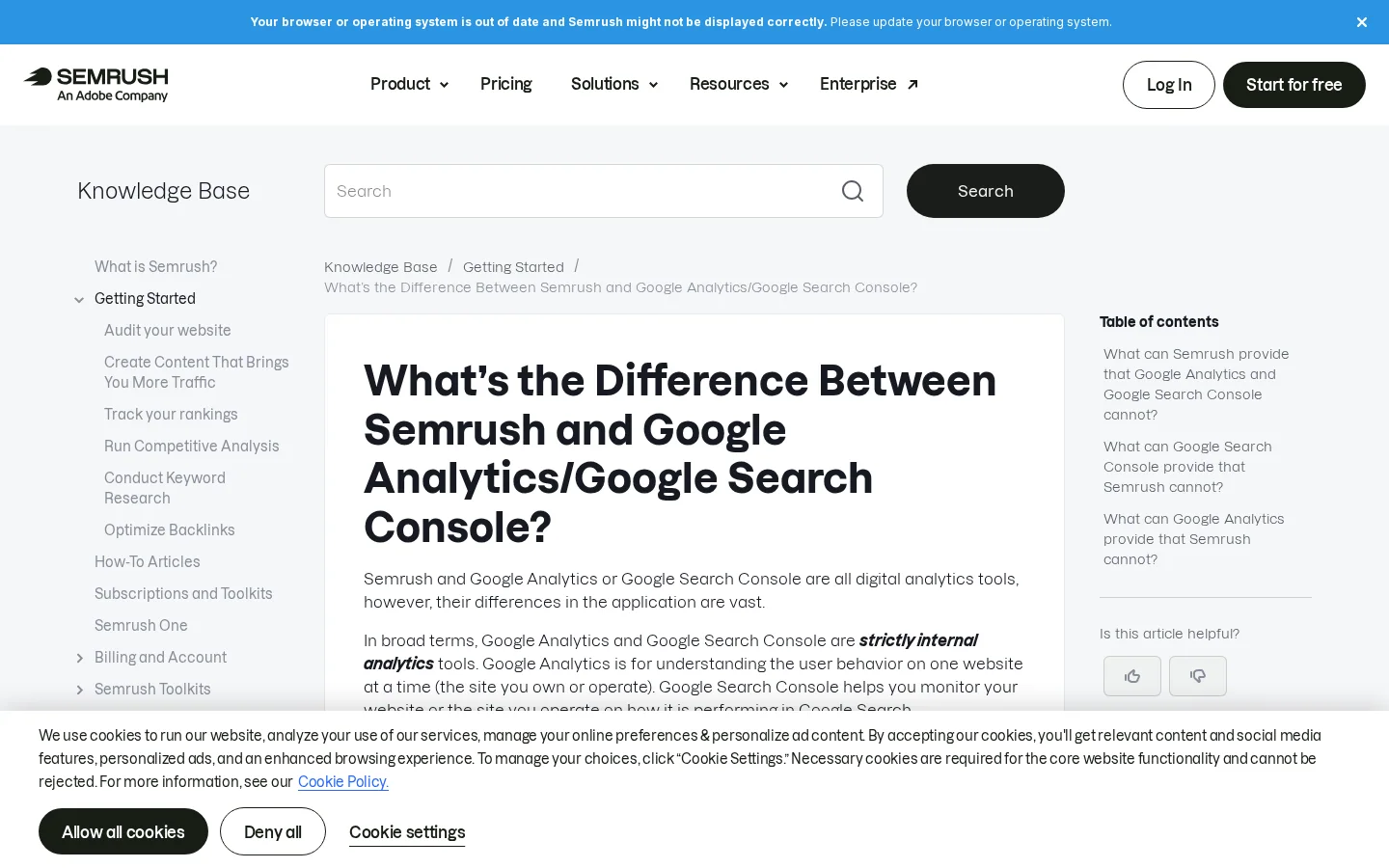
Semrush's own comparison page draws the same line: Google Analytics and Search Console are internal tools for one site, while Semrush also covers competitors. It is worth reading once, because it states the limit of each tool in plain words.
If you still mix up the two Google tools, our guide to Google Analytics vs Google Search Console explains how they split the work. The practical rule is simple. If the question is about your own visitors, start with GA4. If it is about how Google sees your pages, use Search Console. If it is about a market or a rival, use Semrush.

Semrush traffic numbers are good for direction and for comparing pages or rivals. They are not reliable as exact visit counts. One public test compared Semrush estimates with Google Search Console clicks on 32 client sites, and the errors went both ways.
In the analysis published by the agency Varn on 13 January 2025, Semrush overestimated traffic for 15 sites and underestimated it for 15. Only two sites landed within 10% of the Search Console figure. The sample is small, it comes from one agency, and the study is not peer-reviewed. Read it as evidence of a pattern, not as a precise error rate.
To audit the gap on your own site, compare the same page group and the same month in both tools with this formula:
gap (%) = (Semrush estimate - Search Console clicks) / Search Console clicks x 100A positive result means Semrush shows more than Search Console. Use a window of at least three months, and expect large swings on pages with only a few hundred visits, where a handful of clicks changes the ratio. Also remember that Search Console covers Google only, while Semrush's organic figure is wider, so the gap will rarely be zero even when both tools are right about their own scope.
When Semrush shows a page rising for three months, check the same page in Search Console before you act. If both move the same way, the trend is worth acting on. If only Semrush moves, the estimate is probably noise.
Tip
Before you trust any traffic estimate, check what the keyword can really bring. Our free Organic Traffic Estimator forecasts monthly and annual clicks from a keyword, so you can compare an estimate with a number you can explain.
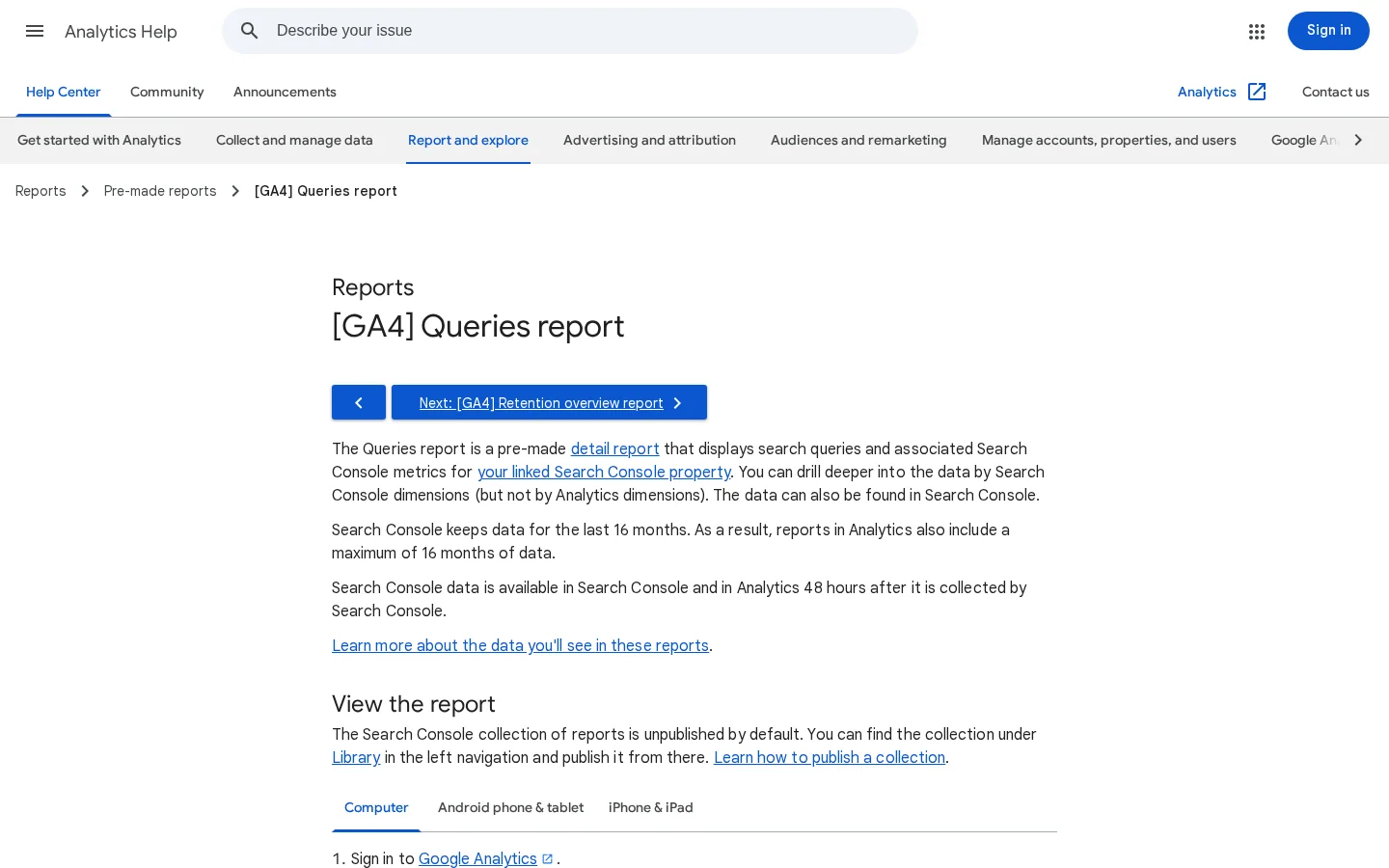
Google Search Console is free. It reports Google's own search data for sites you have verified: clicks, impressions, click-through rate and average position, by query and by page. It sits between the other two tools because it shows how Google sees you, but it has no visitors, no conversions and no competitors. Its main limit for planning is time. According to the Google Analytics Help page on the GA4 Queries report, Search Console keeps data for the last 16 months.
GA4 can receive that data through a link between the two products. The same help page says Search Console data reaches Analytics about 48 hours after Search Console collects it, and that the Queries report in Analytics shows no more than 16 months of it. A link does not extend the history. Anything older than the window is gone unless you saved it yourself.
Two numbers that set your reporting window
Source: Google Analytics Help, GA4 Queries report
Start exporting now, because the history you keep starts on the day you begin storing it. Search Console exposes its performance data through the Search Analytics API, and it also offers a bulk export to BigQuery. Either route lets you write a monthly file to your own storage. Keep the query, page, country, device and date dimensions, so you can rebuild a question later without going back to Google.
A workable habit is to export the previous month on the first working day of each month, store it under the month's name and never overwrite a stored month. After a year, you can compare this quarter with the same quarter last year even though Google no longer holds the older months.
GA4 and Search Console cost nothing. Semrush has a free plan at $0, with one demo project and 10 reports per day, according to its pricing page. Paid plans are priced by plan and by currency, so check the current figure on that page before you budget. The real cost question is not the monthly fee. It is whether you will use competitor and keyword data every week.
| Tool | Cost | What you get | Main limit |
|---|---|---|---|
| Google Analytics 4 | Free | Visitors, events and conversions on your site | Needs a tag on every page and a consent setup |
| Google Search Console | Free | Google clicks, impressions and position | Google only, 16 months of history |
| Semrush free plan | $0 | One demo project, basic onboarding and AI Visibility features | 10 reports per day |
| Semrush paid plans | Set by plan and currency | Full keyword, competitor and tracking tools | Check the pricing page |
If you are also weighing a third tool for market research, our Semrush vs Similarweb comparison covers that trade-off. For a closer look at the paid suite itself, read our honest Semrush review.
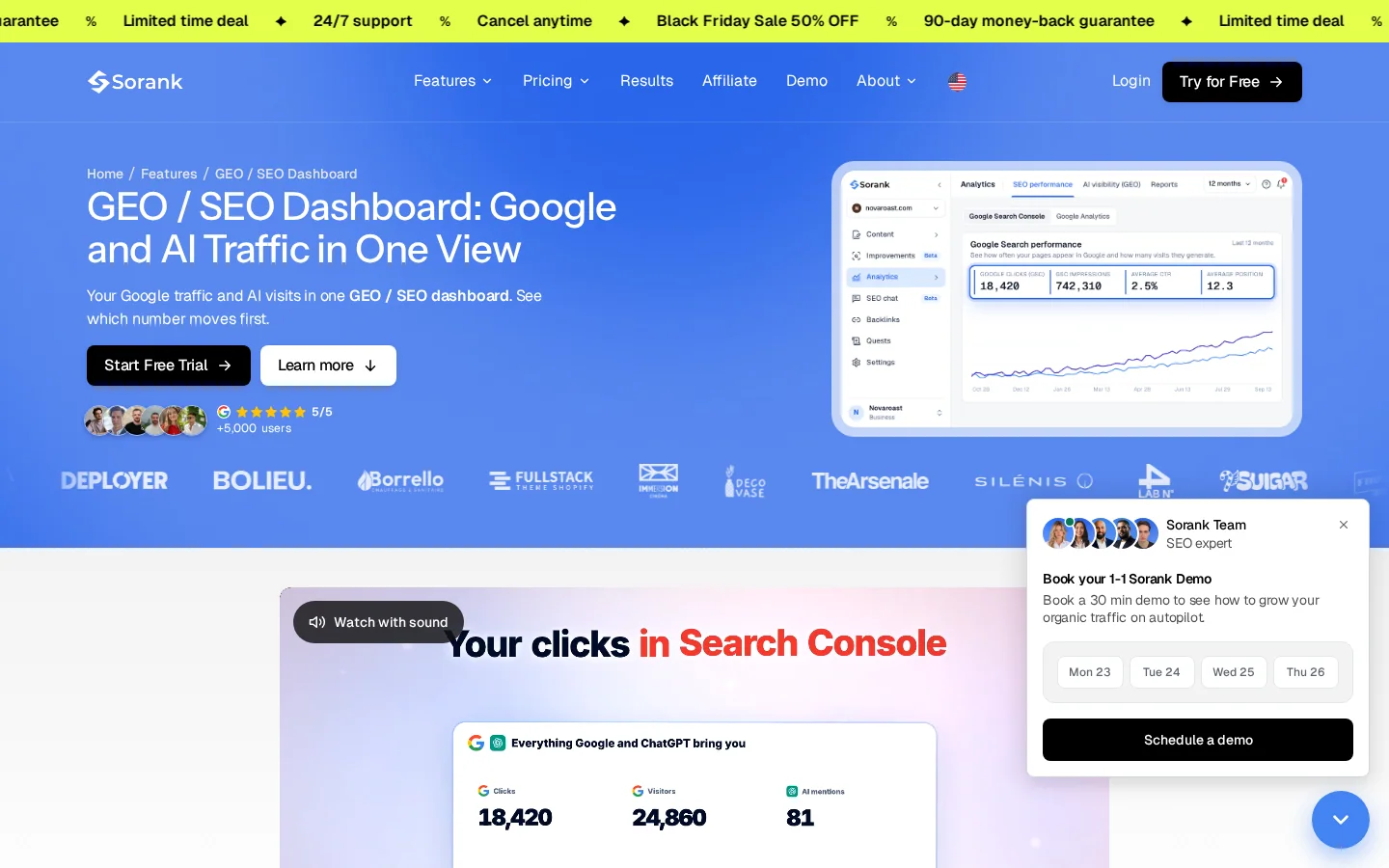
Sorank works with the free tools rather than replacing them. Its GEO / SEO dashboard takes clicks, impressions, CTR and position from Search Console, and it separates visits from AI assistants, which GA4 otherwise mixes in with every other source. For the competitor side, the SEO Spy Tool tracks your competitors' keywords each week, so you can cover that work inside the same product.
Set up the free tools first, because they give you the ground truth for your own site. Only then add Semrush for keyword and competitor work. The order matters: the sooner GA4 and Search Console start collecting, the sooner you have a history to compare against.
Setup order for both tools
Install the Google tag through your CMS theme, a plugin or Google Tag Manager, not only on the homepage. Then open the Realtime report in GA4 and load one page from each template: the homepage, a blog post, a product or service page, a landing page and the checkout. If a page does not produce an event in Realtime, its template is missing the tag. Fix the template, not the single page, because the next page you publish from that template will have the same gap.
Verify a domain property rather than a single URL prefix, so that every subdomain and protocol counts. Submit your XML sitemap, then open the admin settings of your GA4 property and connect Search Console under the product links. Once the link is active, Search Console queries and pages appear in the Analytics reports, with the 16-month limit described above. Our guide to using GA4 for organic traffic shows how to read those reports once the data is flowing.
Create one project for your domain and add three to five competitors that you actually lose deals or rankings to, not a long list of rivals. Set the location and the device to match your market, because the default may not be the country where you sell. Use the project for keyword gaps, competitor pages and rank changes, and keep the traffic estimates for the direction questions covered in the previous section.
Every link you control should carry a source, a medium and a campaign, so that GA4 can attribute the visit. Use lowercase names and keep a fixed list, so that newsletter never becomes Newsletter in your reports. Here is an example for an email campaign:
https://www.example.com/pricing?utm_source=newsletter&utm_medium=email&utm_campaign=spring-launchWrite the tags into a shared sheet before the campaign goes out. A tag written after the send cannot be recovered, and the visits will show up as direct.
Each month, record three numbers: Google clicks from Search Console for your main page groups, sessions from GA4 for the same groups, and the Semrush visibility or keyword count for your domain. Do not expect the three to match. Look for a change that appears in at least two of them. A single-tool move, such as a Semrush estimate jumping while clicks stay flat, is a question to investigate, not a result to report.
The most common mistake is reading a Semrush estimate as a visit count. The second is expecting two tools with different scopes to produce the same total. Each mistake below shows what it looks like, how to spot it in your data, and how to fix it.
What it is: You quote the organic traffic figure from Semrush in a client report or a board deck as if it were measured. Semrush's own help center says its tools complement your analytics, which makes the estimate a second opinion, not the record.
How to spot it: The figure matches no export from GA4 or Search Console, and it moves sharply from month to month on a small site. In the Varn sample, overestimates averaged well above 100%, so a number that looks precise may be far off.
How to fix it: Use Search Console clicks for Google traffic, GA4 sessions for total visits, and Semrush only for direction and comparison. If you must show a Semrush number, label it as an estimate and show a range instead of one figure.
What it is: You open GA4 and Search Console for the same month and expect the same number of Google visits. The two tools count different things. Search Console counts Google clicks, while GA4 counts sessions from every source, and consent, filters and blocked scripts change the GA4 side.
How to spot it: Compare the same landing page group in both tools for the same month. If GA4 shows far fewer Google organic sessions than Search Console shows clicks, the gap points to tracking or consent, not to a real loss of visitors.
How to fix it: Compare month over month rather than raw totals. Check the Search Console link, the consent setup and any filters before you conclude that traffic dropped.
What it is: The tag is on the homepage and the main template, but not on the blog, the product pages or the older landing pages. Those pages get traffic and record nothing, so they look dead in GA4 while they perform in Search Console.
How to spot it: Load one page from each template while the Realtime report is open. Then look for pages that have clicks in Search Console but zero sessions in GA4 over the same period.
How to fix it: Install the tag through Google Tag Manager or the site-wide header, then test every template, including old landing pages and the checkout. Repeat the test after each theme update.
What it is: Newsletter, social and partner links without UTM parameters reach GA4 with no source, so they are counted as direct visits. This inflates the Direct channel and hides the campaign that brought the visits. Our guide on what really sits in GA4 direct traffic covers the wider problem.
How to spot it: Direct traffic jumps on the day you send a newsletter or post a campaign, and the landing pages are blog posts or offers rather than your homepage.
How to fix it: Add UTM parameters to every link you control, following the naming rules in the setup section above. Fix the links in the next send, because past visits cannot be reassigned.
What it is: You open a report and find nothing before a date 16 months ago. Google keeps only that window, so a year-over-year comparison built later will be missing its base period.
How to spot it: Your chart starts exactly 16 months back, and the earlier months are blank even though the site was live.
How to fix it: Export monthly through the Search Analytics API or the bulk export, as described in the Search Console section. Start now, even if you do not need the data yet, because the older months cannot be recovered.
What it is: When visitors refuse cookies, GA4 receives less data. Internal traffic filters and bot filters can also remove visits you want to count. Varn's analysis reported that consent mode had disrupted GA4 data in 2024, which is why the agency used Search Console as its reference instead.
Warning
Check the consent setup before you conclude that traffic fell. A banner change can lower GA4 numbers with no change in real visits.
How to spot it: GA4 drops on the day you changed the banner or the tag, while Search Console clicks stay flat.
How to fix it: Review the consent mode settings with whoever owns the cookie banner, compare the drop with Search Console clicks, and write the date of every banner or tag change in your reporting notes.
Before you compare the two tools
These three questions cover most of the confusion between the two tools.
Neither is better, because they measure different things. Google Analytics records what visitors do on your site, and Semrush estimates keywords, rankings and traffic for any domain, including competitors. Use GA4 for your own results and Semrush for research.
No. Semrush states that its tools are meant to complement Google Analytics and Search Console, not replace them. It cannot see your conversions, sign-ups or sessions, so you still need a tag on your pages.
Semrush shows an estimate built from rankings and a click model, while GA4 counts the visits its tag received. The two tools also use different scopes and units, so the totals will differ. Compare each tool with its own past numbers to see the direction of change.
We analyse your competitors, your website and your AI visibility to create a tailored content plan for free.
 Duplicate Content Checker
 Mobile-Friendly Test
 Website Speed Test
 Subdomain Finder
 Domain Age Checker
 CMS Detector
 Googlebot Simulator
 Nofollow Link Checker
 Meta Tag Checker
 Keyword Cannibalization Checker
 Keyword Intent Checker
 Keyword Extractor
 Google Ads Cost Calculator
 CPC Calculator
 Local Citation Finder
 Reddit Threads Finder
 Disavow File Generator
 Redirect Generator
 Canonical Tag Generator
 Passive Voice Checker
 Google Location Changer
 Google Review Calculator
 Google Review Link Generator
 Keyword Combiner
 Podcast Show Notes Generator
 AI Content Rewriter
 AI Text Humanizer
 ChatGPT Prompt Generator
 Twitter Thread Generator
 Tweet Generator
 Landing Page Copy Generator
 Google Ads Copy Generator
 Pinterest Pin Description Generator
 Anchor Text Generator
 Social Media Post Generator
 LinkedIn Post Generator
 Free AI Writer
 Review Response Generator
 LSI Keyword Generator
 YouTube Video Ideas Generator
 YouTube Tag Generator
 YouTube Description Generator
 Product Description Generator
 CTA Generator
 Blog Introduction Generator
 Conclusion Generator
 Hook Generator
 AI Content Brief Generator
 FAQ Schema Generator
 AI Blog Post Ideas Generator
 Structured Data Validator (Schema Validator)
 Alt Text Checker
 Internal Link Analyzer
 Backlink Challenge
 AI Meta Description Generator
 AI Blog Title Generator
 Google Indexability Checker
 AI Blog Outline Generator
 UTM Link Builder
 Keyword Clustering Tool
 Canonical Tag Checker
 XML Sitemap Generator
 Broken Link Checker
 AI SEO Title Generator
 Headline Analyzer
 SERP Preview Tool
 Redirect Checker
 Hreflang Tag Generator
 Heading Structure Analyzer
 HTTP Headers Checker
 Favicon Extractor
 SERP CTR Calculator
 SEO vs Paid Search Savings Calculator
 SEO Share of Voice Calculator
 SEO ROI Calculator
 SEO Traffic and Revenue Forecast Calculator
 SEO Budget Calculator
 SEO Break-Even Calculator
 SaaS SEO ROI Calculator
 ROAS Calculator
 Reading Time Calculator
 Ranking Gain Simulator
 Organic Traffic Value Calculator
 Organic Traffic Estimator and Website Traffic Checker
 LTV to CAC Ratio Calculator
 Local SEO ROI Calculator
 Link Building Cost Calculator
 Keyword Value Calculator
 Keyword Opportunity Score Calculator
 Keyword Density Calculator
 GEO ROI Calculator
 GEO Content Investment Calculator
 Ecommerce SEO ROI Calculator
 Customer Lifetime Value Calculator
 Customer Acquisition Cost Calculator
 CTR Calculator
 Cost Per Article Calculator
 Conversion Rate Calculator
 Content Marketing ROI Calculator
 ChatGPT Referral Traffic Estimator
 Bounce Rate Calculator
 Backlink ROI Calculator
 AI Visibility Score Calculator
 AI Traffic Value Calculator
 AI Share of Voice Calculator
 Cost of AI Invisibility Calculator
 AI Citation Rate Calculator
 llms.txt Validator
 AI Overview Checker and AI Overviews Rank Checker
 Robots.txt Checker
 AI SEO Audit
 LLM Readability Checker
 SearchGPT Readiness Checker
 Structured Data LLM Audit
 Website Crawlability AI Audit
 Why ChatGPT Is Not Recommending My Website
 Gemini Ranking Tool
 Perplexity Ranking Checker
 LLM Citation Checker
 Answer Engine Optimization Audit
 GEO Audit
 AI Search Visibility Test
 ChatGPT Visibility Checker
 llms.txt Generator
 URL Extractor
 Webpage to Markdown
 Sitemap Checker
 SERP Volatility Sensor
 Page Size Checker
 Word Counter
 Slug Generator
 Schema Generator
 Robots Generator
 OG Preview
 Meta Tags Generator
 Image Compressor
 Favicon Generator
 On-Page SEO Audit: SEO Checker and SEO Analyzer
 Backlink Analysis Tool
 Keyword Research Tool
 Domain Authority Checker
 “I tested Sorank on a real client site and it's insane. It does everything an agency would bill you $1500 a month for. It's going into production on that client now.”

 Guillaume Guersanguersanguillaume.com“We are an Ads agency and we wanted to get our SEO back on track once and for all. Sorank gave us a clear view of our site, helped us prioritize optimizations, and properly structure our content. The tool is easy to use, well designed for a team, and very practical for centralizing tracking without having to juggle multiple platforms. A very solid foundation to start fresh with our SEO.”
 Gaspard MadouiAds Agency
 “I just let the Sorank software do its thing, and now my DR is 25 and my page is ranking higher.”
 Lucas Flandrefoundertrace.fr“I specialized in GEO thanks to Sorank. The GEO Leaderboard allows me to show my clients their position vs competitors on ChatGPT. It’s a real commercial differentiator.”
 MélanieSEO Freelance“Great service, works well for our website and helps us understand how to improve it to rank better on Google and elsewhere. Congrats, keep going, I recommend it.”
 Hugo T.E-commerce merchant