
Preferences
Privacy is important to us, so you have the option of disabling certain types of storage that may not be necessary for the basic functioning of the website. Blocking categories may impact your experience on the website. More information

Privacy is important to us, so you have the option of disabling certain types of storage that may not be necessary for the basic functioning of the website. Blocking categories may impact your experience on the website. More information

Google Analytics for SEO: filter organic traffic in GA4, read landing pages and engagement, track key events, link Search Console and measure AI referral traffic.
Tools


In short
To use Google Analytics for SEO, filter GA4 reports on the Organic Search channel, analyse landing pages with engagement and key events, and link Google Search Console to see the queries behind the clicks. Since 2026, GA4 also groups visits from ChatGPT, Gemini and similar assistants in an AI Assistant channel, so you can measure AI referral traffic next to Google traffic.
Want to go further? Ask
Google Analytics for SEO answers a question that ranking tools cannot: what do visitors from search do once they land on your site? Search Console shows how Google sees your pages before the click; Google Analytics 4 (GA4) shows engagement, conversions and revenue after it. Used together, they tell you which pages bring valuable organic visits and which only bring traffic. This guide walks through the reports to use, the setup that makes them reliable, and the mistakes that distort SEO data.
GA4 measures behaviour on your site. For SEO, it answers five practical questions:
What GA4 cannot tell you on its own: the keywords people typed, your positions or your impressions. That data lives in Search Console, which you can connect to GA4 (see below). Our Google Search Console tutorial covers that side.
GA4 classifies each session in a default channel group. According to Google's default channel group documentation, a session goes to Organic Search when its source is a known search site or its medium is "organic". To see it:
Clicks from Google AI Overviews and AI Mode are counted in Organic Search, so this channel already includes part of your visibility in Google's AI features.
A handful of reports cover most SEO needs. The table lists them with what to look for.
| Report | Where to find it | What it tells you for SEO |
|---|---|---|
| Traffic acquisition | Reports, Acquisition | Organic sessions, engagement and key events compared with other channels |
| Landing page | Reports, Engagement | Which pages receive the first visit, and how those visits behave |
| Pages and screens | Reports, Engagement | Views and engagement time per page across the whole visit |
| Google organic search queries | Search Console collection | Queries with clicks, impressions, click-through rate and position |
| Google organic search traffic | Search Console collection | Landing pages with Search Console and Analytics metrics side by side |
The Landing page report is the core of SEO analysis: filtered on Organic Search, it shows which articles and pages attract search visitors, how long they stay and whether they convert.
GA4 replaced the old bounce rate logic with engagement. Google's help page on engagement rate and bounce rate defines an engaged session as one that lasts longer than 10 seconds, includes a key event, or includes at least two page or screen views. The useful metrics for SEO are:
Read these metrics page by page and over time, never as a site-wide average, which hides the pages that need work.
Traffic only matters if it leads somewhere. In GA4, the actions that count for your business are called key events (formerly conversions). Mark as key events the actions that reflect value: form submissions, sign-ups, demo requests, purchases, clicks on a phone number. Then:
Keep in mind that GA4 attributes key events by default with a data-driven model across channels. When you compare periods, keep the same attribution settings.
Linking the two tools brings search queries into Analytics. Google's guide to connecting Search Console to Google Analytics describes the process:
The Search Console data reaches Analytics with a delay of about two days and covers at most 16 months. Use the queries report to find pages with many impressions and a low click-through rate: they are often the quickest wins, since a better title and meta description can raise clicks without new content.
A monthly SEO report should fit on one screen. In Explore, create a free-form exploration or build a custom report with these elements:
Note that explorations on standard properties keep event data for two or fourteen months depending on your retention setting: set it to fourteen months in Admin, Data retention, if you want year-over-year analysis in explorations. Standard reports are not affected by this limit.
AI assistants are now a source of visits. Google's default channel group documentation lists an AI Assistant channel: when the referrer matches a list of AI assistants such as ChatGPT, Gemini, Copilot, DeepSeek or Grok, GA4 sets the medium to "ai-assistant" and groups the session there. Google AI Overviews and AI Mode are excluded, because their clicks count as Organic Search.
To complete the picture:
Some AI visits arrive without a referrer, from mobile apps or copied links, and land in Direct. Our page on AI dark traffic explains this gap, and our step-by-step guide to measuring AI visits in Google Analytics shows the filters in detail.
These errors distort SEO data more than any tracking bug:
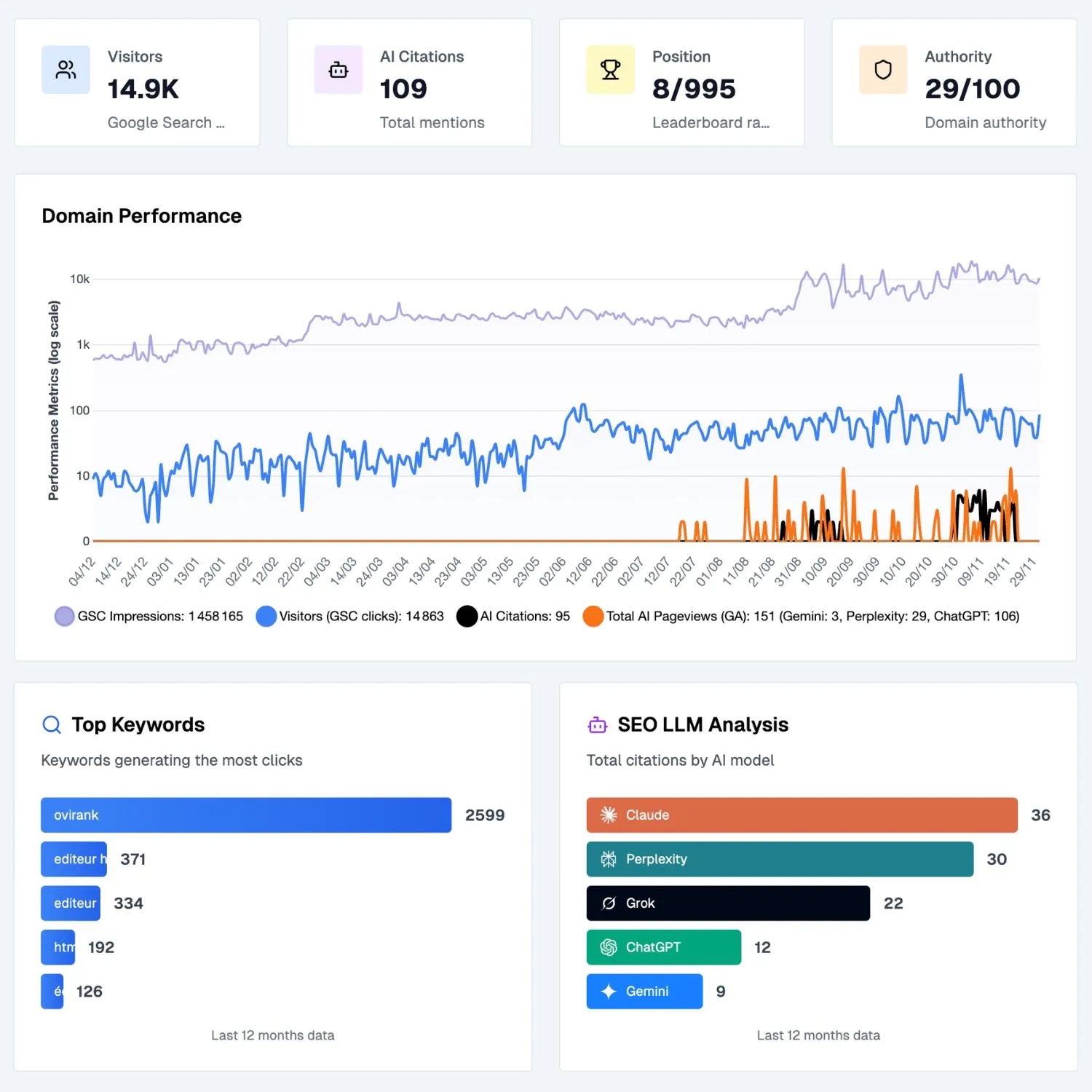
Google Analytics for SEO works when you filter on Organic Search, analyse landing pages with engagement and key events, and link Search Console to see the queries behind the clicks. In 2026, add the AI Assistant channel and source filters to follow visits from ChatGPT and other assistants next to Google. Review the same organic report every month and act on the pages it reveals. To see Google and AI traffic side by side without building reports by hand, use Sorank's GEO / SEO dashboard.

Open Reports, then Acquisition, then Traffic acquisition, and look at the "Organic Search" row of the session default channel group. To see which pages receive that traffic, open the Landing page report and add a filter or comparison on session default channel group equal to Organic Search.
Not on its own: Google does not pass search queries to Analytics. Link Google Search Console to your GA4 property, then publish the Search Console collection to get the Google organic search queries report, which shows queries with clicks, impressions and positions from Search Console.
GA4's default channel group now includes an AI Assistant channel for visits referred by assistants such as ChatGPT, Gemini or Copilot. For assistants missing from Google's list, or for older periods, filter session source with a pattern such as chatgpt.com, perplexity.ai or claude.ai, or build a custom channel group. Some AI visits arrive without a referrer and appear as Direct.
 AI Content Brief Generator
 FAQ Schema Generator
 AI Blog Post Ideas Generator
 Structured Data Validator
 Alt Text Checker
 Internal Link Analyzer
 Backlink Challenge
 AI Meta Description Generator
 AI Blog Title Generator
 Google Indexability Checker
 AI Blog Outline Generator
 UTM Link Builder
 Keyword Clustering Tool
 Canonical Tag Checker
 XML Sitemap Generator
 Broken Link Checker
 AI SEO Title Generator
 Headline Analyzer
 SERP Preview Tool
 Redirect Checker
 Hreflang Tag Generator
 Heading Structure Analyzer
 HTTP Headers Checker
 Favicon Extractor
 SERP CTR Calculator
 SEO vs Paid Search Savings Calculator
 SEO Share of Voice Calculator
 SEO ROI Calculator
 SEO Traffic and Revenue Forecast Calculator
 SEO Budget Calculator
 SEO Break-Even Calculator
 SaaS SEO ROI Calculator
 ROAS Calculator
 Reading Time Calculator
 Ranking Gain Simulator
 Organic Traffic Value Calculator
 Organic Traffic Estimator
 LTV to CAC Ratio Calculator
 Local SEO ROI Calculator
 Link Building Cost Calculator
 Keyword Value Calculator
 Keyword Opportunity Score Calculator
 Keyword Density Calculator
 GEO ROI Calculator
 GEO Content Investment Calculator
 Ecommerce SEO ROI Calculator
 Customer Lifetime Value Calculator
 Customer Acquisition Cost Calculator
 CTR Calculator
 Cost Per Article Calculator
 Conversion Rate Calculator
 Content Marketing ROI Calculator
 ChatGPT Referral Traffic Estimator
 Bounce Rate Calculator
 Backlink ROI Calculator
 AI Visibility Score Calculator
 AI Traffic Value Calculator
 AI Share of Voice Calculator
 Cost of AI Invisibility Calculator
 AI Citation Rate Calculator
 llms.txt Validator
 AI Overview Checker
 Robots.txt Checker
 AI SEO Audit
 LLM Readability Checker
 SearchGPT Readiness Checker
 Structured Data LLM Audit
 Website Crawlability AI Audit
 Why ChatGPT Is Not Recommending My Website
 Gemini Ranking Tool
 Perplexity Ranking Checker
 LLM Citation Checker
 Answer Engine Optimization Audit
 GEO Audit
 AI Search Visibility Test
 ChatGPT Visibility Checker
 llms.txt Generator
 URL Extractor
 Webpage to Markdown
 Sitemap Checker
 SERP Volatility Sensor
 Page Size Checker
 Word Counter
 Slug Generator
 Schema Generator
 Robots Generator
 OG Preview
 Meta Tags Generator
 Image Compressor
 Favicon Generator
 On-Page SEO Audit
 Backlink Analysis Tool
 Keyword Research Tool
 Domain Authority Checker
THEY TRIED SORANK BEFORE YOU
 “I tested Sorank on a real client site and it's insane. It does everything an agency would bill you $1500 a month for. It's going into production on that client now.”
 Guillaume Guersanguersanguillaume.com“We are an Ads agency and we wanted to get our SEO back on track once and for all. Sorank gave us a clear view of our site, helped us prioritize optimizations, and properly structure our content. The tool is easy to use, well designed for a team, and very practical for centralizing tracking without having to juggle multiple platforms. A very solid foundation to start fresh with our SEO.”
 Gaspard MadouiAds Agency
 “I just let the Sorank software do its thing, and now my DR is 25 and my page is ranking higher.”
 Lucas Flandrefoundertrace.fr“I specialized in GEO thanks to Sorank. The GEO Leaderboard allows me to show my clients their position vs competitors on ChatGPT. It’s a real commercial differentiator.”
 MélanieSEO Freelance“Great service, works well for our website and helps us understand how to improve it to rank better on Google and elsewhere. Congrats, keep going, I recommend it.”
 Hugo T.E-commerce merchant























