Preferences
Privacy is important to us, so you have the option of disabling certain types of storage that may not be necessary for the basic functioning of the website. Blocking categories may impact your experience on the website. More information
Privacy is important to us, so you have the option of disabling certain types of storage that may not be necessary for the basic functioning of the website. Blocking categories may impact your experience on the website. More information

 ChatGPT 404 Links: Why ChatGPT Sends Visitors to Dead Pages and How to Fix It
Why ChatGPT sends visitors to 404 pages, what the data says, and a step-by-step method to find these links in  GA4 and logs, then redirect or fix them.
In short
ChatGPT 404 links are links in ChatGPT answers that send visitors to pages that do not exist on your site. Most are invented URLs that follow your URL pattern; the rest are old pages that were deleted or moved without a redirect. You find them in your analytics and server logs, then redirect, recreate or ignore each one.
Want to go further? Ask
Quick quiz
How should you get mentioned by ChatGPT and other AI assistants?
Sorank matches your answers


Test it for 3 days on your own site and see where you stand on Google, ChatGPT and the other AIs.
Start 3-day free trial3 days free, then stop whenever you want. 90-day results guarantee, conditions apply.
A ChatGPT 404 link is a URL that ChatGPT shows in an answer, that a user clicks, and that your server answers with a "404 Not Found" status. The visitor wanted a page about your product or your topic. They get your error page instead.
The problem is not new on the web: links have always died. What is new is the source. A human who links to you copies a real URL from the address bar. A language model can write a URL that looks right but was never real. That is why the 404 rate from ChatGPT is higher than the 404 rate from Google, as the data in the next section shows.
The model knows your domain and your usual URL structure. It writes a path that fits the pattern, for example /blog/internal-links/ on a site whose blog uses /blog/topic-name/. The page sounds plausible, so the model presents it with confidence. This is a classic AI hallucination, applied to a URL instead of a fact.
Part of what ChatGPT knows comes from its training data, which is a snapshot of the web at a past date. If you renamed /pricing-plans to /pricing after that date and forgot the redirect, the model still cites the old address. This is ordinary link rot, but it now reaches you through AI answers instead of old blog posts.
Some links point to a real page with a small defect: a missing or extra trailing slash on a server that treats them as different URLs, wrong letter case on a case-sensitive server, a truncated slug, a language folder that does not exist (/de/ on a site with no German version), or punctuation glued to the end of the link. These are the easiest to fix, because the right target is obvious.
| Cause | Example of a requested URL | How to recognize it | Usual fix |
|---|---|---|---|
| Invented URL | /blog/seo-checklist-for-startups/ (never published) | No trace in your CMS, your old sitemaps or the Wayback Machine | 301 to the closest page, or create the page if demand repeats |
| Deleted or moved page | /pricing-plans (renamed /pricing) | Present in an old sitemap, an old crawl or archived copies | 301 to the new address |
| Mangled URL | /Features/AI-Tracking, /features/ai-tracking). | Very close to a live URL: case, slash, punctuation, truncation | 301 or URL normalization rule |
| Wrong language or market | /es/precios on an English-only site | Language folder or translated slug that you never had | 301 to the main version, or ignore if rare |
ChatGPT sends visitors to 404 pages about 1% of the time, several times more often than Google. The two largest public studies agree on the direction, even if the exact rate depends on the method.
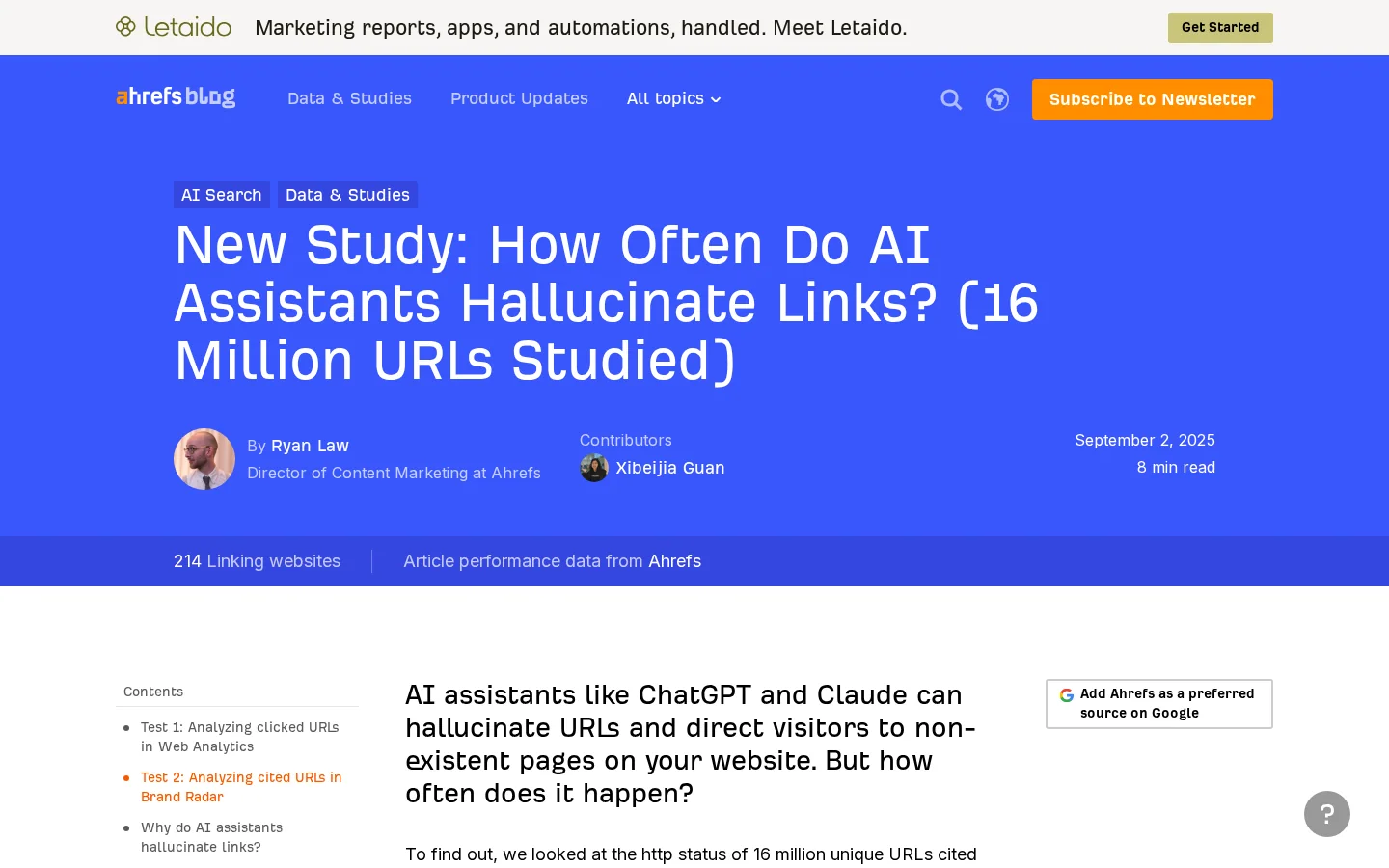
In a study of 16 million URLs published by Ahrefs on September 2, 2025, Ryan Law measured the share of clicked AI referrals that landed on a page titled "404" or "not found". ChatGPT reached 1.01%, against 0.15% for visits referred by Google. Across all the AI models measured, the average was 0.43%, or 2.87 times the Google rate. In a second test on cited URLs (not only clicked ones), 2.38% of the URLs cited by ChatGPT returned a 404, against 0.84% for URLs in the top 20 of Google results.
A second study points the same way. SE Ranking, in a study by Yulia Deda published on December 19, 2025, sent 100000 long-tail prompts to ChatGPT and checked the status of every cited URL. 1.22% returned a 404, against 0.56% for the URLs cited in Google AI Overviews and 0.65% for classic organic results. Among ChatGPT's client errors, 91% were plain 404s; 410 "Gone" and 451 codes made up the rest.
ChatGPT 404 links in four numbers
Sources: Ahrefs, September 2025; SE Ranking, December 2025
1% sounds small, and it is, in absolute terms. Ahrefs itself notes that AI models bring a small share of a typical site's traffic, so 404s from ChatGPT are "a small percentage of an already-small-percentage". But three details change the picture for your own site:
Partly. In a report by Matt G. Southern in Search Engine Journal (March 17, 2025), Google's John Mueller predicted "a slight uptick of these hallucinated links being clicked" for 6 to 12 months, until AI services improve their grounding on real URLs. When ChatGPT searches the web before answering, it cites URLs it just fetched, which are usually live. When it answers from memory, the risk of an invented or dead URL is higher. Both modes still exist, so you should expect some 404 traffic for a long time.
Key dates on AI 404 links

ChatGPT invents URLs because it writes them the same way it writes words: one token at a time, by predicting what is most likely to come next. A URL is just text to the model. Nothing in that process checks that the page exists, unless the answer is grounded in a live web search.
When the model writes https://example.com/blog/, the next tokens are chosen because they are probable after that prefix, given the topic of the answer. If your blog has hundreds of posts named /blog/how-to-[topic]/, the model learns that pattern. Asked about a topic you never covered, it can produce /blog/how-to-[that-topic]/ with total confidence. The more regular your URL structure, the more convincing the invented URL looks. For a deeper look at this mechanism, read our guide on how ChatGPT works, from training to web search and citations.
ChatGPT has two ways to give you a link. In a memory answer, it relies on what it learned during training: old URLs, patterns, guesses. In a grounded answer, it runs a web search, reads real pages and cites them. Grounding sharply reduces invented URLs, but it does not remove dead ones: a page indexed by the search layer weeks ago may have been deleted since. The concept is explained in our definition of AI grounding and how models anchor answers in real sources.
Link from memory vs link from a live search
The Ahrefs study suggests a simple reason: AI products that lean on Google's index (or Bing's) inherit a URL list that a crawler checks constantly. Their 404 rates stay close to the search engine's own rate. ChatGPT mixes its own index with memory, so more unchecked URLs reach the answer. This is also why the way AI models choose their sources matters for your technical SEO: the cleaner and more stable your pages, the more likely a live search finds the right one.
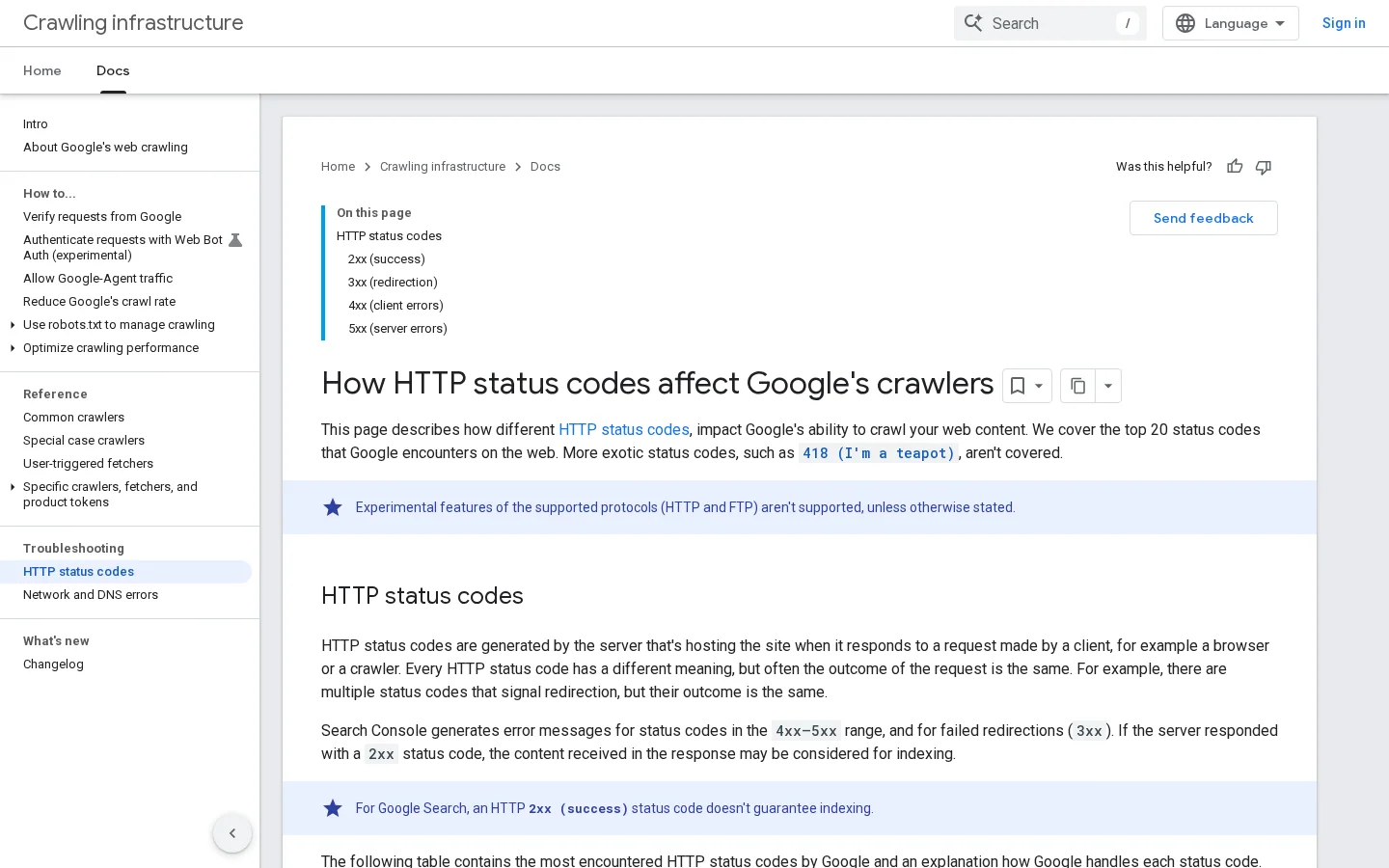
No, not directly. A 404 that nobody links to has no effect on your Google rankings. Google's documentation on how HTTP status codes affect Google Search states that all 4xx errors except 429 are treated the same: the URL is not indexed, and Google crawls it less over time. An invented URL that only exists in a ChatGPT answer is never even discovered by Googlebot.
The cost is elsewhere:
Note
A 404 is the correct answer for a page that does not exist. The goal is not zero 404s. The goal is that no valuable visitor and no valuable backlink ends on one.
You find ChatGPT 404 links by crossing two pieces of data: the visit came from ChatGPT, and the page returned a 404. Google Analytics 4 gives you the first easily; your server logs give you both with certainty. Use the method that fits your access.
The 5-step method to find ChatGPT 404 links
GA4 does not record status codes. It only sees the page title and the URL. So your 404 page needs two things: a fixed title that contains "404" or "not found", and no redirect to a /404 URL. If your site sends every missing page to /404, all your errors merge into one line and the requested URL is lost. Serve the error page in place, at the requested URL, with a real 404 status.
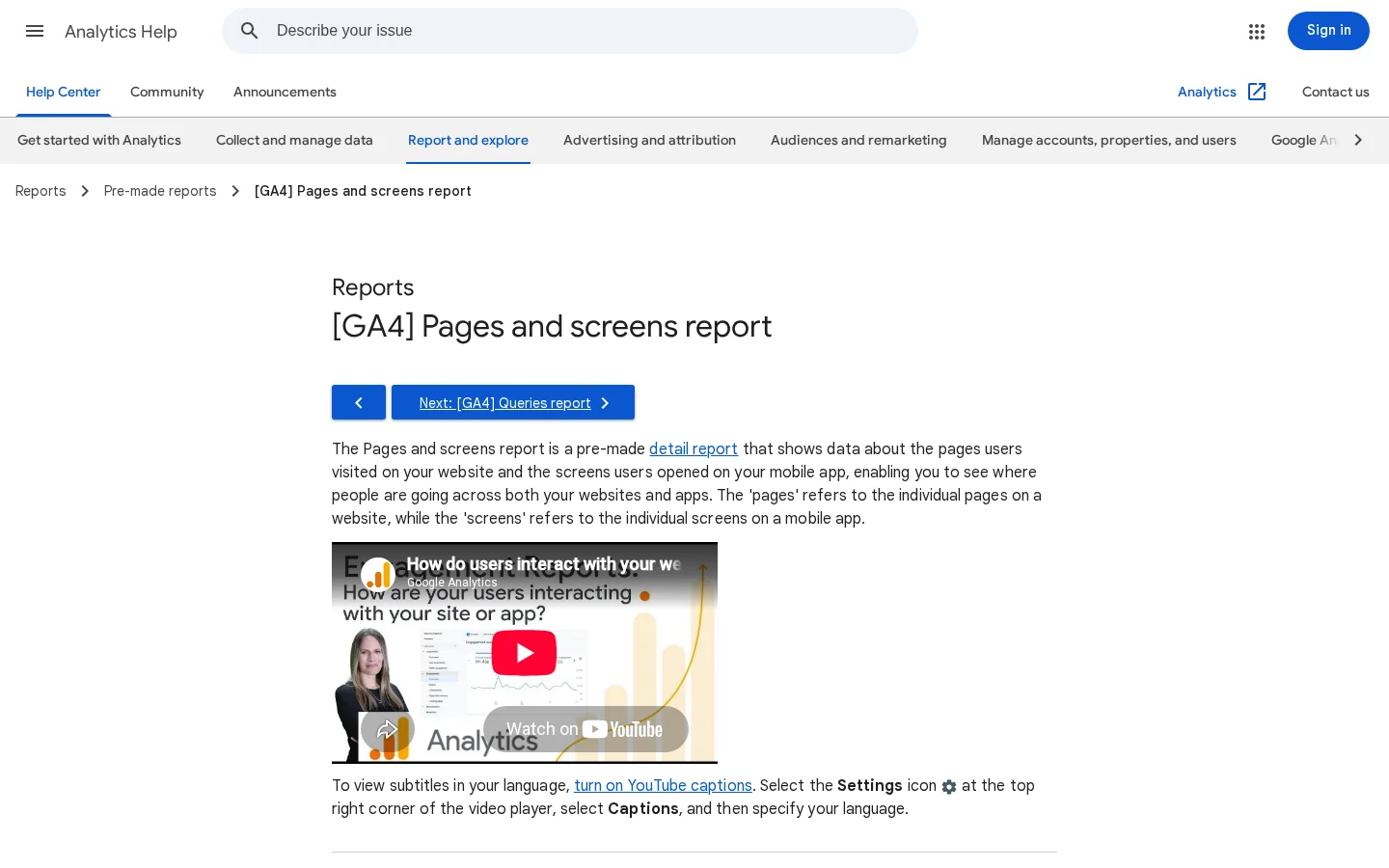
The standard Pages and screens report (Reports, then Engagement, then Pages and screens) works for a quick look: add the secondary dimension "Session source / medium" and search for chatgpt.com. For a reusable view, build a free-form exploration:
not found (or your exact 404 title).^(chatgpt\.com|chat\.openai\.com|openai\.com|chatgpt)$To see every AI source at once, widen the pattern. Add any other AI source that appears in your own source list:
(chatgpt|openai|claude\.ai|gemini\.google|copilot\.microsoft|bard\.google)Sort by sessions. Each row is a path that a ChatGPT user tried to open on your site. Save the exploration and open it once a month.
Tip
Links in ChatGPT answers usually carry the parameter utm_source=chatgpt.com. Some visits lose the referrer (apps, privacy settings), but keep this parameter. That is why "Landing page + query string" is better than "Page path" here: you see the parameter and can filter on it. Our guide to measuring visits from AI for free with Google Analytics shows the full channel setup.
Logs are the ground truth: they record the real status code, every hit, even from visitors who refused analytics cookies. On a standard Nginx or Apache log (combined format), this command lists the 404 paths reached from ChatGPT, with their hit count:
grep -E 'chatgpt\.com|utm_source=chatgpt' access.log \
  | awk '$9 == 404 {print $7}' \
  | sed 's/[?&]utm_source=chatgpt\.com//' \
  | sort | uniq -c | sort -rn | head -50
Column 9 is the status code and column 7 the requested path in the combined format. If your format differs, adjust the column numbers. On a CDN (Cloudflare, Fastly, CloudFront), run the same filter on the CDN logs: the origin server may never see the request. If you already analyze logs for crawl budget, the same setup works here; see our guide to log file analysis for SEO.
Before you fix anything, check each URL from your list. Some "404s" are false positives: a page that was down for an hour, a URL that now redirects, a page that loads only after login. A short script checks a list in seconds:
while read url; do
  code=$(curl -s -o /dev/null -w "%{http_code}" -L --max-redirs 5 "$url")
  echo "$code $url"
done < chatgpt-404-urls.txt | sort
For a single page, our free redirect checker that follows any URL's redirect chain shows each hop and the final status.
For each confirmed 404, answer two questions. Does any external page link to it? (Check in Search Console under Links, or in your backlink tool.) Did the page ever exist? (Check your old sitemaps, your CMS trash and the Wayback Machine.) A URL with backlinks or a past life is a priority. A URL with one visit and no history is a candidate to ignore.
There are five ways to handle a ChatGPT 404 link: redirect it, create the page, mark it as gone, leave the 404, or make the 404 page do the work. The right one depends on three signals: how many visits the URL gets, whether it has backlinks, and whether a page on your site already answers the same need.
Principle: the invented or old URL permanently forwards to the live page that best matches the intent. When to use it: a close match exists, and the URL gets repeat visits or has a backlink. Advantages: the visitor lands on useful content at once; any link equity passes to the target. Limits: each redirect is a rule to maintain; too many weak redirects create noise. Example: /blog/internal-links/ to your existing internal linking guide.
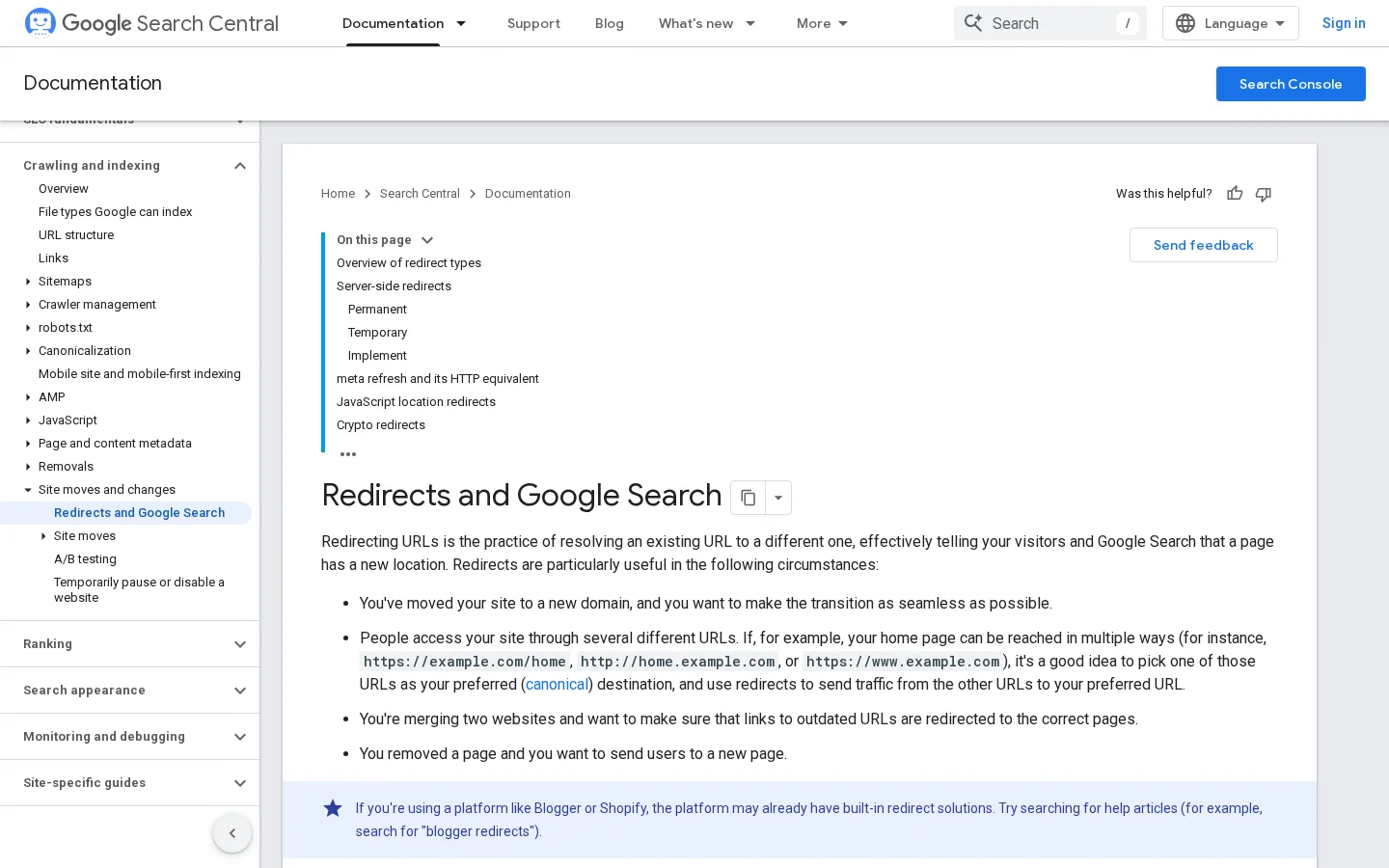
Google's documentation on redirects and Google Search recommends a permanent server-side redirect whenever possible, and treats 308 like 301. Here is how to write it on the main servers:
# Nginx
location = /blog/internal-links/ { return 301 /blog/internal-linking-guide/; }

# Apache (.htaccess)
Redirect 301 /blog/internal-links/ https://www.example.com/blog/internal-linking-guide/

# Netlify (_redirects file)
/blog/internal-links/  /blog/internal-linking-guide/  301
For a long list, keep the rules in one map file instead of scattering them. On Nginx, a map block reads hundreds of pairs without slowing the server:
map $uri $ai_redirect {
    default "";
    /blog/internal-links/        /blog/internal-linking-guide/;
    /pricing-plans               /pricing;
    /features/ai-tracking        /features/ai-mention-tracking;
}
server {
    if ($ai_redirect) { return 301 $ai_redirect; }
}
The differences between redirect types are covered in our guide to SEO redirects: 301, 302, 307 and 308.
Principle: the invented URL reveals a question your audience asks and your site does not answer. You publish a real page at that address. When to use it: the URL gets steady traffic, or several invented URLs point to the same missing topic. Advantages: you turn an error into new content that ChatGPT already "expects" on your site. Limits: it takes writing time; the page must be good on its own, not a placeholder. Example: ChatGPT keeps sending visitors to /integrations/shopify on a SaaS site that does support Shopify but never had a page for it.
Principle: you state that the URL is removed on purpose. When to use it: an old page you deleted for good (discontinued product, expired offer) with no replacement. Advantages: clear signal to humans and bots. Limits: for Google, a 410 works like a 404 according to its documentation, so the gain is mostly clarity; it does not help the visitor any more than a 404.
Principle: you do nothing for this URL. When to use it: one or two visits, no backlink, no close match, or an irrelevant topic. Advantages: zero maintenance; honest answer. Limits: the rare visitor still lands on an error, which is why option 5 matters.
Principle: instead of fixing URLs one by one, you make every 404 useful. When to use it: always, in addition to the other options. Advantages: covers the long tail of invented URLs you will never see one by one. Limits: it does not pass link equity; a visitor still needs one more click. The next section shows how to build it.
| Option | Best for | Visitor experience | Passes link equity | Effort |
|---|---|---|---|---|
| 301 redirect | Repeat visits or backlinks, close match exists | Lands on the right page | Yes | Low per URL |
| Create the page | Steady demand, topic you do not cover | Gets exactly what they asked for | Yes (page is live) | High |
| 410 Gone | Page deleted on purpose, no replacement | Error page | No | Low |
| Leave the 404 | 1 or 2 visits, no backlink, no match | Error page | No | None |
| Better 404 page | Every URL, always | One click from the right page | No | Once for the whole site |
Apply these rules in order, and stop at the first one that matches:
A good 404 page returns a real 404 status and gets the visitor to the right content in one click. Mueller's advice in the Search Engine Journal report was exactly this: a page that explains the value of the site and where to go next. For ChatGPT visitors, you can go further, because the invented URL itself tells you what they wanted.
The 404 page, before and after
An invented URL like /blog/seo-checklist-for-startups/ contains the visitor's intent. Turn the slug into a search query and show the results on the 404 page. This short script reads the path and fills your search field:
<script>
  const words = location.pathname
    .split('/').filter(Boolean).pop() || '';
  const query = decodeURIComponent(words)
    .replace(/[-_]+/g, ' ')
    .replace(/\.(html?|php)$/, '')
    .trim();
  const input = document.querySelector('#search-404');
  if (input && query) input.value = query;
</script>
If your site search runs on the server, do it there instead and show the top 5 results directly in the 404 page. The visitor then sees the right page without typing anything.
When the URL carries utm_source=chatgpt.com, you can show one plain line: "This link from ChatGPT points to a page that does not exist. Here are the closest pages we have." It explains the error, protects your brand and costs nothing. Keep the 404 status: the message is for humans, not for bots.
Warning
Never "fix" the 404 page by answering 200 OK with the error message. Google flags that as a soft 404, and your error stops being visible in your own reports. Our guide to soft 404 errors in Search Console shows how to detect and fix them.
You cannot stop ChatGPT from inventing URLs, but you can make most of its guesses land on real pages and keep every past URL alive. Prevention works on three levels: URL stability, crawlability and coverage.
Each time you delete, rename or merge a page, add a 301 in the same release. Keep a redirect map in your repository, never only in a CMS plugin that a future redesign will remove. Before a migration, export every URL from your sitemaps, analytics and backlink tools, and check that each one either still works or redirects. Our complete method to fix broken links, from crawl to prevention details the crawl part.
Grounded answers cite live URLs. If your robots.txt blocks OAI-SearchBot (the crawler behind ChatGPT search), ChatGPT cannot fetch your current pages and falls back on memory, which is where invented and dead URLs come from. Check your file:
User-agent: OAI-SearchBot
Allow: /

User-agent: GPTBot
Disallow: /private/
GPTBot is the training crawler; OAI-SearchBot serves search. You can treat them differently. Our guide to robots.txt rules for AI crawlers covers each bot.
Models guess the URLs a site "should" have. Look at the invented paths in your report: many are generic (/pricing, /contact, /about, /blog, /integrations, /careers, /docs). If one of them does not exist on your site, a redirect to the real equivalent costs one line and catches every future guess.
Mangled URLs (case, trailing slash, trailing punctuation) are fixed once for all with normalization rules. For example, on Nginx, this rule strips punctuation that gets glued to the end of a copied link:
rewrite ^(.+?)[\.\),;:]+$ $1 permanent;Test it on staging first: a rule like this must never touch real file extensions or API routes.
Prevention checklist
The most common mistake is to redirect every 404 to the home page. It looks clean, but it hides the problem and helps nobody. Here are the mistakes we see most, how to spot them and how to fix them.
What it is: a catch-all rule that sends every unknown URL to /. How to spot it: type a random URL on your site; if you land on the home page, you have it. Search Console may report these URLs as soft 404s. How to fix it: remove the catch-all, return a real 404, and redirect only the URLs that have a relevant target.
What it is: the page says "not found" but the server answers 200 OK. Common on JavaScript sites, where the app shell always loads. How to spot it: run curl -I https://www.example.com/random-test-url and read the first line. How to fix it: return the 404 status from the server or the framework (most frameworks have a "not found" function that sets the status), not from the browser.
What it is: every unknown URL 302s to /404. How to spot it: your analytics show one single 404 page with all the traffic, and no requested paths. How to fix it: serve the error content in place, at the requested URL. Without that, you cannot find ChatGPT 404 links at all.
What it is: writing a redirect for each invented URL, even those seen once. How to spot it: your redirect file grows by dozens of lines a month, most never hit again. How to fix it: apply a threshold (repeat visits or a backlink) and let the 404 page handle the rest.
What it is: a 302 or 307 where a permanent move was meant. How to spot it: check the status with a redirect checker. How to fix it: use 301 or 308 for every permanent fix. Our comparison of 301 vs 302 redirects and their SEO impact explains when each one applies.
What it is: an old URL redirects to a URL that itself redirects. After a few migrations, chains of 3 or 4 hops are common. How to spot it: follow the redirect and count the hops. How to fix it: point every old URL straight to the final destination.
What it is: robots.txt or a firewall rule blocks OAI-SearchBot, so ChatGPT cannot read your current pages. How to spot it: check robots.txt and your firewall logs for blocked OpenAI user agents. How to fix it: allow OAI-SearchBot on public pages, and whitelist it in your bot protection.
What it is: you search the origin logs, but the CDN answers 404s from its cache. How to spot it: your origin logs show far fewer 404s than your analytics. How to fix it: analyze the CDN logs, or disable caching of 404 responses for a while.
Tip
To check the links of a single page in seconds, run it through our free broken link checker for dead links on any page. It is a quick way to confirm that your 404 page itself links only to live pages.
An invented URL is a free signal: it shows a page that ChatGPT thinks your site should have. When the same missing topic comes back again and again, it is often a gap in your content worth filling.
Export your list of AI 404 paths and group them by folder and topic. You will usually see clusters: /integrations/* for tools you support but never documented, /blog/how-to-* on topics close to yours, /compare/* for comparisons with competitors. A cluster of three or more URLs on the same theme is a strong case for a new page.
Before you create a page, check that people search the topic outside ChatGPT too: search volume, questions in your support tickets, prompts your prospects use. A page that answers a real question has a chance to be cited by ChatGPT at its real URL the next time, which closes the loop. Our guide on how to rank in ChatGPT and get your brand recommended explains what makes a page citable.
Finding 404s is one part of the work; knowing which real pages ChatGPT sends people to is the other. In Sorank, the GEO / SEO dashboard reads Google Analytics and lists the AI traffic by page, for each AI model, next to your Search Console data. And AI mention tracking shows each month which sources ChatGPT, Claude and Gemini cite when they mention you, so you see which of your URLs they actually use.
A 20-minute check once a month is enough for most sites. Large sites, or sites that just migrated, should do it every week for the first two months.
What you can do today: type a random URL on your site and check three things. Does the server answer 404? Does the page keep the requested URL? Does it offer a search box and useful links? If the answer to any of them is no, fix your 404 page first. It is the one change that protects every ChatGPT visitor, including those who arrive through URLs you will never see in a report.
ChatGPT writes URLs by predicting likely text, so it can invent a path that fits your site's URL pattern but was never published. It can also cite old pages that were deleted or moved without a redirect. Answers grounded in a live web search produce far fewer of these links than answers written from memory.
Not directly: Google ignores a URL that returns a 404 and is linked from nowhere, and an invented URL that only exists in a ChatGPT answer is never crawled. The real cost is the lost visitor and, if a published page copies the invented URL, a broken backlink. Redirecting the URLs that get repeat visits or backlinks solves both.
In Google Analytics 4, build an exploration with the landing page, the page title and the session source, then filter on your 404 page title and on chatgpt.com as the source. Confirm the list in your server logs by looking for 404 hits with a chatgpt.com referrer or the utm_source=chatgpt.com parameter. Then check each URL's status and backlinks before you decide to redirect, recreate or ignore it.
We analyse your competitors, your website and your AI visibility to create a tailored content plan for free.
 Website Value Calculator
 Website Accessibility Checker
 Google Analytics Checker
 Duplicate Content Checker
 Mobile-Friendly Test
 Website Speed Test
 Subdomain Finder
 Domain Age Checker
 CMS Detector
 Googlebot Simulator
 Nofollow Link Checker
 Meta Tag Checker
 Keyword Cannibalization Checker
 Keyword Intent Checker
 Keyword Extractor
 Google Ads Cost Calculator
 CPC Calculator
 Local Citation Finder
 Reddit Threads Finder
 Disavow File Generator
 Redirect Generator
 Canonical Tag Generator
 Passive Voice Checker
 Google Location Changer
 Google Review Calculator
 Google Review Link Generator
 Keyword Combiner
 Podcast Show Notes Generator
 AI Content Rewriter
 AI Text Humanizer
 ChatGPT Prompt Generator
 Twitter Thread Generator
 Tweet Generator
 Landing Page Copy Generator
 Google Ads Copy Generator
 Pinterest Pin Description Generator
 Anchor Text Generator
 Social Media Post Generator
 LinkedIn Post Generator
 Free AI Writer
 Review Response Generator
 LSI Keyword Generator
 YouTube Video Ideas Generator
 YouTube Tag Generator
 YouTube Description Generator
 Product Description Generator
 CTA Generator
 Blog Introduction Generator
 Conclusion Generator
 Hook Generator
 AI Content Brief Generator
 FAQ Schema Generator
 AI Blog Post Ideas Generator
 Structured Data Validator (Schema Validator)
 Alt Text Checker
 Internal Link Analyzer
 Backlink Challenge
 AI Meta Description Generator
 AI Blog Title Generator
 Google Indexability Checker
 AI Blog Outline Generator
 UTM Link Builder
 Keyword Clustering Tool
 Canonical Tag Checker
 XML Sitemap Generator
 Broken Link Checker
 AI SEO Title Generator
 Headline Analyzer
 SERP Preview Tool
 Redirect Checker
 Hreflang Tag Generator
 Heading Structure Analyzer
 HTTP Headers Checker
 Favicon Extractor
 SERP CTR Calculator
 SEO vs Paid Search Savings Calculator
 SEO Share of Voice Calculator
 SEO ROI Calculator
 SEO Traffic and Revenue Forecast Calculator
 SEO Budget Calculator
 SEO Break-Even Calculator
 SaaS SEO ROI Calculator
 ROAS Calculator
 Reading Time Calculator
 Ranking Gain Simulator
 Organic Traffic Value Calculator
 Organic Traffic Estimator and Website Traffic Checker
 LTV to CAC Ratio Calculator
 Local SEO ROI Calculator
 Link Building Cost Calculator
 Keyword Value Calculator
 Keyword Opportunity Score Calculator
 Keyword Density Calculator
 GEO ROI Calculator
 GEO Content Investment Calculator
 Ecommerce SEO ROI Calculator
 Customer Lifetime Value Calculator
 Customer Acquisition Cost Calculator
 CTR Calculator
 Cost Per Article Calculator
 Conversion Rate Calculator
 Content Marketing ROI Calculator
 ChatGPT Referral Traffic Estimator
 Bounce Rate Calculator
 Backlink ROI Calculator
 AI Visibility Score Calculator
 AI Traffic Value Calculator
 AI Share of Voice Calculator
 Cost of AI Invisibility Calculator
 AI Citation Rate Calculator
 llms.txt Validator
 AI Overview Checker and AI Overviews Rank Checker
 Robots.txt Checker
 AI SEO Audit
 LLM Readability Checker
 SearchGPT Readiness Checker
 Structured Data LLM Audit
 Website Crawlability AI Audit
 Why ChatGPT Is Not Recommending My Website
 Gemini Ranking Tool
 Perplexity Ranking Checker
 LLM Citation Checker
 Answer Engine Optimization Audit
 GEO Audit
 AI Search Visibility Test
 ChatGPT Visibility Checker
 llms.txt Generator
 URL Extractor
 Webpage to Markdown
 Sitemap Checker
 SERP Volatility Sensor
 Page Size Checker
 Word Counter
 Slug Generator
 Schema Generator
 Robots Generator
 OG Preview
 Meta Tags Generator
 Image Compressor
 Favicon Generator
 On-Page SEO Audit: SEO Checker and SEO Analyzer
 Backlink Analysis Tool
 Keyword Research Tool
 Domain Authority Checker
 “I tested Sorank on a real client site and it's insane. It does everything an agency would bill you $1500 a month for. It's going into production on that client now.”

 Guillaume Guersanguersanguillaume.com“We are an Ads agency and we wanted to get our SEO back on track once and for all. Sorank gave us a clear view of our site, helped us prioritize optimizations, and properly structure our content. The tool is easy to use, well designed for a team, and very practical for centralizing tracking without having to juggle multiple platforms. A very solid foundation to start fresh with our SEO.”
 Gaspard MadouiAds Agency
 “I just let the Sorank software do its thing, and now my DR is 25 and my page is ranking higher.”
 Lucas Flandrefoundertrace.fr“I specialized in GEO thanks to Sorank. The GEO Leaderboard allows me to show my clients their position vs competitors on ChatGPT. It’s a real commercial differentiator.”
 MélanieSEO Freelance“Great service, works well for our website and helps us understand how to improve it to rank better on Google and elsewhere. Congrats, keep going, I recommend it.”
 Hugo T.E-commerce merchant