
Preferences
Privacy is important to us, so you have the option of disabling certain types of storage that may not be necessary for the basic functioning of the website. Blocking categories may impact your experience on the website. More information
Privacy is important to us, so you have the option of disabling certain types of storage that may not be necessary for the basic functioning of the website. Blocking categories may impact your experience on the website. More information

Link rot is the gradual failure of links when pages are deleted or moved. Learn the causes, the warning signs and how to protect your links.







Founder Sorank, 7+ years in SEO.
Summary
Link rot is the gradual decay of hyperlinks. A link rots when the page it points to is deleted, moved without a redirect, or taken offline, so the reader gets a 404 error or the wrong content. Over the years, more and more links on the web stop working.
Want to go further? Ask
Link rot is the slow process that breaks links on the web. Each link points to one exact address. When that address changes or disappears, the link fails, even though the link is still on the page. The reader hits a dead end.
Three causes break most links. Each one changes or removes the address that the link points to.
Small mistakes break links too, such as a typo in the address or a switch to https without redirects.
In its 2024 report "When Online Content Disappears", Pew Research Center checked web pages in October 2023. It found that 38% of pages that existed in 2013 were no longer available, compared with 8% of pages from 2023. The older a page is, the more likely its link is dead.
The problem is not limited to small sites. The same Pew report found that 54% of Wikipedia pages have at least one reference link that leads to a page that no longer exists.
No. Link rot means the URL no longer serves any content at all. Reference rot is harder to spot. The link still works, but the information you cited has changed or disappeared.
Three authors measured this in 2014. Jonathan Zittrain, Kendra Albert and Lawrence Lessig studied the links in their Harvard Law Review Forum article on link and reference rot. They found that more than 70% of the links in three Harvard journals had reference rot, and about 50% of the links in U.S. Supreme Court opinions did.
Yes, when you use the right one. A 301 redirect tells browsers and search engines that a page has moved for good. Google's guide to redirects says Google uses a 301 as a signal that the new address should be the canonical version. A temporary 302 redirect does not send that signal, so use it only when the move is really temporary.
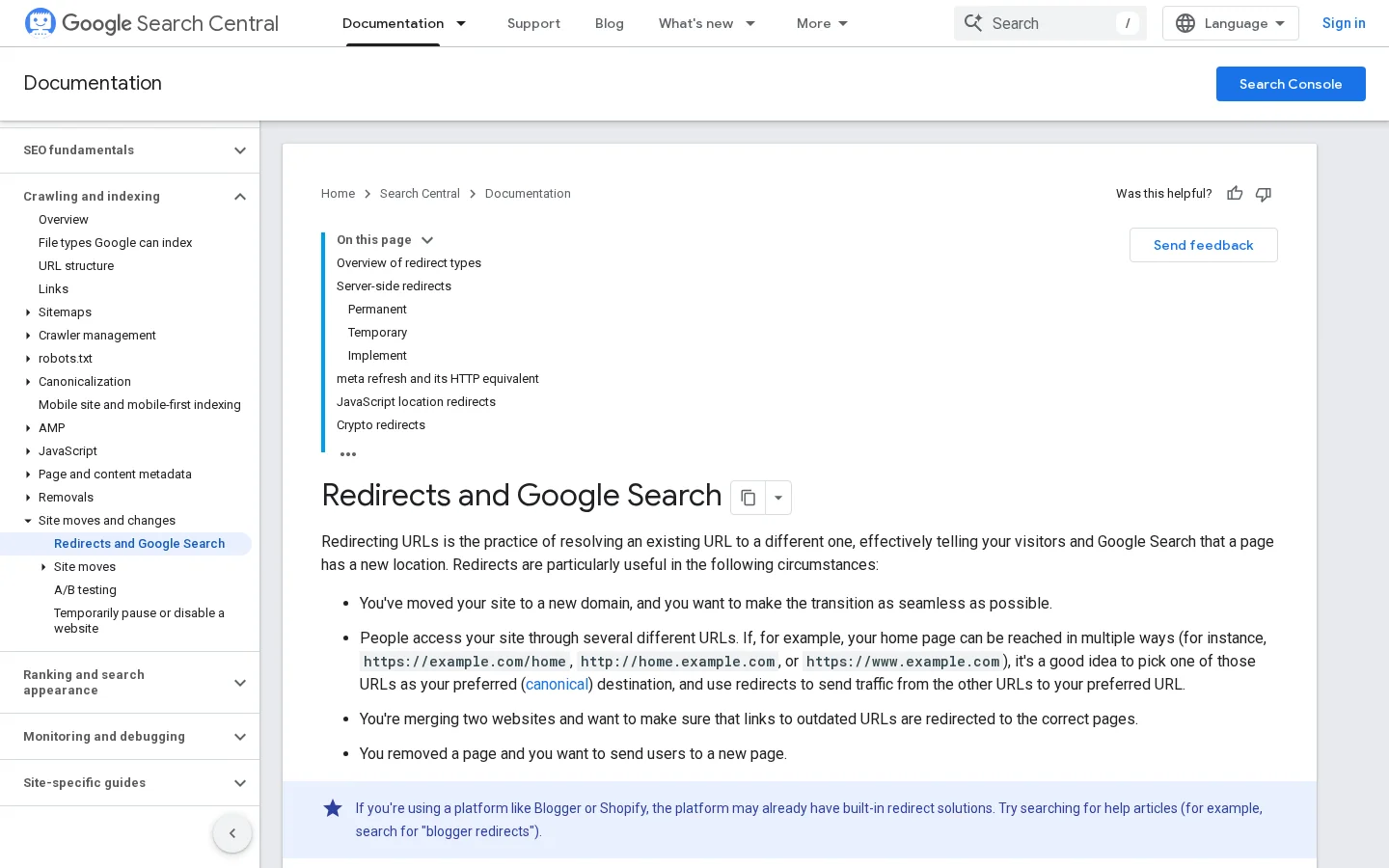
For a full overview of redirect codes, read our SEO redirects guide.
You cannot control other sites, but you can protect the links you depend on. Start with four habits.
Archive services work like a backup. They keep a copy of a page, and you can open that copy when the original is gone. Some services are built for citations. Perma.cc, for example, was created to keep copies of links cited in legal documents. Whichever service you use, test the archived link once, so you know it opens before you need it.
A link checker requests each link on a page and reports the ones that fail. The free W3C Link Checker works this way. You enter a page address, and it lists the broken links and the redirects it finds.
For a whole site with many pages, use a crawler that checks every page. Sorank's free broken link checker finds dead links on any page. For the full method, from crawl to prevention, read our guide on how to fix broken links.
These three errors cause most of the damage. Check your site for each one.
This is the most costly mistake. Other sites keep linking to the deleted address, so those links now lead to a 404 error. To spot it, open your backlink checker and list the links that point to error pages. To fix it, restore the page, or redirect the old address with a 301 to the closest page that replaces it.
A temporary redirect on a page that moved for good leaves the signal unclear. To spot it, run a redirect checker on your old URLs and look for 302 codes that have been in place for months. To fix it, change the redirect to a 301.
You link to a report, the report is later removed, and your article is left with a dead reference. To spot it, check each external link every few months and look for error codes or pages that no longer contain the quote. To fix it, replace the link with an archived copy, or remove the claim if no copy exists.
For SEO, a backlink only helps when it leads to a live page. A link to an error page sends no visitors, so you lose the traffic that the link would have brought. Pages that search engines cannot reach are also harder to index, so read our guide to how indexing works.
For GEO, an AI model can only cite a page it can reach. When your key pages are gone and their old addresses lead nowhere, the AI model has one less page to cite, and the source it uses instead may be a competitor.
Readers matter too. A reader who hits an error page often leaves the site at once, so a dead link costs you a visit you had already earned. Fixing links is a small job that protects every page that points to yours.
Link rot is normal, and it will not stop. Pages move, sites close and domains lapse. Archive the sources you cite, check your links on a schedule, and set a 301 redirect every time you move a page.
Sources
Link rot means a URL no longer serves any content. Reference rot means the link still works, but the information you cited has changed or disappeared. Reference rot is harder to spot, because the link looks fine.
Run a link checker on your pages or your whole site. It requests each link and reports the ones that return an error or a redirect. Then fix each broken link with a redirect or a link to a working source.
Use a 301 for a page that has moved for good. Google uses a 301 as a signal that the new address should be the main one. A 302 is for temporary moves, and Google does not use it as that signal.
 “I tested Sorank on a real client site and it's insane. It does everything an agency would bill you $1500 a month for. It's going into production on that client now.”

 Guillaume Guersanguersanguillaume.com“We are an Ads agency and we wanted to get our SEO back on track once and for all. Sorank gave us a clear view of our site, helped us prioritize optimizations, and properly structure our content. The tool is easy to use, well designed for a team, and very practical for centralizing tracking without having to juggle multiple platforms. A very solid foundation to start fresh with our SEO.”
 Gaspard MadouiAds Agency
 “I just let the Sorank software do its thing, and now my DR is 25 and my page is ranking higher.”
 Lucas Flandrefoundertrace.fr“I specialized in GEO thanks to Sorank. The GEO Leaderboard allows me to show my clients their position vs competitors on ChatGPT. It’s a real commercial differentiator.”
 MélanieSEO Freelance“Great service, works well for our website and helps us understand how to improve it to rank better on Google and elsewhere. Congrats, keep going, I recommend it.”
 Hugo T.E-commerce merchant



















