Preferences
Privacy is important to us, so you have the option of disabling certain types of storage that may not be necessary for the basic functioning of the website. Blocking categories may impact your experience on the website. More information
Privacy is important to us, so you have the option of disabling certain types of storage that may not be necessary for the basic functioning of the website. Blocking categories may impact your experience on the website. More information

Find every broken link on your site, choose the right fix for each (update, 301, restore, remove, 410) and stop new dead links with a monthly routine.

Tools

In short
to fix broken links, crawl your site to list every link that returns a 4xx or 5xx code, then apply one of six fixes per link: update the link to the right URL, add a 301 redirect, restore the page, remove the link, replace it with a better source, or return a 410 on purpose. Fix internal links at the source first, redirect dead URLs that still have backlinks or traffic, and re-crawl to confirm nothing is left.
Want to go further? Ask
Quick quiz
Which way of finding customers online fits you best?
Sorank matches your answers


Test it for 3 days on your own site and see where you stand on Google, ChatGPT and the other AIs.
Start 3-day free trial3 days free, then stop whenever you want. 90-day results guarantee, conditions apply.
A broken link is a hyperlink whose target does not return the content the user expected. Most people think of the classic "404 Not Found", but a crawler will show you at least six different families of broken links, and each one needs a different fix.
The first thing to decide is where the link lives and who controls it. You fully control internal links (from your page to your page). You control the source of outbound links (from your page to another site) but not the target. You control the target of inbound links, the backlinks other sites point at you, but not the source. This single question tells you whether the fix is "edit the link" or "edit the destination".
| Type | Example | Who controls the fix | Usual fix |
|---|---|---|---|
| Broken internal link | Your blog post links to /pricing-old, which returns 404 | You, both ends | Edit the link to the final URL |
| Broken outbound link | Your guide cites a study that was moved or deleted | You, source only | Replace, update or remove the link |
| Broken backlink (inbound) | A partner site links to /guide-2021, which you deleted | You, target only | 301 redirect or restore the page |
| Broken resource | Image, PDF, CSS or JS file returning 404 | You | Re-upload or fix the path |
| Broken fragment | Link to /guide#step-4 after the heading id changed | You | Restore the id or update the anchor |
| Broken technical reference | Canonical, hreflang or sitemap entry pointing to a 404 | You | Point the tag to a live 200 URL |
A crawler reports the HTTP status code of each target. The ones that matter: 404 (not found), 410 (gone, removed on purpose), 403 (forbidden, often a firewall blocking the crawler), 429 (too many requests, you are being rate limited), 5xx (server error), and 3xx (redirect). A redirect is not a broken link by itself, but a chain of redirects or a loop is a problem worth fixing in the same pass.
There is also the soft 404: the page answers "200 OK" but shows an empty page or an error message. Crawlers do not flag it as broken because the code looks fine. Search Console does. We cover it in detail in our guide to the soft 404 error.
When you crawl outbound links, many large sites (social networks, news sites, sites behind a bot protection service) answer 403 or 429 to a crawler while the page works perfectly in a browser. Before you delete a link reported as 403, open it by hand. If it loads, the link is fine and your crawler was simply blocked.
A broken link is a link that does not take the reader to the content it promises. To check one link yourself, open it in a private window, then read the status code the server returns, because the code tells you more than how the page looks.
You do not need a crawler for a single link. These five checks cover almost every case:
# Print the final status code and the number of redirects followed
curl -s -L -o /dev/null -w '%{http_code} after %{num_redirects} redirect(s)\n' https://example.com/old-page/
Prefer a browser tool? The free HTTP Headers Checker shows the response headers of any URL, including the redirect location when there is one.
| Result | What it usually means | What to do |
|---|---|---|
| 200, right content | The link works | Keep it |
| 200, error text or empty page | Soft 404 | Restore the content or return a real 404 |
| 301 or 302, then 200 | The link works through a redirect | Point the link to the final URL |
| 404 or 410 | The target is gone | Choose one of the six fixes below |
| 403 or 429 | The server blocks scripted requests | Keep the link if it opens in a browser |
| 5xx | A server problem, often temporary | Retry later, check your hosting if it repeats |
Once you know which result you have, the six fixes below tell you what to do next.
A few broken links will not get a site penalized. Google does not punish you for a 404, and a page that no longer exists should return one. The cost is indirect, and it adds up on large sites.
Here is what a broken link actually costs you:
Google's own documentation is clear on how it treats these codes. In its page on HTTP status codes and network errors, Google Search Central explains that URLs returning a 404 are removed from the index if they were indexed, and that 5xx errors make its crawlers temporarily slow down crawling. In other words: a 404 is a clean signal, while recurring server errors hurt the whole site.
Link rot is everywhere
Source: Pew Research Center, "When Online Content Disappears", May 2024
The numbers above come from the Pew Research Center study "When Online Content Disappears" (May 2024), which checked a sample of about one million URLs. The lesson for you: links break on their own, every year, even if you never touch your site. Fixing broken links is maintenance, not a one-time project.

No single tool sees every broken link. A crawler sees the links on your pages. Search Console sees the URLs Google tried to reach, including from other sites. A backlink tool sees the external links pointing at your dead pages. Use at least two sources.
A crawler starts from your homepage, follows every link like a search engine, and reports the status code of each target. It is the most complete view of internal and outbound links. Screaming Frog SEO Spider is the reference desktop tool; we explain the setup in our Screaming Frog guide.
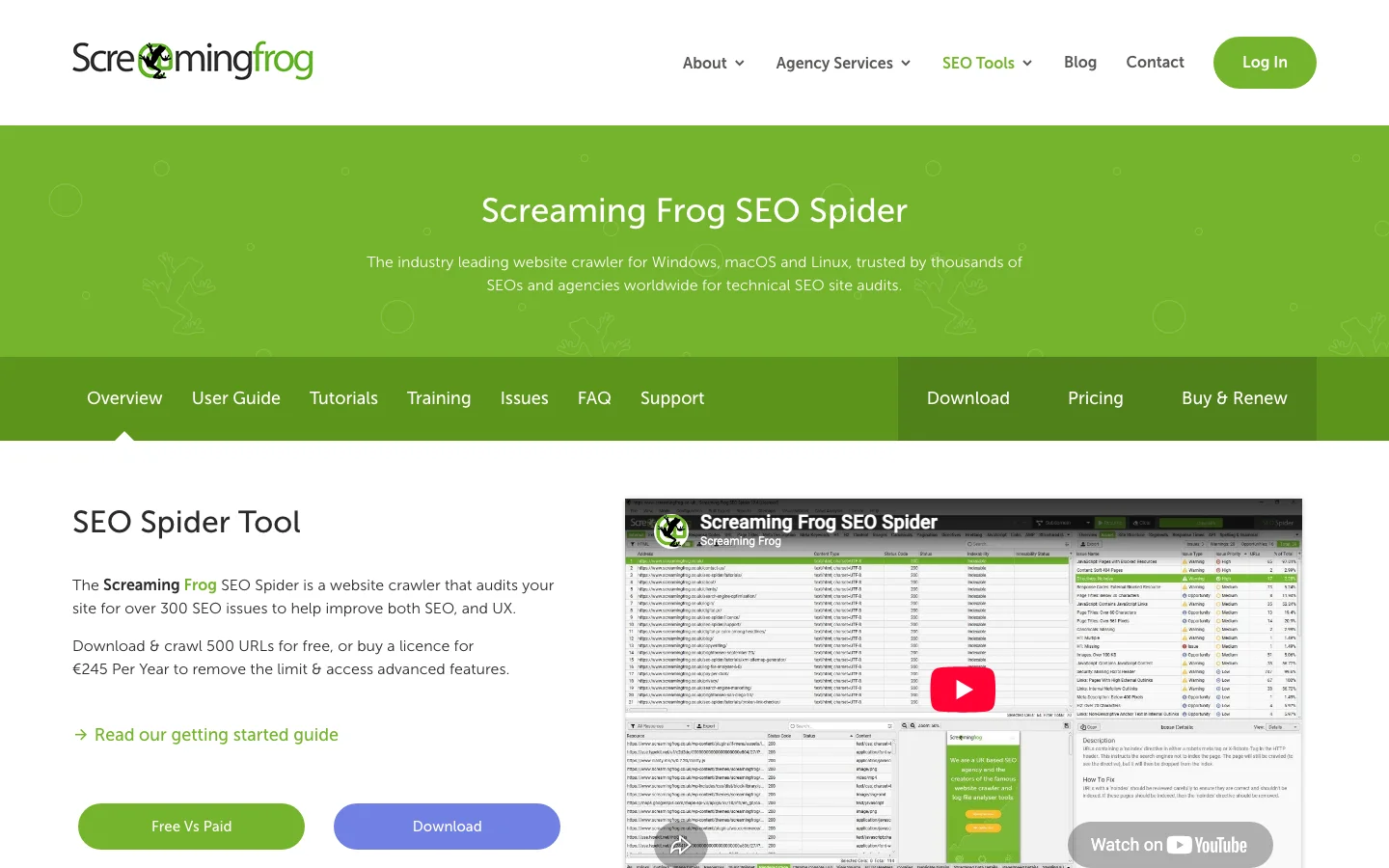
In Screaming Frog, the path is: crawl the site, open the Response Codes tab, filter on Client Error (4xx), then select a URL and open the Inlinks tab at the bottom to see every page that links to it. Export with Bulk Export, Response Codes, Client Error (4xx) Inlinks: you get one row per broken link with the source page, the target and the anchor text. That export is your work list.
The Pages report (Indexing, Pages) lists URLs Google could not index, with reasons such as "Not found (404)", "Soft 404" and "Server error (5xx)". Its strength: it includes URLs Google found through other sites, old sitemaps or links you deleted long ago. Its weakness: it does not always tell you which page holds the broken link.
Backlink tools list the external links pointing to URLs of your site that now return 404. These are the most valuable fixes, because each one is free authority waiting to be recovered. The method is detailed in our guide to link reclamation.
Your access logs record every request, from humans and bots. Filtering on status 404 shows the dead URLs that real visitors and crawlers hit most often, including from emails, ads and QR codes that no crawler would find. See our guide to log file analysis.
# Top 20 URLs returning 404 in an Nginx or Apache access log (combined format)
awk '$9 == 404 {print $7}' access.log | sort | uniq -c | sort -rn | head -20If your 404 template has a recognizable title (for example "Page not found"), filter your analytics pages report on that title and add the page path dimension. You get the dead URLs that real users land on, ranked by sessions.
For a quick check of one page before or after publishing, a page level checker is faster than a full crawl.
Tip
To check one page in seconds, paste its URL into the free Sorank Broken Link Checker. It lists every dead link on the page with its status code, so you can fix a new article before it goes live.
| Method | Finds | Misses | Best for |
|---|---|---|---|
| Site crawler | Internal, outbound, resources, fragments, canonicals | Backlinks to dead pages | Full audit |
| Search Console | URLs Google tried, soft 404, 5xx | Outbound links, exact source page | What Google sees |
| Backlink tool | External links to your 404s | Internal and outbound links | Recovering authority |
| Server logs | Real hits from users and bots | Links nobody clicks | Prioritizing by real traffic |
| Analytics | 404s seen by users, with sessions | Bot only traffic | Business impact |
| Page checker | Dead links on one page | The rest of the site | Pre-publish checks |
Every broken link ends with one of six decisions. Picking the wrong one is the source of most problems: redirect loops, homepage redirects, lost authority. Here is each option with its rule of use.
Principle: edit the HTML so the link points directly to the correct live URL. When: always, for internal links, even if a redirect already exists. Pros: no redirect hop, full link value, fastest for users. Limits: only possible where you control the source page. Example: 40 blog posts link to /features-2023, which redirects to /features. Replace the 40 links with /features.
Principle: the dead URL answers "301 Moved Permanently" and sends users and bots to the closest equivalent page. When: the dead URL has backlinks, traffic or bookmarks, and a relevant replacement exists. Pros: recovers link value without touching other sites. Limits: only works if the target truly answers the same need; otherwise Google may treat it as a soft 404. Example: /blue-running-shoe-v2 (discontinued) redirects to /blue-running-shoe-v3. The difference between redirect codes is covered in 301 vs 302 redirect.
Principle: bring the deleted page back at its original URL. When: the page was deleted by mistake, or it had strong backlinks and no good replacement. Pros: keeps everything as it was. Limits: you must maintain content you had decided to drop.
Principle: delete the link but keep the text. When: an outbound source has disappeared and no replacement exists, or an internal link points to a topic you no longer cover. Pros: simple, clean. Limits: you may lose a useful citation; check the sentence still makes sense.
Principle: swap a dead outbound link for a live page that supports the same claim: the new address of the same document, a newer study, or an archived copy. When: the claim in your text depends on the source. Pros: keeps your content credible. Limits: takes research time.
Principle: let a URL die cleanly. When: the content is gone for good, has no backlinks worth saving, and has no equivalent. Pros: honest signal to search engines, no fake redirect. Limits: any remaining internal links to it must still be removed.
| Fix | Use when | Keeps link value | Effort | Main risk |
|---|---|---|---|---|
| Update the link | Internal link, you control the source | Yes, fully | Low | None |
| 301 redirect | Dead URL with backlinks or traffic | Yes, largely | Low | Irrelevant target, chains |
| Restore the page | Deleted by mistake, strong links | Yes, fully | Medium | Maintaining old content |
| Remove the link | No replacement exists | Not applicable | Low | Losing a citation |
| Replace the source | Outbound link supports a claim | Not applicable | Medium | Research time |
| 410 or 404 | Gone for good, nothing to save | No | Low | Forgetting internal links |
Old URL with backlinks: redirect to homepage vs redirect to the closest page
This is the method we recommend for a full clean up. On a site of a few hundred pages, it takes an afternoon. On a large site, plan a sprint and repeat monthly.
The 7-step broken link fix
Default crawler settings miss part of the problem. Turn on: crawl of external links (to check outbound status), images, CSS and JS, canonicals, hreflang, pagination links and sitemap URLs. If your site renders links with JavaScript, enable JavaScript rendering, or the crawler will miss menus and product grids. If your server blocks fast crawlers, lower the speed to 2 or 3 requests per second to avoid fake 429 and 5xx errors.
Score each dead URL with three numbers: referring domains pointing to it, internal links pointing to it, and visits in the last 90 days. Fix in this order:
Write the decisions in a sheet with four columns: dead URL, fix, target URL, reason. For redirects, the target must be the page a visitor would have wanted: the new version of the product, the parent category, or the updated guide on the same topic. If no page fits, do not redirect; let it 404 or 410.
Internal links are the easiest broken links to fix because you control both ends. The rule is simple: every internal link should point to a URL that answers 200, directly. Not to a 404, and not to a redirect either. A redirect works for users, but each hop adds latency and every redirected internal link is a small leak you created yourself.
Google's guidance on crawlable links (Google Search Central) also reminds you that Google can only reliably follow links written as <a href="...">. Links built with JavaScript click handlers and no href are invisible to the crawler, and they break silently.
One broken link in the main menu or footer is one broken link on every page of the site. Check header, footer, sidebar, breadcrumbs, related posts widgets and author boxes before you touch individual articles. One template fix can remove thousands of broken links from your crawl report.
When many posts link to the same dead URL, a search and replace in the database is faster than editing posts one by one. On WordPress, WP-CLI does it safely. Always run it with --dry-run first and back up the database.
# WordPress: preview, then replace an old internal URL in all post content
wp search-replace 'https://example.com/old-guide/' 'https://example.com/new-guide/' wp_posts --dry-run
wp search-replace 'https://example.com/old-guide/' 'https://example.com/new-guide/' wp_posts
On other CMSs (Shopify, Webflow, a headless CMS), export the content, replace in a spreadsheet or script, and re-import, or use the CMS API. For relative links, search for both the absolute and relative forms of the old URL (https://example.com/old-guide/ and /old-guide/).
A link to /guide#pricing returns 200 even if the id="pricing" no longer exists, so most crawlers report it as fine. If you rename headings or let your CMS generate ids automatically, check your jump links after each redesign. More on how they work in our guide to anchor links.
Once the broken links are gone, it is a good moment to review how your pages link to each other. Our internal linking strategy guide shows how to point the freed link value at your priority pages, and the free Internal Link Analyzer lists the internal links of any page.
Inbound broken links are the ones with the highest return: another site already gave you a link, and you only need to make the destination work again. You cannot edit the source, so the fix happens on your server.
Where you add the redirect depends on your stack: a redirect plugin or the built-in redirect manager of your CMS (Shopify, Webflow and most others have one), your server configuration, or your CDN rules. Server level redirects are the fastest. A full overview of options lives in our SEO redirects guide.
# Apache (.htaccess): one URL, then a whole folder
Redirect 301 /guide-2021/ https://example.com/guide/
RedirectMatch 301 ^/blog/2019/(.*)$ https://example.com/blog/$1
# Nginx: one URL, then a pattern
location = /guide-2021/ { return 301 https://example.com/guide/; }
rewrite ^/blog/2019/(.*)$ https://example.com/blog/$1 permanent;Test every redirect with a command line request before and after deployment. You want one hop, a 301, and a final 200.
# Show each hop and its status code
curl -sIL https://example.com/guide-2021/ | grep -iE '^(HTTP|location)'
If you prefer a browser tool, the free Redirect Checker follows the full chain of any URL.
Each time you move a page again, old redirects start pointing to URLs that are themselves redirected. Google's documentation on site moves with URL changes (Google Search Central) says Googlebot can follow up to 10 hops, but recommends redirecting to the final destination directly, and keeping redirects in place for at least 1 year so signals can transfer. In practice: keep them indefinitely if they carry backlinks.
Flattening a redirect chain
Sometimes the other site linked to a URL that never existed: a missing letter, a trailing period, uppercase letters. If the link comes from a valuable domain, add a redirect from the misspelled URL to the right page. You can also email the site owner and ask for a correction; the same outreach logic is used in broken link building, where you help other sites fix their dead outbound links and earn a link in return.
Outbound links break because the other site changed, not you. You cannot fix their page, so you choose between three options: find the new address, find a better source, or remove the link.
site:theirdomain.com topic. Organizations often move documents to a new address without redirects.Outbound links are also where false positives hide. Before acting on a 403, 429 or 999 status, open the URL in a browser. And for links you add from now on, prefer stable addresses: official documentation pages, DOI links for studies, and the publisher's own page rather than a copy hosted elsewhere.
These are the cases that come back after a "complete" clean up, because standard reports do not show them clearly.
A canonical tag pointing to a 404 tells Google the "real" page does not exist. An hreflang tag pointing to a 404 breaks the language cluster. A sitemap full of 404s and redirects tells Google your sitemap is not reliable. Check these three lists separately in your crawler and make every entry a live 200 URL.
Mobile menus, translated pages and regional versions often have their own links. A link fixed in English can still be broken in German. Crawl each language version and the mobile rendering if your templates differ.
On many servers, /Guide and /guide are two different URLs, and so are /guide and /guide/. Pick one form and redirect the other. A regex rule can lowercase URLs at the server level, but test it carefully on file paths and parameters.
A link that returns 500 or 503 once is not broken, but a pattern of 5xx errors means your server struggles under load. Google slows down its crawl when it meets repeated server errors, which affects every page, not just the one that failed. Check your hosting before you touch any links.
If you redirect many unrelated URLs to a single generic page, Google may report them as soft 404s. The redirect "works" technically, but Google treats it as a dead end. The fix is a better redirect target, or an honest 404.
Each of these mistakes is frequent, easy to spot and easy to correct.
What it is: a catch-all rule that sends any missing URL to the homepage. How to spot it: type a random URL on your site; if you land on the homepage instead of a 404 page, the rule is active. Search Console often lists these URLs as soft 404. How to fix it: remove the catch-all, map valuable dead URLs to their closest equivalent, and let the rest return a real 404 with a helpful error page (search box, top categories).
What it is: a temporary redirect used for a permanent move, often the default of a plugin or framework. How to spot it: the curl command above shows "302" or "307" on the first hop. How to fix it: change the rule to 301 (or 308) when the move is permanent.
What it is: the dead URL now redirects, so the crawl report looks clean, but hundreds of internal links still go through the redirect. How to spot it: in your crawler, filter internal links by status 3xx. How to fix it: update the links at the source to the final URL.
What it is: A redirects to B, which redirects to C, or worse, C redirects back to A. How to spot it: crawlers have a "redirect chains" report; a loop shows as "too many redirects" in a browser. How to fix it: point every old URL straight to the final destination and delete the circular rule.
What it is: removing good outbound links because a crawler was blocked. How to spot it: the link opens fine in a browser. How to fix it: keep the link, and add those domains to an exclusion list in your crawler.
What it is: a custom "page not found" template that answers 200 OK. How to spot it: run curl on a fake URL; the first line should say 404, not 200. How to fix it: configure the server or CMS to send the 404 status with the custom template.
What it is: removing old content during a clean up without checking its backlinks. How to spot it: your backlink tool shows new "lost" links pointing to 404s after the clean up. How to fix it: before deleting any page, check its referring domains and traffic, and decide redirect or 410 at that moment. Our content audit method includes this check.
What it is: a big clean up, then nothing for two years. How to spot it: the number of broken links in each crawl keeps climbing. How to fix it: schedule a monthly crawl and a check of the Search Console Pages report.
The cheapest broken link is the one you never create. Most broken links come from three moments: a URL change, a page deletion, and a redesign. Add a check to each of them.
Broken link prevention checklist
For content teams, the most effective habit is to check links when content is created or refreshed, not months later. Old articles are where links rot fastest, because their sources age. Refreshing them regularly fixes dead citations along the way. In Sorank, Content Optimization rewrites and updates your old pages on autopilot, which is the moment to replace outdated sources and links.
If you only have one hour: export the 404s with backlinks from your backlink tool and the "Not found (404)" list from Search Console, redirect the ones with backlinks to their closest equivalent, and fix any broken link in your menu and footer. That hour recovers most of the value. The full method above handles the rest. And if you want the complete picture of your site's health, follow our guide on how to do an SEO audit.
A few broken links will not get your site penalized, and a deleted page should return a 404. The cost is indirect: backlinks pointing to dead pages pass no value, internal links to 404s waste crawl and weaken your linking, and visitors leave. On large sites these losses add up, so fix the broken links that carry backlinks, traffic or sit in templates first.
No. Google often treats mass redirects to the homepage as soft 404s, so the link value is mostly lost and visitors land far from what they wanted. Redirect each valuable dead URL to its closest equivalent page, and let URLs with no equivalent return a real 404 or 410.
Crawl the full site once a month, or weekly for large stores and news sites, and review the Search Console Pages report at the same time. Also run a crawl before and after every redesign or migration, and check each new article with a page level link checker before publishing.
We analyse your competitors, your website and your AI visibility to create a tailored content plan for free.
 AI Content Brief Generator
 FAQ Schema Generator
 AI Blog Post Ideas Generator
 Structured Data Validator (Schema Validator)
 Alt Text Checker
 Internal Link Analyzer
 Backlink Challenge
 AI Meta Description Generator
 AI Blog Title Generator
 Google Indexability Checker
 AI Blog Outline Generator
 UTM Link Builder
 Keyword Clustering Tool
 Canonical Tag Checker
 XML Sitemap Generator
 Broken Link Checker
 AI SEO Title Generator
 Headline Analyzer
 SERP Preview Tool
 Redirect Checker
 Hreflang Tag Generator
 Heading Structure Analyzer
 HTTP Headers Checker
 Favicon Extractor
 SERP CTR Calculator
 SEO vs Paid Search Savings Calculator
 SEO Share of Voice Calculator
 SEO ROI Calculator
 SEO Traffic and Revenue Forecast Calculator
 SEO Budget Calculator
 SEO Break-Even Calculator
 SaaS SEO ROI Calculator
 ROAS Calculator
 Reading Time Calculator
 Ranking Gain Simulator
 Organic Traffic Value Calculator
 Organic Traffic Estimator and Website Traffic Checker
 LTV to CAC Ratio Calculator
 Local SEO ROI Calculator
 Link Building Cost Calculator
 Keyword Value Calculator
 Keyword Opportunity Score Calculator
 Keyword Density Calculator
 GEO ROI Calculator
 GEO Content Investment Calculator
 Ecommerce SEO ROI Calculator
 Customer Lifetime Value Calculator
 Customer Acquisition Cost Calculator
 CTR Calculator
 Cost Per Article Calculator
 Conversion Rate Calculator
 Content Marketing ROI Calculator
 ChatGPT Referral Traffic Estimator
 Bounce Rate Calculator
 Backlink ROI Calculator
 AI Visibility Score Calculator
 AI Traffic Value Calculator
 AI Share of Voice Calculator
 Cost of AI Invisibility Calculator
 AI Citation Rate Calculator
 llms.txt Validator
 AI Overview Checker and AI Overviews Rank Checker
 Robots.txt Checker
 AI SEO Audit
 LLM Readability Checker
 SearchGPT Readiness Checker
 Structured Data LLM Audit
 Website Crawlability AI Audit
 Why ChatGPT Is Not Recommending My Website
 Gemini Ranking Tool
 Perplexity Ranking Checker
 LLM Citation Checker
 Answer Engine Optimization Audit
 GEO Audit
 AI Search Visibility Test
 ChatGPT Visibility Checker
 llms.txt Generator
 URL Extractor
 Webpage to Markdown
 Sitemap Checker
 SERP Volatility Sensor
 Page Size Checker
 Word Counter
 Slug Generator
 Schema Generator
 Robots Generator
 OG Preview
 Meta Tags Generator
 Image Compressor
 Favicon Generator
 On-Page SEO Audit: SEO Checker and SEO Analyzer
 Backlink Analysis Tool
 Keyword Research Tool
 Domain Authority Checker
 “I tested Sorank on a real client site and it's insane. It does everything an agency would bill you $1500 a month for. It's going into production on that client now.”

 Guillaume Guersanguersanguillaume.com“We are an Ads agency and we wanted to get our SEO back on track once and for all. Sorank gave us a clear view of our site, helped us prioritize optimizations, and properly structure our content. The tool is easy to use, well designed for a team, and very practical for centralizing tracking without having to juggle multiple platforms. A very solid foundation to start fresh with our SEO.”
 Gaspard MadouiAds Agency
 “I just let the Sorank software do its thing, and now my DR is 25 and my page is ranking higher.”
 Lucas Flandrefoundertrace.fr“I specialized in GEO thanks to Sorank. The GEO Leaderboard allows me to show my clients their position vs competitors on ChatGPT. It’s a real commercial differentiator.”
 MélanieSEO Freelance“Great service, works well for our website and helps us understand how to improve it to rank better on Google and elsewhere. Congrats, keep going, I recommend it.”
 Hugo T.E-commerce merchant