Preferences
Privacy is important to us, so you have the option of disabling certain types of storage that may not be necessary for the basic functioning of the website. Blocking categories may impact your experience on the website. More information
Privacy is important to us, so you have the option of disabling certain types of storage that may not be necessary for the basic functioning of the website. Blocking categories may impact your experience on the website. More information

The link building mistakes that waste your budget or trigger Google penalties, how to spot each one in your data, and the exact fix for each.


Tools

In short
Most link building mistakes fall into five groups: links aimed at the wrong page, links from sites that do not fit your topic, anchor text that looks engineered, paid or swapped links that break Google's rules, and technical problems that waste a link before it counts. Fix the target page first, then the source site, then the anchor text. Check every link after it goes live, because a good link can still point to a page that cannot rank.
Want to go further? Ask
Quick quiz
How should you get links from other websites?
Sorank matches your answers


Test it for 3 days on your own site and see where you stand on Google, ChatGPT and the other AIs.
Start 3-day free trial3 days free, then stop whenever you want. 90-day results guarantee, conditions apply.
Most link building fails in the planning, not in the outreach. You send 200 emails, get six replies, and wonder why rankings did not move. The problem is usually upstream: the wrong page was the target, the sites did not match your topic, or the links were of a type that does not help the page you care about.
The scale of the problem is large. In a search traffic study published on December 1, 2023, Ahrefs looked at around 14 billion pages and found that 96.55% of them got zero traffic from Google. Ahrefs lists "the page has no backlinks" as one of the common reasons. The same article says its sample is "somewhat biased towards the 'quality side of the web'", so read the number as a signal, not a law.
What the Ahrefs study found
Source: Ahrefs, "Search traffic study", published December 1, 2023
This article uses one test to judge a mistake. A link is a mistake when it costs you money or risk and does not move a page you need in the rankings. Each mistake below has three parts: what it is, how to spot it in your own data, and how to fix it. The mistakes are grouped by stage, from the target page to the tracking, so you can audit your work in order.
The target is the URL that receives the link. Most teams pick it by accident, usually the homepage, and then wonder why the money pages never move. Decide the target before you decide the source.
Your homepage is the easiest URL to share, so it collects most of the links. The problem is that a homepage rarely targets one search query. Links add authority to the top of the site, but they rarely reach the service page or product page that brings in customers.
To spot it, export your backlink report and count the target URLs. If the homepage gets more than half of all links, you have the pattern. In some profiles it gets nearly all of them, and the service pages get none.
To fix it, pick three to five pages that matter to revenue: a service page, a category page, or a comparison page. For each one, write down its job: rank for one keyword, support a sales page, or pass authority to a new page. Point new outreach at those URLs. Keep the homepage for brand and navigation links, which is where it does the most good.
Some teams build links without naming a page and a keyword. The links then spread across several articles that compete for the same query. Search engines have to choose one of them, and your effort is split.
To spot it, open Search Console and check which queries each linked page gets impressions for. If three linked pages rank for the same query, you are splitting the effort between them. This is the same problem covered in the internal linking strategy guide, but triggered from the outside.
To fix it, map one primary keyword to each target page before any outreach. Start with the page that is closest to ranking. A page at position 8 usually needs less to move than a page at position 60, because it already has the relevance. If a page is far from the top, fix the content first and do not expect links to do the whole job.
Homepage link vs target page link

Relevance is the first filter a link has to pass. A link from a site that covers your topic reads as a recommendation. A link from an unrelated site reads as noise, and it does not help a reader who came to learn about your subject.
A finance blog that links to a dental clinic looks odd, to readers and to anyone reviewing your profile. The host page content is what tells a search engine what the link is about, so an unrelated host gives you a weak signal, even when the page itself is well made.
To spot it, go through each referring domain and read the last ten articles on the host, not only its homepage. Ask whether a reader of that site would expect to find your page. If the honest answer is no, the link is off topic.
To fix it, write a relevance rule before you start outreach. For example: accept a host only if its recent articles cover your topic or a neighbouring topic your customers read. Apply the rule to every prospect, including the ones a vendor sends you. More on quality criteria is in What Is a Quality Backlink?
Domain Rating and Domain Authority are third-party estimates. They are useful for ranking a list of prospects, but they are not a verdict on a site. A site can have a high score and still have no real audience, a footer full of links, or a business model built on selling placements.
To spot it, open the host page and check four things: whether the site has real search traffic, whether its articles are written for readers, how many outbound links each article has, and where the link would sit. A page with dozens of unrelated outbound links is a red flag, even when its score is high.
To fix it, score each host on the same four points before you accept a link. The table below gives you the test to run.
| Test | Good sign | Red flag |
|---|---|---|
| Topic | Recent articles match your niche or a close neighbour | Random topics, with no clear editorial line |
| Real audience | Organic search traffic and a clear readership | No visible traffic, or traffic only from links |
| Editorial standard | Named authors, original text, clear sections | Spun text, keyword stuffing, pages with no author |
| Placement | Link inside the body text, in context | Footer, sidebar, or a list of partners |
| Outbound links | A few links, all relevant to the article | Dozens of unrelated outbound links on one page |
The anchor text is the clickable words. It tells readers and search engines what the target page is about. It is also the part of a link that most often looks manufactured when it is repeated across many sites.
Many teams ask every site to link with their main keyword, such as "link building agency". Repeated exact phrases look built, not earned. Google's spam policies list "links with optimized anchor text in articles, guest posts, or press releases distributed on other sites" as a link scheme pattern.
To spot it, export the anchors from your backlink report and count how many are your exact keyword. Use this formula on the export:
exact-match share = exact-match anchors / all anchors x 100There is no universal safe number. Compare your share with the profiles of the sites that already rank for your keyword, and watch for sudden jumps in a single month, which look more like a campaign than a set of mentions.
To fix it, stop asking for one phrase. Let the anchor vary across branded text (your company name), naked URLs, generic wording such as "this guide", and partial-match phrases that describe the page in plain words. Keep exact-match anchors a small part of the mix. If you still have many, do not delete them in a panic. Stop the pattern, and let new links vary.
Example
A software company has 40 links, and 34 of them read "best CRM software". The links are real, from relevant sites, but the anchor pattern is the problem. The next outreach batch asks for a plain description of the tool and a brand mention, and the mix moves back toward normal over a few months.
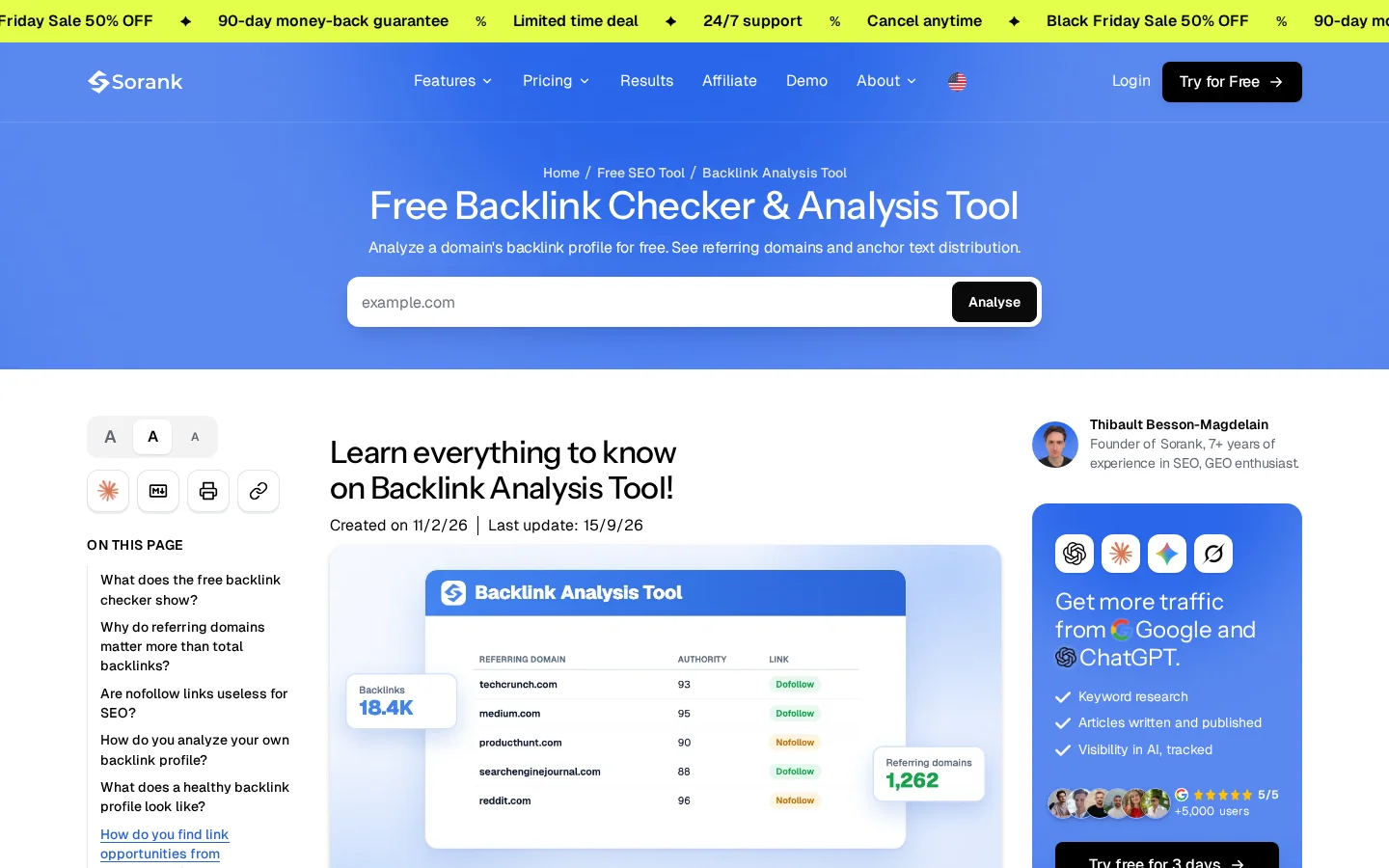
The Backlink Checker shows the anchor, the source page and the target page for each link. It is the quickest way to start the count without building a spreadsheet by hand.
A perfect anchor inside an unrelated paragraph does less work than a plain anchor inside a paragraph about the same subject. The sentence around the link tells the reader why the page is useful. Without it, the link is a bare reference.
To spot it, open five linked pages and read the sentence around each link. If that sentence does not mention the topic of the target page, the link is weak, even if it is dofollow and on a good site.
To fix it, when you pitch a host, offer a short paragraph that fits its article and includes your link. Give the editor the sentence to paste, not only the URL. The audit method for anchors is in Anchor Text Optimization.
This is the group that can get a site into trouble. Google's spam policies list buying, selling and exchanging links for ranking as a violation. The rules are specific, so it helps to know the examples before you accept an offer.
Google's spam policies list "Buying or selling links for ranking purposes", and the examples include "Exchanging money for links, or posts that contain links" and "Sending someone a product in exchange for them writing about it and including a link". A paid placement can exist, but it must not pass ranking credit as if it were editorial.
To spot it, look at the offer. Sponsored posts on sites with no real readership, "contributor" pages that link to unrelated businesses, and vendors who promise a fixed high score for a fixed price are all warning signs. Ask the seller where the fee goes and whether the post will be labelled.
To fix it, if you pay for a placement, label the link. Google's own guidance is to mark paid links with rel="sponsored", and it accepts rel="nofollow" too. The full list of what counts as a paid link, and the safer options, is in Should You Buy Backlinks?
<a href="/affiliate" rel="sponsored">partner offer</a>
<a href="/review" rel="nofollow">independent review</a>
Note
Google's documentation on qualifying outbound links says to use sponsored for paid links, ugc for user-generated links such as comments and forum posts, and nofollow when the other values do not apply. These are hints about how Google should treat a link, not a guarantee, so the label does not make a bad placement safe.
"I link to you, you link to me" is not a violation on its own. A single swap between two relevant sites is a small event. The problem starts when swaps become a pattern: partner pages with dozens of unrelated sites, or a contract that requires a link back. Google lists "Excessive link exchanges" and "partner pages exclusively for the sake of cross-linking", and it lists "Requiring a link as part of a Terms of Service, contract, or similar arrangement".
To spot it, count the reciprocal pairs in your profile. Check each partner page you linked to and ask whether a reader would expect to see that list. Search your own contracts and agency briefs for any clause that asks for a link.
To fix it, stop making links a condition. Replace swaps with editorial offers: the other site gets a useful resource, a data point or a fix for a broken page, and a link inside the content, with no requirement to link back. The exchange model is covered in Backlink Exchange: What It Is, Why Google Calls It a Link Scheme and What to Do Instead.
Warning
Do not clean up a scheme by uploading a disavow file first. Google's disavow documentation says the tool is "an advanced feature" that should be "used with caution", and that it can "harm your site's performance" if used incorrectly. Use it only after you have a real list of spammy links, as explained in Toxic Backlinks: How to Spot Them, and When Disavowing Is Actually Needed.
Is this link a risk? Check before you accept it
A link can be earned and still be wasted. A target that returns an error, a redirect chain, or a noindex tag can stop the page from benefiting. Check the technical state of every target before you spend time on outreach.
Links are often won to a URL that returns a 404, redirects through two or three hops, or is blocked by robots.txt. Some of the value is lost along the way, and the page you wanted to lift never receives it.
To spot it, export the target URLs from your link report and check their status codes and redirect paths. Look for 404 and 410 responses, and for redirect chains longer than one hop. The Broken Link Checker and the Redirect Checker can run this check quickly.
To fix it, point links to the final URL. Redirect the old URL straight to the new one with a single 301, and check that the page returns a 200 status. If the page no longer exists, redirect it to the closest relevant page, and ask the site that links to you to update the link when it can. After a fix, check Search Console once a week until the page is clean.
The order of technical checks for a target page
A page with a noindex tag cannot appear in search results, whatever links it receives. A canonical tag that points to another URL tells search engines to treat the other URL as the real page. Either way, the link lands on a page that cannot rank for your keyword.
To spot it, open the source of the target page and search for "robots" and "canonical". This is what you are looking for:
<meta name="robots" content="noindex">
<link rel="canonical" href="/blog-geo-seo/backlink-audit">
If either tag is on a page you want to rank, the links are working for a different URL. This often happens after a template change, when a theme adds noindex to a whole section by mistake.
To fix it, keep noindex off money pages. Set the canonical to the page itself unless you have a real duplicate. Recheck the target pages after any template or theme change, not only once at launch.
Tip
Before you ask for external links, check the internal links that reach the same page. The free Internal Link Analyzer shows which pages on your site link to a given URL, and whether the target gets any internal support at all.
Outreach is where most of the time goes, and where most of the time is wasted. The mistakes here are about the message and the reason to link, not about the tools you use to send it.
"Hi, we have great content, can you link to us?" sent to hundreds of sites gets very few answers. Editors recognise the template in one line, and repeated sends can get your domain marked as spam by email providers and by the editors themselves.
To spot it, check your sent emails and reply rates by template. If every message opens with the same sentence and none names a page on the recipient's site, the template is the problem, not the list.
To fix it, name one specific page on the recipient's site before each pitch, and explain in one sentence what your page adds for their readers. Keep the ask small: a sentence they can paste into an existing article. The before and after is below.
The same pitch, two ways
You ask for links to a thin service page, or to an article with no new information. The editor has no reason to add your URL to a piece about their own topic, so the answer is no, and the outreach effort is lost.
To spot it, ask one question about the page: what fact, tool, dataset, template or example does it contain that a reader would miss without it? If you cannot name it, the page is not ready for outreach.
To fix it, build the linkable asset first. That can be a calculator, a dataset you collected, a template readers can download, or a teardown with your own examples. Then pitch it. If you want to earn links from pages that already link to a broken or missing resource, the approach is in Broken Link Building, and it only works when your page is good enough to replace the dead one.
Once links are live, most teams measure the wrong thing. Counting links, judging a campaign after two weeks, and skipping the baseline are the three errors that show up most often. The table below sets out what to track and the trap that goes with each metric.
| Metric | What it tells you | Common trap |
|---|---|---|
| Referring domains | How many different sites link to you | Counting every link, so ten links from one site look like ten votes |
| Organic clicks to the target page | Whether the page you linked gains search traffic | Checking site-wide traffic, which hides the page |
| Ranking of the target keyword | Whether the page moves for its query | Checking once, instead of tracking a fixed set of queries each week |
| Lost links | Links that have disappeared since the last check | Never checking, so removed links stay in your report |
| Anchor mix | Share of exact-match anchors over time | Judging it from one month of new links |
Referring domains are the number to watch first. Ahrefs notes a correlation between referring domains and traffic, and adds that "correlation does not imply causation". A rise in traffic after a link campaign is a hint, not proof. To judge the effect, keep a fixed list of target pages and queries, record them before the campaign, and compare after the same period. The reasons to count domains, not links, are in Referring Domains: What They Are and Why They Matter More Than Backlinks, and the way to watch for losses is in Backlink Monitoring.
Link building has several methods, and each one carries a different mix of effort, cost and risk. Compare them before you choose, and do not run all six at once, because each needs its own follow-up. Buying links is left out of this list on purpose: it is covered as a risk in Should You Buy Backlinks?
The principle is to write an article for another site in your field, with a link to a relevant page on yours. It works when the host is a real publication with readers, and when the article would be useful without the link. It is easy to scale badly: a paid article for a site with no audience carries the risk described in the paid-links section above.
Use it when you have subject knowledge to share and time to write. The advantage is control over the article and a clear editorial path. The limit is cost and time per link, and the risk that a host accepts anything for money. An example: a logistics firm writes a guide on pallet pricing for a trade magazine and links to its cost calculator. The guide stands on its own, and the link is one reference among many. More on the method is in Guest Posting.
The principle is to find pages that link to a dead resource, and offer your page as a replacement. It works when a good resource has vanished, and when the editor has a reason to update the link. It needs a target page worth linking to, not only a polite email.
Use it when you can find dead links in your niche and you have a page that covers the same subject. The advantage is that you solve a problem for the editor. The limit is that many dead links are not worth replacing, and the search for them takes time. The method is in Broken Link Building.
The principle is to get your page listed on a curated page that gathers useful links on one topic. It works when the resource page is maintained and accepts new entries. Its limit is that many resource pages are old, and their owners may never reply.
Use it when you have a free tool, a guide or a dataset that fits a known list. The advantage is a stable link that stays on the page for years, if the page is maintained. The limit is the small number of relevant lists in most niches. The method is in Resource Page Link Building.
The principle is to publish something new that other writers need to cite: a survey, a test, a benchmark of your own data. It works when the data is real, specific and useful to a journalist's story. It does not work when the data is thin and dressed up as research.
Use it when you have data no one else has, such as customer results with consent, or a test you ran. The advantage is that links come from editors who choose to cite you. The limit is that it takes time to produce and that most attempts get no pickup. An example: a small tool publishes a monthly test of how a feature changes ranking, and bloggers cite the method and the result.
The principle is to recover links you already had. Pages get redesigned, URLs change, and some sites remove links during a rewrite. It works fast because the sites already trust you, and the link existed before.
Use it first, before any new outreach, because it is the cheapest method. The limit is that many lost links are gone for good, and some are removed on purpose. Check redirects first, because a changed URL is the most common reason a link stops counting. The method is in Link Reclamation.
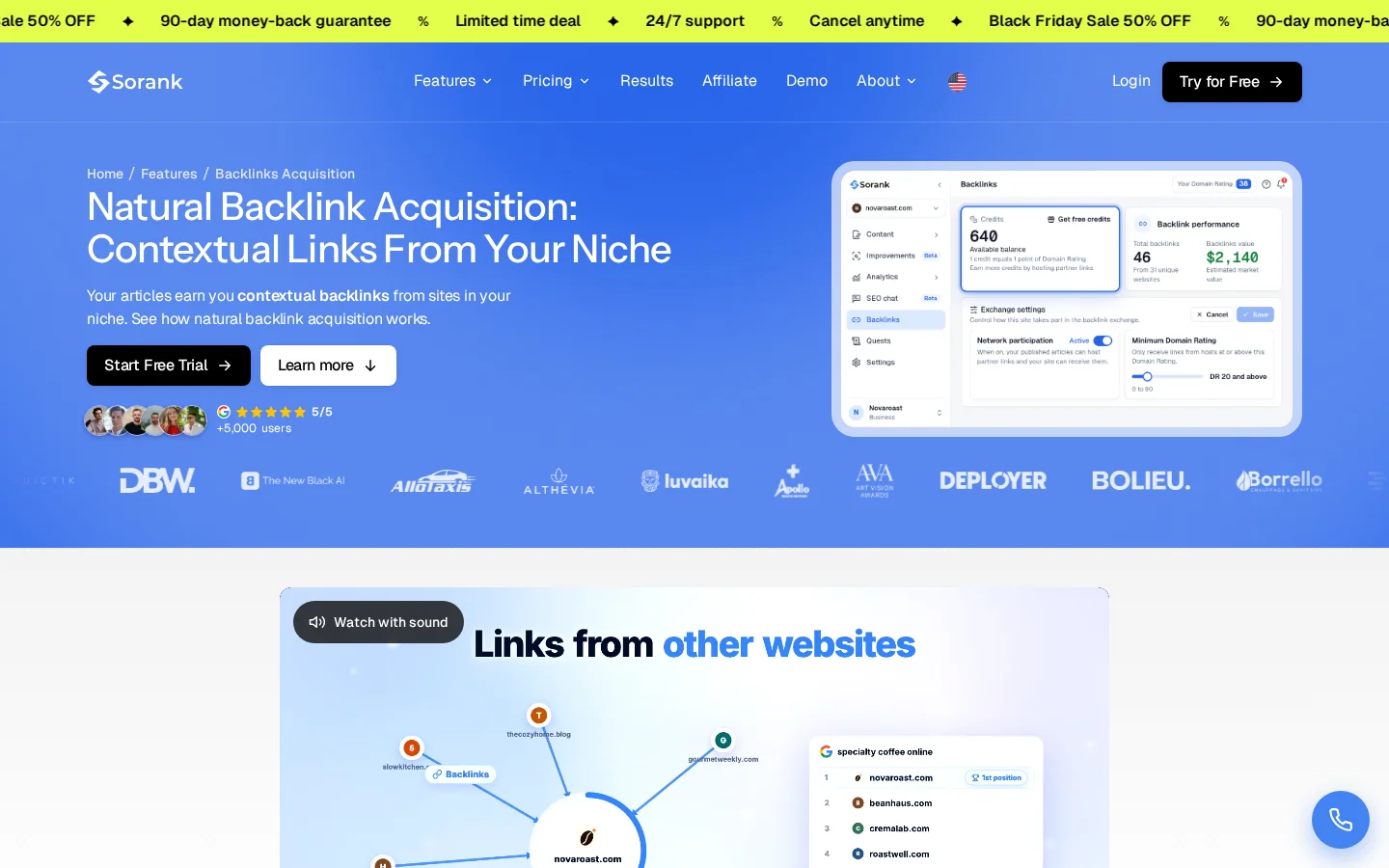
The principle is to be placed in the body of articles on sites that match yours, through a network. Sorank's backlink feature works this way. The public page describes contextual links placed inside published articles, with the link in context and no footer placements. Placements run one way, so there is no direct swap, and Sorank's documentation describes the exchange as credit-based.
The same test still applies to any network. Google's rules cover exchanges of goods or services for links, so a network is not automatically safe. Before you accept any network placement, run the checks from the relevance and paid-links sections: topic match, editorial standard, a link in context, and no condition to link back. The feature is described on the backlinks page.
Tip
Before you pitch anyone, run their backlink profile through the free Backlink Checker. It shows which sites already link to them, and whether those sites are the kind that would also link to you.
| Method | Effort | Cost per link | Main risk | Best when |
|---|---|---|---|---|
| Guest posting | High | Time, sometimes a fee | Paid placements without a label | You have expertise to share |
| Broken link building | Medium | Time for research | Low response rate | You have a page that replaces a dead resource |
| Resource pages | Low to medium | Time | Few relevant lists, slow replies | You have a free tool or guide |
| Original data and digital PR | High | Research and design | Little pickup if the data is thin | You have data others need to cite |
| Reclaiming lost links | Low | Time | Many links are gone for good | You had links that changed or disappeared |
| Contextual network placements | Low | Credits or a subscription | Same rules as any exchange | Your niche has matching sites on the network |
If your link profile was built without a plan, do not start by deleting links. Audit first, then decide. The steps below take an afternoon for a small site and a few days for a large one. Use the backlink audit method for the full process; the summary here is the order to follow.
Export every backlink with its source page, target page, anchor and status. Also export the list of referring domains, which is the number that matters most. Save the export with the date, so you can compare it later.
Sort the target URLs. Count how many links reach the homepage, the money pages, and the blog. If the money pages get almost nothing, you have found the first problem. Write down the one keyword each target page should rank for.
Apply the table from the relevance section to the 20 most important referring domains. Mark each one as keep, watch or review. Do not act on the list yet; the purpose is to see the pattern.
Calculate the exact-match share from the formula in the anchor section. Then check the status code, redirect path, canonical and noindex of every target URL. Fix the broken ones first, because a fix on a target page improves every link that points to it.
Only after the first four steps, decide what to do with links that are off topic, paid without a label, or part of a scheme. Ask the site to remove them, or change them, and keep a record of each request. Use a disavow file only for a considerable number of spammy links, as Google describes it. The process for that is in Toxic Backlinks.
Before you launch the next link campaign
Once the list is clean, you can estimate what the next campaign will cost with the Link Building Cost Calculator, and check how the work fits into your wider plan. The page on what a good link looks like is What Is a Quality Backlink?, and the general view of the topic is in the link building glossary entry. Start with the target page. Everything else gets easier once that one decision is right.
Yes, when the purpose is ranking. Google's spam policies list buying or selling links for ranking purposes, including paid posts and products sent in exchange for a link. Sites that break these rules may rank lower or drop out of results.
There is no fixed number. Count referring domains, the different sites that link to you, and compare them with the sites that already rank for your keyword. Ten links from one site count as one referring domain, and that is the number to track.
Usually not. Google says to disavow only when you have a considerable number of spammy, artificial or low-quality links, or when links have caused or will likely cause a manual action. In most cases Google can assess which links to trust without your help.
We analyse your competitors, your website and your AI visibility to create a tailored content plan for free.
 AI Content Brief Generator
 FAQ Schema Generator
 AI Blog Post Ideas Generator
 Structured Data Validator (Schema Validator)
 Alt Text Checker
 Internal Link Analyzer
 Backlink Challenge
 AI Meta Description Generator
 AI Blog Title Generator
 Google Indexability Checker
 AI Blog Outline Generator
 UTM Link Builder
 Keyword Clustering Tool
 Canonical Tag Checker
 XML Sitemap Generator
 Broken Link Checker
 AI SEO Title Generator
 Headline Analyzer
 SERP Preview Tool
 Redirect Checker
 Hreflang Tag Generator
 Heading Structure Analyzer
 HTTP Headers Checker
 Favicon Extractor
 SERP CTR Calculator
 SEO vs Paid Search Savings Calculator
 SEO Share of Voice Calculator
 SEO ROI Calculator
 SEO Traffic and Revenue Forecast Calculator
 SEO Budget Calculator
 SEO Break-Even Calculator
 SaaS SEO ROI Calculator
 ROAS Calculator
 Reading Time Calculator
 Ranking Gain Simulator
 Organic Traffic Value Calculator
 Organic Traffic Estimator and Website Traffic Checker
 LTV to CAC Ratio Calculator
 Local SEO ROI Calculator
 Link Building Cost Calculator
 Keyword Value Calculator
 Keyword Opportunity Score Calculator
 Keyword Density Calculator
 GEO ROI Calculator
 GEO Content Investment Calculator
 Ecommerce SEO ROI Calculator
 Customer Lifetime Value Calculator
 Customer Acquisition Cost Calculator
 CTR Calculator
 Cost Per Article Calculator
 Conversion Rate Calculator
 Content Marketing ROI Calculator
 ChatGPT Referral Traffic Estimator
 Bounce Rate Calculator
 Backlink ROI Calculator
 AI Visibility Score Calculator
 AI Traffic Value Calculator
 AI Share of Voice Calculator
 Cost of AI Invisibility Calculator
 AI Citation Rate Calculator
 llms.txt Validator
 AI Overview Checker and AI Overviews Rank Checker
 Robots.txt Checker
 AI SEO Audit
 LLM Readability Checker
 SearchGPT Readiness Checker
 Structured Data LLM Audit
 Website Crawlability AI Audit
 Why ChatGPT Is Not Recommending My Website
 Gemini Ranking Tool
 Perplexity Ranking Checker
 LLM Citation Checker
 Answer Engine Optimization Audit
 GEO Audit
 AI Search Visibility Test
 ChatGPT Visibility Checker
 llms.txt Generator
 URL Extractor
 Webpage to Markdown
 Sitemap Checker
 SERP Volatility Sensor
 Page Size Checker
 Word Counter
 Slug Generator
 Schema Generator
 Robots Generator
 OG Preview
 Meta Tags Generator
 Image Compressor
 Favicon Generator
 On-Page SEO Audit: SEO Checker and SEO Analyzer
 Backlink Analysis Tool
 Keyword Research Tool
 Domain Authority Checker
 “I tested Sorank on a real client site and it's insane. It does everything an agency would bill you $1500 a month for. It's going into production on that client now.”

 Guillaume Guersanguersanguillaume.com“We are an Ads agency and we wanted to get our SEO back on track once and for all. Sorank gave us a clear view of our site, helped us prioritize optimizations, and properly structure our content. The tool is easy to use, well designed for a team, and very practical for centralizing tracking without having to juggle multiple platforms. A very solid foundation to start fresh with our SEO.”
 Gaspard MadouiAds Agency
 “I just let the Sorank software do its thing, and now my DR is 25 and my page is ranking higher.”
 Lucas Flandrefoundertrace.fr“I specialized in GEO thanks to Sorank. The GEO Leaderboard allows me to show my clients their position vs competitors on ChatGPT. It’s a real commercial differentiator.”
 MélanieSEO Freelance“Great service, works well for our website and helps us understand how to improve it to rank better on Google and elsewhere. Congrats, keep going, I recommend it.”
 Hugo T.E-commerce merchant