Preferences
Privacy is important to us, so you have the option of disabling certain types of storage that may not be necessary for the basic functioning of the website. Blocking categories may impact your experience on the website. More information

Privacy is important to us, so you have the option of disabling certain types of storage that may not be necessary for the basic functioning of the website. Blocking categories may impact your experience on the website. More information

Toxic backlinks explained: what Google really counts as link spam, warning signs, when the disavow tool helps, how to use it, and how to prevent bad links.


Summarize this article with AI
The term toxic backlinks comes from SEO tools, not from Google. Many tools assign a "toxicity score" that alarms site owners into disavowing hundreds of harmless links. Google's position, set out in its spam policies and its help page on disavowing links, is more nuanced. This guide separates real risk from noise.
Google's spam policies describe link spam as links intended to manipulate rankings. Typical examples:
Note what is missing: a link from a small site, a site in another language, or a site with a low authority metric is not spam in itself. Most of the web is small sites.
No single signal is enough. Look for combinations:
| Signal | Risk | Action |
|---|---|---|
| Exact match commercial anchors repeated across many domains | High | Check whether you or a provider bought them |
| Sites built only to sell links (dozens of unrelated outbound links per article) | High | List them, consider disavow if you paid for them |
| Hacked pages or injected links on unrelated sites | Medium | Usually ignored by Google, monitor |
| Scraper sites copying your content with your links | Low | Ignore |
| Thousands of links from one site (sitewide footer or blogroll) | Low to medium | Ask for nofollow if it was a paid placement |
| Low authority but relevant sites | None | Keep, these are normal links |
The decisive question is: did someone create these links on purpose to manipulate rankings? If you or an agency bought links or joined a link network, the risk is real. If links appeared on their own, Google most likely already ignores the bad ones.
Google recommends disavowing only when two conditions are met: you have a considerable number of spammy, artificial or low quality links pointing to your site, and those links have caused a manual action or are likely to. In practice, this mostly concerns sites with a history of paid links or link schemes.
Disavowing is not neutral: if you disavow good links by mistake, you lose their value. A "toxicity score" from a tool is not a reason on its own.
domain:example.com, or a single page with its full URL.#.Google needs to recrawl the linking pages before the disavow takes effect, which can take weeks.
Try to remove the links first: contact site owners, ask your former provider to take down paid placements. Disavow what you cannot remove. Then submit a reconsideration request in Search Console explaining what happened, what you removed, what you disavowed, and how you will avoid it in future. Documentation counts more than volume.
Negative SEO means a competitor pointing thousands of spammy links at your site to harm it. Google states that its systems are designed to neutralize this kind of link, and in most cases nothing happens. Monitor sudden spikes of linking domains in Search Console, and only consider a disavow if a manual action appears or the links clearly match a scheme.
Most toxic backlinks need no action: Google ignores them. Act only on links that were created to manipulate rankings, and keep the disavow tool for real link schemes or manual actions. To grow authority with editorial links on relevant sites, Sorank's backlinks on autopilot place contextual links within its network of more than 5,000 users, without link schemes. Learn more about what a backlink is worth.

Usually no. Google says its systems identify and ignore most spammy links, so they neither help nor hurt. The real risk concerns sites that bought links or joined link schemes on a large scale, which can receive a manual action visible in Search Console.
Not automatically. Toxicity scores are estimates from third party tools, not Google signals, and they often flag harmless small sites. Review the links manually and disavow only those that are clearly artificial, especially if you or a provider created them.
Google applies a disavow file when it recrawls the linking pages, which can take several weeks or months depending on how often those pages are crawled. Nothing changes immediately, and there is no confirmation beyond the file being accepted in the tool.
 AI Meta Description GeneratorAI Blog Title Generator
 Google Indexability CheckerAI Blog Outline Generator
 UTM Link Builder
 Keyword Clustering ToolCanonical Tag Checker
 XML Sitemap GeneratorBroken Link CheckerAI SEO Title GeneratorHeadline AnalyzerSERP Preview ToolRedirect Checker
 Hreflang Tag GeneratorHeading Structure AnalyzerHTTP Headers CheckerFavicon Extractor
 SERP CTR Calculator
 SEO vs Paid Search Savings Calculator
 SEO Share of Voice Calculator
 SEO ROI Calculator
 SEO Traffic and Revenue Forecast Calculator
 SEO Budget Calculator
 SEO Break-Even Calculator
 SaaS SEO ROI Calculator
 ROAS Calculator
 Reading Time Calculator
 Ranking Gain Simulator
 Organic Traffic Value Calculator
 Organic Traffic Estimator
 LTV to CAC Ratio Calculator
 Local SEO ROI Calculator
 Link Building Cost Calculator
 Keyword Value Calculator
 Keyword Opportunity Score Calculator
 Keyword Density Calculator
 GEO ROI Calculator
 GEO Content Investment Calculator
 Ecommerce SEO ROI Calculator
 Customer Lifetime Value Calculator
 Customer Acquisition Cost Calculator
 CTR Calculator
 Cost Per Article Calculator
 Conversion Rate Calculator
 Content Marketing ROI Calculator
 ChatGPT Referral Traffic Estimator
 Bounce Rate Calculator
 Backlink ROI Calculator
 AI Visibility Score Calculator
 AI Traffic Value Calculator
 AI Share of Voice Calculator
 Cost of AI Invisibility Calculator
 AI Citation Rate Calculatorllms.txt ValidatorAI Overview CheckerRobots.txt Checker
 AI SEO AuditLLM Readability CheckerSearchGPT Readiness Checker
 Structured Data LLM AuditWebsite Crawlability AI AuditWhy ChatGPT Is Not Recommending My Website
 Gemini Ranking ToolPerplexity Ranking CheckerLLM Citation CheckerAnswer Engine Optimization AuditGEO AuditAI Search Visibility TestChatGPT Visibility Checkerllms.txt Generator
 URL ExtractorWebpage to MarkdownSitemap CheckerSERP Volatility SensorPage Size Checker
 Word Counter
 Slug GeneratorSchema GeneratorRobots Generator
 OG PreviewMeta Tags Generator
 Image CompressorFavicon Generator
 On-Page SEO Audit
 Backlink Analysis Tool
 Keyword Research Tool
 Domain Authority Checker
THEY TRIED SORANK BEFORE YOU
 “I tested Sorank on a real client site and it's insane. It does everything an agency would bill you $1500 a month for. It's going into production on that client now.”
 Guillaume Guersanguersanguillaume.com“We are an Ads agency and we wanted to get our SEO back on track once and for all. Sorank gave us a clear view of our site, helped us prioritize optimizations, and properly structure our content. The tool is easy to use, well designed for a team, and very practical for centralizing tracking without having to juggle multiple platforms. A very solid foundation to start fresh with our SEO.”
 Gaspard MadouiAds Agency
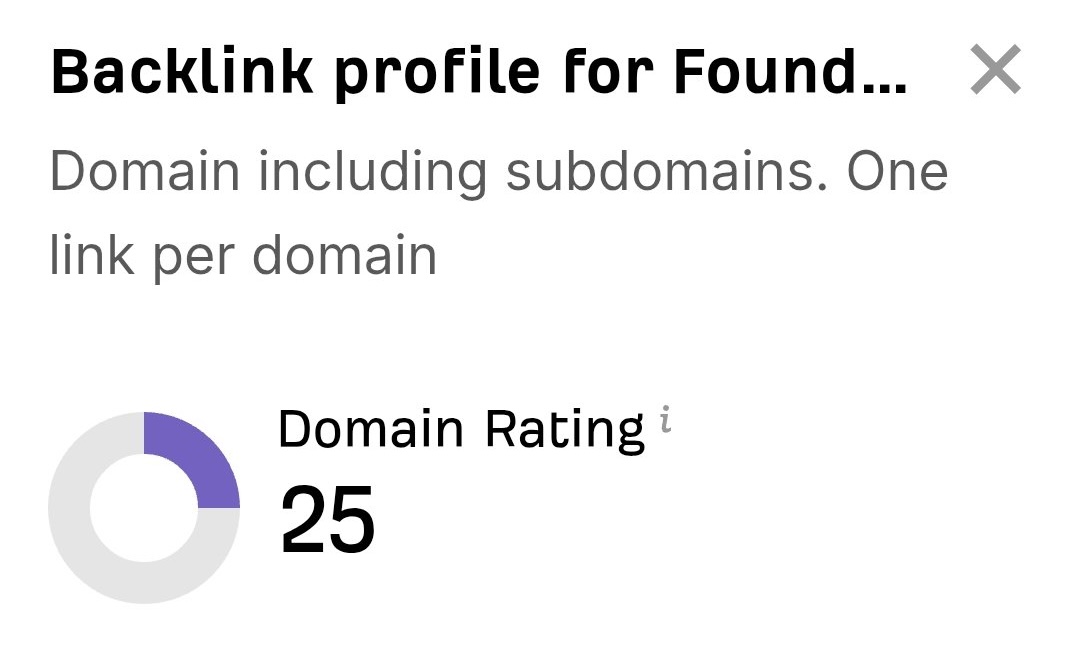 “I just let the Sorank software do its thing, and now my DR is 25 and my page is ranking higher.”
 Lucas FlandrePodcast Host“I specialized in GEO thanks to Sorank. The GEO Leaderboard allows me to show my clients their position vs competitors on ChatGPT. It’s a real commercial differentiator.”
 MélanieSEO Freelance“Great service, works well for our website and helps us understand how to improve it to rank better on Google and elsewhere. Congrats, keep going, I recommend it.”
 Hugo T.E-commerce merchant