Preferences
Privacy is important to us, so you have the option of disabling certain types of storage that may not be necessary for the basic functioning of the website. Blocking categories may impact your experience on the website. More information
Privacy is important to us, so you have the option of disabling certain types of storage that may not be necessary for the basic functioning of the website. Blocking categories may impact your experience on the website. More information

Learn how link building management works: track every outreach, verify live links, score their quality, recover lost ones and stay within Google's rules.

Tools

In short
Link building management is everything that happens after a link is earned or bought: tracking each outreach, confirming the link is live, checking its anchor and host quality, and recovering it when it disappears. Keep one table with one row per link, give every row a dated status, and review the whole list each month. Most link problems come from links nobody was tracking.
Want to go further? Ask
Quick quiz
How should you get links from other websites?
Sorank matches your answers


Test it for 3 days on your own site and see where you stand on Google, ChatGPT and the other AIs.
Start 3-day free trial3 days free, then stop whenever you want. 90-day results guarantee, conditions apply.
Link building is the work of getting links to your site. Link building management is the work of knowing what you have. If you ran outreach, you know a site said yes. Management tells you whether the page went live, which anchor it uses, whether the link still exists three months later, and whether it still helps the page you wanted to help. If you need the basics first, our definition of link building covers them. This article covers the part that comes after.
| Question | Link building | Link building management |
|---|---|---|
| Goal | Earn new links | Keep, measure and protect the links you already have |
| Output | Outreach emails, placements, guest articles | A status table, an anchor report and a list of lost links |
| Rhythm | Campaign by campaign | Every month, for as long as each link is live |
| Typical owner | An outreach specialist or a writer | The person who owns the SEO budget |
| Main risk | Paying for weak placements | Ignoring a link that became harmful or disappeared |
The two jobs overlap, and small teams often do both. The mistake is to treat management as an afterthought. A link you never check is a link you cannot defend. It is also a link you cannot explain when a partner changes its page, when a client asks what you bought, or when you audit your profile a year later.
Automation changes the balance. Our article on automated link building covers what you can hand to software. This one covers the control layer you keep, whatever tools you use.
Every link you manage should sit in one of six states. Naming them is the cheapest discipline you can add to a link program. A status that nobody updates is worse than no status, because it looks reliable while it is wrong.
The six states of a link

Verification is the step most teams skip. A status of Live only proves the link was there on the day someone looked. To verify a link, open the live page and search its source for your target URL. Then check three things.
First, the link points to the exact address you agreed on, not to a redirect or a similar page. Second, the attribute matches the deal. A followed link has no rel value, while a marked placement should carry rel="sponsored" or rel="nofollow". Third, the page returns a normal status code and carries no noindex directive. A noindexed page can hide the link from search engines, and a page blocked by robots.txt may never be crawled at all.
Only then move the row to Verified and write the date. If you cannot find the link, the row is not Live, whatever the host says.
There is no single right tool. Each method below fits a different team size and link volume. Pick the lightest one that stops you losing track, then move up when the current one starts to slow you down.
Principle. One table, one row per link, shared by everyone who touches links. When to use it. One or two people and a few active campaigns. Advantages. It is free, flexible and easy to filter by status or host. Limits. It has no reminders and no history per contact, and the data drifts as soon as two people edit it differently. Example. A sheet with a tab for prospects and a tab for live links, plus a filter that shows every row whose last check is older than a month.
Principle. A relationship database where each contact has a message history and each campaign has a pipeline. When to use it. Several people contact sites, or you keep long relationships with the same hosts. Advantages. Reminders, duplicate detection and a record of who said what. Limits. A subscription, a learning curve, and the temptation to measure messages sent instead of links kept. Example. A site owner is contacted in March, followed up twice, agrees in May and asks for a different anchor. The history stays with the contact, not in someone's inbox.
Principle. The tool checks the pages where you hold links and reports changes. When to use it. You already have dozens of live links, and the main risk is losing them. Advantages. It detects removed links and changed attributes without anyone opening the pages. Limits. It only sees the links you give it, so it does not replace prospecting. It can also flag a link as lost when the page is only temporarily down. Example. A weekly alert that a placement now carries nofollow, received before the next report.
Principle. A platform or an agency holds the list, the outreach and the reporting, and you read the output. When to use it. You lack in-house capacity, or you buy links through a partner. Advantages. Less work for you, and sometimes access to placements you could not reach alone. Limits. You depend on the quality of the reporting. A report that shows only a count and an average authority score tells you little about where those links sit. Example. A monthly export with the URL, anchor, host and status of every placement, which you re-check on a sample.
| Method | Best for | Reminders | History per contact | Cost | Main limit |
|---|---|---|---|---|---|
| Spreadsheet | One or two people, few campaigns | No | No | Free | Drifts as it grows |
| Outreach CRM | Teams running outreach | Yes | Yes | Subscription | Measures activity, not links kept |
| Monitoring tool | Protecting many live links | Alerts | No | Subscription | Only sees the links you list |
| All-in-one or vendor | Teams without spare capacity | Depends on the provider | Depends on the provider | Service fee | Output you cannot audit alone |
Spreadsheet or CRM: which one first?
This is the method we would use on a fresh link program. It takes an afternoon, and it works in a spreadsheet or a CRM, because the fields are the same.
Use one table for the whole program. Give it these columns, in this order, so that exports and imports stay consistent between tools.
site,contact,date_contacted,status,anchor,target_page,host_dr,dofollow,date_live,last_check,notesEach row is one link, not one contact. A site owner who hosts three links gets three rows, because each page can change or disappear on its own.
Use the six states from the lifecycle section: Prospect, Contacted, Agreed, Live, Verified and Lost. Add Refused when a host says no, because a refusal is information, not a gap. Do not let people type their own words. "Done", "ok" and "live" become three statuses that no filter can group. Use a dropdown or a fixed list in your CRM.
| Status | What it means | Who changes it |
|---|---|---|
| Contacted | The first message is sent | The outreach owner |
| Agreed | The host confirmed in writing, with URL and anchor | The outreach owner |
| Live | The link appears on the published page | The outreach owner, from the host's notice |
| Verified | You checked the source, the attribute and the page status | The person doing the monthly review |
| Lost | The link is gone, changed or blocked, with a reason in notes | The person doing the monthly review |
Write the agreed URL, anchor and attribute on the day the host confirms. If the host changes the anchor later, you can see the difference. If the agreement lived only in an email thread, nobody can check it six months on. Our guide to email outreach covers the messages themselves, but the record belongs in the table.
Write the date of every status change. Fill date_live when you verify the link, not when the host says the article is published. That difference is the reason the verification step exists.
Set a monthly review with a named owner. In each review, check every live row, update last_check, and move any row that fails to Lost. Put the review in a shared calendar. A review without an owner tends to happen once.
Tip
Fill the notes column for every Lost or Refused row. After three months, the reasons show which pitch, which type of host or which page template causes trouble.
Before and after one tracking table
Tracking tells you a link exists. Scoring tells you whether it helps. Ask the same questions for every new placement, and again when a link has been live for a while, because hosts change owners, topics and templates.
| Criterion | Good sign | Warning sign |
|---|---|---|
| Topic fit | The host covers your niche, and the article discusses your topic | An unrelated page, or a page that is mostly a list of links |
| Host strength | An authority score at or above the sites that compete with you, measured with one metric | A sudden jump in links, or a score that does not match the site's visible quality |
| Placement | Inside the body text, next to the words it supports | In a footer, a sidebar or a block of links at the bottom |
| Anchor | Varied, natural phrases, with your brand and topic phrases | The same exact-match phrase on every link |
| Page health | Indexable, normal status code, no noindex | Error pages, redirect chains, noindex or blocking directives |
| Outbound links | A few relevant external links on the page | Dozens of unrelated outbound links on the same page |
One link with an exact-match anchor is normal. A profile where most links share the same exact phrase is a pattern, and patterns are what you need to see. Export your anchors once a quarter. Group them into brand names, bare URLs, generic phrases such as "click here", and topic phrases. Then check the shares. The full method is in our guide to anchor text optimization.
Compare hosts with one metric only. Ahrefs Domain Rating, Moz Domain Authority and the Semrush Authority Score are built differently, so a DR of 40 and a DA of 40 do not mean the same thing. Also look at the host's outbound pattern. If the same few partners appear on every page, or if a host links to dozens of unrelated sites, its score may overstate its value to you. Our backlink audit guide shows how to review a whole profile with the same questions.
Links disappear for ordinary reasons. The page is deleted or rewritten. The article moves to a new address without a redirect. The host site closes. A partner changes your link to nofollow or drops the anchor during an edit. Sometimes the host is hacked and spam appears around your link. Each cause needs a different response, so write the reason down when you find one.
Take every Live and Verified row, open each target page, and confirm the link is still there. For a short list, this is a manual job. For a long one, use a monitoring tool or a crawler that accepts a list of URLs and reports whether your link appears on each page. Then update last_check.
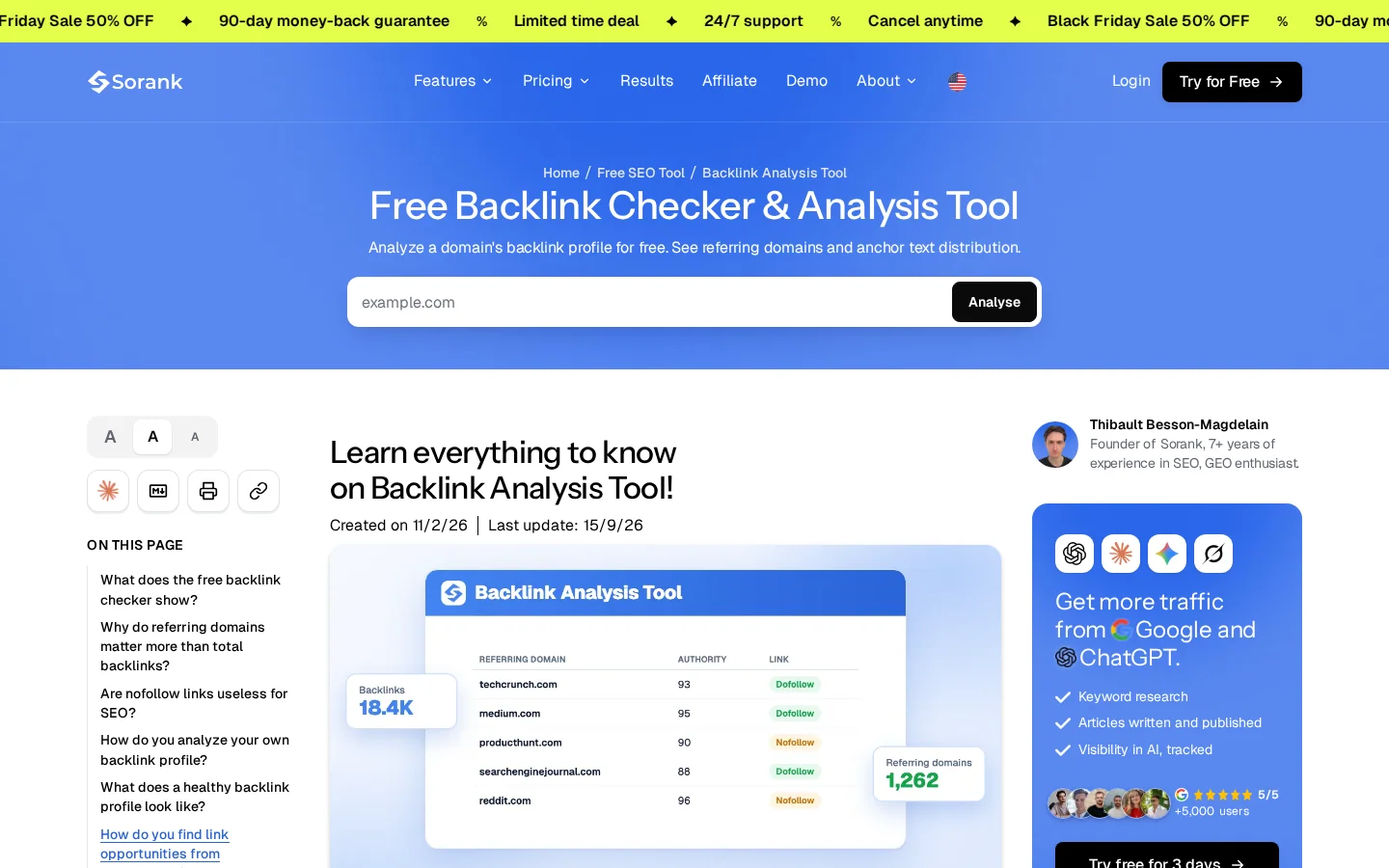
Before you start, look at your own domain and at two competitors with the free checker. It shows the links pointing to a domain, which gives you a baseline for the monthly review.
The Links report in Google Search Console is a useful cross-check for what Google has discovered. It does not confirm that a specific placement you agreed on is still live, so keep your own check.
Monthly link review
Our article on backlink monitoring goes deeper on alert setups and on what to track beyond the link itself.
Most link programs depend on someone else: a freelancer who writes guest articles, an agency that places links, or a platform that matches your site with hosts. The management rules stay the same. The difference is that you lose direct control, so the rules must be written down before the work starts.
Specify the page URL, the anchor, the attribute, the publication date and what happens if the link disappears during a period you agree on. Ask that the page stays live and indexable. Name the report where placements are listed, and make that report the source for your tracking table, not a separate document.
A monthly report should list each placement with its URL, anchor, host and status. If it shows only totals and averages, ask for the list. The list is what lets you verify the work, and it is also what you keep if you change vendor.
Vendor summary or your own table?
Budget for the links you actually receive and keep. Before you commit, estimate the cost of each link you plan to keep for a year, not only the price of the first placement. Lost links cost money twice, once to earn them and once to replace them. Our link building cost calculator helps you set that budget. Agree on what you pay for: a verified live link, not a sent email.
Management is also a compliance job. Google's spam policies, published by Google Search Central, list the link schemes Google considers spam. A tracking table is the easiest place to notice when your program drifts toward one. The page defines link spam as "the practice of creating links to or from a site primarily for the purpose of manipulating search rankings". Its examples include buying or selling links for ranking purposes, excessive link exchanges, automated programs that create links, and widely distributed links in footers or templates. It also says that buying and selling links is not a violation when the links use rel="nofollow" or rel="sponsored".
The Google Search Central guide to qualifying outbound links describes three values. rel="sponsored" flags advertisements and paid placements. rel="ugc" flags user-generated content such as comments and forum posts. rel="nofollow" is the catch-all, for when the other two do not apply. Use the value that matches the placement you agreed, and check it during verification.
<a href="https://developers.google.com/search/docs/crawling-indexing/qualify-outbound-links" rel="sponsored">partner guide</a>| Value | Use it for | Typical case in your table |
|---|---|---|
| sponsored | Advertisements and paid placements | A placement you paid for or a sponsored article |
| ugc | User-generated content | A link in a comment, a forum post or a community profile |
| nofollow | Any other case you do not want to endorse | A link you accept but do not want to pass ranking signals |
Google's help page on the disavow tool says that most sites will not need it, because Google can usually decide which links to trust. Use the tool if you have a manual action for unnatural links to your site, or if you think one is coming. Even then, Google recommends removing spammy or low-quality links yourself first. The file is a plain text file encoded in UTF-8 or 7-bit ASCII, with one URL or domain per line. Lines starting with # are comments.
# Partner network reviewed in the monthly check, owner did not respond
domain:spam-network.example
https://low-quality.example/links-page.html
Warning
A disavow file is not a cleanup button. Uploading one for links you simply dislike does not remove them from your profile, and it tells Google to ignore those links. Keep the file in your tracking table with the date and the reason for every entry.
Most failures are not technical. They come from habits that let the table drift away from the live web. The table below gives a quick view, and each mistake is described after it.
| Mistake | How it shows | Fix |
|---|---|---|
| Tracking contacts, not links | Fewer rows than live pages | One row per link, with a contact column |
| Counting unverified placements | Live rows with no last_check date | Pay and report on Verified |
| Letting the anchor profile drift | One exact phrase dominates the export | Brief a different anchor per placement |
| Trusting a summary with no URLs | The report has no page you can open | Make the URL list a condition of payment |
| Never rechecking a link | Empty or old last_check values | A monthly review with an owner |
| Keeping a link after the host changed | Unrelated links or odd text around yours | Ask for removal, then log it |
| Reciprocal swaps that form a network | The same domains link to you and you link back | Stop swaps, keep one-way links |
What it is. The table has one row per site owner. When the owner hosts two links, only one shows up, and the other is untracked.
How to spot it. Count the rows against the number of pages you know are live. Any gap is a link you are not watching.
How to fix it. Split the rows by target page. Keep the contact in its own column, so one person can have several rows.
What it is. The report counts a placement as a success when the host says it is published. Sometimes the link sits in a draft, or the attribute is not what was agreed.
How to spot it. Look for Live rows with an empty last_check. Those rows were never checked against the page.
How to fix it. Keep Verified as its own status. Report on Verified, and tie payment to it when you can.
What it is. Every partner receives the same request for one keyword, so anchors pile up on a single exact phrase.
How to spot it. In a quarterly anchor export, one exact-match phrase makes up most of the total.
How to fix it. Brief an anchor for each placement, offer brand names or natural phrases, and stop repeating the same request.
What it is. The summary shows a count and an average score, and nothing you can open.
How to spot it. You cannot find a single URL in the report, or the URLs do not match your own table.
How to fix it. Make the URL list a condition of payment. Compare that list with your table every month.
What it is. The link was verified once, a long time ago, and nobody has looked since.
How to spot it. The last_check value is empty, or older than your review cycle.
How to fix it. Run the monthly check with a named owner. If the list is long, automate the check and keep the human review for the rows that fail.
What it is. The host site was sold, hacked or turned into a directory. Your link now sits among unrelated outbound links, or next to spam.
How to spot it. The page carries unrelated outbound links, odd text or a new topic that has nothing to do with the original article.
How to fix it. Ask for removal and log the answer. If the link stays and the host is a clear part of a spam pattern, review the disavow option described above, and use it only for that case.
What it is. You agree to link to a partner in return for its link, and the same group of sites keeps linking to each other in both directions.
How to spot it. The same domains appear among your inbound links and your outbound links, forming loops.
How to fix it. Stop reciprocal swaps. Keep your partners in a list with a simple rule: one-way links only. Read our article on backlink exchange for the risks in detail.
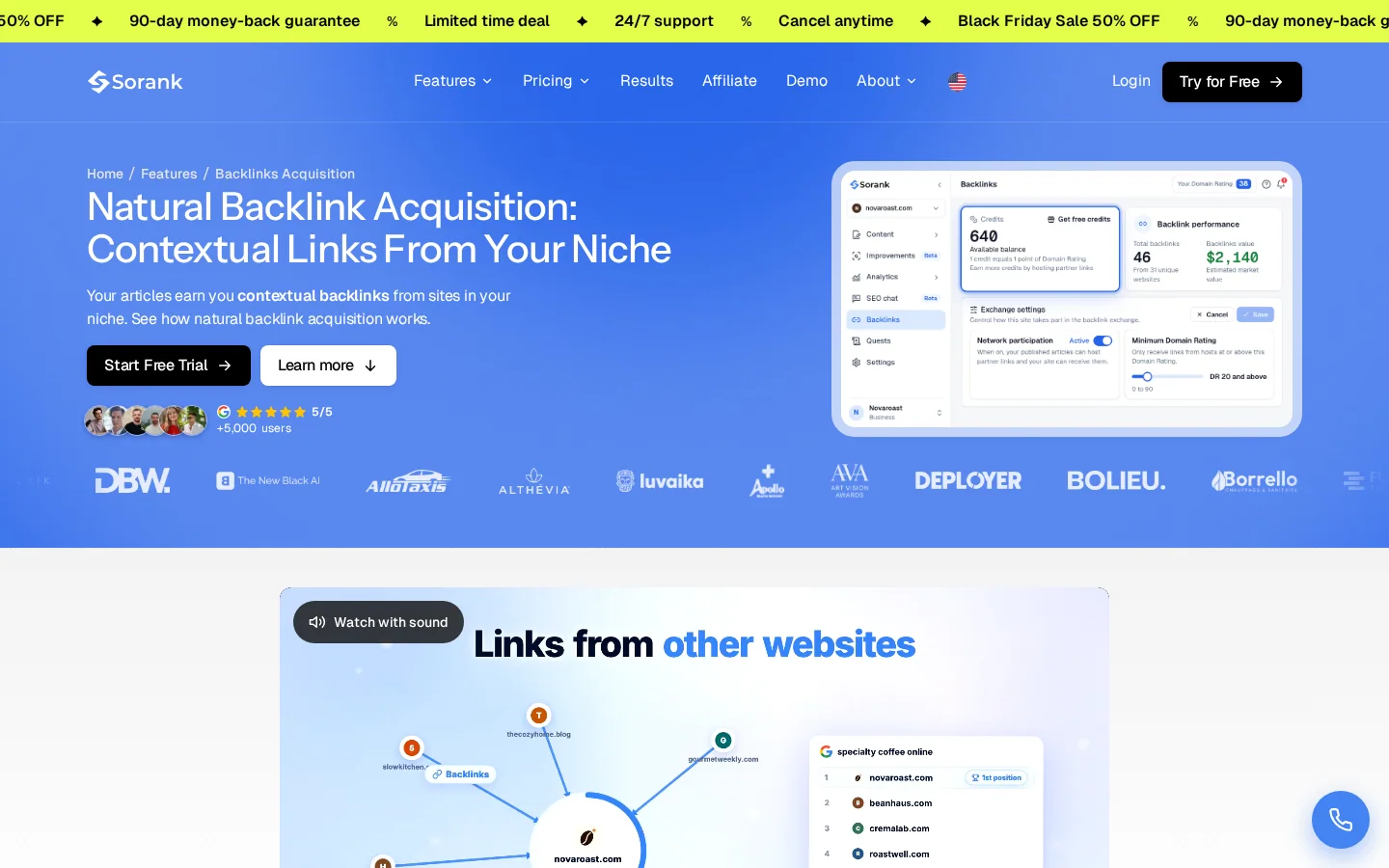
Sorank's natural backlink acquisition covers part of the placement side. It places one-way, contextual links inside published articles of sites in your niche. You set the minimum Domain Rating a site needs before it can link to you, and you can refuse a link placed in your own articles. Each received link appears with its page, its anchor, the host's Domain Rating and its status, from Published to Verified.
It takes over part of the prospecting work. It does not take over the tracking discipline described above. No link building method is risk-free, so keep verifying, scoring and reviewing, whatever tools you use.
Tip
Run the free Backlink Checker on your domain before you change anything, and save the results with today's date. That snapshot is the baseline your first monthly review compares against.
Link building management is the ongoing work after a link is earned or bought: tracking outreach, confirming the link is live, checking its anchor and quality, and recovering it when it disappears. It turns a list of links into a system you can measure and defend.
Start with a spreadsheet if you have a few active links and one person managing them. Move to an outreach CRM once several people contact sites, or when you need reminders and a history per contact. The tool matters less than one row per link and a dated status.
First check the page, because it may have moved, been updated, or switched to nofollow. If the link is gone, ask the site owner politely to restore it, or offer an updated resource on the same topic. Log the reason, and do not buy a replacement without checking its quality first.
Link building management is the ongoing work after a link is earned or bought: tracking outreach, confirming the link is live, checking its anchor and quality, and recovering it when it disappears. It turns a list of links into a system you can measure and defend.
Start with a spreadsheet if you have a few active links and one person managing them. Move to an outreach CRM once several people contact sites, or when you need reminders and a history per contact. The tool matters less than one row per link and a dated status.
First check the page, because it may have moved, been updated, or switched to nofollow. If the link is gone, ask the site owner politely to restore it, or offer an updated resource on the same topic. Log the reason, and do not buy a replacement without checking its quality first.
We analyse your competitors, your website and your AI visibility to create a tailored content plan for free.
 AI Content Brief Generator
 FAQ Schema Generator
 AI Blog Post Ideas Generator
 Structured Data Validator (Schema Validator)
 Alt Text Checker
 Internal Link Analyzer
 Backlink Challenge
 AI Meta Description Generator
 AI Blog Title Generator
 Google Indexability Checker
 AI Blog Outline Generator
 UTM Link Builder
 Keyword Clustering Tool
 Canonical Tag Checker
 XML Sitemap Generator
 Broken Link Checker
 AI SEO Title Generator
 Headline Analyzer
 SERP Preview Tool
 Redirect Checker
 Hreflang Tag Generator
 Heading Structure Analyzer
 HTTP Headers Checker
 Favicon Extractor
 SERP CTR Calculator
 SEO vs Paid Search Savings Calculator
 SEO Share of Voice Calculator
 SEO ROI Calculator
 SEO Traffic and Revenue Forecast Calculator
 SEO Budget Calculator
 SEO Break-Even Calculator
 SaaS SEO ROI Calculator
 ROAS Calculator
 Reading Time Calculator
 Ranking Gain Simulator
 Organic Traffic Value Calculator
 Organic Traffic Estimator and Website Traffic Checker
 LTV to CAC Ratio Calculator
 Local SEO ROI Calculator
 Link Building Cost Calculator
 Keyword Value Calculator
 Keyword Opportunity Score Calculator
 Keyword Density Calculator
 GEO ROI Calculator
 GEO Content Investment Calculator
 Ecommerce SEO ROI Calculator
 Customer Lifetime Value Calculator
 Customer Acquisition Cost Calculator
 CTR Calculator
 Cost Per Article Calculator
 Conversion Rate Calculator
 Content Marketing ROI Calculator
 ChatGPT Referral Traffic Estimator
 Bounce Rate Calculator
 Backlink ROI Calculator
 AI Visibility Score Calculator
 AI Traffic Value Calculator
 AI Share of Voice Calculator
 Cost of AI Invisibility Calculator
 AI Citation Rate Calculator
 llms.txt Validator
 AI Overview Checker and AI Overviews Rank Checker
 Robots.txt Checker
 AI SEO Audit
 LLM Readability Checker
 SearchGPT Readiness Checker
 Structured Data LLM Audit
 Website Crawlability AI Audit
 Why ChatGPT Is Not Recommending My Website
 Gemini Ranking Tool
 Perplexity Ranking Checker
 LLM Citation Checker
 Answer Engine Optimization Audit
 GEO Audit
 AI Search Visibility Test
 ChatGPT Visibility Checker
 llms.txt Generator
 URL Extractor
 Webpage to Markdown
 Sitemap Checker
 SERP Volatility Sensor
 Page Size Checker
 Word Counter
 Slug Generator
 Schema Generator
 Robots Generator
 OG Preview
 Meta Tags Generator
 Image Compressor
 Favicon Generator
 On-Page SEO Audit: SEO Checker and SEO Analyzer
 Backlink Analysis Tool
 Keyword Research Tool
 Domain Authority Checker
 “I tested Sorank on a real client site and it's insane. It does everything an agency would bill you $1500 a month for. It's going into production on that client now.”

 Guillaume Guersanguersanguillaume.com“We are an Ads agency and we wanted to get our SEO back on track once and for all. Sorank gave us a clear view of our site, helped us prioritize optimizations, and properly structure our content. The tool is easy to use, well designed for a team, and very practical for centralizing tracking without having to juggle multiple platforms. A very solid foundation to start fresh with our SEO.”
 Gaspard MadouiAds Agency
 “I just let the Sorank software do its thing, and now my DR is 25 and my page is ranking higher.”
 Lucas Flandrefoundertrace.fr“I specialized in GEO thanks to Sorank. The GEO Leaderboard allows me to show my clients their position vs competitors on ChatGPT. It’s a real commercial differentiator.”
 MélanieSEO Freelance“Great service, works well for our website and helps us understand how to improve it to rank better on Google and elsewhere. Congrats, keep going, I recommend it.”
 Hugo T.E-commerce merchant