Preferences
Privacy is important to us, so you have the option of disabling certain types of storage that may not be necessary for the basic functioning of the website. Blocking categories may impact your experience on the website. More information

Privacy is important to us, so you have the option of disabling certain types of storage that may not be necessary for the basic functioning of the website. Blocking categories may impact your experience on the website. More information

Link reclamation step by step: find backlinks lost to 404s, bad redirects or removals, fix what you control and win back the rest with a short email.

Tools

In short
Link reclamation means recovering backlinks you already earned but no longer benefit from: links pointing to pages that now return a 404, links lost behind bad redirects, and links a site removed or changed. Most of the value comes back without asking anyone, by restoring the page or adding a 301 redirect to its closest equivalent. The rest takes a short, specific email to the site owner. It is usually the cheapest link building there is, because the linking site already chose you once.
Want to go further? Ask
Quick quiz
How should you get links from other websites?
Sorank matches your answers


Test it for 3 days on your own site and see where you stand on Google, ChatGPT and the other AIs.
Start 3-day free trial3 days free, then stop whenever you want. 90-day results-or-refund guarantee.
Link reclamation matters because links decay constantly. A Pew Research Center study, When Online Content Disappears (May 2024), found that 38% of webpages that existed in 2013 were no longer accessible a decade later, and that 23% of news webpages contained at least one broken link. Every redesign, deleted page and changed URL on your side, or on the sites that cite you, quietly removes authority you earned. This guide shows how to find those losses, which ones to fix first and how to recover them.
Link reclamation is the process of finding backlinks that no longer pass value to your site and restoring them. It differs from link building: instead of asking for a new link, you repair an existing relationship. That is why success rates are higher than cold outreach and why many fixes need no outreach at all.
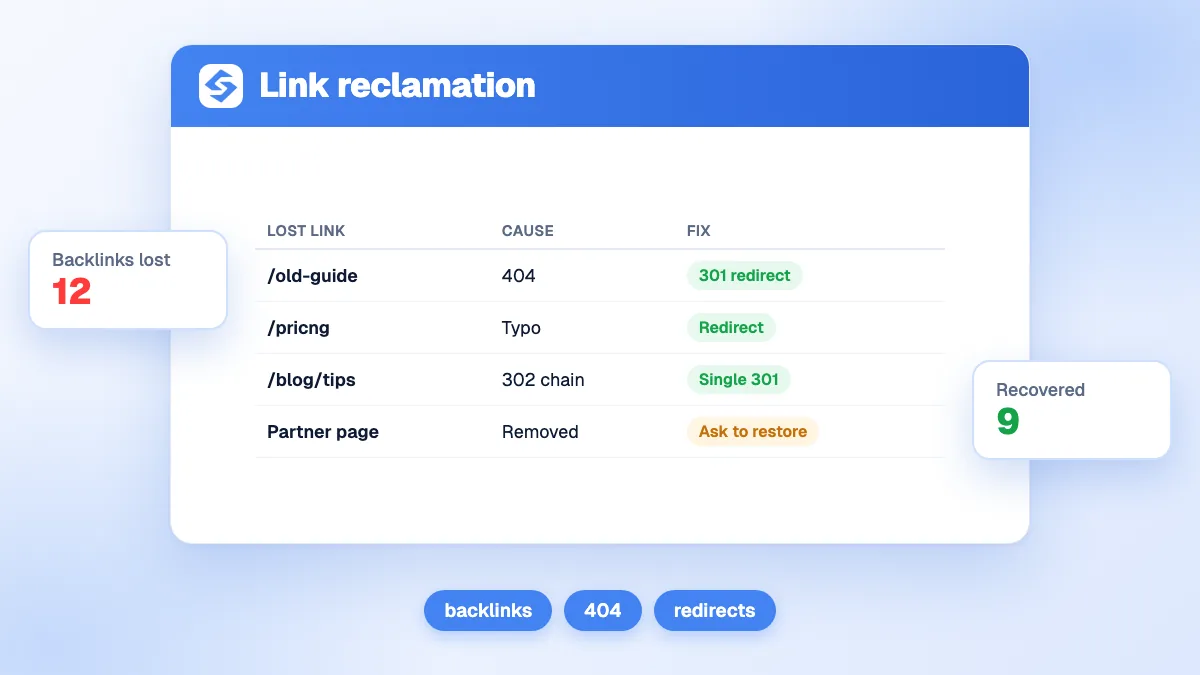
Not every case calls for the same fix. The table sorts the five situations you will meet.
| Situation | How you spot it | Fix | Who acts |
|---|---|---|---|
| Link points to a page of yours that returns 404 or 410 | Linked URLs in Search Console or a backlink tool return an error | Restore the page or 301 it to the closest equivalent | You |
| Link goes through a redirect chain or a temporary redirect | Several hops, or a 302 where the move is permanent | Point the old URL straight to the final page with a 301 | You |
| Link contains a typo (wrong slug, missing letter) | An odd URL that never existed appears among your linked pages | Redirect the typo URL, or ask for a correction | You, or the site owner |
| Link removed or replaced during an update | The page is live but your link is gone | Ask the editor, with a reason the link helps their reader | The site owner |
| Brand mentioned without a link | Your name appears in the text, with no anchor | Ask for a link (a separate tactic) | The site owner |
The last row is often grouped with link reclamation, but it is a different job: the link never existed. We cover it in our guide to unlinked brand mentions. This article focuses on links that existed and were lost or broken.
Most losses come from your own site, which is good news, because you can fix them alone:
The other losses happen on the linking site: an article is rewritten and your link disappears, the page is deleted, the site closes or changes owner. Those you cannot control, but you can detect them early and react while the editor still remembers why they linked to you.
Work from two lists: the pages of yours that receive links, and the links themselves. Then compare them with the HTTP status of each target.
Start with Google's own data. The Search Console Links report lists your top linked pages, your top linking sites and the most common anchor text. Its export of latest links goes up to 100,000 rows, sorted by discovery date. Keep its limits in mind: it is a sample, tables show at most 1,000 rows, and it does not say which links are nofollow. Complete it with a third-party index such as Semrush, Ahrefs or Moz, or with our free backlink analysis tool.
Take the list of your linked URLs and test each one. Anything that returns a 4xx code is a lost link waiting to be reclaimed. Our broken link checker flags the errors, and the redirect checker shows each hop of a redirect, its status code and the final destination. Google's documentation on HTTP status codes explains what is at stake: URLs that return a 4xx code are removed from the index, a 301 is a strong signal that the target should be processed, a 302 only a weak one, and Google's crawlers follow up to 10 redirect hops.
In the Page indexing report, the "Not found (404)" reason lists URLs Google tried to crawl on your site. Many of them come from external links, including typo URLs that never existed. Cross them with the Links report to see which ones have referring domains.
Lost links on other sites only show up if you compare snapshots over time. Set up the routine described in our guide to backlink monitoring: a monthly export, a diff against the previous one, and a check of each lost referring domain to see whether the page changed, moved or died.
Tip
Do not treat every lost link equally. Sort the list by the authority of the linking domain and by the traffic the old page used to receive, then fix the top 20 first. A domain authority tracker helps you see whether the recovery moves your overall authority.
These are the fastest wins, because you need nobody's permission. For each linked URL that returns an error, pick one of three answers:
Then clean the redirects you already have. Each old URL should point in one hop to its final destination, with a permanent code. Google's guide to site moves with URL changes recommends permanent server-side redirects (301 or 308) and keeping them "for as long as possible, generally at least 1 year". From the user's point of view, it suggests keeping them indefinitely.
Watch out
Redirecting every dead URL to the home page is the classic shortcut, and a poor one. A visitor who clicked a link to a specific guide lands on a page that does not answer, and Search Console often reports such redirects as soft 404s. Map each URL to a relevant page, or let it return a 404.
When the fix sits on the other site (a typo in your URL, a link removed during an update, a link to a page you moved before you had redirects), a short message works better than a long pitch. Our guide to email outreach covers the method; for reclamation, three rules matter:
Hi [first name], your article "[title]" links to our guide on [topic], but the URL changed and the link now leads to an error page. The current address is [new URL]. Updating it would send your readers to the right page. Thanks for the mention in the first place.
Send it from a real person's address, to the author or editor rather than a generic contact form. For removed links, explain what your page adds for their reader today; editors replace links when they find a better source, so show that yours still is one.
A lost link existed and stopped working. An unlinked mention never had a link: a journalist or a blogger named your brand without linking to you. Both are worth working on, but the second one has a value of its own even if you never get the link. ChatGPT, Perplexity and Gemini build their answers from what the web says about a brand, so a mention in a trusted source counts toward your visibility in AI answers, linked or not. Our glossary entry on AI brand mentions explains the mechanism.
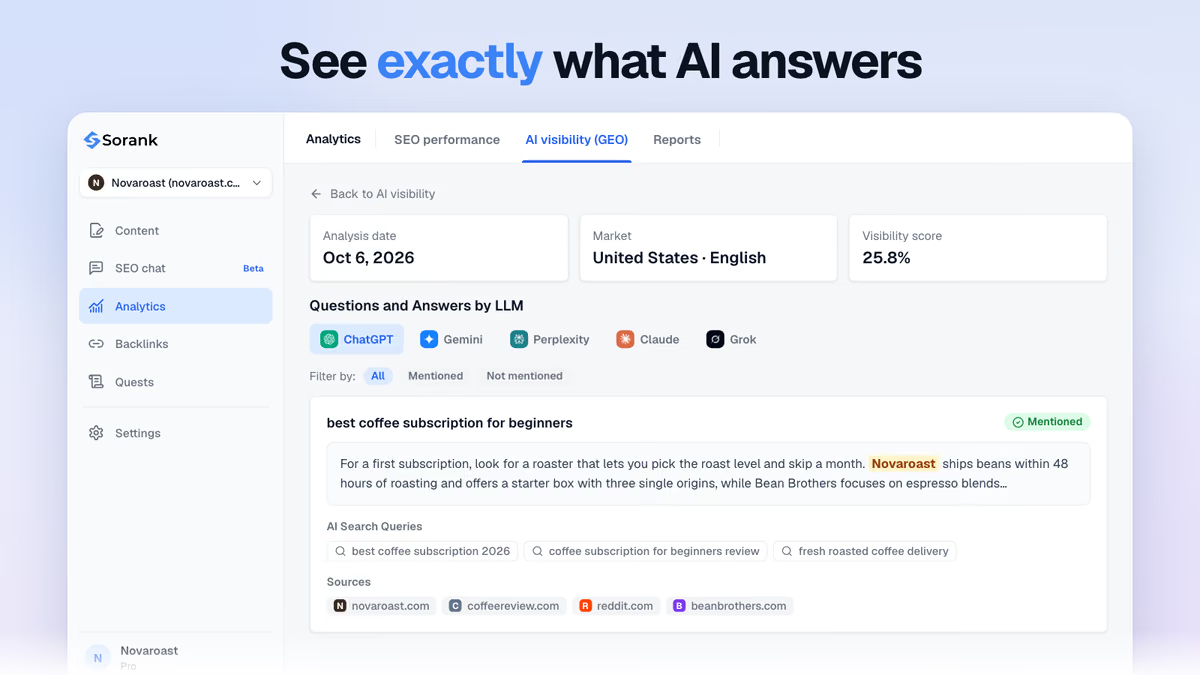
That changes the order of work. Reclaim broken links first for Google, because the authority they carry is lost every day they stay broken. Then work on mentions, and track whether the sources that cite you are the ones AI assistants rely on. Sorank's AI mention tracking shows, prompt by prompt, whether your brand appears in the answer and which sources the AI used.
Treat it as maintenance with a schedule:
Example
A site renames its blog folder from /articles/ to /blog/ and forgets the redirects. Every external link to an old article now returns a 404. One rule at the server level (any /articles/ URL redirects with a 301 to the same slug under /blog/) recovers all of them in an afternoon, with no outreach.
Reclamation protects what you have; it does not grow your link profile on its own. For new links, Sorank's backlinks acquisition obtains natural backlinks automatically from the sites of its more than 5,000 users, while its articles give other sites new reasons to cite you.
The cheapest backlink is the one you already earned: fix your 404s and redirects first, then ask for corrections, then turn mentions into links. Start with the export of your top linked pages in Search Console and test their status codes today.

Redirects and restored pages work as soon as Google recrawls the linking pages and your URLs, which can take from a few days to several weeks depending on how often those pages are crawled. Corrections requested by email depend on the editor's response. Track the recovered referring domains in Search Console and a backlink tool to confirm the change.
Only if the home page is the closest match, which is rare. A redirect to an unrelated page frustrates visitors and is often reported by Search Console as a soft 404. Redirect to the most relevant replacement page, or let the URL return a 404 if nothing on your site matches.
No. Link reclamation repairs links that point to your own site. Broken link building finds broken links on other sites that point to someone else's dead page, and offers your content as a replacement. Both use the same tools, but reclamation usually has a much higher success rate because the site already linked to you.
We analyse your competitors, your website and your AI visibility to create a tailored content plan for free.
 AI Content Brief Generator
 FAQ Schema Generator
 AI Blog Post Ideas Generator
 Structured Data Validator (Schema Validator)
 Alt Text Checker
 Internal Link Analyzer
 Backlink Challenge
 AI Meta Description Generator
 AI Blog Title Generator
 Google Indexability Checker
 AI Blog Outline Generator
 UTM Link Builder
 Keyword Clustering Tool
 Canonical Tag Checker
 XML Sitemap Generator
 Broken Link Checker
 AI SEO Title Generator
 Headline Analyzer
 SERP Preview Tool
 Redirect Checker
 Hreflang Tag Generator
 Heading Structure Analyzer
 HTTP Headers Checker
 Favicon Extractor
 SERP CTR Calculator
 SEO vs Paid Search Savings Calculator
 SEO Share of Voice Calculator
 SEO ROI Calculator
 SEO Traffic and Revenue Forecast Calculator
 SEO Budget Calculator
 SEO Break-Even Calculator
 SaaS SEO ROI Calculator
 ROAS Calculator
 Reading Time Calculator
 Ranking Gain Simulator
 Organic Traffic Value Calculator
 Organic Traffic Estimator and Website Traffic Checker
 LTV to CAC Ratio Calculator
 Local SEO ROI Calculator
 Link Building Cost Calculator
 Keyword Value Calculator
 Keyword Opportunity Score Calculator
 Keyword Density Calculator
 GEO ROI Calculator
 GEO Content Investment Calculator
 Ecommerce SEO ROI Calculator
 Customer Lifetime Value Calculator
 Customer Acquisition Cost Calculator
 CTR Calculator
 Cost Per Article Calculator
 Conversion Rate Calculator
 Content Marketing ROI Calculator
 ChatGPT Referral Traffic Estimator
 Bounce Rate Calculator
 Backlink ROI Calculator
 AI Visibility Score Calculator
 AI Traffic Value Calculator
 AI Share of Voice Calculator
 Cost of AI Invisibility Calculator
 AI Citation Rate Calculator
 llms.txt Validator
 AI Overview Checker and AI Overviews Rank Checker
 Robots.txt Checker
 AI SEO Audit
 LLM Readability Checker
 SearchGPT Readiness Checker
 Structured Data LLM Audit
 Website Crawlability AI Audit
 Why ChatGPT Is Not Recommending My Website
 Gemini Ranking Tool
 Perplexity Ranking Checker
 LLM Citation Checker
 Answer Engine Optimization Audit
 GEO Audit
 AI Search Visibility Test
 ChatGPT Visibility Checker
 llms.txt Generator
 URL Extractor
 Webpage to Markdown
 Sitemap Checker
 SERP Volatility Sensor
 Page Size Checker
 Word Counter
 Slug Generator
 Schema Generator
 Robots Generator
 OG Preview
 Meta Tags Generator
 Image Compressor
 Favicon Generator
 On-Page SEO Audit: SEO Checker and SEO Analyzer
 Backlink Analysis Tool
 Keyword Research Tool
 Domain Authority Checker
THEY TRIED SORANK BEFORE YOU
 “I tested Sorank on a real client site and it's insane. It does everything an agency would bill you $1500 a month for. It's going into production on that client now.”

 Guillaume Guersanguersanguillaume.com“We are an Ads agency and we wanted to get our SEO back on track once and for all. Sorank gave us a clear view of our site, helped us prioritize optimizations, and properly structure our content. The tool is easy to use, well designed for a team, and very practical for centralizing tracking without having to juggle multiple platforms. A very solid foundation to start fresh with our SEO.”
 Gaspard MadouiAds Agency
 “I just let the Sorank software do its thing, and now my DR is 25 and my page is ranking higher.”
 Lucas Flandrefoundertrace.fr“I specialized in GEO thanks to Sorank. The GEO Leaderboard allows me to show my clients their position vs competitors on ChatGPT. It’s a real commercial differentiator.”
 MélanieSEO Freelance“Great service, works well for our website and helps us understand how to improve it to rank better on Google and elsewhere. Congrats, keep going, I recommend it.”
 Hugo T.E-commerce merchant