Preferences
Privacy is important to us, so you have the option of disabling certain types of storage that may not be necessary for the basic functioning of the website. Blocking categories may impact your experience on the website. More information

Privacy is important to us, so you have the option of disabling certain types of storage that may not be necessary for the basic functioning of the website. Blocking categories may impact your experience on the website. More information

SEO migration guide: types of migration, 301 redirect mapping, a before, during and after checklist, and how to protect your Google and AI visibility.

Summarize this article with AI
An SEO migration is the riskiest project a marketing team runs on a website: years of accumulated rankings, backlinks and AI citations sit on URLs that are about to change. Google documents the process in its guide to site moves with URL changes. This article turns it into a practical checklist.
Any change that alters URLs, content or the signals search engines rely on. The most common types:
| Migration type | Risk level | Main point of control |
|---|---|---|
| HTTP to HTTPS | Low | Sitewide 301 redirects, canonical tags and sitemap on HTTPS |
| Redesign, same URLs | Medium | Content, titles, headings and internal links kept |
| URL structure change | High | Complete one to one redirect map |
| Platform change | High | Redirects, templates, structured data, page speed |
| Domain change | High | Redirects plus the Change of Address tool in Search Console |
| Merge of several sites | Very high | Choosing which page survives for each topic |
The causes are almost always the same, and all of them are avoidable:
Crawl the whole site with a crawler such as Screaming Frog and export every URL with its status code, title, H1, canonical and word count. Add the URLs from your XML sitemaps, from Google Search Console (pages with impressions) and from your analytics tool (pages with sessions), plus the URLs that receive backlinks. This list is your reference: nothing on it should disappear by accident.
Export positions, clicks and impressions per page from Search Console, organic sessions and conversions per landing page, and the number of indexed pages. Note which pages are cited by ChatGPT, Gemini or Perplexity for your key questions. Without a baseline, you cannot tell a normal fluctuation from a real loss.
Match every old URL to its closest new equivalent, one to one, in a spreadsheet. Use 301 (permanent) redirects. Redirect a deleted product to its category, not to the home page. Keep the same content on the target page whenever possible. Remove chains: each old URL must reach its final destination in a single hop. You can learn more about how a 301 redirect transfers signals.
Protect the staging environment with a password rather than only a robots.txt rule. Compare titles, meta descriptions, H1, body content, structured data, canonical tags and hreflang between the old and the new version, page by page for your top pages. Test page speed on mobile.
Crawl the old URL list again and confirm that every URL returns a single 301 to a page that answers 200. In Search Console, watch the indexing report, crawl errors and the evolution of clicks per page. Compare with the baseline every week. A temporary dip in the first weeks is normal; Google indicates that a medium sized site can take a few weeks to be fully processed, and larger sites longer. A page that keeps losing traffic after a month needs a check: wrong redirect target, missing content, or changed title.
Also update every external profile you control (social networks, directories, Google Business Profile) with the new URLs, and ask the sites that link to you most to update their links.
ChatGPT, Gemini, Perplexity and Google AI Overviews cite URLs. When an old URL returns a 404, the citation leads nowhere and the AI eventually finds another source, often a competitor. Redirects protect those citations in the same way they protect rankings. After launch, check that your brand is still cited on your key questions and that the cited links resolve to the new pages. The free Sorank Chrome extension helps you check titles, tags and on-page issues of the new pages one by one.
| Phase | Action | Done when |
|---|---|---|
| Before | Inventory of all URLs | Crawl, sitemap, Search Console, analytics and backlink URLs merged |
| Before | Baseline | Clicks, positions, conversions and AI citations exported |
| Before | Redirect map | Every old URL mapped one to one, no chains |
| Before | Staging review | Content, tags and structured data identical or better |
| Launch | Redirects live | Top pages tested, all return a single 301 |
| Launch | Sitemap and Search Console | New sitemap submitted, Change of Address done if needed |
| After | Weekly monitoring | Traffic per page back to baseline |
A successful SEO migration is mostly preparation: a complete URL inventory, a one to one redirect map and a measured baseline. Once the new site is stable, it is the right moment to grow again: Sorank automates SEO and GEO by publishing optimized articles on your new site and tracking your presence in the AI.

For a well prepared migration, rankings usually stabilize within a few weeks. Google indicates that a medium sized site can take a few weeks to be fully processed, and larger sites longer. If traffic is still below the baseline after two or three months, check redirects, content and titles page by page.
Use 301 redirects for a permanent move, because they tell search engines that the new URL replaces the old one. A 302 signals a temporary change and is meant for situations such as a short promotion or maintenance. Keep the 301 redirects in place for at least a year, and longer if the old URLs still receive links or visits.
It is possible but riskier, because if traffic drops you cannot tell which change caused it. When you can, migrate the domain first with identical pages, wait until traffic is stable, then launch the redesign. If both must happen together, invest more time in the redirect map and the staging review.
 AI Meta Description GeneratorAI Blog Title Generator
 Google Indexability CheckerAI Blog Outline Generator
 UTM Link Builder
 Keyword Clustering ToolCanonical Tag Checker
 XML Sitemap GeneratorBroken Link CheckerAI SEO Title GeneratorHeadline AnalyzerSERP Preview ToolRedirect Checker
 Hreflang Tag GeneratorHeading Structure AnalyzerHTTP Headers CheckerFavicon Extractor
 SERP CTR Calculator
 SEO vs Paid Search Savings Calculator
 SEO Share of Voice Calculator
 SEO ROI Calculator
 SEO Traffic and Revenue Forecast Calculator
 SEO Budget Calculator
 SEO Break-Even Calculator
 SaaS SEO ROI Calculator
 ROAS Calculator
 Reading Time Calculator
 Ranking Gain Simulator
 Organic Traffic Value Calculator
 Organic Traffic Estimator
 LTV to CAC Ratio Calculator
 Local SEO ROI Calculator
 Link Building Cost Calculator
 Keyword Value Calculator
 Keyword Opportunity Score Calculator
 Keyword Density Calculator
 GEO ROI Calculator
 GEO Content Investment Calculator
 Ecommerce SEO ROI Calculator
 Customer Lifetime Value Calculator
 Customer Acquisition Cost Calculator
 CTR Calculator
 Cost Per Article Calculator
 Conversion Rate Calculator
 Content Marketing ROI Calculator
 ChatGPT Referral Traffic Estimator
 Bounce Rate Calculator
 Backlink ROI Calculator
 AI Visibility Score Calculator
 AI Traffic Value Calculator
 AI Share of Voice Calculator
 Cost of AI Invisibility Calculator
 AI Citation Rate Calculatorllms.txt ValidatorAI Overview CheckerRobots.txt Checker
 AI SEO AuditLLM Readability CheckerSearchGPT Readiness Checker
 Structured Data LLM AuditWebsite Crawlability AI AuditWhy ChatGPT Is Not Recommending My Website
 Gemini Ranking ToolPerplexity Ranking CheckerLLM Citation CheckerAnswer Engine Optimization AuditGEO AuditAI Search Visibility TestChatGPT Visibility Checkerllms.txt Generator
 URL ExtractorWebpage to MarkdownSitemap CheckerSERP Volatility SensorPage Size Checker
 Word Counter
 Slug GeneratorSchema GeneratorRobots Generator
 OG PreviewMeta Tags Generator
 Image CompressorFavicon Generator
 On-Page SEO Audit
 Backlink Analysis Tool
 Keyword Research Tool
 Domain Authority Checker
THEY TRIED SORANK BEFORE YOU
 “I tested Sorank on a real client site and it's insane. It does everything an agency would bill you $1500 a month for. It's going into production on that client now.”
 Guillaume Guersanguersanguillaume.com“We are an Ads agency and we wanted to get our SEO back on track once and for all. Sorank gave us a clear view of our site, helped us prioritize optimizations, and properly structure our content. The tool is easy to use, well designed for a team, and very practical for centralizing tracking without having to juggle multiple platforms. A very solid foundation to start fresh with our SEO.”
 Gaspard MadouiAds Agency
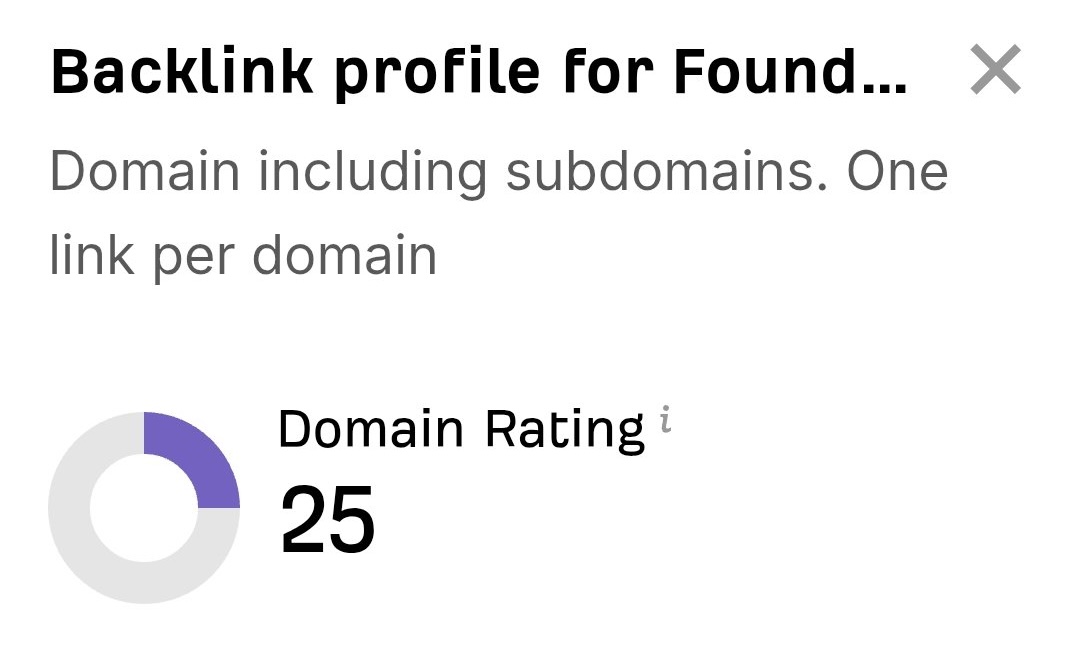 “I just let the Sorank software do its thing, and now my DR is 25 and my page is ranking higher.”
 Lucas FlandrePodcast Host“I specialized in GEO thanks to Sorank. The GEO Leaderboard allows me to show my clients their position vs competitors on ChatGPT. It’s a real commercial differentiator.”
 MélanieSEO Freelance“Great service, works well for our website and helps us understand how to improve it to rank better on Google and elsewhere. Congrats, keep going, I recommend it.”
 Hugo T.E-commerce merchant