Preferences
Privacy is important to us, so you have the option of disabling certain types of storage that may not be necessary for the basic functioning of the website. Blocking categories may impact your experience on the website. More information

Privacy is important to us, so you have the option of disabling certain types of storage that may not be necessary for the basic functioning of the website. Blocking categories may impact your experience on the website. More information

A soft 404 is a page that returns 200 OK but looks empty or missing to Google. Find the cause, then fix it with a 404, a 410, a 301 or real content.

Tools

In short
a soft 404 is a URL that returns a 200 (success) status code while its content looks like an error, an empty page or a "not found" message. Google excludes these URLs from its index and reports them as "Soft 404" in the Page indexing report of Search Console. The fix depends on the page: return a 404 or 410 if the content is gone for good, a 301 redirect if it moved to a clear replacement, or repair the page (content, rendering, resources) if it should be indexed.
Want to go further? Ask
Quick quiz
Who should fix the technical side of your site?
Our advice for you
Deleted content served with a 200 is the right solution for you
Number 1 in this ranking, the best match for your answers.
Our advice for you
Empty listings is the right solution for you
Number 2 in this ranking, the best match for your answers.
Our advice for you
Out-of-stock and expired pages is the right solution for you
Number 3 in this ranking, the best match for your answers.
Our advice for you
Redirects to an irrelevant page is the right solution for you
Number 4 in this ranking, the best match for your answers.
A soft 404 error is a mismatch between what the server says and what the page shows. The server answers "everything is fine", the visitor and Googlebot see nothing useful. The term dates back to a 2004 research paper by Ziv Bar-Yossef and colleagues, as the Wikipedia article on HTTP 404 recalls, and Google has been detecting these pages automatically for years. This guide explains how Google decides a page is a soft 404, the causes behind each case, how to diagnose a flagged URL in a few minutes and which fix to apply.
Every HTTP response carries a status code. A real missing page returns 404 (not found) or 410 (gone): the browser shows an error page and search engines know the URL has nothing to index. A soft 404 returns 200 (success) instead, so the server claims the page exists, while the content says the opposite.
Google's documentation on troubleshooting crawling errors defines it as a URL "that returns a page telling the user that the page does not exist and also a 200 (success) status code", and adds that "in some cases, it might be a page with no main content or empty page." When its algorithms detect that a page is an error page based on its content, Search Console shows a soft 404 and the page is excluded from Search.
Two points follow from that definition:
The two look identical to a visitor and behave very differently for a crawler.
| Criterion | Hard 404 / 410 | Soft 404 |
|---|---|---|
| Status code returned | 404 (not found) or 410 (gone) | 200 (success) |
| What the page shows | An error page, ideally a helpful custom one | An error message, an empty template or almost no content |
| How Google learns the page is gone | From the status code, immediately | By analysing the content, after crawling and rendering |
| Crawling afterwards | Crawl frequency gradually decreases | The URL keeps being crawled and wastes budget |
| Search Console label | "Not found (404)" | "Soft 404" |
| Is it a problem? | No, if the content is really gone | Yes: wrong signal, wasted crawl, possible lost page |
A clean 404 is a healthy answer. Google's guide to managing crawl budget calls a 404 "a strong signal not to crawl that URL again" and states that "soft 404 pages will continue to be crawled, and waste your budget." On a small site the waste is marginal; on a store with thousands of empty filter pages it delays the crawl of pages that matter (see our glossary entry on crawl budget).
Google lists four technical causes: a missing server-side include file, a broken database connection, an empty internal search result page and an unloaded or missing JavaScript file. In audits, the flagged URLs fall into six families.
The CMS or the theme displays a "Page not found" template but keeps the 200 status code. This happens with some custom 404 setups, catch-all routes and frameworks that render a generic error component without setting the status.
Category pages with zero products, tag archives with no posts, internal search pages with "0 results" and filter combinations that match nothing. The template loads, the main content area is empty, Google sees an error page. Our guide to ecommerce category page SEO covers how to keep listings worth indexing.
Product pages that switch to "This product is no longer available" with no price, no description and no alternatives, or job and event pages reduced to "This offer has expired". The wording alone is enough for Google to treat them as missing.
Sending every removed URL to the homepage, or to a generic category, looks like a convenient cleanup. Google tends to treat a redirect to a page that does not replace the original as a soft 404, so the redirect passes nothing and the old URL is reported anyway. Our guide to SEO redirects explains when a 301 is legitimate.
Pages with a header, a footer and two lines of text, placeholder pages ("Coming soon"), or very short profiles generated in bulk. Google does not always distinguish a nearly empty page from an error page. If this is your case, read our definition of thin content.
A good page can be flagged when Googlebot does not see its content. Google's guide says such a page "didn't load properly for Googlebot, it was missing critical resources, or it displayed a prominent error message during rendering." Typical reasons: JavaScript or CSS blocked by robots.txt, API calls that fail or time out for the crawler, too many or too heavy resources, and client-side apps that render an error component on unknown routes. Our guide to JavaScript SEO details how Google renders scripts.
Watch out
A few words in a template can trigger the verdict on their own. A sidebar or banner saying "not found", "no results" or "unavailable" on every page is enough for Google to misread healthy pages as errors. Check your shared blocks before chasing page-level causes.
Three sources, from the most official to the most exhaustive.
Google's guide sorts fixes by the state of the page. Decide first what you want the URL to become, then apply the matching answer.
| Situation | Fix | Check after the fix |
|---|---|---|
| Content removed, no replacement | Return 404 or 410, with a helpful custom error page | Status code 404 or 410 on the URL |
| Content moved or clear equivalent exists | 301 redirect to the closest equivalent page | One single hop, final URL returns 200 |
| Good page that Google misread | Fix rendering: unblock resources, fix API errors, lighten the page | URL Inspection shows the full content |
| Thin page worth keeping | Add real content: description, data, answers, links | The main content is clearly visible |
| Empty listing or internal search page | Return 404, add noindex, or stop linking to it | No more internal links to empty pages |
| Single-page app route that does not exist | JavaScript redirect to a URL that returns 404, or noindex added by script | Rendered HTML contains noindex or the final status is 404 |
If the page is gone and nothing on the site replaces it, a 404 or 410 is the correct answer. Google treats all 4xx codes except 429 the same way and removes the URL from the index if it was there. Keep the error page useful for visitors: clear message, site navigation, links to popular pages, but always with the 404 status code.
If an equivalent page exists (new URL, newer model of the product, merged article), use a 301 to that page and nowhere else. Check the chain with our redirect checker: one hop, final status 200.
Use the URL Inspection tool in Search Console, run a live test and look at the screenshot and the rendered HTML. A blank or nearly blank render points to blocked or failing resources. For a client-side app, Google's JavaScript SEO basics recommend either a JavaScript redirect to a URL that returns a 404, or adding a noindex robots meta tag to error routes; our guide to single-page application SEO covers server rendering, the lasting fix. Once the page renders correctly, our indexability checker confirms nothing else blocks it.
A product coming back soon should stay live with its full description, an availability notice and alternatives. A product discontinued for good gets a 301 to its successor or closest category if one fits the need, or a 404 if nothing does. For empty listings you want to keep reachable, a noindex tag keeps them out of the index without breaking navigation.
Tip
Fix every URL of a pattern before you click "Validate fix" in Search Console. Google stops the validation as soon as it finds one remaining instance, and a validation usually takes up to about two weeks.
Nothing changes until Google recrawls the URLs. After a fix, start a validation from the Soft 404 detail page: according to Google's help center, it typically takes up to about two weeks and sometimes much longer. URLs switched to a real 404 move to the "Not found (404)" reason and then drop out of the report over time; repaired pages can move to "Indexed" or, if Google still judges them weak, to Crawled, currently not indexed. For the levers that speed up recrawling, see our guide to Google indexing.
For Google, a soft 404 means a page that cannot rank and a crawl budget spent on nothing. For AI assistants such as ChatGPT, Gemini or Perplexity, the stakes are similar: their crawlers read what your server returns, and many fetch the raw HTML without running JavaScript. A page that renders only in the browser can look empty to them, and an error page served with a 200 tells them nothing reliable about your site. Clean status codes and content present in the initial HTML help both Googlebot and AI crawlers understand which pages exist and which can be cited.
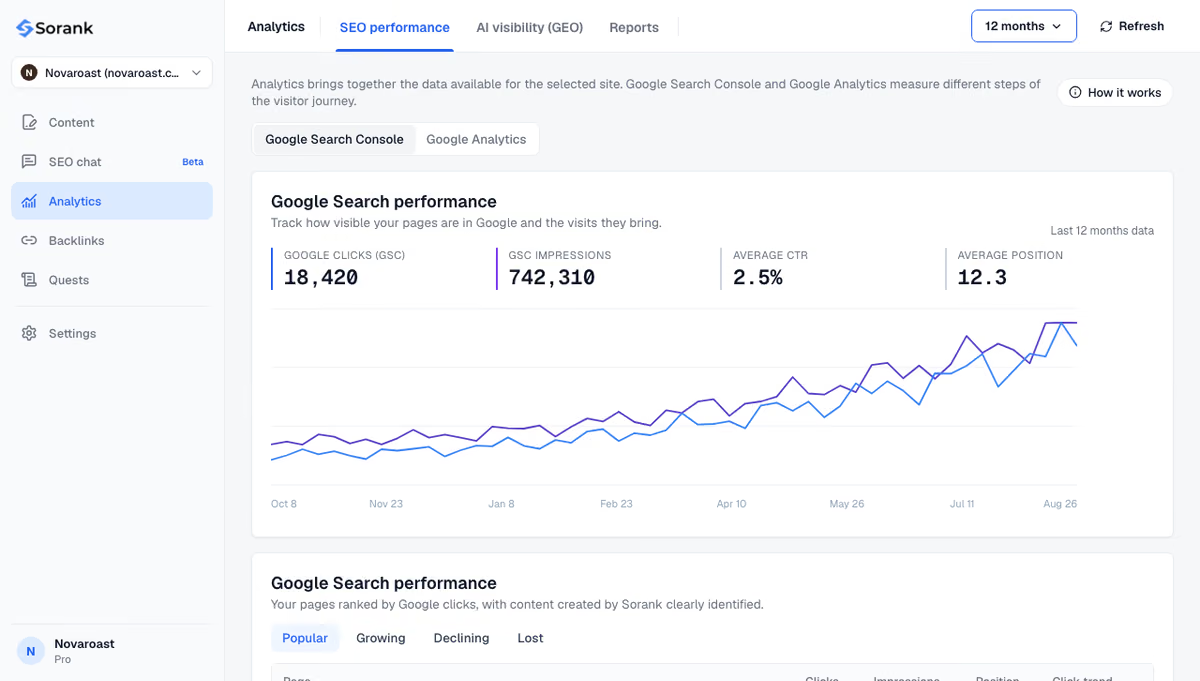
The practical routine is short: watch the Page indexing report after every migration, catalogue update or template change, and test new templates before release. The free Sorank Chrome extension flags on-page problems on the page you are viewing, and the Sorank GEO and SEO dashboard follows clicks, impressions and positions from Search Console so you spot a drop as soon as a batch of pages leaves the index.
A soft 404 is a page whose status code contradicts its content: decide whether the URL should exist, then make the server and the page say the same thing. Return a real 404 or 410 for what is gone, a relevant 301 for what moved, and real, renderable content for what should rank.

The flagged URL cannot appear in Google's results, and Google keeps crawling it, which wastes crawl budget on large sites. The rest of the site is not penalized. The real risk is losing a page you wanted indexed, for example a product page Google could not render.
No. Google tends to treat a redirect to a page that does not replace the original as a soft 404, so the problem stays. Redirect only to a close equivalent, and return a 404 or 410 when no such page exists.
Google treats 404 and 410 almost the same way: both tell it the page does not exist and lead to removal from the index. A 410 states more explicitly that the removal is permanent. Either is correct, as long as the status code matches the content.
We analyse your competitors, your website and your AI visibility to create a tailored content plan for free.
 AI Content Brief Generator
 FAQ Schema Generator
 AI Blog Post Ideas Generator
 Structured Data Validator (Schema Validator)
 Alt Text Checker
 Internal Link Analyzer
 Backlink Challenge
 AI Meta Description Generator
 AI Blog Title Generator
 Google Indexability Checker
 AI Blog Outline Generator
 UTM Link Builder
 Keyword Clustering Tool
 Canonical Tag Checker
 XML Sitemap Generator
 Broken Link Checker
 AI SEO Title Generator
 Headline Analyzer
 SERP Preview Tool
 Redirect Checker
 Hreflang Tag Generator
 Heading Structure Analyzer
 HTTP Headers Checker
 Favicon Extractor
 SERP CTR Calculator
 SEO vs Paid Search Savings Calculator
 SEO Share of Voice Calculator
 SEO ROI Calculator
 SEO Traffic and Revenue Forecast Calculator
 SEO Budget Calculator
 SEO Break-Even Calculator
 SaaS SEO ROI Calculator
 ROAS Calculator
 Reading Time Calculator
 Ranking Gain Simulator
 Organic Traffic Value Calculator
 Organic Traffic Estimator and Website Traffic Checker
 LTV to CAC Ratio Calculator
 Local SEO ROI Calculator
 Link Building Cost Calculator
 Keyword Value Calculator
 Keyword Opportunity Score Calculator
 Keyword Density Calculator
 GEO ROI Calculator
 GEO Content Investment Calculator
 Ecommerce SEO ROI Calculator
 Customer Lifetime Value Calculator
 Customer Acquisition Cost Calculator
 CTR Calculator
 Cost Per Article Calculator
 Conversion Rate Calculator
 Content Marketing ROI Calculator
 ChatGPT Referral Traffic Estimator
 Bounce Rate Calculator
 Backlink ROI Calculator
 AI Visibility Score Calculator
 AI Traffic Value Calculator
 AI Share of Voice Calculator
 Cost of AI Invisibility Calculator
 AI Citation Rate Calculator
 llms.txt Validator
 AI Overview Checker and AI Overviews Rank Checker
 Robots.txt Checker
 AI SEO Audit
 LLM Readability Checker
 SearchGPT Readiness Checker
 Structured Data LLM Audit
 Website Crawlability AI Audit
 Why ChatGPT Is Not Recommending My Website
 Gemini Ranking Tool
 Perplexity Ranking Checker
 LLM Citation Checker
 Answer Engine Optimization Audit
 GEO Audit
 AI Search Visibility Test
 ChatGPT Visibility Checker
 llms.txt Generator
 URL Extractor
 Webpage to Markdown
 Sitemap Checker
 SERP Volatility Sensor
 Page Size Checker
 Word Counter
 Slug Generator
 Schema Generator
 Robots Generator
 OG Preview
 Meta Tags Generator
 Image Compressor
 Favicon Generator
 On-Page SEO Audit: SEO Checker and SEO Analyzer
 Backlink Analysis Tool
 Keyword Research Tool
 Domain Authority Checker
THEY TRIED SORANK BEFORE YOU
 “I tested Sorank on a real client site and it's insane. It does everything an agency would bill you $1500 a month for. It's going into production on that client now.”

 Guillaume Guersanguersanguillaume.com“We are an Ads agency and we wanted to get our SEO back on track once and for all. Sorank gave us a clear view of our site, helped us prioritize optimizations, and properly structure our content. The tool is easy to use, well designed for a team, and very practical for centralizing tracking without having to juggle multiple platforms. A very solid foundation to start fresh with our SEO.”
 Gaspard MadouiAds Agency
 “I just let the Sorank software do its thing, and now my DR is 25 and my page is ranking higher.”
 Lucas Flandrefoundertrace.fr“I specialized in GEO thanks to Sorank. The GEO Leaderboard allows me to show my clients their position vs competitors on ChatGPT. It’s a real commercial differentiator.”
 MélanieSEO Freelance“Great service, works well for our website and helps us understand how to improve it to rank better on Google and elsewhere. Congrats, keep going, I recommend it.”
 Hugo T.E-commerce merchant