Preferences
Privacy is important to us, so you have the option of disabling certain types of storage that may not be necessary for the basic functioning of the website. Blocking categories may impact your experience on the website. More information

Privacy is important to us, so you have the option of disabling certain types of storage that may not be necessary for the basic functioning of the website. Blocking categories may impact your experience on the website. More information

Excluded by 'noindex' tag means Google found a noindex rule and kept the page out. Learn when it is normal, where the rule hides, and how to fix it.

Tools

In short
"Excluded by 'noindex' tag" is a reason listed in the Page indexing report of Google Search Console. It means Googlebot crawled the page, found a noindex rule (in a robots meta tag or in an X-Robots-Tag HTTP header) and obeyed it, so the page cannot appear in search results. For login, cart, thank-you or internal search pages, this is the expected result and needs no action. For a page you want to rank, find where the rule comes from (CMS setting, SEO plugin, theme, server or CDN), remove it at the source, then ask Google to recrawl.
Want to go further? Ask
Quick quiz
Who should fix the technical side of your site?
Our advice for you
Check it yourself with free Google tools
Search Console lists the pages Google cannot read, and PageSpeed Insights tests speed. Many small issues are fixed from your website builder settings.
Our advice for you
A web developer
Your problem is in the code or the server: a developer who knows SEO is the right person. Give them the list of errors from Search Console.
Our advice for you
A technical audit tool
Your site has many pages: a crawler reads them all like Google does and gives a full list of errors to fix, page by page.
Our advice for you
An automatic audit, then content
Your site works but brings few visitors: technical issues are rarely the cause. Sorank audits the site, then writes the pages that bring traffic.
Excluded by 'noindex' tag is the one indexing status you created yourself, on purpose or by accident. Google's Page indexing report documentation describes the reason in three sentences: "When Google tried to index the page it encountered a 'noindex' directive and therefore did not index it. If you do not want this page indexed, congratulations! If you do want this page to be indexed, you should remove the 'noindex' directive." This guide helps you decide which side of that sentence each URL is on, find the exact source of an unwanted rule, and fix it without breaking anything else.
A noindex rule tells search engines not to show a page in their results. Google reads it in two places, as its guide to blocking indexing with noindex explains:
<head> of the HTML: <meta name="robots" content="noindex"> for all search engines, or name="googlebot" for Google only.noindex or none. This is the only option for files without HTML, such as PDFs.When Googlebot finds either one, it keeps the URL out of the index. The status appears in Google Search Console under Indexing, then Pages, in the table "Why pages aren't indexed". The help page lists the same reason as "URL marked 'noindex'"; both labels describe one situation.
Three facts change how you read the report:
Most sites have URLs in this status, and many of them belong there. Google's report states that pages listed as not indexed are there "not necessarily because of an error". Sort the list by URL type before fixing anything.
| URL type | Verdict | Action |
|---|---|---|
| Login, account and admin pages | Normal | None |
| Cart, checkout and order confirmation | Normal | None |
| Thank-you pages after a form | Normal | None |
| Internal search results | Normal | None; avoid linking to them in bulk |
| Tag pages, author archives, thin filter pages | Usually a deliberate choice | Keep if the pages add nothing; review if they target real searches |
| Staging, test or preview URLs | Normal | Keep noindex, ideally add password protection |
| Blog articles, product, category or service pages | Error | Find the source and remove the rule |
| The home page or a whole section | Urgent error | Fix today: the site loses its organic traffic |
| URLs listed in your XML sitemap | Conflict | Remove the noindex, or remove the URL from the sitemap |
The last line matters more than it looks. A sitemap tells Google "index these pages", a noindex says the opposite. Keep the sitemap limited to indexable, canonical URLs (our guide to submitting a sitemap to Google covers how to clean it).
Tip
Export the full list from the report (the table on screen shows a sample), then group URLs by folder or pattern in a spreadsheet. If a pattern you expected, such as /cart/ or /account/, explains 95% of the rows, you only need to check the rest.
When an important page carries noindex, the cause is almost always one of the sources below. Check them in this order, from the most frequent to the rarest.
| Source | Typical situation | Where to check |
|---|---|---|
| CMS site-wide setting | Option ticked during development and never unticked | WordPress: Settings, Reading, "Search engine visibility"; other CMS: site SEO settings |
| SEO plugin or app | Content type, taxonomy or single page set to noindex | Plugin settings per content type, then the page's own SEO box |
| Theme or template code | A meta robots tag written in a template file | Header template, page templates |
| Migration or redesign | Staging settings pushed to production | Compare old and new site configuration |
| Server configuration | X-Robots-Tag added in .htaccess or the server config | Apache, Nginx or hosting panel rules |
| CDN or edge rules | A header rule applied to a whole path | CDN transform or header rules |
| JavaScript | Script adding or removing the meta tag after load | Rendered HTML in URL Inspection |
The WordPress case is common enough to name. According to the WordPress documentation on the Reading screen, ticking "Discourage search engines from indexing this site" adds noindex,nofollow in the head of every page (since version 5.3). One forgotten checkbox after a launch is enough to remove a whole site from Google. Site launches and redesigns are the riskiest moments, which is why an SEO migration checklist always includes a check of robots rules. For WordPress-specific settings, see our page on WordPress SEO and GEO.
noindex in the page source, then in the response headers (browser developer tools, Network tab). A free HTTP headers checker shows the X-Robots-Tag without opening any developer tool, and the indexability checker tests meta tag, header and robots.txt in one pass.Watch out
Google may skip rendering when it finds noindex in the original HTML. Its JavaScript SEO guide warns that "using JavaScript to change or remove the robots meta tag from noindex may not work as expected." A script that removes the tag after load does not fix the page.
The fix depends on the source. Change the setting where the rule is generated, never only the visible output, or it comes back at the next update.
| Source found | Fix |
|---|---|
| CMS site-wide setting | Untick the option, clear the cache, check the home page source |
| SEO plugin, per page | Set the page to "index" in its SEO settings |
| SEO plugin, per content type | Change the default for the content type, then check that single pages do not override it |
| Theme code | Remove the hard-coded tag from the template, ideally in a child theme |
| Server or CDN header | Remove or narrow the X-Robots-Tag rule so it only targets the paths you want hidden |
| JavaScript | Serve the correct robots meta tag in the original HTML |
| Page blocked by robots.txt | Allow crawling first, otherwise Google cannot see that noindex is gone |
After the fix, request indexing for the most important URLs in the URL Inspection tool, and resubmit the sitemap if many pages were affected. For a group of fixed URLs, click "Validate fix" in the report; Google says validation "typically takes up to about two weeks, but in some cases can take much longer." Clear any page cache or CDN cache first, or Google may fetch the old version with the old rule. If pages still do not appear weeks later, our guide to getting pages indexed by Google lists the next levers, and if they move to Crawled - currently not indexed, the problem is now the content, not the rule.
The three tools are often mixed up, and combining them wrongly creates the most confusing reports.
| Tool | What it does | Use it for | Common mistake |
|---|---|---|---|
| noindex | Page crawled, kept out of results | Pages users reach but searchers should not land on | Combined with a robots.txt block, so Google never reads it |
| robots.txt Disallow | Page not crawled | Saving crawl on large sets of useless URLs | Used to remove a page from results: the URL can still be indexed without its content |
| Canonical tag | Signals the preferred version among duplicates | Variants of the same content (parameters, sorting) | Combined with noindex on the same page, sending contradictory signals |
Google states it plainly: if robots.txt blocks a page, "the crawler will never see the noindex rule." If you want a page out of the index, leave it crawlable with noindex until it disappears, then decide whether to block it. Test your file with the robots.txt checker, and read the robots meta tag specification for the full list of rules; it also notes that when rules conflict, "the more restrictive rule applies."
Note
A page that shows "Indexed, though blocked by robots.txt" is the reverse case: Google indexed the URL from links without reading it. Unblock it and add noindex if you want it out.
A page under noindex receives no organic clicks from Google, whatever its quality. On a large site, an unwanted rule on a template can remove hundreds of product or article pages at once, and the first sign is often a drop in traffic weeks later. If your site seems to have disappeared altogether, start with our checklist on a website not showing up on Google.
AI assistants add a second cost. ChatGPT, Perplexity and Gemini often answer by retrieving pages from web search indexes and citing them, so a page missing from the index has little chance of being cited. Our study of the platforms AIs cite most shows which sources they favour.
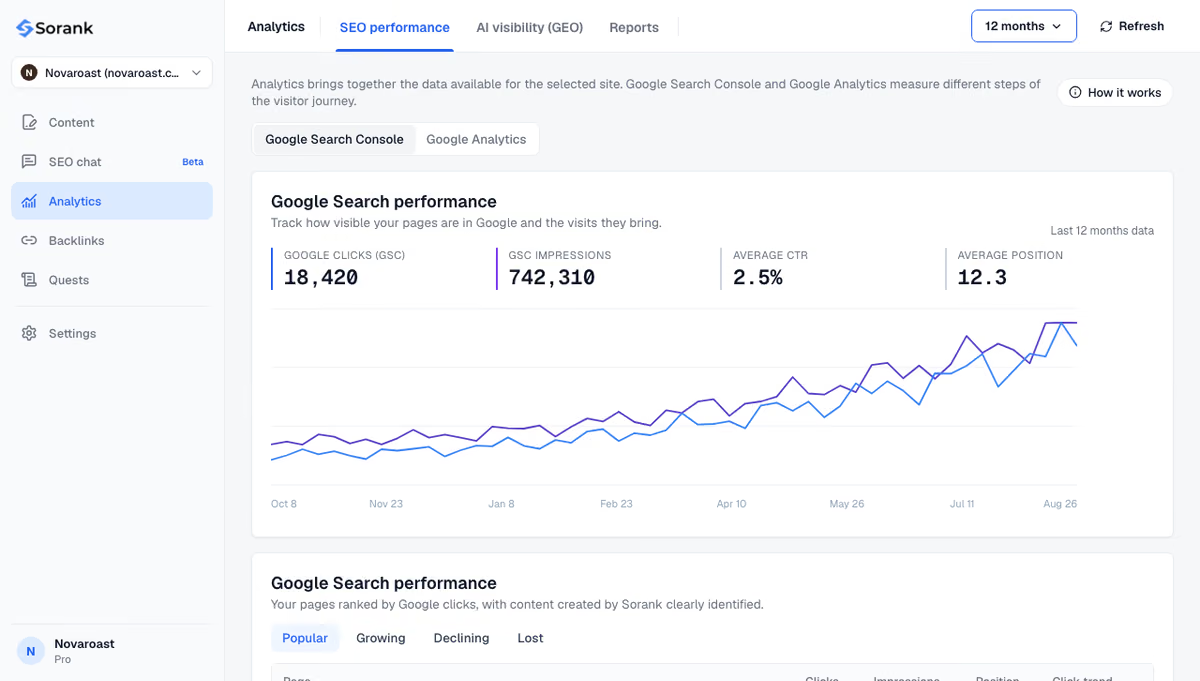
Sorank is our product: an autopilot SEO and GEO software. Its GEO and SEO dashboard shows clicks, impressions and positions from Search Console, so a sudden fall in impressions on a group of pages stands out quickly, and the free Sorank Chrome extension flags SEO issues on any page you open.
The short version: leave noindex on pages that should never rank, remove it at the source on pages that should, keep the sitemap free of noindexed URLs, and never block a page in robots.txt while waiting for Google to read its noindex. To publish pages built to be indexed and cited, see Sorank's plans, from $49 per month with a 3-day free trial.

Google has to recrawl the page before anything changes, which can take from a few days to several weeks depending on how often it visits the site. Requesting indexing in the URL Inspection tool speeds up important URLs. Validation of a group of fixed pages typically takes up to about two weeks, according to Google.
No. Noindex only affects the pages that carry it, and Google applies no site-wide penalty for it. Using noindex on low-value pages such as cart, login or internal search results is standard practice. The risk comes from a rule applied by mistake to pages that should rank.
If visitors still need the page, for example a thank-you or account page, keep it and use noindex. If the page has no purpose any more, delete it and return a 404 or 410, or redirect it with a 301 to the closest relevant page if it has backlinks or traffic. Both remove the URL from the index after the next crawl.
We analyse your competitors, your website and your AI visibility to create a tailored content plan for free.
 AI Content Brief Generator
 FAQ Schema Generator
 AI Blog Post Ideas Generator
 Structured Data Validator (Schema Validator)
 Alt Text Checker
 Internal Link Analyzer
 Backlink Challenge
 AI Meta Description Generator
 AI Blog Title Generator
 Google Indexability Checker
 AI Blog Outline Generator
 UTM Link Builder
 Keyword Clustering Tool
 Canonical Tag Checker
 XML Sitemap Generator
 Broken Link Checker
 AI SEO Title Generator
 Headline Analyzer
 SERP Preview Tool
 Redirect Checker
 Hreflang Tag Generator
 Heading Structure Analyzer
 HTTP Headers Checker
 Favicon Extractor
 SERP CTR Calculator
 SEO vs Paid Search Savings Calculator
 SEO Share of Voice Calculator
 SEO ROI Calculator
 SEO Traffic and Revenue Forecast Calculator
 SEO Budget Calculator
 SEO Break-Even Calculator
 SaaS SEO ROI Calculator
 ROAS Calculator
 Reading Time Calculator
 Ranking Gain Simulator
 Organic Traffic Value Calculator
 Organic Traffic Estimator and Website Traffic Checker
 LTV to CAC Ratio Calculator
 Local SEO ROI Calculator
 Link Building Cost Calculator
 Keyword Value Calculator
 Keyword Opportunity Score Calculator
 Keyword Density Calculator
 GEO ROI Calculator
 GEO Content Investment Calculator
 Ecommerce SEO ROI Calculator
 Customer Lifetime Value Calculator
 Customer Acquisition Cost Calculator
 CTR Calculator
 Cost Per Article Calculator
 Conversion Rate Calculator
 Content Marketing ROI Calculator
 ChatGPT Referral Traffic Estimator
 Bounce Rate Calculator
 Backlink ROI Calculator
 AI Visibility Score Calculator
 AI Traffic Value Calculator
 AI Share of Voice Calculator
 Cost of AI Invisibility Calculator
 AI Citation Rate Calculator
 llms.txt Validator
 AI Overview Checker and AI Overviews Rank Checker
 Robots.txt Checker
 AI SEO Audit
 LLM Readability Checker
 SearchGPT Readiness Checker
 Structured Data LLM Audit
 Website Crawlability AI Audit
 Why ChatGPT Is Not Recommending My Website
 Gemini Ranking Tool
 Perplexity Ranking Checker
 LLM Citation Checker
 Answer Engine Optimization Audit
 GEO Audit
 AI Search Visibility Test
 ChatGPT Visibility Checker
 llms.txt Generator
 URL Extractor
 Webpage to Markdown
 Sitemap Checker
 SERP Volatility Sensor
 Page Size Checker
 Word Counter
 Slug Generator
 Schema Generator
 Robots Generator
 OG Preview
 Meta Tags Generator
 Image Compressor
 Favicon Generator
 On-Page SEO Audit: SEO Checker and SEO Analyzer
 Backlink Analysis Tool
 Keyword Research Tool
 Domain Authority Checker
THEY TRIED SORANK BEFORE YOU
 “I tested Sorank on a real client site and it's insane. It does everything an agency would bill you $1500 a month for. It's going into production on that client now.”

 Guillaume Guersanguersanguillaume.com“We are an Ads agency and we wanted to get our SEO back on track once and for all. Sorank gave us a clear view of our site, helped us prioritize optimizations, and properly structure our content. The tool is easy to use, well designed for a team, and very practical for centralizing tracking without having to juggle multiple platforms. A very solid foundation to start fresh with our SEO.”
 Gaspard MadouiAds Agency
 “I just let the Sorank software do its thing, and now my DR is 25 and my page is ranking higher.”
 Lucas Flandrefoundertrace.fr“I specialized in GEO thanks to Sorank. The GEO Leaderboard allows me to show my clients their position vs competitors on ChatGPT. It’s a real commercial differentiator.”
 MélanieSEO Freelance“Great service, works well for our website and helps us understand how to improve it to rank better on Google and elsewhere. Congrats, keep going, I recommend it.”
 Hugo T.E-commerce merchant