Preferences
Privacy is important to us, so you have the option of disabling certain types of storage that may not be necessary for the basic functioning of the website. Blocking categories may impact your experience on the website. More information

Privacy is important to us, so you have the option of disabling certain types of storage that may not be necessary for the basic functioning of the website. Blocking categories may impact your experience on the website. More information

Submit your sitemap to Google in Search Console in 5 steps, add it to robots.txt, read the Success, Has errors and Couldn't fetch statuses and fix them.
Tools


In short
To submit a sitemap to Google, open Google Search Console on a property you own, go to Indexing, then Sitemaps, paste the sitemap URL (for example https://www.example.com/sitemap.xml) in the "Add a new sitemap" field and click Submit. Google fetches it right away and shows a status: Success, Has errors or Couldn't fetch. Also list the sitemap in robots.txt with a Sitemap: line so every crawler finds it. Submitting is a hint, not a guarantee: Google still decides which URLs to crawl and index.
Want to go further? Ask
Quick quiz
Is SEO right for you, and how should you start?
4 quick questions to see if Google can bring you customers.
Our advice for you
Sorank is the right solution for you
People search for what you sell and you can wait a few months: Sorank finds the right searches, writes and publishes the articles, and gets you links.
Sorank matches your answers
Test it for 3 days on your own site, or start with a free audit to see where you stand.
3 days free, then stop whenever you want. 90-day money-back guarantee.
Knowing how to submit a sitemap to Google takes two minutes; making sure the sitemap actually helps takes a little more. Google's guide to building and submitting a sitemap sets the rules, and the Sitemaps report documentation explains every status. This guide covers both, step by step, with the errors you are most likely to meet and what to do after submission.
An XML sitemap is a file that lists the URLs you want search engines to find, optionally with the date each page last changed. It does not replace internal links; it gives Google a complete list in one place.
Google's own criteria tell you whether a sitemap makes a difference:
| A sitemap helps a lot when | A sitemap matters less when |
|---|---|
| Your site is large | Your site is small: Google says "about 500 pages or fewer" |
| Your site is new and has few external links | Every important page is reachable through internal links from the homepage |
| You publish a lot of video, images or news | You have few media files or news pages |
Even on a small site, submitting costs nothing and gives you the Sitemaps report, which is the quickest way to see whether Google can read your list of URLs. Google is explicit about the limits, though: a sitemap "doesn't guarantee that all the items in your sitemap will be crawled and indexed."
Most CMS generate the sitemap for you. Find its address first:
| Platform | Usual sitemap URL |
|---|---|
| WordPress (core) | /wp-sitemap.xml |
| WordPress with Yoast SEO or Rank Math | /sitemap_index.xml |
| Shopify, Wix, Squarespace | /sitemap.xml |
| Webflow | /sitemap.xml (once auto-generation is enabled in the SEO settings) |
| Custom site | Generate one with an XML sitemap generator |
Then check the file against Google's rules:
Our free sitemap checker validates the syntax, counts the URLs and flags those that redirect or return errors, before Google sees them.
Add your site to Google Search Console and verify it (DNS record for a Domain property, or HTML tag, file or Google Analytics for a URL-prefix property). Google states that you need "owner permissions on a property to submit a sitemap using the Sitemaps report."
Paste the sitemap URL into the URL Inspection bar and run a live test. Page fetch should read Successful. If robots.txt blocks the file or the server returns an error, fix that first.
In the left menu, under Indexing, click Sitemaps.
In the "Add a new sitemap" field, paste the URL or the path after your domain (sitemap.xml or sitemap_index.xml), then click Submit. If you use a sitemap index, submitting the index is enough: Google reads the child sitemaps from it.
Google fetches the file immediately. The row shows the type, the date submitted, the last read date, the status and the number of discovered pages. Click the row to see details and errors.
Tip
Split large sites into several sitemaps by type (posts, products, categories) and list them in one index. Search Console then lets you filter the Page indexing report by sitemap, so you can see at a glance which section of the site is poorly indexed.
| Method | How | When to use it |
|---|---|---|
| Search Console Sitemaps report | Add a new sitemap, Submit | Always, for reporting and error details |
| robots.txt | A line such as Sitemap: https://www.example.com/sitemap.xml | Always: every search engine and many AI crawlers read it |
| Search Console API | sitemaps.submit call | Large sites, agencies managing many properties |
| Ping URL | Retired | Never: Google announced in June 2023 that the endpoint would stop working and return 404 |
The ping endpoint was dropped, according to the Search Central announcement, because of its ineffectiveness and its association with spam; Google now relies on the lastmod date to schedule recrawls. Check your robots.txt line with a robots.txt checker: a typo in the URL is a common reason the sitemap is never found.
| Status or error | What it means | Fix |
|---|---|---|
| Success | The sitemap was loaded and processed without errors | Nothing; monitor indexing |
| Has errors | The file was fetched but some entries could not be parsed; valid URLs are still queued | Open the details and fix the listed errors |
| Couldn't fetch | Google could not retrieve the file | Check the URL, robots.txt, server errors, then resubmit |
| Sitemap file size error / Too many URLs | Above 50MB or 50,000 URLs | Split the file and use a sitemap index |
| Invalid URL / Path mismatch | Relative URLs, or URLs with and without www mixed with the property | Use absolute URLs matching the verified property |
| Invalid date | lastmod not in W3C Datetime format | Use 2026-10-25 or 2026-10-25T10:00:00+00:00 |
| URLs not accessible / HTTP error | Listed pages blocked or returning errors | Remove them or fix the pages |
Discovered pages is the number of URLs Google parsed from the file, not the number indexed. For indexing, open the Page indexing report and filter it by sitemap: you see how many submitted URLs are indexed and why the others are not. Our guide to Google indexing explains each reason and how to speed things up.
Do not resubmit every day. Google recrawls a successfully read sitemap on its own schedule; the help center recommends resubmitting after a failed fetch once the problem is fixed, or after major changes. To stop using a sitemap, open its details and click Remove sitemap; note that this only removes it from the report, Google still remembers the URLs.
Note
Submitting a sitemap and submitting your website are not the same task. The sitemap tells Google which URLs exist; registering your site with Google, Bing and AI assistants is a broader process covered in our guide on how to submit your website to search engines.
Yes. Bing has its own Bing Webmaster Tools, which can import your sites and sitemaps from Google Search Console in a few clicks. Bing also supports IndexNow, a protocol that notifies participating search engines the moment a URL changes; Google does not use IndexNow, so your sitemap remains the main channel for Google. Bing's index matters beyond Bing: it powers Microsoft Copilot, and several AI assistants retrieve web results through search indexes before citing sources.
A sitemap is plumbing: it makes sure new and updated pages are found quickly. It does not make a page rank or get cited. What earns visits from Google and mentions in ChatGPT, Perplexity or Gemini is the content behind those URLs, published regularly and kept up to date, with accurate lastmod dates that tell crawlers when to come back.
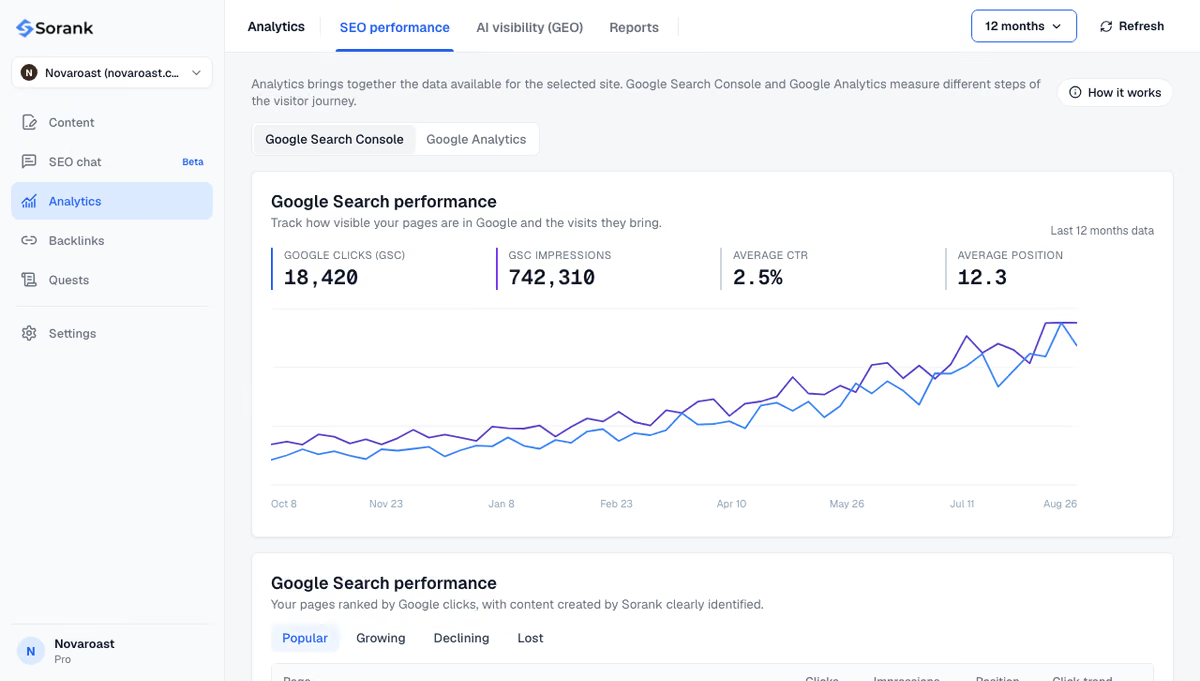
Sorank is our product: an autopilot SEO and GEO software. Its blog article generator writes and publishes articles to WordPress, Shopify, Webflow or Wix, where the CMS adds them to the sitemap automatically, and the GEO and SEO dashboard shows the clicks, impressions and positions they earn in Search Console.
The short version: submit the sitemap once in Search Console, list it in robots.txt, keep only canonical URLs in it and watch the Page indexing report, not the submit button. To keep that sitemap filled with pages worth indexing, see Sorank's plans, from $49 per month with a 3-day free trial.

Google fetches the sitemap within minutes of submission, but crawling and indexing the listed URLs can take from a few days to several weeks. New sites with few links usually wait longer. Submission does not guarantee indexing: Google still evaluates each page for quality and duplication.
No. Once a sitemap has been read successfully, Google recrawls it on its own schedule, and an accurate lastmod date helps it spot new and updated URLs. Resubmit only after fixing a fetch error or after a major change, such as a migration or a new URL structure.
Yes. Add a line such as Sitemap: https://www.example.com/sitemap.xml to your robots.txt file and Google will find it on its next visit. You lose the Sitemaps report, though, so you will not see errors or discovered URLs. The old ping URL no longer works.
 AI Content Brief Generator
 FAQ Schema Generator
 AI Blog Post Ideas Generator
 Structured Data Validator
 Alt Text Checker
 Internal Link Analyzer
 Backlink Challenge
 AI Meta Description Generator
 AI Blog Title Generator
 Google Indexability Checker
 AI Blog Outline Generator
 UTM Link Builder
 Keyword Clustering Tool
 Canonical Tag Checker
 XML Sitemap Generator
 Broken Link Checker
 AI SEO Title Generator
 Headline Analyzer
 SERP Preview Tool
 Redirect Checker
 Hreflang Tag Generator
 Heading Structure Analyzer
 HTTP Headers Checker
 Favicon Extractor
 SERP CTR Calculator
 SEO vs Paid Search Savings Calculator
 SEO Share of Voice Calculator
 SEO ROI Calculator
 SEO Traffic and Revenue Forecast Calculator
 SEO Budget Calculator
 SEO Break-Even Calculator
 SaaS SEO ROI Calculator
 ROAS Calculator
 Reading Time Calculator
 Ranking Gain Simulator
 Organic Traffic Value Calculator
 Organic Traffic Estimator
 LTV to CAC Ratio Calculator
 Local SEO ROI Calculator
 Link Building Cost Calculator
 Keyword Value Calculator
 Keyword Opportunity Score Calculator
 Keyword Density Calculator
 GEO ROI Calculator
 GEO Content Investment Calculator
 Ecommerce SEO ROI Calculator
 Customer Lifetime Value Calculator
 Customer Acquisition Cost Calculator
 CTR Calculator
 Cost Per Article Calculator
 Conversion Rate Calculator
 Content Marketing ROI Calculator
 ChatGPT Referral Traffic Estimator
 Bounce Rate Calculator
 Backlink ROI Calculator
 AI Visibility Score Calculator
 AI Traffic Value Calculator
 AI Share of Voice Calculator
 Cost of AI Invisibility Calculator
 AI Citation Rate Calculator
 llms.txt Validator
 AI Overview Checker
 Robots.txt Checker
 AI SEO Audit
 LLM Readability Checker
 SearchGPT Readiness Checker
 Structured Data LLM Audit
 Website Crawlability AI Audit
 Why ChatGPT Is Not Recommending My Website
 Gemini Ranking Tool
 Perplexity Ranking Checker
 LLM Citation Checker
 Answer Engine Optimization Audit
 GEO Audit
 AI Search Visibility Test
 ChatGPT Visibility Checker
 llms.txt Generator
 URL Extractor
 Webpage to Markdown
 Sitemap Checker
 SERP Volatility Sensor
 Page Size Checker
 Word Counter
 Slug Generator
 Schema Generator
 Robots Generator
 OG Preview
 Meta Tags Generator
 Image Compressor
 Favicon Generator
 On-Page SEO Audit
 Backlink Analysis Tool
 Keyword Research Tool
 Domain Authority Checker
THEY TRIED SORANK BEFORE YOU
 “I tested Sorank on a real client site and it's insane. It does everything an agency would bill you $1500 a month for. It's going into production on that client now.”
 Guillaume Guersanguersanguillaume.com“We are an Ads agency and we wanted to get our SEO back on track once and for all. Sorank gave us a clear view of our site, helped us prioritize optimizations, and properly structure our content. The tool is easy to use, well designed for a team, and very practical for centralizing tracking without having to juggle multiple platforms. A very solid foundation to start fresh with our SEO.”
 Gaspard MadouiAds Agency
 “I just let the Sorank software do its thing, and now my DR is 25 and my page is ranking higher.”
 Lucas Flandrefoundertrace.fr“I specialized in GEO thanks to Sorank. The GEO Leaderboard allows me to show my clients their position vs competitors on ChatGPT. It’s a real commercial differentiator.”
 MélanieSEO Freelance“Great service, works well for our website and helps us understand how to improve it to rank better on Google and elsewhere. Congrats, keep going, I recommend it.”
 Hugo T.E-commerce merchant