Preferences
Privacy is important to us, so you have the option of disabling certain types of storage that may not be necessary for the basic functioning of the website. Blocking categories may impact your experience on the website. More information
Privacy is important to us, so you have the option of disabling certain types of storage that may not be necessary for the basic functioning of the website. Blocking categories may impact your experience on the website. More information

Learn when a URL shortener is safe for SEO: which redirect code to use, how to avoid chains and dead links, and how to set up a branded short domain.

In short
A URL shortener does not hurt SEO by itself. It is a redirect: if it answers with a permanent 301 or 308, in one hop, from a reliable service (ideally on a domain you own), Google and Bing pass the signals to your real page. Chains, temporary codes and dead services are what cost you.
Want to go further? Ask
Quick quiz
Is SEO right for you, and how should you start?
Sorank matches your answers


Test it for 3 days on your own site and see where you stand on Google, ChatGPT and the other AIs.
Start 3-day free trial3 days free, then stop whenever you want. 90-day results guarantee, conditions apply.
No, a short link is neutral for SEO as long as it is a clean permanent redirect. Search engines do not rank the short URL. They follow it, land on your real page and treat the redirect as a signal about which address is the right one.
The fear comes from the early 2010s, when some shorteners used frames, JavaScript or several hops, and when many free services disappeared overnight. The mechanism itself has never been the problem. The way it is set up is.
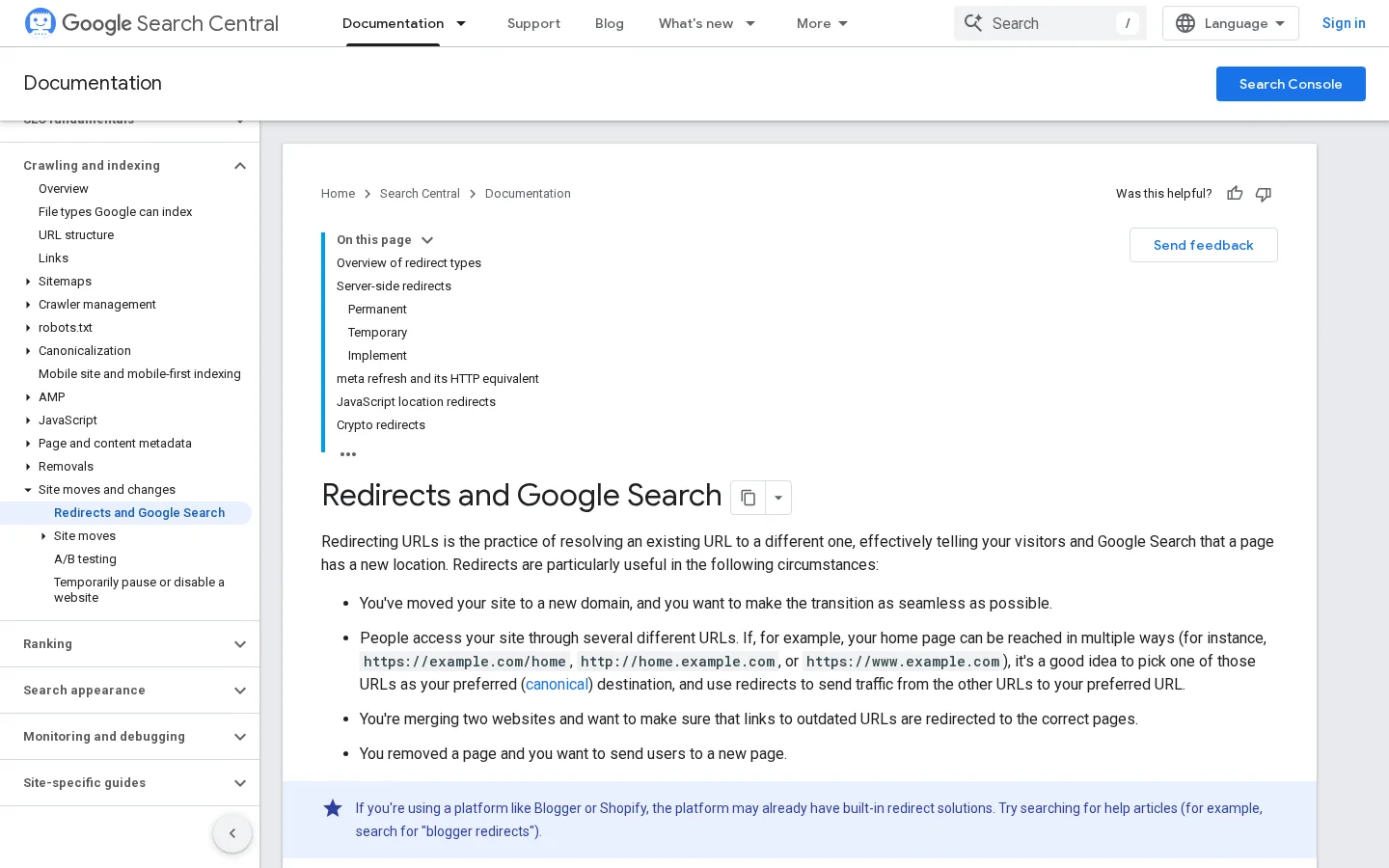
Google's documentation on redirects and Google Search is clear: with a permanent redirect, "the indexing pipeline uses the redirect as a signal that the redirect target should be canonical", and Google recommends "a permanent server-side redirect whenever possible". With a temporary redirect, the pipeline "doesn't use the redirect as a signal" for the target.
Google's page on HTTP status codes and network errors adds two details that matter for shorteners: 301 and 308 are a "strong signal" that the target should be processed, 302, 303 and 307 are a "weak signal", and Google's crawlers "follow up to 10 redirect hops" by default.
Bing gives the same advice in a sharper form. In March 2020, Fabrice Canel of Microsoft Bing wrote that it is "preferable to use a 302 redirect if your destination URL may change within 2 days, else 301 is recommended", as reported by Search Engine Roundtable. A short link printed on a flyer or posted on social media rarely changes within two days: it should be a 301.
Most short links live in places where the link itself carries little ranking weight: social posts, emails, QR codes, podcast notes, SMS. Social networks usually wrap links in their own redirect or mark them nofollow. So the real stakes are rarely PageRank. They are:
The redirect rules search engines publish
Sources: Google Search Central (HTTP status codes, redirects); Fabrice Canel, Microsoft Bing, March 2020
A URL shortener is a small web server that stores a table of short codes and destinations. When someone opens the short link, the server looks up the code and answers with an HTTP redirect status and a Location header that points to the long URL. The browser then requests that long URL.
Before answering, the shortener logs the click: time, referrer, country guessed from the IP address, device read from the user agent. That is how it builds its reports without touching your site.
What happens in one click on a short link
You do not need to trust the shortener's marketing page. One command shows the status code of every hop and where each one points:
curl -sIL "https://go.example.com/spring" | grep -iE "^(HTTP|location)"A clean result looks like this (illustrative example):
HTTP/1.1 301 Moved Permanently
location: https://www.example.com/spring-sale/?utm_source=flyer&utm_medium=print
HTTP/1.1 200 OK
One redirect line, a permanent code, then a 200 on the final page. If you see two or more 3xx lines, a 302 or 307 where you expected a 301, or an http:// address in the middle, you have work to do.
Tip
No terminal at hand? Paste the short link into our free redirect checker that follows the full chain: it lists every hop with its status code, so you can spot a 302 or an extra step in seconds.
A serious shortener redirects at the server level. Some old or cheap services show an intermediate page, use a meta refresh tag or a JavaScript redirect, or load your page inside a frame. Google reads an instant meta refresh as permanent and a delayed one as temporary, and it warns that JavaScript redirects only work if rendering succeeds. Frames and interstitial pages are worse: the visitor stays on the shortener's address, and search engines may see the shortener's page, not yours.
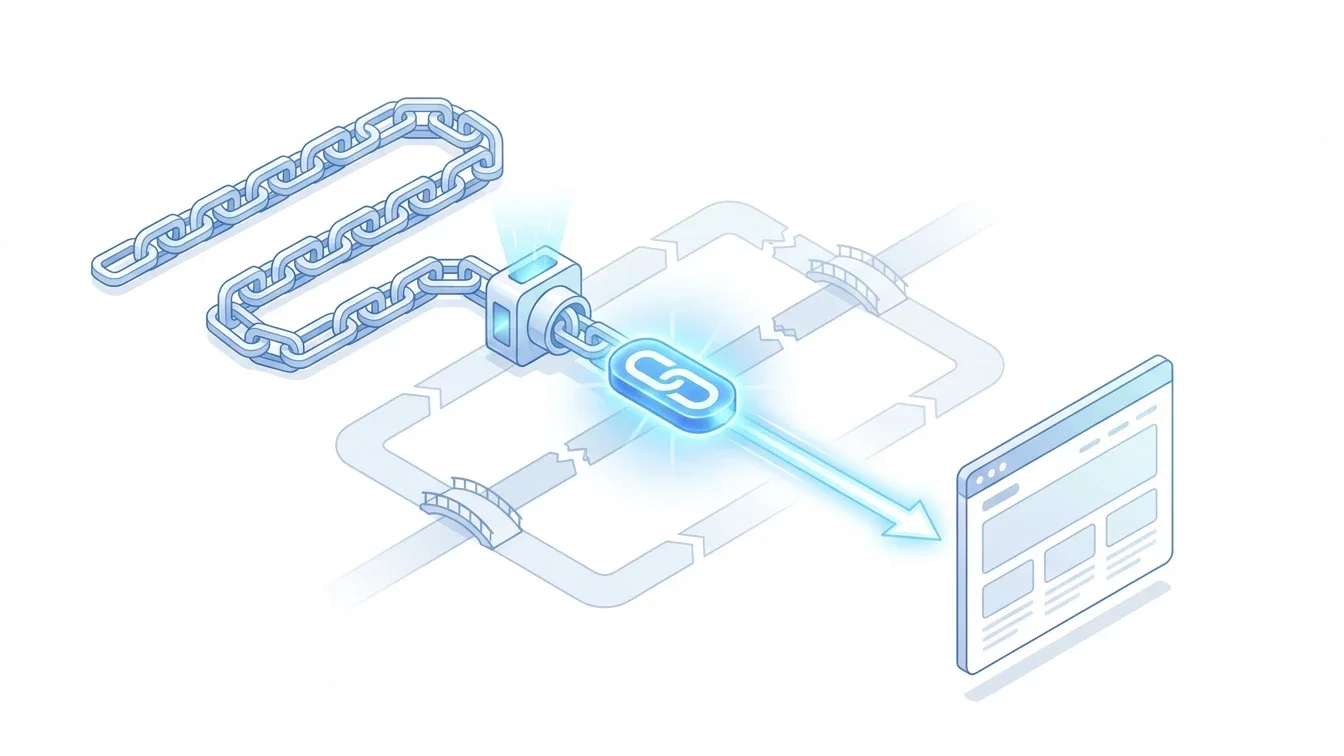
For a short link that points to the same page for good, use a 301 (or a 308, which search engines treat the same way). Use a 302 or 307 only when the destination genuinely changes often, for example a link that rotates between weekly offers.
The full theory of each code is in our complete guide to 301, 302, 307 and 308 redirects. For shorteners, the practical view is this table.
| Code | Meaning | Search engine reading | Browser caching | Use for a short link when |
|---|---|---|---|---|
| 301 | Moved permanently | Strong signal that the target is canonical | Cacheable by default, can stick for a long time | The destination will not change (print, QR code, evergreen bio link) |
| 308 | Permanent, keeps the method | Same as 301 for Google and Bing | Cacheable by default | Same as 301; useful if the link receives form posts |
| 302 | Found (temporary) | Weak signal; the source may stay in results | Not cached unless headers say so | The destination changes within days |
| 307 | Temporary, keeps the method | Same as 302 | Not cached unless headers say so | Same as 302 |
| Meta refresh, JavaScript, frame | Not an HTTP redirect | Unreliable, depends on rendering | Varies | Never |
Browsers may cache a 301 for a long time. If you later edit the destination of a short link in your dashboard, people who clicked before can keep landing on the old page, and your click counter never sees them again. That is why some tools default to temporary codes.
The fix is to keep the 301 for search engines and control the browser cache with a header. A short or private cache lifetime keeps the link editable:
HTTP/1.1 301 Moved Permanently
location: https://www.example.com/spring-sale/
cache-control: private, max-age=90
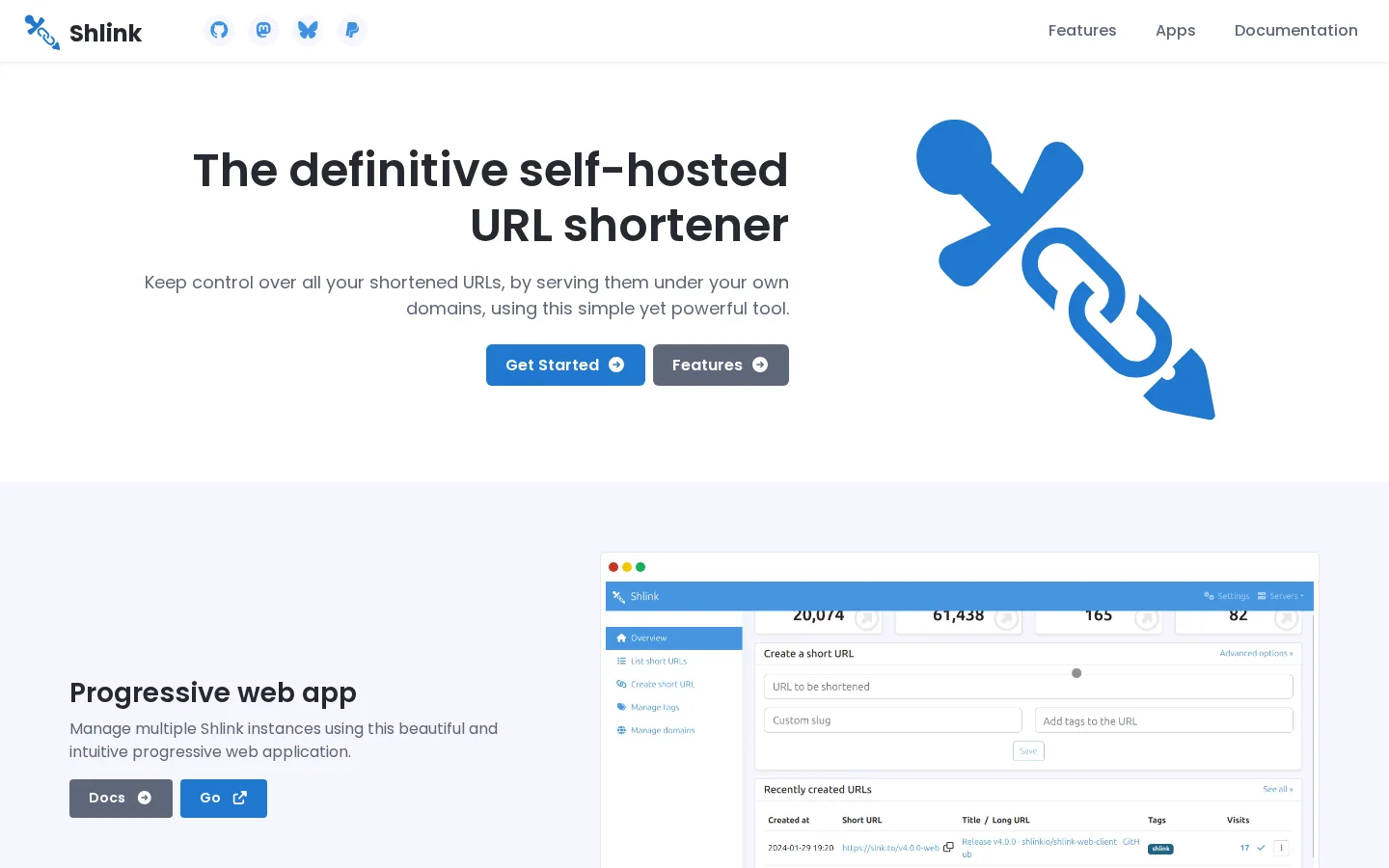
The open source shortener Shlink does exactly this. Its environment variables documentation shows that REDIRECT_STATUS_CODE "defaults to 302", and that REDIRECT_CACHE_LIFETIME sets how many seconds a 301 or 308 is cached, 30 by default. If you self-host Shlink and want permanent redirects, you have to change that setting yourself.
Permanent vs temporary short links
There are five setups, from the free public shortener to a redirect on your own site. The best one for SEO is a branded short domain or a redirect path on your main domain, because you control the code, the uptime and the trust signal.
Principle: you paste a long URL into a hosted service and get a link on its shared domain. When to use it: one-off links you do not care about in a year. Advantages: free, instant, nothing to set up. Limits: you do not control the redirect code, the domain is shared with spammers (some email filters and forums distrust it), and the links die with the service or your free plan. Example: a link in a one-time internal message.
Principle: you connect a short domain you own (such as go.example.com or a short separate domain) to a hosted service through DNS. When to use it: most marketing teams, for social, email and print. Advantages: your brand is visible, you keep the domain if you switch provider, dashboards and QR codes are included. Limits: monthly cost, and you still depend on the vendor's redirect code and uptime while you use it. Example: go.example.com/webinar in every post of a campaign.
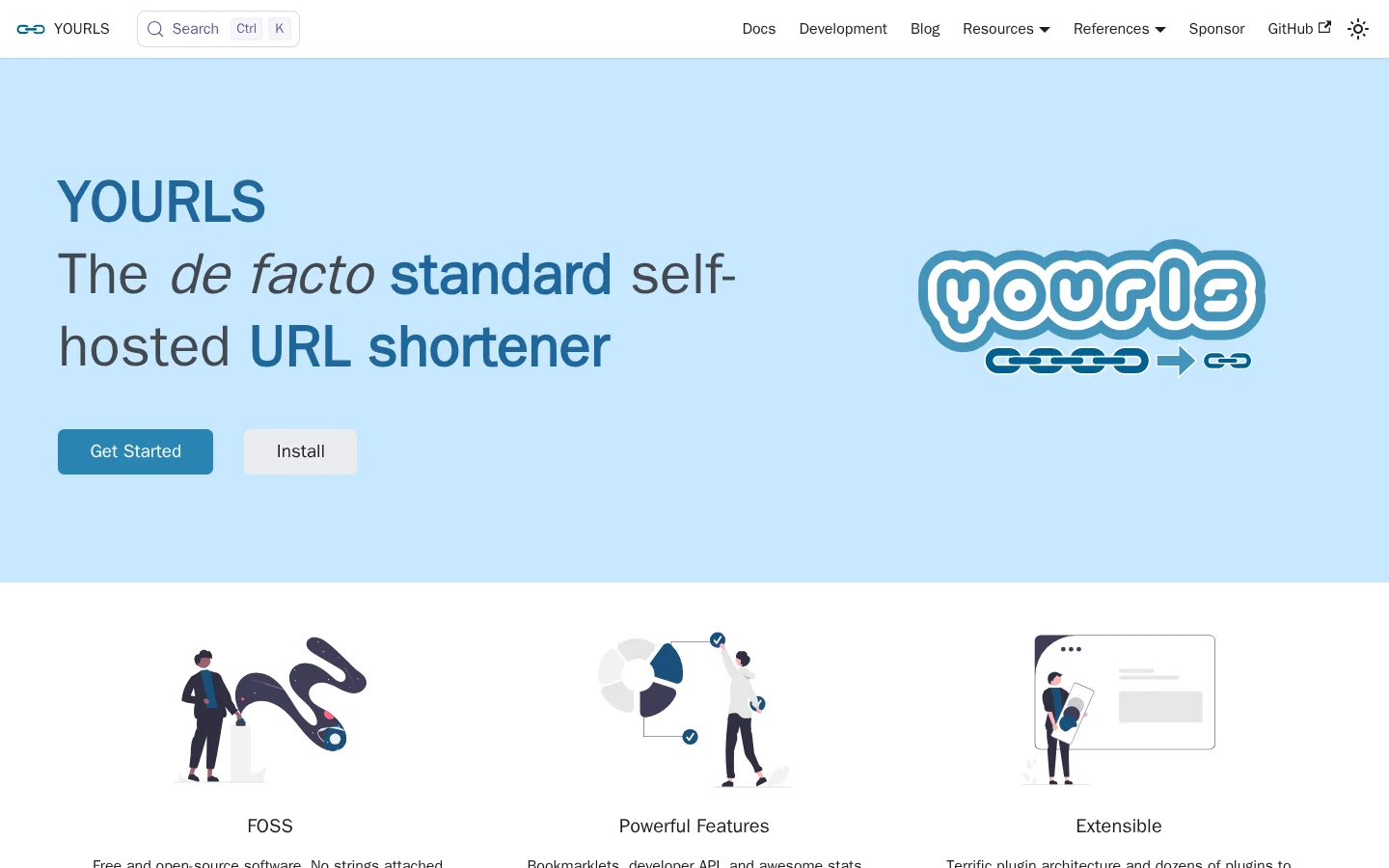
Principle: you install open source software on your own server and point a short domain to it. YOURLS (MIT licence, PHP) and Shlink (MIT licence, API-first) are the two best known. When to use it: technical teams, privacy constraints, high volumes. Advantages: full control of codes, headers, data and retention; no per-link fees. Limits: you handle hosting, updates, backups and security; an outage breaks every link. Example: a media site running Shlink on its own short domain for all newsletters.
Principle: no shortener at all. You add a short path such as example.com/go/spring and a server rule that answers with a 301. When to use it: a few dozen durable links (print, packaging, podcast, affiliate links you own). Advantages: zero extra domain or vendor, the link shows your real domain, one hop, links live as long as your site. Limits: no click dashboard (your analytics and UTM tags do the job), and someone has to edit the server config or a redirect plugin. Example: example.com/go/catalog printed on a product box.
Principle: the platform wraps every link you post in its own redirect (X uses t.co, LinkedIn uses lnkd.in in many places). When to use it: you do not choose it, it happens. Advantages: link previews, malware checks for the platform. Limits: it adds a hop in front of yours. If you also use your own shortener, the visitor goes through two redirects before reaching your page. Example: a go.example.com link posted on X becomes t.co, then go.example.com, then your page.
| Method | Control of redirect code | Brand trust | Risk of dead links | Click stats | Best for |
|---|---|---|---|---|---|
| Public generic shortener | None | Low | High | Basic | Throwaway links |
| Branded domain, hosted | Partial (depends on vendor) | High | Low (you own the domain) | Rich | Marketing teams |
| Self-hosted (YOURLS, Shlink) | Full | High | Depends on your hosting | Rich | Technical teams, high volume |
| Path on your main domain | Full | Highest | Lowest | Via analytics only | Print, packaging, durable links |
| Platform auto-shortener | None | Neutral | Low | Platform only | Unavoidable on some networks |
Short links belong outside your website: anywhere a human has to read, type, scan or remember the address. Inside your own site, in your structured data and in any link you want search engines or AI models to credit, use the full final URL.
og:url, url and sameAs fields should hold the real address. Our guide to setting up Open Graph tags and testing social previews covers the details.Short link or full URL?
A redirect chain is a series of hops between the first URL and the page that finally answers 200. Short links create chains easily, because the shortener's hop stacks on top of the platform's hop and on top of your own site's redirects.
A typical real-life chain on a social post looks like this:
https://t.co/AbC123               301 (platform wrapper)
https://go.example.com/spring     302 (shortener, temporary by default)
http://example.com/spring-sale    301 (old http target saved in the link)
https://example.com/spring-sale   301 (non-www to www)
https://www.example.com/spring-sale/   200
Five requests before the page starts loading. On mobile, each extra DNS lookup and connection is a visible wait. For search engines, Google stops after 10 hops, but long before that every hop is one more URL to crawl, which matters on large sites with a tight crawl budget.
https, the right host (www or not, see which version to redirect to), the trailing slash your site uses.t.co, so make sure everything after it is one hop.A short link before and after cleanup
Link rot is the slow death of links whose target no longer answers. With a shortener, one decision by one company can break thousands of your links at once, including those printed on paper. The only real protection is a short domain you own.
Google's own shortener is the textbook example. In a post on the Google Developers Blog dated July 18, 2024, Google explained that it had announced the deprecation of Google URL Shortener in 2018, that goo.gl links would start showing an interstitial page for a percentage of links from August 23, 2024, and that they would stop answering after August 25, 2025. On August 1, 2025, Google updated the post: it would preserve actively used links, and links generated by Google apps such as Maps sharing keep working.
The end of goo.gl, step by step
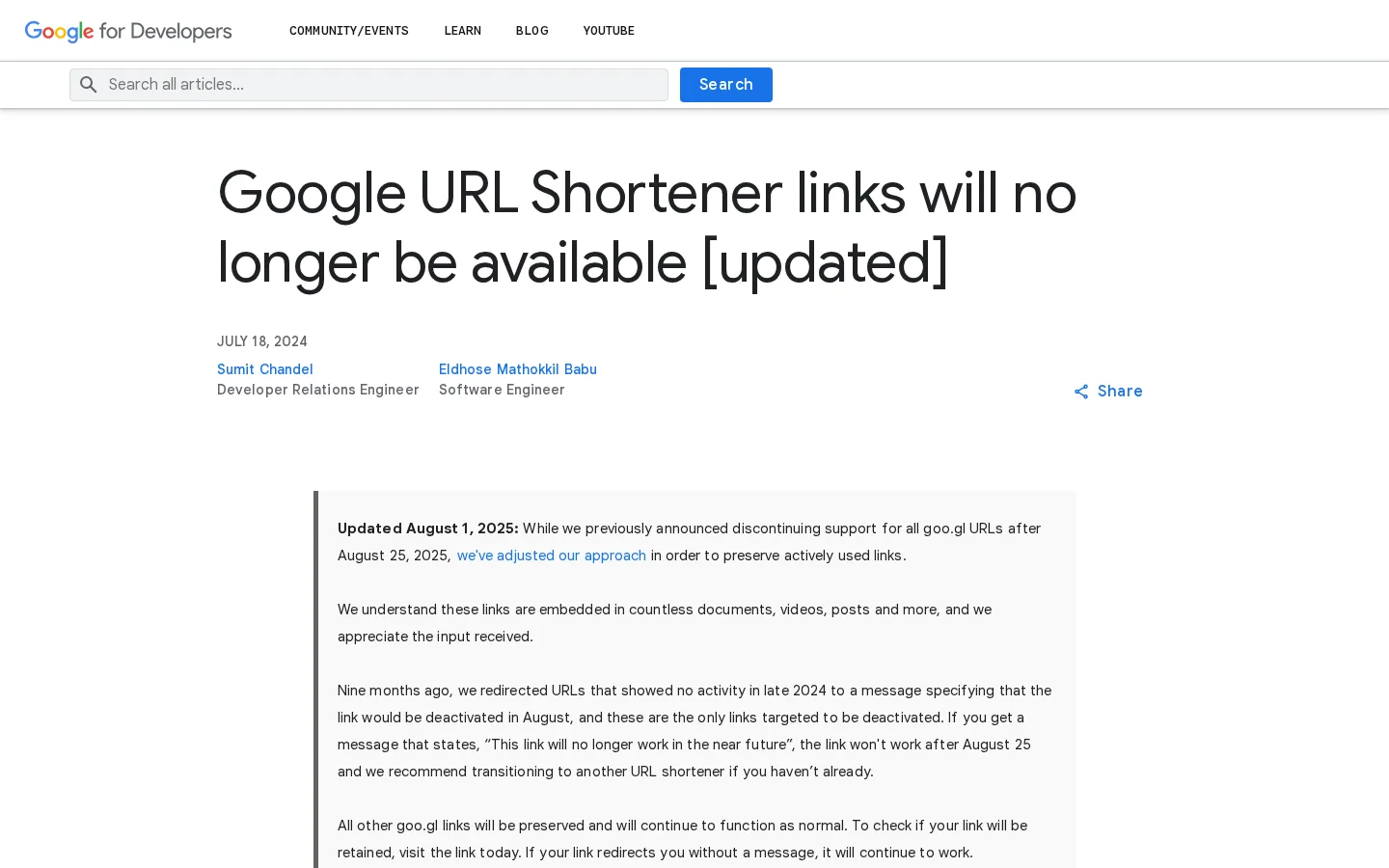
The lesson is not "Google is unreliable". It is that a shortener is infrastructure you rent. Free plans can expire, small services close, and a domain you do not own cannot be moved.
go.example.com to another tool or to your own server and import the codes.The setup takes about an hour: choose a short domain or subdomain, connect it, force a single permanent redirect, keep your tracking parameters and test. Here is the method, with the exact configuration for each case.
Branded short links in 6 steps
A subdomain of your main domain (go.example.com, link.example.com) is the simplest choice: no new domain to buy, and people instantly recognise your brand. A separate short domain is shorter but needs to be obviously yours, otherwise it looks like any other unknown link. If you buy one, the criteria of our guide on choosing a domain name for SEO still apply: easy to read, easy to say, no confusing characters.
For a hosted service, you add the record the vendor gives you in your DNS zone, usually a CNAME:
go.example.com. 3600 IN CNAME custom.shortener-vendor.example.For a self-hosted tool or a redirect server, point an A or AAAA record to your server's IP address instead. Wait for propagation, then check that the vendor's dashboard shows the domain as verified and that HTTPS is active.
If you use a hosted tool, look for a setting called "redirect type" or "status code" and choose 301 (some call it "permanent"). If you run the redirects yourself, this Nginx block answers with a 301, keeps any query string the visitor brings, and limits browser caching:
server {
    listen 443 ssl;
    server_name go.example.com;

    location = /spring {
        add_header Cache-Control "private, max-age=90" always;
        return 301 https://www.example.com/spring-sale/?utm_source=flyer&utm_medium=print&utm_campaign=spring;
    }

    location / {
        return 301 https://www.example.com/;
    }
}
The same thing on Apache, in the virtual host or an .htaccess file of the short domain:
Redirect 301 /spring https://www.example.com/spring-sale/?utm_source=flyer&utm_medium=print&utm_campaign=spring
RedirectMatch 301 ^/$ https://www.example.com/
For a redirect path on your main domain (example.com/go/spring), use the same rules on your main server, or a redirect plugin in your CMS that lets you choose the 301 code.
Save the destination with its UTM tags already in it. That way, analytics attributes the visit even if the platform strips the referrer. Build the tags with a consistent naming scheme, for example with our free UTM link builder, and check that the shortener does not drop the query string. Some tools also forward parameters added to the short link itself; test it before you rely on it.
Warning
Never put UTM tags on internal links of your own site. They start a new session in analytics and split your data. UTM tags are for links coming from outside: social, email, print, partners.
Run the curl command from earlier on each new link, or check the response headers with our HTTP headers checker. You want exactly one 3xx line with 301 or 308, a Location in https on the right host, and a 200 on the final page. Then click the link from a phone and confirm the visit and its campaign appear in your analytics real-time report.
Your shortener counts requests to the short URL. Your analytics counts pages where the tag fired. The two numbers measure different things, so they will never match, and the gap tells you something.
| Cause | Shortener count | Analytics count | What to do |
|---|---|---|---|
| Link preview bots (social networks, messaging apps) | Counted unless filtered | Not counted | Use the bot filter of your tool, compare human clicks only |
| Email security scanners that open every link | Counted | Rarely counted | Treat email clicks in the first seconds after sending with care |
| Visitor leaves before the page loads | Counted | Not counted | A large gap on mobile can mean a slow page or a long chain |
| Consent banner refused or ad blocker | Counted | Not counted | Use server-side or consent-free measurement where allowed |
| UTM tags lost in the redirect | Counted | Counted as direct or referral | Save UTM tags in the destination and test |
| Browser served a cached 301 | Not counted | Counted | Short cache lifetime on the 301 |
Use the shortener for what it sees first: which channel, which post, which printed piece produced the click, and when. Use analytics for what happens after: engaged sessions, conversions, revenue. A ratio of analytics sessions to human shortener clicks that drops suddenly on one link is a sign of a broken destination, a slow page or a new hop in the chain. Our guide to social media analytics metrics explains how to connect these numbers to business results.
A backlink that goes through a clean 301 shortener can still pass signals to your page, but a direct link is always safer. And for AI models, the address that matters is the one of the final page they read and cite.
Google's documentation treats a permanent redirect as a strong signal toward the target. In theory, a link to go.example.com/x that 301s to your page works like a link to your page. In practice, you depend on the shortener staying online and keeping its 301, and many backlink tools report the link under the shortener's domain, which muddles your audits. When you earn or exchange a link, ask for the direct URL. This is also how Sorank's natural backlink acquisition works: contextual links from sites in your niche, pointing straight to the page you want to rank.
Google's spam policies define "sneaky redirects" as redirects meant to show users and search engines different content, for example a link that sends desktop users to a normal page and mobile users to a spam domain. A shortener does not make a link sneaky, but cloaking the real destination, rotating destinations by device to deceive, or hiding paid links behind short URLs crosses the line. Our summary of Google's spam policies and Search Essentials lists what is allowed. For paid or affiliate links you publish, keep the rel="sponsored" attribute on the link, short or not.
ChatGPT, Claude and Gemini cite pages, not redirects. When they quote your content, they show the final URL they fetched. A short link in your own content tells an AI model nothing about the page behind it: no domain it recognises, no words in the path. If you want AI models to associate a resource with your brand, link to it with its full, descriptive URL on your own pages. To see which of your pages AI models actually cite, you can follow them with AI mention tracking.
In content you want credited: short link or full URL?
Almost every SEO problem with short links comes from one of these eight mistakes. Each one is easy to spot with a redirect check and quick to fix.
What it is: the tool answers 302 or 307 because that is its default (Shlink's default is 302, for example). How to spot it: the first line of the curl output, or the status column of a redirect checker. How to fix it: switch the setting to 301 or 308 and add a short cache lifetime if you need to edit destinations.
What it is: the short link points to the http version, the wrong host or an old URL that now redirects. How to spot it: more than one 3xx line after the shortener. How to fix it: edit the destination to the exact final URL that returns 200. After every page migration, search your shortener for links to the old URL.
What it is: a link from one shortener is shortened again by another, or a social scheduling tool re-shortens your branded link. How to spot it: two different short domains in the chain. How to fix it: turn off automatic shortening in the scheduling tool, or give it the full URL and let it shorten once.
What it is: menus, buttons or article links that go through a shortener for tracking. How to spot it: crawl your site and filter outgoing links to your short domain; or search your CMS database for the short domain. How to fix it: replace them with direct URLs and track internal clicks with events in analytics.
What it is: a short or redirecting URL in a sitemap, a canonical tag, hreflang or structured data. How to spot it: the page indexing report of Search Console lists "Page with redirect" for URLs you submitted; your crawler flags canonicals that do not answer 200. How to fix it: list only final URLs in these fields.
What it is: years of printed and shared links on a public shortener domain or on a free plan. How to spot it: your links are on the vendor's domain, not yours. How to fix it: move new links to a branded domain now, export the old table, and for high-value old links (print runs, citations in articles), ask for updates or keep the account alive.
What it is: the shortener drops the query string, or tags are added both in the destination and in the short link, producing broken URLs like ?utm_source=x?utm_source=y. How to spot it: campaign traffic appears as direct or referral in analytics; or the final URL in the curl output contains two question marks. How to fix it: keep the tags in one place, the saved destination, and test each link.
What it is: a sponsored link shortened so readers and search engines do not see it is paid. How to spot it: links to partners with no rel="sponsored" and no disclosure. How to fix it: add the attribute and a clear disclosure next to the link; the short URL can stay.
Note
If you changed a short link from 302 to 301 or flattened a chain, you have nothing to submit to Google: crawlers will see the new answer on their next visit. Just make sure the final page is in your sitemap with its real URL.
To use short links without any SEO cost, check these points once for your setup, then for each new link. Start today with your ten most shared links: run them through a redirect check and fix whatever is not a single permanent hop.
URL shortener SEO checklist
Short links are a distribution tool, not a ranking tool. What makes your pages rank on Google and get cited by AI models is the page itself and the sites that link to it directly. If you want the 301 basics in one page, our glossary entry on the 301 redirect sums them up, and the comparison of 301 vs 302 redirects and their SEO impact helps you decide case by case.
No, not by themselves. A short link that answers with a permanent 301 or 308 redirect in a single hop passes the signals to your real page, as Google and Bing treat permanent redirects as a strong signal. Problems come from temporary redirects, redirect chains and services that shut down.
Use a 301 (or 308) when the destination will not change, which is the case for most short links. Keep 302 or 307 for links whose destination changes within days. To stay able to edit a 301, send it with a short browser cache lifetime.
Yes, mainly for control and durability. On a domain you own, you choose the redirect code, people trust the link more, and if the vendor closes you point the domain elsewhere instead of losing every link. It does not boost rankings directly.
We analyse your competitors, your website and your AI visibility to create a tailored content plan for free.
 Website Value Calculator
 Website Accessibility Checker
 Google Analytics Checker
 Duplicate Content Checker
 Mobile-Friendly Test
 Website Speed Test
 Subdomain Finder
 Domain Age Checker
 CMS Detector
 Googlebot Simulator
 Nofollow Link Checker
 Meta Tag Checker
 Keyword Cannibalization Checker
 Keyword Intent Checker
 Keyword Extractor
 Google Ads Cost Calculator
 CPC Calculator
 Local Citation Finder
 Reddit Threads Finder
 Disavow File Generator
 Redirect Generator
 Canonical Tag Generator
 Passive Voice Checker
 Google Location Changer
 Google Review Calculator
 Google Review Link Generator
 Keyword Combiner
 Podcast Show Notes Generator
 AI Content Rewriter
 AI Text Humanizer
 ChatGPT Prompt Generator
 Twitter Thread Generator
 Tweet Generator
 Landing Page Copy Generator
 Google Ads Copy Generator
 Pinterest Pin Description Generator
 Anchor Text Generator
 Social Media Post Generator
 LinkedIn Post Generator
 Free AI Writer
 Review Response Generator
 LSI Keyword Generator
 YouTube Video Ideas Generator
 YouTube Tag Generator
 YouTube Description Generator
 Product Description Generator
 CTA Generator
 Blog Introduction Generator
 Conclusion Generator
 Hook Generator
 AI Content Brief Generator
 FAQ Schema Generator
 AI Blog Post Ideas Generator
 Structured Data Validator (Schema Validator)
 Alt Text Checker
 Internal Link Analyzer
 Backlink Challenge
 AI Meta Description Generator
 AI Blog Title Generator
 Google Indexability Checker
 AI Blog Outline Generator
 UTM Link Builder
 Keyword Clustering Tool
 Canonical Tag Checker
 XML Sitemap Generator
 Broken Link Checker
 AI SEO Title Generator
 Headline Analyzer
 SERP Preview Tool
 Redirect Checker
 Hreflang Tag Generator
 Heading Structure Analyzer
 HTTP Headers Checker
 Favicon Extractor
 SERP CTR Calculator
 SEO vs Paid Search Savings Calculator
 SEO Share of Voice Calculator
 SEO ROI Calculator
 SEO Traffic and Revenue Forecast Calculator
 SEO Budget Calculator
 SEO Break-Even Calculator
 SaaS SEO ROI Calculator
 ROAS Calculator
 Reading Time Calculator
 Ranking Gain Simulator
 Organic Traffic Value Calculator
 Organic Traffic Estimator and Website Traffic Checker
 LTV to CAC Ratio Calculator
 Local SEO ROI Calculator
 Link Building Cost Calculator
 Keyword Value Calculator
 Keyword Opportunity Score Calculator
 Keyword Density Calculator
 GEO ROI Calculator
 GEO Content Investment Calculator
 Ecommerce SEO ROI Calculator
 Customer Lifetime Value Calculator
 Customer Acquisition Cost Calculator
 CTR Calculator
 Cost Per Article Calculator
 Conversion Rate Calculator
 Content Marketing ROI Calculator
 ChatGPT Referral Traffic Estimator
 Bounce Rate Calculator
 Backlink ROI Calculator
 AI Visibility Score Calculator
 AI Traffic Value Calculator
 AI Share of Voice Calculator
 Cost of AI Invisibility Calculator
 AI Citation Rate Calculator
 llms.txt Validator
 AI Overview Checker and AI Overviews Rank Checker
 Robots.txt Checker
 AI SEO Audit
 LLM Readability Checker
 SearchGPT Readiness Checker
 Structured Data LLM Audit
 Website Crawlability AI Audit
 Why ChatGPT Is Not Recommending My Website
 Gemini Ranking Tool
 Perplexity Ranking Checker
 LLM Citation Checker
 Answer Engine Optimization Audit
 GEO Audit
 AI Search Visibility Test
 ChatGPT Visibility Checker
 llms.txt Generator
 URL Extractor
 Webpage to Markdown
 Sitemap Checker
 SERP Volatility Sensor
 Page Size Checker
 Word Counter
 Slug Generator
 Schema Generator
 Robots Generator
 OG Preview
 Meta Tags Generator
 Image Compressor
 Favicon Generator
 On-Page SEO Audit: SEO Checker and SEO Analyzer
 Backlink Analysis Tool
 Keyword Research Tool
 Domain Authority Checker
 “I tested Sorank on a real client site and it's insane. It does everything an agency would bill you $1500 a month for. It's going into production on that client now.”

 Guillaume Guersanguersanguillaume.com“We are an Ads agency and we wanted to get our SEO back on track once and for all. Sorank gave us a clear view of our site, helped us prioritize optimizations, and properly structure our content. The tool is easy to use, well designed for a team, and very practical for centralizing tracking without having to juggle multiple platforms. A very solid foundation to start fresh with our SEO.”
 Gaspard MadouiAds Agency
 “I just let the Sorank software do its thing, and now my DR is 25 and my page is ranking higher.”
 Lucas Flandrefoundertrace.fr“I specialized in GEO thanks to Sorank. The GEO Leaderboard allows me to show my clients their position vs competitors on ChatGPT. It’s a real commercial differentiator.”
 MélanieSEO Freelance“Great service, works well for our website and helps us understand how to improve it to rank better on Google and elsewhere. Congrats, keep going, I recommend it.”
 Hugo T.E-commerce merchant