
Preferences
Privacy is important to us, so you have the option of disabling certain types of storage that may not be necessary for the basic functioning of the website. Blocking categories may impact your experience on the website. More information
Privacy is important to us, so you have the option of disabling certain types of storage that may not be necessary for the basic functioning of the website. Blocking categories may impact your experience on the website. More information

WWW vs non-WWW: pick one version of your site, use it everywhere, and redirect the other with a 301 so Google sees one site, not two.








Founder Sorank, 7+ years in SEO.
Summary
WWW vs non-WWW is the choice between two addresses for the same site, such as www.example.com and example.com. Search engines can treat them as two separate sites, so you pick one version, use it everywhere, and redirect the other to it with a 301 redirect or a canonical tag.
Want to go further? Ask
WWW vs non-WWW is about the hostname, the part of the address in front of your domain name. The www label is a subdomain by convention, and nothing requires it. Both addresses can load the same page, but a browser and a search engine read them as two different addresses. Your job is to pick one and send every other version to it.
The only difference is the hostname. www.example.com has a www label in front of the domain, and example.com does not. Many sites were built with www in the past, and many new sites drop it, so you will see both on the web.
Not always. Google indexes each URL, and the two hostnames are different. If both versions load and nothing says which one is the main one, Google may index both or pick one for you. Google describes a redirect as a strong signal that its target should become the canonical version, so a redirect is the clearest way to tell it which one you want.
Keep the version you already use if your links and history point to it. If you start fresh, you can drop www for a shorter address. Either choice can rank. What matters is that one version wins everywhere.
| Question | Keep www | Drop www |
|---|---|---|
| Existing links | Most links may already point to www, so nothing moves | Each www link needs a redirect to keep its value |
| Address length | Longer to type and print | Shorter on cards, ads and packaging |
| Setup work | Redirect the bare domain to www | Redirect www to the bare domain and update your site settings |
Whichever you choose, check that your email, your app and your other services use the same address.
Set a permanent 301 redirect from the version you did not choose to the one you did. Google's redirect guide says that a 301 or 308 means a page has permanently moved to a new location, and it advises picking one URL as the preferred one and redirecting the others to it. Read the 301 and 302 redirects compared page before you choose a code, because a 302 says the move is temporary.
On an Apache server, a rule in the .htaccess file does the job. Replace example.com with your domain:
RewriteEngine On
RewriteCond %{HTTP_HOST} ^www\.example\.com$ [NC]
RewriteRule ^(.*)$ https://example.com/$1 [R=301,L]
Most hosts, site builders and CMS tools also have a primary domain setting. Use it when you can, because it writes the redirect for you. If you cannot redirect, a canonical tag tells search engines which URL is the main copy. It does not move visitors, so use it only when both versions must load. Put one in the head of each page, pointing to your chosen address:
<link rel="canonical" href="https://example.com/pricing">Tip
Change the primary domain setting first, then add the redirect. Test both addresses after each change, so you can catch a loop where each version sends visitors to the other.
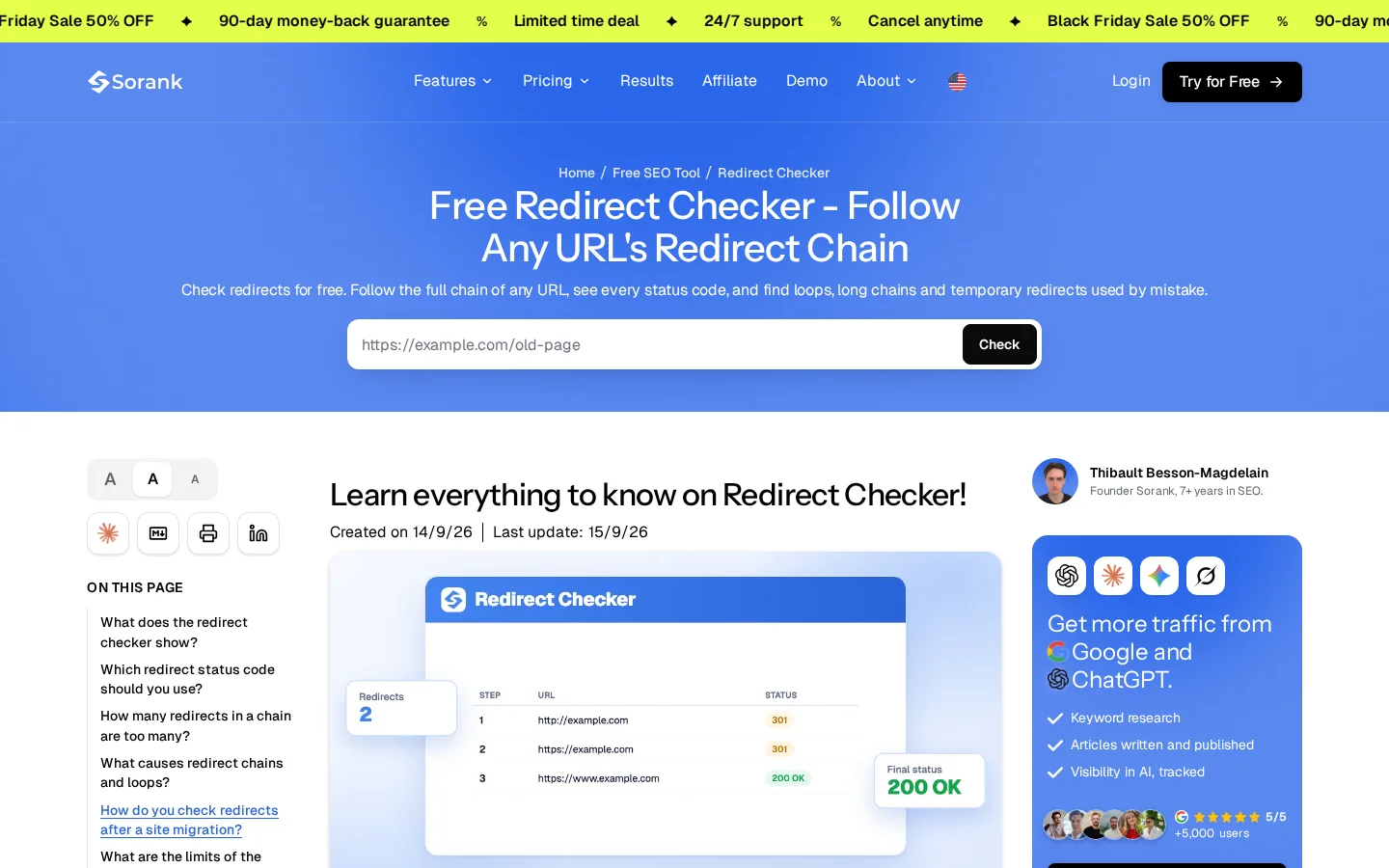
Type both addresses into a browser. Each one should end on the same final address. Then follow the chain one hop at a time with Sorank's free redirect checker, which shows each status code and whether the chain loops. Sorank's free canonical tag checker shows where a page's canonical points.
Check your home page and at least three inner pages. A redirect that works on the home page can still leave an old blog post on the other version. If you want the wider picture, read about duplicate content too.
When the choice is consistent, the direct effect on rankings is small. The real cost comes from split signals. If some links point to www and others to the bare domain, the links and the page history are divided between two addresses. One version gathers them in one place.
Cookies are a second reason. A cookie follows the hostname that set it. MDN explains that when a cookie has no Domain attribute, it is available on the server that set it but not on its subdomains. If your login cookie is set on www.example.com, a visitor who lands on example.com does not send it and looks logged out. Keep one version for the whole site, so login, cart and analytics stay with one address.
Brand image matters too. An address that shows www in one place and the bare domain in another looks less consistent, and people will type the one they remember.
These mistakes keep two versions alive. Here is how to spot each one and how to fix it.
For SEO, one address keeps links, rankings and page history in one place. For GEO, the AIs cite the URLs they find. If your pages and the sources that mention you use both versions, the mentions split across two addresses. Pick one version, so every link, citation and cookie leads to the same site. Read how Google picks the canonical URL when several candidates exist.
Choose www or non-www once, use it in every link, sitemap and canonical tag, and redirect the other version with a 301. The direct effect on rankings is small when the choice is consistent. The damage comes from two working versions that split your links, cookies and mentions. Test both addresses today and fix the one that still loads.
Sources
Yes, mostly for consistency. Both versions can load, so Google may index two addresses and split your links and signals. Pick one, use it everywhere, and redirect the other with a 301 redirect.
Either choice can rank. Keep the version you already use if most of your links point to it. If you start fresh, you can drop www for a shorter address, as long as you redirect every www address to it.
Set a permanent 301 redirect in your server or in your site's primary domain setting. Then test both addresses to confirm that each one ends on the same final URL.
 “I tested Sorank on a real client site and it's insane. It does everything an agency would bill you $1500 a month for. It's going into production on that client now.”

 Guillaume Guersanguersanguillaume.com“We are an Ads agency and we wanted to get our SEO back on track once and for all. Sorank gave us a clear view of our site, helped us prioritize optimizations, and properly structure our content. The tool is easy to use, well designed for a team, and very practical for centralizing tracking without having to juggle multiple platforms. A very solid foundation to start fresh with our SEO.”
 Gaspard MadouiAds Agency
 “I just let the Sorank software do its thing, and now my DR is 25 and my page is ranking higher.”
 Lucas Flandrefoundertrace.fr“I specialized in GEO thanks to Sorank. The GEO Leaderboard allows me to show my clients their position vs competitors on ChatGPT. It’s a real commercial differentiator.”
 MélanieSEO Freelance“Great service, works well for our website and helps us understand how to improve it to rank better on Google and elsewhere. Congrats, keep going, I recommend it.”
 Hugo T.E-commerce merchant



















