Preferences
Privacy is important to us, so you have the option of disabling certain types of storage that may not be necessary for the basic functioning of the website. Blocking categories may impact your experience on the website. More information
Privacy is important to us, so you have the option of disabling certain types of storage that may not be necessary for the basic functioning of the website. Blocking categories may impact your experience on the website. More information

Learn how to improve SEO rankings in the right order: measure in  Search Console, fix crawl and speed issues, match search intent and earn links the safe way.
In short
To improve SEO rankings, measure where your pages stand in Google Search Console, fix whatever stops Google from crawling, indexing and loading them, then improve the content, titles, internal links and links that decide where a page ranks. Follow that order, because a page Google cannot reach cannot rank, whatever you write on it.
Want to go further? Ask
Quick quiz
How should you follow your positions on Google?
Sorank matches your answers


Test it for 3 days on your own site and see where you stand on Google, ChatGPT and the other AIs.
Start 3-day free trial3 days free, then stop whenever you want. 90-day results guarantee, conditions apply.
Google ranks a page in three stages: it finds the URL, it stores the page in its index, then it orders that page against the others for each query. You control most of what happens in the first two stages and many of the signals used in the third, but you cannot control the ranking system itself. Google's SEO Starter Guide says that Google "primarily finds pages through links from other pages it already crawled," so internal links are part of discovery, not only a ranking tool.
| Stage | What Google checks | What you control |
|---|---|---|
| Crawling | Whether a bot can reach the URL | Internal links, robots.txt, server responses, redirects |
| Indexing | Whether the page is worth storing | Noindex tags, canonical tags, duplicate content, page quality |
| Ranking | Whether the page answers the query better than the others | Search intent match, titles, content depth, links, page experience |
The table shows why the order matters. If a page is blocked, nothing you write on it will be read. If it is indexed but thin, a better title will not carry it for long. The rest of this article follows the stages in that sequence. If you want the short definition first, the ranking glossary entry covers it in a few paragraphs.
Record a baseline in Google Search Console before you touch a page, or you will not know whether a change helped. The Performance report gives you clicks, impressions, click-through rate (CTR) and average position for each query and each page. Google's Search Console Performance report help page defines CTR as clicks divided by impressions, and average position as "the average position of the topmost result from your site." That definition has a consequence: a page can average position 9 across its queries while sitting on page one for one query and on page four for another. Read averages query by query, not only page by page.
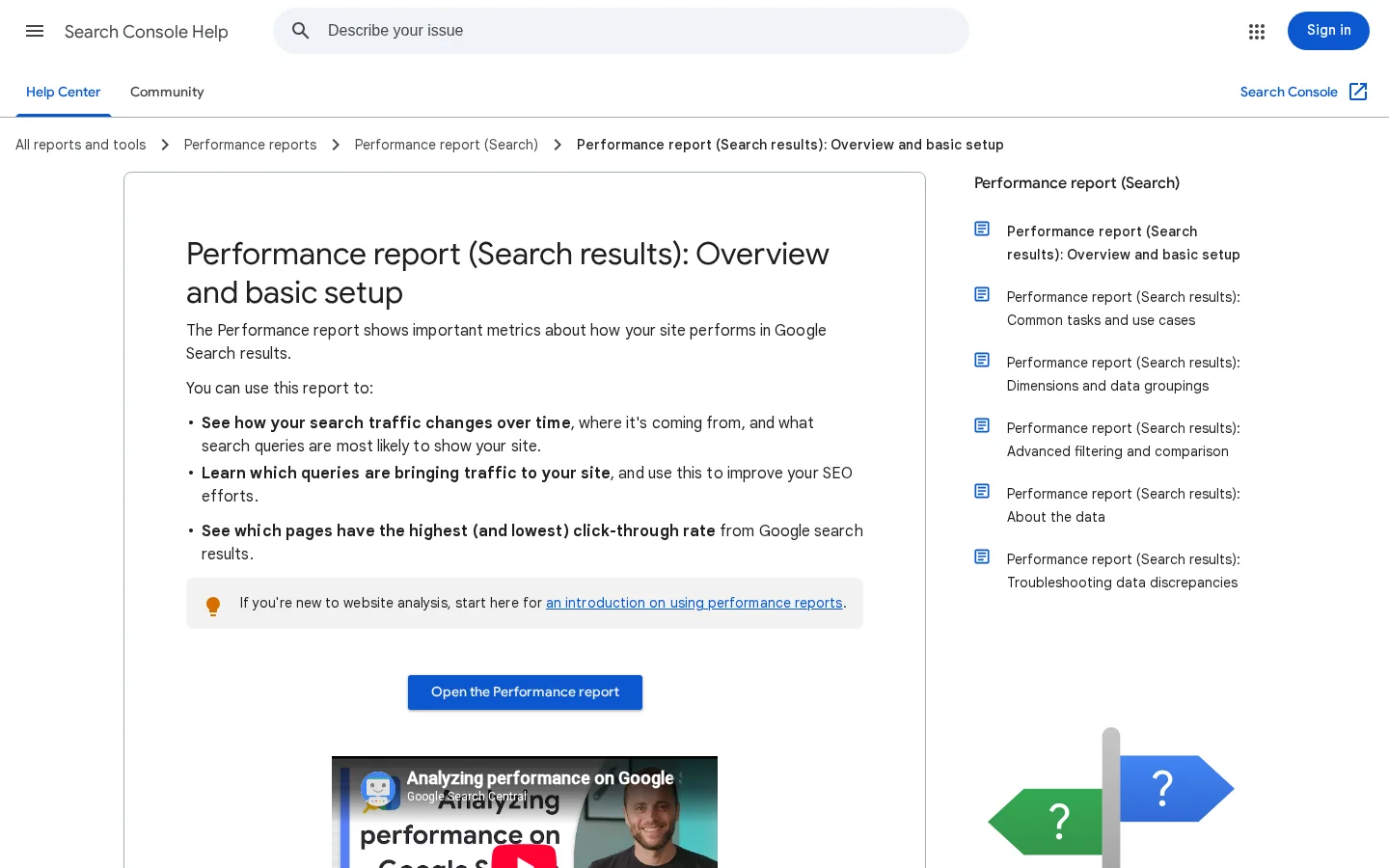
Queries in positions 8 to 20 are the cheapest wins, because Google already shows your page for them and they need only a small push. Export the Queries table for at least three months, then paste it into a spreadsheet with the query in column A, clicks in B, impressions in C, CTR in D and position in E. This formula returns the queries between positions 8 and 20 that got at least 100 impressions:
=FILTER(A2:E, E2:E>=8, E2:E<=20, C2:C>=100)The 100 impression threshold is our choice to remove noise, not a Google rule. Lower it for a small site and raise it for a large one. Keep the output in a sheet with the date, so you can compare the same list a month later.
For each page you plan to change, write down the date, its position for the target query, clicks, impressions and CTR. Then leave the page alone while Search Console collects data. Daily swings are noise, and a rewrite needs time to be recrawled and reassessed. Change one group of pages at a time when you can, so the comparison stays clean. Add a column for what you changed and when, because in three months you will not remember which edit came first.

The plan below has seven steps. Each step depends on the one before it, so skip a step only after you have checked that it is already done. Steps 1 and 2 are usually a short session, while steps 3 to 6 take most of the work.
The seven-step method
Our SEO quick wins guide covers a first pass using only your own data, and search engine visibility lists ten ways to improve it. This article goes deeper into the technical, structural and link work, and into the order to do it in.
Access comes first because the other steps assume Google can read the page. Speed comes before content work because a rewrite on a page that loads slowly still leaves the page slow. Intent comes before links because a link to the wrong page type brings visitors who leave quickly. Links come last because they reward pages that already deserve to rank, and a link to a weak page wastes the effort.
Google cannot rank a page it cannot crawl or index, and a slow page loses visitors before they read anything. Fix these problems first, because no content change helps a page that Google cannot read correctly.
A single line in robots.txt can block a whole folder. The example below stops every crawler from reaching any URL under /blog-geo-seo/:
User-agent: *
Disallow: /blog-geo-seo/
Open yourdomain.com/robots.txt and read it line by line, then test the URLs you care about. If Search Console reports a page as blocked, follow the steps in our guide to the robots.txt blocked status. Also check each important page for a noindex meta tag or an X-Robots-Tag header. A noindex left over from a staging site is one of the most common reasons a page never appears in results, and it is easy to miss because the page looks fine in your browser.
A redirect chain is an old URL that redirects to a second URL, which redirects to a third. Each hop costs time and can weaken the signals that pass through it, so point every old URL straight to its final destination. Use a 301 for a permanent move. The 301 redirect entry and the 301 versus 302 guide explain when each one applies. To find chains, crawl the site with a tool you trust and list every URL that returns a 3xx status. Then update the internal links that point to the old URLs, so they go to the final page directly. Fixing the redirect alone leaves your own site sending visitors and crawlers through the chain.
Core Web Vitals measure loading, responsiveness and visual stability. The web.dev guide to Core Web Vitals, last updated October 31, 2024, sets the "good" thresholds shown below. Google assesses these with field data from real visitors, so a single lab test on your laptop tells you little. Aim for the thresholds on your key templates, such as article pages, product pages and the homepage.
The three "good" thresholds
Source: web.dev, Core Web Vitals guide, last updated October 31, 2024
For LCP, start with the largest element above the fold, which is often a hero image or a large heading block. For INP, look at the scripts that run when a visitor clicks, taps or types. For CLS, reserve space for images, embeds and ad slots so the layout does not jump while the page loads. The glossary entries on Core Web Vitals and page speed cover each metric in more depth.
A page ranks when it gives the answer the searcher wants, in the format they expect, so compare it with the current top results before you add a word. Then refresh the pages that lost ground by filling the gaps, not by changing the date in the header.
Search the target query in a private browser window and open the top five results. For each one, write down four things: the page type (guide, product page, tool, category page), the format (steps, list, table, video), the depth (how many sections there are and whether they answer follow-up questions) and the angle (beginner, expert or comparison). Results vary by country and device, so check in the market you sell to. If most results are comparisons and your page is a product page, no amount of copy will fix the mismatch. Change the page type first.
Use the baseline from the measurement section to find pages whose position for their main query fell over the last few months. Then compare the page with the results that now outrank it. The missing piece is usually an answer near the top, a section on a follow-up question, an outdated example or a table that the competitors have and you do not. Add that content, update the facts you can verify, and link to the newer pages that cover the subtopics. A date change with nothing else changed usually does nothing for rankings, and readers notice.
Two pages aimed at the same query split links, clicks and signals, and Google may show the weaker one. This is keyword cannibalization. To find it, filter the Performance report by a query, then open the Pages tab to see whether two of your URLs share it. Keep the stronger page, move the useful sections from the weaker one into it, and redirect the old URL to the kept page with a 301.
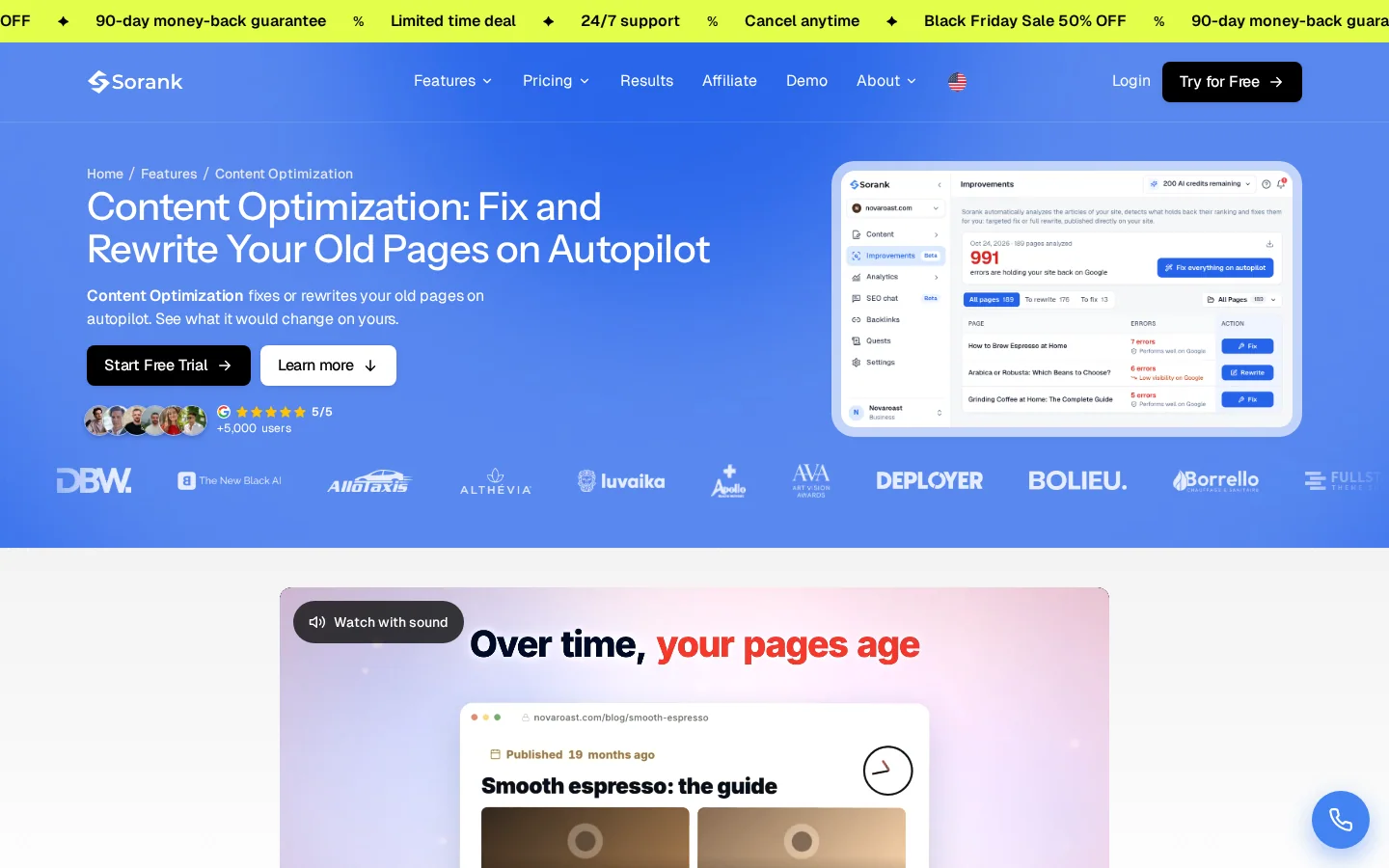
If you have many existing pages, doing this by hand takes a long time. Sorank's content optimization feature audits existing pages for errors in the title, meta description, H1, links, images and structured data. It reads each page's Google clicks, impressions and average position over the last 30 days, and applies fixes only to the elements that need them. Weak pages can be rewritten in full at the same URL, so existing links keep working, and you review the new version before it goes live. The module is still in beta, so check its current state before you rely on it for a large site.
Internal links carry context from one page to another and show Google which pages matter most. Three structures are common, and each suits a different site size and topic depth. Pick one on purpose, because changing the structure later means rewriting many links.
Principle: one central hub page links to every main topic, and each topic page links back to the hub and to a few related topics. When to use it: a small site with a handful of topics, or a new site that has not yet built depth. Advantages: every page sits one or two clicks from the hub, and the structure is easy to maintain. Limits: the hub receives most of the internal links, so it must be genuinely useful, and the structure is too shallow for a site with hundreds of detailed pages. Example: a glossary index that links to 40 term pages, each of which links back to the index and to two or three related terms.
Principle: a pillar page covers a broad topic, and supporting pages go deep on its subtopics. Each supporting page links to the pillar, and the supporting pages link to each other where they answer related questions. When to use it: when you want to rank for a whole subject, not one phrase, and you can write the supporting pages. A workable size is 8 to 15 supporting pages per pillar. Advantages: the pillar gathers relevance for the subject, and the links show Google how the subtopics relate. Limits: if two supporting pages target the same query, they cannibalize each other, so each one needs its own query. Example: a pillar on technical SEO that links to supporting pages on redirects, robots.txt, Core Web Vitals and canonical tags, each of which links back to the pillar.
Principle: the URL structure mirrors the topic hierarchy, such as /shoes/running/, and internal links mostly stay inside each folder. When to use it: large sites with clear categories, such as stores or directories, where each folder is a real category. Advantages: the structure is readable for people and crawlers, and it keeps link signals from spreading to unrelated sections. Limits: it is slow to change because URLs are hard to move, and links that cross silos need a deliberate reason. Example: an online store with /shoes/running/ and /shoes/hiking/, where each category links only to its own products and to one shared buying guide.
| Structure | Best for | Main risk | Setup effort |
|---|---|---|---|
| Hub and spoke | Small sites with few topics | A weak hub weakens every link from it | Low |
| Topic cluster | Depth on one subject | Overlapping supporting pages cannibalize each other | Medium |
| URL silo | Large catalogs with real categories | Hard to change once the URLs exist | High |
Google's link best practices say that "good anchor text is descriptive, reasonably concise, and relevant to the page that it's on," and recommend avoiding generic phrases such as "click here." Vary the wording across links, because the same exact anchor on every link looks mechanical. Mix three types: an exact match ("internal linking strategy"), a partial match ("guide to internal linking for a blog") and a descriptive phrase ("how a hub page spreads links across topics"). Place each link in the middle of a paragraph where the reader needs the information, not in a list of related links at the bottom.
Our internal linking strategy guide goes further on priority pages and multilingual sites, and the internal linking glossary entry covers the basics.
Tip
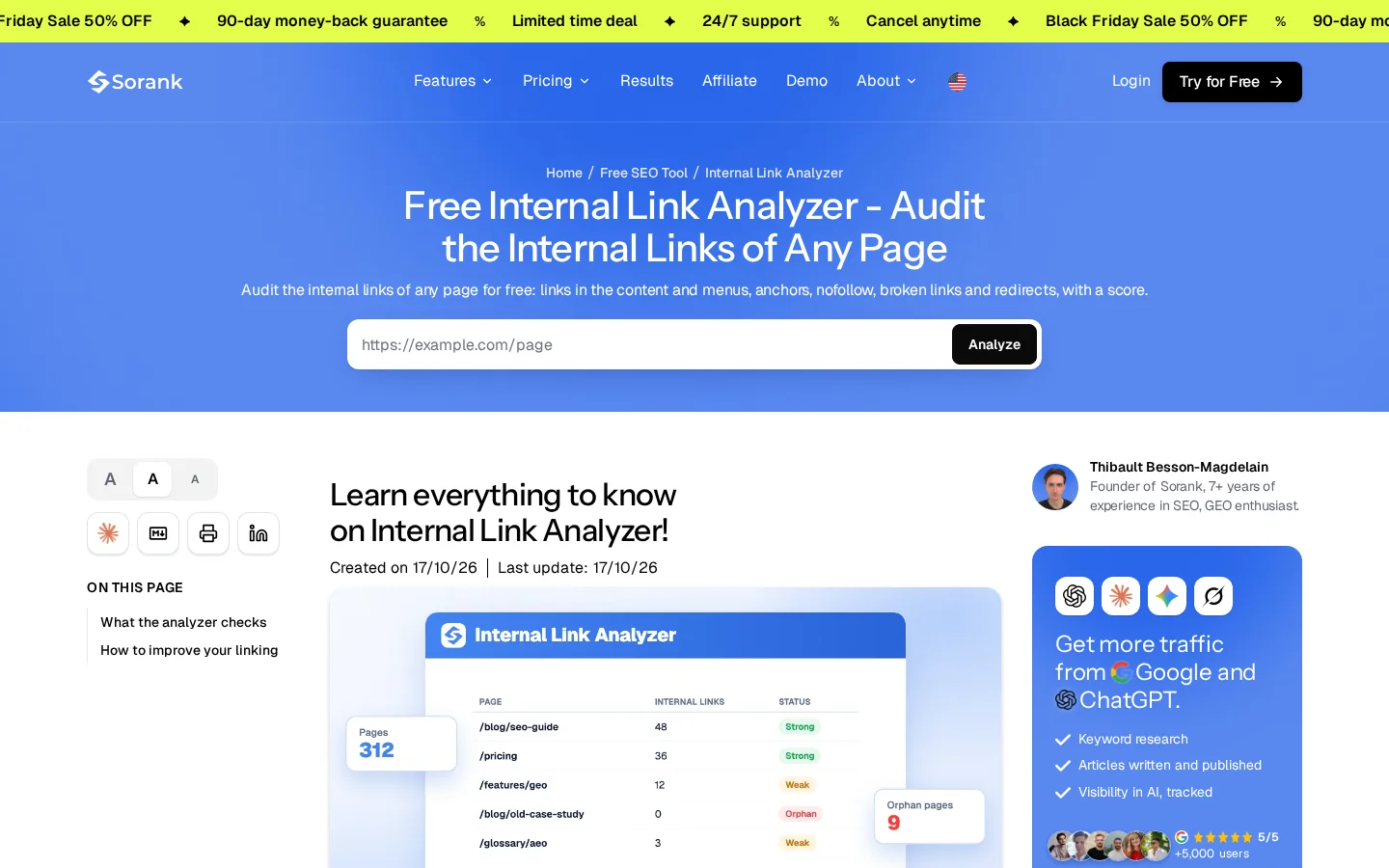
Run one of your key pages through the free Internal Link Analyzer. It separates links in the content from menu and footer links, flags empty or generic anchors, and lists broken links and redirects. It suggests 3 to 10 contextual links per article, so treat that range as a starting point, not a rule.
Each page needs a title tag and an H1 that name its topic clearly, and a meta description that tells the reader what they will get. Google's SEO Starter Guide says a good title "is unique to the page, clear and concise, and accurately describes the contents of the page," and that a meta description should be "short, unique to one particular page, and includes the most relevant points of the page."
Put the main topic first, add the specific angle or the benefit, and keep the title readable at a glance. A title that only names the brand, such as "Blog | Acme", tells the reader nothing about the page. The before and after below shows the difference.
Title tag, before and after
Check the title in a preview before you publish, because Google shortens long titles in results. The free SERP preview tool shows how the snippet will look, and the title tag entry covers the rules in more detail.
This is the head of a page with a clear title and description. In your CMS, the angle brackets must be escaped if the code appears as text, which is why they show here as entities:
<title>Redirect Chains: How to Find and Fix Them</title>
<meta name="description" content="Find redirect chains on your site, point each old URL straight to its final page, and confirm the fix in Search Console.">
Use one H1 per page, H2s that name the questions a reader asks, and H3s for the detail under each. Do not skip levels to change the font size. Style the text with CSS instead. A reader who scans the headings should get the outline of the answer, and clear headings make each section easier for AI assistants to extract and quote.
Earn links by publishing pages that other sites have a reason to cite, and avoid anything that trades links for money, goods or a promise of reciprocal links. Google's spam policies list "exchanging money for links," "exchanging goods or services for links" and "excessive link exchanges ("Link to me and I'll link to you")" as link spam, and a site that relies on them can see its rankings reduced when the links are discounted or a manual action is applied.
Earned link vs exchanged link
Source: Google Search Central, spam policies
Each method needs a different amount of effort and carries a different risk. The table compares six of them. The first five are sound ways to earn links, and the last one is a clear example of what Google treats as spam.
| Method | Effort | Risk | Best for |
|---|---|---|---|
| Original data study | High | Low | Sites with real data, customers or benchmarks |
| Resource or tool page | Medium | Low | Niche sites with a repeatable need, such as calculators |
| Press and digital PR | High | Low | Brands with a genuine news angle |
| Local listings and business directories | Low | Low | Local businesses with a physical address |
| Co-written research with a partner | Medium | Low | Companies with a shared audience and real collaboration |
| Paid guest posts with links | Low | High | Avoid: buying links is listed as spam |
For the planning side, our guides on backlink strategies and backlink audits cover how to choose methods and clean up a profile. If you already traded links, the backlink exchange guide explains what the practice is, why Google treats it as a scheme and how to stop.
Most stalled sites make the same few mistakes: they change too much at once, they target the wrong intent, they leave technical blocks in place, or they chase links that carry risk. Each mistake below has a sign you can check and a fix you can make the same week.
What it is: you rewrite the title, the body, the internal links and the structure of a page in the same week. How to spot it: you cannot say which change moved the position, or the position moves in both directions after each edit. How to fix it: change one group of elements, record the date, and wait for the next Search Console data before you make the next change. Keep the change log in the same sheet as the baseline.
What it is: the page format does not match what the query expects, such as a product page for a "how to" query or a long guide for a buying term. How to spot it: the top results are a different type from yours, and your CTR is low for a position that should earn more clicks. How to fix it: reread the top results as described in the intent section and change the page type first. A new page of the right type often beats an edited page of the wrong type.
What it is: a noindex tag, a robots block or a canonical tag that points to another URL, left on a page that should rank. How to spot it: the page is missing from the index, or Google shows a different URL than the one you want. How to fix it: check the head of the page and its HTTP headers, then correct the tag. The URL Inspection tool in Search Console shows the canonical Google selected, so use it to confirm the fix.
What it is: two of your URLs target the same query and split the signals between them. How to spot it: filter the Performance report by a query, open the Pages tab, and see two URLs with similar positions. How to fix it: merge the weaker page into the stronger one, then redirect the old URL with a 301. The refresh section above covers the steps.
What it is: every internal link to a page uses the same exact phrase, or the links say "click here" or "read more". How to spot it: the Internal Link Analyzer flags empty, generic and identical anchors. How to fix it: rewrite each anchor as a phrase that describes the destination, and vary the wording across the site, following the rule in the internal links section.
What it is: paying for links, swapping links on request, or joining link exchange groups. How to spot it: your link profile grows in bursts from unrelated sites, or most of the sites that link to you are link lists. How to fix it: ask for removal of the links you can, and where that fails, use Google's disavow tool for the rest. Then replace them with links earned from relevant pages.
What it is: you read a few days of Search Console data as proof that a change worked or failed. How to spot it: you change the page again before the data shows a trend. How to fix it: review the same queries every few weeks and look at the trend over several weeks, not one day. Changes can take weeks to appear and some take months, depending on how often Google recrawls the page and how competitive the query is.
| Mistake | Sign | Fix |
|---|---|---|
| Too many changes at once | Position moves both ways after each edit | One group of changes per cycle |
| Wrong page type | Top results use a different format | Change the page type |
| Leftover noindex or canonical | Page missing from the index | Correct the tag, then test with URL Inspection |
| Competing pages | Two URLs share one query | Merge, then 301 redirect |
| Generic anchors | "Click here" or the same exact anchor everywhere | Descriptive, varied anchors |
| Trading links | Bursts of links from unrelated sites | Stop, remove, then earn |
| Early judgment | Decisions made after a few days | Review over several weeks |
Start with measurement and technical checks this week. They take little time, and they decide what to do next. Work through the checklist below, then schedule the content and link work for the following weeks.
Your first-week checklist
Rankings move slowly, and the gains come from doing the unglamorous work in the right order: measure, fix access, match intent, link with purpose and earn real links. Repeat the cycle every few weeks and you will see which pages respond. If you want the tracking side handled in one place, Sorank's GEO / SEO dashboard shows Google and AI traffic together.
Most changes take weeks to show in Search Console, and larger gains often take months. The timing depends on how often Google recrawls the page, how competitive the query is and how much you change at once. Check your data every few weeks rather than every few days.
Start with pages that already appear in positions 8 to 20 for a query, since they need a smaller push than new pages. Fix any crawl, indexing or speed problems on those pages first, then improve their titles and internal links.
For competitive queries, yes, but the links must be earned from relevant sites. Exchanges, paid links and mass directory submissions count as link spam under Google's spam policies, and they can hurt a site instead of helping it.
We analyse your competitors, your website and your AI visibility to create a tailored content plan for free.
 Duplicate Content Checker
 Mobile-Friendly Test
 Website Speed Test
 Subdomain Finder
 Domain Age Checker
 CMS Detector
 Googlebot Simulator
 Nofollow Link Checker
 Meta Tag Checker
 Keyword Cannibalization Checker
 Keyword Intent Checker
 Keyword Extractor
 Google Ads Cost Calculator
 CPC Calculator
 Local Citation Finder
 Reddit Threads Finder
 Disavow File Generator
 Redirect Generator
 Canonical Tag Generator
 Passive Voice Checker
 Google Location Changer
 Google Review Calculator
 Google Review Link Generator
 Keyword Combiner
 Podcast Show Notes Generator
 AI Content Rewriter
 AI Text Humanizer
 ChatGPT Prompt Generator
 Twitter Thread Generator
 Tweet Generator
 Landing Page Copy Generator
 Google Ads Copy Generator
 Pinterest Pin Description Generator
 Anchor Text Generator
 Social Media Post Generator
 LinkedIn Post Generator
 Free AI Writer
 Review Response Generator
 LSI Keyword Generator
 YouTube Video Ideas Generator
 YouTube Tag Generator
 YouTube Description Generator
 Product Description Generator
 CTA Generator
 Blog Introduction Generator
 Conclusion Generator
 Hook Generator
 AI Content Brief Generator
 FAQ Schema Generator
 AI Blog Post Ideas Generator
 Structured Data Validator (Schema Validator)
 Alt Text Checker
 Internal Link Analyzer
 Backlink Challenge
 AI Meta Description Generator
 AI Blog Title Generator
 Google Indexability Checker
 AI Blog Outline Generator
 UTM Link Builder
 Keyword Clustering Tool
 Canonical Tag Checker
 XML Sitemap Generator
 Broken Link Checker
 AI SEO Title Generator
 Headline Analyzer
 SERP Preview Tool
 Redirect Checker
 Hreflang Tag Generator
 Heading Structure Analyzer
 HTTP Headers Checker
 Favicon Extractor
 SERP CTR Calculator
 SEO vs Paid Search Savings Calculator
 SEO Share of Voice Calculator
 SEO ROI Calculator
 SEO Traffic and Revenue Forecast Calculator
 SEO Budget Calculator
 SEO Break-Even Calculator
 SaaS SEO ROI Calculator
 ROAS Calculator
 Reading Time Calculator
 Ranking Gain Simulator
 Organic Traffic Value Calculator
 Organic Traffic Estimator and Website Traffic Checker
 LTV to CAC Ratio Calculator
 Local SEO ROI Calculator
 Link Building Cost Calculator
 Keyword Value Calculator
 Keyword Opportunity Score Calculator
 Keyword Density Calculator
 GEO ROI Calculator
 GEO Content Investment Calculator
 Ecommerce SEO ROI Calculator
 Customer Lifetime Value Calculator
 Customer Acquisition Cost Calculator
 CTR Calculator
 Cost Per Article Calculator
 Conversion Rate Calculator
 Content Marketing ROI Calculator
 ChatGPT Referral Traffic Estimator
 Bounce Rate Calculator
 Backlink ROI Calculator
 AI Visibility Score Calculator
 AI Traffic Value Calculator
 AI Share of Voice Calculator
 Cost of AI Invisibility Calculator
 AI Citation Rate Calculator
 llms.txt Validator
 AI Overview Checker and AI Overviews Rank Checker
 Robots.txt Checker
 AI SEO Audit
 LLM Readability Checker
 SearchGPT Readiness Checker
 Structured Data LLM Audit
 Website Crawlability AI Audit
 Why ChatGPT Is Not Recommending My Website
 Gemini Ranking Tool
 Perplexity Ranking Checker
 LLM Citation Checker
 Answer Engine Optimization Audit
 GEO Audit
 AI Search Visibility Test
 ChatGPT Visibility Checker
 llms.txt Generator
 URL Extractor
 Webpage to Markdown
 Sitemap Checker
 SERP Volatility Sensor
 Page Size Checker
 Word Counter
 Slug Generator
 Schema Generator
 Robots Generator
 OG Preview
 Meta Tags Generator
 Image Compressor
 Favicon Generator
 On-Page SEO Audit: SEO Checker and SEO Analyzer
 Backlink Analysis Tool
 Keyword Research Tool
 Domain Authority Checker
 “I tested Sorank on a real client site and it's insane. It does everything an agency would bill you $1500 a month for. It's going into production on that client now.”

 Guillaume Guersanguersanguillaume.com“We are an Ads agency and we wanted to get our SEO back on track once and for all. Sorank gave us a clear view of our site, helped us prioritize optimizations, and properly structure our content. The tool is easy to use, well designed for a team, and very practical for centralizing tracking without having to juggle multiple platforms. A very solid foundation to start fresh with our SEO.”
 Gaspard MadouiAds Agency
 “I just let the Sorank software do its thing, and now my DR is 25 and my page is ranking higher.”
 Lucas Flandrefoundertrace.fr“I specialized in GEO thanks to Sorank. The GEO Leaderboard allows me to show my clients their position vs competitors on ChatGPT. It’s a real commercial differentiator.”
 MélanieSEO Freelance“Great service, works well for our website and helps us understand how to improve it to rank better on Google and elsewhere. Congrats, keep going, I recommend it.”
 Hugo T.E-commerce merchant