Preferences
Privacy is important to us, so you have the option of disabling certain types of storage that may not be necessary for the basic functioning of the website. Blocking categories may impact your experience on the website. More information
Privacy is important to us, so you have the option of disabling certain types of storage that may not be necessary for the basic functioning of the website. Blocking categories may impact your experience on the website. More information

Learn how to improve readability in blog posts: short sentences, answer-first paragraphs, clear headings and a pass you can finish in 30 minutes.
In short
Readability is how little effort a reader needs to understand your text. Make your headings state the argument, put the answer first in each section, and split sentences that run past 20 words. Then read the post out loud, because your ear catches what a score cannot.
Want to go further? Ask
Quick quiz
Which way of finding customers online fits you best?
Sorank matches your answers


Test it for 3 days on your own site and see where you stand on Google, ChatGPT and the other AIs.
Start 3-day free trial3 days free, then stop whenever you want. 90-day results guarantee, conditions apply.
Readability gets mixed up with three things: how long your sentences are, how your page is laid out, and how easy your ideas are to follow. All three answer the same question. How much work does the reader have to do to get your point?
How people read a new web page
Source: Jakob Nielsen, Nielsen Norman Group, 1997
Readability measures effort, not quality. A text can be simple and wrong. A text can be precise and hard to follow. You want both: correct content that costs the reader little effort.
The clearest benchmark comes from accessibility guidance. The W3C's Understanding document for WCAG 3.1.5, Reading Level, says that when text needs reading ability above lower secondary education, the page should also offer a version that does not need it, or supplemental content that explains it. Lower secondary education covers roughly seven to nine years of schooling. For a general audience, that is a sound target. For an expert article, treat it as a warning, not a rule.
Note
The numbers above come from a 1997 study of early websites. Read them as a direction, not as a current benchmark.
The most common readability score is the Flesch reading ease. It combines two ratios: words per sentence and syllables per word. Higher means easier. Here is the formula:
Flesch reading ease = 206.835 - (1.015 x words / sentences) - (84.6 x syllables / words)Most guides give 60 to 70 as a target for general blog content. Use that number as a warning light. Below 50 on a beginner article, look for long sentences and heavy vocabulary. On an expert article, a lower score can be correct, because technical terms are long.
Note
The formula counts syllables with rules built for English. Scores for French, German or Spanish pages are only indicative, so compare a page with its own earlier versions.
Edit for one reader. A founder reading a pricing guide and an SEO specialist reading a crawl report need different text. Write one sentence that says who the reader is and what they should be able to do after reading. Then cut anything that does not serve that sentence.
Experts still benefit from short sentences. Precision comes from the exact term, not from a long sentence built around it.
Most people do not read your post from the first word to the last. They look at the headings, skim the first lines of each section, and read in full only what matters to them. Your headings are the map they use to decide where to stop.
Open your draft. Read only the H2 headings and the first sentence under each one. Can you tell what the article argues? If not, your headings name topics ("Sentence length") instead of claims ("Split sentences over 20 words"). A claim tells the reader what they get.
A topic heading or a claim
Start each section with the direct answer, then explain it. A scanning reader gets the answer in the first two sentences, and a careful reader keeps going for the reasoning. Compare these two openings.
Weak: "There are many factors to consider when you think about readability." Stronger: "Split sentences that run past 20 words, and give each paragraph one job. The reasons come next."
The first version makes the reader wait. The second one can stand alone, and that matters later, when we look at AI search.
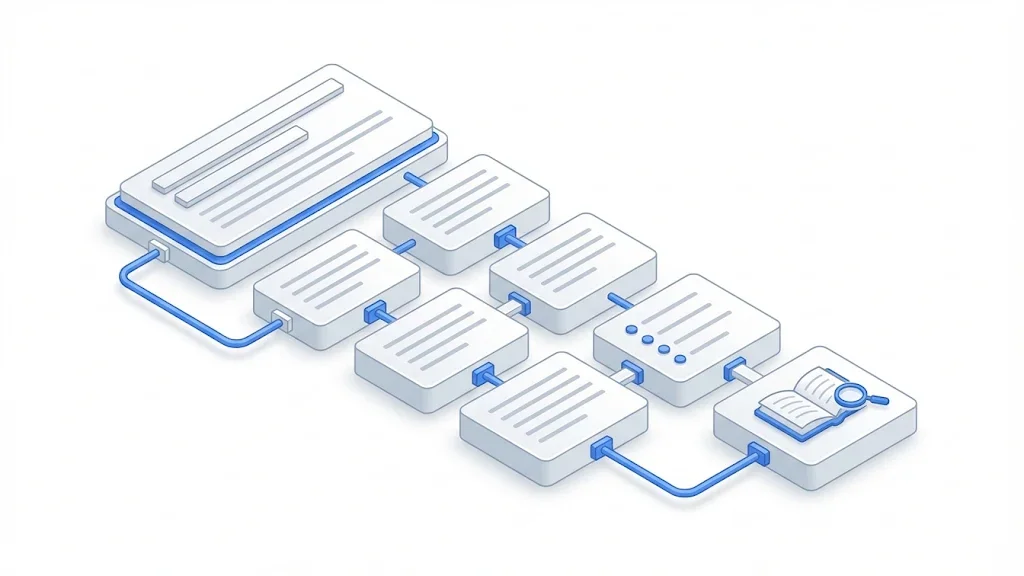
Sentence length is easy to measure and easy to fix. A common working target is an average of 20 words or fewer, with every sentence over 25 words reviewed by hand. The target is a guide. A short sentence can still be unclear, and a long one can be right if the reader needs every clause.
Do not count by eye. Save your draft as plain text, then list each sentence with more than 20 words:
grep -oE '[^.!?]+[.!?]' draft.txt | awk 'NF>20'The command splits on full stops, question marks and exclamation marks, then keeps the sentences with more than 20 words. It is rough. Abbreviations such as "e.g." cut a sentence short, and a list without punctuation runs several items into one. Read each hit before you edit it.
A long sentence usually joins two ideas with "and", "which", "because", "but" or a semicolon. Split it at that joint, then delete the link word if it adds nothing. Here is a 29-word sentence and its rewrite.
One long sentence becomes two short ones
Many long sentences are padded before they are long. Phrases such as "in order to", "it is important to note that" and "a number of" add words and no meaning. Remove them before you split anything, because a sentence that loses its padding may no longer need splitting.
Example
Before: "It is important to note that editing takes a lot of time." After: "Editing takes a lot of time." The padding goes, the claim stays, and the sentence drops from 12 words to 6.
A paragraph is a unit of attention. Each one should do one job: state a point, give an example, add a caveat, or give a step. When a paragraph does two jobs, the reader cannot tell which one is the point, so they skim past both.
For web pages, most paragraphs should be one to three sentences. That is a working default, not a study. Our LLM readability checker rates a paragraph of 60 words or fewer as on target, and one of 61 to 100 words as partial. Long blocks are the ones a scanning reader skips.
Read each paragraph and write its job in five words or fewer. If you need "and" in the label, the paragraph has two jobs. Split it, then move any detail that belongs to another point into its own paragraph. The table lists the usual problems and their fixes.
| Problem | How to spot it | Fix |
|---|---|---|
| Two points in one block | Your label needs "and" | Split at the second point |
| Answer at the end | The first sentence is background | Move the answer to the first sentence |
| Example far from its claim | The example comes two paragraphs later | Place the example right after the claim |
| Caveat at the bottom | The warning sits after the advice it limits | Move the caveat next to that advice |
Plain words are not dumbed-down words. "Use" is plainer than "utilize", and it is not less precise. The test is simple: would your reader know the word without looking it up? If yes, keep it. If no, swap it or define it.
Most word-level problems come from a small set of phrases. Search your draft for these first.
| Long phrase | Plain option |
|---|---|
| utilize | use |
| in order to | to |
| in the event that | if |
| a large number of | many |
| due to the fact that | because |
| it is important to note that | delete it |
Some words must stay. Keep "canonical tag" or "crawl budget" when your reader needs them. Define the term the first time you use it, in one clause, such as "a canonical tag, the line in the page head that names the preferred URL". Then use the same term every time. A synonym makes the reader wonder whether you mean something new.
Medical, legal and engineering pages score lower on Flesch because their vocabulary is long and precise. That is acceptable. Keep the sentences short, open each section with a plain answer, and let the vocabulary stay exact. The score measures the words, and you can lose precision by chasing it.
Structure tells the reader how the text is organized before they read a word. Use lists for parallel items, tables for comparisons, and visuals for processes and numbers. Keep reasoning in prose. A list of reasons that depend on each other loses the links between them.
A list works when each item is the same kind of thing: steps, options, checks. Use numbers only when order matters. Keep each item to one or two lines, and put one sentence of context before the list so the reader knows why the items matter.
When you compare three or more items on the same criteria, use a table. Put the criteria in the columns and one item per row. On a blog page, keep to four or five columns, because a narrow screen squeezes the rest.
Heading levels matter too. Use one H1 for the title, H2 for the main sections and H3 for their parts. Skipping a level confuses screen readers and scanning readers alike.
Our free heading structure analyzer shows the H1 to H6 outline of any page. It is the fastest way to catch a skipped level. For the template side of a post, such as the intro, the sections and the closing, read how to format a blog post. This article looks at sentences and words instead.
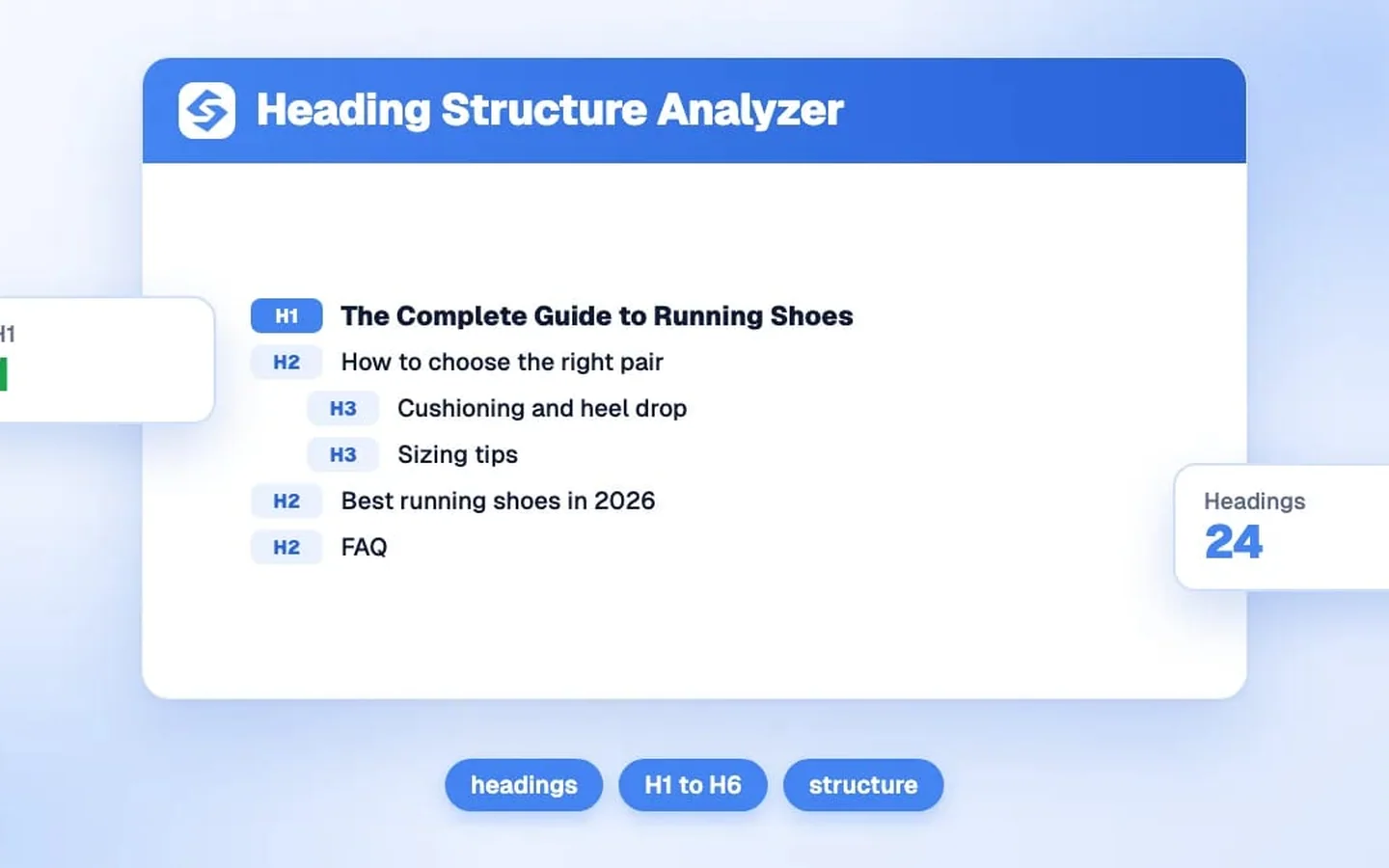
Structure check before you publish
Each test catches different problems, and none of them is enough alone. Use all four on the pages that matter most. The table compares them, then each method gets its own short guide.
| Method | What it catches | What it misses | Rough time |
|---|---|---|---|
| Reading score | Long sentences and long words | Weak ideas and missing answers | 1 minute |
| Scan test | Topic headings and buried answers | Friction inside sentences | 3 minutes |
| Read aloud | Clumsy phrasing and missing words | Structure problems | 10 minutes |
| Second reader | Points that only you understand | Their own blind spots | Depends on the reader |
Best for: finding the worst section of a long page. Paste the text into a checker, read the reading ease and the average sentence and paragraph lengths, then edit the section that scores lowest. Limit: the score cannot tell a good idea from a weak one. A page can score well and still answer the wrong question.
Best for: checking the argument before you touch a single sentence. Read only the headings and the first sentence under each one. Limit: it says nothing about the sentences inside each section. A post can pass the scan and still be hard to read line by line.
Best for: catching clumsy phrasing and missing words. Read the post out loud, slowly. Where you run out of breath, the sentence is too long. Where you stumble, a word sits in the wrong place. Mark those spots and rewrite them. Limit: it is slow, and it does not check the structure of the page.
Best for: finding the steps you skipped because you already know them. Ask someone who does not know the topic to tell you the main point after reading the first two sections. Where they guess wrong, the text is ambiguous. Limit: the reader has blind spots too, so ask for the point, not for a verdict on the style.
Run this pass on any post before you publish. Plan about 30 minutes for a post of around 2000 words. The steps run in this order because each one makes the next one faster.
The readability pass
Tip
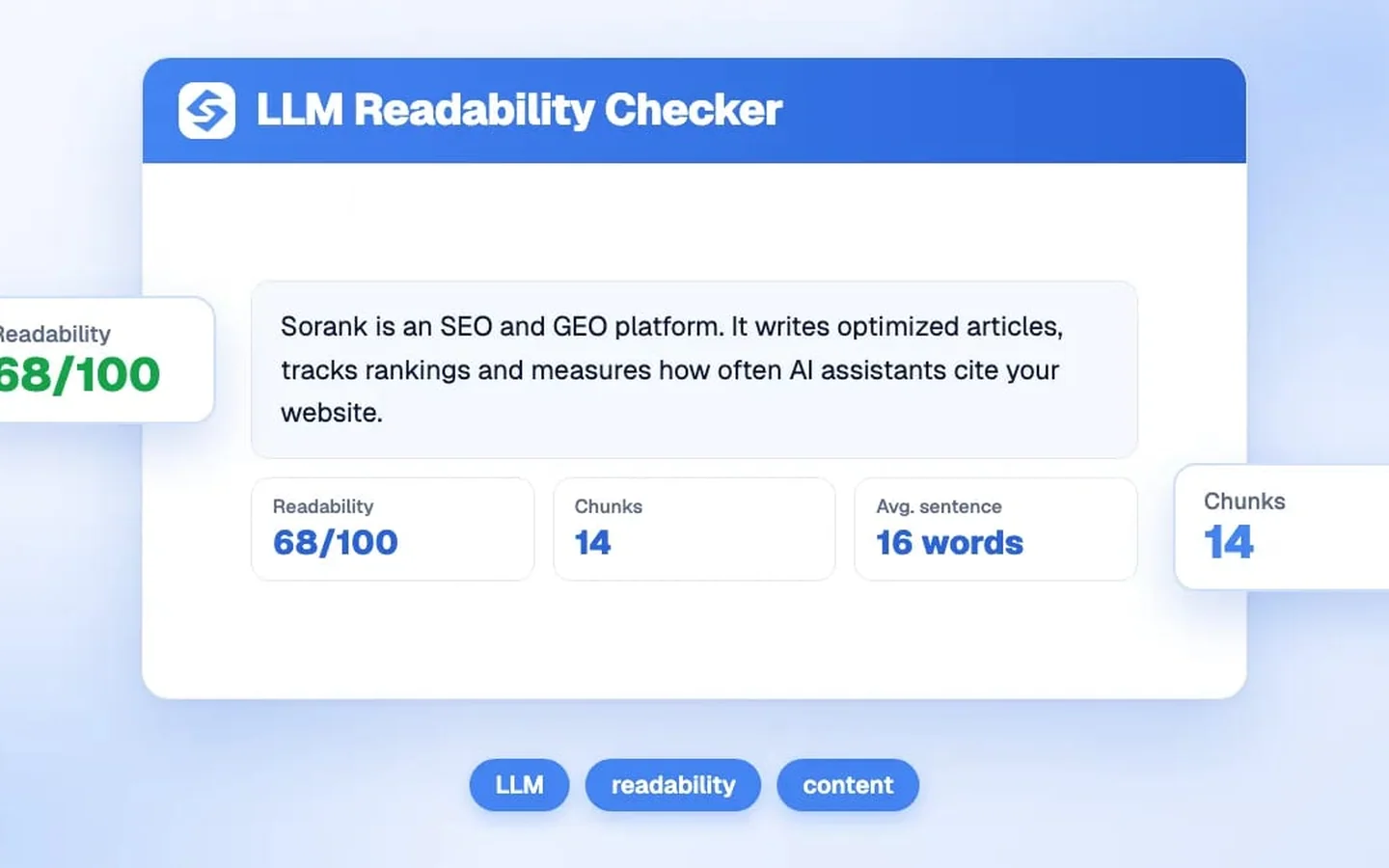
Run the free LLM readability checker at the end. It scores the page out of 100, flags sentences, paragraphs and structure, and gives one tip per weak point. Use it to find the section to fix, not as the goal.
Each mistake below has three parts: what it is, how to spot it in your draft, and how to fix it. Check your post for each one.
What it is: removing the technical term or the caveat to make the text easier. How to spot it: the reader has to ask what a term means, or a claim has lost the condition that made it true. How to fix it: keep the term, define it once, and keep the condition in the same sentence as the claim.
Expert content: dumbed down or clarified
What it is: the first two paragraphs set the scene, and the answer comes later. How to spot it: the scan test fails, because the first sentence under each heading is context. How to fix it: move the answer to the top of the section and move the context below it.
What it is: stacking "may", "could", "might" and "it seems like" until no claim stands. How to spot it: count the hedges in one paragraph. More than one for every two sentences is a warning sign. How to fix it: keep one hedge where the uncertainty is real, and state the rest plainly.
What it is: every paragraph has turned into a list. How to spot it: no sentence says why the items matter, and the reasoning has disappeared. How to fix it: write one sentence of reasoning before each list, and move the reasons that depend on each other back into prose.
What it is: rewriting until the score turns green, even when the text reads worse. How to spot it: the sentences become choppy and repetitive, with every idea cut into three short beats. How to fix it: stop at the warning light, read the text aloud, and keep the sentence that flows, even if it is a little longer.
Warning
A score can rise while the text gets worse. If a sentence sounds like a telegram, rewrite it, even if the score drops.
What it is: a stock image or a box that says what the paragraph already says. How to spot it: remove the visual and check whether the reader loses anything. How to fix it: use a visual only where it shows something the text cannot, such as a process, a comparison or a real screen, and write alt text that describes that content.
When a post is old and the same mistakes appear across many pages, fixing them by hand takes weeks. Our content optimization feature is built for that job: it reworks existing pages instead of starting from zero.
AI assistants do not read your post the way a person does. They split pages into passages and pick the ones that answer a question. A passage that stands on its own, with the answer in the first sentence and a clear term, is easier to reuse.
The GEO paper by Aggarwal and colleagues, presented at KDD 2024, reports that rewriting a source for fluency and readability raised its visibility in generative engine answers, by 15 to 30% in the paper's own test. That figure comes from the paper's test set, not from your site, so treat it as a direction. The paper is GEO: Generative Engine Optimization (arXiv 2311.09735).
Google's guidance on helpful content asks the same kind of question. It asks whether content is produced well, whether it has spelling or stylistic issues, and whether the main heading gives a helpful summary of the page. The full list is in Google Search Central's guidance on creating helpful content.
Each H2 section should answer one question in its first two sentences, using the words the reader types. Define the key term in a single clause the first time it appears. The result is a section that still makes sense when someone lifts it out of your page. Our glossary covers the idea of answer ready content in more depth.
Sorank has tools for this kind of work. Its free LLM readability checker scores a page out of 100 and gives one tip per weak point. Its blog article generator writes articles for Google and AI search, and its content optimization feature reworks older pages.
Start today. Pick the post that brings you the most visits, run the 30-minute pass on it, and check the first screen of the page with the scan test. Then do the next one.
For general web content, a Flesch reading ease of 60 or more is a useful warning light, not a rule. Expert pages often score lower because of technical terms, so check sentence and paragraph length too. A score tells you where to look, not whether the text is good.
A common working target is an average of 20 words or fewer per sentence, with every sentence over 25 words reviewed by hand. Split long sentences at a joint such as "and", "which" or "because", and remove padding such as "in order to" first. Keep a long sentence when the reader needs every clause.
Yes, for most web pages. Keep each paragraph to one job, usually one to three sentences, so the reader sees the main point at a glance. Long blocks of text are harder to scan, and scanning is how most people read a new page.
We analyse your competitors, your website and your AI visibility to create a tailored content plan for free.
 Duplicate Content Checker
 Mobile-Friendly Test
 Website Speed Test
 Subdomain Finder
 Domain Age Checker
 CMS Detector
 Googlebot Simulator
 Nofollow Link Checker
 Meta Tag Checker
 Keyword Cannibalization Checker
 Keyword Intent Checker
 Keyword Extractor
 Google Ads Cost Calculator
 CPC Calculator
 Local Citation Finder
 Reddit Threads Finder
 Disavow File Generator
 Redirect Generator
 Canonical Tag Generator
 Passive Voice Checker
 Google Location Changer
 Google Review Calculator
 Google Review Link Generator
 Keyword Combiner
 Podcast Show Notes Generator
 AI Content Rewriter
 AI Text Humanizer
 ChatGPT Prompt Generator
 Twitter Thread Generator
 Tweet Generator
 Landing Page Copy Generator
 Google Ads Copy Generator
 Pinterest Pin Description Generator
 Anchor Text Generator
 Social Media Post Generator
 LinkedIn Post Generator
 Free AI Writer
 Review Response Generator
 LSI Keyword Generator
 YouTube Video Ideas Generator
 YouTube Tag Generator
 YouTube Description Generator
 Product Description Generator
 CTA Generator
 Blog Introduction Generator
 Conclusion Generator
 Hook Generator
 AI Content Brief Generator
 FAQ Schema Generator
 AI Blog Post Ideas Generator
 Structured Data Validator (Schema Validator)
 Alt Text Checker
 Internal Link Analyzer
 Backlink Challenge
 AI Meta Description Generator
 AI Blog Title Generator
 Google Indexability Checker
 AI Blog Outline Generator
 UTM Link Builder
 Keyword Clustering Tool
 Canonical Tag Checker
 XML Sitemap Generator
 Broken Link Checker
 AI SEO Title Generator
 Headline Analyzer
 SERP Preview Tool
 Redirect Checker
 Hreflang Tag Generator
 Heading Structure Analyzer
 HTTP Headers Checker
 Favicon Extractor
 SERP CTR Calculator
 SEO vs Paid Search Savings Calculator
 SEO Share of Voice Calculator
 SEO ROI Calculator
 SEO Traffic and Revenue Forecast Calculator
 SEO Budget Calculator
 SEO Break-Even Calculator
 SaaS SEO ROI Calculator
 ROAS Calculator
 Reading Time Calculator
 Ranking Gain Simulator
 Organic Traffic Value Calculator
 Organic Traffic Estimator and Website Traffic Checker
 LTV to CAC Ratio Calculator
 Local SEO ROI Calculator
 Link Building Cost Calculator
 Keyword Value Calculator
 Keyword Opportunity Score Calculator
 Keyword Density Calculator
 GEO ROI Calculator
 GEO Content Investment Calculator
 Ecommerce SEO ROI Calculator
 Customer Lifetime Value Calculator
 Customer Acquisition Cost Calculator
 CTR Calculator
 Cost Per Article Calculator
 Conversion Rate Calculator
 Content Marketing ROI Calculator
 ChatGPT Referral Traffic Estimator
 Bounce Rate Calculator
 Backlink ROI Calculator
 AI Visibility Score Calculator
 AI Traffic Value Calculator
 AI Share of Voice Calculator
 Cost of AI Invisibility Calculator
 AI Citation Rate Calculator
 llms.txt Validator
 AI Overview Checker and AI Overviews Rank Checker
 Robots.txt Checker
 AI SEO Audit
 LLM Readability Checker
 SearchGPT Readiness Checker
 Structured Data LLM Audit
 Website Crawlability AI Audit
 Why ChatGPT Is Not Recommending My Website
 Gemini Ranking Tool
 Perplexity Ranking Checker
 LLM Citation Checker
 Answer Engine Optimization Audit
 GEO Audit
 AI Search Visibility Test
 ChatGPT Visibility Checker
 llms.txt Generator
 URL Extractor
 Webpage to Markdown
 Sitemap Checker
 SERP Volatility Sensor
 Page Size Checker
 Word Counter
 Slug Generator
 Schema Generator
 Robots Generator
 OG Preview
 Meta Tags Generator
 Image Compressor
 Favicon Generator
 On-Page SEO Audit: SEO Checker and SEO Analyzer
 Backlink Analysis Tool
 Keyword Research Tool
 Domain Authority Checker
 “I tested Sorank on a real client site and it's insane. It does everything an agency would bill you $1500 a month for. It's going into production on that client now.”

 Guillaume Guersanguersanguillaume.com“We are an Ads agency and we wanted to get our SEO back on track once and for all. Sorank gave us a clear view of our site, helped us prioritize optimizations, and properly structure our content. The tool is easy to use, well designed for a team, and very practical for centralizing tracking without having to juggle multiple platforms. A very solid foundation to start fresh with our SEO.”
 Gaspard MadouiAds Agency
 “I just let the Sorank software do its thing, and now my DR is 25 and my page is ranking higher.”
 Lucas Flandrefoundertrace.fr“I specialized in GEO thanks to Sorank. The GEO Leaderboard allows me to show my clients their position vs competitors on ChatGPT. It’s a real commercial differentiator.”
 MélanieSEO Freelance“Great service, works well for our website and helps us understand how to improve it to rank better on Google and elsewhere. Congrats, keep going, I recommend it.”
 Hugo T.E-commerce merchant