Preferences
Privacy is important to us, so you have the option of disabling certain types of storage that may not be necessary for the basic functioning of the website. Blocking categories may impact your experience on the website. More information
Privacy is important to us, so you have the option of disabling certain types of storage that may not be necessary for the basic functioning of the website. Blocking categories may impact your experience on the website. More information

The average blog post takes about 3 hours and 20 minutes to write. Here is how to measure your own time, stage by stage, and where to save it safely.
In short
On average, a blog post takes about 3 hours and 20 minutes to write, according to Orbit Media's 2026 survey of 1042 content marketers. That figure is down from a peak of 4 hours and 10 minutes in 2022, but it tells you little about your own next post. Your time depends on the length, how much research the topic needs, how well you already know it and the method you use. Measure it for a few posts, then plan from your own numbers.
Want to go further? Ask
Quick quiz
How should you run your blog?
Sorank matches your answers


Test it for 3 days on your own site and see where you stand on Google, ChatGPT and the other AIs.
Start 3-day free trial3 days free, then stop whenever you want. 90-day results guarantee, conditions apply.
Most articles on this question quote one average and stop there. The average is a useful starting point, but it hides most of what decides your schedule. Here is what the latest data says, and what it cannot tell you.
Blog post writing in 2026
Source: Orbit Media, blogging statistics 2026
Orbit Media's 2026 blogging statistics show time per post falling for four years in a row, after a peak in 2022. In its earlier surveys, the figure rose from about 2.5 hours in 2014 to almost 4 hours by 2019. These are self-reported answers, not timed measurements, so treat them as a benchmark rather than a rule.
Time per post, from the survey
Source: Orbit Media, blogging statistics
The average post length peaked at 1427 words in 2023 and dropped to 1312 words in the 2026 survey. Length and time move together, which makes sense. Every extra section needs research, drafting and checking. But length does not explain the whole trend, so look at your own stages as well as the total.
An average blends a short product update written from memory with a long guide that needed interviews and data checks. It cannot tell you which of those you are writing this week. The number to plan with is your own, broken down by stage. The rest of this guide shows you how to build it.
For the separate question of how long SEO takes to pay off, see our timeline for SEO results.
A post is not one task. It is a series of smaller jobs done in a row, and each one has its own way of slowing you down. If you only time the drafting, you miss most of the work. Here are the stages, in the order most writers meet them.
Before any research, you need one question the post answers, written the way a reader would type it. "Blog post writing time" is a topic. "How long does it take to write a blog post?" is a question, and it tells you what to cover and what to leave out. Writers who skip this step often research far more than the post needs, because every fact looks possibly relevant.
Research is where most of the variable time sits. A post built on your own experience and one or two primary sources can be checked in an afternoon. A post that compares ten competitors, two surveys and a product page takes much longer, and every claim you add needs a source you have actually read. Google's guidance asks whether content shows first-hand expertise, so research is also where you find the experience you will write from.
The outline is the cheapest stage to fix. Rearranging headings takes minutes, while rewriting a finished section that sits in the wrong place takes much longer. A good outline names each section, the question it answers and the source or example it will use.
Drafting is the stage most people picture when they ask about time, and it is often not the longest. The trap is writing and correcting at the same time. Each time you stop to fix a sentence, you lose the thread. A first draft written straight through is rough, but it is complete, and a complete draft is easier to fix.
Most writers merge two editing passes into one. The first pass fixes clarity: long sentences, vague words, repeated points. The second pass checks every fact, number and link against its source. Mixing them makes both slower. Fact-checking is the step most often skipped and the most expensive to fix after publication.
Screenshots, charts, internal links, the title, the meta description and the image alt text each take little time, but they add up. Most writers do them last, in a rush. Adding links while you write makes the final pass much shorter, as the section on links explains below.
The table below turns these stages into a planning tool. Use it to find the stage that eats your time, then check what you can change safely.
| Stage | What it involves | What makes it slow | What you can cut safely |
|---|---|---|---|
| Question | Pick the one question the post answers | A vague topic with no clear reader | Search the exact query, then stop |
| Research | Read sources, gather examples and data | Open-ended reading and unsourced claims | Set a source limit before you start |
| Outline | List sections, questions and sources | Rewriting the structure after drafting | Reuse a template for the same post type |
| Draft | Write the whole text in one pass | Editing while you write | Write straight through without stopping |
| Edit and check | A clarity pass, then a fact and link pass | Merging both passes or skipping the facts | Keep the two passes separate |
| Visuals and publishing | Images, links, title, meta, alt text | Leaving everything to the last hour | Add links and alt text as you go |

Two writers can start from the same topic and finish a week apart. The difference comes from a few factors. Name them before you estimate, or your estimate will be the average, and the average is not your post.
Length scales time, but not evenly. Every extra section adds research, drafting and checking, and every new claim adds a source to verify. A longer post is not simply a shorter one repeated: it needs more work on structure so the reader can find their way. Decide the length from the question, not from a target. Our guide on how long an article should be covers that decision in more depth.
Research depth is the biggest variable you control. A post where you already have the data takes less time than one where you must find it. Decide in advance how many sources you need, and stop when you have them. Reading beyond that rarely improves the post, and it always costs time.
If you know the subject, you write from memory and check only the details. If you are new to it, you read first, then write, then check everything twice. Google's guidance asks whether content shows first-hand expertise, such as from using a product or visiting a place. Your own experience is both the fastest source to write from and the hardest one to replace.
A post with screenshots, a chart and a code sample takes longer than a text-only post of the same length. Each visual needs capturing, sizing, labelling and checking, and code needs testing. Budget for these separately instead of hiding them inside "drafting".
A new topic or a familiar one
Writers in 2026 do not choose between "write it by hand" and "let AI do it". There are four common methods, and most people mix two of them. Each one changes how long you spend and how much review you still need. Here is each method, with its principle, when it fits, its advantages, its limits and an example.
Principle: you research, outline and write the whole text yourself. When to use it: when the post carries your own opinion or first-hand experience, such as a case study or a lesson from a mistake. Advantages: the voice is yours, and you know every claim because you made it. Limits: it is the slowest method, and it stays slow when you start from scratch every time. Example: a founder writes up what changed after moving a site to a new CMS, using the figures from their own analytics.
Principle: you build a detailed outline with a question and a source for each section, then draft against it. When to use it: for any post with more than a few sections, or when several people contribute. Advantages: the structure is settled before you write, so drafting moves faster and the order makes sense. Limits: a weak outline produces a weak draft, and getting the outline right takes real time. Example: a marketing manager lists the questions a buyer asks, writes one answer per section, and only then adds the introduction.
Principle: you use an AI model to produce a first draft from your outline and sources, then edit it hard. When to use it: for routine posts where the facts are known and the structure is standard. Advantages: the first draft arrives in minutes, which removes the blank page. Limits: the draft can state wrong things with full confidence, so the checking time does not disappear. Example: you paste your outline and three sources, get a draft back, and spend most of your time verifying each number against its source.
Principle: a system researches, writes, scores and publishes the article, and a person reviews it before it goes live. When to use it: when you publish many pages on a fixed schedule and need a steady flow. Advantages: the volume stays steady and the routine work leaves your calendar. Limits: the review still has to be done properly, and a page nobody checks before publication is a risk, not a saving. Example: a team uses Sorank's AI Blog Article Generator to draft the routine pages, then checks the claims and examples in each one before approving it.
| Method | How it works | Speed to a first draft | Quality risk | Human review you still need |
|---|---|---|---|---|
| From a blank page | Research, outline and writing by hand | Slowest | Low, if you know the topic | Full edit and fact check |
| Outline first | A detailed outline, then drafting | Medium | Low to medium | Clarity edit and fact check |
| AI-assisted drafting | AI writes from your outline and sources | Fast | Medium to high | Line-by-line fact check and voice edit |
| Automated with review | A system writes and publishes, a person approves | Fastest | Medium, depends on the review | Approval of claims, examples and links |
Orbit Media's survey found that AI users and non-users were about equally likely to report strong results. The tool is not what makes a post work. The outline, the sources and the review are what you control, whichever method you pick.
Note
The survey records what marketers say they do and the results they report. It is not a controlled test, so use it to set expectations, not to prove that one method beats another.
This method fits a post of moderate length on a topic you know reasonably well. It has five steps, each with a clear end point, so you know when to move on. Run it once with a timer, then change what does not work for you.
The five-step method
Write the question in one sentence, then write the answer in two. If you cannot give the answer in two sentences, the question is too broad for one post, so split it. This takes a few minutes and saves the most time, because every later decision follows from it.
For each section, write three things: the question it answers, the source or example it uses, and the sentence that ends it. The third item is the one most writers skip. Without it, sections grow until they cover everything. Put the sources next to the sections now, not in a folder you will search later.
Write straight through. When you hit a gap, such as a missing figure, add a bracket and keep going, for example [check the survey figure]. Brackets are easy to find in the edit pass, and they stop you from polishing a paragraph you may cut anyway. Run the timer on drafting alone, so the number you record is honest.
The first pass is for clarity. Cut long sentences that carry one idea, replace vague words with specific ones, and merge repeated points. The second pass is for accuracy. Open each source, check each figure and each link, and delete any claim you cannot trace. Do not start the second pass before the first is finished, because clarity edits change the text you need to verify.
Add the visuals you planned, then the links, then the metadata. Links come once the text is final, but they should exist as you write. Give the title and meta description their own short pass. The meta description should tell the reader what they get, not repeat the title. Check that every image has alt text describing what it shows.
Keep a log while you work. A plain text file is enough:
date,post,stage,minutes
2026-11-02,how-long-to-write,question,5
2026-11-02,how-long-to-write,research,50
2026-11-02,how-long-to-write,outline,20
2026-11-03,how-long-to-write,draft,70
2026-11-03,how-long-to-write,edit,35
2026-11-03,how-long-to-write,visuals,25
Example
After five posts, a writer might find that research takes longer than drafting. That is a useful finding. The fix is a source limit in step 2, not a faster keyboard.
A tool earns its place when it removes a stage or makes a check faster. It loses its place when configuring it costs more time than it saves. Judge each tool by the stage it changes, not by its feature list.
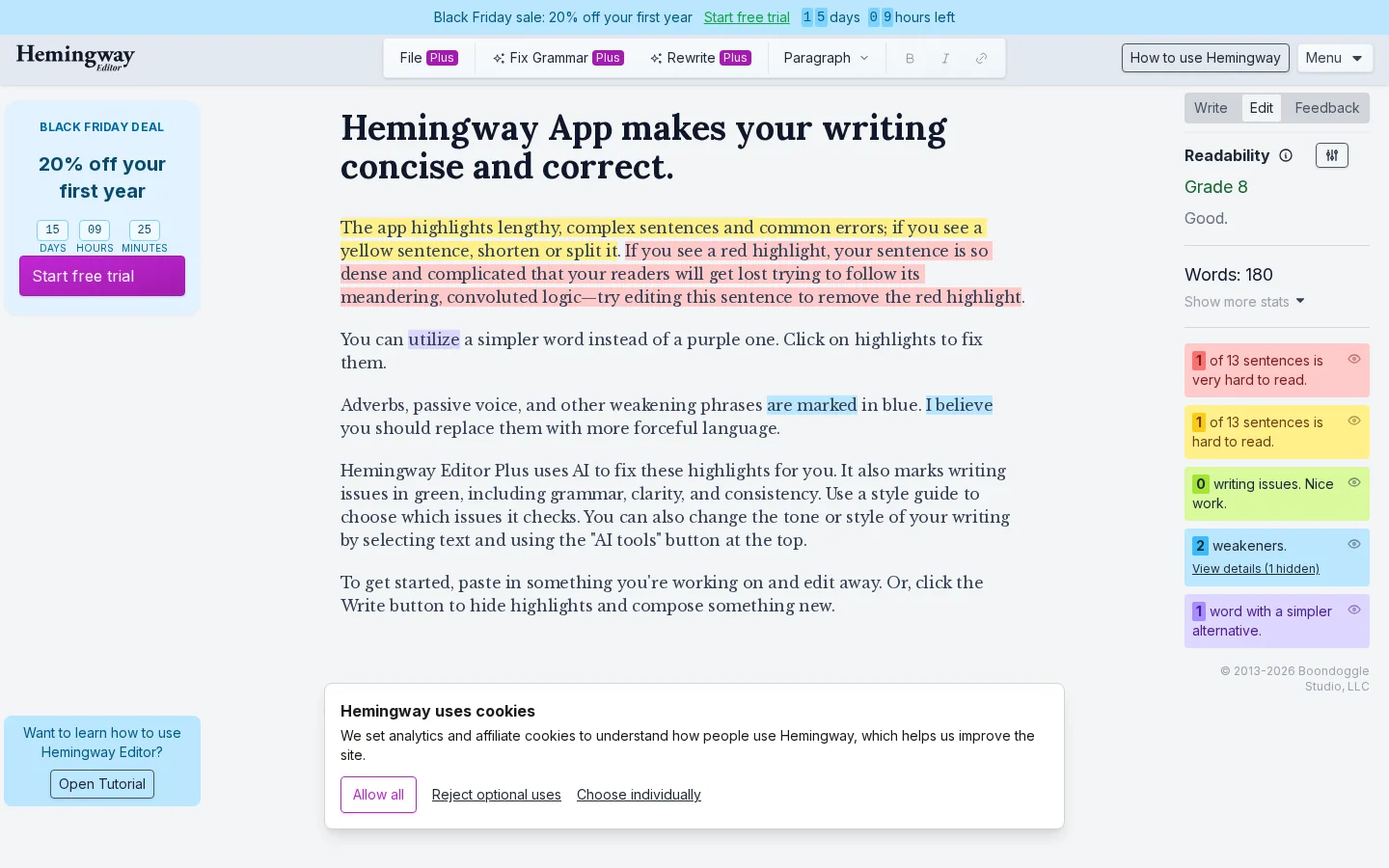
A clarity checker helps in the first editing pass, when you are hunting for hard sentences. Hemingway Editor describes itself as a way to make writing "correct and clear", and its site also links to free checkers that cover a first pass. Use it to find problems, then decide the fix yourself. A tool that rewrites your sentences without you reading them is a risk, not a saving.
A free outline generator gives you a structure in seconds, which is a useful first version of step 2. Our blog outline generator and content brief generator cover the outline and the brief. Treat the output as a starting list. Cut the sections that do not answer your question, and add the sources yourself.
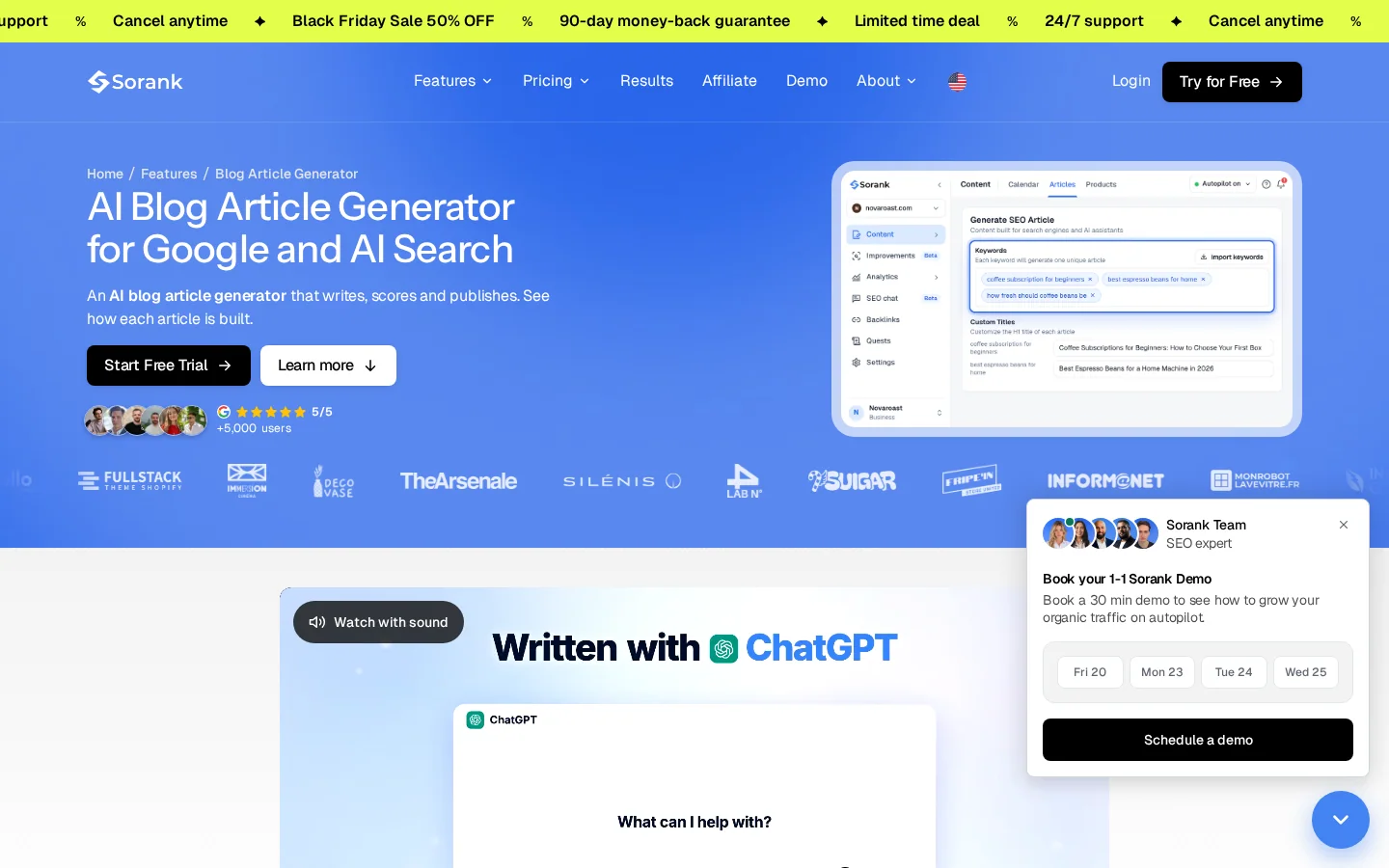
AI writing tools change the drafting stage the most, so the review changes with them. Check the claims, not only the style. Sorank's AI Blog Article Generator writes from your site brief, then scores each article on structure, sources, links, alt texts and meta tags. You can edit the title, the body and the meta description before anything goes live, so the review becomes a checklist rather than a hunt.
Warning
Never publish a figure you have not opened in its source. An AI draft can give a number with full confidence and no source. Find the source, check the number, and delete the claim if you cannot.
Tip
Before you commit to a tool, work out what your time is worth per post with our cost per article calculator. A tool that saves an hour only matters if that hour is worth something to you.
Most slow posts are slow for the same few reasons. Each mistake below has three parts: what it is, how to spot it in your own work, and how to fix it.
What it is: reading openly and collecting facts you may never use. How to spot it: your notes hold more sources than the post has sections, and some of them are not cited anywhere. How to fix it: write the question from step 1 at the top of your notes, drop any source that does not answer it, and set a source limit before you start.
What it is: stopping after each sentence to polish it. How to spot it: you have rewritten the first section three times, and the last section does not exist yet. How to fix it: write straight through with brackets for gaps, then edit in a separate session, ideally the next day, when the text reads like someone else's.
Editing while drafting
What it is: treating the draft as finished because it reads well. How to spot it: the post has figures with no source you have opened. How to fix it: open every source, check every number against it, and delete claims you cannot trace. Google's spam policies describe scaled content abuse as creating many pages for the primary purpose of manipulating search rankings, and list generating many pages with generative AI "without adding value for users" as an example. A page that reads well but says nothing checkable is not safe either.
What it is: padding or cutting to hit a number. How to spot it: paragraphs that repeat a point to fill space, or a closing paragraph that only restates the introduction. How to fix it: decide the length from the question, then stop when it is answered. Google's guidance on people-first content lists "hitting a word count because you think Google prefers it" among the warning signs.
What it is: writing the text, then hunting for links in a rush. How to spot it: your links are generic, such as "read more", and some point to pages you have not checked. How to fix it: add each internal link as you write the sentence that needs it, with a specific anchor. The next section explains how.
Note
Orbit Media's figures are answers from surveyed marketers, not timed tests. Use them as a reference point, and keep your own log next to them.
Internal links are the cheapest way to make a post more useful after publication. They also show search engines how your pages relate to each other. Google's SEO link best practices are short, and they set the rule to build on: every page you care about should have a link from at least one other page on your site, placed in context so readers understand the related content.
Google describes good anchor text as "descriptive, reasonably concise, and relevant to the page that it's on". Its test is simple: read only the anchor text, out of context, and check that it still makes sense on its own.
Google can only crawl a link if it is an anchor element with an href attribute. Links inserted with JavaScript are also crawlable, as long as they use standard markup. Links built on javascript: URLs are not recommended. The practical rule for your CMS is simple: use ordinary links, not buttons or scripted elements that behave like links.
The anchor is the clickable words. Compare the options below by reading each one out of context.
| Anchor text | Why it works or fails |
|---|---|
| how long an article should be | Specific, and it describes the target page |
| blog outline generator | Names the tool and what it does |
| this guide | Vague out of context, and it says nothing about the target |
| click here | Gives the reader no information at all |
Add each link when you write the sentence that needs it. Choose the target page first, using your site search, then write the anchor from that page's topic. For example, our guide on automated internal linking covers the rules that keep link automation safe, and cornerstone content explains how to choose and link your core pages. If you are writing a post about blogging itself, our guide to blogging for SEO gives the wider method these links fit into.
Speed only matters if the result is worth reading. Google's guidance on helpful content asks you to write for people first, and its spam policies draw a line at pages built to manipulate rankings. Both should shape how you spend time on each stage.
Google's guidance on creating helpful, reliable, people-first content asks whether readers will finish knowing enough to reach their goal, and whether the content shows first-hand expertise. These questions are not about speed, but they tell you where to spend time. Put your effort into the parts only you can write: what you tried, what happened, and what you would change next time.
Signs of people-first content and warning signs
The example that matters most for AI writing is generating many pages without adding value for users. The policy is about volume and value, not about the tool used to write. If you publish fewer, better posts, each with a real question and a real review, you stay well on the safe side of that line.
Google's helpful content guidance says that how a piece was created is useful information for readers. It asks whether readers can see that automation or AI was used, through disclosures or in other ways, and it recommends disclosure when readers would reasonably expect it. A short note on how a post was made takes seconds to write and removes the question.
Warning
Google's guidance describes fabricated creator profiles, such as made-up credentials or AI-generated headshots, as deception and a sign of low quality. Sign your posts with a real author who checked them.
The average is a useful reference, but the number that schedules your week is your own. Run the log for five posts, then add up the minutes for each stage. You will see where your time goes, and you can compare the costliest stages with the table earlier in this guide.
Pick your next post, write its question, and start a timer. Log every stage. Build the outline with sources before you draft. At the end of the week, look at the stage that took longest and make one change to it. One change at a time keeps the experiment readable, and it tells you which change caused the difference.
Before you publish
The point of measuring is not to write faster for its own sake. It is to spend your hours on the parts that make a post worth reading: the question you chose, the source you verified, and the example only you could give. Time saved on routine stages is time you can give to those parts.
Orbit Media's 2026 survey of 1042 content marketers puts the average at about 3 hours and 20 minutes per post. That is down from a peak of 4 hours and 10 minutes in 2022. Your own time depends on the length, the depth of research and how well you know the topic.
Survey averages mix experienced and new writers, so they are a weak guide for beginners. Track five posts of similar length and log the minutes for each stage. That number is more useful to you than any average, including the one above.
It can speed up the first draft and the outline, but checking facts and editing still take time. Orbit Media found that AI users and non-users were about equally likely to report strong results, so the process matters more than the tool.
We analyse your competitors, your website and your AI visibility to create a tailored content plan for free.
 AI Content Brief Generator
 FAQ Schema Generator
 AI Blog Post Ideas Generator
 Structured Data Validator (Schema Validator)
 Alt Text Checker
 Internal Link Analyzer
 Backlink Challenge
 AI Meta Description Generator
 AI Blog Title Generator
 Google Indexability Checker
 AI Blog Outline Generator
 UTM Link Builder
 Keyword Clustering Tool
 Canonical Tag Checker
 XML Sitemap Generator
 Broken Link Checker
 AI SEO Title Generator
 Headline Analyzer
 SERP Preview Tool
 Redirect Checker
 Hreflang Tag Generator
 Heading Structure Analyzer
 HTTP Headers Checker
 Favicon Extractor
 SERP CTR Calculator
 SEO vs Paid Search Savings Calculator
 SEO Share of Voice Calculator
 SEO ROI Calculator
 SEO Traffic and Revenue Forecast Calculator
 SEO Budget Calculator
 SEO Break-Even Calculator
 SaaS SEO ROI Calculator
 ROAS Calculator
 Reading Time Calculator
 Ranking Gain Simulator
 Organic Traffic Value Calculator
 Organic Traffic Estimator and Website Traffic Checker
 LTV to CAC Ratio Calculator
 Local SEO ROI Calculator
 Link Building Cost Calculator
 Keyword Value Calculator
 Keyword Opportunity Score Calculator
 Keyword Density Calculator
 GEO ROI Calculator
 GEO Content Investment Calculator
 Ecommerce SEO ROI Calculator
 Customer Lifetime Value Calculator
 Customer Acquisition Cost Calculator
 CTR Calculator
 Cost Per Article Calculator
 Conversion Rate Calculator
 Content Marketing ROI Calculator
 ChatGPT Referral Traffic Estimator
 Bounce Rate Calculator
 Backlink ROI Calculator
 AI Visibility Score Calculator
 AI Traffic Value Calculator
 AI Share of Voice Calculator
 Cost of AI Invisibility Calculator
 AI Citation Rate Calculator
 llms.txt Validator
 AI Overview Checker and AI Overviews Rank Checker
 Robots.txt Checker
 AI SEO Audit
 LLM Readability Checker
 SearchGPT Readiness Checker
 Structured Data LLM Audit
 Website Crawlability AI Audit
 Why ChatGPT Is Not Recommending My Website
 Gemini Ranking Tool
 Perplexity Ranking Checker
 LLM Citation Checker
 Answer Engine Optimization Audit
 GEO Audit
 AI Search Visibility Test
 ChatGPT Visibility Checker
 llms.txt Generator
 URL Extractor
 Webpage to Markdown
 Sitemap Checker
 SERP Volatility Sensor
 Page Size Checker
 Word Counter
 Slug Generator
 Schema Generator
 Robots Generator
 OG Preview
 Meta Tags Generator
 Image Compressor
 Favicon Generator
 On-Page SEO Audit: SEO Checker and SEO Analyzer
 Backlink Analysis Tool
 Keyword Research Tool
 Domain Authority Checker
 “I tested Sorank on a real client site and it's insane. It does everything an agency would bill you $1500 a month for. It's going into production on that client now.”

 Guillaume Guersanguersanguillaume.com“We are an Ads agency and we wanted to get our SEO back on track once and for all. Sorank gave us a clear view of our site, helped us prioritize optimizations, and properly structure our content. The tool is easy to use, well designed for a team, and very practical for centralizing tracking without having to juggle multiple platforms. A very solid foundation to start fresh with our SEO.”
 Gaspard MadouiAds Agency
 “I just let the Sorank software do its thing, and now my DR is 25 and my page is ranking higher.”
 Lucas Flandrefoundertrace.fr“I specialized in GEO thanks to Sorank. The GEO Leaderboard allows me to show my clients their position vs competitors on ChatGPT. It’s a real commercial differentiator.”
 MélanieSEO Freelance“Great service, works well for our website and helps us understand how to improve it to rank better on Google and elsewhere. Congrats, keep going, I recommend it.”
 Hugo T.E-commerce merchant