Preferences
Privacy is important to us, so you have the option of disabling certain types of storage that may not be necessary for the basic functioning of the website. Blocking categories may impact your experience on the website. More information
Privacy is important to us, so you have the option of disabling certain types of storage that may not be necessary for the basic functioning of the website. Blocking categories may impact your experience on the website. More information

Learn how automated internal linking works, compare 6 methods, follow a step-by-step setup and avoid the mistakes that turn auto-links into spam.

Tools

In short
automated internal linking means letting software find, suggest or insert the links between your own pages, instead of placing each one by hand. It works well when the machine does the tedious part (crawling, matching topics, spotting orphan pages, logging every link) and you keep control of the rules: which pages to push, which anchors to allow, how many links per page. Set it up as "suggest, approve, publish, measure", not as a plugin that links every keyword it sees.
Want to go further? Ask
Quick quiz
Which way of finding customers online fits you best?
Sorank matches your answers


Test it for 3 days on your own site and see where you stand on Google, ChatGPT and the other AIs.
Start 3-day free trial3 days free, then stop whenever you want. 90-day results guarantee, conditions apply.
An internal link is a link from one page of your site to another page of the same site. It does three jobs: it lets crawlers discover pages, it tells search engines and AI systems what the target page is about (through the anchor text and the surrounding words), and it passes authority from strong pages to weaker ones. If the basics are new to you, start with our internal linking definition.
Automating it means a program handles one or more of these tasks:
What it is not: a way to stuff the same keyword link into 500 pages, a replacement for a site architecture, or a related-posts widget at the bottom of every article. Those can be part of an automated system, but on their own they mostly produce noise.
Manual linking works on a 30-page site. It fails on a site that publishes every week, for a simple reason: every new article creates two jobs. It needs links out to existing pages, and older pages need links back to it. The second job is the one everybody forgets. After two years of publishing, you end up with recent articles that nobody links to, and old articles that still point to pages you have since replaced.
Internal linking before and after automation
This article focuses on the machinery: methods, settings, a working script and the failure modes. For the strategic side (which pages to prioritize, how to plan links for a multilingual site), read our expert internal linking strategy first. The two pieces are designed to be used together.
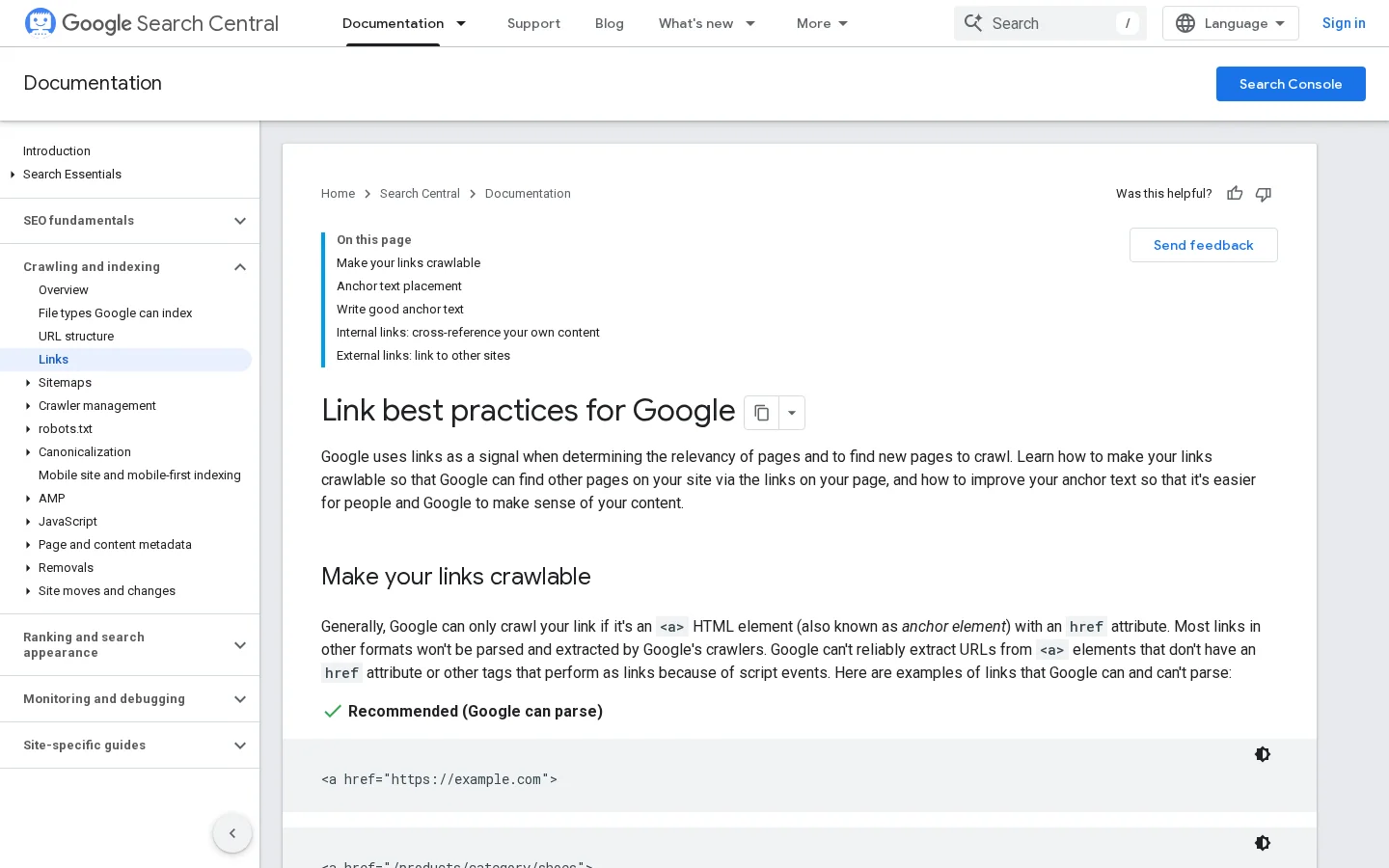
Google is explicit about the minimum. Its link best practices documentation states that "every page you care about should have a link from at least one other page on your site", and that Google can generally only crawl a link if it is an <a> element with an href attribute. An orphan page is not forbidden, but you are betting on the sitemap alone to get it found and understood.
Beyond the minimum, the best public dataset on the topic is a correlation study by Cyrus Shepard at Zyppy, "23 Million Internal Links: SEO Case Study" (updated February 2026). It matched internal link data from about 1800 websites with Search Console clicks.
What 23 million internal links reveal
Source: Cyrus Shepard, Zyppy, 23 Million Internal Links SEO Case Study, updated February 2026
The most useful finding for automation is about volume. URLs with 0 to 4 internal links received an average of 2 clicks from Google, while URLs with 40 to 44 internal links received four times as many. After about 45 to 50 links, the effect reverses. The author attributes much of that drop to sitewide navigation links, and he is careful to call the study correlational: directionally useful, not proof.
Two practical lessons follow. First, the pages that lack links are the ones that gain the most, which is exactly what automation is good at finding. Second, the study found that anchor variety correlated with clicks, and that pages with URL anchors and exact match anchors did better. A system that links every page with the same three words throws that variety away.
AI crawlers such as GPTBot, ClaudeBot and PerplexityBot discover pages the same way Googlebot does: by following <a href> links. Many of them do not execute JavaScript, so a link injected client-side may simply not exist for them. Our guide to AI crawlers explains what each bot fetches. Clean, server-rendered internal links help both search engines and the AI engines that cite your pages.

Every serious tool, whether it is a plugin, a SaaS or a script you write, runs the same pipeline. Knowing it lets you judge a tool in five minutes: ask how it does each step.
The 6-step pipeline of an internal linking engine
The inventory must separate the main content from the template. A link in the header menu appears on every page and tells Google little about the target. A link in the third paragraph of a relevant article tells it a lot. Good engines strip nav, header, footer and aside before analysis, and only insert into the article body. They also exclude non-indexable URLs: anything that returns a redirect, a 404, a noindex or a canonical pointing elsewhere.
There are three common representations, from crude to fine:
With embeddings, matching is a cosine similarity between vectors, a score between -1 and 1 (in practice 0 to 1 for text). You keep pairs above a threshold and the top N per page. The threshold is the setting that matters most: too low and you link a page about Python the snake to a page about Python the language; too high and you only find near duplicates. Start around 0.5 to 0.6 with a general model, then adjust after reviewing 50 suggestions by hand.
The anchor should be a phrase already present in the source sentence. Inserting new words means rewriting the content, which is a different job. The engine searches the source text for phrases that describe the target: its main keyword, its H1, close variants, or the queries the target already ranks for in Search Console. That last source is the best one, because it reflects how real people describe the page.
Rules are where quality is won or lost (see the dedicated section below). Insertion happens in one of three places: in the stored content (the link becomes part of the article, permanent and visible in the editor), at render time on the server (a filter adds links when the page is generated, easy to roll back), or in the browser with JavaScript (the weakest option for SEO). Whatever the method, a log of every automated link is not optional: without it you cannot audit, measure or undo.
"Automated internal linking" covers very different techniques. Most sites end up combining two or three.
Principle: you maintain a table "phrase leads to URL", and the system links the phrase wherever it appears. When to use it: glossaries, product names, a small set of money pages. Advantages: predictable, transparent, cheap. Limits: no understanding of context, identical anchors everywhere, the table goes stale. Example: every first mention of "crawl budget" links to the crawl budget glossary page, capped at one link per article.
Principle: the CMS generates links from the site structure: breadcrumbs, category listings, "related articles", previous and next, hub pages that list their children. When to use it: always, it is the base layer. Advantages: zero maintenance, guarantees that no page in a category is orphaned. Limits: template links carry little context, and "related posts" modules often pick by date or tag rather than meaning. Example: a breadcrumb "Blog > SEO > Internal linking" on every article.
Principle: embeddings find related pages and candidate anchors; an editor approves or rejects each suggestion. When to use it: content sites from about 50 to several thousand articles. Advantages: context-aware, keeps a human in the loop, anchors vary naturally. Limits: review time, and quality depends on the threshold. Example: when an article on "keyword cannibalization" is published, the tool proposes five older articles where a sentence already mentions cannibalization.
Principle: entities are extracted from every page and linked to the page that is the reference for that entity on your site. When to use it: sites with many named things: brands, places, people, ingredients, software. Advantages: good disambiguation, builds a clean "one entity, one page" map. Limits: needs an entity-to-page map, weaker on abstract topics. Example: a travel site links every mention of "Kyoto" to its Kyoto guide, and never to the Kyoto hotels page.
Principle: the site is treated as a graph. The tool computes an internal score for each page (a PageRank-like metric), its click depth from the home page and its incoming links, then proposes links that send authority to priority pages and pull deep pages closer to the surface. When to use it: large sites, ecommerce, any site where business pages are buried. Advantages: optimizes for an objective, not just for relevance. Limits: the model is an approximation of how Google weighs links, and pure graph logic can create irrelevant links if it is not combined with a relevance filter. Example: a category page at depth 5 gets links from three strong guides that rank for related queries, and moves to depth 2.
Principle: links are placed while the content is drafted, by a writer or an AI writing tool that has the site inventory in front of it. When to use it: any site that publishes regularly. Advantages: the link is part of a sentence written for it, so anchors read naturally. Limits: it handles links out of the new page, not links into it from older pages, so it must be paired with a backfill method. Example: Sorank's AI blog article generator writes each article with internal links to your service, product or category pages already in place.
| Method | Relevance | Effort to run | Anchor quality | Risk if misconfigured | Best fit |
|---|---|---|---|---|---|
| Rule-based keyword autolinking | Low | Low | Repetitive | High (keyword stuffing) | Glossaries, product names |
| Structural and template modules | Medium | Very low | Generic | Low | Every site, as a base layer |
| Semantic suggestions with approval | High | Medium (review) | Natural and varied | Low | Blogs and content hubs |
| Entity-based linking | High on named things | Medium | Precise | Medium | Travel, ecommerce, catalogs |
| Graph-driven (internal PageRank) | Variable | High (analysis) | Depends on the filter | Medium | Large sites, buried money pages |
| Linking at writing time | High | Low | Most natural | Low | Sites that publish often |
Before you configure anything, decide what shape you want the links to draw. A Wikipedia-style mesh links any page to any related page; it is the default output of semantic tools and works well for encyclopedic content. A semantic cocoon restricts links to pages of the same topic tree, with mother pages linking down and daughter pages linking up and sideways; your rules must forbid cross-cocoon links except at the top. A URL silo follows the folder structure (/guides/seo/...); a simple rule "only link within the same folder, plus the hub" enforces it. Topic clusters, described in our guide to topic clusters and pillar pages, sit between the cocoon and the mesh. Our article on site architecture for SEO covers how to choose.
A linking engine without rules is a spam generator. These are the settings to write down before the first run, with values that work as a starting point.
Fully automatic insertion vs suggest and approve
Never insert into headings, the table of contents, image captions, quotes, call-to-action buttons, author boxes, or inside an existing <a> (nested links are invalid HTML). Never link a page to itself, to a URL that redirects, or to a page that is noindex or canonicalized to another URL.
Google's documentation asks for anchor text that is "descriptive, reasonably concise, and relevant to the page that it's on", and lists "click here" and "read more" as too generic. Translate that into rules: anchors of 2 to 6 words, taken from the existing sentence, at least two or three distinct variants per target across the site, and one intent per anchor. If "internal linking tool" points to a free analyzer on one page and to a paid feature on another, you are telling search engines two stories. Our anchor text guide covers the anchor types in detail.
Whether you use a plugin with settings screens or a script, write the rules as a file. It becomes your documentation and your audit trail.
{
  "global": {
    "max_auto_links_per_page": 5,
    "max_links_per_target_per_page": 1,
    "min_words_between_links": 60,
    "similarity_threshold": 0.55,
    "insert_only_in": ["article .content"],
    "skip_selectors": ["h1", "h2", "h3", "h4", "a", "figcaption", "blockquote", ".toc", ".cta", "nav", "footer"],
    "skip_targets_if": ["redirect", "noindex", "canonical_elsewhere", "status_not_200"],
    "mode": "suggest"
  },
  "priority_targets": [
    {"url": "/pricing", "boost": 1.5},
    {"url": "/guides/internal-linking-strategy", "boost": 1.3}
  ],
  "rules": [
    {"phrase": "crawl budget", "target": "/glossary/crawl-budget", "max_site_uses": 40, "mode": "auto"},
    {"phrase": "topic cluster", "target": "/glossary/topic-cluster", "max_site_uses": 40, "mode": "auto"}
  ],
  "never_link": ["/legal", "/login", "/cart"]
}
Tip
Start every new rule in "suggest" mode. Switch it to "auto" only after you have approved 20 of its suggestions in a row without editing any of them.
This method works whatever the tool. Plan one day for the setup on a site of a few hundred pages, then about an hour a week.
Crawl the whole site with a desktop crawler such as Screaming Frog (our Screaming Frog setup guide walks through the configuration). Export, for every indexable URL: incoming internal links (unique), click depth, outgoing links, and the crawler's internal link score. Compare the crawl with your XML sitemap: URLs in the sitemap but not found by the crawl are your orphan pages. Save this export with a date. It is your "before".
Not every page deserves more links. Build a short list of priority targets: pages that make money, pages ranking in positions 5 to 20 for valuable queries (Search Console, Performance report, filter on position), and your cornerstone content. Add every orphan and every page deeper than 3 clicks. This list feeds the "priority_targets" in your rules.
For each priority target, collect 3 to 10 anchor phrases. The best source is Search Console: open the page in the Performance report, switch to the Queries tab, and export the queries it already gets impressions for. Add the H1, the main keyword and natural variants. Remove anything ambiguous or shared with another page.
Run your tool or script. For each target, it should return source pages where the anchor appears in the body and where the topic is close enough. Expect the funnel to narrow sharply: that is a sign the filters work.
How link candidates are filtered
Review suggestions in a spreadsheet with five columns: source, target, anchor, sentence, score. Read the sentence, not just the anchor. Reject anything you would not have written yourself. Note why you reject (wrong sense, too promotional, already linked nearby): those reasons become new rules.
Publish 50 to 200 links per wave, on a set of pages you can track. Keep a control group of similar pages without new links. Changes in clicks then have a reference point, which matters because rankings move for many reasons.
Recrawl the site. Check that the new links appear as <a href> in the raw HTML, not only after JavaScript runs. For a few URLs, use the URL Inspection tool in Search Console and look at the rendered HTML Google sees.
The real gain is continuous. Each time an article is published, the system should do two things: link out from the new article (at writing time) and propose links into it from older pages (backfill). Each time a URL changes, it should update or remove the links that point to it.
Tip
To check one page quickly, paste its URL into our free internal link analyzer: it lists every internal link on the page, its anchor and its attributes, so you can confirm a wave of automated links went out as planned.
If your CMS has no good tool, or you want to understand exactly what a vendor does, a working prototype takes about 60 lines. This version reads the sitemap, extracts the main content, computes embeddings with an open-source model, and outputs a CSV of suggestions for human review. It never touches your site.
pip install requests beautifulsoup4 sentence-transformersimport csv, re
from urllib.parse import urljoin
import requests
from bs4 import BeautifulSoup
from sentence_transformers import SentenceTransformer, util
SITEMAP = "https://example.com/sitemap.xml"
urls = re.findall(r"<loc>(.*?)</loc>", requests.get(SITEMAP, timeout=20).text)
pages = {}
for url in urls:
r = requests.get(url, timeout=20)
if r.status_code != 200 or r.url != url:
continue # skip errors and redirects
soup = BeautifulSoup(r.text, "html.parser")
robots = soup.find("meta", attrs={"name": "robots"})
if robots and "noindex" in robots.get("content", ""):
continue
main = soup.find("article") or soup.find("main") or soup.body
for tag in main.find_all(["nav", "header", "footer", "aside", "script", "style"]):
tag.decompose()
pages[url] = {
"h1": soup.h1.get_text(" ", strip=True) if soup.h1 else "",
"text": main.get_text(" ", strip=True),
"links": {urljoin(url, a["href"]).split("#")[0] for a in main.find_all("a", href=True)},
}model = SentenceTransformer("all-MiniLM-L6-v2")
keys = list(pages)
docs = [pages[u]["h1"] + ". " + pages[u]["text"][:2000] for u in keys]
emb = model.encode(docs, normalize_embeddings=True)
sim = util.cos_sim(emb, emb)
# Anchor bank: target URL -> phrases (H1 + queries exported from Search Console)
anchors = {u: [pages[u]["h1"].lower()] for u in keys}
# anchors["https://example.com/crawl-budget"] += ["crawl budget", "crawl budget optimization"]
THRESHOLD, MAX_PER_PAGE = 0.55, 5
def find_anchor(text, phrases):
for phrase in sorted(phrases, key=len, reverse=True):
if len(phrase.split()) < 2:
continue
m = re.search(r"\b" + re.escape(phrase) + r"\b", text, re.IGNORECASE)
if m:
start = max(0, m.start() - 120)
return m.group(0), text[start:m.end() + 120]
return None, None
rows = []
for i, src in enumerate(keys):
added = 0
for j in sorted(range(len(keys)), key=lambda k: -float(sim[i][k])):
score = float(sim[i][j])
if score < THRESHOLD or added == MAX_PER_PAGE:
break
tgt = keys[j]
if tgt == src or tgt in pages[src]["links"]:
continue
anchor, context = find_anchor(pages[src]["text"], anchors[tgt])
if anchor:
rows.append([src, tgt, anchor, round(score, 2), context])
added += 1
with open("link_suggestions.csv", "w", newline="", encoding="utf-8") as f:
csv.writer(f).writerows([["source", "target", "anchor", "score", "context"]] + rows)Without writing code, a crawler can do part of the job. In Screaming Frog, the Custom Search feature finds every page containing a phrase, and Custom Extraction with XPath counts the links to a given target. Pages that contain the phrase but have zero links to the target are your candidates. The SEO Spider user guide also documents its Link Score, "a metric between 0-100, which calculates the relative value of a page based upon its internal links", which requires running crawl analysis after the crawl.
count(//article//a[contains(@href, "/guides/internal-linking-strategy")])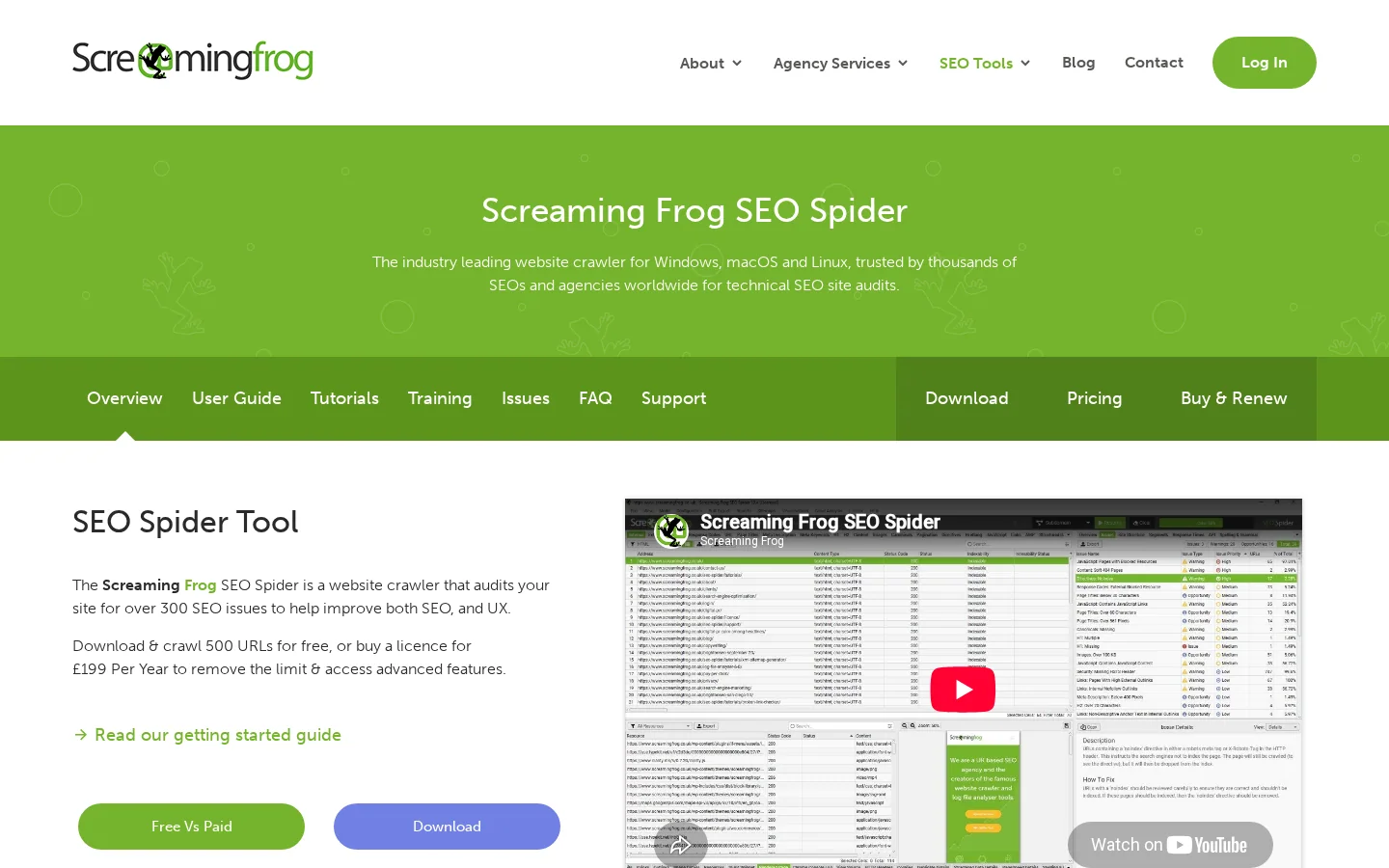
Most problems with automated linking are not penalties. They are wasted links, confusing signals and pages that read like they were written by a machine. Here is how to spot and fix each one.
What it is: a rule-based plugin set without caps links "SEO audit" on 400 pages with the same anchor to the same page. How to spot it: in your crawler's anchor text export, sort internal anchors by frequency; one phrase with hundreds of identical uses to one URL is the signal. How to fix it: cap uses per rule across the site, require at least two variants per target, and remove the links from pages where the topic is only mentioned in passing.
What it is: the word matches, the meaning does not ("Apple" the fruit linked to an article about iPhones, "Java" the island to a programming tutorial). How to spot it: review a random sample of 30 automated links per month and read the full sentence. How to fix it: raise the similarity threshold, require both a phrase match and a topic match, and add negative keywords to ambiguous rules.
What it is: the engine stacks four links in a 60-word paragraph. Readers stop clicking and the text becomes hard to read. How to spot it: compute links per 100 words of main content; anything above 3 deserves a look. How to fix it: set a minimum word distance between automatic links and a per-page cap that counts the links the writer already placed.
What it is: a match inside an H2, a table of contents or an existing anchor gets wrapped in a new link, which produces nested <a> tags or blue headings. How to spot it: run an HTML validator on a few pages, or search the crawl for headings that contain links. How to fix it: declare forbidden selectors explicitly and test them on a staging copy before each new rule.
What it is: a front-end widget injects links after page load, sometimes without an href, sometimes only after a scroll or click. How to spot it: compare the raw HTML (view source) with the rendered DOM, and check the rendered HTML in Search Console's URL Inspection. How to fix it: move insertion to the server or into stored content. Our JavaScript SEO guide explains rendering in detail.
Warning
Many AI crawlers do not run JavaScript at all. A link that appears only after scripts run may be visible to Googlebot after rendering, yet invisible to the bots that feed ChatGPT, Claude or Perplexity.
What it is: automated links built from an old inventory keep pointing to URLs that have moved or been removed. How to spot it: in a crawl, filter internal links by status code (3xx, 4xx) and by non-indexable target; our free broken link checker does it for a single page. How to fix it: refresh the inventory before each run, accept only 200, indexable, self-canonical targets, and update links in place when a 301 is created.
What it is: the site believes it is linked because every article ends with three related posts. Those blocks often pick by tag or date, rotate, and skip old content entirely. How to spot it: your orphan report (sitemap URLs not reached by the crawl, or reached only through pagination) stays long. How to fix it: keep the widget, but add contextual links in the body and fixed links from hub pages.
What it is: "internal linking tool" links to page A in some articles and page B in others. You split relevance signals and can feed keyword cannibalization. How to spot it: build an anchor to target map from the crawl and flag any anchor with more than one target. How to fix it: one search intent, one target page; reassign the anchors of the weaker page.
What it is: links were inserted into content by a plugin that is later uninstalled, or nobody knows which links are automatic. How to spot it: you cannot answer "how many links did the tool add last month?". How to fix it: store every automated link in a table (source, target, anchor, rule, date, status), mark them in the HTML with a data attribute if your stack allows it, and check that you can remove all links from one rule in a single operation.
| Mistake | Signal to look for | Fix |
|---|---|---|
| Every occurrence linked | One anchor used hundreds of times to one URL | Site-wide caps, anchor variants |
| Wrong sense | Odd sentences in a manual sample | Higher threshold, negative keywords |
| Link density | More than 3 links per 100 words | Word distance, per-page cap |
| Forbidden zones | Links in headings, nested anchors | Explicit skip selectors |
| JavaScript-only links | Links missing from view source | Server-side insertion |
| Dead targets | 3xx and 4xx internal links in the crawl | Refresh inventory, 200-only targets |
| Widget-only linking | Long orphan list | Contextual and hub links |
| One anchor, two targets | Anchor map with duplicates | One intent, one page |
| No log | Cannot count automated links | Link table, data attribute, rollback |
Internal links rarely produce an overnight jump. Measure on the pages that received links, against the control group, over 4 to 12 weeks.
What to track after each wave of links
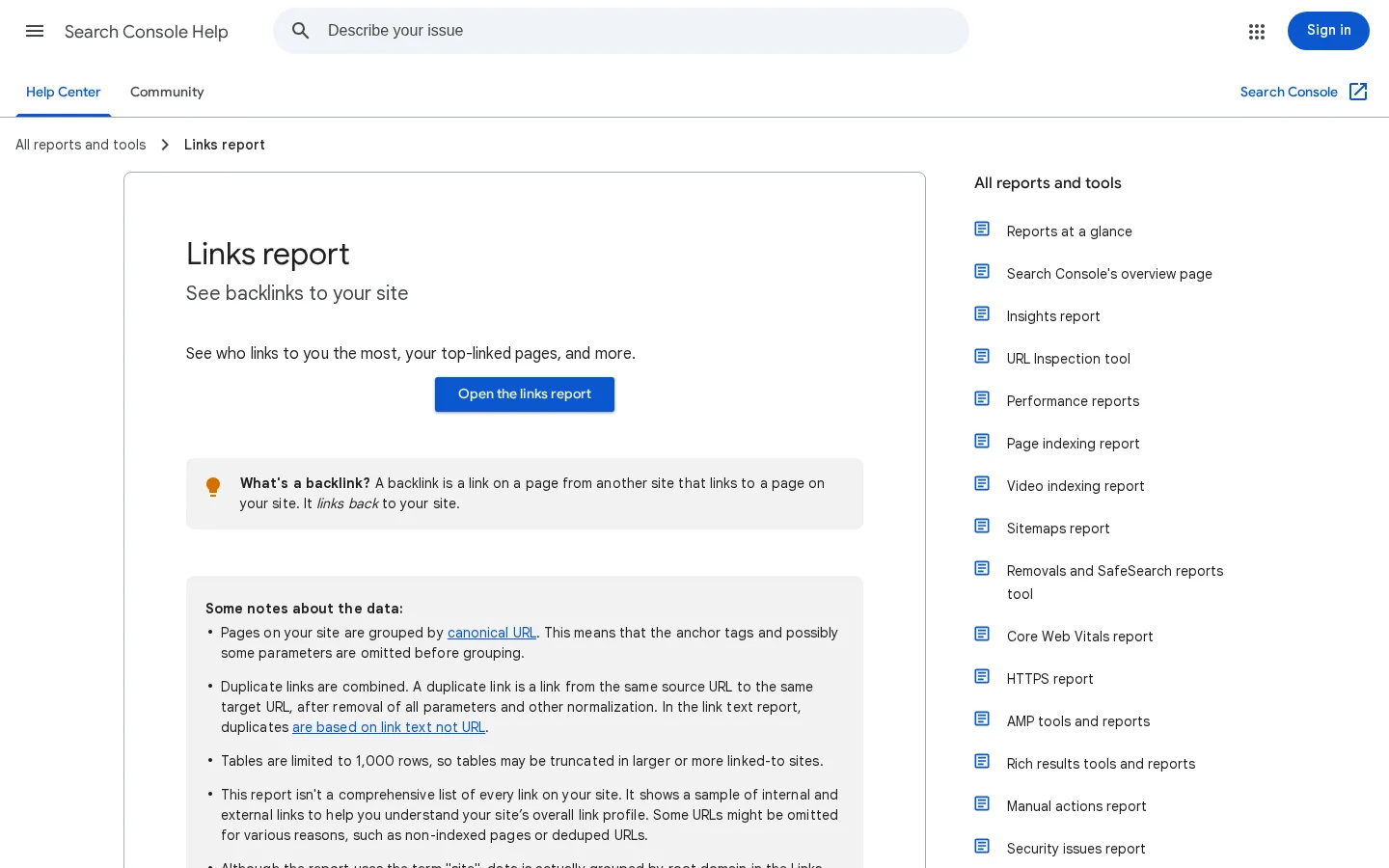
The Links report in Search Console shows your "top internally-linked pages" and, for each one, the pages that link to it. It is useful for a sanity check (are your priority pages near the top?), but Google's help page warns that its tables are limited to 1000 rows and that the report "isn't a comprehensive list of every link on your site". Use your own crawl as the source of truth, and Search Console to see what Google actually picked up.
If you have access to them, server logs show whether Googlebot and AI crawlers visit the newly linked pages more often after a wave. That is the most direct signal that discovery improved. Our guide to log file analysis for SEO explains how to filter bots and read crawl frequency, and why it matters for crawl budget on large sites.
If impressions rise on target pages but not on the control group, the links probably helped. If both rise, it is likely a seasonal or algorithmic effect. If target pages gain impressions but not clicks, the next lever is the title and the content, not more links. And if nothing moves after 12 weeks, check the basics: are the links in the raw HTML, and are the targets actually indexed?
You do not need a big tool to begin. Pick one cluster of 20 to 50 pages, crawl it, list its orphans and its priority pages, build an anchor bank from Search Console, and add links in one reviewed wave. Measure for six weeks, write down what you learned as rules, then extend to the next cluster.
If you publish often, the cheapest gain is linking at writing time: every new article should leave the editor with links to the right pages. That is what Sorank does when it writes and publishes articles for you, and its topic cluster generator plans the clusters those links follow, with anti-cannibalization built in. For the older pages, combine it with a reviewed backfill using the method above.
Yes, as long as the links are relevant, use descriptive anchors and stay within sensible caps. Google's documentation asks for crawlable links with descriptive anchor text and warns against excessive linking, not against automation itself. The risk comes from tools that link every keyword occurrence with the same anchor, so keep a review step and log every automated link.
Google says there is no ideal number. A practical starting point is 3 to 5 automatic contextual links in a 1500-word article, on top of the links the writer placed, with one link per target and some distance between links. Measure on your own pages and adjust, since a correlation study by Zyppy saw gains up to about 40 incoming internal links per URL and a reversal after about 45 to 50.
No. Automation executes a strategy: it finds candidates, inserts links and keeps them up to date. You still have to decide which pages to prioritize, which architecture the links should follow (mesh, semantic cocoon or silo) and which anchors belong to which page.
We analyse your competitors, your website and your AI visibility to create a tailored content plan for free.
 AI Content Brief Generator
 FAQ Schema Generator
 AI Blog Post Ideas Generator
 Structured Data Validator (Schema Validator)
 Alt Text Checker
 Internal Link Analyzer
 Backlink Challenge
 AI Meta Description Generator
 AI Blog Title Generator
 Google Indexability Checker
 AI Blog Outline Generator
 UTM Link Builder
 Keyword Clustering Tool
 Canonical Tag Checker
 XML Sitemap Generator
 Broken Link Checker
 AI SEO Title Generator
 Headline Analyzer
 SERP Preview Tool
 Redirect Checker
 Hreflang Tag Generator
 Heading Structure Analyzer
 HTTP Headers Checker
 Favicon Extractor
 SERP CTR Calculator
 SEO vs Paid Search Savings Calculator
 SEO Share of Voice Calculator
 SEO ROI Calculator
 SEO Traffic and Revenue Forecast Calculator
 SEO Budget Calculator
 SEO Break-Even Calculator
 SaaS SEO ROI Calculator
 ROAS Calculator
 Reading Time Calculator
 Ranking Gain Simulator
 Organic Traffic Value Calculator
 Organic Traffic Estimator and Website Traffic Checker
 LTV to CAC Ratio Calculator
 Local SEO ROI Calculator
 Link Building Cost Calculator
 Keyword Value Calculator
 Keyword Opportunity Score Calculator
 Keyword Density Calculator
 GEO ROI Calculator
 GEO Content Investment Calculator
 Ecommerce SEO ROI Calculator
 Customer Lifetime Value Calculator
 Customer Acquisition Cost Calculator
 CTR Calculator
 Cost Per Article Calculator
 Conversion Rate Calculator
 Content Marketing ROI Calculator
 ChatGPT Referral Traffic Estimator
 Bounce Rate Calculator
 Backlink ROI Calculator
 AI Visibility Score Calculator
 AI Traffic Value Calculator
 AI Share of Voice Calculator
 Cost of AI Invisibility Calculator
 AI Citation Rate Calculator
 llms.txt Validator
 AI Overview Checker and AI Overviews Rank Checker
 Robots.txt Checker
 AI SEO Audit
 LLM Readability Checker
 SearchGPT Readiness Checker
 Structured Data LLM Audit
 Website Crawlability AI Audit
 Why ChatGPT Is Not Recommending My Website
 Gemini Ranking Tool
 Perplexity Ranking Checker
 LLM Citation Checker
 Answer Engine Optimization Audit
 GEO Audit
 AI Search Visibility Test
 ChatGPT Visibility Checker
 llms.txt Generator
 URL Extractor
 Webpage to Markdown
 Sitemap Checker
 SERP Volatility Sensor
 Page Size Checker
 Word Counter
 Slug Generator
 Schema Generator
 Robots Generator
 OG Preview
 Meta Tags Generator
 Image Compressor
 Favicon Generator
 On-Page SEO Audit: SEO Checker and SEO Analyzer
 Backlink Analysis Tool
 Keyword Research Tool
 Domain Authority Checker
5/5 from 5 reviews
 “I tested Sorank on a real client site and it's insane. It does everything an agency would bill you $1500 a month for. It's going into production on that client now.”

 Guillaume Guersanguersanguillaume.com“We are an Ads agency and we wanted to get our SEO back on track once and for all. Sorank gave us a clear view of our site, helped us prioritize optimizations, and properly structure our content. The tool is easy to use, well designed for a team, and very practical for centralizing tracking without having to juggle multiple platforms. A very solid foundation to start fresh with our SEO.”
 Gaspard MadouiAds Agency
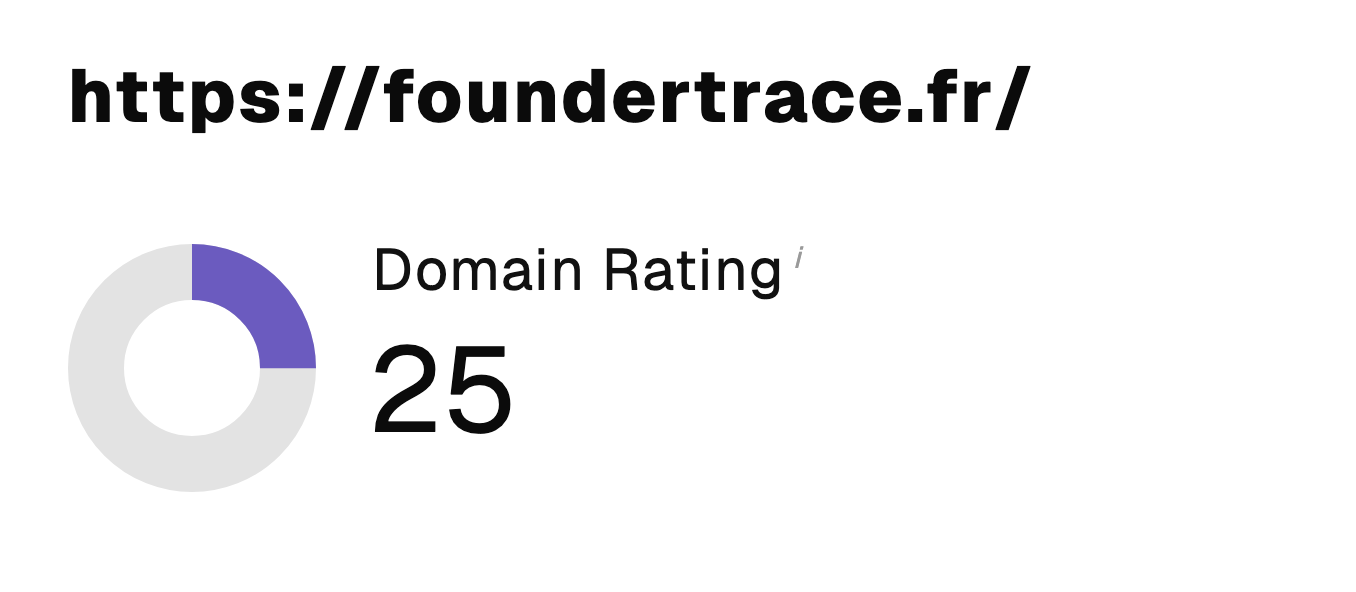 “I just let the Sorank software do its thing, and now my DR is 25 and my page is ranking higher.”
 Lucas Flandrefoundertrace.fr“I specialized in GEO thanks to Sorank. The GEO Leaderboard allows me to show my clients their position vs competitors on ChatGPT. It’s a real commercial differentiator.”
 MélanieSEO Freelance“Great service, works well for our website and helps us understand how to improve it to rank better on Google and elsewhere. Congrats, keep going, I recommend it.”
 Hugo T.E-commerce merchant