Preferences
Privacy is important to us, so you have the option of disabling certain types of storage that may not be necessary for the basic functioning of the website. Blocking categories may impact your experience on the website. More information
Privacy is important to us, so you have the option of disabling certain types of storage that may not be necessary for the basic functioning of the website. Blocking categories may impact your experience on the website. More information

Google Universal Cart explained: price alerts, promo codes, Google Pay checkout, where it works, when it expands, and how merchants get products in it.
In short
Google Universal Cart is a single shopping cart that holds products from many stores, saved from Google Search (including AI Mode) and the Gemini app. It tracks price drops and restocks, surfaces promo codes and card perks, then lets you pay with Google Pay or send items to the store's own cart. It launched in the U.S. on October 15, 2026.
Want to go further? Ask
Quick quiz
Is SEO right for you, and how should you start?
Sorank matches your answers


Test it for 3 days on your own site and see where you stand on Google, ChatGPT and the other AIs.
Start 3-day free trial3 days free, then stop whenever you want. 90-day results guarantee, conditions apply.
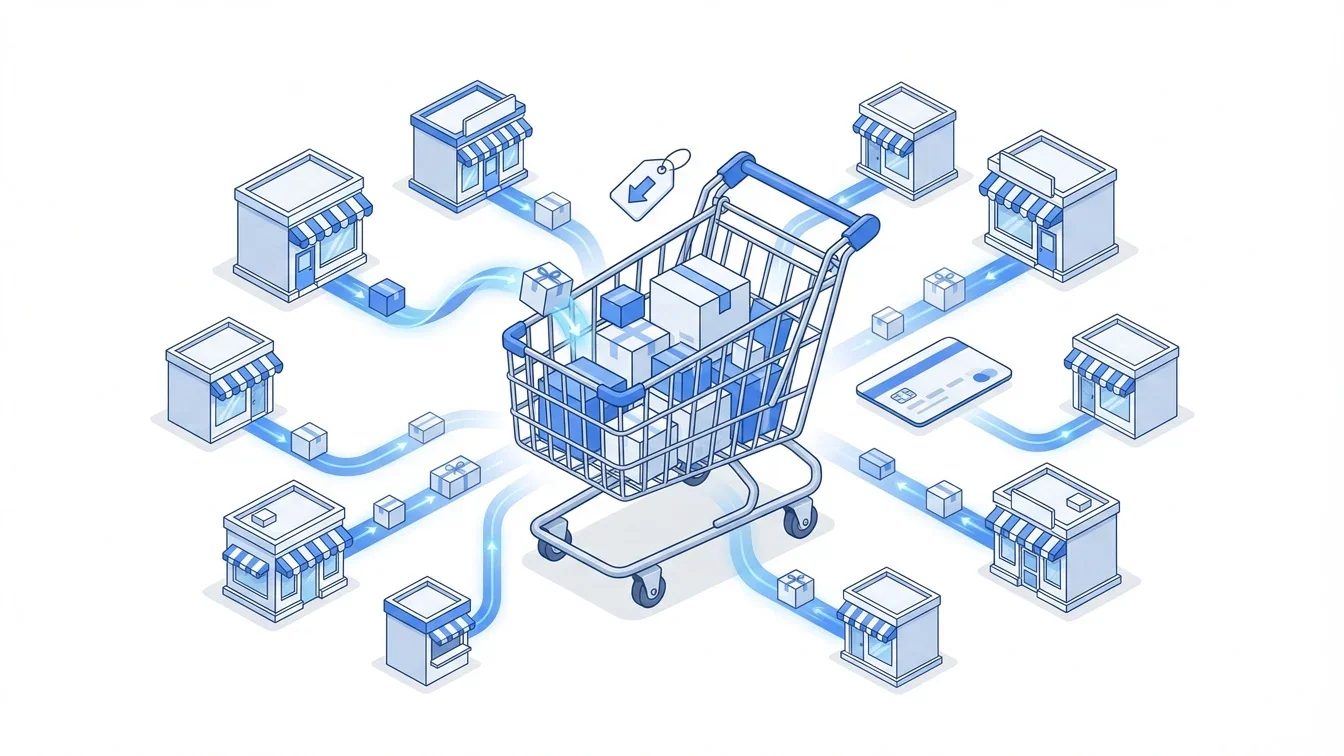
Universal Cart is a cart that belongs to you, not to a store. You save products while you search or chat with Gemini, and they all land in one place, even if they come from five different retailers. Google then watches those items for you and helps you pay.
Google presented it at I/O on May 19, 2026, as "your new hub for shopping on Google", and switched it on for U.S. users on October 15, 2026. In the launch post of October 15, 2026, Suresh Ganapathy, Senior Director of Product Management for Consumer Shopping at Google, lists four jobs for the cart:
The store stays the seller. Google says merchants remain the "seller of record": they send the order confirmation, ship the product and handle support and returns. Google is the cart and the payment layer, not the shop.
Universal Cart in numbers
Sources: Google, I/O announcement (May 19, 2026) and launch post (October 15, 2026)
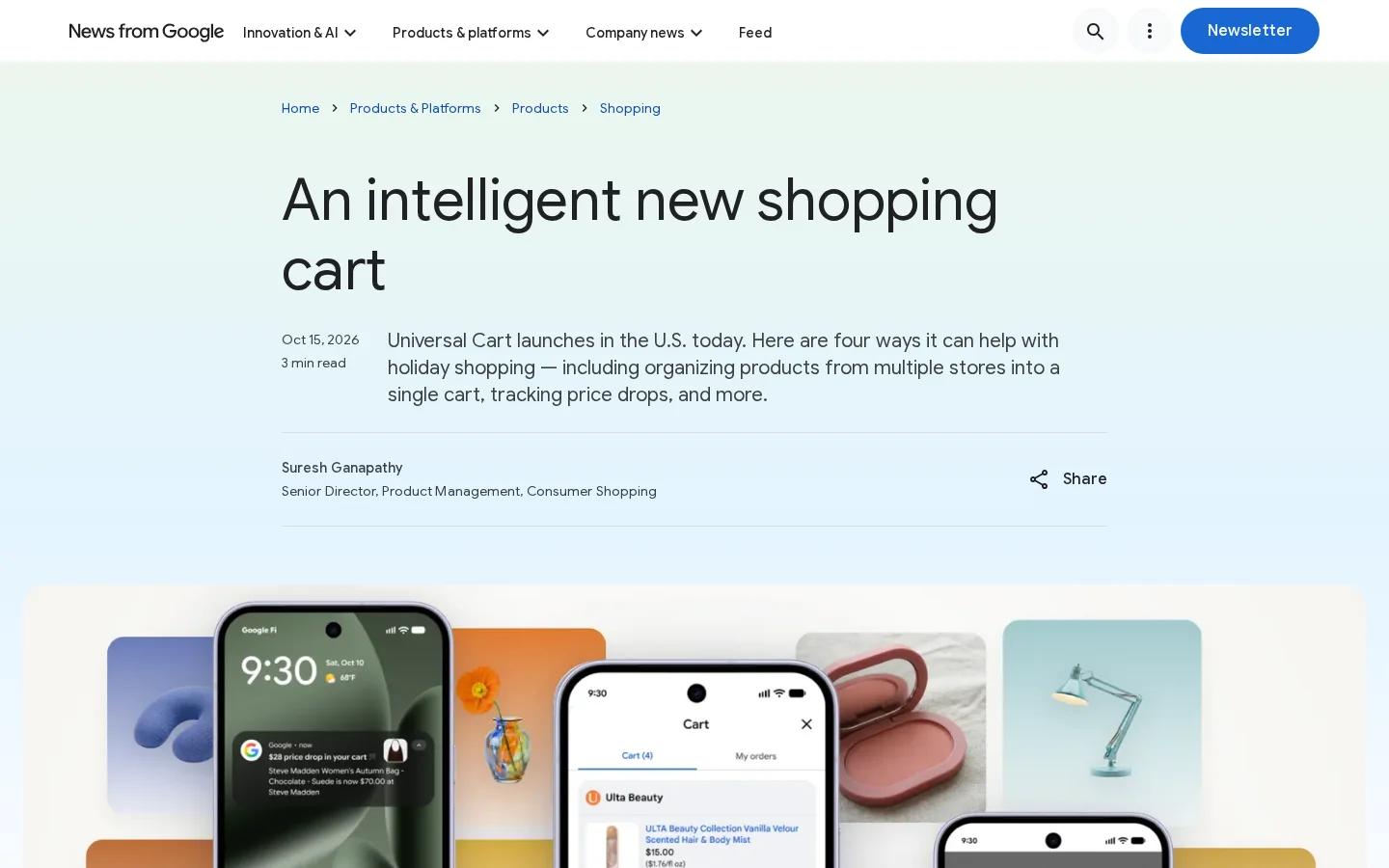
Most purchases are not made in one session. The I/O announcement of May 19, 2026 by Vidhya Srinivasan, VP and GM of Ads and Commerce, presents the cart as a way to shop across merchants and services, while you search, chat with Gemini, watch YouTube or read Gmail. People shop across several devices, several retailers and several days. Until now, each store kept its own cart, and Google only sent you there. With Universal Cart, the list of things you want to buy lives on Google, and Google decides when to remind you, which deal to show and which card to suggest.
This is the consumer face of a larger move that the industry calls agentic commerce, where AI agents compare and buy on behalf of shoppers. The protocol under the cart (UCP, covered below) is the same one Google uses to let Gemini and AI Mode complete purchases.
Today, Universal Cart works only for users in the United States, in Google Search (including AI Mode) and in the Gemini app. YouTube and Gmail were announced at I/O and are still to come. Outside the U.S., Google has named Canada and Australia for checkout first, then the U.K., with no firm date and no word on the European Union.
| Surface or market | Status | What Google said |
|---|---|---|
| Google Search and AI Mode (U.S.) | Live since October 15, 2026 | Save products, track them, check out |
| Gemini app (U.S.) | Live since October 15, 2026 | Add products from a conversation |
| YouTube | Announced | "Follow later" (I/O, May 2026) |
| Gmail | Announced | "Follow later" (I/O, May 2026) |
| Canada and Australia | Announced for UCP checkout | "In the coming months"; Merchant Center onboarding expected early next year |
| United Kingdom | Announced for UCP checkout | "Later", no date |
| European Union | No announcement | Nothing said |
The EU silence is not random. TNW's Ana Maria Constantin noted on October 15, 2026 that Google's roadmap skips the EU entirely, and linked this to the Digital Markets Act, which limits how Google can favor its own shopping services in results. If you sell in Europe, plan for the U.S. version first and treat any EU launch as uncertain.
From protocol to cart: the key dates
If you are signed in to a Google account in the U.S., search for a product in AI Mode or ask Gemini for product ideas: listings that support the cart show an option to save the item. If you are outside the U.S., you will not see it yet.
Using the cart takes five moves: find a product, save it, let Google track it, review the savings, then pay or transfer. You do not need to install anything. The exact buttons may change as Google tests the interface, so look for the save or add option on a product listing.
Using Universal Cart as a shopper
Google's own example shows how the cart crosses surfaces: a Steve Madden handbag saved in AI Mode in Search, then a Quince sweater and an Ulta Beauty lip gloss saved from the Gemini app. All three show up in the same cart later. Three stores, two Google products, one list.
The value of Universal Cart is not the cart itself, but what Google does with the items you put in it. Four engines work behind the list: price and stock tracking, promo codes, payment advice from Wallet, and AI checks with Gemini models.
Each saved item is matched to listings in the Shopping Graph. When a merchant lowers the price in its product feed, or an item comes back in stock, Google can notify you. At I/O, Google also mentioned price history, so you can see if a "deal" is really lower than usual. For a merchant, this means a price change in Merchant Center can now trigger a notification to people who saved your product: your feed has become a re-engagement channel.
The cart shows relevant promo codes for the items you saved. You no longer hunt for coupons on third-party sites. For merchants, this is one more reason to declare your promotions to Google in Merchant Center instead of only on your site: the UCP specification has a discount extension that applies to both the cart and the checkout.
Because the cart is built on Google Wallet, it knows which cards you have saved. Google says it "understands your card perks" and can suggest which payment method gives cashback, points or another advantage. This only applies to cards stored in Wallet, and today the UCP checkout only supports standard card numbers (FPAN) saved there, not every payment form.
The most technical feature shown at I/O: when you build a custom PC from parts bought at different retailers, the cart can flag that a processor does not fit the chosen motherboard and suggest alternatives. To do this, the AI needs product attributes, not just titles. The same logic applies to printer ink, car parts or camera lenses: structured attributes in your feed decide whether the AI understands what fits with what.
Shopping across stores: before and with Universal Cart
Universal Cart offers two ways to finish a purchase, native checkout on Google and transfer to the merchant's cart, and sits next to two related agent features. Knowing the difference matters, because a merchant does not need the same setup for each, and a shopper does not get the same experience.
Principle: the shopper pays in the cart with Google Pay, using the card and address saved in Wallet. The merchant receives the order through its UCP checkout endpoints. When it is used: for products flagged as eligible by a merchant that passed Google's validation. Advantages: fewest steps, no account to create. Limits: the merchant sees less of the journey, and many products are excluded (subscriptions, pre-orders, personalized goods, age-restricted items...). Example: a pair of sneakers from a participating brand, paid in a few taps.
Principle: Google sends the items into the store's own cart, and the shopper finishes there. When it is used: when native checkout is not available, or the shopper prefers it. Advantages: the merchant keeps its checkout, upsells and account creation. Limits: one more step, so more drop-off. Example: a sofa with delivery slots chosen on the retailer's site.
Principle: since November 2025, Google's agent can buy on a merchant's website at the shopper's direction. When it is used: for merchants that have not built native checkout. Limits: depends on the merchant's site working smoothly for an agent.
Principle: with the Agent Payments Protocol, you set the brands, the products and a maximum spend; the agent buys only when those conditions are met. Each purchase leaves a tamper-proof "mandate" that links you, the merchant and the payment processor, which helps with returns and disputes. When: Google said AP2 comes to its products in the coming months, starting with Gemini Spark. Example: "buy this jacket in size M if it drops under 150 dollars".
| Method | Where the payment happens | Who is the seller | What the merchant needs | Best for |
|---|---|---|---|---|
| Native checkout | In the cart, with Google Pay | Merchant | UCP checkout endpoints, validation, native_commerce(checkout_eligibility) = true | Simple products, impulse buys |
| Cart transfer | On the merchant's site | Merchant | UCP cart capability, cart eligibility (on by default once declared) | Complex orders, delivery choices |
| Agentic checkout | On the merchant's site, done by Google's agent | Merchant | A site an agent can complete | Merchants not yet on UCP |
| AP2 purchase | Automatic, within the shopper's limits | Merchant | A payment flow that accepts AP2 mandates | Planned purchases with a target price |
Native checkout vs cart transfer
Universal Cart works because of UCP, an open standard that gives agents, apps, stores and payment providers one shared language. Instead of building a custom connection for each AI platform, a store publishes what it supports once, and any compatible platform (Google, but also others) can use it.
The UCP specification on ucp.dev is published under the Apache 2.0 license. It lists co-developers from shopping (Google, Shopify, Etsy, Wayfair, Target, Walmart, Amazon, Microsoft, Meta, Salesforce, Stripe), lodging and food delivery. It splits commerce into capabilities:
dev.ucp.shopping.cart): build multi-item carts, transfer them or buy in place.dev.ucp.shopping.checkout): a checkout session with tax, dynamic prices and cart rules.dev.ucp.common.identity_linking): OAuth 2.0, so an agent can act for a user without seeing their password.dev.ucp.shopping.order): status, shipping and returns through webhooks.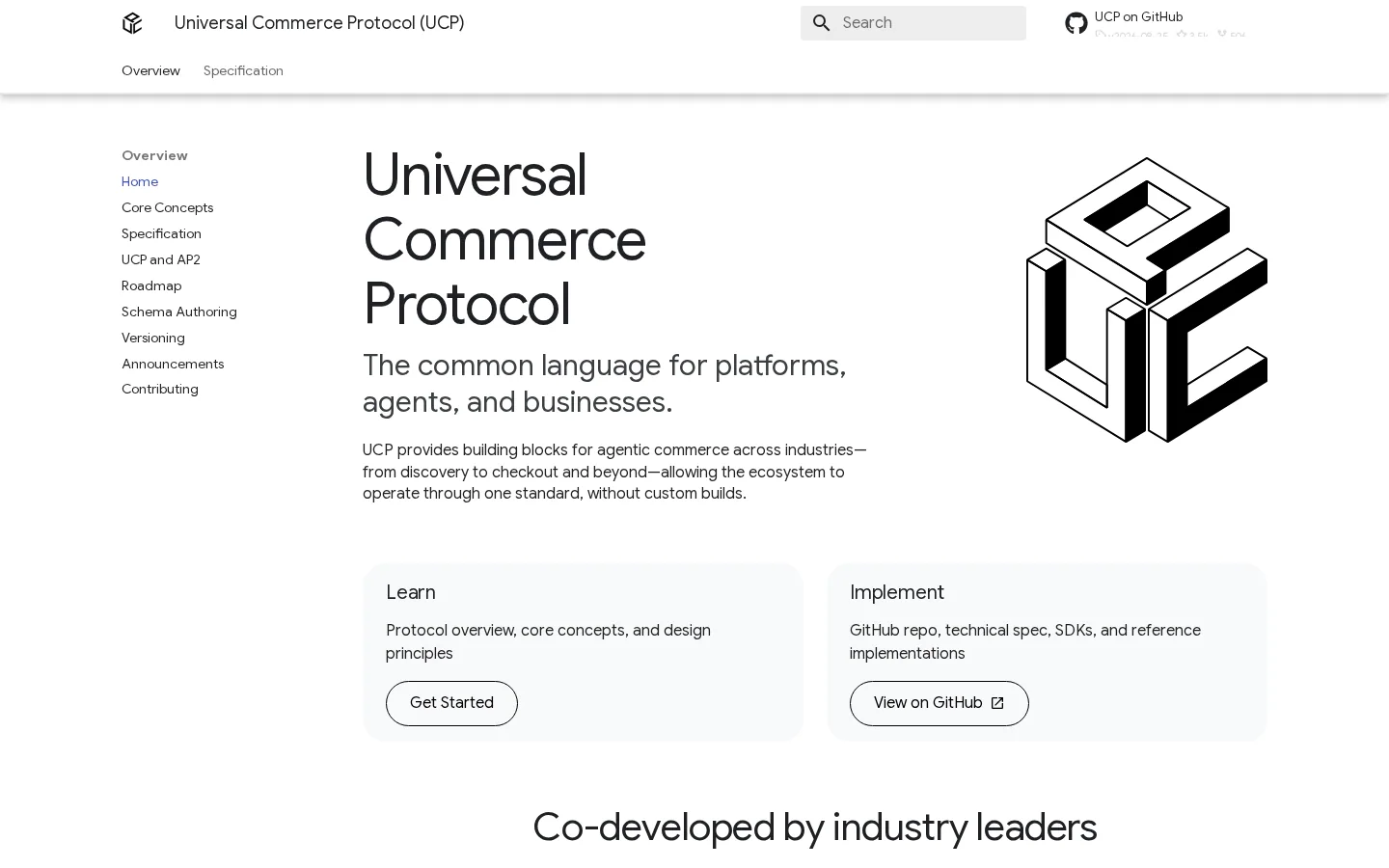
A store publishes a profile at /.well-known/ucp on its domain. The platform fetches it, compares the capabilities with its own, and keeps the highest version both support. Extensions such as fulfillment and discounts plug into a parent capability with an extends field. Here is an excerpt of a store profile, as shown in the specification:
"capabilities": {
  "dev.ucp.shopping.checkout": [
    {
      "version": "2026-08-25",
      "spec": "https://ucp.dev/2026-08-25/specification/shopping/checkout",
      "schema": "https://ucp.dev/2026-08-25/schemas/shopping/checkout.json"
    }
  ],
  "dev.ucp.shopping.fulfillment": [
    {
      "version": "2026-08-25",
      "spec": "https://ucp.dev/2026-08-25/specification/shopping/extensions/fulfillment",
      "schema": "https://ucp.dev/2026-08-25/schemas/shopping/fulfillment.json",
      "extends": "dev.ucp.shopping.checkout"
    }
  ],
  "dev.ucp.shopping.discount": [
    {
      "version": "2026-08-25",
      "spec": "https://ucp.dev/2026-08-25/specification/shopping/extensions/discount",
      "schema": "https://ucp.dev/2026-08-25/schemas/shopping/discount.json",
      "extends": ["dev.ucp.shopping.checkout", "dev.ucp.shopping.cart"]
    }
  ]
}
Note the discount extension: it extends both checkout and cart. That is how promo codes can appear in Universal Cart before the shopper even reaches checkout. On each request, the platform identifies itself with a UCP-Agent header that points to its own profile.
UCP supports REST and JSON-RPC, with built-in bindings for MCP (Model Context Protocol) and A2A (agent to agent). For Google, REST is the recommended default, because the self-serve checkout validation in Merchant Center only tests REST endpoints.
Universal Cart moves part of the buying journey from your website to Google. The product page is still where trust is built, but the decision to buy, the reminder and sometimes the payment now happen inside Google's interface. Your visibility in AI answers and the quality of your product data decide whether you are in the cart at all.
The shopper asks Gemini or AI Mode for a recommendation, saves two or three options, waits for a price drop, then pays. Your site may be visited once, or never. This is why getting your products recommended by Gemini and AI Mode now matters as much as ranking a category page. If Gemini does not name your product in its answer, the shopper will not save it.
The first lever is the hardest to see, because no report in Merchant Center tells you whether Gemini names you. Sorank's AI mention tracking runs the prompts your customers ask in ChatGPT, Gemini and Claude, and shows when your brand is cited and when a competitor is named instead.
Tip
Before you invest in UCP, check if Gemini already mentions your brand for your main product queries. The free Gemini ranking checker gives you a first answer in a minute.
Expect fewer visits for the same sales on eligible products, because native checkout skips your site. The visits you keep are later in the journey and convert better. Your analytics will also miss part of the path: the save, the alert and the payment happen on Google. Order data still reaches you through UCP order webhooks, so measure by orders and revenue per channel, not by sessions alone.
To appear with a Buy button in Universal Cart, a U.S. merchant needs a Merchant Center account in good standing, a UCP technical integration, selection by Google, product data flags and payment setup. Cart transfer is easier to reach than native checkout. If you run on Shopify, Salesforce Commerce Cloud or another platform, ask your provider first: many integrations come from the platform.
The merchant path to Universal Cart
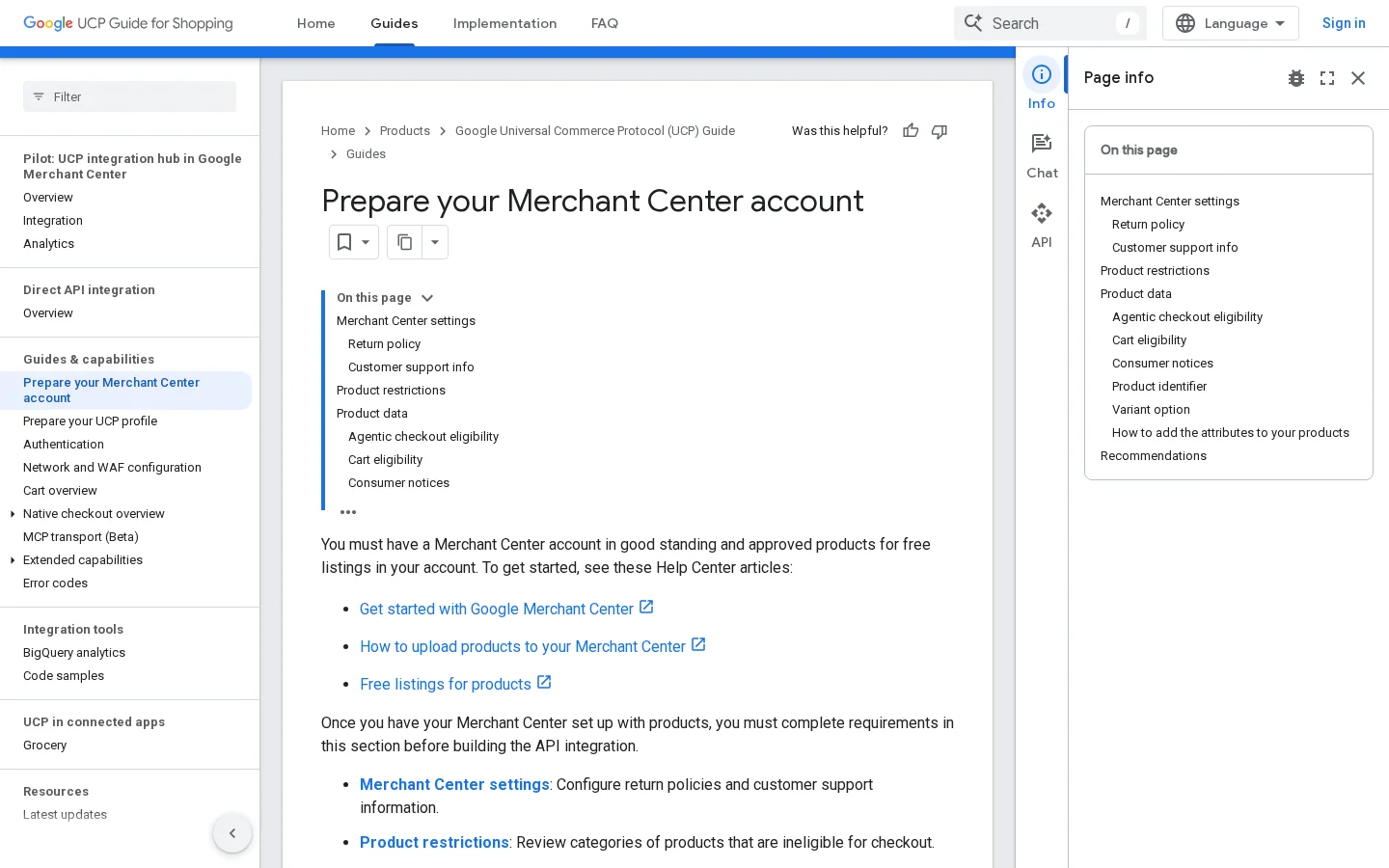
Google's developer guide Prepare your Merchant Center account sets two settings as mandatory, because you are the merchant of record and Google shows them at checkout:
returns or return_policy_label attributes. Advanced accounts must configure each sub-account.If you are new to the tool, start with our definition of Merchant Center and how it feeds products to Google and AI.
The native_commerce attribute is a group with two flags. checkout_eligibility is false by default: only products set to true can show the Buy button. cart_eligibility is the opposite: once your UCP profile declares dev.ucp.shopping.cart, products are eligible for cart transfer by default, and you set false to exclude them. Google recommends a supplemental data source, so your main feed stays untouched. In a TSV supplemental feed, the composite format looks like this:
id	native_commerce(checkout_eligibility:cart_eligibility)
SKU-1001	TRUE:TRUE
SKU-1002	FALSE:TRUE
SKU-2001	FALSE:FALSE
In an XML feed, the checkout flag is written as a group:
<g:native_commerce>
  <g:checkout_eligibility>true</g:checkout_eligibility>
</g:native_commerce>
Through the Merchant API, send it as a custom attribute with accounts.productInputs.insert or accounts.productInputs.patch:
"customAttributes": [
  {
    "name": "native_commerce",
    "groupValues": [
      { "name": "checkout_eligibility", "value": "true" },
      { "name": "cart_eligibility", "value": "true" }
    ]
  }
]
After the upload, open the Data sources tab in Merchant Center to check that the attribute was read without processing errors.
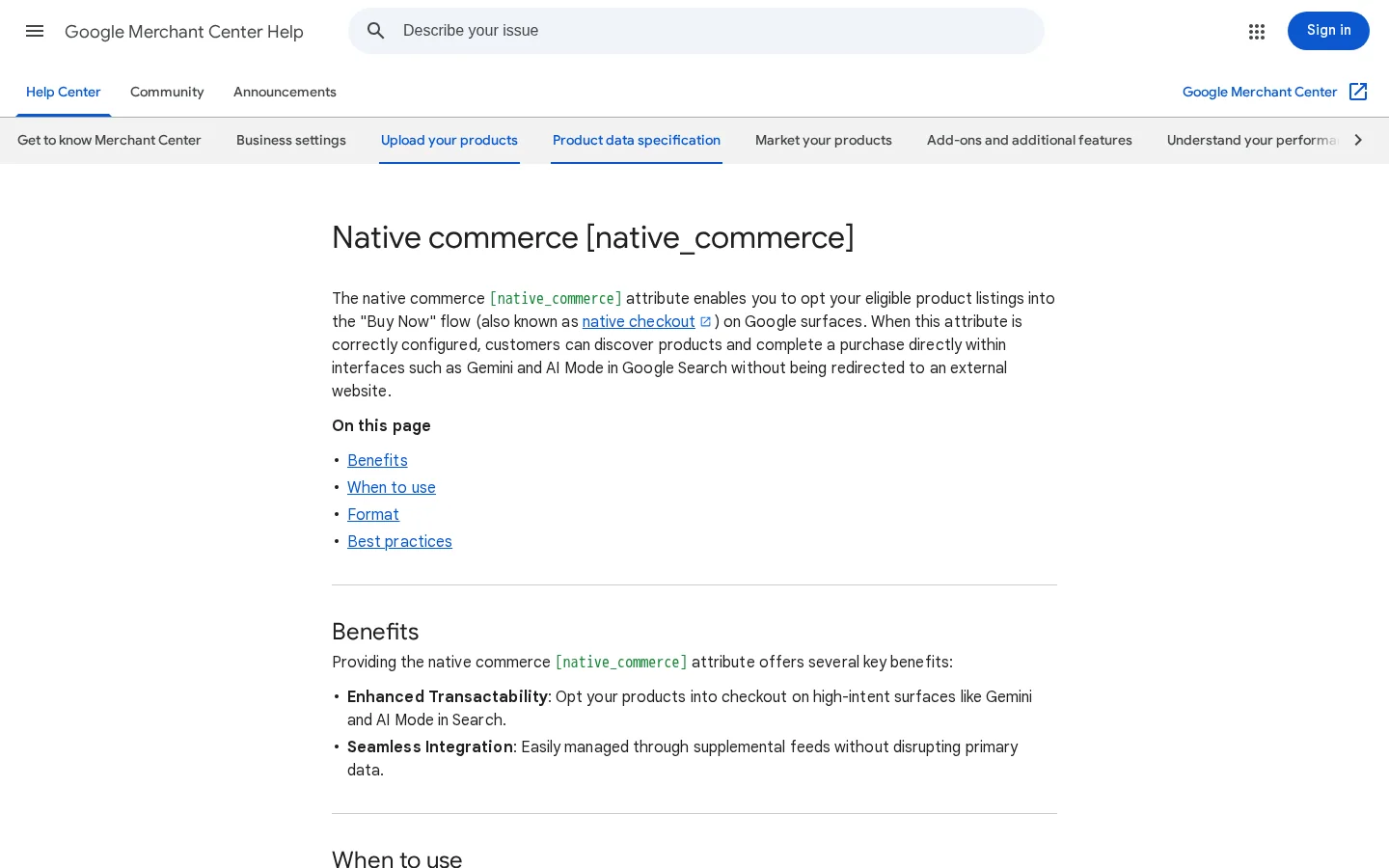
Leave checkout_eligibility empty or false for subscriptions, installments, personalized goods, final sale or non-new items, pre-orders, bundled services, items with special shipping, gifting, in-store activation, age-restricted items, prohibited content, services, rentals, virtual items and software-dependent goods. For products with a legal or safety warning, add a consumer_notice with a notice_type (legal_disclaimer, safety_warning or prop_65) and a notice_message of up to 1000 characters.
id must match the product ID of your checkout API, or you map it with merchant_item_id, which then takes precedence in agent requests.variant_option (name and value, up to 30 per product) with item_group_id and item_group_title, and keep color and size attributes.Create a Google Pay and Wallet Console account. If your payment provider is already integrated with the Google Pay API, it handles the token; if you process cards yourself, you configure encryption and upload PCI compliance documents. Then, in Merchant Center under Settings, UCP integration, the integration hub tests your UCP profile, cart transfer and native checkout calls (create a checkout, update shipping, complete the transaction) in sandbox, then in production. Support for the hub is by email, Monday to Friday, from the same page.
Most problems come from the feed, not from the protocol: a flag erased by an upload, a price out of date, an ID that does not match. Here are the most likely errors, based on Google's own requirements, with a way to spot each one and fix it.
What it is: setting checkout_eligibility to true and waiting. How to spot it: no Buy button after weeks, no UCP integration page in Merchant Center. How to fix it: native checkout is in early access for selected merchants. Build the integration, submit the interest form, and work on cart transfer and your AI visibility in the meantime.
What it is: the whole native_commerce group is overwritten at each upload. Sending only checkout_eligibility blanks cart_eligibility. How to spot it: products that were eligible for transfer drop out after a feed change. How to fix it: always send both flags, with the composite checkout_eligibility:cart_eligibility column.
What it is: the cart shows yesterday's price because your feed is daily, and your checkout returns another total. How to spot it: price mismatch warnings in Merchant Center and checkout sessions that never complete. How to fix it: send price and availability updates through the Merchant API as soon as they change, especially during sales.
What it is: the feed uses a SKU, the checkout API expects a platform product ID. How to spot it: errors on "create checkout" in the sandbox. How to fix it: fill merchant_item_id with the ID your API expects.
What it is: a whole catalog set to true, including pre-orders, engraved items or subscriptions. How to spot it: account alerts, refused orders, policy warnings. How to fix it: build a supplemental feed rule that sets false by product type, and review it each time you add a category.
What it is: you are the merchant of record, and Google shows these at checkout. How to spot it: Merchant Center alerts about returns or account configuration. How to fix it: set return cost, window and policy link, plus at least one contact channel, in every sub-account.
What it is: each size sent as a separate product with no item_group_id. How to spot it: the cart shows a product but not the right size, or transfers the wrong variant. How to fix it: group variants and send variant_option values that match the title and description.
What it is: a perfect UCP setup for products Gemini never recommends. How to spot it: ask Gemini and AI Mode the questions your customers ask, and note who is named. How to fix it: publish buying guides and comparisons, earn mentions on other sites, and add structured data that actually helps AI search to your product pages.
Universal Cart readiness checklist for merchants
Universal Cart gives Google a view of what you consider, not only what you buy. That is useful for alerts and deals, and it is also the reason some observers are cautious: with the cart and agent payments, Google sees what people discover, consider and buy, in one place.
Google is not alone: ChatGPT and other assistants also let users buy without leaving the chat. The difference is scale and data. Google's cart sits on Search, the Shopping Graph and Google Wallet, three assets no rival combines. If you already sell through AI assistants, our guide on how ChatGPT Shopping works and how to get your products recommended covers the OpenAI side.
| Criterion | Google Universal Cart | Store cart on your site |
|---|---|---|
| Holds products from several stores | Yes | No |
| Price drop and restock alerts | Yes, from the Shopping Graph | Only with your own email flows |
| Payment | Google Pay, or transfer to the store | Your checkout |
| Who owns the customer relationship | Shared: Google sees the journey, the store sells | The store |
| Availability | U.S., Search and Gemini app | Everywhere you sell |
Whether you are in the U.S. or not, three actions prepare you for Universal Cart today. None of them depends on Google's selection.
Universal Cart rewards the brands that AI already trusts. If you want that work done on autopilot, with content that gets your brand recommended by ChatGPT, Claude and Gemini, Sorank plans, writes and publishes it, and tracks where you are cited.
Not yet. Universal Cart launched on October 15, 2026 for U.S. users in Google Search and the Gemini app. Google has announced checkout for Canada and Australia in the coming months, then the U.K., and has said nothing about the European Union.
No. The merchant stays the seller of record: it confirms the order, ships it and handles support and returns. Google provides the cart, the tracking and the Google Pay payment layer.
A U.S. store needs a Merchant Center account in good standing, a Universal Commerce Protocol integration and selection through Google's interest form. It then flags products with the native_commerce attribute, sets a return policy and a support contact, and validates its endpoints in the Merchant Center UCP integration hub.
We analyse your competitors, your website and your AI visibility to create a tailored content plan for free.
 Website Value Calculator
 Website Accessibility Checker
 Google Analytics Checker
 Duplicate Content Checker
 Mobile-Friendly Test
 Website Speed Test
 Subdomain Finder
 Domain Age Checker
 CMS Detector
 Googlebot Simulator
 Nofollow Link Checker
 Meta Tag Checker
 Keyword Cannibalization Checker
 Keyword Intent Checker
 Keyword Extractor
 Google Ads Cost Calculator
 CPC Calculator
 Local Citation Finder
 Reddit Threads Finder
 Disavow File Generator
 Redirect Generator
 Canonical Tag Generator
 Passive Voice Checker
 Google Location Changer
 Google Review Calculator
 Google Review Link Generator
 Keyword Combiner
 Podcast Show Notes Generator
 AI Content Rewriter
 AI Text Humanizer
 ChatGPT Prompt Generator
 Twitter Thread Generator
 Tweet Generator
 Landing Page Copy Generator
 Google Ads Copy Generator
 Pinterest Pin Description Generator
 Anchor Text Generator
 Social Media Post Generator
 LinkedIn Post Generator
 Free AI Writer
 Review Response Generator
 LSI Keyword Generator
 YouTube Video Ideas Generator
 YouTube Tag Generator
 YouTube Description Generator
 Product Description Generator
 CTA Generator
 Blog Introduction Generator
 Conclusion Generator
 Hook Generator
 AI Content Brief Generator
 FAQ Schema Generator
 AI Blog Post Ideas Generator
 Structured Data Validator (Schema Validator)
 Alt Text Checker
 Internal Link Analyzer
 Backlink Challenge
 AI Meta Description Generator
 AI Blog Title Generator
 Google Indexability Checker
 AI Blog Outline Generator
 UTM Link Builder
 Keyword Clustering Tool
 Canonical Tag Checker
 XML Sitemap Generator
 Broken Link Checker
 AI SEO Title Generator
 Headline Analyzer
 SERP Preview Tool
 Redirect Checker
 Hreflang Tag Generator
 Heading Structure Analyzer
 HTTP Headers Checker
 Favicon Extractor
 SERP CTR Calculator
 SEO vs Paid Search Savings Calculator
 SEO Share of Voice Calculator
 SEO ROI Calculator
 SEO Traffic and Revenue Forecast Calculator
 SEO Budget Calculator
 SEO Break-Even Calculator
 SaaS SEO ROI Calculator
 ROAS Calculator
 Reading Time Calculator
 Ranking Gain Simulator
 Organic Traffic Value Calculator
 Organic Traffic Estimator and Website Traffic Checker
 LTV to CAC Ratio Calculator
 Local SEO ROI Calculator
 Link Building Cost Calculator
 Keyword Value Calculator
 Keyword Opportunity Score Calculator
 Keyword Density Calculator
 GEO ROI Calculator
 GEO Content Investment Calculator
 Ecommerce SEO ROI Calculator
 Customer Lifetime Value Calculator
 Customer Acquisition Cost Calculator
 CTR Calculator
 Cost Per Article Calculator
 Conversion Rate Calculator
 Content Marketing ROI Calculator
 ChatGPT Referral Traffic Estimator
 Bounce Rate Calculator
 Backlink ROI Calculator
 AI Visibility Score Calculator
 AI Traffic Value Calculator
 AI Share of Voice Calculator
 Cost of AI Invisibility Calculator
 AI Citation Rate Calculator
 llms.txt Validator
 AI Overview Checker and AI Overviews Rank Checker
 Robots.txt Checker
 AI SEO Audit
 LLM Readability Checker
 SearchGPT Readiness Checker
 Structured Data LLM Audit
 Website Crawlability AI Audit
 Why ChatGPT Is Not Recommending My Website
 Gemini Ranking Tool
 Perplexity Ranking Checker
 LLM Citation Checker
 Answer Engine Optimization Audit
 GEO Audit
 AI Search Visibility Test
 ChatGPT Visibility Checker
 llms.txt Generator
 URL Extractor
 Webpage to Markdown
 Sitemap Checker
 SERP Volatility Sensor
 Page Size Checker
 Word Counter
 Slug Generator
 Schema Generator
 Robots Generator
 OG Preview
 Meta Tags Generator
 Image Compressor
 Favicon Generator
 On-Page SEO Audit: SEO Checker and SEO Analyzer
 Backlink Analysis Tool
 Keyword Research Tool
 Domain Authority Checker
 “I tested Sorank on a real client site and it's insane. It does everything an agency would bill you $1500 a month for. It's going into production on that client now.”

 Guillaume Guersanguersanguillaume.com“We are an Ads agency and we wanted to get our SEO back on track once and for all. Sorank gave us a clear view of our site, helped us prioritize optimizations, and properly structure our content. The tool is easy to use, well designed for a team, and very practical for centralizing tracking without having to juggle multiple platforms. A very solid foundation to start fresh with our SEO.”
 Gaspard MadouiAds Agency
 “I just let the Sorank software do its thing, and now my DR is 25 and my page is ranking higher.”
 Lucas Flandrefoundertrace.fr“I specialized in GEO thanks to Sorank. The GEO Leaderboard allows me to show my clients their position vs competitors on ChatGPT. It’s a real commercial differentiator.”
 MélanieSEO Freelance“Great service, works well for our website and helps us understand how to improve it to rank better on Google and elsewhere. Congrats, keep going, I recommend it.”
 Hugo T.E-commerce merchant