Preferences
Privacy is important to us, so you have the option of disabling certain types of storage that may not be necessary for the basic functioning of the website. Blocking categories may impact your experience on the website. More information
Privacy is important to us, so you have the option of disabling certain types of storage that may not be necessary for the basic functioning of the website. Blocking categories may impact your experience on the website. More information

A product feed is the file that lists your products and their attributes for shopping platforms. Learn the formats, required fields and how to build one.








Founder Sorank, 7+ years in SEO.
Summary
A product feed is a structured file that lists every product you sell and its attributes, such as ID, title, description, price, availability and image URL. Shopping platforms, such as Google Shopping, read it to show your products to buyers and to AI shopping tools.
Want to go further? Ask
A product feed is the file you send to a shopping platform so it knows what you sell. Each product gets its own row in a text file or its own item in an XML file. Each column or tag holds one attribute, such as the price or the stock status. When a product changes, the feed has to change too.
A product feed gives a platform all your product data in one place. The platform does not have to read each product page to find the price, the image or the stock status. That is why feeds are used for shopping ads, free product listings and other places where your products are shown outside your own site.
Google receives these files in its Merchant Center, the account where you upload and check your products. For how buyers now reach products through AI answers, read the entry on AI shopping.
Most product feeds are text files or XML files. Google Merchant Center accepts .txt, .tsv and .xml files, and it names two types of product file: a tab-delimited spreadsheet or XML (Google's guide to creating a product file). The table below compares the formats you will meet most often.
| Format | What it is | Google Merchant Center |
|---|---|---|
| Tab-delimited text (.txt or .tsv) | One product per line, with columns separated by tabs | Accepted |
| XML (.xml) | Each product as a tagged item, based on RSS 2.0 | Accepted |
| CSV (.csv) | Comma-separated values, common in spreadsheet tools | Not on the list of accepted formats |
| JSON | Nested data, often used by apps and APIs | Not on the list of accepted formats |
A spreadsheet must be exported as tab-delimited text and saved with the .tsv or .txt extension. Other platforms may accept CSV or JSON, so check their rules before you export.
The tools that build and send these files are compared in our guide to product feed management software. This entry only explains the file itself.
Each product needs a set of attributes. Google's product data specification marks seven of them as required: id, title, description, link, image_link, price and availability (Google's product data specification). The id is your product's unique identifier. The link is the product's landing page, and image_link is the URL of its main image.
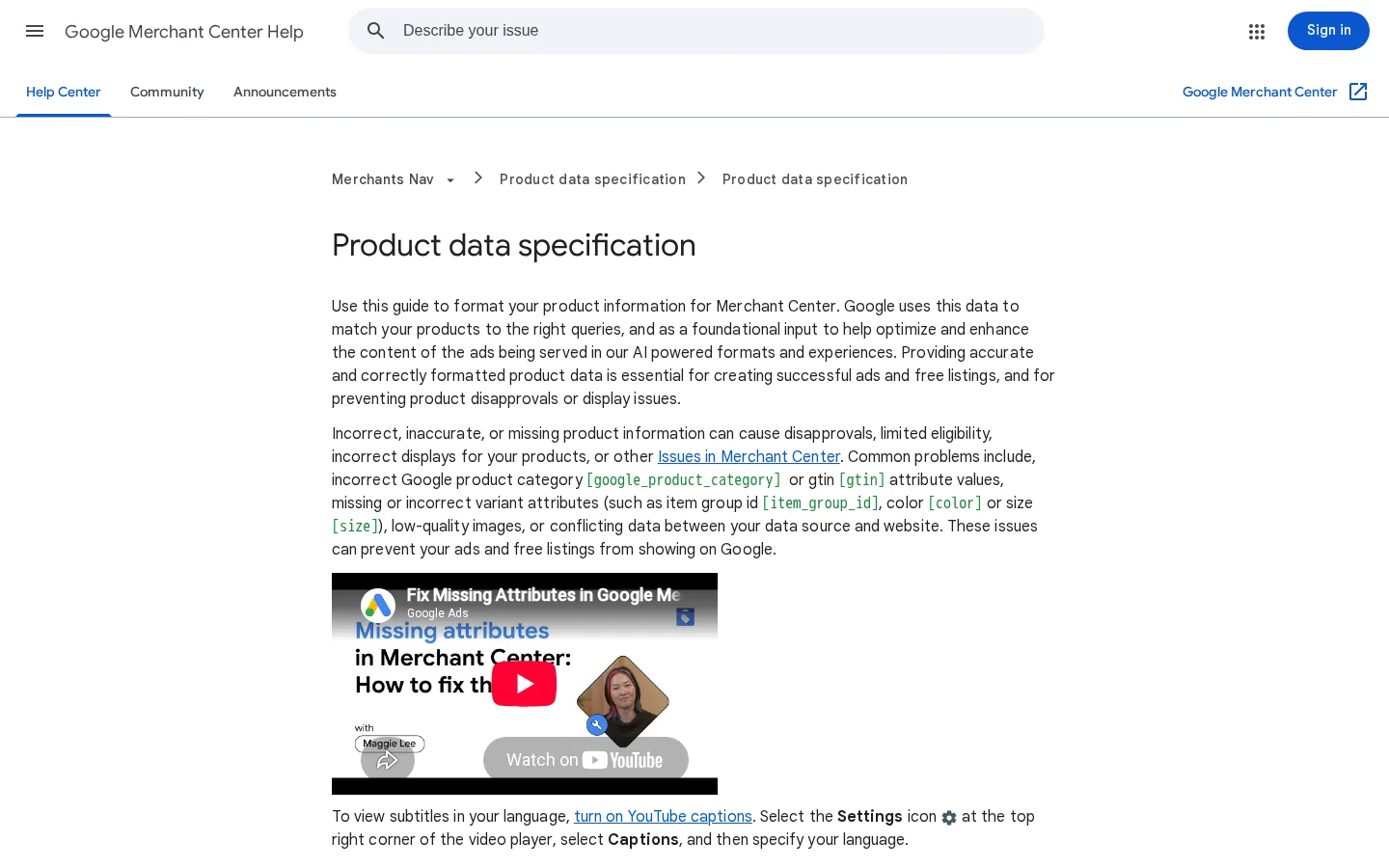
Other attributes depend on the product. Brand, colour, size and the global trade item number (GTIN) are common examples. The specification also marks some attributes as conditional. For example, the availability date is required only when a product is up for preorder.
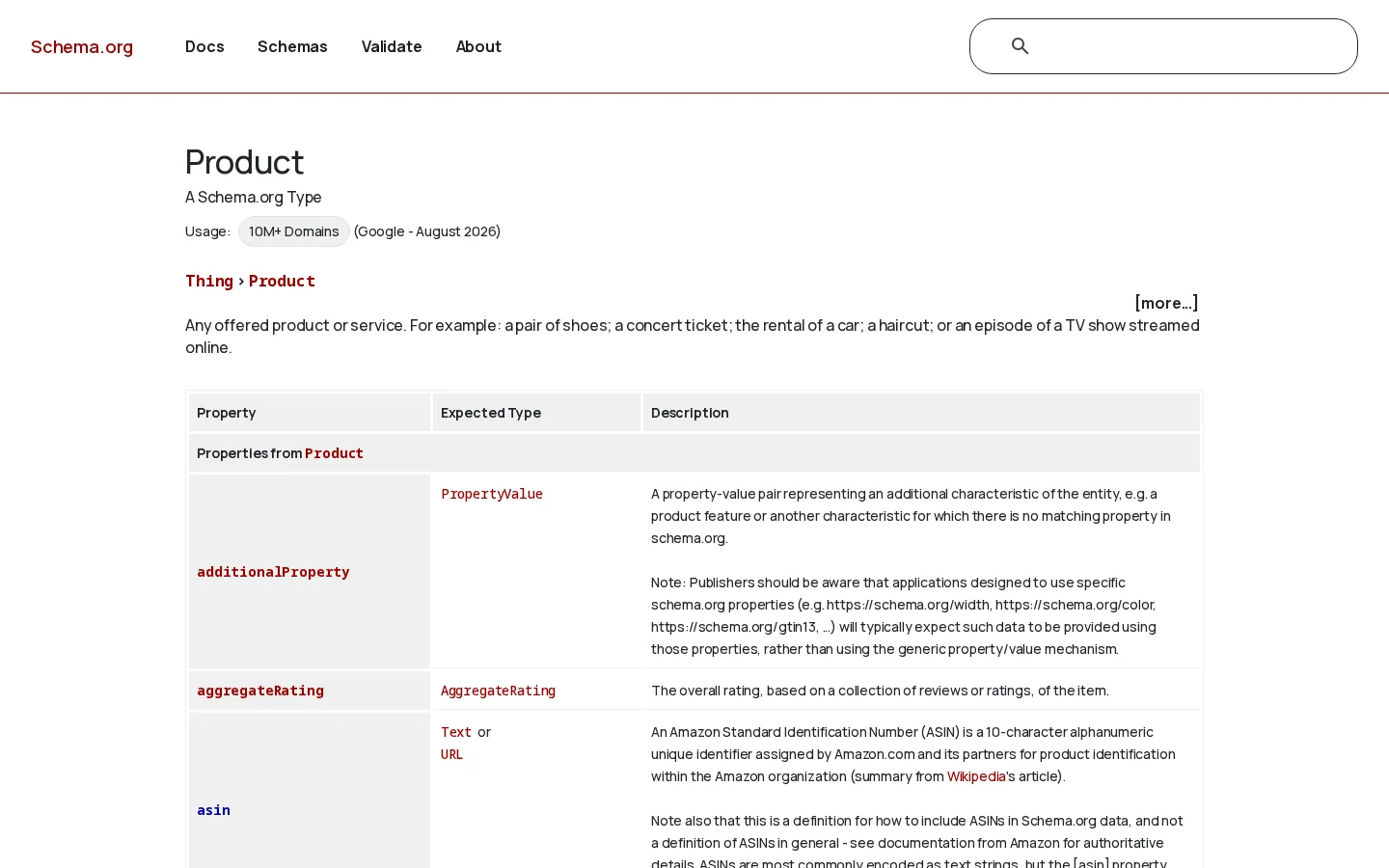
The same product data can appear on your product pages as structured data. schema.org defines Product as "any offered product or service" and documents properties such as sku, gtin and brand (schema.org's Product type). For the markup side, read the entries on schema markup and structured content.
To create a feed, export your products and fill in the required fields for each one. You can build a small feed by hand, or export a large catalogue from your store. The steps are the same either way.
This is what one product looks like in an XML feed:
<item>
  <g:id>SKU-1042</g:id>
  <g:title>Blue cotton T-shirt, size M</g:title>
  <g:description>Crew neck T-shirt in soft blue cotton.</g:description>
  <g:link>https://www.example.com/products/blue-cotton-t-shirt</g:link>
  <g:image_link>https://www.example.com/images/blue-cotton-t-shirt.jpg</g:image_link>
  <g:price>19.90 EUR</g:price>
  <g:availability>in_stock</g:availability>
</item>
The product page behind each link should show the same title, price and stock. You can check the structured data on that page with the free structured data validator, which tests the JSON-LD of any page.
A sitemap tells search engines which pages exist on your site. A product feed tells shopping platforms what each product is, with its price and stock. The sitemap points to pages. The feed describes products. You need both for different jobs, and neither replaces the other. Read the entry on the XML sitemap to compare them in detail.
Most feed problems come from a few repeated errors. Check for each one before you upload.
The feed shows a price or availability that differs from the product page. To spot it, compare a few random products in the feed with their live pages. To fix it, generate the feed from your store data and refresh it each time a price or stock level changes.
A product has no title, image link or price. To spot it, read the error report that the platform gives after the upload. To fix it, fill in the seven required fields for every product before you upload the file.
Two products share the same id, so the platform cannot tell them apart. To spot it, sort the id column and look for repeats. To fix it, give each product its own id, such as its SKU, and keep that id the same over time.
The file is saved as HTML or another format the platform does not accept. Google says that unsupported formats, such as .html, prevent the feed from being processed. To spot it, look for a failed upload or for no products in the list. To fix it, export the file as tab-delimited text or XML.
A feed gives search and AI tools clean product data from one source, so they do not have to guess it from your pages. When the feed and the product pages agree, the platform can trust the data and buyers see the same price in both places. A mismatch makes the data less reliable for everyone who reads it.
Sorank works on the content and the AI answers around your products. Its GEO optimization pages explain how to get your brand recommended by ChatGPT, Claude and Gemini. For how AI is changing product buying in general, read AI in ecommerce.
A product feed is the file that tells shopping platforms what you sell. Use an accepted format, fill in the required fields for every product, and keep prices and stock current. Start with a few products, check how the platform reads them, and then add the rest.
Sources
A product feed is a file that lists each product you sell, with attributes such as ID, title, price and availability. Shopping platforms read it to show your products to buyers. It is the usual way to send product data to these platforms in bulk.
For Google Merchant Center, use a tab-delimited text file (.txt or .tsv) or an XML file. CSV and JSON are not on Google's list of accepted formats, so export a spreadsheet as tab-delimited text instead. Other platforms may accept other formats.
For Google, the required attributes are id, title, description, link, image_link, price and availability. Google marks all seven as required, so every product in the file needs each one.
 “I tested Sorank on a real client site and it's insane. It does everything an agency would bill you $1500 a month for. It's going into production on that client now.”

 Guillaume Guersanguersanguillaume.com“We are an Ads agency and we wanted to get our SEO back on track once and for all. Sorank gave us a clear view of our site, helped us prioritize optimizations, and properly structure our content. The tool is easy to use, well designed for a team, and very practical for centralizing tracking without having to juggle multiple platforms. A very solid foundation to start fresh with our SEO.”
 Gaspard MadouiAds Agency
 “I just let the Sorank software do its thing, and now my DR is 25 and my page is ranking higher.”
 Lucas Flandrefoundertrace.fr“I specialized in GEO thanks to Sorank. The GEO Leaderboard allows me to show my clients their position vs competitors on ChatGPT. It’s a real commercial differentiator.”
 MélanieSEO Freelance“Great service, works well for our website and helps us understand how to improve it to rank better on Google and elsewhere. Congrats, keep going, I recommend it.”
 Hugo T.E-commerce merchant