Preferences
Privacy is important to us, so you have the option of disabling certain types of storage that may not be necessary for the basic functioning of the website. Blocking categories may impact your experience on the website. More information
Privacy is important to us, so you have the option of disabling certain types of storage that may not be necessary for the basic functioning of the website. Blocking categories may impact your experience on the website. More information

Is Google Ads worth it for your small business? Compute your break-even, set a test budget, target locally, pick keywords and track calls, step by step.
In short
Google Ads for a small business is a pay-per-click system that shows your ad to people searching for what you sell, in the area you serve. It pays off when one customer is worth several times your cost per lead. Start with one Search campaign, a tight local radius, exact and phrase keywords, and call and form tracking.
Want to go further? Ask
Quick quiz
Ads, SEO or both: what is right for you now?
Sorank matches your answers


Test it for 3 days on your own site and see where you stand on Google, ChatGPT and the other AIs.
Start 3-day free trial3 days free, then stop whenever you want. 90-day results guarantee, conditions apply.
This guide is written for the owner who has to decide, the marketer who has to set it up and the specialist who wants the settings that matter. Each section starts with the plain answer and ends with the technical detail. If you want the general mechanics of the platform first (auction, Ad Rank, every campaign type), read our Google Ads explainer. This page focuses on one question: how to run Google Ads profitably when your budget is small and your customers are nearby.
Google Ads is an auction. Every time someone searches, Google picks which ads to show and in what order, based on your bid, the quality of your ad and landing page, and the context of the search (device, location, time). You pay when someone clicks, not when your ad is shown. That is why it is called pay-per-click advertising (PPC).
For a small business, the model has three useful properties:
The catch: you rent the traffic. When the budget stops, the calls stop. And a large share of the money can go to the wrong searches if the account is set up with Google's defaults. Most of this guide is about closing those leaks.
Think in four layers: budget, clicks, leads, customers. Your budget buys clicks at the cost per click of your market. A share of the clicks turn into calls or forms (the conversion rate). A share of those leads become paying customers (your close rate, which only you know).
What $1000 a month buys at average 2026 rates (example)
Source: LocaliQ search advertising benchmarks, updated June 2026 (CPC and conversion rate); close rate is an example
Technical note: the cost per click (CPC) you actually pay is not your maximum bid. In a second-price style auction you pay roughly what is needed to keep your position, which is why ad quality lowers your price. Our guide to Quality Score and Ad Rank explains the formula and the three components you can improve.
Google Ads is worth it when people already search for what you sell, and when the value of one customer covers several leads. It is a poor fit when nobody searches for your offer yet, or when your margin per sale is smaller than a realistic cost per lead.
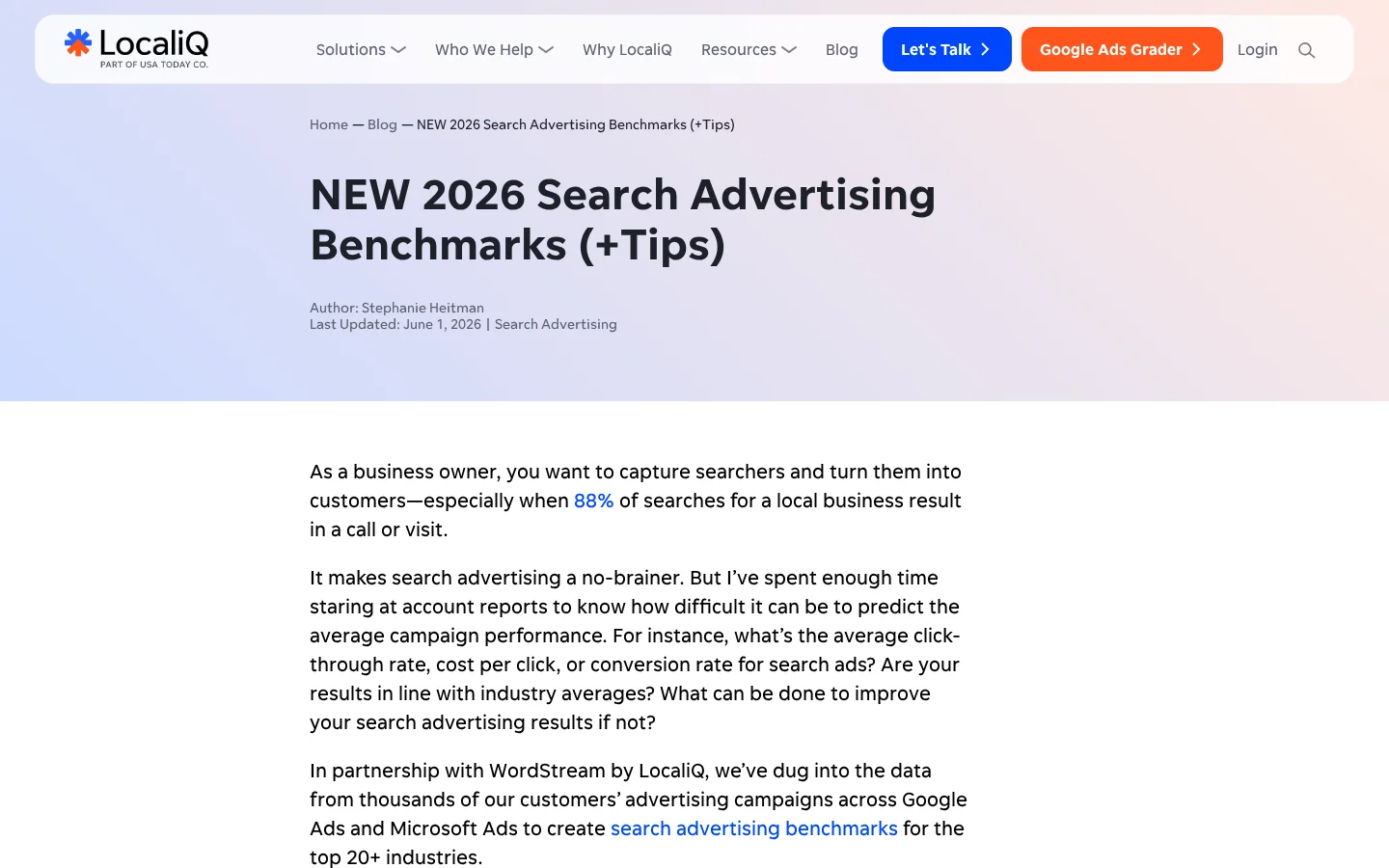
The numbers to check first are your market's cost per click and conversion rate. LocaliQ, which runs thousands of search campaigns for its customers, publishes them each year. In its search advertising benchmarks updated in June 2026, the averages across industries are:
Google and Microsoft search ads, 2026 averages
Source: LocaliQ search advertising benchmarks, updated June 1, 2026
Averages hide big gaps between trades. A car repair shop and a real estate agent do not live in the same market:
Average conversion rate by industry, 2026
Source: LocaliQ search advertising benchmarks, updated June 1, 2026
When Google Ads fits a small business, and when it does not
The deciding formula is your break-even cost per lead. Compare it to the cost per lead of your industry. If your break-even is three times higher, you have room to learn. If it is lower than the industry average, fix your offer or your close rate before you spend.
Break-even cost per lead = profit per customer x close rate

Example (garage door repair):
profit per job   = $400
close rate       = 30% (3 jobs out of 10 leads)
break-even CPL   = 400 x 0.30 = $120

Industry CPL (home improvement, LocaliQ 2026) = $90.92
Margin of safety = 120 / 90.92 = 1.3x  -> thin: start small, track every call
Tip
If customers buy more than once, use lifetime profit, not the first job. Our free customer lifetime value calculator gives you that number in a minute.
Start with a budget that buys enough clicks to learn something in 30 days: in most local trades, that means 100 to 300 clicks in the month. Multiply that by the CPC of your industry and you have your test budget. Below that, you are reading noise.
Source: LocaliQ search advertising benchmarks, updated June 1, 2026
Here is what three common starting budgets buy, rounded, at a $5 CPC and an 8% conversion rate (close to the 2026 averages above). Swap in your own industry's numbers.
| Monthly budget | Daily budget to enter | Clicks (at $5) | Leads (at 8%) | What you can learn |
|---|---|---|---|---|
| $300 | $9.87 | 60 | About 5 | Whether the phone rings at all. Too thin to compare keywords. |
| $750 | $24.67 | 150 | About 12 | Which 3 to 5 keywords bring leads. Enough for one campaign. |
| $1500 | $49.34 | 300 | About 24 | Cost per lead by keyword and by hour. Enough to try automated bidding later. |
For the full picture of what drives prices up or down, see our breakdown of Google Ads costs and how to set your budget.
You do not set a monthly budget in Google Ads. You set an average daily budget, and Google is allowed to spend more on busy days and less on quiet ones. Google's help page About spending limits sets two caps: for most campaigns, the daily limit is your average daily budget multiplied by 2, and the monthly limit is the average daily budget multiplied by 30.4 (the average number of days in a month). With a $10 daily budget, you can be charged up to $20 on one day, but never more than $304 in the month.
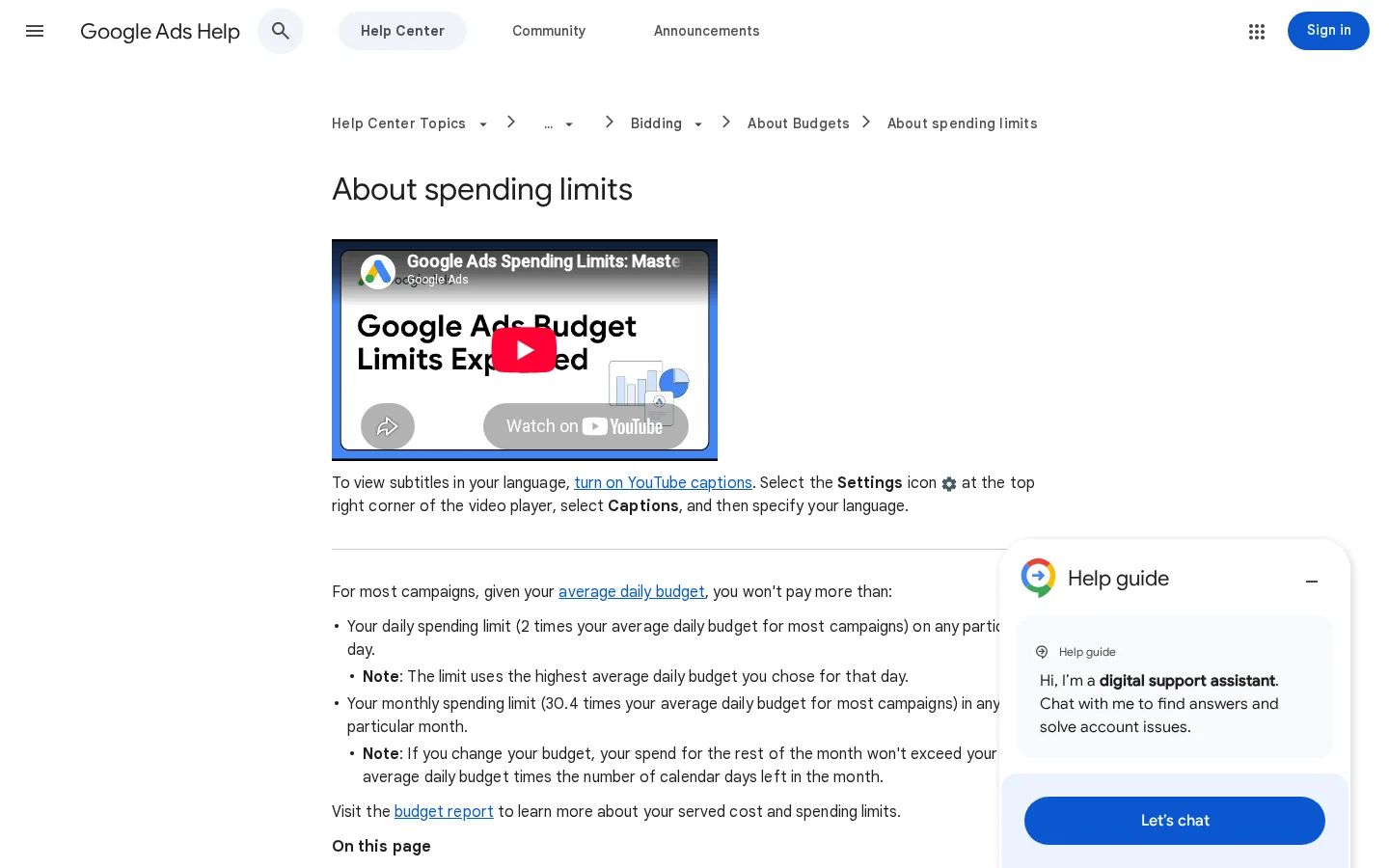
Daily budget to enter = monthly budget / 30.4

$750 / 30.4 = $24.67 per day
Max on a single day  = 24.67 x 2   = $49.34
Max in the month     = 24.67 x 30.4 = $750
One change matters if you only advertise on weekdays. Google announced that from June 1, 2026, budget pacing with ad schedules works differently: the pacing system now tries to spend up to the full monthly limit regardless of ad scheduling. Campaigns still never run on days you switched off. In practice, a Monday to Friday campaign now concentrates the same monthly amount on fewer days, so each open day can spend closer to the 2x cap. Set your daily budget from the monthly amount you accept, not from what you want to spend per open day.
Warning
Changing the budget in the middle of the month resets the math from that day. If you double the budget on the 20th, the month's cap is recalculated with the new number for the remaining days. Make budget changes on the 1st when you can.
For most small businesses, a standard Search campaign is the best first campaign: you see every search that triggered your ad and you control keywords, area and bids. The other types trade control for automation, and automation needs conversion data you do not have yet on day one.
Principle: text ads on Google results, triggered by keywords you choose. When to use it: almost always first. Advantages: full search terms report, negative keywords, match types, ad schedule, location bid adjustments. Limits: takes 1 to 2 hours a week to manage. Example: a dentist bids on "emergency dentist [city]" and "dental implants cost [city]" within 10 miles.
Principle: Google's simplified campaign for small businesses. Google's help page comparing campaign types says Smart campaigns show ads automatically across Google Search, Google Maps, YouTube and partner sites, manage bidding for you, and build keywords from "keyword themes" instead of a keyword list. When to use it: when nobody can spend an hour a week on the account. Limits: less detail in reports and less control on where the money goes. Example: a hair salon with one location and a $300 budget.
Principle: one campaign that runs on all Google channels (Search, Maps, YouTube, Gmail, Display, Discover) and lets Google's bidding choose where to spend. When to use it: once you have reliable conversion tracking and a steady flow of conversions, or for a store with a product feed. Limits: on a small budget it can spend a large part on cheap display placements, and you see less of what triggered the spend than in Search. Example: a local shop with an online catalogue, after three months of Search data.
Principle: ads above the regular results for service trades (plumbers, locksmiths, lawyers and others), where you pay per lead instead of per click, after a background and license screening. When to use it: if your trade and country are eligible. Limits: limited categories and countries, little control on the ad text. Our guide to Google Local Services Ads and their pay-per-lead model covers eligibility and ranking.
| Campaign type | You pay for | Control | Needs conversion data? | Best for |
|---|---|---|---|---|
| Search | Clicks | High: keywords, match types, negatives, schedule | No, helps later | First campaign of almost any local business |
| Smart | Clicks | Low: keyword themes, simplified dashboard | No | Owners with no time for the account |
| Performance Max | Clicks and views, all channels | Low to medium: assets, audience signals, exclusions | Yes, strongly | Stores with a feed, accounts with steady conversions |
| Local Services Ads | Leads | Low: categories, area, hours | No | Eligible service trades in eligible countries |
| Shopping | Clicks | Medium: products, feed, negatives | Helps | Small online stores (see our ecommerce Google Ads setup) |
Note
New accounts are often pushed toward Smart mode or Performance Max during sign-up. Look for the link to switch to Expert mode, then choose "Create a campaign without a goal's guidance" or the Leads goal with a Search campaign. You keep full access to settings.
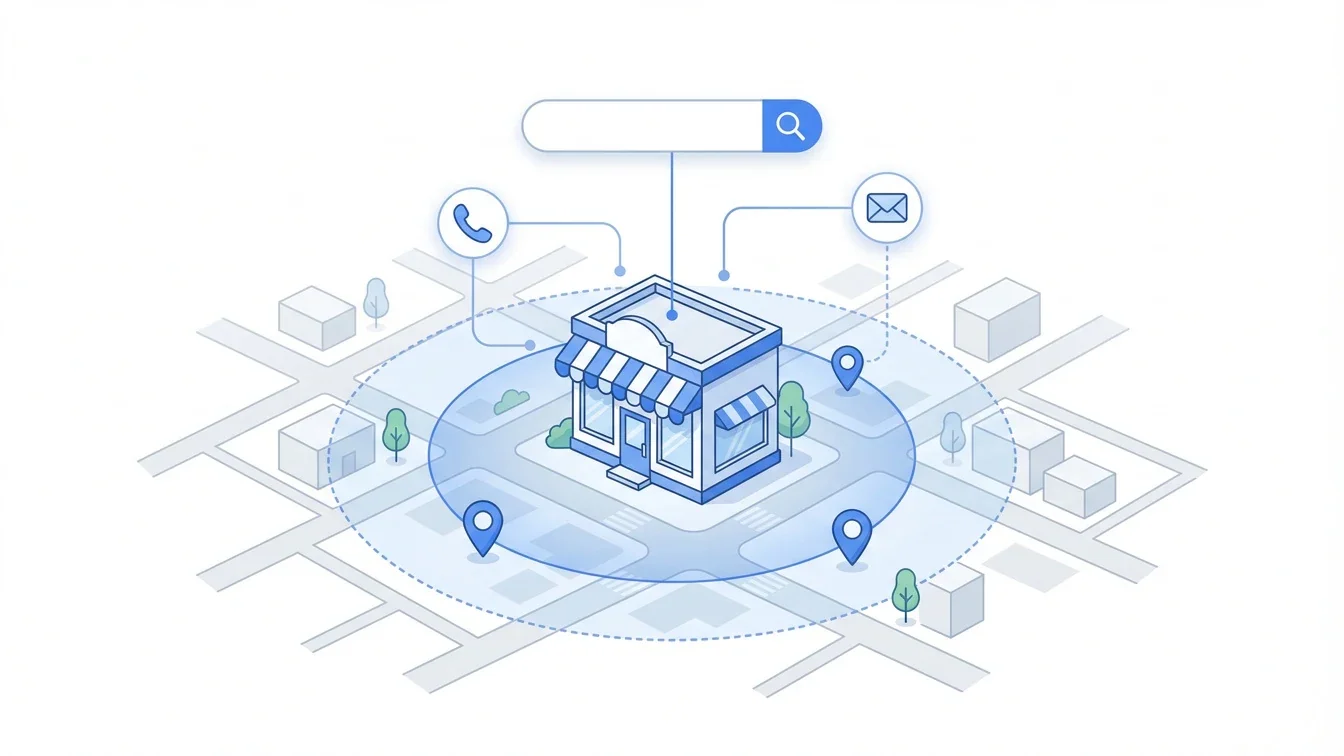
Target the area you actually serve, and switch the location option to "Presence" so only people who are in that area, or regularly there, see your ads. This one setting is the most common leak in small business accounts.
Google's help page About advanced location options describes the default, "Presence or interest", as reaching people who are in or regularly in your targeted locations, and also people who have shown interest in them. Google's own example: a bakery in Paris targeting Paris can reach people interested in Paris bakeries, now or in the past, wherever they are. For a tourist hotel, that is useful. For a plumber, a click from someone reading about the city from another country is wasted money.
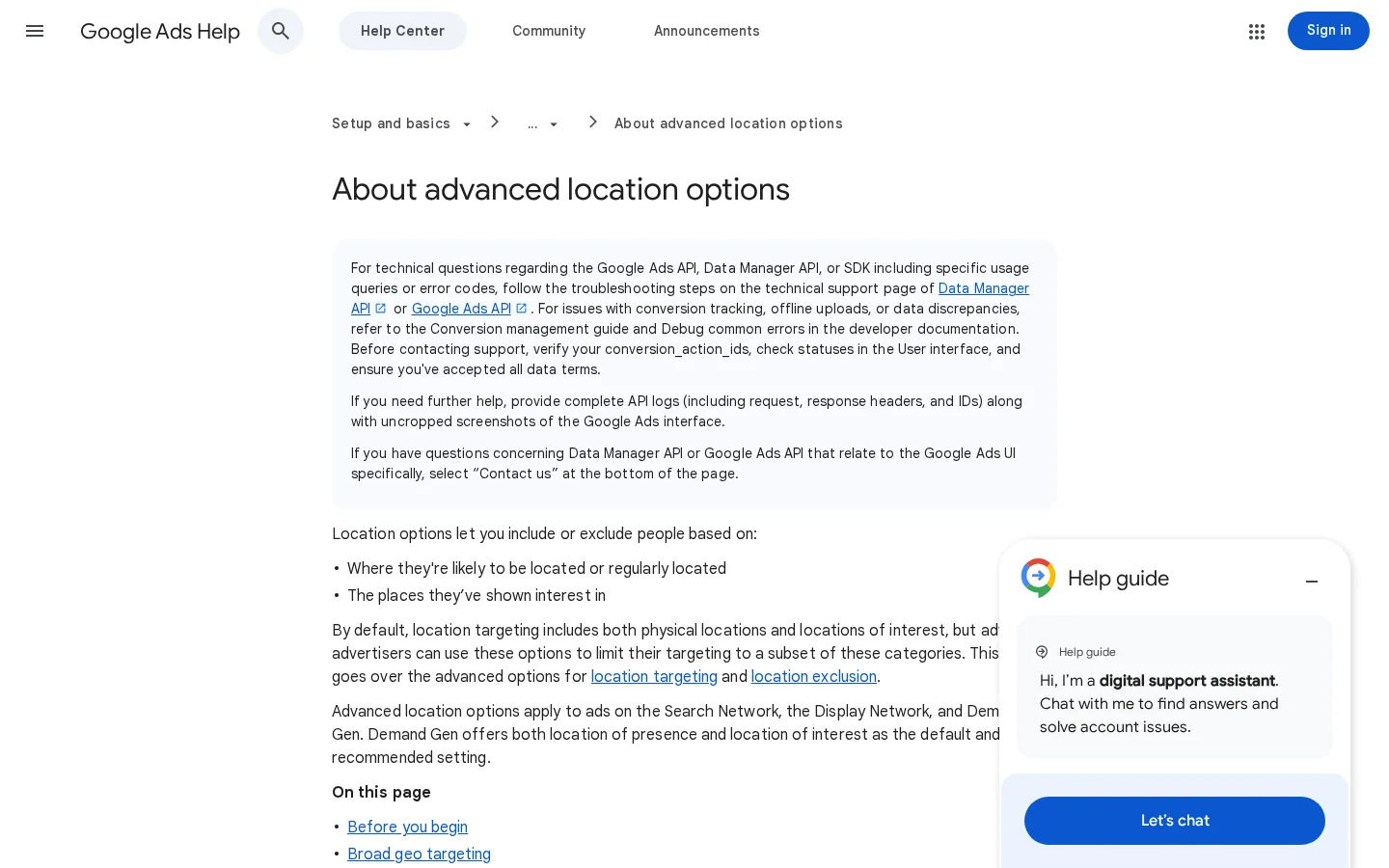
Location settings: default versus local business setup
Two ways to draw your area. A radius around your address is fast and fits shops that customers visit. A list of zip codes or towns fits trades that travel, because it follows your real routes and lets you exclude a neighborhood you never serve. Use exclusions for areas inside your radius that do not convert (across a river, a city you do not cover). With manual bidding, you can then raise or lower bids per area once you have data in the Locations report.
If leads come by phone, show call-focused ads only during the hours your phone is answered. A missed call from an ad is a paid click with no return. Outside those hours, keep ads that push a form or a booking page, or pause.
Link your Google Business Profile to the ads account to show your address, distance and opening hours under the ad (location asset), and add a call asset with your number. Both raise the space your ad takes and give mobile searchers a one-tap action. Keep the name, address and phone the same everywhere, as you would for local SEO.
Pick 10 to 30 keywords that combine your service with a buying signal or a place ("water heater repair austin", "emergency electrician"), use exact and phrase match at the start, and add negative keywords from day one. A short, precise list beats a long one on a small budget.
| Match type | How you write it | What it can trigger | Use on a small budget |
|---|---|---|---|
| Exact | [water heater repair] | Searches with the same meaning ("repair water heater", "water heater repairs") | Yes, for your best 5 to 10 keywords |
| Phrase | "water heater repair" | Searches that include the meaning of the phrase ("water heater repair near me", "cost of water heater repair") | Yes, for discovery with control |
| Broad | water heater repair | Related searches, even without your words ("tankless heater not working", "plumber") | Later, with automated bidding and enough conversions |
Google recommends broad match with Smart Bidding, because the bidding uses conversion data to filter weak searches. With no conversion data yet, broad match on a small budget mostly buys loosely related clicks. Start narrow, read the search terms report, then widen.
Start from how customers describe the problem, not from how you name your service. Write down the words they use on the phone. Then check volumes and suggested bids in Keyword Planner (inside your Google Ads account), and check which searches your site already gets in Search Console. Our method for local keyword research works the same for ads and SEO.
Tip
Need a first list fast? Our free keyword suggestion tool returns related searches for a seed word like "roof repair". Keep only the ones with a clear buying intent.
Negative keywords stop your ad from showing on searches you never want to pay for: job seekers, do-it-yourselfers, students, people looking for free help. Add this list at account level and adapt it to your trade:
jobs
job
salary
hiring
career
course
training
school
how to
diy
youtube
free
manual
pdf
wholesale
used
Careful with "free" and "used" if you offer free quotes or sell second-hand items. Our guide to negative keyword match types and levels explains why a negative in phrase or exact match behaves differently from a positive keyword.
Keyword checklist before launch
A good small business ad repeats the search, gives one reason to choose you and one clear action. The page it sends to must show the same service, the area, a phone number and a short form above the fold. Sending every ad to the home page is the most expensive habit in small accounts.
A responsive search ad takes up to 15 headlines (30 characters each) and 4 descriptions (90 characters each). Google mixes them. Give it real variety:
Pin a headline only if a rule forces you (a legal mention). Pinning reduces the combinations Google can test. For more templates by platform, see our practical guide to ad copywriting that converts.
Landing page checklist for local ads
If you serve several towns, one page per town with real local details beats one generic page. Our guide to building location pages that rank and convert shows the structure, and those pages also serve your organic results.
Set up conversion tracking before you spend the first dollar. Without it, Google optimizes for clicks, you cannot tell a good keyword from a bad one, and automated bidding has nothing to learn from. For a small business, track three things: calls from ads, calls from the website, and form submissions.
Google's help page About phone call conversion tracking lists four methods: calls from ads (call assets and call-only ads), calls to a number on your website after an ad click, clicks on a number on your mobile site, and imported call conversions from another system such as a CRM. The first two and the import require Google forwarding numbers, which are available only in some countries. For each method you set a minimum call length: shorter calls are not counted.
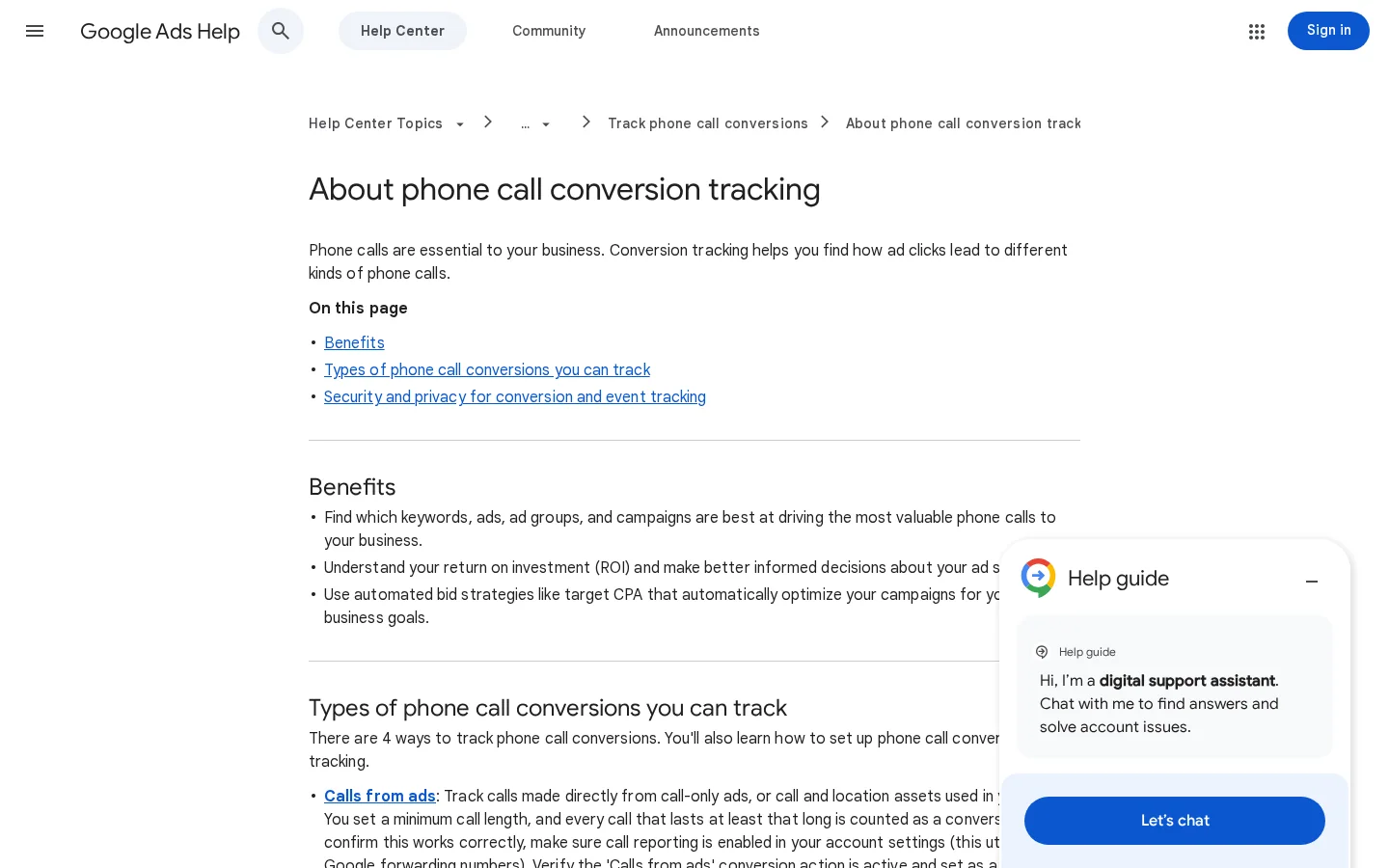
Tracking setup for a small business, in order
For the full setup in GA4 and Google Ads, see our conversion tracking guide. If your forms collect emails or phone numbers, enhanced conversions recover part of the conversions lost to cookie limits.
Google Ads tags its own clicks automatically (auto-tagging). For the links you place yourself (Google Business Profile website link, emails, social bio), add UTM parameters so Analytics separates them from ad traffic:
https://www.example.com/water-heater-repair-austin/?utm_source=google&utm_medium=organic_gbp&utm_campaign=water_heaterOur free UTM link builder writes these links without typos.
| Metric | Where to find it | What it tells you | Action |
|---|---|---|---|
| Search terms | Insights and reports, Search terms | The real searches that triggered your ads | Add new negatives, turn good searches into exact keywords |
| Cost per conversion | Campaign and keyword tables | What one lead costs you | Compare to your break-even cost per lead |
| Search impression share lost (budget) | Columns, Competitive metrics | Searches you missed because the budget ran out | Narrow keywords or hours before raising budget |
| Search impression share lost (rank) | Columns, Competitive metrics | Searches you missed because of low bid or quality | Improve ad and page relevance, then bids |
| Conversions by hour and day | When and where ads showed | When leads really come in | Adjust the ad schedule |
To turn these into a return figure, our free ROAS calculator gives your return on ad spend and the break-even ROAS for your margin. The wider list of indicators is in our guide to PPC metrics and their formulas.
Plan a 30-day test with one Search campaign, one service and one area. Change little in the first two weeks, then cut what does not convert and move money to what does.
Launch your first Google Ads campaign in 7 steps
A 30-day test plan
Tip
Searching for your own ad on Google wastes impressions and lowers your click-through rate. Use the ad preview and diagnosis tool in the Tools menu instead.
On a new small account, automated strategies like Maximize conversions or Target CPA have little data to work with, so they can swing in cost. A common path is: Maximize clicks with a maximum CPC limit (to avoid one expensive click eating the day), then Maximize conversions when conversions are steady, then Target CPA set close to your real cost per lead. Change one thing at a time and wait about two weeks between changes, because each change restarts a learning period. Our guide to how Smart Bidding works and how to set it up goes into the signals each strategy uses.
Most small business accounts lose money in the same places: default settings that widen the audience, keywords that are too broad, and tracking that counts the wrong thing. Each mistake below comes with how to spot it and how to fix it.
What it is: your ads show to people outside your area who show interest in it. How to spot it: in the Locations report, switch to "User locations" and look for clicks from places you do not serve. Fix: Campaign settings, Locations, Location options, choose "Presence".
What it is: a new Search campaign can include the Search partner network and the Display network, which bring cheaper but weaker clicks. How to spot it: segment the campaign by network and compare cost per conversion. Fix: uncheck both in Networks at the start; test Search partners later on its own.
What it is: one-word or broad keywords trigger loosely related searches. How to spot it: in the search terms report, more than a third of spend goes to searches you would never have chosen. Fix: move to exact and phrase match, add negatives, come back to broad only with automated bidding and steady conversions.
What it is: page views, clicks on "directions" or every call (including 5-second hang-ups) counted as primary goals. How to spot it: Google reports more conversions than leads in your inbox. Fix: make only forms and qualified calls primary, set a minimum call length, set the other actions as secondary.
What it is: the visitor searched "boiler service" and lands on a page about everything. How to spot it: high click-through rate but low conversion rate, and a weak "landing page experience" in Quality Score. Fix: one page per service (and per city if you serve several), with the phone and form in the first screen.
What it is: five campaigns, 200 keywords, $15 a day. How to spot it: most keywords have fewer than 10 clicks a month, and "lost impression share (budget)" is high. Fix: one campaign, the service with the best margin, the core area. Add the next one only when the first one pays.
What it is: Google can apply changes for you, such as adding broad keywords or raising budgets. How to spot it: the change history shows edits made by "Recommendations". Fix: in Recommendations, open auto-apply and turn off the ones that add keywords, change match types or raise budgets. Review the others by hand.
What it is: stopping after 4 days without a lead, or editing bids daily. How to spot it: the change history has edits almost every day, and the bid strategy stays "Learning". Fix: wait for at least 100 clicks before judging a keyword, and keep at least a week between bid changes.
What it is: call ads running at night or during lunch. How to spot it: missed calls in the call details report. Fix: ad schedule on staffed hours, or a form-first ad outside them.
Five-minute account check
For a deeper review of an account that already runs, follow our 12-point Google Ads audit.
Ads and SEO answer the same searches with two cost models. Ads pay per click and stop when you stop paying. SEO costs time and content upfront and keeps bringing visits. The best small business plans use ads to find which searches bring customers, then build pages that rank for them.
Google Ads versus SEO for a small business
The search terms report is the most useful SEO input a small business can buy: it shows the exact words people used before calling you. Turn the ones that convert into service and city pages. Over time, the clicks you earn organically are clicks you no longer rent. Our free SEO vs PPC savings calculator estimates what those organic clicks would cost you in ads, and our guide on combining SEO and PPC on the same results page shows how to split keywords between the two.
If you do not have time to write those pages, this is where Sorank helps. Its automated keyword research for Google and AI finds the searches your customers make, then Sorank writes and publishes the articles on your site on autopilot and tracks whether ChatGPT, Claude and Gemini recommend you. For the first steps without any tool, start with our plan for small business SEO with little time and budget.
Do not open an account first. Do the math first, then build one small, tight campaign.
Do these six steps and you will know within a month whether Google Ads can bring you customers at a price you can afford. You will also have the list of searches that deserve a page on your site.
Enough to buy 100 to 300 clicks in your first month, which is the minimum to learn which keywords bring leads. Multiply that by your industry's cost per click: at the 2026 average of $5.42, that is roughly $550 to $1600 a month. Enter it as a daily budget by dividing the monthly amount by 30.4.
It is worth it when people already search for your service and when your break-even cost per lead (profit per customer times close rate) is clearly above your industry's average cost per lead. If your margin per customer is small or nobody can answer leads quickly, fix that before spending.
Ads can show the same day they are approved, so calls can start within days. To judge results, plan a 30-day test and wait for at least 100 clicks per keyword. Automated bidding needs steady conversion data, often a month or more, before it settles.
We analyse your competitors, your website and your AI visibility to create a tailored content plan for free.
 Duplicate Content Checker
 Mobile-Friendly Test
 Website Speed Test
 Subdomain Finder
 Domain Age Checker
 CMS Detector
 Googlebot Simulator
 Nofollow Link Checker
 Meta Tag Checker
 Keyword Cannibalization Checker
 Keyword Intent Checker
 Keyword Extractor
 Google Ads Cost Calculator
 CPC Calculator
 Local Citation Finder
 Reddit Threads Finder
 Disavow File Generator
 Redirect Generator
 Canonical Tag Generator
 Passive Voice Checker
 Google Location Changer
 Google Review Calculator
 Google Review Link Generator
 Keyword Combiner
 Podcast Show Notes Generator
 AI Content Rewriter
 AI Text Humanizer
 ChatGPT Prompt Generator
 Twitter Thread Generator
 Tweet Generator
 Landing Page Copy Generator
 Google Ads Copy Generator
 Pinterest Pin Description Generator
 Anchor Text Generator
 Social Media Post Generator
 LinkedIn Post Generator
 Free AI Writer
 Review Response Generator
 LSI Keyword Generator
 YouTube Video Ideas Generator
 YouTube Tag Generator
 YouTube Description Generator
 Product Description Generator
 CTA Generator
 Blog Introduction Generator
 Conclusion Generator
 Hook Generator
 AI Content Brief Generator
 FAQ Schema Generator
 AI Blog Post Ideas Generator
 Structured Data Validator (Schema Validator)
 Alt Text Checker
 Internal Link Analyzer
 Backlink Challenge
 AI Meta Description Generator
 AI Blog Title Generator
 Google Indexability Checker
 AI Blog Outline Generator
 UTM Link Builder
 Keyword Clustering Tool
 Canonical Tag Checker
 XML Sitemap Generator
 Broken Link Checker
 AI SEO Title Generator
 Headline Analyzer
 SERP Preview Tool
 Redirect Checker
 Hreflang Tag Generator
 Heading Structure Analyzer
 HTTP Headers Checker
 Favicon Extractor
 SERP CTR Calculator
 SEO vs Paid Search Savings Calculator
 SEO Share of Voice Calculator
 SEO ROI Calculator
 SEO Traffic and Revenue Forecast Calculator
 SEO Budget Calculator
 SEO Break-Even Calculator
 SaaS SEO ROI Calculator
 ROAS Calculator
 Reading Time Calculator
 Ranking Gain Simulator
 Organic Traffic Value Calculator
 Organic Traffic Estimator and Website Traffic Checker
 LTV to CAC Ratio Calculator
 Local SEO ROI Calculator
 Link Building Cost Calculator
 Keyword Value Calculator
 Keyword Opportunity Score Calculator
 Keyword Density Calculator
 GEO ROI Calculator
 GEO Content Investment Calculator
 Ecommerce SEO ROI Calculator
 Customer Lifetime Value Calculator
 Customer Acquisition Cost Calculator
 CTR Calculator
 Cost Per Article Calculator
 Conversion Rate Calculator
 Content Marketing ROI Calculator
 ChatGPT Referral Traffic Estimator
 Bounce Rate Calculator
 Backlink ROI Calculator
 AI Visibility Score Calculator
 AI Traffic Value Calculator
 AI Share of Voice Calculator
 Cost of AI Invisibility Calculator
 AI Citation Rate Calculator
 llms.txt Validator
 AI Overview Checker and AI Overviews Rank Checker
 Robots.txt Checker
 AI SEO Audit
 LLM Readability Checker
 SearchGPT Readiness Checker
 Structured Data LLM Audit
 Website Crawlability AI Audit
 Why ChatGPT Is Not Recommending My Website
 Gemini Ranking Tool
 Perplexity Ranking Checker
 LLM Citation Checker
 Answer Engine Optimization Audit
 GEO Audit
 AI Search Visibility Test
 ChatGPT Visibility Checker
 llms.txt Generator
 URL Extractor
 Webpage to Markdown
 Sitemap Checker
 SERP Volatility Sensor
 Page Size Checker
 Word Counter
 Slug Generator
 Schema Generator
 Robots Generator
 OG Preview
 Meta Tags Generator
 Image Compressor
 Favicon Generator
 On-Page SEO Audit: SEO Checker and SEO Analyzer
 Backlink Analysis Tool
 Keyword Research Tool
 Domain Authority Checker
 “I tested Sorank on a real client site and it's insane. It does everything an agency would bill you $1500 a month for. It's going into production on that client now.”

 Guillaume Guersanguersanguillaume.com“We are an Ads agency and we wanted to get our SEO back on track once and for all. Sorank gave us a clear view of our site, helped us prioritize optimizations, and properly structure our content. The tool is easy to use, well designed for a team, and very practical for centralizing tracking without having to juggle multiple platforms. A very solid foundation to start fresh with our SEO.”
 Gaspard MadouiAds Agency
 “I just let the Sorank software do its thing, and now my DR is 25 and my page is ranking higher.”
 Lucas Flandrefoundertrace.fr“I specialized in GEO thanks to Sorank. The GEO Leaderboard allows me to show my clients their position vs competitors on ChatGPT. It’s a real commercial differentiator.”
 MélanieSEO Freelance“Great service, works well for our website and helps us understand how to improve it to rank better on Google and elsewhere. Congrats, keep going, I recommend it.”
 Hugo T.E-commerce merchant