Preferences
Privacy is important to us, so you have the option of disabling certain types of storage that may not be necessary for the basic functioning of the website. Blocking categories may impact your experience on the website. More information
Privacy is important to us, so you have the option of disabling certain types of storage that may not be necessary for the basic functioning of the website. Blocking categories may impact your experience on the website. More information

Learn what Google Search profiles are, who qualifies (10000 followers, 18+, US, Canada, India), how to claim one step by step and how to use it for Discover.
In short
A Google Search profile is a free, verified page hosted by Google where a creator or publisher gathers their articles, videos and social posts. People can follow it, which makes your content more likely to show in Discover. You need 10000 followers on one platform, be 18 or older and live in an open country.
Want to go further? Ask
Quick quiz
Is SEO right for you, and how should you start?
Sorank matches your answers


Test it for 3 days on your own site and see where you stand on Google, ChatGPT and the other AIs.
Start 3-day free trial3 days free, then stop whenever you want. 90-day results guarantee, conditions apply.
A Google Search profile is a page on Google that you claim and control, and that shows who you are and what you publish. Google launched it on June 4, 2026. In the launch post by Ibrahim Badr, Product Manager for Search, Google calls it "a dedicated, shareable space to highlight content across platforms".
Think of it as a home base inside Google. Your YouTube channel, Instagram, X or TikTok account, your website and your latest articles sit on one page, with your photo and your bio. Google pulls the content from the accounts you link. You decide what is pinned at the top.
On mobile, Google lists three entry points: the "View Search Profile" link at the bottom of your knowledge panel, a tap on your name above a Discover card, and the direct URL. Google's creators page adds that the profile shows when people search your name or your handle.
The name causes confusion, so let us clear it up early. A Search profile is not a Google Business Profile, the listing that local businesses use for Maps and the local pack. It is not your Google Account profile either. And it is not a ranking tool: Google's help page says plainly that creating a profile "doesn't directly affect your content's ranking on Google Search".
Search profile vs Google Business Profile
You can get a Google Search profile if you are a creator or a publisher with at least 10000 followers on one supported platform, you are 18 or older, your content meets Google's policies and you are in a country where profiles are open. Each rule has a detail that trips people up, so here they are one by one.
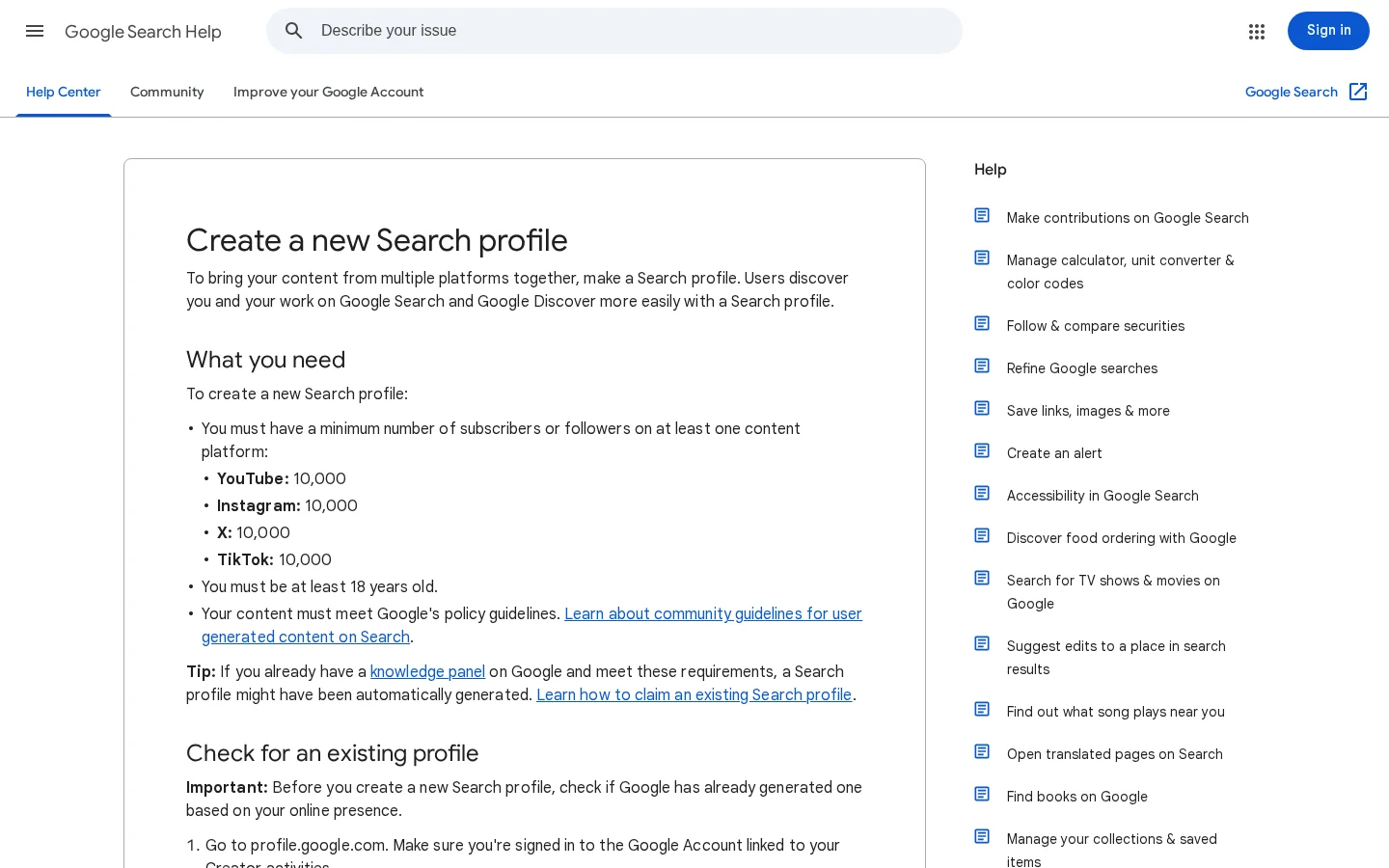
The Google Search Help page "Create a new Search profile" asks for at least 10000 subscribers or followers on one platform: YouTube, Instagram, X or TikTok. The key word is "one". Followers are not added up across platforms. 6000 on Instagram plus 6000 on YouTube does not qualify. 10000 on YouTube alone does.
The bar was much higher at launch. In June 2026, you needed 100000 followers on YouTube, Instagram or X, or 300000 on TikTok. Robby Stein, VP of Product for Google Search, announced on August 12 that Google would lower it. On the morning of September 16, the help page showed 35000. The same day, Google announced 10000 for all four platforms in a post by Ibrahim Badr dated September 16, 2026.
Followers needed for a Search profile (YouTube, Instagram, X)
Sources: Google Search blog, June and September 2026; Search Engine Journal, September 16, 2026
You must be at least 18. A creator under 18 can still have a profile, but the Google Account that creates and manages it must belong to an adult, for example a parent or a manager.
Search profiles launched in the United States only. On October 6, 2026, Search Engine Journal reported that Robby Stein had opened them to creators and publishers in India and Canada, with Brazil "rolling out soon". Google's creators page for Search profiles now says profiles are "currently available in the US, Canada and India", with more countries planned. Some blogs report profiles in Japan, Germany or Spain in November 2026, but Google has not documented those markets. Check the creators page for your country before you plan around it.
Your content must meet Google's policy guidelines for user generated content on Search. Accounts that post spam, impersonation or adult content should not expect approval. Google also says it may refuse to link an account that has nothing to do with the brand or person behind the profile, even if you can sign in to it.
The launch post treats creators and publishers the same way: same rules, same claim page. Publishers got extra tools in September 2026, like managing every sub-brand from one login and longer headlines on article cards. Businesses and brands are different. Google's creators page says their knowledge panels stay tied to their Google Business Profile or brand profile. A Search profile is built for people and media, not for a shop or a SaaS company. A brand can still use one through its founder, its podcast or its editorial arm.
Google Search profiles: the rules in numbers
Source: Google Search Help, "Create a new Search profile", 2026
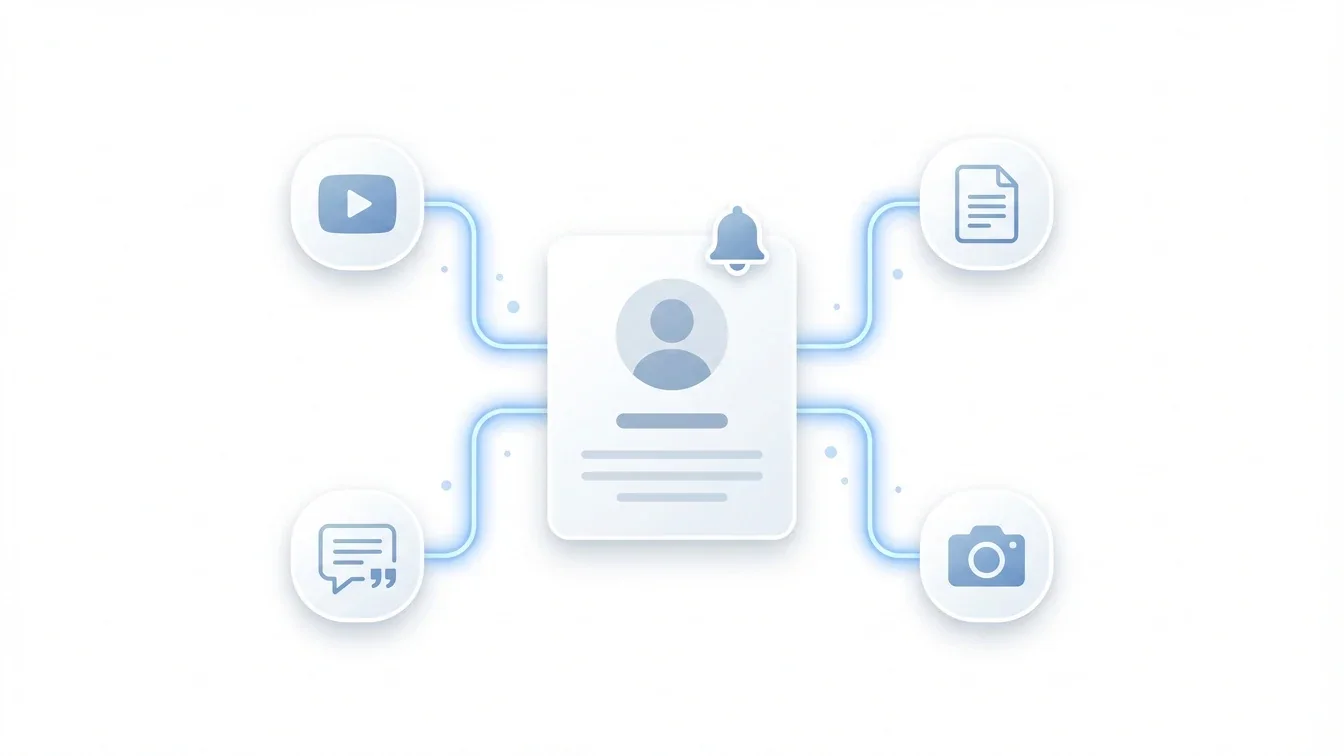
Creating a Google Search profile takes a few minutes: check if Google already made one for you, go to profile.google.com/claim, sign in, link a qualifying account and click "Create Profile". Here is the full method, with the choices that matter at each step.
Create your Google Search profile in 5 steps
If you already have a knowledge panel on Google, Google may have generated a profile for you. Do not create a second one: claim it. Sign in to the Google Account you use for your creator work, search your name or your handle, and click "View Search Profile" under the panel. If you run several identities, for example your own name and a podcast, Google may have generated one profile for each. Each must be claimed on its own.
Go to profile.google.com/claim. The account you sign in with becomes the owner of the profile, so think before you click. Google recommends the same account as your YouTube channel. If you manage a channel that belongs to a brand, you can sign in to that channel. For a company, use a shared account owned by the company, not the personal Gmail of an employee who may leave.
Sign in to at least one platform account that meets the 10000 follower rule. If an unclaimed profile is already tied to that account, Google tells you and lets you review the other linked accounts before you claim it. You can then add more accounts. Two details matter here:
Click "Create Profile". Then open the edit screen: write your bio, check your avatar, pin your best posts, add your website. Changes to your name, social links or bio need Google's approval and stay "Pending" until someone reviews them. Plan your edits in one batch instead of ten small ones.
One Google Account can hold up to 10 separate Search profiles, one for each eligible brand or identity. From the claim page, or from the account switcher in the edit screen, choose "Create new profile". Sign in to the platform account of the new brand, pick it under "Available to claim", click "Next", check the photo and click "Done". This is the feature media groups waited for: before September 2026, each profile needed its own Google Account.
Note
You can come back to your profile at any time from profile.google.com/account or from "Your Search profile" in the Google app. For a problem that does not go away, Google offers a Search profile support form and a "Send feedback" link in the More menu of the edit mode.
A Search profile is one of four tools that control what Google shows about you. The others are the knowledge panel, the Google Business Profile and Preferred Sources. They do not compete: each covers a different need, and a serious brand or creator uses two or three of them together.
Principle: a page you claim, fed by your social accounts and your site. When to use it: you are a creator, a journalist, an expert or a media brand with an audience on one platform. Benefits: you control the photo, bio and pinned content, and followers get your content in Discover. Limits: 10000 followers on one platform, three open countries, edits reviewed by Google. Example: Barry Schwartz of Search Engine Roundtable claimed his profile in June 2026 and shared the link on X.
Principle: the box Google shows on the right of results (or at the top on mobile) when it understands that your name is an entity. When to use it: always, if you can get one. Benefits: it answers "who is this?" before anyone clicks. Limits: you cannot create it; you can only claim it and suggest edits. Link with profiles: claiming a Search profile "may trigger the creation of a knowledge panel for eligible publishers and creators", says Google, and an existing panel gets your avatar, latest content and a link to the profile. Google's creators page adds that the panel includes an AI generated summary based on your bio.
Principle: the listing of a business in Maps and local results. When to use it: you serve customers at an address or in an area. Benefits: reviews, hours, calls, directions. Limits: nothing about your content. We cover it in our guide to Google Business Profile and AI search.
Principle: a reader setting that lets people choose the sites they want to see more often in Top Stories and Discover. When to use it: you publish news or regular articles. Benefits: no follower threshold for you. Limits: the reader has to act, and you control nothing on the page. It sits close to the Follow button of a Search profile, and a publisher should ask readers for both.
| Tool | Who it is for | Can you create it? | Entry bar | Main benefit | Effect on Discover |
|---|---|---|---|---|---|
| Search profile | Creators, publishers, media brands | Yes, you claim it | 10000 followers on one platform, 18+, open country | Your own verified page on Google | Followers more likely to see your content |
| Knowledge panel | People, brands, organizations Google knows | No, only claim and suggest edits | Google must recognize you as an entity | Answers "who is this?" in results | None directly |
| Google Business Profile | Local businesses and service areas | Yes, after verification | A real business with customers | Maps, reviews, calls | None |
| Preferred Sources | News sites and publishers | No, readers choose you | None for you | More of your articles in Top Stories | More of your articles for those readers |
A Search profile does not raise your rankings in Google Search, but it can bring more Discover traffic through followers, help Google create or improve your knowledge panel and make your identity clearer to machines. Here is what is confirmed, what is likely and what is a guess.
Google's help page is clear: "Creation of a Search profile doesn't directly affect your content's ranking on Google Search." If someone sells you a Search profile as a ranking hack, they are wrong. Your rankings still depend on your pages, your links and your relevance.
The launch post says people "can easily follow sources from their profile" and are "more likely to see that content on Discover". For a publisher, Discover can be a large share of traffic, and it is hard to predict. A follower base is a way to make part of it steadier. Our guide on how to optimize for Google Discover covers the rest: large images, honest titles, fresh topics.
For many creators, the panel was the hard part. They had an audience but Google did not show a box for their name. Claiming a profile may trigger one. The panel then shows your name, latest posts and a link to the profile, which changes your brand SERP, the page Google shows for your name.
A verified page that ties your YouTube, Instagram, X, TikTok and website together is a clean identity signal. Google says nothing official about its use beyond the panel. But the logic of entity SEO applies: the more sources agree on who you are and what you publish, the easier it is for Google, and for AI models like ChatGPT, Claude and Gemini, to describe you correctly. To see whether those AI models already cite you, and how that changes after you claim your profile, AI mention tracking in Sorank follows your brand in their answers.
Your name on Google, before and after a Search profile
To optimize a Google Search profile, write a clear bio, link every relevant account, pin your best work, use a consistent handle and send people to the profile URL. Most of the value comes from what you do after you click "Create Profile".
Your bio is read by people and, per Google's creators page, used for the AI generated summary in your knowledge panel. Write it in the third person, like an encyclopedia line: who you are, what you cover, for whom. Put your main topic in the first sentence. Example: "Jane Doe is a home cooking creator who publishes weekly budget recipes on YouTube and her blog." Avoid slogans and emojis that say nothing about you.
Link all the accounts that belong to the same identity: main channel, second channel, Instagram, X, TikTok, website. Leave out accounts on other topics. Google may deny them, and a mixed profile blurs who you are.
Pinned posts are the first thing a visitor sees. Pin your strongest pieces: the video that brought most subscribers, your reference article, your product or newsletter page. Review the pins once a month.
Google picks the profile handle from your most followed account. If your handles differ across platforms, align them before you claim. Google warns that profiles may not show for common names, and recommends searching by handle (@username). A unique, consistent handle is the best protection.
Every follower you bring to the profile can see more of your content in Discover. Put the profile URL in your website footer, your newsletter signature, your social bios and your video descriptions. A short line works: "Follow me on Google".
Your profile links to your website. If the field accepts it, add UTM parameters to that link so the visits show as their own source in your analytics:
https://www.example.com/?utm_source=google&utm_medium=search_profile&utm_campaign=profile_linkTip
Build that tracked link in seconds with the free UTM link builder from Sorank, and keep the same values for every profile you manage so your reports stay clean.
On your website, the Person or Organization markup should list your social accounts in sameAs. Adding your Search profile URL there is not a Google requirement, but it ties your site to the verified profile and keeps your identity consistent. A minimal example:
<script type="application/ld+json">
{
  "@context": "https://schema.org",
  "@type": "Person",
  "name": "Jane Doe",
  "url": "https://www.example.com/",
  "jobTitle": "Home cooking creator",
  "sameAs": [
    "https://www.youtube.com/@janedoe",
    "https://www.instagram.com/janedoe",
    "https://x.com/janedoe",
    "https://www.tiktok.com/@janedoe",
    "YOUR_SEARCH_PROFILE_URL"
  ]
}
</script>
Replace the placeholder with the URL shown in your profile's share menu. A publisher uses "@type": "NewsMediaOrganization" or "Organization" with the same sameAs list. The free schema markup generator writes the block for you, and you can test it before you publish.
If you are below 10000 followers on every platform, the fastest path is to focus on one platform until it crosses the bar, because Google counts each account on its own. Here are the main strategies, with when each one makes sense.
Look at where you grow fastest today and put most of your effort there. 10000 on one account beats 4000 on three. Keep the other accounts alive, but stop splitting your best content.
If your website gets organic traffic, every article is a chance to win a follower. Add a clear call to subscribe to your YouTube channel or follow your main account in each article, and embed your videos in the posts they match. This works well for brands that publish often: a steady flow of articles on the topics your customers search, like the one Sorank's AI content calendar plans and publishes, brings visitors you can turn into followers.
A SaaS company or a shop is not the target of Search profiles. Its founder or its lead expert often is. A founder who posts on LinkedIn and X can reach 10000 followers on X faster than the brand account. Our guide to building a personal brand that Google and AI recognize explains how.
A podcast, a newsletter with a YouTube channel or an editorial brand fits the publisher side of Search profiles. Media groups can now manage all their sub-brands from one login, so a company that launches a media arm can claim a profile for it once it qualifies. Our page on publisher SEO for Google News and Discover covers the rest of that playbook.
| Strategy | Best for | Main advantage | Main limit |
|---|---|---|---|
| Concentrate on one platform | Creators already active on several networks | Fastest route to the threshold | Other accounts grow slower for a while |
| Turn search traffic into followers | Sites with organic traffic | Uses traffic you already have | Needs a steady publishing rhythm |
| Go through a person | SaaS, agencies, e-commerce brands | People follow people more than brands | The profile belongs to the person's identity |
| Go through a media property | Companies with a podcast, newsletter or channel | Fits the publisher side of profiles | A media brand takes time to build |
The most common mistakes are creating a duplicate instead of claiming, using the wrong Google Account, adding up followers across platforms and expecting a ranking boost. Each one is easy to spot and to fix.
What it is: you create a profile while Google already generated one from your knowledge panel. How to spot it: search your name or handle and look for "View Search Profile" under the panel; or Google warns you during the claim that an unclaimed profile is linked to your account. How to fix it: always check first, and claim the existing profile. If you already made a duplicate, use the support form to ask Google which one to keep.
What it is: an intern or an agency claims the profile with their own Gmail. How to spot it: open profile.google.com/account and check which account is signed in. How to fix it: claim from a company owned account, the one tied to your YouTube channel if you have one. Write down who holds the access.
What it is: you think 5000 on Instagram plus 5000 on TikTok makes 10000. How to spot it: the claim page does not let you create the profile. How to fix it: pick the account closest to the bar and grow it first (see the strategies above).
What it is: you create the profile from your second channel. How to spot it: the claim fails or the handle is not the one you expected. How to fix it: start with the channel that has the most subscribers, then link the others.
What it is: a cooking creator links an old gaming channel. How to spot it: the link stays pending or Google denies it. How to fix it: remove it and keep only the accounts that match the profile's topic.
What it is: each change to the name, bio or links goes into review. How to spot it: your changes stay "Pending" and the old version is still public. How to fix it: prepare the final text, links and handle in a document, then submit once.
What it is: you claim the profile and wait for your pages to climb. How to spot it: your positions in Search Console do not move. How to fix it: measure the profile on what it does (Discover traffic, panel, brand results) and keep working on your content and links for rankings.
What it is: your name is shared by other people, so Google does not show your profile for it. How to spot it: the profile shows when you search @yourhandle but not your name. How to fix it: promote your handle and your profile URL rather than your name alone.
What it is: the profile exists but nobody follows it. How to spot it: no growth in Discover traffic after a few months. How to fix it: add the URL to your site, newsletter, bios and video descriptions, and ask your audience to follow you on Google once.
Avoid these Search profile mistakes
Measure a Search profile on three things: Discover traffic in Search Console, visits from the profile link in your analytics and what Google shows for your name. Write down a baseline the day you claim it.
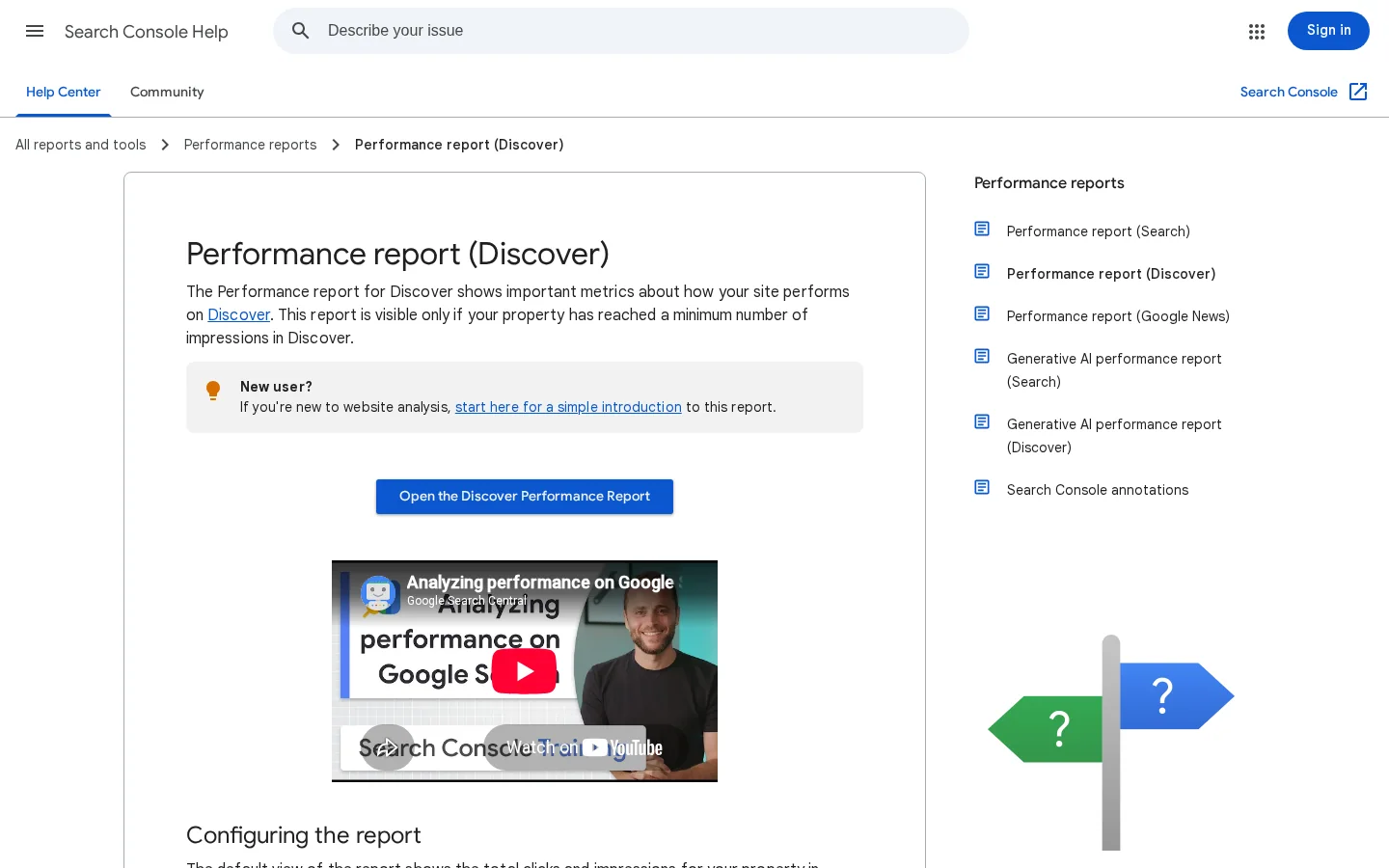
Search Console has a Discover performance report, shown once your property gets enough Discover impressions. Note your clicks and impressions for the 28 days before the claim, then compare month by month. A rise in impressions after you start pushing your profile URL is the signal you want. Keep in mind that Discover moves a lot on its own: compare several months, not one week.
With the UTM link from the section above, the visits from your profile show under their own source and medium in your analytics tool. Watch the number of sessions and what those visitors do next: newsletter signups, sales, time on site.
Once a month, search your name and your handle in a private window. Does a knowledge panel show? Does it have your current photo, your latest content and the profile link? Then ask ChatGPT, Claude and Gemini "Who is [your name]?" and check that the answer matches your bio. For a brand, the GEO optimization features in Sorank track how AI models describe and recommend you over time.
Here is what to do today, whether you qualify now or not. It takes less than an hour if you are eligible.
Google Search profile checklist
A Google Search profile is the first page on Google that a creator or publisher fully controls. It will not move your rankings, but it gives you a verified home base, a follower base in Discover and often a knowledge panel. If you qualify, claim it this week. If you do not yet, choose one platform and one strategy, and come back when you cross 10000 followers. Google lowered the bar twice in three months, so check the rules again before you give up.
Creators and publishers with at least 10000 followers on one platform (YouTube, Instagram, X or TikTok) can create a Google Search profile. The account owner must be 18 or older, the content must meet Google's policies, and profiles are open today in the United States, Canada and India.
No. Google's help page says creating a Search profile does not directly affect your content's ranking on Google Search. Its value is elsewhere: followers are more likely to see your content in Discover, and claiming a profile can create or update your knowledge panel.
A Google Search profile is a page for creators and publishers that gathers their articles, videos and social posts and lets people follow them in Discover. A Google Business Profile is the listing of a local business in Maps and local results, with its address, hours and reviews.
We analyse your competitors, your website and your AI visibility to create a tailored content plan for free.
 Duplicate Content Checker
 Mobile-Friendly Test
 Website Speed Test
 Subdomain Finder
 Domain Age Checker
 CMS Detector
 Googlebot Simulator
 Nofollow Link Checker
 Meta Tag Checker
 Keyword Cannibalization Checker
 Keyword Intent Checker
 Keyword Extractor
 Google Ads Cost Calculator
 CPC Calculator
 Local Citation Finder
 Reddit Threads Finder
 Disavow File Generator
 Redirect Generator
 Canonical Tag Generator
 Passive Voice Checker
 Google Location Changer
 Google Review Calculator
 Google Review Link Generator
 Keyword Combiner
 Podcast Show Notes Generator
 AI Content Rewriter
 AI Text Humanizer
 ChatGPT Prompt Generator
 Twitter Thread Generator
 Tweet Generator
 Landing Page Copy Generator
 Google Ads Copy Generator
 Pinterest Pin Description Generator
 Anchor Text Generator
 Social Media Post Generator
 LinkedIn Post Generator
 Free AI Writer
 Review Response Generator
 LSI Keyword Generator
 YouTube Video Ideas Generator
 YouTube Tag Generator
 YouTube Description Generator
 Product Description Generator
 CTA Generator
 Blog Introduction Generator
 Conclusion Generator
 Hook Generator
 AI Content Brief Generator
 FAQ Schema Generator
 AI Blog Post Ideas Generator
 Structured Data Validator (Schema Validator)
 Alt Text Checker
 Internal Link Analyzer
 Backlink Challenge
 AI Meta Description Generator
 AI Blog Title Generator
 Google Indexability Checker
 AI Blog Outline Generator
 UTM Link Builder
 Keyword Clustering Tool
 Canonical Tag Checker
 XML Sitemap Generator
 Broken Link Checker
 AI SEO Title Generator
 Headline Analyzer
 SERP Preview Tool
 Redirect Checker
 Hreflang Tag Generator
 Heading Structure Analyzer
 HTTP Headers Checker
 Favicon Extractor
 SERP CTR Calculator
 SEO vs Paid Search Savings Calculator
 SEO Share of Voice Calculator
 SEO ROI Calculator
 SEO Traffic and Revenue Forecast Calculator
 SEO Budget Calculator
 SEO Break-Even Calculator
 SaaS SEO ROI Calculator
 ROAS Calculator
 Reading Time Calculator
 Ranking Gain Simulator
 Organic Traffic Value Calculator
 Organic Traffic Estimator and Website Traffic Checker
 LTV to CAC Ratio Calculator
 Local SEO ROI Calculator
 Link Building Cost Calculator
 Keyword Value Calculator
 Keyword Opportunity Score Calculator
 Keyword Density Calculator
 GEO ROI Calculator
 GEO Content Investment Calculator
 Ecommerce SEO ROI Calculator
 Customer Lifetime Value Calculator
 Customer Acquisition Cost Calculator
 CTR Calculator
 Cost Per Article Calculator
 Conversion Rate Calculator
 Content Marketing ROI Calculator
 ChatGPT Referral Traffic Estimator
 Bounce Rate Calculator
 Backlink ROI Calculator
 AI Visibility Score Calculator
 AI Traffic Value Calculator
 AI Share of Voice Calculator
 Cost of AI Invisibility Calculator
 AI Citation Rate Calculator
 llms.txt Validator
 AI Overview Checker and AI Overviews Rank Checker
 Robots.txt Checker
 AI SEO Audit
 LLM Readability Checker
 SearchGPT Readiness Checker
 Structured Data LLM Audit
 Website Crawlability AI Audit
 Why ChatGPT Is Not Recommending My Website
 Gemini Ranking Tool
 Perplexity Ranking Checker
 LLM Citation Checker
 Answer Engine Optimization Audit
 GEO Audit
 AI Search Visibility Test
 ChatGPT Visibility Checker
 llms.txt Generator
 URL Extractor
 Webpage to Markdown
 Sitemap Checker
 SERP Volatility Sensor
 Page Size Checker
 Word Counter
 Slug Generator
 Schema Generator
 Robots Generator
 OG Preview
 Meta Tags Generator
 Image Compressor
 Favicon Generator
 On-Page SEO Audit: SEO Checker and SEO Analyzer
 Backlink Analysis Tool
 Keyword Research Tool
 Domain Authority Checker
 “I tested Sorank on a real client site and it's insane. It does everything an agency would bill you $1500 a month for. It's going into production on that client now.”

 Guillaume Guersanguersanguillaume.com“We are an Ads agency and we wanted to get our SEO back on track once and for all. Sorank gave us a clear view of our site, helped us prioritize optimizations, and properly structure our content. The tool is easy to use, well designed for a team, and very practical for centralizing tracking without having to juggle multiple platforms. A very solid foundation to start fresh with our SEO.”
 Gaspard MadouiAds Agency
 “I just let the Sorank software do its thing, and now my DR is 25 and my page is ranking higher.”
 Lucas Flandrefoundertrace.fr“I specialized in GEO thanks to Sorank. The GEO Leaderboard allows me to show my clients their position vs competitors on ChatGPT. It’s a real commercial differentiator.”
 MélanieSEO Freelance“Great service, works well for our website and helps us understand how to improve it to rank better on Google and elsewhere. Congrats, keep going, I recommend it.”
 Hugo T.E-commerce merchant