
Preferences
Privacy is important to us, so you have the option of disabling certain types of storage that may not be necessary for the basic functioning of the website. Blocking categories may impact your experience on the website. More information
Privacy is important to us, so you have the option of disabling certain types of storage that may not be necessary for the basic functioning of the website. Blocking categories may impact your experience on the website. More information

A knowledge panel is the info box Google shows for a recognized entity. Learn how Google builds one, how to claim it, and why it matters for AI search.







Founder Sorank, 7+ years in SEO.
Summary
A knowledge panel is the information box Google shows in search results for an entity it recognizes, such as a person, a company, or a product. It summarizes key facts like the name, a short description, an image, and official links, so people get a quick overview without opening several pages.
Want to go further? Ask
A knowledge panel is the box that appears on Google when someone searches for an entity that Google understands well enough to describe. For a brand, it is one of the most visible places in the results, and it tells people that Google recognizes who you are. Shaping what that box says is a practical way to control your brand presence in search, and increasingly in AI answers.
A knowledge panel is generated by Google automatically. Google's help documentation explains that the information comes from many sources across the web, and that for some topics Google also works with data partners. You cannot order a panel. It is a summary of what Google believes about an entity, so an accurate panel supports trust, while an outdated one can keep repeating wrong facts about you.
Knowledge panels are built from the Knowledge Graph, the database of entities and relationships that Google maintains. When the graph holds a clear, well-connected entity, Google can assemble a panel for it. Without recognition there is no panel, which is why recognition comes first.
This makes a knowledge panel a visible result of strong entity SEO. The work that makes your entity clear to Google, such as using the same name, the same description, and the same official links everywhere, is what eventually shows up in the panel. Agreement between your own pages and third-party sources, which the entity consensus entry explains, is what gives Google enough confidence to show one clear description.
You cannot demand a panel, but you can make your facts easy to read. Start with an About page that states who you are and what you do in plain words. Then add Organization structured data. Google's Organization documentation says the markup can help Google "disambiguate your organization in search results", and its sameAs property lists other pages that describe your organization, such as official profiles. The Organization type on schema.org defines the same properties for any site that uses them.
Write the schema markup so it matches what visitors see on the page. The Schema Generator on Sorank can help you draft the code before you publish it, and a validator should check it afterward. Google also states that it does not guarantee that structured data will appear in results, so treat markup as a clarity signal rather than a promise.
Once a panel exists, search for the entity and open the panel. If you are the subject of the panel or an official representative of that entity, you can claim it and suggest changes. The Google help page about knowledge panels points to separate guides on getting verified and on updating a panel, so follow those steps for the exact verification method. If you are not an official representative, the feedback link at the bottom right of a panel lets you suggest edits for review.
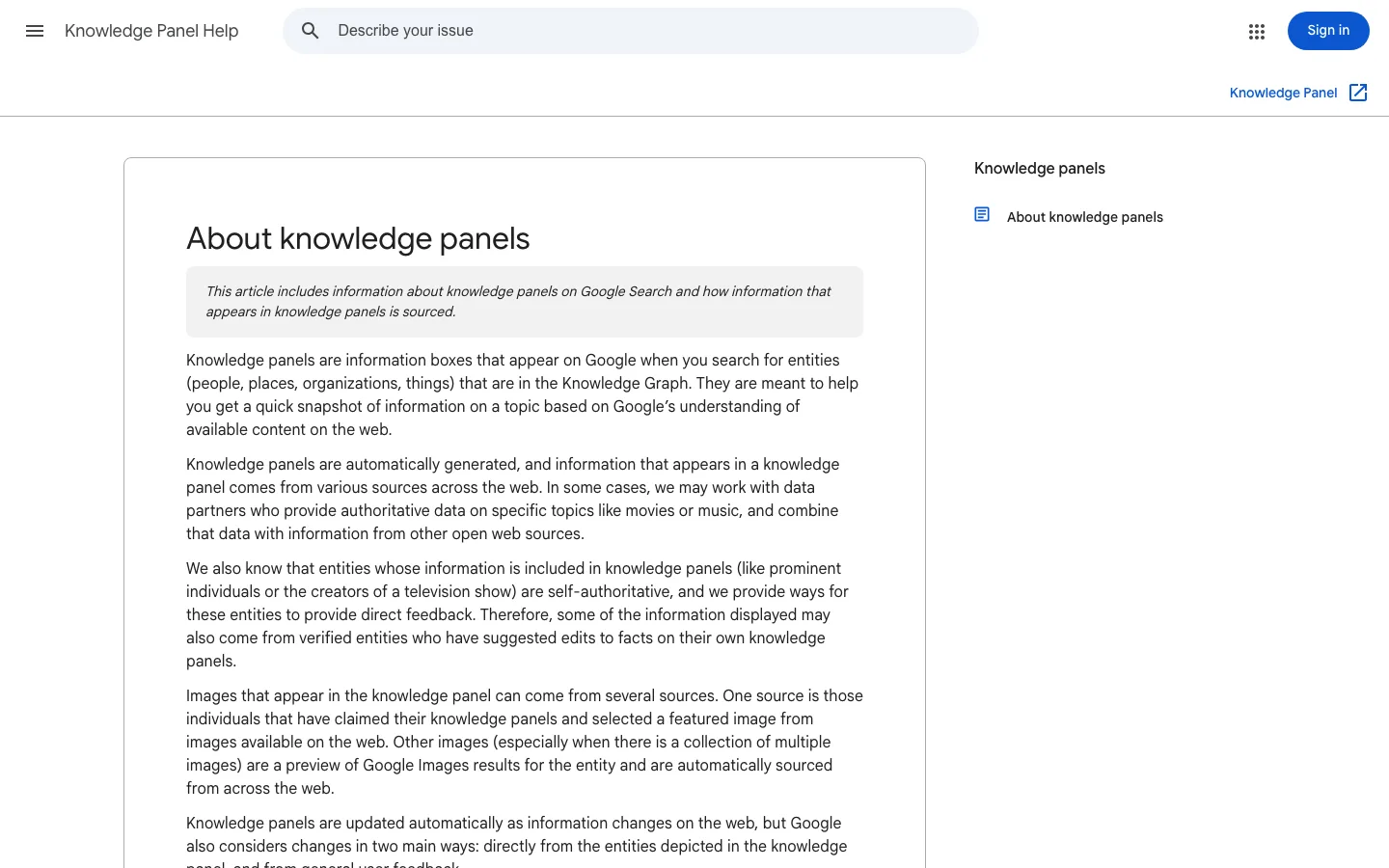
The same help page explains that images in a panel can come from two sources: a featured image chosen by the owner of a claimed panel, or automatically sourced Google Images previews. Claiming therefore gives you a say over the image as well as the facts, which matters because a panel is one of the first things a person sees about your brand.
A panel takes up visible space on the results page and presents your brand before most other listings. It brings your name, description, and key links together in one place, which helps people recognize you when they later see your other results. The tradeoff is that a panel can answer simple questions directly on Google, so the pages that earn clicks still have to go deeper than a summary box can.
Think of the panel as a branding asset. Check it regularly, because Google updates panels automatically as information changes on the web. A panel that describes your products or services correctly reduces confusion for new visitors, and it gives your existing customers a reliable reference when they search for you by name.
Clear entity signals help both classic search and AI answers. When your organization is described the same way on your site, in your structured data, and on your profiles, search engines and AI assistants have fewer doubts about who you are and what you offer. For a deeper look at how machines read structured data, see our guide to structured data for AI search, and keep the panel in perspective: it is a visible result of the entity work, not a goal on its own.
A knowledge panel is Google's summary box for a recognized entity, and it works as a trust and visibility asset. You cannot force one, but you can build the entity signals that lead to it, then claim the panel when you are an official representative and suggest corrections when facts go wrong.
Sources
No. Google generates knowledge panels automatically once it recognizes an entity, and you cannot order one. You can build the conditions that lead to a panel, such as a clear About page, Organization structured data, and consistent descriptions of your brand across the web.
Search for your entity, open the panel, and choose the option to claim it. Google then asks you to verify that you officially represent the entity, and once the panel is claimed you can suggest changes to its facts. Follow Google's current verification guides, since the method can change.
They are related but not the same thing. Clear entity signals, such as an accurate About page and consistent Organization markup, help search engines and AI assistants identify your brand and describe it correctly, so the same entity work supports both.
 “I tested Sorank on a real client site and it's insane. It does everything an agency would bill you $1500 a month for. It's going into production on that client now.”

 Guillaume Guersanguersanguillaume.com“We are an Ads agency and we wanted to get our SEO back on track once and for all. Sorank gave us a clear view of our site, helped us prioritize optimizations, and properly structure our content. The tool is easy to use, well designed for a team, and very practical for centralizing tracking without having to juggle multiple platforms. A very solid foundation to start fresh with our SEO.”
 Gaspard MadouiAds Agency
 “I just let the Sorank software do its thing, and now my DR is 25 and my page is ranking higher.”
 Lucas Flandrefoundertrace.fr“I specialized in GEO thanks to Sorank. The GEO Leaderboard allows me to show my clients their position vs competitors on ChatGPT. It’s a real commercial differentiator.”
 MélanieSEO Freelance“Great service, works well for our website and helps us understand how to improve it to rank better on Google and elsewhere. Congrats, keep going, I recommend it.”
 Hugo T.E-commerce merchant



















