Preferences
Privacy is important to us, so you have the option of disabling certain types of storage that may not be necessary for the basic functioning of the website. Blocking categories may impact your experience on the website. More information
Privacy is important to us, so you have the option of disabling certain types of storage that may not be necessary for the basic functioning of the website. Blocking categories may impact your experience on the website. More information

Google's AI answers pull local recommendations from your Google Business Profile. Audit the name, categories, hours, reviews and NAP data it reads.

Tools

In short
Google's AI answers for local searches draw on your Google Business Profile. Google says there is nothing special to add for AI features, so the work is the basics: an accurate name, the right categories, complete facts, real photos and replies to reviews. Fix the facts first, then make sure your website and your directories say the same thing.
Want to go further? Ask
Quick quiz
How should you get mentioned by ChatGPT and other AI assistants?
Sorank matches your answers


Test it for 3 days on your own site and see where you stand on Google, ChatGPT and the other AIs.
Start 3-day free trial3 days free, then stop whenever you want. 90-day results guarantee, conditions apply.
For years, your Google Business Profile was a listing on the map. Now the same business data feeds the answers too. When someone asks an AI assistant for an emergency plumber in their city, the answer names a few businesses and explains why. Those names come from the data Google holds about each business.
Google has not published the full list of signals behind these local answers. Its guidance for AI features is short. The page says there are "no additional requirements to appear in AI Overviews or AI Mode, nor other special optimizations necessary." It also says you do not need new machine-readable files, AI text files or markup. The Google Search Central page on AI features is the reference for that.
The local side of Google's guidance is more useful. Google's help page on local ranking says that "businesses with complete and accurate info are more likely to show up in local search results." Read that page first, then the rest of this guide.
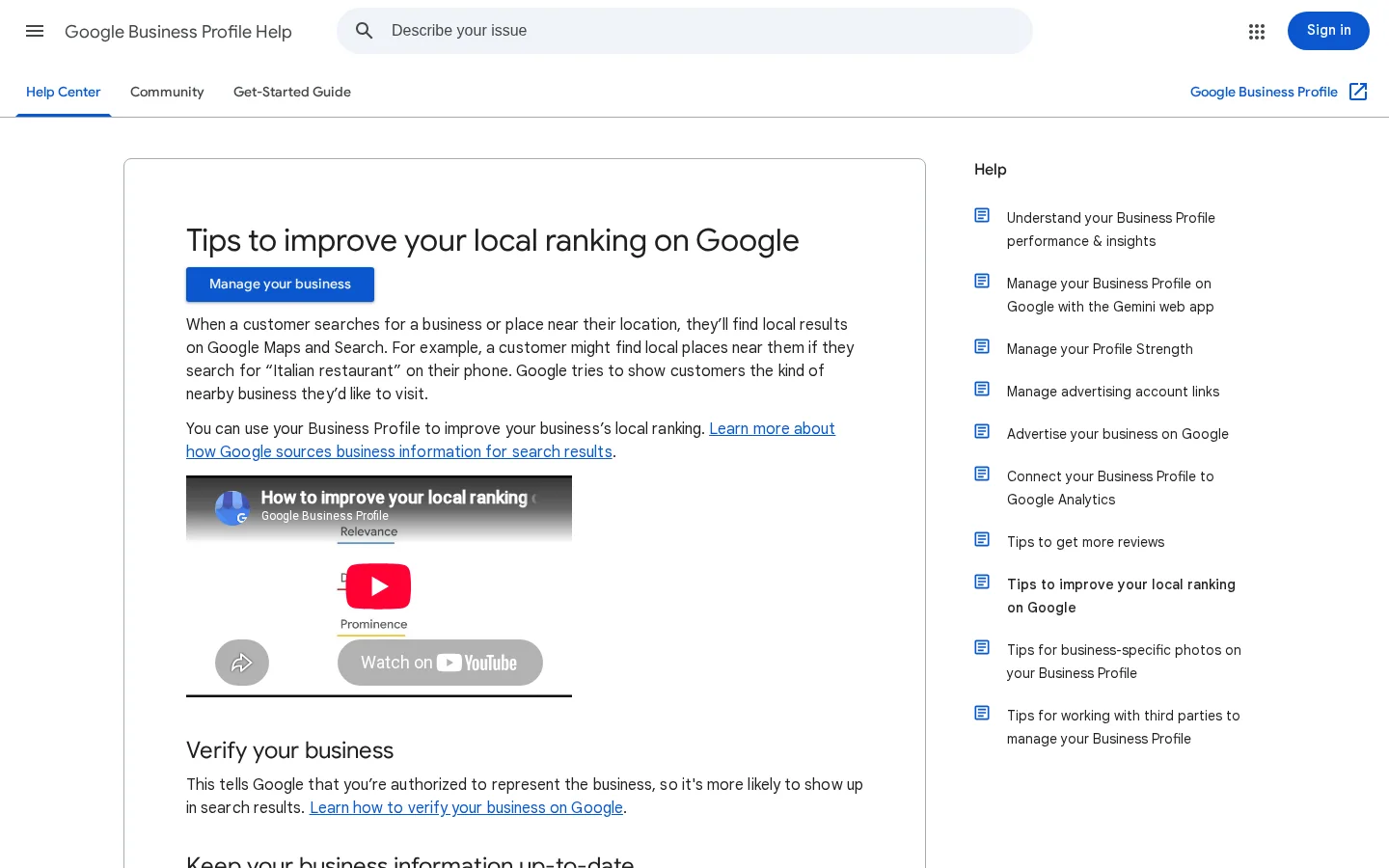
We think the same logic carries over to AI answers, because they pick from the same local listings. Google has not confirmed that detail. Treat it as a working assumption, and measure it the way you would measure any other change.
There is no trick here. The profile is not a ranking hack. It is the place where the basic facts about your business sit together. An assistant needs clear facts before it can recommend you, and a profile with gaps gives it little to work with.
If you have not set up the profile yet, our Google Business Profile setup guide covers creation and verification. This article covers the next step: what each field does in AI answers, and how to audit it. For the wider plan across ChatGPT, Gemini and AI Overviews, read our Local GEO guide. For how Google's AI Mode chooses the pages it cites, read our AI Mode SEO guide.
Your profile has about ten fields that matter for AI answers. Each one tells the reader something different about your business. The table below gives the job of each field and what to check today. The sections after it go through the ones that cause the most trouble.
| Field | What it tells the AI | What to check today |
|---|---|---|
| Business name | Who you are | Same as your sign, with no extra words |
| Primary category | Your main service | Specific, and matches the searches you want |
| Secondary categories | Other real services | Only services you deliver today |
| Address or service area | Where you are, or where you go | Identical to your site and directories |
| Phone and website | How to reach you, and where to read more | Same format everywhere, link to the right page |
| Hours and holiday hours | Whether you are open now | Holiday hours entered in advance |
| Description and services | What you do, in plain words | Under 750 characters, one line per service |
| Photos and video | Proof that the business is active | Real work, updated every month |
| Reviews and replies | Trust and recency | New reviews answered in your own words |
| Posts and Q&A | Fresh, specific facts | Real questions answered by you |
Google's rule is short. Your name "should reflect your business's real-world name, as used consistently on your storefront." The same guidance adds that "including unnecessary information in your business name isn't permitted." The Google business name guidelines list what does not belong in a name: taglines, service information, location information, store codes and phone numbers or web addresses.
Google's own example makes the point. "Verizon Wireless 4G LTE" should be entered as "Verizon Wireless." The service detail is not part of the name, even though it is true.
What this means for you: a plumber who adds "24/7 Emergency Plumber Chicago" after the business name is putting ranking hopes into the name. That is the pattern Google flags. Enter the name exactly as it appears on your sign, your invoices and the header of your website. Put the services in the services section, and the city in the address and the description.
Warning
Google allows special characters or legal terms in the name only with real-world proof, such as signage, business cards or invoices. Keep that proof before you change anything. A name you cannot prove is the fastest way to lose a listing.
Name: enter it as it appears on the sign
Source: Google Business Profile Help, business name guidelines
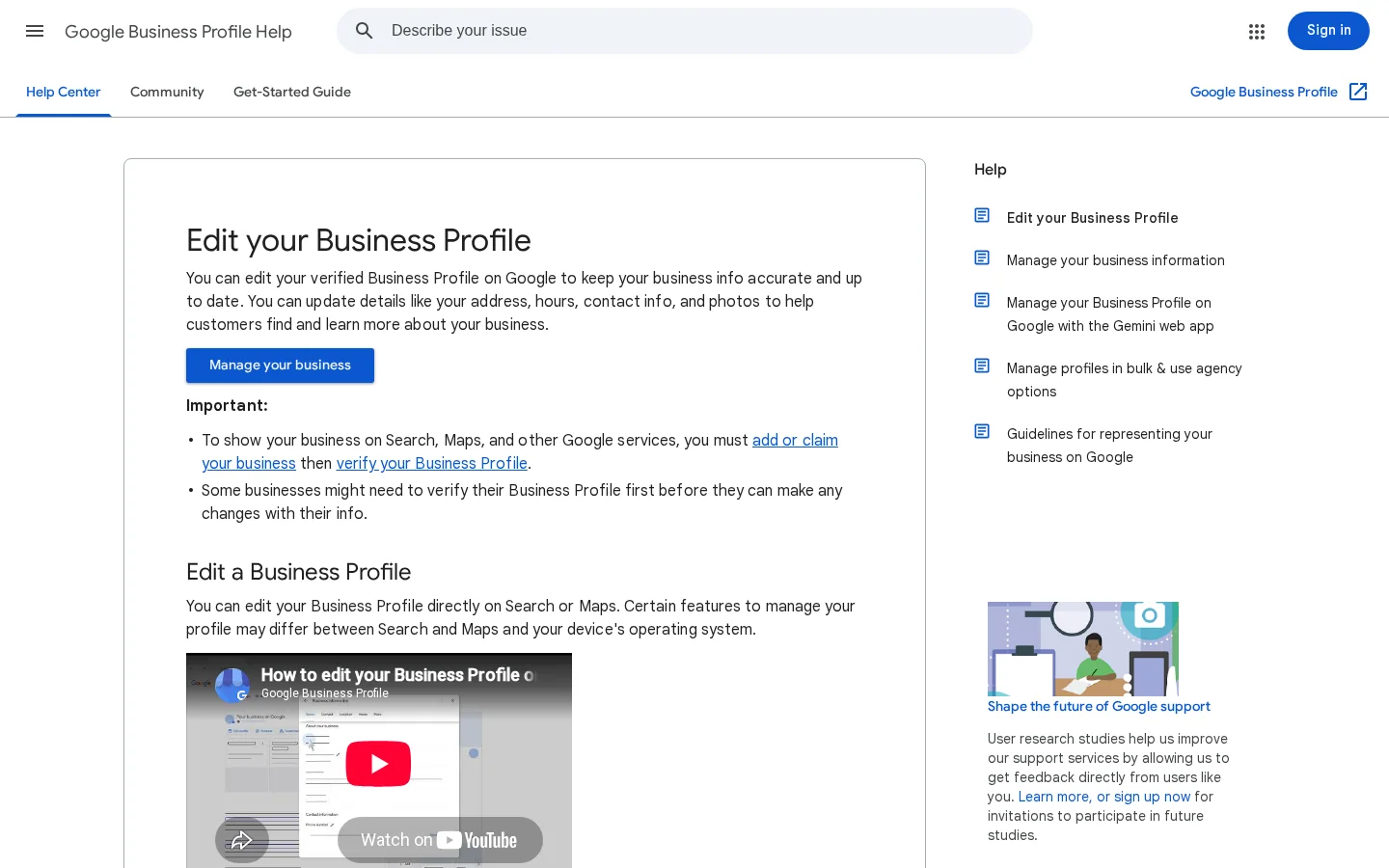
Your primary category tells the map and the AI what you are. Google says to "choose a specific category that represents your main business." If you select several categories, "the category in the first field will be your primary category." You can then add "up to 9 more categories." The Google help page on editing business info covers the editor. If you are unsure, Google advises choosing "one that's general." Treat that as a fallback, not a goal.
Here is a method that works. Search for your main service with your city name, open the first three local results and note their primary categories. Look for the pattern. If three competitors use the same category and it fits your work, use it too. If you do several things, choose the category that matches the work you sell most. If you install water heaters but mostly repair boilers, the boiler repair category is the one to pick as primary.
The common mistake is to pick a category because it sounds broad. A generic primary category sends you to generic searches, where you compete with everyone. Nine secondary categories that you do not deliver send you to searches you cannot serve. Both send the wrong customers to you, and the wrong customers leave reviews that describe the wrong work.
Three limits to know before you edit
Source: Google Business Profile Help, edit your business info
Your description shows in the "From the business" section of the profile. Google says: "Do not exceed 750 characters in the description field." Use that space for the words a customer types. A sentence such as "Emergency boiler repair in Leeds, same-day visits, certified engineers" tells a person and the AI what you do and where you do it. Avoid lists of keywords. They read badly, and they add nothing the category does not already say.
List each service as its own item, with a short plain description. A service that also has its own page on your site gives the AI a clear match. Link that page from the profile, and keep the service name identical in both places. Our local landing pages guide explains how to build those pages so they are useful and not copies.
Photos are proof. Upload real photos of your team, your vehicles and your finished work. Stock images and renders show less. Add a few new photos each month, and name the files so you can find them later. Post a short update when you finish a notable job or change your hours. For Q&A, answer the questions you already hear on the phone, in the words you would use to answer them.
The business that answers its own questions gives the AI something no competitor can copy. Your own answers describe your own work.

You can run this audit in an afternoon. Do the steps in order. Each step gives you the input for the next one, and you keep the results in one sheet with the date on it.
The five-step audit
Step four is the slowest to do by hand, and one answer tells you little. Models change their wording from one question to the next, so a single screenshot can mislead you. Keep the sheet, and run the same questions again next month.
Tip
For a first look at Gemini, use the free Gemini Ranking Tool. Enter your domain or brand name and one question. It shows whether Gemini mentions you, with a short excerpt around the mention. Three free analyses a day are included after a short email check.
When an assistant names a competitor and not you, open that competitor's public profile. Look at its primary category, its services list, its photos and how it answers reviews. You can see all of this without an account. Use it to find the gaps in your own profile, then write your own text. Copying a competitor's description word for word helps neither of you, and it makes your profile look like a copy.
Add the performance report to your audit. It shows how people found your profile and what they did next. Check five numbers every month: views, search queries, calls, direction requests and website clicks. When you edit the profile, these numbers show whether the edit helped.
Google defines each number on its own help page. Use its meaning when you read them:
| Metric | What Google counts | Audit question |
|---|---|---|
| Views | People who viewed your profile on Search and Maps, counted once per person per day | Are people seeing you at all? |
| Search queries | The search terms people used to find your business | Do they match the services you sell? |
| Calls | Clicks on the call button, which need a phone number on the profile | Do people want to talk to you? |
| Direction requests | People who asked for directions, adjusted by Google for repeated taps, cancelled requests and spam | Do people come to you? |
| Website clicks | Clicks on the website link on your profile | Does the link lead to the right page? |
Tip
Download the report before you edit anything, and save it with the date in the file name. You can then compare before and after without relying on memory.
Performance data shows what people did, not why an assistant named a competitor. For that, run the buyer questions from step four of the audit above. For map positions by location, our local rank tracking guide explains how to measure them.
Source: Google Business Profile Help, Understand your Business Profile performance and insights, checked 20 November 2026.
There is more than one way to get a local business into AI answers. Each one works on a different part of the picture. Most businesses need the first one before the others, and the other three add to it. Here is how each works, when to use it, and where it stops.
Principle: Make the profile the single, complete and correct source of your business facts. Every other method depends on it.
Use it when: the profile is new, incomplete, or has not been checked for a year.
Advantages: It is the cheapest fix. It takes an afternoon, and it helps the map and the AI answers at the same time.
Limits: It cannot make up for a website that says something different, or for reviews that describe another business.
Example (illustrative): A dental clinic in Lyon lists "Dentist" as its primary category, but its profile has no services. Adding dental implants and orthodontics as services, and matching the hours to the website, gives the AI a clear list of what the clinic does.
Principle: Give each service and each area its own page on your site, with the same facts as the profile. Connect the page to the profile through the website field.
Use it when: you serve several services or several towns, and the profile links to one generic page for all of them.
Advantages: The AI can match a specific question to a specific page. The page can answer the questions the profile has no room for.
Limits: Thin pages, with only the town name changed, do not help. They can hurt, because they repeat the same text in many places. Each page needs real content about that service in that place.
Example (illustrative): The same clinic creates one page for dental implants in Lyon, linked from the profile's services. The page repeats the address and phone exactly as the profile shows them, and it describes the consultation, the timeline and the price range in plain words.
Principle: Ask for reviews after finished work, and answer every review in your own words. Reviews carry facts about your service that the profile does not hold, in the customer's own language.
Use it when: your reviews are old, few or unanswered, or when customers describe services you do not list.
Advantages: Reviews are public text that people and AI systems can read. Recent, specific reviews show what you do, in the words customers use.
Limits: You cannot buy reviews, and Google's review policy rules out paid reviews. Ask every customer in the same way, rather than choosing the ones you expect to be happy. For the request process, our guide to getting more Google reviews sets out the rules.
Example (illustrative): A plumber answers each review by naming the job: "Thanks, Sam. Glad the boiler is running again before the cold snap." Specific replies repeat the service words without forcing them.
Principle: Keep the same name, address and phone on every listing that matters for your city. Fix the wrong ones, and remove the duplicates. Our local listing management guide shows the order to work in.
Use it when: you moved, changed your phone number, or never checked the directories after creating your profile.
Advantages: A mismatch forces a search engine or an AI system to guess which fact is right. Consistent facts remove the guessing.
Limits: Many directories carry little value. Chasing every listing wastes time. Focus on the few sources your customers and your competitors use.
Example (illustrative): A bakery moved to a new street. Its profile was updated, but two directories still showed the old address. Correcting those two listings removed the conflict.
| Method | Main job | Effort | Best when | Main limit |
|---|---|---|---|---|
| 1. Fix the profile | Complete, correct business facts | Low | Always, and first | Cannot fix a conflicting website |
| 2. Landing pages | One question matched to one page | Medium to high | Several services or towns | Thin pages hurt |
| 3. Reviews and replies | Recent, specific proof | Medium, ongoing | Old or unanswered reviews | Cannot buy or filter reviews |
| 4. Directories and citations | Same facts everywhere | Low to medium | After a move or a phone change | Many listings carry little value |
Start with method one. Add the other three in the order your audit shows the gaps. A profile that is accurate but has no reviews is a weak case. A set of pages with no profile behind them is also weak.
Fill the services and service areas sections with the jobs you really do and the places you really serve. Google lets you add predefined or custom services, each with a description and a price, and it lets a service business list up to 20 service areas by city, postal code or another area type.
Open your profile, select “Edit services”, then “Add more services”. Pick from the suggestions for your business type. If your job is not on the list, select “Add custom service” and write the name yourself. When you do different kinds of work, group the services with “Add a new business category” so each group reads clearly.
Keep each service name plain. Google rejects custom names that contain profanity, gibberish, personal information, prices or phone numbers, and it removes those services automatically.
| Entry | Verdict |
|---|---|
| Boiler repair | Good: a plain job name that matches your service page |
| Boiler repair from 80€ | Not allowed: a price in the name, which Google rejects |
If you travel to customers and do not serve them at your address, remove your address from the profile and list your service area instead. You can set up to 20 service areas. Google does not allow a radius around your business, so name each town, postal code or other area you serve.
Check eligibility before you hide the address. Businesses that sell age-restricted products or services, such as alcohol, cannabis or weapons, need a storefront. A hybrid business without permanent on-site signage is not eligible as a storefront, so it should be listed as a service area business. Removing all your service areas is only possible for a storefront with its business address on the profile.
Note
Your service areas and your site must agree. If the profile lists a town, the service page for that town should exist on your site. Our service area business SEO guide explains how to set up those pages, and our service pages guide covers what each page needs.
Review the list each time you add a service or drop a town, and update the site the same week.
Source: Google Business Profile Help, Manage your services and Manage your service areas, checked 20 November 2026.
Google says you do not need special structured data to appear in AI Overviews or AI Mode. The Google page says there is "no special schema.org structured data that you need to add." Local markup is still useful when you control the site, because it states your facts in a form a machine can read. It helps only when it matches the visible page.
{
  "@context": "https://schema.org",
  "@type": "Dentist",
  "name": "Example Dental Lyon",
  "telephone": "+33 1 00 00 00 00",
  "url": "https://www.example.com/dental-implants-lyon",
  "address": {
    "@type": "PostalAddress",
    "streetAddress": "12 Example Street",
    "postalCode": "69000",
    "addressLocality": "Lyon",
    "addressCountry": "FR"
  },
  "openingHours": "Mo-Fr 09:00-18:00"
}
The telephone number above is a placeholder. Replace every value with your own, then check three things. The name must match your profile and your sign. The address and phone must match the profile character for character. The hours must match what customers see on your door. For the full JSON-LD walk-through, read our local business schema guide.
Note
Markup is not a shortcut. Invented values, such as opening hours you do not keep or a rating you do not have, conflict with the visible page and with your profile. Add only what is true today.
Most profile problems come from six mistakes. Each one is easy to spot once you know where to look. The fix is usually a single edit, or a single phone call to a directory.
What it is: The business name carries a service, a city or a slogan on top of the real name.
How to spot it: The name is longer than the sign on your shop, or it contains words that describe what you do. Compare it with a photo of your storefront, letter by letter.
How to fix it: Change the name back to the one on your sign, and keep the proof. Move the service words into the services and the description.
What it is: A second profile was created by accident, often after a move or a rename.
How to spot it: Search your business name together with your city. Two listings with the same phone number or the same address are a warning sign.
How to fix it: Decide which profile to keep, then merge or remove the other. Our guide to merging profiles explains when to merge and when not to.
What it is: The profile, the website and the directories show different addresses, phone numbers or hours.
How to spot it: Put your phone number in quotes next to your city and read every result. Then compare each address with the profile, character by character. Small differences, such as "Street" and "St.", can read as conflicts to a machine.
How to fix it: Correct the sources with the most authority first, then the others. Keep a sheet with the official facts, and check it each month.
What it is: The regular hours are right, but the holiday hours are missing or wrong.
How to spot it: Open the profile the day before a public holiday, and check what it shows for that day.
How to fix it: Enter the special hours in advance, and leave them in place until the day has passed.
What it is: The primary field holds a broad word, such as your sector, instead of your main service.
How to spot it: Compare your primary category with the first three local results for your main service. If yours is broader, it is a candidate for change.
How to fix it: Choose the specific category that matches your main work. Move the other services into the secondary categories, and keep only the ones you deliver.
What it is: Reviews sit unanswered for months, or every reply is a copy of the same paragraph.
How to spot it: Sort your reviews by date. Count the ones without a reply, then read three of your replies side by side. If they are identical, the replies add nothing.
How to fix it: Reply to each new review within a few days, in your own words, naming the job. Our guide to responding to Google reviews gives templates to adapt, not to paste.
Sorank does not edit your Google Business Profile. It does not change your name, your categories or your photos. It writes and publishes articles for your website, looks for links from other sites and tracks your brand in AI answers. Those are different jobs. The profile audit above stays with you.
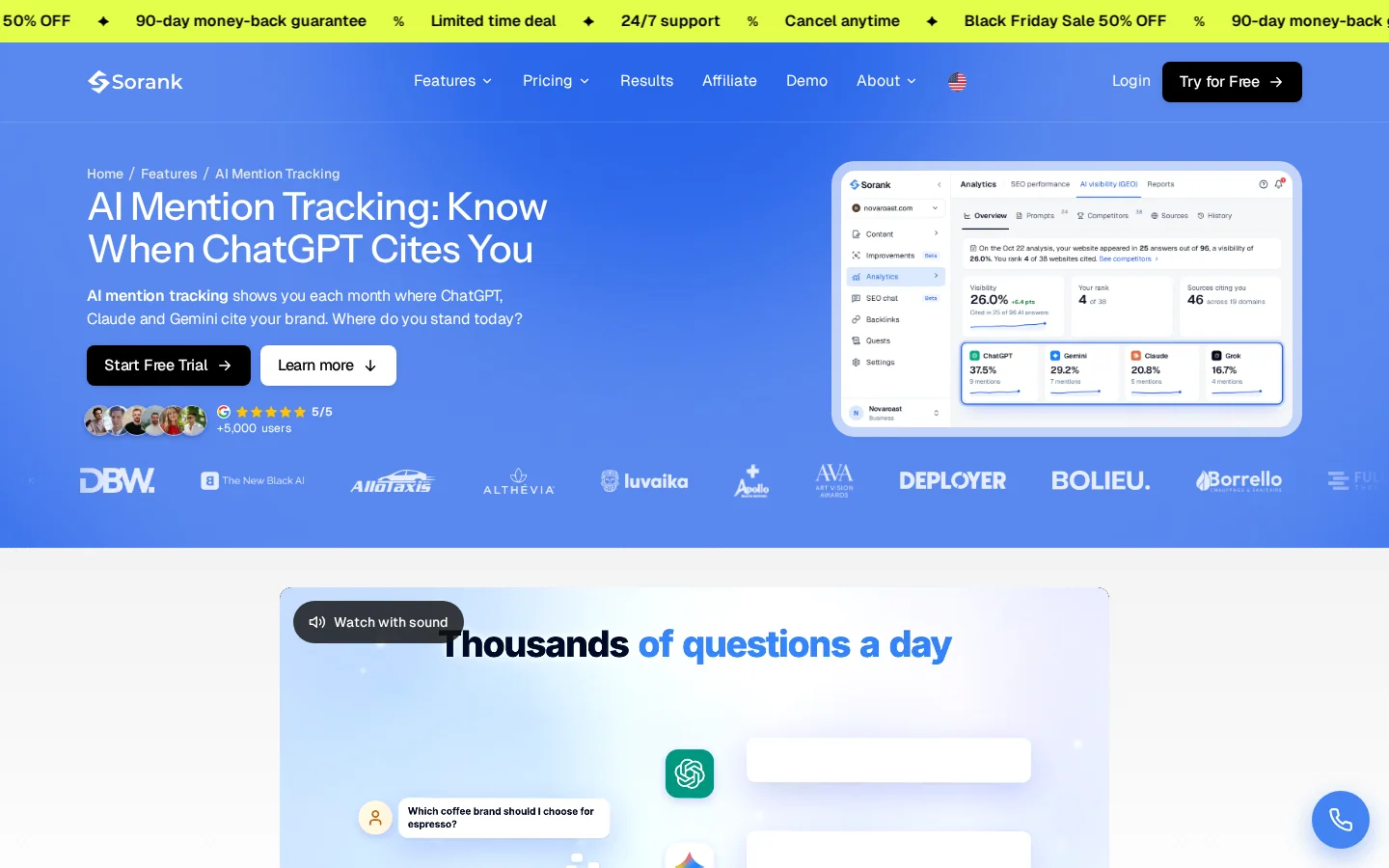
For the AI side, AI Mention Tracking runs your buyer questions on ChatGPT, Claude and Gemini every month. It shows whether you are mentioned, which assistant names you, and which sources the answer relies on. Plans include 10 to 50 tracked prompts, depending on the plan.
Checking AI answers: by hand or tracked
Use tracking for the monthly step, and keep the first audit in your own hands. The profile is the one part of this work that only you can change, in your own Google account.
Google says there are no special requirements for AI Overviews or AI Mode. For local queries, though, the profile holds the basic business facts. Wrong or missing facts make it harder for an assistant to name you with confidence. Fix the profile first, then check your website for the same facts.
Not safely. Google says the name should match the real-world name on your storefront, and it does not allow unnecessary information in the name. Adding a service or a city can get the profile suspended. Keep the name as it appears on your sign, and put the keywords in the categories, the services and the description.
Start with the name, the primary category and the address. Compare them with your website and your top directories. Next, ask the AI assistants your buyer questions and write down who they name. A mismatch in these basics is the quickest problem to fix.
Start with the name and the primary category. Both take less than an hour, and both matter for the map and for AI answers. Then work through the list below.
Today, in this order
Google's guidance on AI features is short, and it says the usual basics still apply. The profile is where those basics meet your business. Keep it accurate, keep it current, and check the answers every month.
Google says there are no special requirements for AI Overviews or AI Mode. For local queries, though, the profile holds the basic business facts, and wrong or missing facts make it harder for an assistant to name you with confidence. Fix the profile first, then check your website for the same facts.
Not safely. Google says the name should match the real-world name on your storefront, and it does not allow unnecessary information in the name. Adding a service or a city can get the profile suspended. Keep the name as it appears on your sign, and put the keywords in the categories, services and description.
Start with the name, the primary category and the address, then compare them with your website and your top directories. Next, ask the AI assistants your buyer questions and write down who they name. A mismatch in these basics is the quickest problem to fix.
We analyse your competitors, your website and your AI visibility to create a tailored content plan for free.
 AI Content Brief Generator
 FAQ Schema Generator
 AI Blog Post Ideas Generator
 Structured Data Validator (Schema Validator)
 Alt Text Checker
 Internal Link Analyzer
 Backlink Challenge
 AI Meta Description Generator
 AI Blog Title Generator
 Google Indexability Checker
 AI Blog Outline Generator
 UTM Link Builder
 Keyword Clustering Tool
 Canonical Tag Checker
 XML Sitemap Generator
 Broken Link Checker
 AI SEO Title Generator
 Headline Analyzer
 SERP Preview Tool
 Redirect Checker
 Hreflang Tag Generator
 Heading Structure Analyzer
 HTTP Headers Checker
 Favicon Extractor
 SERP CTR Calculator
 SEO vs Paid Search Savings Calculator
 SEO Share of Voice Calculator
 SEO ROI Calculator
 SEO Traffic and Revenue Forecast Calculator
 SEO Budget Calculator
 SEO Break-Even Calculator
 SaaS SEO ROI Calculator
 ROAS Calculator
 Reading Time Calculator
 Ranking Gain Simulator
 Organic Traffic Value Calculator
 Organic Traffic Estimator and Website Traffic Checker
 LTV to CAC Ratio Calculator
 Local SEO ROI Calculator
 Link Building Cost Calculator
 Keyword Value Calculator
 Keyword Opportunity Score Calculator
 Keyword Density Calculator
 GEO ROI Calculator
 GEO Content Investment Calculator
 Ecommerce SEO ROI Calculator
 Customer Lifetime Value Calculator
 Customer Acquisition Cost Calculator
 CTR Calculator
 Cost Per Article Calculator
 Conversion Rate Calculator
 Content Marketing ROI Calculator
 ChatGPT Referral Traffic Estimator
 Bounce Rate Calculator
 Backlink ROI Calculator
 AI Visibility Score Calculator
 AI Traffic Value Calculator
 AI Share of Voice Calculator
 Cost of AI Invisibility Calculator
 AI Citation Rate Calculator
 llms.txt Validator
 AI Overview Checker and AI Overviews Rank Checker
 Robots.txt Checker
 AI SEO Audit
 LLM Readability Checker
 SearchGPT Readiness Checker
 Structured Data LLM Audit
 Website Crawlability AI Audit
 Why ChatGPT Is Not Recommending My Website
 Gemini Ranking Tool
 Perplexity Ranking Checker
 LLM Citation Checker
 Answer Engine Optimization Audit
 GEO Audit
 AI Search Visibility Test
 ChatGPT Visibility Checker
 llms.txt Generator
 URL Extractor
 Webpage to Markdown
 Sitemap Checker
 SERP Volatility Sensor
 Page Size Checker
 Word Counter
 Slug Generator
 Schema Generator
 Robots Generator
 OG Preview
 Meta Tags Generator
 Image Compressor
 Favicon Generator
 On-Page SEO Audit: SEO Checker and SEO Analyzer
 Backlink Analysis Tool
 Keyword Research Tool
 Domain Authority Checker
 “I tested Sorank on a real client site and it's insane. It does everything an agency would bill you $1500 a month for. It's going into production on that client now.”

 Guillaume Guersanguersanguillaume.com“We are an Ads agency and we wanted to get our SEO back on track once and for all. Sorank gave us a clear view of our site, helped us prioritize optimizations, and properly structure our content. The tool is easy to use, well designed for a team, and very practical for centralizing tracking without having to juggle multiple platforms. A very solid foundation to start fresh with our SEO.”
 Gaspard MadouiAds Agency
 “I just let the Sorank software do its thing, and now my DR is 25 and my page is ranking higher.”
 Lucas Flandrefoundertrace.fr“I specialized in GEO thanks to Sorank. The GEO Leaderboard allows me to show my clients their position vs competitors on ChatGPT. It’s a real commercial differentiator.”
 MélanieSEO Freelance“Great service, works well for our website and helps us understand how to improve it to rank better on Google and elsewhere. Congrats, keep going, I recommend it.”
 Hugo T.E-commerce merchant