Preferences
Privacy is important to us, so you have the option of disabling certain types of storage that may not be necessary for the basic functioning of the website. Blocking categories may impact your experience on the website. More information
Privacy is important to us, so you have the option of disabling certain types of storage that may not be necessary for the basic functioning of the website. Blocking categories may impact your experience on the website. More information

Service area business SEO explained: Google's rules, hidden address, 20 service areas, city pages, areaServed schema, reviews and a 30-day plan to rank.

Tools

In short
Service area business SEO is how a company that travels to its customers (plumber, cleaner, roofer, mobile mechanic) ranks on Google Maps and in local results without showing a street address. It rests on four things: a Google Business Profile with the address hidden and up to 20 real service areas, one genuinely useful page per key city or service, consistent citations, and a steady flow of reviews that name the places you work. Proximity to your verified base still matters, so the work is about earning visibility beyond that radius with relevance and prominence.
Want to go further? Ask
Quick quiz
Is SEO right for you, and how should you start?
Sorank matches your answers


Test it for 3 days on your own site and see where you stand on Google, ChatGPT and the other AIs.
Start 3-day free trial3 days free, then stop whenever you want. 90-day results guarantee, conditions apply.
A service area business (often shortened to SAB) is a company that goes to its customers instead of receiving them. Google's own examples are plumbers and cleaning services. If nobody walks into your premises to buy, you are a SAB, even if you have a workshop or an office.
Google also recognizes a middle case: the hybrid business. A restaurant that also delivers, or a garage that also does roadside assistance, serves customers at its address and travels to them. A hybrid can show its storefront address and add a service area at the same time.
Most local SEO advice assumes a storefront: an address on the map, a pin people drive to, opening hours that matter. A SAB loses three of those levers at once.
So the real question of SAB SEO is: how do you show up in towns 30 kilometers from your base, where a competitor sits right in the middle? The answer is relevance and prominence, built with pages, reviews and links, because distance is the one factor you cannot change.
Google's help page "Manage your service areas" (Google Business Profile Help, consulted November 2026) sets the frame, completed by its guidelines for representing your business. These are the numbers that drive every decision below.
Google's service area rules in three numbers
Source: Google Business Profile Help, "Manage your service areas" and "Guidelines for representing your business", consulted November 2026
Two more rules matter. You cannot define your area as a radius around your base: you list cities, postal codes or similar areas. And businesses selling age-restricted products (alcohol, cannabis, weapons) cannot be service area only; they need a storefront.
Google states plainly that local results rest on three factors. In its help page "Tips to improve your local ranking on Google", it defines them like this: "Relevance is how well a Business Profile matches what someone is searching for." "Distance refers to how far each business is from the customer who's searching." "Prominence means how well-known a business is."
For a SAB, each factor behaves a little differently. We covered the general weights in our guide to local SEO ranking factors; here is the SAB reading.
Your service areas tell customers where you go. They do not tell Google where you are. Adding a city 60 kilometers away to your list will not make you rank there the way a company based in that city ranks. In practice, SABs see strong visibility near their verified location and a gradual decline as the searcher moves away. That decline is normal, and the rest of the strategy exists to slow it.
Relevance comes from your primary category, your secondary categories, your services list, your description, and the content of the website you link to. A roofer whose site has a page explaining flat roof repair in a given town sends a much clearer signal for that town than a roofer whose site has a single "Services" page.
Prominence comes from reviews (count, rating, freshness, and what they say), links from other sites, mentions in directories and local press, and general web presence. Google notes that prominent places are more likely to appear in results. For a SAB working far from its base, prominence is the main lever.
Storefront vs service area business: what you control
The profile is the base of everything. Most SAB ranking problems we see come from a profile set up as a storefront by mistake, or from an address that should have been hidden.
You still need a real address to verify. Google uses it to confirm you exist and to anchor distance. What changes is visibility: Google says that if you do not serve customers at your address, you should remove it from the profile and enter only your service area. A plumber who works from home, for example, should not display the home address.
Verification is often the first wall. Google may ask for a video showing your vehicle, tools and proof of the business. Prepare it before you start. Our guide to verifying a Google Business Profile lists every method and the usual reasons for rejection.
Warning
A virtual office (a rented mailing address where you do not work) is not eligible. A coworking desk is eligible only if it has clear signage, receives customers during business hours and is staffed by your team. Using a fake address to rank in a bigger city is the fastest way to a suspended profile.
You have 20 slots. Fill them with the places where you actually want jobs, not every village on the map.
The service area list mostly shapes what customers see and where Google considers you a plausible answer. It is not a ranking boost on its own, so do not expect a new city to bring calls the next day.
Pick the primary category that matches your main revenue line ("Plumber", not "Plumbing supply store"). Add secondary categories only for services you really sell. Then fill the services list with the exact names customers use: "water heater installation", "leak detection", "drain unblocking".
Keep the business name clean. Google's guidelines forbid adding service descriptions or location details to the name. "Dupont Plumbing" is fine; "Dupont Plumbing Emergency Plumber Lyon 24/7" invites a suspension and gives competitors a reason to report you.
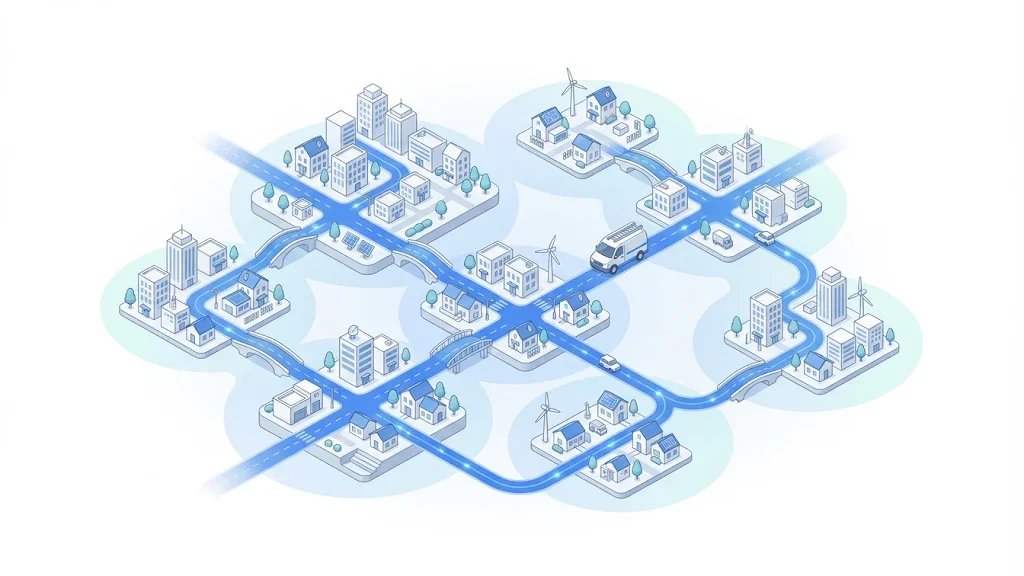
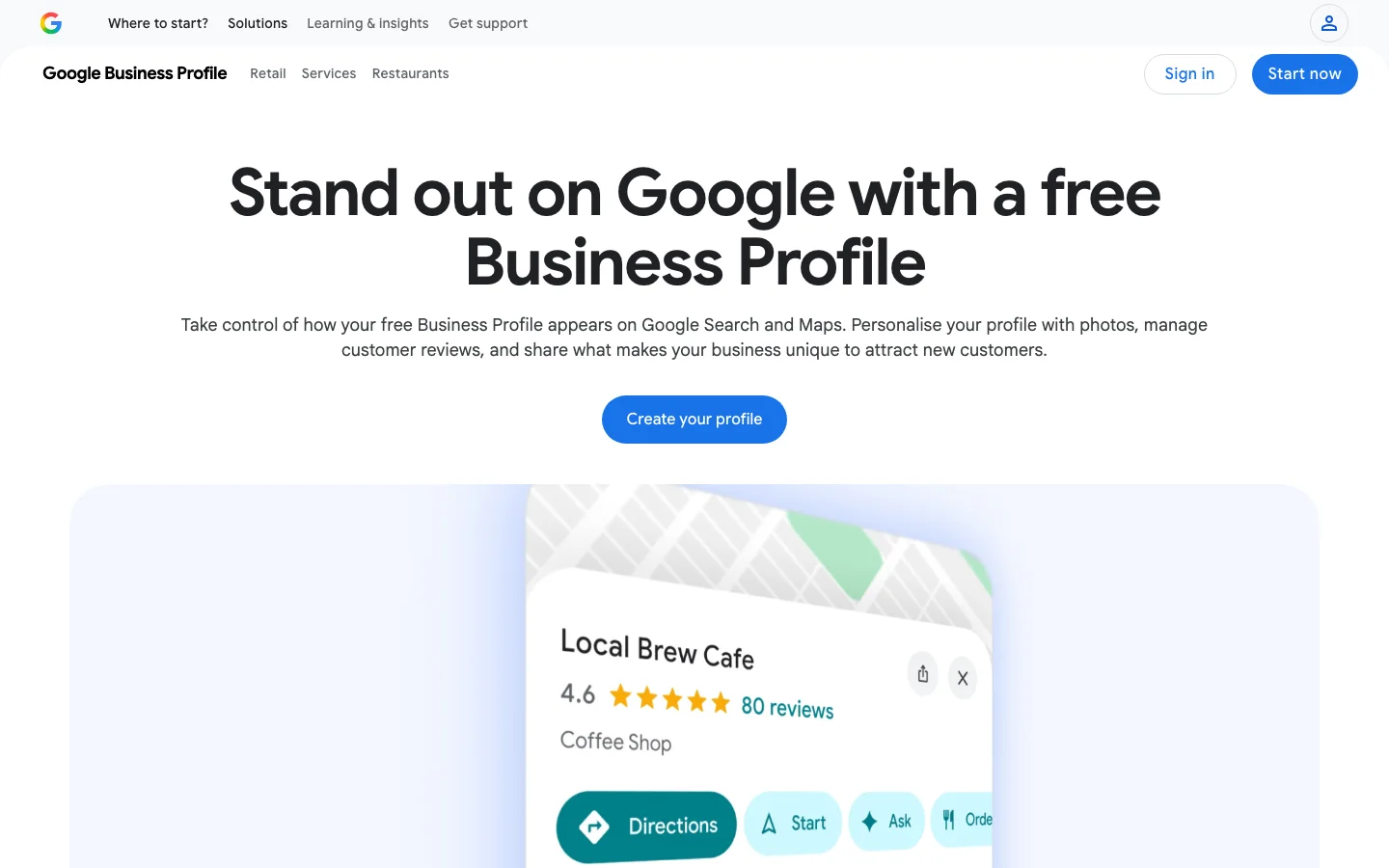
Your profile can only carry so much. The website is where you prove relevance for each town and each service. There are five ways to organize it, and most good SAB sites mix two or three of them.
Principle: one page that names your main service and lists your area, linked from the profile.
When to use it: a one-person business working in one town and its close suburbs.
Advantages: fast, no content to maintain. Limits: it cannot rank for "service + city" outside your base. Example: a window cleaner serving one mid-sized town.
Principle: one page per important city, each with real local content: jobs done there, typical problems (old housing, hard water, coastal wind), travel time, local reviews.
When to use it: you want work in 3 to 15 towns beyond your base.
Advantages: the strongest lever to rank away from your verified point. Limits: thin, copy-pasted pages are treated as doorway pages and ignored. Example: /roof-repair-annecy/ with three projects in Annecy, photos and two reviews from clients there. Our guide to local landing pages details the structure.
Principle: one deep page per service, not per town.
When to use it: you have several distinct services with distinct searches (boiler repair vs bathroom installation).
Advantages: earns relevance across the whole area at once, attracts links. Limits: weak for city-specific queries on its own. Example: /heat-pump-installation/ with prices, process and brands.
Principle: one page for each pair of service and city ("drain unblocking Villeurbanne").
When to use it: rarely, and only for your 2 or 3 most valuable pairs.
Advantages: precise match to the query. Limits: 10 services × 20 cities gives 200 pages you cannot fill with real content; this is the pattern Google calls doorway pages. Example: an emergency locksmith with one high-demand service in two big cities.
Principle: a regional hub page ("Plumbing in the Lyon area") linking to city pages and to case studies, project write-ups and blog articles tagged by town.
When to use it: you cover a large territory and publish regularly.
Advantages: every new project becomes local proof; internal links pass strength to city pages. Limits: needs a publishing habit. Example: a solar installer posting one project per week, each linked to its city page.
| Strategy | Best for | Ranks beyond base | Effort | Main risk |
|---|---|---|---|---|
| Single homepage | One town, one service | Weak | Low | Invisible outside base |
| City pages | 3 to 15 target towns | Strong | Medium | Thin, duplicated pages |
| Service pages | Several distinct services | Medium | Medium | No city signal alone |
| Service × city matrix | 2 or 3 key pairs | Strong on those pairs | High | Doorway pages at scale |
| Regional hub + proof content | Large territory | Strong over time | Ongoing | Stops working if publishing stops |
Our recommendation for most SABs: service pages for each service, city pages for your top 5 to 10 towns, and a project log that links both. Skip the full matrix.
Tip
A city page earns its place only if you can write three things specific to that town: a real job done there, a local constraint, and a local review. If you cannot, merge the town into a regional page instead.
Schema markup helps search engines and AI assistants read who you are and where you work. For a SAB there is one technical catch.
Google Search Central's LocalBusiness structured data documentation lists address and name as required properties for local business rich results. A SAB that hides its address on the profile has two options: publish the city and postal code only (no street), which is consistent with what you show customers, or publish the full verified address in markup if it is already public elsewhere. Never invent an address to fit the schema.
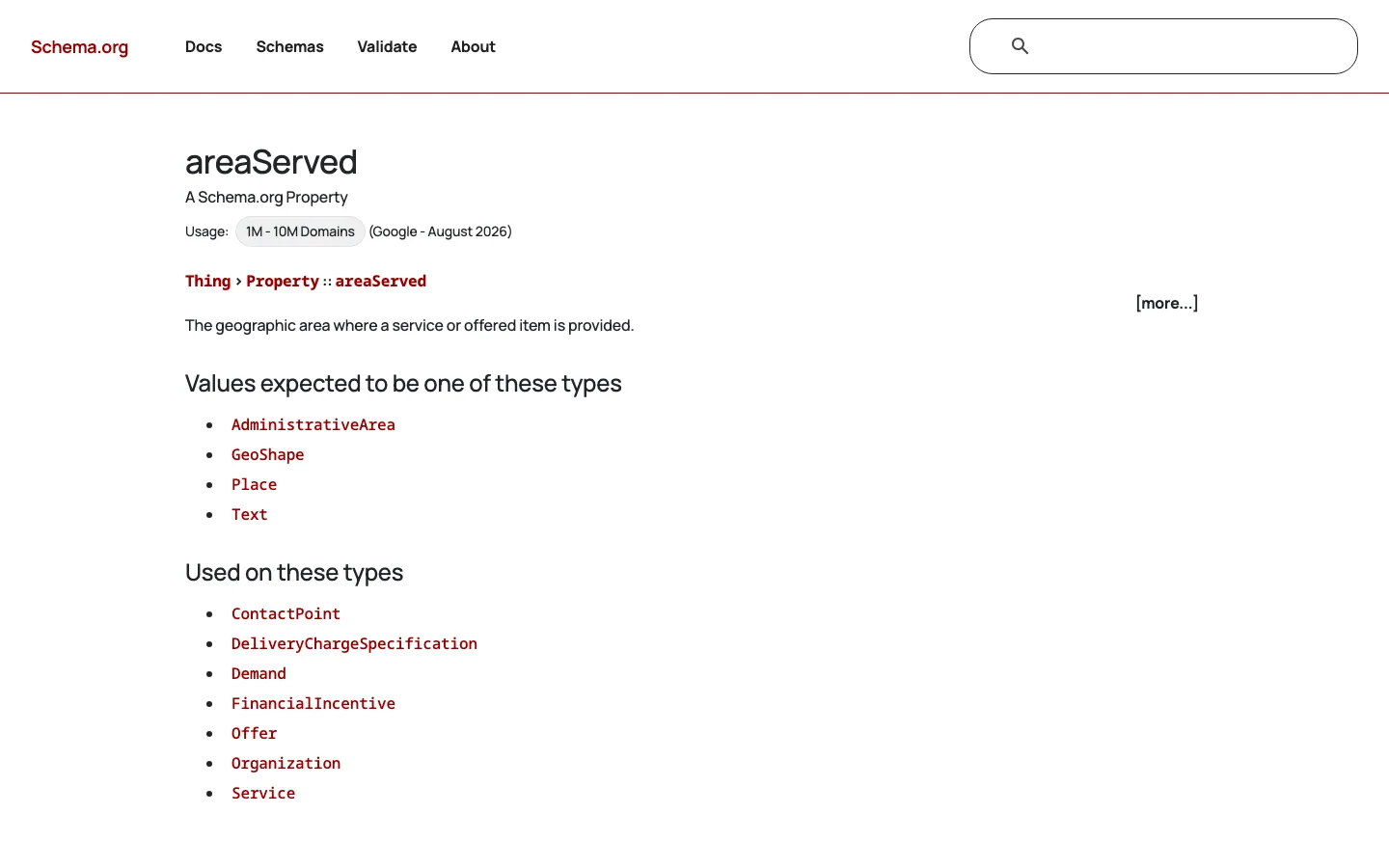
Schema.org defines areaServed as accepting an AdministrativeArea, a GeoShape, a Place or plain text, and it can be used on Organization and Service. LocalBusiness inherits it from Organization. Listing the same cities as on your profile keeps every signal aligned.
<script type="application/ld+json">
{
  "@context": "https://schema.org",
  "@type": "Plumber",
  "name": "Dupont Plumbing",
  "url": "https://www.dupont-plumbing.example",
  "telephone": "+33 4 00 00 00 00",
  "address": {
    "@type": "PostalAddress",
    "addressLocality": "Lyon",
    "postalCode": "69003",
    "addressCountry": "FR"
  },
  "areaServed": [
    { "@type": "City", "name": "Lyon" },
    { "@type": "City", "name": "Villeurbanne" },
    { "@type": "City", "name": "Vénissieux" },
    { "@type": "City", "name": "Bron" }
  ],
  "openingHoursSpecification": [{
    "@type": "OpeningHoursSpecification",
    "dayOfWeek": ["Monday","Tuesday","Wednesday","Thursday","Friday"],
    "opens": "08:00",
    "closes": "19:00"
  }]
}
</script>
On a city page, you can add a Service block with its own areaServed limited to that city. For the full property list and the common mistakes, see our local business schema guide.
When distance works against you, prominence is what lets you beat the competitor down the road. Reviews and citations are its two main sources.
A review saying "great job" helps your rating. A review saying "fixed our leaking boiler in Bron within two hours" also tells Google and readers where you work and what you do. You cannot write reviews for clients, and you must not offer anything in exchange, but you can ask at the right moment and make it easy.
Our guide on how to get more Google reviews has ready message templates and the rules to respect.
Citations are mentions of your business name, phone and website on other sites: directories, trade associations, local chambers of commerce. For a SAB, two details matter. Keep the address presentation consistent with your profile (if hidden on Google, do not show the street everywhere else), and use the same phone number. A handful of accurate, relevant listings beats a hundred abandoned ones. See which business directories still matter and how to clean up duplicate listings.
How a SAB turns a job into local visibility
Here is the order we recommend for a business starting from a basic profile and a small website.
The 6-step SAB SEO method
Search your business name on Google Maps from a phone in incognito mode. If a pin with your home street appears, the address is still public. Search your phone number in quotes on Google to find duplicate listings. Note every inconsistency before you change anything.
Free tool
Before writing ten city pages, estimate what each town could be worth with our free local SEO ROI calculator. Write first for the towns with the best ratio of value to effort.
A SAB cannot judge its rankings by searching from the office. Results change with the searcher's location, so a single check from your base will always look better than reality.
Local rank trackers place virtual searchers on a grid over your territory and record your position in the map pack at each point. The result is a heat map: green near your base, red where you are invisible. Run it monthly for your two or three main queries and watch the green area grow. Our guide to local rank tracking explains the setups and their limits.
In Google Search Console, filter the Performance report by page to see which city pages get impressions and for which queries. A city page with impressions but no clicks needs a better title. A city page with no impressions after three months probably lacks local content.
Search Console filter for city pages (regex on Page):
.*/(annecy|chambery|aix-les-bains|annemasse)/?$Track calls and form requests by source. Business Profile shows calls and website clicks from the listing; add a distinct tracked number or form field on city pages if you want to know which towns bring jobs. Rankings are a means; booked jobs are the goal.
More customers now ask ChatGPT, Gemini or Perplexity for "a reliable plumber near Villeurbanne". These assistants read your website, your reviews, directories and sometimes your profile. A SAB with clear service pages, city pages naming real jobs and many reviews that mention towns gives them exactly what they need to quote.
The same basics apply, with two additions: answer common questions directly on your pages (price ranges, response time, areas covered), and make sure your area list is written in plain text, not only in an image or a map. Our guide to local GEO goes deeper. If you want to check whether assistants already recommend you, Sorank's GEO optimization tracks your mentions in ChatGPT, Gemini, Claude and Perplexity, and its content calendar can plan and publish the city and project pages for you.
These are the errors that most often hold SABs back. Each one has a clear symptom and a clear fix.
What it is: the profile displays the address where you live or store tools, though no customer comes there. How to spot it: a red pin on a residential street when you search your name on Maps. How to fix it: in the profile, open Business information, Location, and remove the address while keeping the service areas.
What it is: "Dupont Plumbing Lyon Villeurbanne Bron". How to spot it: your profile name differs from your sign, invoices and website. How to fix it: use your real trading name; put cities in service areas and on your website.
What it is: a rented mailing address in the city center to get closer to searchers. How to spot it: the address is a mailbox provider or a building with dozens of companies. How to fix it: remove it and verify at your real base. Grow in the city with city pages and reviews instead.
What it is: 50 pages where only the town name changes. How to spot it: in Search Console, most of these pages are "Crawled, currently not indexed" or get no impressions. How to fix it: keep the 5 to 10 towns you can document with real jobs, merge the rest into regional pages, and redirect the removed URLs.
What it is: adding a far city and waiting for calls. How to spot it: grid tracking shows you invisible in that city months later. How to fix it: treat the service area as a declaration, then earn the ranking with a city page, local reviews and a few local links.
What it is: an old listing from a previous phone number or an employee's attempt. How to spot it: search your phone number and name variants on Maps. How to fix it: claim the duplicate and ask Google to merge or close it, keeping the profile with the most reviews.
What it is: the street is hidden on Google but shown on 20 directories, with two different phone numbers. How to spot it: search your phone numbers and name in quotes. How to fix it: choose one presentation and one number and update the main listings first.
A typical SAB setup, before and after the fixes
Use this list once now, then every quarter. If you also buy ads, read how Google Local Services Ads fit alongside organic results, and for very dense areas see hyperlocal SEO.
SAB SEO checklist
Start today with the first two lines: open your profile, check whether your address is visible, and compare your service area list with where your best jobs came from last year. Those two fixes take 20 minutes and set the base for everything else.
Yes. Google asks service area businesses to hide their address and list up to 20 service areas instead. The verified address still anchors the distance factor, so visibility is strongest near your base and you extend it with city pages, reviews and links.
Google allows up to 20 service areas, defined by city, postal code or region, not by a radius. The overall area should generally stay within about two hours of driving from your base.
No. Create city pages only for towns where you can show real jobs, local constraints and local reviews, usually 5 to 10. Dozens of pages where only the town name changes are treated as doorway pages and rarely rank.
We analyse your competitors, your website and your AI visibility to create a tailored content plan for free.
 AI Content Brief Generator
 FAQ Schema Generator
 AI Blog Post Ideas Generator
 Structured Data Validator (Schema Validator)
 Alt Text Checker
 Internal Link Analyzer
 Backlink Challenge
 AI Meta Description Generator
 AI Blog Title Generator
 Google Indexability Checker
 AI Blog Outline Generator
 UTM Link Builder
 Keyword Clustering Tool
 Canonical Tag Checker
 XML Sitemap Generator
 Broken Link Checker
 AI SEO Title Generator
 Headline Analyzer
 SERP Preview Tool
 Redirect Checker
 Hreflang Tag Generator
 Heading Structure Analyzer
 HTTP Headers Checker
 Favicon Extractor
 SERP CTR Calculator
 SEO vs Paid Search Savings Calculator
 SEO Share of Voice Calculator
 SEO ROI Calculator
 SEO Traffic and Revenue Forecast Calculator
 SEO Budget Calculator
 SEO Break-Even Calculator
 SaaS SEO ROI Calculator
 ROAS Calculator
 Reading Time Calculator
 Ranking Gain Simulator
 Organic Traffic Value Calculator
 Organic Traffic Estimator and Website Traffic Checker
 LTV to CAC Ratio Calculator
 Local SEO ROI Calculator
 Link Building Cost Calculator
 Keyword Value Calculator
 Keyword Opportunity Score Calculator
 Keyword Density Calculator
 GEO ROI Calculator
 GEO Content Investment Calculator
 Ecommerce SEO ROI Calculator
 Customer Lifetime Value Calculator
 Customer Acquisition Cost Calculator
 CTR Calculator
 Cost Per Article Calculator
 Conversion Rate Calculator
 Content Marketing ROI Calculator
 ChatGPT Referral Traffic Estimator
 Bounce Rate Calculator
 Backlink ROI Calculator
 AI Visibility Score Calculator
 AI Traffic Value Calculator
 AI Share of Voice Calculator
 Cost of AI Invisibility Calculator
 AI Citation Rate Calculator
 llms.txt Validator
 AI Overview Checker and AI Overviews Rank Checker
 Robots.txt Checker
 AI SEO Audit
 LLM Readability Checker
 SearchGPT Readiness Checker
 Structured Data LLM Audit
 Website Crawlability AI Audit
 Why ChatGPT Is Not Recommending My Website
 Gemini Ranking Tool
 Perplexity Ranking Checker
 LLM Citation Checker
 Answer Engine Optimization Audit
 GEO Audit
 AI Search Visibility Test
 ChatGPT Visibility Checker
 llms.txt Generator
 URL Extractor
 Webpage to Markdown
 Sitemap Checker
 SERP Volatility Sensor
 Page Size Checker
 Word Counter
 Slug Generator
 Schema Generator
 Robots Generator
 OG Preview
 Meta Tags Generator
 Image Compressor
 Favicon Generator
 On-Page SEO Audit: SEO Checker and SEO Analyzer
 Backlink Analysis Tool
 Keyword Research Tool
 Domain Authority Checker
 “I tested Sorank on a real client site and it's insane. It does everything an agency would bill you $1500 a month for. It's going into production on that client now.”

 Guillaume Guersanguersanguillaume.com“We are an Ads agency and we wanted to get our SEO back on track once and for all. Sorank gave us a clear view of our site, helped us prioritize optimizations, and properly structure our content. The tool is easy to use, well designed for a team, and very practical for centralizing tracking without having to juggle multiple platforms. A very solid foundation to start fresh with our SEO.”
 Gaspard MadouiAds Agency
 “I just let the Sorank software do its thing, and now my DR is 25 and my page is ranking higher.”
 Lucas Flandrefoundertrace.fr“I specialized in GEO thanks to Sorank. The GEO Leaderboard allows me to show my clients their position vs competitors on ChatGPT. It’s a real commercial differentiator.”
 MélanieSEO Freelance“Great service, works well for our website and helps us understand how to improve it to rank better on Google and elsewhere. Congrats, keep going, I recommend it.”
 Hugo T.E-commerce merchant