Preferences
Privacy is important to us, so you have the option of disabling certain types of storage that may not be necessary for the basic functioning of the website. Blocking categories may impact your experience on the website. More information

Privacy is important to us, so you have the option of disabling certain types of storage that may not be necessary for the basic functioning of the website. Blocking categories may impact your experience on the website. More information

Hyperlocal SEO in 2026: win neighborhood and "near me" searches with the right keywords, profile, local pages and signals, without doorway pages.

Tools

In short
hyperlocal SEO is local SEO narrowed to a neighborhood, a district, a street or the few blocks around a business. It targets searches such as "plumber in Brooklyn Heights", "bakery near the train station" or "pharmacy open now near me", where Google ranks businesses on relevance, distance and prominence. You win them with a precise Google Business Profile, keywords built on neighborhood names and landmarks, one genuinely useful page per area you serve, consistent business details and links from your direct surroundings.
Want to go further? Ask
Quick quiz
Is SEO right for you, and how should you start?
Sorank matches your answers


Test it for 3 days on your own site and see where you stand on Google, ChatGPT and the other AIs.
Start 3-day free trial3 days free, then stop whenever you want. 90-day results-or-refund guarantee.
A citywide strategy treats a city as one market. Customers do not: they search from a street corner, often on a phone, and pick among the businesses closest to them. Hyperlocal SEO works at that scale. This guide explains how Google locates a searcher, which keywords matter at neighborhood level, how to build area pages that Google accepts, and how the same work helps AI assistants such as ChatGPT, Gemini and Perplexity recommend your business for local questions.
If the basics are new to you, start with the definition of local SEO: hyperlocal SEO uses the same levers, applied to a smaller area.
Hyperlocal SEO is the part of local SEO that aims at a very small geographic area: a neighborhood, a district, a postal code, a shopping street, or the zone around a landmark. It matters most for businesses whose customers come from a few kilometers away at most: restaurants, cafes, hairdressers, pharmacies, gyms, dentists, real estate agents, and trades that travel to homes (plumbers, electricians, locksmiths).
The difference with classic local SEO is one of scale and of competition. A search for "dentist in Chicago" puts you against every dentist in the city. A search for "dentist in Wicker Park" narrows the field to a handful, and the person searching has already said where they want to go.
| Criterion | Local SEO | Hyperlocal SEO |
|---|---|---|
| Target area | A city, a metro area or a region | A neighborhood, a street, a postal code, the area around a landmark |
| Typical query | "dentist Chicago" | "dentist Wicker Park", "dentist near me open Saturday" |
| Competition | Every business of the category in the city | A few businesses close by |
| Main levers | Business Profile, city pages, reviews, links | Same levers, plus neighborhood names, landmarks, area pages and very local links |
| Search intent | Often research and comparison | Often immediate: visit, call, book now |
Google's help page Tips to improve your local ranking on Google names three factors. Relevance is how well a Business Profile matches the search. Distance is how far each business is from the person searching. Prominence is how well known the business is, which reviews, links and mentions across the web reflect. The same page adds that when a customer does not share where they are, Google uses what it knows about their location.
That location comes from several sources, listed in Google's help page Manage your location on Google: the precise device location when the person has allowed it, saved home and work addresses, past activity, or the internet (IP) address, which gives only a general area. Two consequences for hyperlocal SEO:
Distance is fixed. Hyperlocal SEO therefore works on relevance (telling Google precisely which areas you serve) and on prominence (proving that people in those areas know you).
Hyperlocal keywords combine a service with a place term that people really use. The method is the one described in our guide to local keyword research, with finer place modifiers:
"Near me" deserves a note. Google already knows where the person is, so the phrase works as a signal of intent rather than as a word to match. Repeating "near me" in titles and paragraphs adds nothing. What answers these searches is a complete profile, accurate opening hours, and a website that states plainly which neighborhoods you serve.
To find the names your customers use, read your reviews, the questions they ask by phone, local forums and neighborhood groups, and Google's autocomplete when you type your service followed by an area. Then group the keywords by area and by service, so that each area gets one page and each page one clear topic.
Tip
Note how people in each neighborhood name it. Official district names and the names locals use often differ, and the informal name is usually the one typed into Google.
The Google Business Profile drives map results, so it comes first. Google's guidelines for representing your business on Google set the limits:
A business that serves several neighborhoods needs pages that prove it to Google, one per area. The risk is the template page where only the place name changes. Google's spam policies list as an example of doorway abuse "having multiple domain names or pages targeted at specific regions or cities that funnel users to one page". Such pages can lose their rankings or drag the site down.
A neighborhood page is legitimate when it holds information a visitor from that area could not find on another page of your site. Our guide to local landing pages covers the full structure; at neighborhood level, here is what makes the difference:
| Element | Useful neighborhood page | Doorway page |
|---|---|---|
| Content | Specific to the area: access, parking, nearby landmarks, local constraints (old buildings, narrow streets, regulations) | Same text with the name swapped |
| Proof | Work done in the area, photos, reviews from local customers | None, or the same stock images everywhere |
| Practical details | Travel time, fees or opening hours for that area, address or meeting point | Generic contact form |
| Number of pages | Only areas you really serve, with something to say about each | Dozens or hundreds of generated pages |
| Links | Linked from a "Areas we serve" page and the menu | Orphan pages or a mass of links in the footer |
Watch out
If you have nothing specific to say about a neighborhood, do not create a page for it. Mention it on your service-area page instead and invest in the areas where you already have customers and proof.
Each page also needs one clear title and H1 with the service and the area ("Emergency plumber in Brooklyn Heights"), a short answer at the top (what you do there, how fast you arrive), and internal links to your service pages. A business with several storefronts follows the same logic as multi-location SEO: one profile and one page per real location.
Prominence is built outside the profile. Three signals carry the most weight at hyperlocal level:
Local content also counts: a page on a neighborhood event you take part in, a guide to the area written from your trade's point of view ("what to check before renovating a 1920s apartment in this district"), or answers to questions customers ask about the area. This content earns local links and gives AI assistants concrete facts to quote.
A single ranking check from your office says little, because results change with the searcher's position. Three measures give a reliable picture:
Repeat the measure every month with the same points and the same queries, so that you compare like with like.
People now ask ChatGPT, Gemini or Perplexity questions such as "a good bakery near the Old Town that opens early". To answer, these assistants draw on search results, maps data, directories and review platforms. Our study of directories in AI answers shows how often listing sites are among the sources they cite. The hyperlocal work above feeds them directly: consistent details everywhere, reviews that mention the area, and area pages with facts an assistant can quote (neighborhood, hours, services, prices, access).
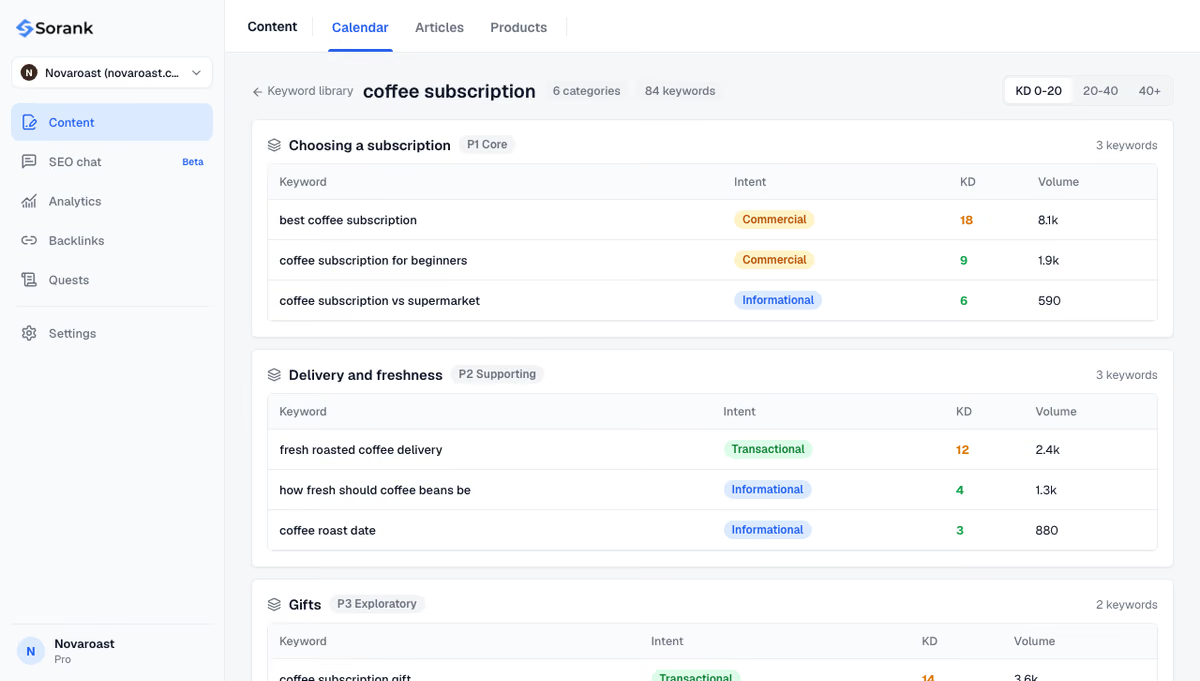
Two tasks remain hard to do by hand: finding all the place-plus-service keywords worth a page, and checking whether AI assistants cite you for local questions. Sorank, our product, handles both in autopilot. Its keyword research analyzes your site and groups keywords by topic, with intent, volume and difficulty, then writes and publishes the matching articles. Its AI mention tracking runs your questions on ChatGPT, Claude and Gemini every month (plus Grok from the Pro plan) and shows whether your business is cited and who appears in its place.
Begin with the profile: verified, in the right category, with the real name and address, complete hours and recent photos. Then list the three to five neighborhoods where most of your customers already come from, collect the names and landmarks people use for them, and write one useful page per area. Add reviews, consistent details and a few local links over the following weeks, and measure with a grid and Search Console every month.
Hyperlocal SEO rewards the business that proves, area by area, that it is the closest relevant answer. To automate keyword research, publishing and AI visibility tracking, see Sorank's plans: from $49 per month billed annually, with a 3-day free trial and a 90-day money-back guarantee.

Local SEO aims at a city or a region, while hyperlocal SEO aims at a neighborhood, a street, a postal code or the area around a landmark. Both use the same levers (Google Business Profile, reviews, local pages, links), but hyperlocal SEO applies them to a smaller area where competition is lower and search intent is more immediate.
No. Google already uses the searcher's location to answer "near me" queries, so the phrase does not need to appear on your pages. Name the neighborhoods and landmarks you serve, keep your opening hours and address accurate, and complete your Google Business Profile instead.
Yes, within limits. Distance to the searcher remains a ranking factor, but a service-area business can list the areas it serves on its Google Business Profile and publish a genuinely useful page for each one. Adding the neighborhood to the business name or creating a fake address breaks Google's guidelines and can get the profile suspended.
We analyse your competitors, your website and your AI visibility to create a tailored content plan for free.
 AI Content Brief Generator
 FAQ Schema Generator
 AI Blog Post Ideas Generator
 Structured Data Validator (Schema Validator)
 Alt Text Checker
 Internal Link Analyzer
 Backlink Challenge
 AI Meta Description Generator
 AI Blog Title Generator
 Google Indexability Checker
 AI Blog Outline Generator
 UTM Link Builder
 Keyword Clustering Tool
 Canonical Tag Checker
 XML Sitemap Generator
 Broken Link Checker
 AI SEO Title Generator
 Headline Analyzer
 SERP Preview Tool
 Redirect Checker
 Hreflang Tag Generator
 Heading Structure Analyzer
 HTTP Headers Checker
 Favicon Extractor
 SERP CTR Calculator
 SEO vs Paid Search Savings Calculator
 SEO Share of Voice Calculator
 SEO ROI Calculator
 SEO Traffic and Revenue Forecast Calculator
 SEO Budget Calculator
 SEO Break-Even Calculator
 SaaS SEO ROI Calculator
 ROAS Calculator
 Reading Time Calculator
 Ranking Gain Simulator
 Organic Traffic Value Calculator
 Organic Traffic Estimator and Website Traffic Checker
 LTV to CAC Ratio Calculator
 Local SEO ROI Calculator
 Link Building Cost Calculator
 Keyword Value Calculator
 Keyword Opportunity Score Calculator
 Keyword Density Calculator
 GEO ROI Calculator
 GEO Content Investment Calculator
 Ecommerce SEO ROI Calculator
 Customer Lifetime Value Calculator
 Customer Acquisition Cost Calculator
 CTR Calculator
 Cost Per Article Calculator
 Conversion Rate Calculator
 Content Marketing ROI Calculator
 ChatGPT Referral Traffic Estimator
 Bounce Rate Calculator
 Backlink ROI Calculator
 AI Visibility Score Calculator
 AI Traffic Value Calculator
 AI Share of Voice Calculator
 Cost of AI Invisibility Calculator
 AI Citation Rate Calculator
 llms.txt Validator
 AI Overview Checker and AI Overviews Rank Checker
 Robots.txt Checker
 AI SEO Audit
 LLM Readability Checker
 SearchGPT Readiness Checker
 Structured Data LLM Audit
 Website Crawlability AI Audit
 Why ChatGPT Is Not Recommending My Website
 Gemini Ranking Tool
 Perplexity Ranking Checker
 LLM Citation Checker
 Answer Engine Optimization Audit
 GEO Audit
 AI Search Visibility Test
 ChatGPT Visibility Checker
 llms.txt Generator
 URL Extractor
 Webpage to Markdown
 Sitemap Checker
 SERP Volatility Sensor
 Page Size Checker
 Word Counter
 Slug Generator
 Schema Generator
 Robots Generator
 OG Preview
 Meta Tags Generator
 Image Compressor
 Favicon Generator
 On-Page SEO Audit: SEO Checker and SEO Analyzer
 Backlink Analysis Tool
 Keyword Research Tool
 Domain Authority Checker
THEY TRIED SORANK BEFORE YOU
 “I tested Sorank on a real client site and it's insane. It does everything an agency would bill you $1500 a month for. It's going into production on that client now.”

 Guillaume Guersanguersanguillaume.com“We are an Ads agency and we wanted to get our SEO back on track once and for all. Sorank gave us a clear view of our site, helped us prioritize optimizations, and properly structure our content. The tool is easy to use, well designed for a team, and very practical for centralizing tracking without having to juggle multiple platforms. A very solid foundation to start fresh with our SEO.”
 Gaspard MadouiAds Agency
 “I just let the Sorank software do its thing, and now my DR is 25 and my page is ranking higher.”
 Lucas Flandrefoundertrace.fr“I specialized in GEO thanks to Sorank. The GEO Leaderboard allows me to show my clients their position vs competitors on ChatGPT. It’s a real commercial differentiator.”
 MélanieSEO Freelance“Great service, works well for our website and helps us understand how to improve it to rank better on Google and elsewhere. Congrats, keep going, I recommend it.”
 Hugo T.E-commerce merchant