Preferences
Privacy is important to us, so you have the option of disabling certain types of storage that may not be necessary for the basic functioning of the website. Blocking categories may impact your experience on the website. More information

Privacy is important to us, so you have the option of disabling certain types of storage that may not be necessary for the basic functioning of the website. Blocking categories may impact your experience on the website. More information

Add your business to Google Maps for free: create or claim a Business Profile, verify it, then complete it to appear in the map pack and AI answers.
Tools

In short
To add your business to Google Maps, create a free Google Business Profile at business.google.com/add (or choose "Add your business" in the Google Maps menu), enter your name, category, address or service area and contact details, then verify that you own the business. Google reviews verification in up to 5 business days. Once verified, the listing can appear on Maps, in the map pack of Google Search and in the local answers of AI assistants.
Want to go further? Ask
Quick quiz
Is SEO right for you, and how should you start?
Sorank matches your answers


Test it for 3 days on your own site and see where you stand on Google, ChatGPT and the other AIs.
Start 3-day free trial3 days free, then stop whenever you want. 90-day results-or-refund guarantee.
Every business that serves customers in person, at a storefront or at their homes, can add its business to Google Maps at no cost. The Maps listing and the Search listing are the same object: a Google Business Profile. Google's own help page on how to add or claim your Business Profile confirms that you can add or claim a business at no charge. This guide covers who is eligible, the exact steps, how to claim an existing listing, each verification method with its delays, and what to do after the listing goes live so it gets found on Google and recommended by ChatGPT, Gemini and Perplexity.
No. Google accepts a Business Profile only when the business makes in-person contact with customers during its stated hours. Its guidelines for representing your business on Google describe two eligible models: a business with a physical location customers can visit (shop, restaurant, clinic, office) and a business that travels to its customers (plumber, cleaner, mobile hairdresser). Individual practitioners such as doctors, lawyers or real estate agents can have their own profile if they can be reached in person at the verified location.
Service-area businesses keep one profile for their central location and hide their address: the guidelines give the example of a plumber who works from home and should remove that address from the public listing. A business that only sells online, with no place to meet customers, does not qualify; its visibility depends on its website and on classic local SEO rather than on a Maps pin.
Watch out
Virtual offices, P.O. boxes and remote mailboxes are not accepted as business addresses. Google's guidelines also forbid adding keywords, taglines or city names to the business name: a listing called "Smith Plumbing, Best Emergency Plumber Boston" risks suspension.
The process takes about 10 minutes, plus the verification delay. You need a Google account (ideally one owned by the company, not by a freelancer) and the exact details your customers see on your storefront and website.
Search your business name and city in Google Maps. Customers, Google itself or a former employee may have created a listing already. If you find one, claim it (see the next section) instead of creating a second one: Google's guidelines state that there should only be one profile per business, and duplicates split your reviews and confuse customers.
Go to business.google.com/add and click "Add your business to Google", or open Google Maps on a computer, open the menu and choose "Add your business". Both routes lead to the same Business Profile form.
Type the name exactly as it appears on your sign, website and invoices. Then choose the primary category, the one that best describes the business. Google advises picking the most specific option: "Nail salon" rather than "Salon". You can only select one category before verification; additional categories come later.
If customers visit you, enter the street address and drag the pin to the exact entrance. If you travel to customers, answer no to the question about a location customers can visit, then list the cities or postal areas you serve.
Use a local phone number that someone answers during opening hours (phone or text verification may use it) and the URL of your website, or of the page for this location if you have several.
Google then asks you to prove that you own or manage the business. The method is chosen by Google, not by you; the next sections detail each one.
Opening hours, photos, description, attributes, services and products can be added right after creation. A complete profile is one of the few ranking levers Google names explicitly (see below).
Tip
Write down your business name, address and phone number once, in one exact format, and copy it everywhere: Google, Apple Maps, Bing, directories and your website footer. This consistency, called NAP (name, address, phone), avoids conflicting signals.
If your business already appears on Maps without an owner, open the listing in Google Maps on a computer and select "Claim this business", then "Manage now". On the Google Maps app, open the profile, tap "About", then "Claim this business". You then go through the same verification as a new profile.
If someone else has already verified the listing (a former agency, a past manager, a partner), Google offers a request for ownership: the current owner is notified and can accept or refuse. If they do not answer within the delay Google gives, Google Business Profile support can review the case. Always make sure the company keeps at least two owners on its profile to avoid this situation later.
Verification proves to Google that you are authorized to represent the business. According to Google's page on verifying your business on Google (checked October 2026), Google decides which methods are offered (you cannot change them), and verification reviews take up to 5 business days, occasionally longer.
| Method | How it works | Typical delay |
|---|---|---|
| Video recording | You film the location, signage, equipment and proof of management in one continuous video. Google recommends it when available. | Review up to 5 business days |
| Live video call | A support agent asks you to show the address, the business and proof of management during your business hours. | Scheduled during business hours |
| Phone or text | Google calls or texts a code to the business number. Automated phone menus cannot receive it. | Immediate |
| You follow the steps sent to the address shown on the verification screen. | Immediate | |
| Postcard | Google mails a 5-digit code to the business address. | Most codes arrive within 14 days and expire after 30 days |
| Instant verification | Possible for some profiles, for example when the website is already verified in Google Search Console. | Immediate |
For a video, prepare the shot before recording: the street sign or nearby businesses that confirm the address, the outside sign, then the inside (products, branded equipment, cash register, kitchen or tools) and a proof that you manage the place, such as keys opening the door or an employee-only area.
Note
Editing the business name, address or category while verification is pending can restart the review. Fill in everything correctly once, submit, and wait for Google's decision before changing key details.
A verified listing with only a name and an address rarely shows up. The work that follows decides whether customers see you or your competitors.
If you manage several branches, each one needs its own profile, verified separately, with its own page on the website.
Google's help page on how to improve your local ranking names three factors and states that there is no way to request or pay for a better local ranking. The ads shown above Maps results are a separate, paid product.
| Factor | Google's definition | What you control |
|---|---|---|
| Relevance | How well the profile matches the search | Primary category, services, description, website content |
| Distance | How far the business is from the searcher or the place named in the query | Nothing directly, except accurate address and service areas |
| Prominence | How well-known the business is, online and offline | Reviews and ratings, links and mentions on other websites, press, local events |
The first three results in Search form the local pack, where most clicks for "near me" searches go. Your position changes from one street to the next, so measure it on a grid around your address with local rank tracking rather than with one search from your office.
| Symptom | Likely cause | Fix |
|---|---|---|
| Profile created but invisible | Verification not finished or still under review | Finish the verification method shown in the profile, then wait up to 5 business days |
| Listing disappeared | Suspension after a guideline breach (keywords in the name, ineligible address) | Correct the issue, then file a reinstatement request from the profile |
| Visible on your name, absent on your service | Weak relevance or prominence | Specific category, complete profile, more reviews, a stronger website |
| Two listings for one business | Duplicate created by a customer or a previous owner | Claim it and ask Google to mark it as a duplicate |
| Address hidden on the map | Service-area business setup | Normal: customers see your area instead of a pin |
If the website itself is missing from search results, the cause is usually on the site side (indexing, robots.txt, noindex): our checklist on why a website is not showing up on Google covers those cases.
Google Maps is the largest map, but customers also search in Apple Maps on iPhone (listings managed through Apple Business, formerly Apple Business Connect) and in Bing Maps, part of the Microsoft search ecosystem behind Copilot. Creating those listings takes a few minutes; see our guide to Bing Places for Business, which can import an existing Google profile.
AI assistants now answer questions such as "which bakery near the station opens on Sunday?" with two or three named businesses. They build those answers from listings, reviews, websites and directories, so a complete, consistent Google profile is also the base of local GEO. Our study of directories in AI answers shows how often assistants rely on these third-party sources.
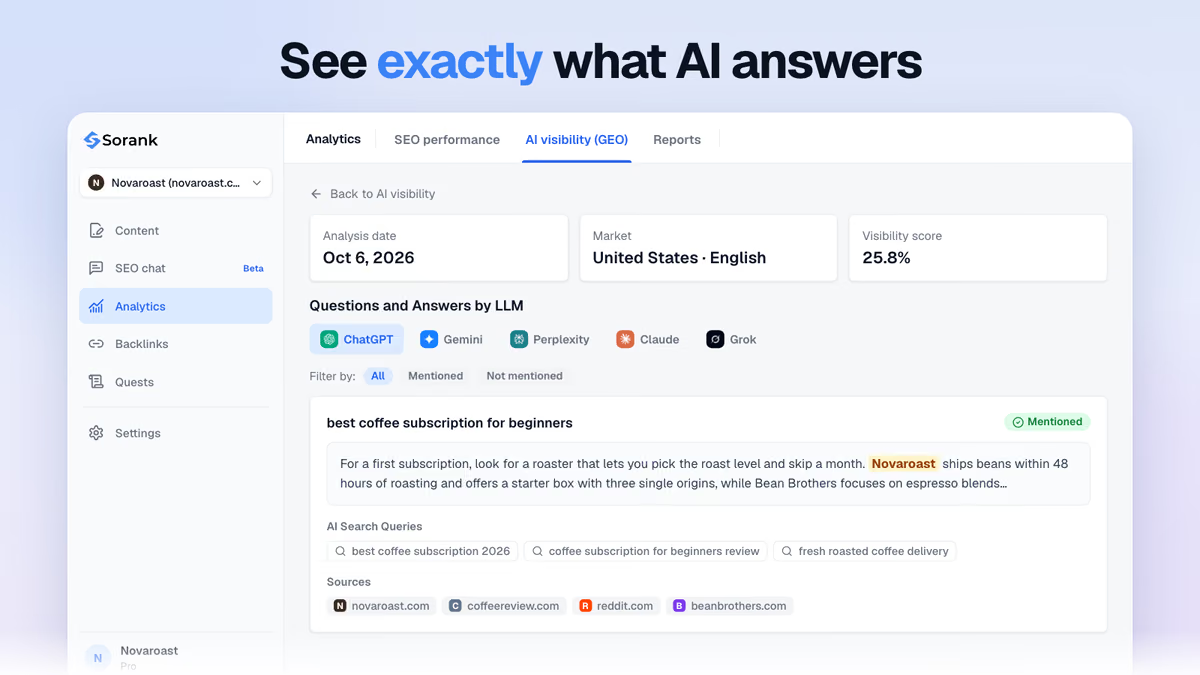
To know whether ChatGPT, Gemini or Perplexity recommend you, ask the questions your customers ask and record the answers over time. Sorank's AI mention tracking does this automatically on a list of prompts and shows which competitors are cited instead of you. For a wider choice of tools covering listings, reviews and rankings, compare the best local SEO tools.
Adding a business to Google Maps is free and takes minutes; the real work is verification and then a profile complete enough to beat nearby competitors. One accurate, verified profile, consistent details everywhere and a steady flow of reviews are what put a business on the map, in the local pack and in AI answers. Then feed your website with useful local content: Sorank's article generator writes and publishes optimized articles in autopilot, and the page for local businesses shows how it fits shops, trades and clinics.

Yes. Creating or claiming a Google Business Profile, which is what puts a business on Google Maps, costs nothing. Google states that there is no way to pay for a better local ranking. Only Google Ads placed above or within Maps results are paid, and they are a separate product.
The profile itself takes about 10 minutes to create. Google then reviews verification in up to 5 business days, sometimes longer, and a postcard code can take up to 14 days to arrive. Once verified, the listing usually shows on Maps shortly after, but ranking well for service searches takes reviews and a complete profile.
Yes, if you travel to your customers. Set it up as a service-area business: enter your address for verification, hide it from the public listing and list the cities or areas you serve. Businesses that only operate online, or that use a virtual office or P.O. box, are not eligible.
We analyse your competitors, your website and your AI visibility to create a tailored content plan for free.
 AI Content Brief Generator
 FAQ Schema Generator
 AI Blog Post Ideas Generator
 Structured Data Validator (Schema Validator)
 Alt Text Checker
 Internal Link Analyzer
 Backlink Challenge
 AI Meta Description Generator
 AI Blog Title Generator
 Google Indexability Checker
 AI Blog Outline Generator
 UTM Link Builder
 Keyword Clustering Tool
 Canonical Tag Checker
 XML Sitemap Generator
 Broken Link Checker
 AI SEO Title Generator
 Headline Analyzer
 SERP Preview Tool
 Redirect Checker
 Hreflang Tag Generator
 Heading Structure Analyzer
 HTTP Headers Checker
 Favicon Extractor
 SERP CTR Calculator
 SEO vs Paid Search Savings Calculator
 SEO Share of Voice Calculator
 SEO ROI Calculator
 SEO Traffic and Revenue Forecast Calculator
 SEO Budget Calculator
 SEO Break-Even Calculator
 SaaS SEO ROI Calculator
 ROAS Calculator
 Reading Time Calculator
 Ranking Gain Simulator
 Organic Traffic Value Calculator
 Organic Traffic Estimator and Website Traffic Checker
 LTV to CAC Ratio Calculator
 Local SEO ROI Calculator
 Link Building Cost Calculator
 Keyword Value Calculator
 Keyword Opportunity Score Calculator
 Keyword Density Calculator
 GEO ROI Calculator
 GEO Content Investment Calculator
 Ecommerce SEO ROI Calculator
 Customer Lifetime Value Calculator
 Customer Acquisition Cost Calculator
 CTR Calculator
 Cost Per Article Calculator
 Conversion Rate Calculator
 Content Marketing ROI Calculator
 ChatGPT Referral Traffic Estimator
 Bounce Rate Calculator
 Backlink ROI Calculator
 AI Visibility Score Calculator
 AI Traffic Value Calculator
 AI Share of Voice Calculator
 Cost of AI Invisibility Calculator
 AI Citation Rate Calculator
 llms.txt Validator
 AI Overview Checker and AI Overviews Rank Checker
 Robots.txt Checker
 AI SEO Audit
 LLM Readability Checker
 SearchGPT Readiness Checker
 Structured Data LLM Audit
 Website Crawlability AI Audit
 Why ChatGPT Is Not Recommending My Website
 Gemini Ranking Tool
 Perplexity Ranking Checker
 LLM Citation Checker
 Answer Engine Optimization Audit
 GEO Audit
 AI Search Visibility Test
 ChatGPT Visibility Checker
 llms.txt Generator
 URL Extractor
 Webpage to Markdown
 Sitemap Checker
 SERP Volatility Sensor
 Page Size Checker
 Word Counter
 Slug Generator
 Schema Generator
 Robots Generator
 OG Preview
 Meta Tags Generator
 Image Compressor
 Favicon Generator
 On-Page SEO Audit: SEO Checker and SEO Analyzer
 Backlink Analysis Tool
 Keyword Research Tool
 Domain Authority Checker
THEY TRIED SORANK BEFORE YOU
 “I tested Sorank on a real client site and it's insane. It does everything an agency would bill you $1500 a month for. It's going into production on that client now.”
 Guillaume Guersanguersanguillaume.com“We are an Ads agency and we wanted to get our SEO back on track once and for all. Sorank gave us a clear view of our site, helped us prioritize optimizations, and properly structure our content. The tool is easy to use, well designed for a team, and very practical for centralizing tracking without having to juggle multiple platforms. A very solid foundation to start fresh with our SEO.”
 Gaspard MadouiAds Agency
 “I just let the Sorank software do its thing, and now my DR is 25 and my page is ranking higher.”
 Lucas Flandrefoundertrace.fr“I specialized in GEO thanks to Sorank. The GEO Leaderboard allows me to show my clients their position vs competitors on ChatGPT. It’s a real commercial differentiator.”
 MélanieSEO Freelance“Great service, works well for our website and helps us understand how to improve it to rank better on Google and elsewhere. Congrats, keep going, I recommend it.”
 Hugo T.E-commerce merchant