Preferences
Privacy is important to us, so you have the option of disabling certain types of storage that may not be necessary for the basic functioning of the website. Blocking categories may impact your experience on the website. More information
Privacy is important to us, so you have the option of disabling certain types of storage that may not be necessary for the basic functioning of the website. Blocking categories may impact your experience on the website. More information

See which technical SEO factors decide if  ChatGPT,
 Claude and Google AI can read and cite your pages, with data, code snippets and a priority fix list.

In short
Technical SEO is the entry ticket to AI search. If a crawler cannot reach your page, read its content in the raw HTML and index it, ChatGPT, Claude and Google's AI features will never cite it. Fix access, rendering and indexability first, then structured data and speed.
Want to go further? Ask
Quick quiz
How should you get mentioned by ChatGPT and other AI assistants?
Sorank matches your answers


Test it for 3 days on your own site and see where you stand on Google, ChatGPT and the other AIs.
Start 3-day free trial3 days free, then stop whenever you want. 90-day results guarantee, conditions apply.
Yes, and more than ever. Technical SEO decides whether an AI model can use your page at all. Content quality and authority decide whether it picks you, but only among the pages it could fetch, read and store.
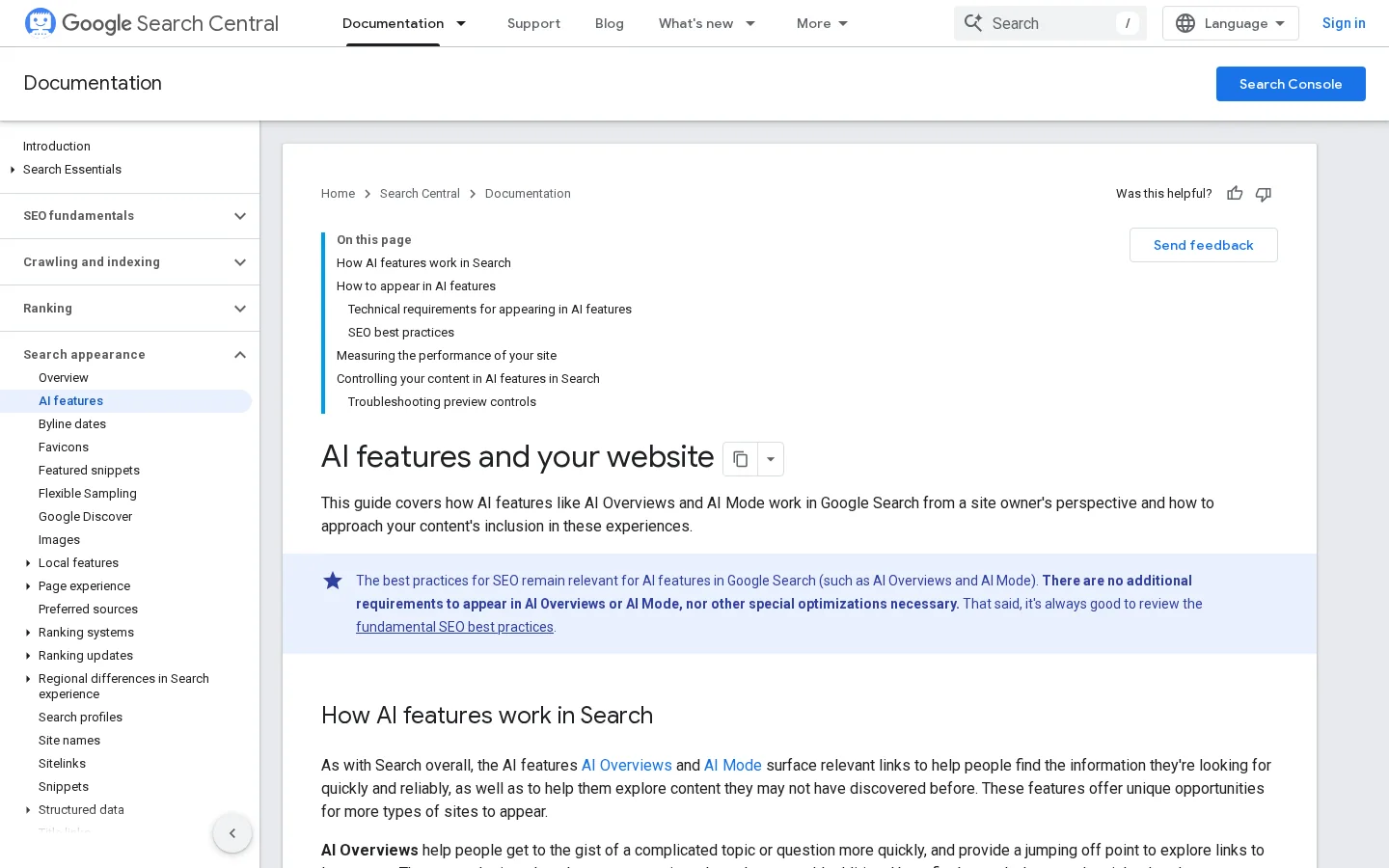
Google says it in plain words. In its documentation on AI features and your website, Google writes that to appear in AI Overviews or AI Mode, "a page must be indexed and eligible to be shown in Google Search with a snippet", and adds: "There are no additional technical requirements." That sentence cuts both ways. There is no secret AI markup to add. But every classic technical failure (blocked crawl, noindex, missing snippet, broken page) removes you from AI answers too.
For ChatGPT and Claude, the rules come from their own crawlers. OpenAI's documentation on its bots states that "sites that are opted out of OAI-SearchBot will not be shown in ChatGPT search answers". One line in a robots.txt file can switch off a whole platform.
The technical gates between your page and an AI citation
Think of technical SEO as a set of gates, not a dial. Each gate is open or closed. A fast site with perfect schema still loses if one firewall rule returns 403 to OAI-SearchBot. On the other hand, once every gate is open, extra technical polish brings small gains. The choice of source then depends on relevance, clarity and trust, which we cover in our guide on how AI search engines choose their sources.
Googlebot renders JavaScript, retries failed pages and has crawled the web for decades. Most AI crawlers are younger and simpler. They fetch the HTML, often skip JavaScript and move on. An error that Google forgives can make you invisible to ChatGPT or Claude. If you need a refresher on the basics first, read our definition of technical SEO and its core pillars.
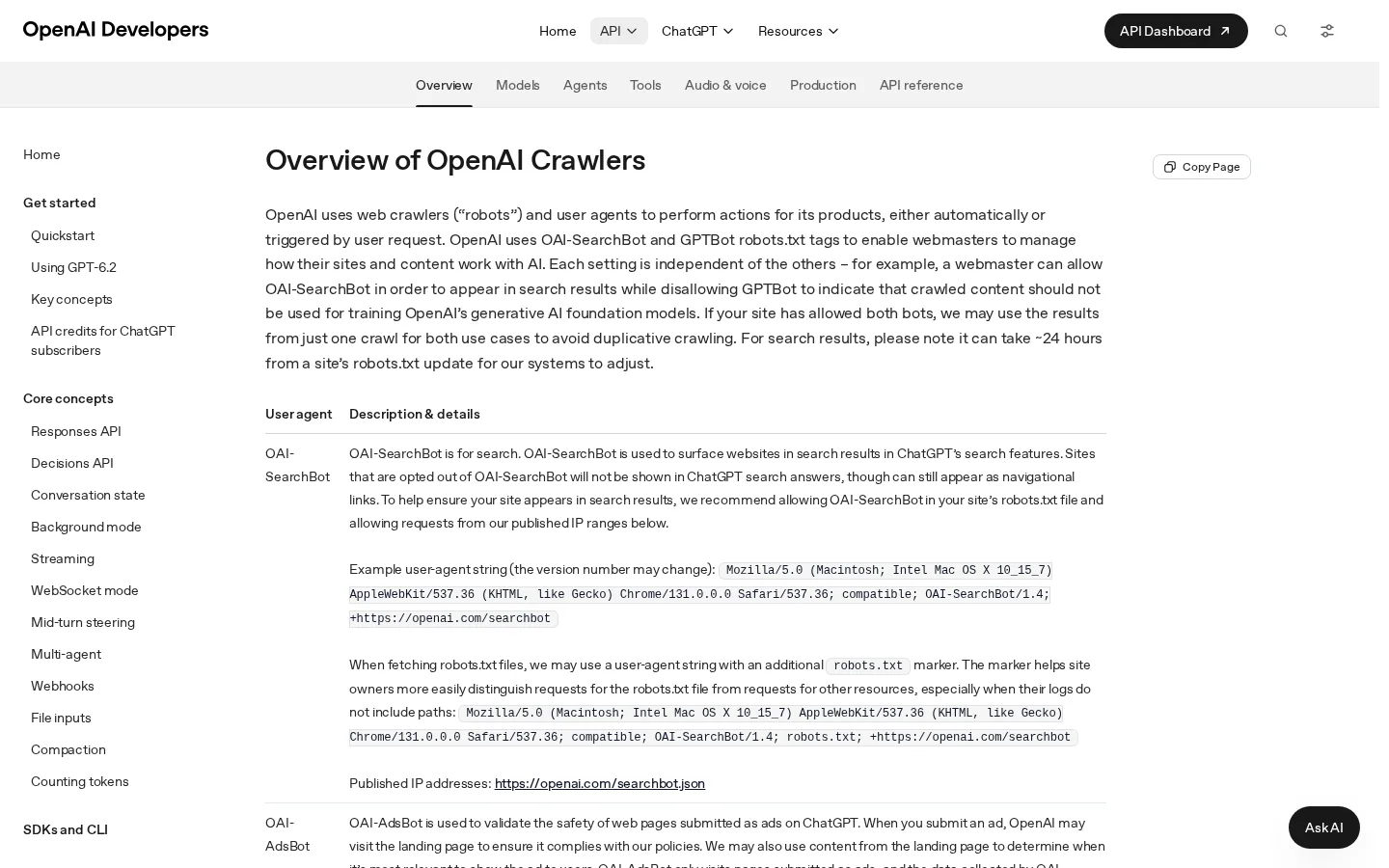
AI models reach your pages through three kinds of bots: training crawlers, search crawlers and user fetchers. Each one has its own name, its own purpose and its own robots.txt rule. Mixing them up is the most common technical mistake in AI search.
A training crawler collects pages that may be used to train future models. A search crawler builds the index that the AI model queries when it answers in real time. A user fetcher visits one page because a user asked a question that needs it. Only the last two affect whether you get cited today.
| Bot | Company | Purpose | Effect of blocking it | Follows robots.txt |
|---|---|---|---|---|
| OAI-SearchBot | OpenAI | Search index for ChatGPT search | Your pages are not shown in ChatGPT search answers | Yes |
| GPTBot | OpenAI | Training of foundation models | Content should not be used for training; no effect on ChatGPT search | Yes |
| ChatGPT-User | OpenAI | Page visits triggered by a user | OpenAI says robots.txt rules may not apply | Not always |
| Claude-SearchBot | Anthropic | Search quality for Claude | May lower visibility in Claude search results | Yes |
| ClaudeBot | Anthropic | Training | Future content excluded from training | Yes |
| Claude-User | Anthropic | Page visits triggered by a user | Claude cannot retrieve your page for a user query | Yes |
| Googlebot | Google Search, including AI Overviews and AI Mode | Removed from Search and its AI features | Yes | |
| Google-Extended | Control token for training and grounding in other Google systems | No effect on Search crawling | Yes (token, not a separate crawler) |
The table sums up the documentation of OpenAI and of Anthropic's help center on its crawlers, which describes ClaudeBot, Claude-SearchBot and Claude-User and confirms they honor robots.txt and the non-standard Crawl-delay rule. OpenAI also notes that robots.txt changes can take about 24 hours to apply.
From your server to an AI answer
AI Overviews and AI Mode are Search features. They use Googlebot and the Google index, so your Search Console data tells you most of what you need. Google-Extended is a token you can block to limit training and grounding in some of Google's other systems. Google states that the control for Search crawling is robots.txt for Googlebot, so blocking Google-Extended does not remove you from AI Overviews.

The factors with the biggest impact are the binary ones: crawler access, content in the raw HTML and indexability. If any of them fails, you get zero citations from that platform. Structured data, speed and URL format come after, because their effect is gradual and, for AI search, only shown by correlation studies so far.
| Rank | Factor | What happens if it fails | Evidence | Effort to fix |
|---|---|---|---|---|
| 1 | Crawler access (robots.txt, CDN, firewall) | The platform cannot see the page at all | OpenAI and Anthropic documentation | Low |
| 2 | Main content in the server HTML | The bot sees an empty shell | Vercel crawler data, December 2024 | Medium to high |
| 3 | Indexability (status 200, canonical, no noindex) | The page is dropped from the index | Google AI features documentation | Low to medium |
| 4 | Snippet controls (nosnippet, max-snippet) | Google cannot quote the page in AI features | Google AI features documentation | Low |
| 5 | Clean URLs and redirects | Bots waste fetches on 404 pages and old URLs | Vercel crawler data | Medium |
| 6 | Structured data and metadata | Weaker understanding of entities and page type | Semrush correlation study, January 2026 | Low |
| 7 | Speed and HTML structure | Harder extraction, weaker engagement | Indirect evidence | Medium |
| 8 | llms.txt file | No proven effect; Google says it is not needed | Google AI features documentation | Low |
Work from the top. A gate that is closed makes every factor below it worthless. Many teams start with schema because it is easy to ship, while a bot rule on their CDN blocks half the AI crawlers. Check the gates first, then invest in the gradual factors. Our technical SEO checklist ordered by impact gives the same logic for classic Google SEO.
Crawler access is the first thing to check, because one rule can hide your whole site from an AI platform. Access is controlled in three layers: your robots.txt file, your CDN or firewall bot rules, and your server's answers (403, 429 or 503 errors).
There are three coherent ways to handle AI crawlers. Pick one on purpose, write it down, and apply it on every subdomain.
| Policy | Principle | When to use it | Advantages | Limits |
|---|---|---|---|---|
| Open to all | Allow every AI crawler, training and search | Brands that want maximum presence in AI answers and models | Simplest rules, nothing to maintain | Your content can feed model training |
| Search yes, training no | Allow OAI-SearchBot, Claude-SearchBot and user fetchers; block GPTBot, ClaudeBot and CCBot | Publishers and brands that want citations without feeding training | Keeps visibility in ChatGPT and Claude search | Needs a list of bot names kept up to date |
| Block all AI | Disallow every AI crawler | Paid content, legal or contractual limits | Maximum control over content | No citations from ChatGPT or Claude search; Google AI features still depend on Googlebot |
For most businesses, the second policy is the best trade-off. Here is a robots.txt that applies it:
# Search and user-triggered bots: allowed
User-agent: OAI-SearchBot
Allow: /

User-agent: ChatGPT-User
Allow: /

User-agent: Claude-SearchBot
Allow: /

User-agent: Claude-User
Allow: /

# Training crawlers: blocked
User-agent: GPTBot
Disallow: /

User-agent: ClaudeBot
Disallow: /

User-agent: CCBot
Disallow: /

# Google: Search stays open, training token blocked
User-agent: Google-Extended
Disallow: /

User-agent: *
Allow: /

Sitemap: https://www.example.com/sitemap.xml
Remember that a bot follows the most specific group that names it. If you write a group for OAI-SearchBot, the rules under User-agent: * no longer apply to it. Repeat any private folder you want to protect inside each named group. For the full reasoning, read our guide on what to allow and block for AI crawlers in robots.txt, and see our definition of AI crawlers like GPTBot and ClaudeBot.
A typical access setup, before and after the fix
Your robots.txt can be perfect while your CDN blocks the bots anyway. Bot protection modes, rate limits and challenge pages often stop AI crawlers before they read a single line. Anthropic notes that its bots respect anti-circumvention measures such as CAPTCHAs, which means a challenge page is a block. Check your CDN dashboard for blocked requests whose user agent contains OAI-SearchBot, Claude-SearchBot or ChatGPT-User.
A user agent string can be faked. To allow the real bots without opening the door to scrapers, compare the request IP with the lists the companies publish: openai.com/searchbot.json for OAI-SearchBot and claude.com/crawling/bots.json for Anthropic. Anthropic also warns that blocking by IP may stop its crawler from reading robots.txt at all, so robots.txt stays the recommended control.
You can run a first test from any terminal. This command asks your page with the OAI-SearchBot user agent and shows only the status code:
curl -s -o /dev/null -w "%{http_code}\n" \
  -A "Mozilla/5.0 AppleWebKit/537.36 (KHTML, like Gecko); compatible; OAI-SearchBot/1.4; +https://openai.com/searchbot" \
  https://www.example.com/your-page
A 200 is a good sign. A 403 or 429 means a rule on your side is blocking that user agent. Note that this test does not come from OpenAI's IP ranges, so a firewall that verifies IPs may still treat the real bot differently. Your server logs give the final answer.
Tip
Paste your domain into our free robots.txt checker with AI crawler access to see, bot by bot, which AI crawlers your file allows or blocks.
Rendering is the second gate. Most AI crawlers do not run JavaScript, so any content your page builds in the browser is invisible to them. If your text, prices or product details only appear after scripts run, ChatGPT and Claude see an empty page.
The best public data comes from Vercel's study "The rise of the AI crawler", published in December 2024 with MERJ. It measured AI crawler traffic across the Vercel network for about a month and found that "none of the major AI crawlers currently render JavaScript". Gemini, which uses Googlebot's infrastructure, and AppleBot are the exceptions.
What AI crawlers really do on websites
Source: Vercel and MERJ, "The rise of the AI crawler", December 2024
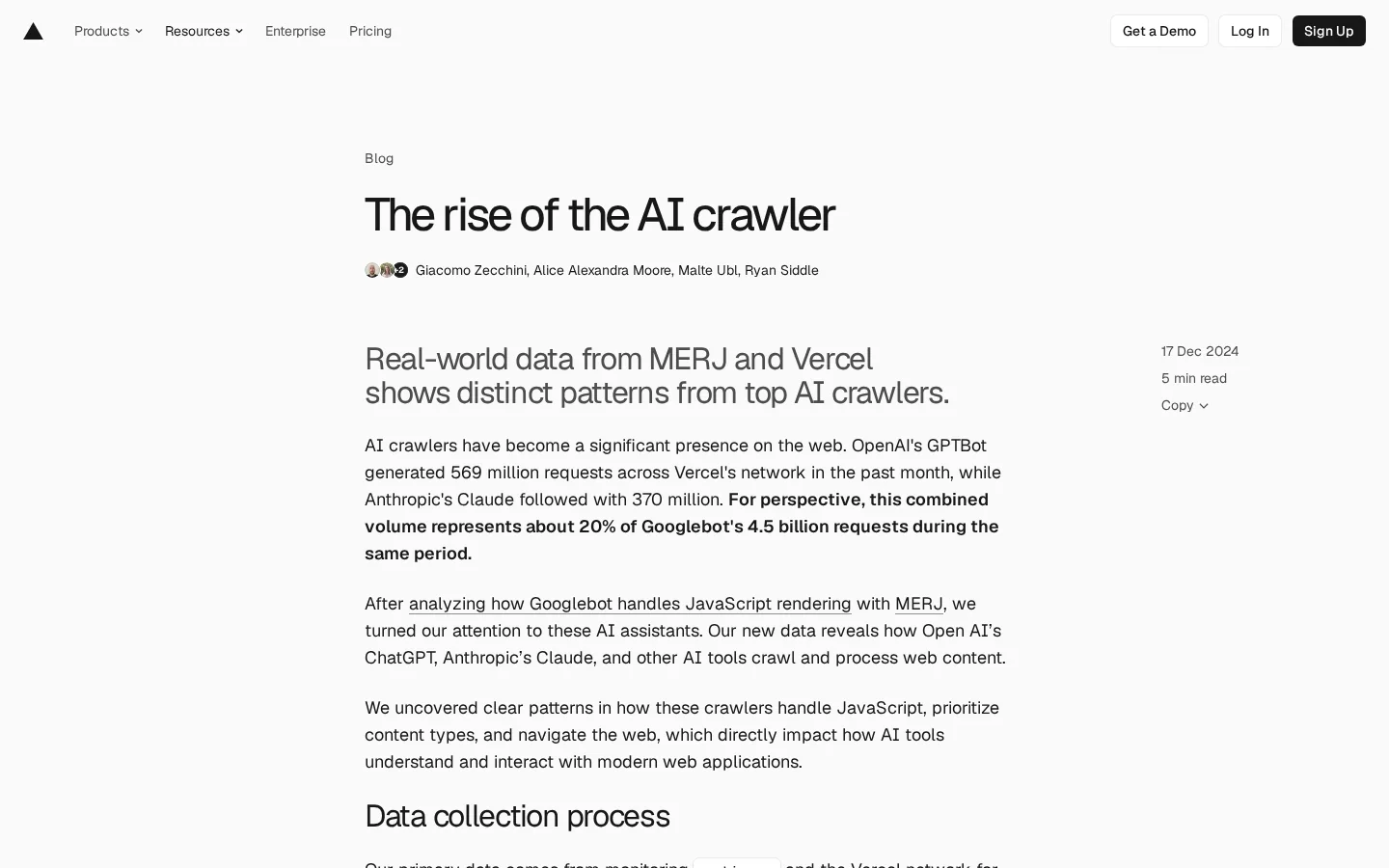
The detail on JavaScript files matters. ChatGPT's crawler downloaded scripts (11.50% of its requests, 23.84% for Claude's) but did not run them. So the bots know your scripts exist. They simply do not execute them to build the page.
You have five ways to deliver a page. They differ in what the bot receives on the first request.
| Strategy | Principle | What AI crawlers see | Best for | Limits |
|---|---|---|---|---|
| Server-side rendering (SSR) | The server builds full HTML for each request | Complete content | Dynamic pages, product pages, logged-out content | Server load; needs caching |
| Static site generation (SSG) | HTML is built once at deploy time | Complete content | Blogs, docs, landing pages | Rebuild needed for every change |
| Incremental static regeneration (ISR) | Static pages rebuilt in the background on a schedule | Complete content, sometimes slightly stale | Large catalogs that change often | Freshness depends on the revalidation delay |
| Prerendering for bots | A service serves rendered HTML to known bots only | Complete content, if the bot is on the list | Legacy single-page apps you cannot rebuild | New bots get the empty shell; risk of mismatch |
| Client-side rendering (CSR) | The browser builds the page with JavaScript | Often an empty shell | Logged-in dashboards, private tools | Invisible to most AI crawlers |
Client-side vs server-side rendering for AI search
Do not trust your browser: it runs JavaScript. Ask for the raw HTML and search it for a sentence from the middle of your page.
curl -s https://www.example.com/your-page | grep -c "a sentence from the middle of your page"If the count is 0, the sentence is built by JavaScript and AI crawlers cannot read it. Test your main templates: home page, category, product, article. Check prices, reviews, FAQs and tables, which are often loaded by scripts. Our full guide on JavaScript SEO, rendering and AI crawlers covers framework settings in detail.
Indexability is the third gate. A page needs to answer with a 200 status, point to itself as canonical and carry no noindex tag. Google requires it for AI Overviews, and AI crawlers waste a large share of their visits on broken URLs.
The Vercel data shows how fragile AI crawlers are. 34.82% of ChatGPT crawler fetches and 34.16% of Claude's hit 404 pages, against 8.22% for Googlebot. ChatGPT's crawler also followed redirects on 14.36% of its fetches. These bots often request old or malformed URLs. Every 404 is a visit that did not read your content.
| Status or signal | What the bot does | What to do |
|---|---|---|
| 200 | Reads and may store the page | Keep it, check the content is in the HTML |
| 301 | Follows to the new URL | Use for every moved page; avoid chains |
| 302 or 307 | Follows, may keep the old URL | Replace with 301 when the move is final |
| 404 or 410 | Drops the URL | Redirect pages that had links or citations |
| 403 or 429 | Gives up, may retry later | Review firewall and rate-limit rules |
| 5xx | Gives up | Fix server errors and timeouts first |
| noindex | Page excluded from Google, so from its AI features | Remove it from pages you want cited |
| Canonical to another URL | Credits the other URL | Use a self-referencing canonical on unique pages |
To see what AI bots actually get from your server, filter your access logs. In the common "combined" log format, the status code is the ninth field:
grep -E "OAI-SearchBot|GPTBot|ChatGPT-User|ClaudeBot|Claude-SearchBot|Claude-User" access.log \
  | awk '{print $9}' | sort | uniq -c | sort -rn
You get one line per status code with its count. If 404 or 403 lines are large, list the URLs behind them and fix the top ones first. Our guide on server log file analysis for SEO shows how to go further.
In its study of 5 million URLs cited by ChatGPT Search and Google AI Mode, published in January 2026, Semrush found that slugs of 21 to 25 characters gathered the most citations (about 87000). The authors say the counts are raw, not adjusted for how many URLs exist in each length band, and that the study shows correlation only. Our reading: keep slugs short, readable and stable, but never change working URLs just to hit a length. A broken redirect costs far more than a long slug.
Structured data helps AI models understand who you are and what a page is, but it is not a requirement. Google states that "there's also no special schema.org structured data that you need to add" for AI features. Use schema to describe your content accurately, not to unlock AI visibility.
The Semrush study gives a useful picture of what cited pages carry. Here is what it found on pages cited by Google AI Mode:
On ChatGPT Search citations, the same study found lower shares: Organization on 25% of pages, Article on 20%, Breadcrumb on 15%. Two lessons. First, most cited pages have no schema of a given type, so schema is not a gate. Second, Open Graph and Twitter Cards are common because most CMSs add them by default, which inflates their share.
Start with three types that describe your site honestly: Organization on the home page, Article (or Product) on content pages, BreadcrumbList on everything with a hierarchy. Keep the values identical to the visible text. Google lists "making sure your structured data matches the visible text on the page" among good practices.
<script type="application/ld+json">
{
  "@context": "https://schema.org",
  "@type": "Article",
  "headline": "Technical SEO Impact on AI Search",
  "datePublished": "2026-11-27",
  "dateModified": "2026-11-27",
  "author": {
    "@type": "Person",
    "name": "Jane Doe",
    "url": "https://www.example.com/team/jane-doe"
  },
  "publisher": {
    "@type": "Organization",
    "name": "Example Inc.",
    "url": "https://www.example.com",
    "logo": "https://www.example.com/logo.png",
    "sameAs": ["https://www.linkedin.com/company/example"]
  }
}
</script>
Put the JSON-LD in the server HTML, not injected by a tag manager after load: AI crawlers that skip JavaScript will never see markup added by a script. For a deeper look at each type, read our guide on structured data for AI search, what helps and what does not.
Tip
Test your markup with our free JSON-LD structured data validator before you deploy it on every template.
Speed, clean HTML and snippet settings decide how easily an AI model can extract a passage from your page. They rarely block you completely, but they change how much of your page is usable and quotable.
No AI company publishes a speed threshold for its crawler. What we know is indirect. Slow servers produce timeouts and 5xx errors, which waste crawl visits. And the Semrush study found that top-cited pages (positions 1 to 5) tend to have longer sessions, more pages per visit and higher conversion rates, which its authors treat as a sign of quality rather than a direct ranking input. Fast pages help users first. Keep your server response time low and your Core Web Vitals (LCP, CLS, INP) in the green.
AI models quote passages, not pages. Make each passage easy to isolate:
<table> tags, not images or nested divs.Google uses the same snippet rules for its AI features as for classic results. If you limit snippets, you limit what AI Overviews and AI Mode can show from your page.
| Control | Where | Effect on Google AI features |
|---|---|---|
| noindex | Meta robots or HTTP header | Page excluded |
| nosnippet | Meta robots | No text can be shown from the page |
| max-snippet:[number] | Meta robots | Limits the length of text shown; 0 works like nosnippet |
| data-nosnippet | HTML attribute on an element | That element is not shown |
| Google-Extended | robots.txt | No effect on Search; limits training and grounding in other Google systems |
For pages you want cited, the safest setting is no limit at all:
<meta name="robots" content="index, follow, max-snippet:-1, max-image-preview:large">An llms.txt file, a proposed guide for AI models, lists your key pages in Markdown. Google says "you don't need to create new machine readable files, AI text files, or markup to appear in these features." So treat llms.txt as optional and cheap, never as a fix for a blocked or JavaScript-only site. If you publish one, check it with our llms.txt validator.
You can audit the technical side of your AI visibility in a few hours with a terminal, your server logs and Search Console. Follow the gates in order and stop to fix as soon as one is closed.
The 7-step technical audit for AI search
A few practical notes for each step:
/robots.txt on www, the root domain, the blog subdomain and the shop subdomain. Each host has its own file.Tip
Short on time? Run any page through our free AI SEO audit for GEO readiness to get a first read on crawler access, structure and markup in a minute. For the content side of the review, follow our method to run a full GEO audit step by step.
Most AI visibility problems we see come from a short list of technical mistakes. Each one is easy to spot and quick to fix once you know where to look.
| Mistake | Impact | Time to fix |
|---|---|---|
| Search bots blocked with training bots | No ChatGPT or Claude citations | Minutes |
| CDN challenge on AI bots | No access despite a good robots.txt | Under an hour |
| Content built by JavaScript | Empty page for AI crawlers | Days to weeks |
| URLs changed without redirects | 404 on cited and linked pages | Hours |
| nosnippet or max-snippet:0 on templates | Nothing quotable in Google AI features | Minutes |
| Schema that contradicts the page | Lost trust, possible manual action | Hours |
| llms.txt used as a fix | Real problems stay unsolved | None, change of focus |
What it is: a rule meant to stop training, such as Disallow: / under a list of AI bots, also catches OAI-SearchBot or Claude-SearchBot. How to spot it: read robots.txt and list every user agent group; any search bot under a Disallow is a problem. How to fix it: split training bots (GPTBot, ClaudeBot, CCBot) from search bots (OAI-SearchBot, Claude-SearchBot) and allow the second group by name.
What it is: a "block AI bots" switch, a bot protection mode or a rate limit that serves a 403, a 429 or a challenge page. How to spot it: your CDN security events show blocked requests from these user agents, and your logs show few or no 200 answers to them. How to fix it: allow verified search and user bots explicitly, keep the training block in robots.txt if you want it, and recheck after each CDN update.
What it is: the server sends an empty shell and scripts fill it in the browser. How to spot it: the curl test returns 0 for a sentence you can read on screen. How to fix it: switch the public templates to server-side rendering or static generation; keep client-side rendering for logged-in features only.
What it is: a redesign, a CMS migration or a slug cleanup that leaves old URLs on 404. How to spot it: your logs show AI bots hitting 404 on URLs that used to exist, and old links from AI answers land on error pages. How to fix it: map each old URL to its new one with a single 301, update internal links and resubmit your sitemap.
What it is: a snippet limit added for one page, or copied from a staging setup, that ends up on whole templates. How to spot it: search the HTML source of each template for nosnippet and max-snippet. How to fix it: remove the limit, or use data-nosnippet only on the elements you really want to hide.
What it is: markup with a different price, a fake rating, an author who does not appear on the page or a FAQ that is not visible. How to spot it: compare the JSON-LD values with the visible text on a sample of pages. How to fix it: generate schema from the same data as the page, so they can never disagree.
What it is: publishing an llms.txt file and expecting it to solve AI visibility while bots are blocked or the content is rendered by JavaScript. How to spot it: the file exists, but the robots.txt, CDN and curl checks above still fail. How to fix it: fix the gates first; keep llms.txt as a small optional extra.
You measure the impact of technical fixes in three places: server logs (are bots getting in?), referral traffic (are people clicking from AI answers?) and citation tracking (are AI models naming and linking you?). Take a baseline before you change anything.
Run the log command above every week. After a fix, you should see more 200 answers to OAI-SearchBot, ChatGPT-User, Claude-SearchBot and Claude-User, and fewer 403, 404 and 5xx. This is the fastest signal: it moves within days.
In your analytics tool, create a segment for referrals from chatgpt.com, claude.ai and gemini.google.com. Watch it per landing page. A page that starts receiving visits after a rendering fix is a direct proof that the fix worked. Google AI Overviews and AI Mode clicks are counted as Google organic traffic, so for them, compare Search Console clicks on the pages you fixed.
Track a fixed list of questions your customers ask and check which sources each AI model cites, before and after. Doing it by hand works for ten prompts, not for a hundred. Sorank's AI mention tracking for ChatGPT, Claude and Gemini follows these answers for you, and its GEO and SEO dashboard puts Google and AI traffic side by side, so you can link a technical fix to a change in citations.
Your technical checklist for AI search
Technical SEO will not make a weak page win in AI answers. But it decides whether your strong pages even enter the race. Open the gates this week, then put your effort into the content that AI models want to quote. If you want that content work and the tracking to run on autopilot, see how Sorank handles GEO optimization for ChatGPT, Claude and Gemini.
Yes. Google states that a page must be indexed and eligible for a snippet to appear in AI Overviews and AI Mode, and OpenAI says sites that block OAI-SearchBot are not shown in ChatGPT search answers. Technical SEO decides whether an AI model can use your page at all; content and authority decide whether it picks you.
Mostly not. Vercel's December 2024 study found that none of the major AI crawlers, including GPTBot and Claude's crawler, render JavaScript; Gemini and AppleBot are the exceptions. Put your main content in the server HTML with server-side rendering or static generation.
You can, but block the right bot. According to OpenAI, blocking GPTBot only signals that your content should not be used for model training, and it is independent from OAI-SearchBot. Keep OAI-SearchBot and ChatGPT-User allowed if you want to stay visible in ChatGPT search.
We analyse your competitors, your website and your AI visibility to create a tailored content plan for free.
 Website Value Calculator
 Website Accessibility Checker
 Google Analytics Checker
 Duplicate Content Checker
 Mobile-Friendly Test
 Website Speed Test
 Subdomain Finder
 Domain Age Checker
 CMS Detector
 Googlebot Simulator
 Nofollow Link Checker
 Meta Tag Checker
 Keyword Cannibalization Checker
 Keyword Intent Checker
 Keyword Extractor
 Google Ads Cost Calculator
 CPC Calculator
 Local Citation Finder
 Reddit Threads Finder
 Disavow File Generator
 Redirect Generator
 Canonical Tag Generator
 Passive Voice Checker
 Google Location Changer
 Google Review Calculator
 Google Review Link Generator
 Keyword Combiner
 Podcast Show Notes Generator
 AI Content Rewriter
 AI Text Humanizer
 ChatGPT Prompt Generator
 Twitter Thread Generator
 Tweet Generator
 Landing Page Copy Generator
 Google Ads Copy Generator
 Pinterest Pin Description Generator
 Anchor Text Generator
 Social Media Post Generator
 LinkedIn Post Generator
 Free AI Writer
 Review Response Generator
 LSI Keyword Generator
 YouTube Video Ideas Generator
 YouTube Tag Generator
 YouTube Description Generator
 Product Description Generator
 CTA Generator
 Blog Introduction Generator
 Conclusion Generator
 Hook Generator
 AI Content Brief Generator
 FAQ Schema Generator
 AI Blog Post Ideas Generator
 Structured Data Validator (Schema Validator)
 Alt Text Checker
 Internal Link Analyzer
 Backlink Challenge
 AI Meta Description Generator
 AI Blog Title Generator
 Google Indexability Checker
 AI Blog Outline Generator
 UTM Link Builder
 Keyword Clustering Tool
 Canonical Tag Checker
 XML Sitemap Generator
 Broken Link Checker
 AI SEO Title Generator
 Headline Analyzer
 SERP Preview Tool
 Redirect Checker
 Hreflang Tag Generator
 Heading Structure Analyzer
 HTTP Headers Checker
 Favicon Extractor
 SERP CTR Calculator
 SEO vs Paid Search Savings Calculator
 SEO Share of Voice Calculator
 SEO ROI Calculator
 SEO Traffic and Revenue Forecast Calculator
 SEO Budget Calculator
 SEO Break-Even Calculator
 SaaS SEO ROI Calculator
 ROAS Calculator
 Reading Time Calculator
 Ranking Gain Simulator
 Organic Traffic Value Calculator
 Organic Traffic Estimator and Website Traffic Checker
 LTV to CAC Ratio Calculator
 Local SEO ROI Calculator
 Link Building Cost Calculator
 Keyword Value Calculator
 Keyword Opportunity Score Calculator
 Keyword Density Calculator
 GEO ROI Calculator
 GEO Content Investment Calculator
 Ecommerce SEO ROI Calculator
 Customer Lifetime Value Calculator
 Customer Acquisition Cost Calculator
 CTR Calculator
 Cost Per Article Calculator
 Conversion Rate Calculator
 Content Marketing ROI Calculator
 ChatGPT Referral Traffic Estimator
 Bounce Rate Calculator
 Backlink ROI Calculator
 AI Visibility Score Calculator
 AI Traffic Value Calculator
 AI Share of Voice Calculator
 Cost of AI Invisibility Calculator
 AI Citation Rate Calculator
 llms.txt Validator
 AI Overview Checker and AI Overviews Rank Checker
 Robots.txt Checker
 AI SEO Audit
 LLM Readability Checker
 SearchGPT Readiness Checker
 Structured Data LLM Audit
 Website Crawlability AI Audit
 Why ChatGPT Is Not Recommending My Website
 Gemini Ranking Tool
 Perplexity Ranking Checker
 LLM Citation Checker
 Answer Engine Optimization Audit
 GEO Audit
 AI Search Visibility Test
 ChatGPT Visibility Checker
 llms.txt Generator
 URL Extractor
 Webpage to Markdown
 Sitemap Checker
 SERP Volatility Sensor
 Page Size Checker
 Word Counter
 Slug Generator
 Schema Generator
 Robots Generator
 OG Preview
 Meta Tags Generator
 Image Compressor
 Favicon Generator
 On-Page SEO Audit: SEO Checker and SEO Analyzer
 Backlink Analysis Tool
 Keyword Research Tool
 Domain Authority Checker
 “I tested Sorank on a real client site and it's insane. It does everything an agency would bill you $1500 a month for. It's going into production on that client now.”

 Guillaume Guersanguersanguillaume.com“We are an Ads agency and we wanted to get our SEO back on track once and for all. Sorank gave us a clear view of our site, helped us prioritize optimizations, and properly structure our content. The tool is easy to use, well designed for a team, and very practical for centralizing tracking without having to juggle multiple platforms. A very solid foundation to start fresh with our SEO.”
 Gaspard MadouiAds Agency
 “I just let the Sorank software do its thing, and now my DR is 25 and my page is ranking higher.”
 Lucas Flandrefoundertrace.fr“I specialized in GEO thanks to Sorank. The GEO Leaderboard allows me to show my clients their position vs competitors on ChatGPT. It’s a real commercial differentiator.”
 MélanieSEO Freelance“Great service, works well for our website and helps us understand how to improve it to rank better on Google and elsewhere. Congrats, keep going, I recommend it.”
 Hugo T.E-commerce merchant