Preferences
Privacy is important to us, so you have the option of disabling certain types of storage that may not be necessary for the basic functioning of the website. Blocking categories may impact your experience on the website. More information
Privacy is important to us, so you have the option of disabling certain types of storage that may not be necessary for the basic functioning of the website. Blocking categories may impact your experience on the website. More information

A technical SEO checklist ranked by impact: fix indexing blockers, crawl waste, speed and AI crawler access first, with a one-hour pass you can run today.

Tools

In short
a technical SEO checklist makes sure search engines and AI assistants can reach your pages, read them and store them. Check things in order of impact: first what blocks indexing (robots.txt, noindex, errors, HTTPS), then what wastes Google's time (redirects, duplicates, broken links), then what improves the experience (speed, mobile, structured data). One focused hour with Google Search Console and a crawler is enough to find the problems that matter most.
Want to go further? Ask
Quick quiz
Is SEO right for you, and how should you start?
Sorank matches your answers


Test it for 3 days on your own site and see where you stand on Google, ChatGPT and the other AIs.
Start 3-day free trial3 days free, then stop whenever you want. 90-day results guarantee, conditions apply.
Get the checklist to use in your favorite AI
A ready-to-paste file for ChatGPT, Claude or Gemini that audits your site point by point.
Technical SEO is the plumbing of your website. Your content can be excellent, but if Google cannot fetch a page, or fetches the wrong version of it, that page will never rank. A technical checklist answers three questions, in this order: can search engines reach the page, can they understand it, and is the page pleasant to use?
Google itself keeps the bar low. Its Search Essentials technical requirements list only three conditions for a page to be eligible for indexing: Googlebot is not blocked, the page returns an HTTP 200 (success) status code, and the page has indexable content. Everything else on this list is about doing those three things cleanly, at scale, without wasting Google's attention.
What a technical checklist does not cover: keyword choice, the quality of your writing, or backlinks. Those belong to on-page SEO and link building. If you want the full picture of how an audit is scored and reported, our guide to the technical SEO audit goes deeper on method. This article takes a different angle: it ranks every check by impact, so a busy owner knows what to fix first and what can wait.
| Priority | What it protects | Typical checks | What happens if you skip it |
|---|---|---|---|
| 1. Blocking | Indexing | robots.txt, noindex tags, 4xx and 5xx errors, HTTPS | Pages disappear from Google entirely |
| 2. Wasteful | Crawl efficiency | Redirect chains, duplicates, canonicals, sitemap, broken links | Google indexes the wrong version or ignores new pages |
| 3. Experience | Rankings and conversions | Core Web Vitals, mobile layout, structured data | You rank lower than you could and visitors leave |
| 4. AI readiness | Visibility in ChatGPT, Gemini, Perplexity | AI crawler access, content in raw HTML, clear entities | AI assistants cite your competitors instead of you |
You do not need to be a developer to run this first pass. You need access to Google Search Console, a crawler (free versions are enough for small sites), and a list of your ten most important pages: home page, main service or product pages, pricing, contact.
The one-hour technical SEO pass
Write down what you find in a simple table: URL, problem, priority, owner, date fixed. This log is what turns a one-off audit into a habit. If you want help choosing a crawler, our comparison of the best technical SEO tools ranks them by the job they do.

These checks come first because a single mistake can remove a whole section of your site from Google. They are also usually quick to fix once found.
The robots.txt file tells crawlers which folders they may visit. A leftover line such as Disallow: / from a staging site is one of the most common causes of a site vanishing after a redesign. Check that your product, service and blog folders are allowed, and that CSS and JavaScript files are not blocked, since Google needs them to render the page. You can validate the file in seconds with our robots.txt checker, and if Search Console already shows the warning, our guide to Blocked by robots.txt explains each fix.
A noindex meta tag or HTTP header tells Google to drop a page. It is useful on thank-you pages, internal search results and login screens. It is a disaster on your pricing page. Filter your crawl export by "noindex" and confirm every page in that list is meant to be hidden.
Every important URL should answer with a 200 code. Pages that return 404 (not found) or 5xx (server error) cannot be indexed. Server errors deserve special attention: if they repeat, Google slows down its visits to protect your server. Pages that look empty but return 200, called soft 404s, are another trap covered in our soft 404 guide.
Your site can be reached in four ways: with or without "www", with "http" or "https". Only one should answer; the other three should redirect to it permanently. Type each variant in your browser and check where you land. Our guide to HTTPS and SEO covers safe migration if you are still partly on http.
Once nothing is blocked, the next goal is to make every crawl count. Google does not visit every URL every day. Each duplicate, chain or dead link it follows is a visit not spent on your new content.
A redirect chain is when page A sends to B, which sends to C. Each hop slows users down and dilutes signals. Replace every chain with one direct permanent redirect (301) from the old URL to the final one, and update internal links so they point to the final URL directly. Follow any URL's path with our redirect checker, and see our complete guide to SEO redirects for when to use 301, 302, 307 or 308.
Cleaning a redirect chain
The same page often exists under several addresses: with tracking parameters, with filters, with or without a trailing slash. The canonical tag tells Google which version is the reference. Check that each important page has a canonical pointing to itself, and that Google agrees: in URL Inspection, compare "User-declared canonical" with "Google-selected canonical". Our free canonical checker shows where any page's canonical points.
Your sitemap is a list you hand to Google. It should contain only live, indexable, canonical URLs that return 200. According to Google's sitemap documentation, each file is limited to 50MB uncompressed or 50000 URLs, must use full absolute URLs, and should list the version you want shown in results. Submit it in Search Console and compare "submitted" with "indexed". Our step-by-step guide shows how to create a sitemap, and the sitemap checker validates the file.
Internal links are how both visitors and crawlers move through your site. Fix every internal link that leads to a 404, and make sure each important page receives at least a few links from related pages. A page with no internal links pointing to it (an orphan page) is often found late, or not at all. Our guide to site architecture for SEO explains how to keep key pages close to the home page.
Speed and mobile usability rarely remove a page from Google, but they influence how well it ranks and, above all, whether visitors stay. Google's Core Web Vitals documentation sets three targets: Largest Contentful Paint (LCP, the time to show the main content) within 2.5 seconds, Interaction to Next Paint (INP, how fast the page reacts to a tap or click) under 200 milliseconds, and Cumulative Layout Shift (CLS, how much the layout jumps) under 0.1. Google says these scores align with what its core ranking systems seek to reward, without saying how much they weigh.
Most sites still miss at least one target. The 2024 performance chapter of the HTTP Archive's Web Almanac measured mobile websites against each threshold:
Share of mobile websites with a good score in 2024
Source: HTTP Archive, Web Almanac 2024, Performance chapter
Loading is the weakest point, so start there. The usual fixes are simple to brief to a developer or agency:
Our guide to PageSpeed Insights explains how to read the report and ignore the noise, and the glossary entry on Core Web Vitals covers each metric in plain words.
Structured data (schema markup in JSON-LD format) describes your page to machines: this is a product, this is its price, this is the company behind it. Add it only where it truthfully matches visible content: Organization on the home page, Product on product pages, Article on blog posts, LocalBusiness for a shop. Validate it with our structured data validator before publishing.
A growing share of searches now ends in an answer from ChatGPT, Gemini, Claude or Perplexity rather than a list of links. These assistants rely on their own crawlers, and a site that is perfect for Google can still be invisible to them. Three checks matter most:
For the full list, see our technical GEO checklist. Once the fixes are live, you need to know whether they work. Sorank's GEO / SEO dashboard shows your Google traffic and your visibility in AI assistants in one view, so you can see the effect of each fix without switching tools.
These are the errors we see most often on small and mid-size business sites. Most of them come from a redesign, a platform change or a plugin installed without checking.
Mistakes to avoid
The last one is the most costly. Websites drift: a plugin update adds a noindex, a new page template forgets the canonical, an editor deletes a page that had backlinks. A short monthly check catches these before they cost traffic.
Copy this list into your project tool and tick it once a month, then after every redesign, migration or platform change. Items are in priority order.
Monthly technical SEO checklist
If you only have time for one thing today, do the first two lines: open Search Console and inspect your ten most important pages. If one of them is not on Google, you have found your priority for the week. If they all are, run a crawl and work down the list. Our free broken link checker is a quick way to start on any page.
Start with what blocks indexing: robots.txt rules, noindex tags, 4xx and 5xx errors and HTTPS. Then fix what wastes crawls (redirect chains, duplicates, canonicals, sitemap, broken links), and finally speed, mobile usability, structured data and access for AI crawlers.
A short check once a month is enough for most business sites: Search Console, your ten key URLs and a quick crawl. Run a full audit after every redesign, URL change, migration or platform switch, since that is when most technical problems appear.
Yes for the diagnosis: Google Search Console, a free crawler and PageSpeed Insights let you find almost every issue yourself. Some fixes, such as server errors, redirects on a custom site or speed work, may need a developer, but you can brief them precisely with your findings.
We analyse your competitors, your website and your AI visibility to create a tailored content plan for free.
 AI Content Brief Generator
 FAQ Schema Generator
 AI Blog Post Ideas Generator
 Structured Data Validator (Schema Validator)
 Alt Text Checker
 Internal Link Analyzer
 Backlink Challenge
 AI Meta Description Generator
 AI Blog Title Generator
 Google Indexability Checker
 AI Blog Outline Generator
 UTM Link Builder
 Keyword Clustering Tool
 Canonical Tag Checker
 XML Sitemap Generator
 Broken Link Checker
 AI SEO Title Generator
 Headline Analyzer
 SERP Preview Tool
 Redirect Checker
 Hreflang Tag Generator
 Heading Structure Analyzer
 HTTP Headers Checker
 Favicon Extractor
 SERP CTR Calculator
 SEO vs Paid Search Savings Calculator
 SEO Share of Voice Calculator
 SEO ROI Calculator
 SEO Traffic and Revenue Forecast Calculator
 SEO Budget Calculator
 SEO Break-Even Calculator
 SaaS SEO ROI Calculator
 ROAS Calculator
 Reading Time Calculator
 Ranking Gain Simulator
 Organic Traffic Value Calculator
 Organic Traffic Estimator and Website Traffic Checker
 LTV to CAC Ratio Calculator
 Local SEO ROI Calculator
 Link Building Cost Calculator
 Keyword Value Calculator
 Keyword Opportunity Score Calculator
 Keyword Density Calculator
 GEO ROI Calculator
 GEO Content Investment Calculator
 Ecommerce SEO ROI Calculator
 Customer Lifetime Value Calculator
 Customer Acquisition Cost Calculator
 CTR Calculator
 Cost Per Article Calculator
 Conversion Rate Calculator
 Content Marketing ROI Calculator
 ChatGPT Referral Traffic Estimator
 Bounce Rate Calculator
 Backlink ROI Calculator
 AI Visibility Score Calculator
 AI Traffic Value Calculator
 AI Share of Voice Calculator
 Cost of AI Invisibility Calculator
 AI Citation Rate Calculator
 llms.txt Validator
 AI Overview Checker and AI Overviews Rank Checker
 Robots.txt Checker
 AI SEO Audit
 LLM Readability Checker
 SearchGPT Readiness Checker
 Structured Data LLM Audit
 Website Crawlability AI Audit
 Why ChatGPT Is Not Recommending My Website
 Gemini Ranking Tool
 Perplexity Ranking Checker
 LLM Citation Checker
 Answer Engine Optimization Audit
 GEO Audit
 AI Search Visibility Test
 ChatGPT Visibility Checker
 llms.txt Generator
 URL Extractor
 Webpage to Markdown
 Sitemap Checker
 SERP Volatility Sensor
 Page Size Checker
 Word Counter
 Slug Generator
 Schema Generator
 Robots Generator
 OG Preview
 Meta Tags Generator
 Image Compressor
 Favicon Generator
 On-Page SEO Audit: SEO Checker and SEO Analyzer
 Backlink Analysis Tool
 Keyword Research Tool
 Domain Authority Checker
5/5 from 5 reviews
 “I tested Sorank on a real client site and it's insane. It does everything an agency would bill you $1500 a month for. It's going into production on that client now.”

 Guillaume Guersanguersanguillaume.com“We are an Ads agency and we wanted to get our SEO back on track once and for all. Sorank gave us a clear view of our site, helped us prioritize optimizations, and properly structure our content. The tool is easy to use, well designed for a team, and very practical for centralizing tracking without having to juggle multiple platforms. A very solid foundation to start fresh with our SEO.”
 Gaspard MadouiAds Agency
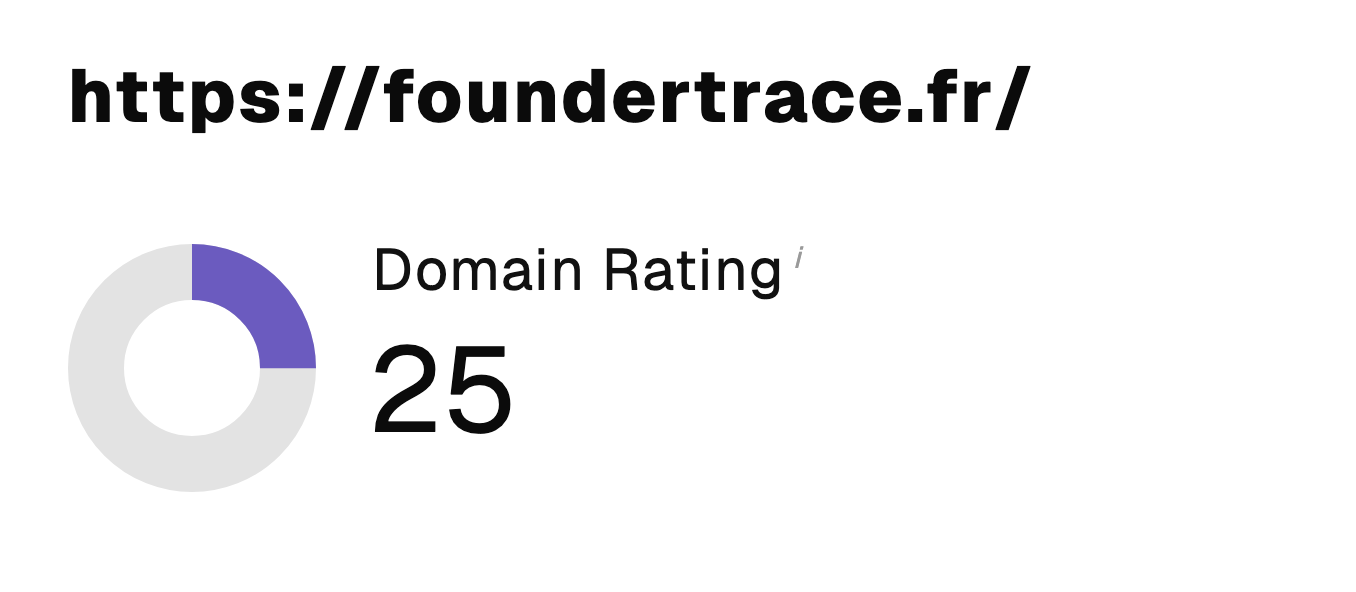 “I just let the Sorank software do its thing, and now my DR is 25 and my page is ranking higher.”
 Lucas Flandrefoundertrace.fr“I specialized in GEO thanks to Sorank. The GEO Leaderboard allows me to show my clients their position vs competitors on ChatGPT. It’s a real commercial differentiator.”
 MélanieSEO Freelance“Great service, works well for our website and helps us understand how to improve it to rank better on Google and elsewhere. Congrats, keep going, I recommend it.”
 Hugo T.E-commerce merchant