Preferences
Privacy is important to us, so you have the option of disabling certain types of storage that may not be necessary for the basic functioning of the website. Blocking categories may impact your experience on the website. More information
Privacy is important to us, so you have the option of disabling certain types of storage that may not be necessary for the basic functioning of the website. Blocking categories may impact your experience on the website. More information

Why AI search matters for business: how answers cut clicks, shape shortlists and affect revenue, with data, methods to measure AI visibility and a 30-day plan.
In short
AI search is the set of answer engines, such as ChatGPT, Gemini, Claude, Perplexity and Google AI Mode, that write one reply from several sources. It matters for business because buyers now shortlist vendors inside those replies, often before they open a website. A brand missing from the answer is missing from the shortlist.
Want to go further? Ask
Quick quiz
How should you get mentioned by ChatGPT and other AI assistants?
Sorank matches your answers


Test it for 3 days on your own site and see where you stand on Google, ChatGPT and the other AIs.
Start 3-day free trial3 days free, then stop whenever you want. 90-day results guarantee, conditions apply.
The general case for SEO is covered in Why Is SEO Important?. This guide is narrower. It covers what AI search changes in the buying process, what the click data says, which methods measure your visibility, and how to turn that visibility into a business number. For the basic vocabulary, see our GEO definition.
AI search replaces the list of links with a single written answer that cites a few sources. For a business, the question changes from "Where do we rank?" to "Are we named in the answer, and with what reason?" The AI search glossary entry gives the short definition. This section explains how the answer is built and why buyers use it.
When you send a question, the assistant often does not run one search. It splits the question into related sub-queries, searches for each one, and reads the pages that come back. This step is usually called query fan-out. A question like "which CRM suits a 20-person B2B team" can trigger searches for pricing, integrations, security, reviews and comparisons at the same time.
That means your page has to answer one of those sub-questions well to enter the pool of sources at all. The assistant then picks the sources it trusts most. It favours pages that state a fact clearly, match the sub-question and can be read without a login. Pages that are blocked from crawlers or full of vague promotional text are less likely to be used.
Buyers use AI answers because they save time. Instead of opening ten tabs, a buyer asks for a shortlist with reasons, then asks follow-up questions about price, data handling or integrations. The research stays inside the assistant until the buyer is ready to talk to a vendor. Your brand is either part of that conversation or it is not.
A classic results page gives you a slot among many. An AI answer gives you a place in a short list, or nothing. The difference is easy to see side by side.
A results page vs an AI answer
When an AI summary appears above the results, fewer people click through to the normal links. That is the first business reason to track AI search, because a lost click is a lost visit, and a lost visit is a lost chance to convert.
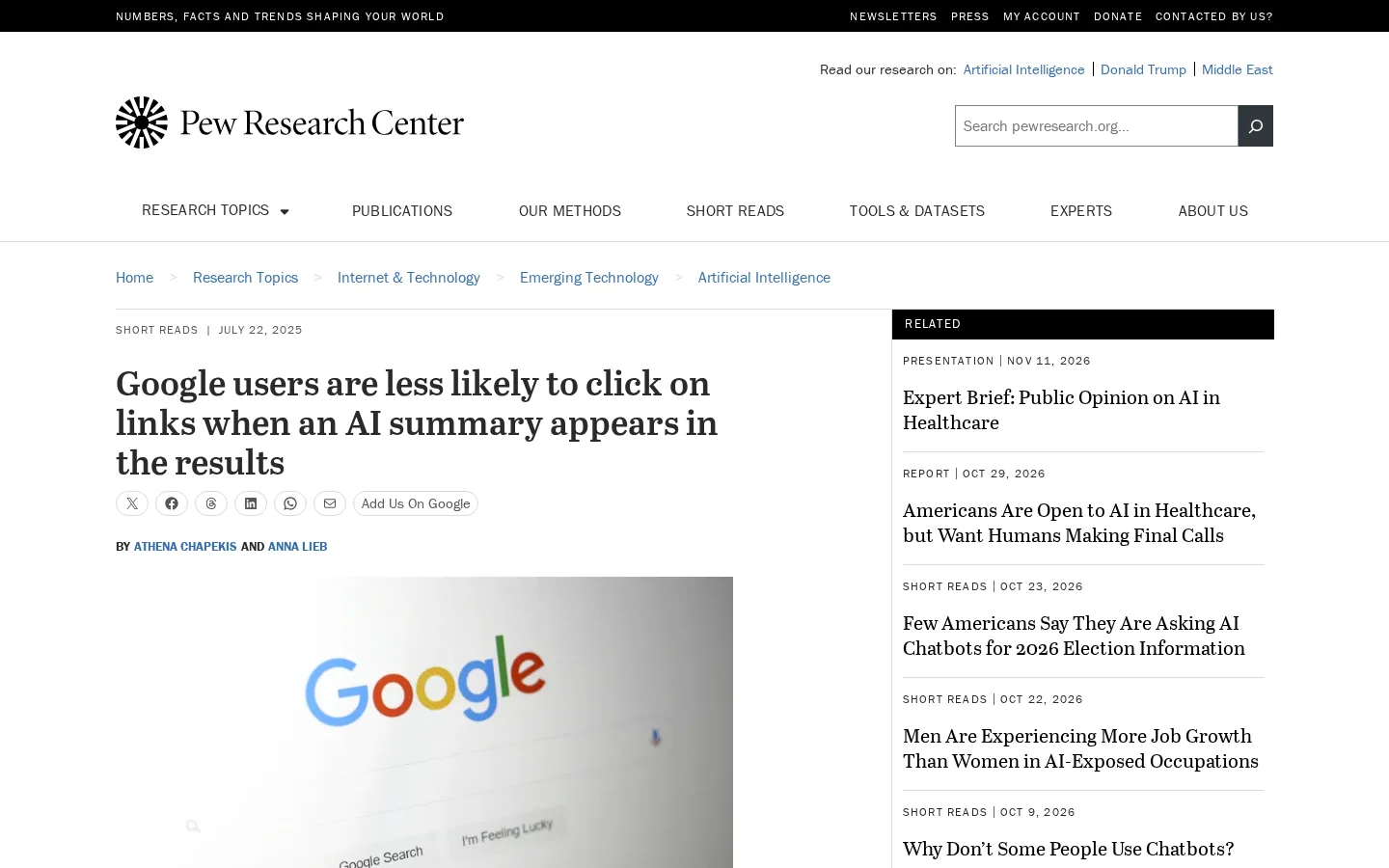
The clearest public measurement we found comes from Pew Research Center. In a study published on 22 July 2025, Pew reported that users who encountered an AI summary clicked a traditional search result in 8% of visits. Users who did not see a summary clicked a result in 15% of visits, which Pew describes as nearly twice as often. Clicks on sources cited inside the AI summary itself happened in only 1% of visits.
What the Pew sample covers
Source: Pew Research Center, 22 July 2025, March 2025 browsing data
The sample is 900 U.S. adults and one March 2025 snapshot of Google only. That is enough to show a pattern, but not enough to predict your own numbers. A B2B site with long, specific queries can see a different split from a recipe blog. Before you build a budget on any single figure, check your own Search Console data for the queries that matter to you.
If a page exists mainly to help people research before they buy, a lost click is a pipeline leak. The people who would have read it may never reach your site, and they may not search for your brand later either. Our AI Overviews traffic drop guide explains how to confirm a drop in your data and which pages to fix first.

In the classic journey, a buyer searches, scans a list, opens several sites and then talks to sales. In an AI-led journey, the list is replaced by a shortlist the assistant builds, and part of the research happens without any visit at all. The table shows where the shift happens at each stage.
| Stage | Classic search | AI search |
|---|---|---|
| Discovery | Buyer scans a list of links | Buyer gets a short list with reasons |
| Comparison | Buyer opens several sites in tabs | Buyer asks follow-up questions in the same chat |
| Visit | Buyer clicks a result | Buyer may never click, or clicks a cited source |
| Decision | Buyer contacts the vendors whose tabs they kept | Buyer contacts vendors the assistant named or the buyer already knows |
The sequence below is the one that repeats across assistants. Each step is a point where your content can help or hurt.
How an AI-led shortlist forms
Steps 3 and 4 decide whether you are in the conversation. Both depend mostly on your content and your public footprint, not on a paid placement. Step 5 is where your website still matters, because the buyer who checks you will judge the page they land on.
The loss is the unseen visit: a buyer who would have read your comparison page but never does, because the assistant summarised it. The gain is the pre-qualified mention: a buyer who arrives already knowing your name and the reason you were recommended. Which one matters more depends on your sales cycle. Long B2B cycles with several stakeholders often benefit from being named early, because the shortlist can form before the first sales call. Short transactional products may feel the missing click more.
You cannot buy a place in most AI answers. You can influence four things, and you control each one to a different degree. Start with the first two, because they cost nothing but time.
Google's AI features documentation says that the same foundational SEO practices apply to AI Overviews and AI Mode. Pages you want cited must be crawlable, indexed and reachable through internal links. Check your robots.txt, your CDN rules and your noindex tags before you do anything else. Our indexability checker tests whether Google can index a single page, and the robots.txt checker shows how your rules treat AI crawlers.
Each key page should state its answer in the first paragraph or directly under a heading that matches the question. Assistants can lift a short, self-contained passage more easily than a story that reaches its point at paragraph ten. The pattern is simple: a heading that matches the question, a direct answer in one to three sentences, then the evidence and the detail. How AI assistants pick their sources, and which criteria they apply, is covered in how AI assistants choose their sources.
Assistants also read pages that are not yours: reviews, directories, industry lists and comparison articles. A mention on a site the assistant already cites can carry more weight than your own claim about yourself. Earn these mentions through work people want to cite, accurate listings and partnerships. Avoid buying placements in bulk. Mass-produced mentions bring the same quality and reputation risks as any other link scheme.
Assistants build a picture of a company from many pages. If your name, category, pricing page and founder bio disagree, the answer can mix them up. Write one short description of what you do, one category name and one set of facts, then reuse them on your site, in directory profiles and on your press page.
Checklist for the four levers
No single tool shows the full picture, because the answers change between runs, between assistants and between locations. Four practical methods each answer a different question. Use at least two of them so one method can check the other.
You ask the assistants the questions your buyers ask and record who is named and in what context. It is free, and it shows the exact wording an assistant uses about your category. Its limit is repeatability: one answer is an anecdote. Keep a fixed list of 20 to 30 prompts, run them on the same day each month, and log the results in a sheet. For example, ask for "the best [your category] for a 20-person team" in each assistant and note whether your brand, a competitor or nobody appears.
Software runs your prompt set on a schedule and records mentions and citations across assistants. It is repeatable and it shows trends, which a manual check cannot. Its limit is that it only measures the prompts you chose, and the cost rises with the number of prompts and assistants. Sorank's AI mention tracking runs this kind of check on ChatGPT, Gemini, Claude and Perplexity.
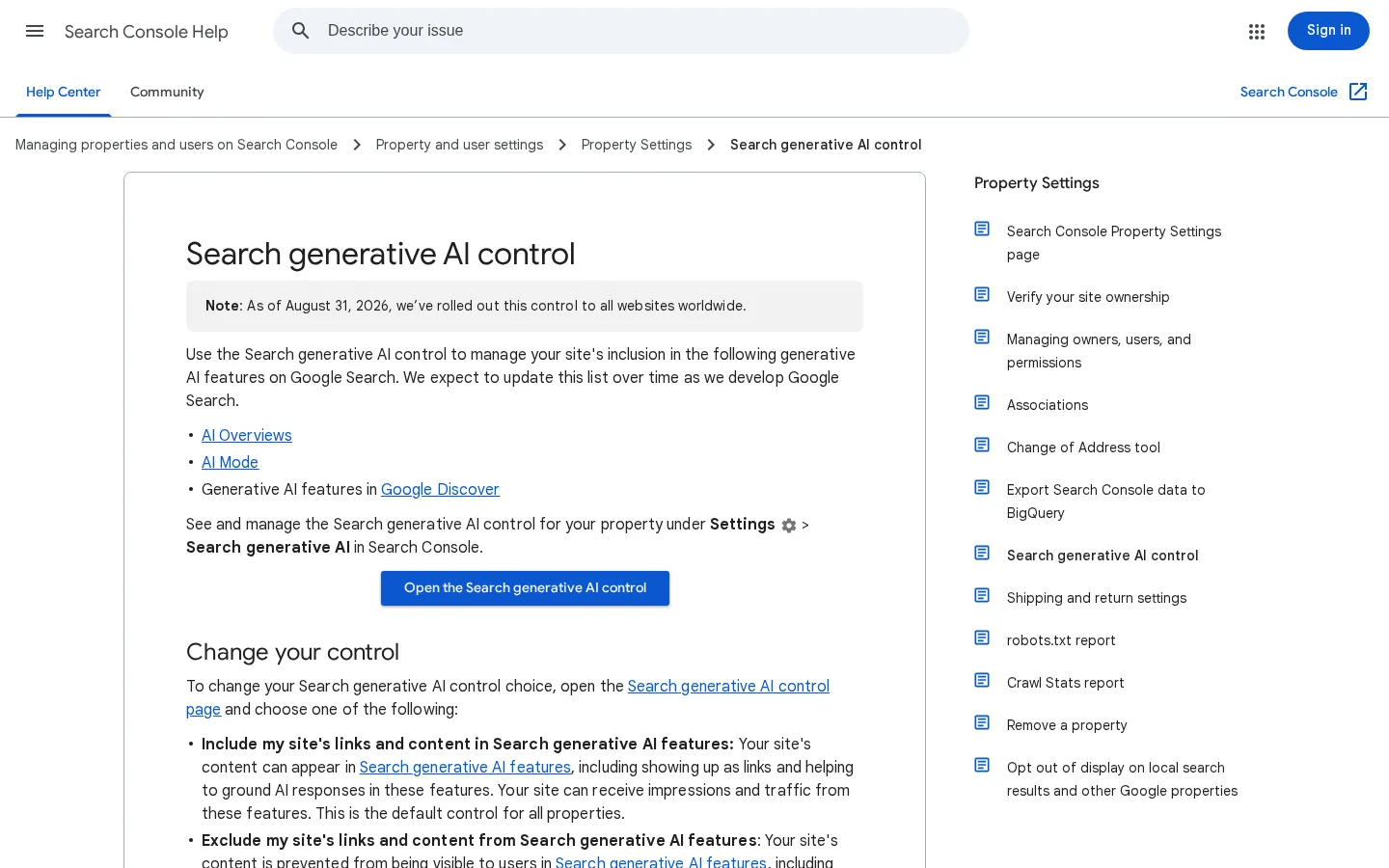
This method uses the Google data you already have, and it is the baseline for Google. Search Console includes a Generative AI performance report. Google's help page says: "To measure how your content is performing in Search generative AI features, use the Generative AI performance report." The same page notes that the Search generative AI control was rolled out to all websites worldwide on 31 August 2026. Its limit is scope: it covers Google only and does not show what an assistant says in a conversation.
Analytics can also show visits from AI assistants. Some AI visits may arrive without a referrer, so treat the referral count as a minimum, not a total.
Your server logs record which bots request which pages. Use them when you need to know whether AI crawlers can reach your pages at all. The method shows crawl access directly instead of guessing from rankings. Its limit is that a crawl is not a citation, and logs need someone who knows how to read them. The steps that follow a crawl are covered in the guide on how assistants choose sources.
| Method | Question it answers | Cost | Main limit |
|---|---|---|---|
| Manual prompt checks | How do assistants describe us today? | Free, but staff time | Answers vary, so one run proves little |
| Tracking tools | How does our share change over weeks? | Subscription, rising with prompts | Measures only the prompts you chose |
| Search Console and analytics | What does Google show and send us? | Free | Google only, and some AI visits are hidden |
| Server logs | Can AI crawlers reach our pages? | Needs log access and a technical person | A crawl is not a citation |
Two ways to report AI visibility
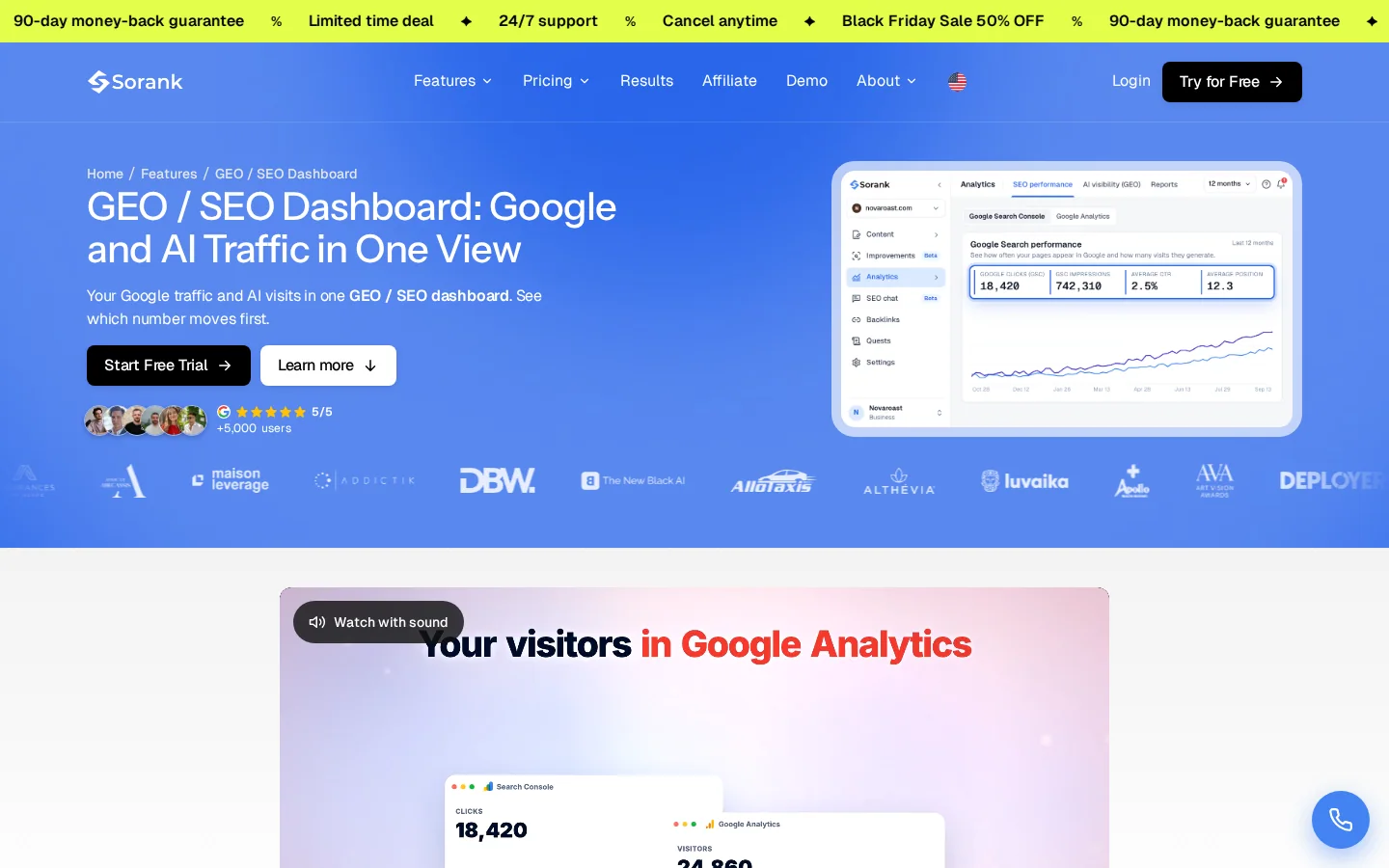
Our GEO / SEO dashboard puts Google clicks, impressions, CTR and position next to visits from AI assistants. Sorank says it "isolates the visits from AI assistants" and breaks them down by assistant, so you can see which pages are rising or falling on each side.
Tip
Before you set a target, measure the gap. The AI invisibility cost calculator helps you estimate what your absence from AI answers may be costing you.
Visibility is not revenue, so connect it to the deals it can produce. The model below is a simple chain of multiplications. Each variable has a source, and you replace each one with your own figure.
Pipeline from AI search per month = buyer queries x share of answers that name you x visit rate x lead rate x close rate x average deal valueThe table shows where each number comes from. Start with the variables you can measure this month, and mark the others as estimates until you have data.
| Variable | Where to get it |
|---|---|
| Buyer queries per month | Keyword research, Search Console query data, your prompt set |
| Share of answers that name you | Tracking tool or repeated manual prompt checks |
| Visit rate from named answers | Analytics referrals, read as a minimum |
| Lead rate | Contact forms, demo requests or sign-ups in your CRM |
| Close rate | Your CRM, tagged by source where you can |
| Average deal value | Finance or your current price list |
Warning
Do not add AI referral visits to organic visits to get one total. A visit can be counted in more than one report, and the assistant may have named you without any visit. Before you build the model, run a full AI visibility audit so the share of answers in the chain is measured, not assumed.
Google's position is that standard SEO still applies to AI features, and that it does not ask for special extra steps. The documentation says: "There are no additional requirements to appear in AI Overviews or AI Mode, nor other special optimizations necessary." It then recommends the usual foundations: crawlable content, internal links and a good page experience. The page is undated, so check the live version before you quote it in a report.
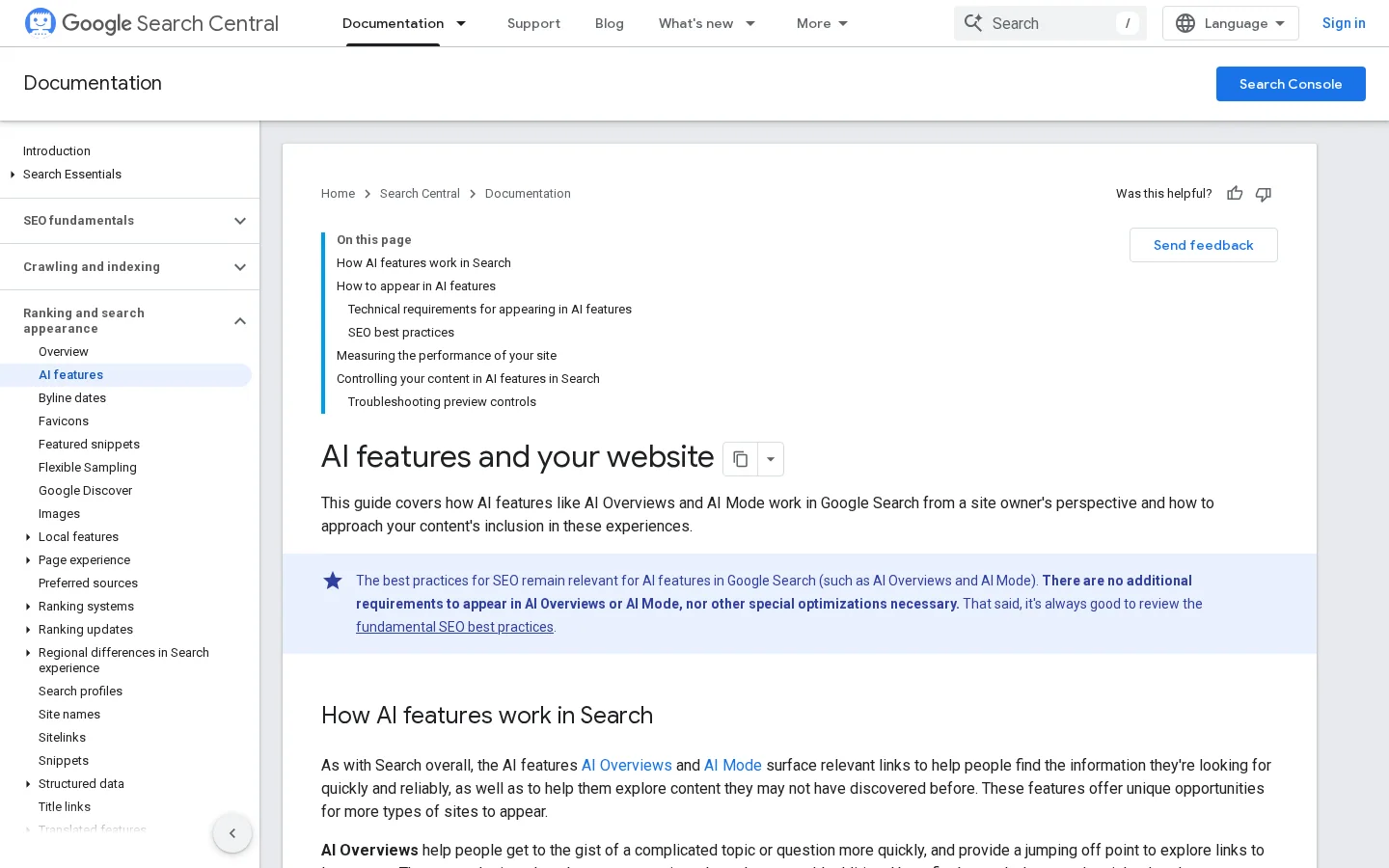
The second half of Google's position is a warning. In its guide "Optimizing your website for generative AI features on Google Search", Google says that creating separate content for many query variations, in order to manipulate rankings or AI responses, violates its scaled content abuse policy. The guide also calls that approach ineffective over the long term. That is the reason to avoid the one-page-per-prompt tactic that circulates in SEO forums.
A complete page for each topic gives an assistant one clear source to read and one clear answer to cite. Thin variations split your signals across near-duplicate pages, and none of them becomes the best source. Merge the variations into one page, then add the detail that the variations were trying to cover.
Thin pages vs one complete page
This plan fits a team of one to five people. Each week ends with a result you can show someone who makes budget decisions. Do not skip the baseline, because every later claim needs a before and an after.
Your first month
Most AI search mistakes come from measuring the wrong thing or from a rule nobody reviewed. Each mistake below has a way to spot it and a fix you can make this week.
A broad rule in robots.txt can stop an AI crawler from fetching your pages. Blocking GPTBot, for example, stops OpenAI's crawler from reading the pages it covers. The rule below blocks that crawler from the whole site.
User-agent: GPTBot
Disallow: /
How to spot it: open yoursite.com/robots.txt and look for a user-agent group with a Disallow rule for the root path. Check older templates too, because a rule added to fight scrapers can remain for years.
How to fix it: remove the rule, or narrow it to the paths you do not want crawled. Decide bot by bot, and write down the reason for each block so the next person can review it.
A report that only counts sessions misses every brand named in an answer without a click. The business effect of that mention goes unrecorded.
How to spot it: your AI search report has traffic lines and nothing about named brands or prompts.
How to fix it: add a named-in-answer rate by prompt and a trend for brand searches. Report both next to the click data.
Measuring only one assistant gives a partial picture, because buyers use several. A result that looks strong in one tool can be absent from another.
How to spot it: your tracking covers a single assistant or only Google.
How to fix it: sample the main assistants and Google, and compare them. Look for prompts where you are named in one and absent in another, since those are the easiest to improve.
Creating a near-duplicate page for each prompt wording spreads your signals thin, and Google's guidance treats that tactic as a policy problem, not a shortcut.
How to spot it: you have many pages with the same body text and a different question in the title.
How to fix it: merge the pages into one complete page per topic, keep the old URLs redirected to it, and add the detail the variations were meant to cover.
If you search your brand name and find nothing but your own pages, assistants have little independent evidence to cite about you.
How to spot it: search your brand and your category, and count how many third-party pages describe you accurately.
How to fix it: claim and correct your profiles on the directories that matter in your market, and earn mentions through work people want to reference.
Answers change from run to run. A single screenshot used as a monthly KPI can rise or fall without any change on your side.
How to spot it: your KPI is one prompt, checked once.
How to fix it: run a fixed prompt set on the same schedule, report the share across all prompts, and read the trend over several weeks before you act.
Start with the baseline this week: a fixed prompt set, your Search Console data and a check that the pages you want cited can be crawled. Then rewrite the three pages that answer the most buyer questions, and connect the visibility numbers to a revenue chain you can defend. AI search matters for business because the shortlist can form before the visit, and the only way to know your place in it is to measure it on a schedule.
Buyers now compare vendors inside AI answers, often before they visit a website. A brand that is not named in those answers can lose its place on the shortlist, even when its pages rank well on Google. Pew Research Center found that an AI summary lowers the share of visits that click a traditional result.
In Pew Research Center's July 2025 study, users clicked a traditional result in 8% of visits when an AI summary appeared, against 15% without one. The study covers Google only and one March 2025 sample of 900 U.S. adults, so check your own Search Console data for the queries that matter to you.
Run a fixed set of buyer prompts in ChatGPT, Gemini, Claude and Perplexity on a schedule, and log whether your brand is named and how. Add the Generative AI performance report in Search Console for Google. Read the trend over several weeks, because one answer can change from run to run.
We analyse your competitors, your website and your AI visibility to create a tailored content plan for free.
 AI Content Brief Generator
 FAQ Schema Generator
 AI Blog Post Ideas Generator
 Structured Data Validator (Schema Validator)
 Alt Text Checker
 Internal Link Analyzer
 Backlink Challenge
 AI Meta Description Generator
 AI Blog Title Generator
 Google Indexability Checker
 AI Blog Outline Generator
 UTM Link Builder
 Keyword Clustering Tool
 Canonical Tag Checker
 XML Sitemap Generator
 Broken Link Checker
 AI SEO Title Generator
 Headline Analyzer
 SERP Preview Tool
 Redirect Checker
 Hreflang Tag Generator
 Heading Structure Analyzer
 HTTP Headers Checker
 Favicon Extractor
 SERP CTR Calculator
 SEO vs Paid Search Savings Calculator
 SEO Share of Voice Calculator
 SEO ROI Calculator
 SEO Traffic and Revenue Forecast Calculator
 SEO Budget Calculator
 SEO Break-Even Calculator
 SaaS SEO ROI Calculator
 ROAS Calculator
 Reading Time Calculator
 Ranking Gain Simulator
 Organic Traffic Value Calculator
 Organic Traffic Estimator and Website Traffic Checker
 LTV to CAC Ratio Calculator
 Local SEO ROI Calculator
 Link Building Cost Calculator
 Keyword Value Calculator
 Keyword Opportunity Score Calculator
 Keyword Density Calculator
 GEO ROI Calculator
 GEO Content Investment Calculator
 Ecommerce SEO ROI Calculator
 Customer Lifetime Value Calculator
 Customer Acquisition Cost Calculator
 CTR Calculator
 Cost Per Article Calculator
 Conversion Rate Calculator
 Content Marketing ROI Calculator
 ChatGPT Referral Traffic Estimator
 Bounce Rate Calculator
 Backlink ROI Calculator
 AI Visibility Score Calculator
 AI Traffic Value Calculator
 AI Share of Voice Calculator
 Cost of AI Invisibility Calculator
 AI Citation Rate Calculator
 llms.txt Validator
 AI Overview Checker and AI Overviews Rank Checker
 Robots.txt Checker
 AI SEO Audit
 LLM Readability Checker
 SearchGPT Readiness Checker
 Structured Data LLM Audit
 Website Crawlability AI Audit
 Why ChatGPT Is Not Recommending My Website
 Gemini Ranking Tool
 Perplexity Ranking Checker
 LLM Citation Checker
 Answer Engine Optimization Audit
 GEO Audit
 AI Search Visibility Test
 ChatGPT Visibility Checker
 llms.txt Generator
 URL Extractor
 Webpage to Markdown
 Sitemap Checker
 SERP Volatility Sensor
 Page Size Checker
 Word Counter
 Slug Generator
 Schema Generator
 Robots Generator
 OG Preview
 Meta Tags Generator
 Image Compressor
 Favicon Generator
 On-Page SEO Audit: SEO Checker and SEO Analyzer
 Backlink Analysis Tool
 Keyword Research Tool
 Domain Authority Checker
 “I tested Sorank on a real client site and it's insane. It does everything an agency would bill you $1500 a month for. It's going into production on that client now.”

 Guillaume Guersanguersanguillaume.com“We are an Ads agency and we wanted to get our SEO back on track once and for all. Sorank gave us a clear view of our site, helped us prioritize optimizations, and properly structure our content. The tool is easy to use, well designed for a team, and very practical for centralizing tracking without having to juggle multiple platforms. A very solid foundation to start fresh with our SEO.”
 Gaspard MadouiAds Agency
 “I just let the Sorank software do its thing, and now my DR is 25 and my page is ranking higher.”
 Lucas Flandrefoundertrace.fr“I specialized in GEO thanks to Sorank. The GEO Leaderboard allows me to show my clients their position vs competitors on ChatGPT. It’s a real commercial differentiator.”
 MélanieSEO Freelance“Great service, works well for our website and helps us understand how to improve it to rank better on Google and elsewhere. Congrats, keep going, I recommend it.”
 Hugo T.E-commerce merchant