Preferences
Privacy is important to us, so you have the option of disabling certain types of storage that may not be necessary for the basic functioning of the website. Blocking categories may impact your experience on the website. More information
Privacy is important to us, so you have the option of disabling certain types of storage that may not be necessary for the basic functioning of the website. Blocking categories may impact your experience on the website. More information

Confirm an AI Overviews traffic drop in  Search Console, find the exposed queries, and choose the right response for each page, with data and steps.

Tools

In short
An AI Overview traffic drop shows up as impressions that stay flat or rise while clicks and click-through rate (CTR) fall on the same queries. Confirm that pattern in Search Console, then decide page by page: get the page cited in the overview, target the queries the overview does not answer, or rebuild traffic you own. Blocking Google's AI features is rarely the right fix.
Want to go further? Ask
Quick quiz
How should you use AI in your marketing?
Sorank matches your answers


Test it for 3 days on your own site and see where you stand on Google, ChatGPT and the other AIs.
Start 3-day free trial3 days free, then stop whenever you want. 90-day results guarantee, conditions apply.
An AI Overview is the generated summary Google shows above the regular results for some queries. It answers the question and links to a few sources. When the answer is complete, fewer people click through to the normal results below it. For the basics, read our AI Overview glossary entry. This guide covers the diagnosis and the response.
Not every query gets one. Ahrefs checked 146 million desktop results in September 2025 and found an AI Overview on 20.5% of them. Of the queries that triggered one, 99.9% were informational, meaning people wanted to learn something rather than buy or find a place. That is why guides and glossaries feel the drop first, while many product and local pages do not.
The effect on clicks is large where it applies. In a February 2026 study of 300000 keywords, Ahrefs found that an AI Overview correlates with a 58% lower average CTR for the top-ranking page. The same team measured 34.5% in an April 2025 study, so the gap widened within a year. Ahrefs calls this a correlation, not proof of cause, and so should you.
Other factors also move clicks. In a June 2026 analysis, Rand Fishkin of SparkToro used Similarweb clickstream data for the US and found that 68.01% of Google searches ended without a click from January to April 2026. The 2024 figure was 60.45%, based on Datos data. A small fall in your clicks may just be that trend, which we cover in our zero-click search glossary entry. A sharp fall on specific informational queries is the signal to investigate.
Three numbers to keep in view
Sources: Ahrefs, September 2025 and February 2026; SparkToro, June 2026 (Similarweb data)
Clicks also depend on whether a summary is on the page at all. Pew Research Center tracked the browsing of 900 US adults in March 2025. When an AI summary appeared, people clicked a traditional result on 8% of their visits. Without one, they clicked on 15%. Pew also found that 88% of these summaries cited three or more sources. The summary is a shared space, and your link inside it is one of several.
Before you change a page, prove the drop is real and find where it starts. Google reports AI Overviews and AI Mode inside the Web search type of the Performance report, and its documentation on AI features confirms it. The search type filter offers Web, Image, Video and News, with no AI-specific option, so you infer the effect from the pattern. If you are new to the interface, start with our Search Console glossary entry.
Work through these steps in order. Each one narrows the cause.
Six steps to confirm the pattern
Google's help page documents the search type filter, which is worth keeping on Web because the Image, Video and News tabs carry different traffic.
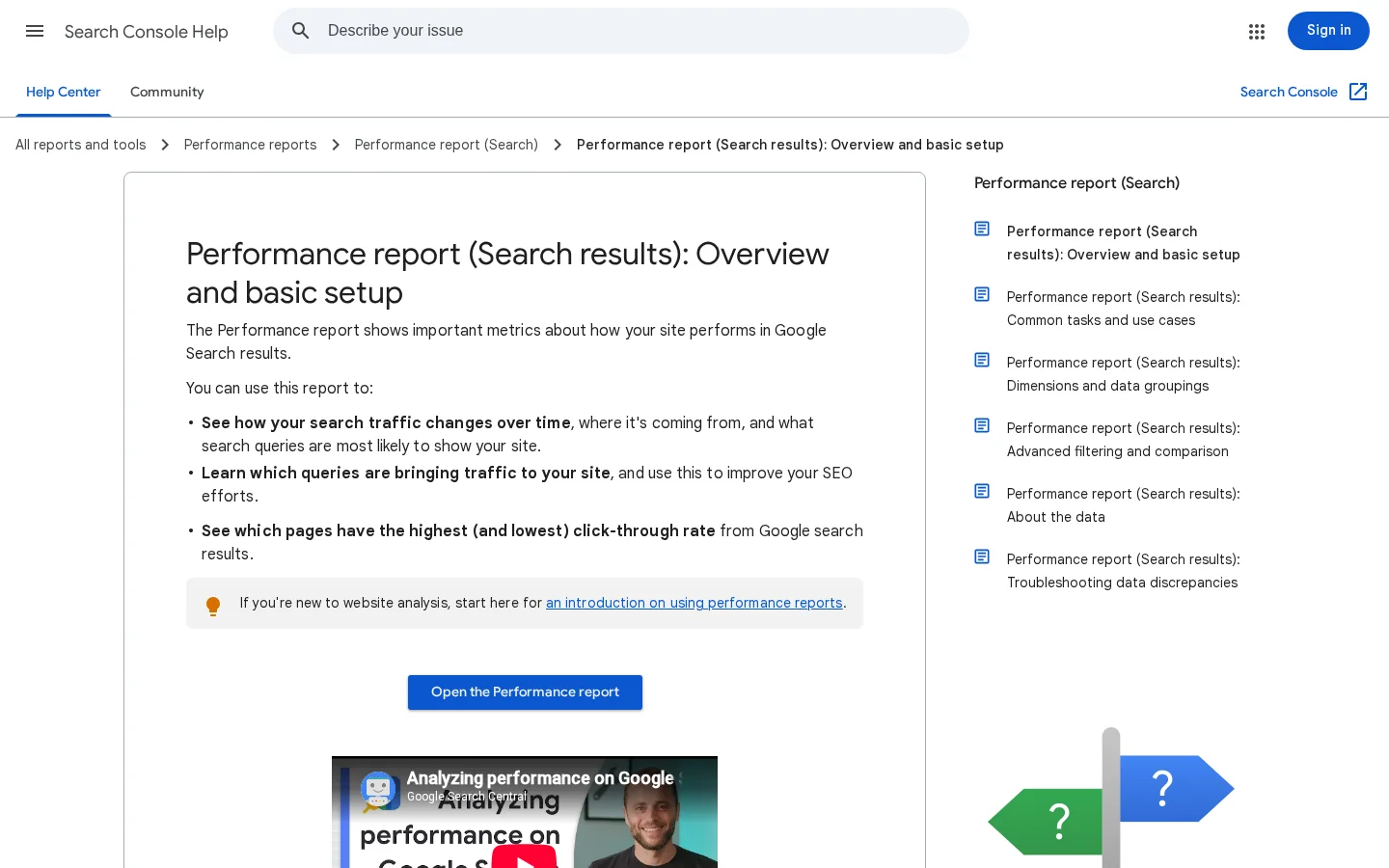
If impressions fall too, the cause is more likely a ranking, indexing or demand change. The next section shows how to tell them apart.

Each cause leaves a different mark on the four metrics. Use this table to match your pattern to a likely cause, then confirm with a second signal such as the date or the query list.
| Likely cause | Impressions | Clicks | CTR | Average position | Usual date pattern |
|---|---|---|---|---|---|
| AI Overview on the results page | Flat or rising | Falling | Falling | Stable | Gradual, concentrated on informational queries |
| Ranking loss | Falling | Falling | Often stable | Worse | Gradual, or a step after a known update |
| Technical problem | Falling sharply | Falling sharply | Varies | Can jump | A sharp break on one date or one section |
| Seasonality | Falling | Falling | Stable | Stable | Repeats in the same months each year |
Ranking loss or AI Overview? Read the impressions first
A single metric can mislead you, so read the table and this comparison together.
Often a page loses ground for two reasons at once. It slips from first to third on one query, and an overview appears above it on the same query. The pattern then looks like a mix: impressions fall a little, and clicks fall more than the position change explains. Split the period at the date of the position change. Compare the CTR before and after that date for the same query. Whatever CTR loss remains at the same position is the part the overview is most likely to explain.
Site-wide CTR averages every query. If you start ranking for more low-CTR queries, the average falls even though no single query lost clicks. Compare CTR query by query, within the same position band. Our SERP CTR calculator estimates the clicks a Google position should get, which gives you a baseline for a query that sits in an unusual place.
Overviews appear on some kinds of queries far more than others. The Ahrefs trigger study from September 2025 gives you a starting map. Check your own queries too, because Google changes when it shows overviews.
| Query type | Share of desktop results with an AI Overview |
|---|---|
| All keywords | 20.5% |
| Informational | 21.4% |
| Branded | 13.1% |
| Local | 7.9% |
Informational queries are the ones phrased as a question or a how-to: "how long does a sitemap take to index", "what is a canonical tag", "best time to publish a blog post". These send readers to guides and glossaries, so a guide that ranks well is the page most likely to lose clicks. Commercial queries such as "buy a standing desk" are less exposed, and local queries less again. That may explain why local service businesses often report smaller drops.
Filter the Queries tab with a regular expression that catches question and how-to phrasing. Choose the custom regex option in the query filter, then paste this pattern:
^(how|what|why|when|which|is|does|can|should)\bThen sort the results by clicks lost against the previous period. That list is your at-risk list. Keep commercial queries on a separate list, because they need protection rather than a rewrite.
You have four options. They are not exclusive, and most sites combine two or three of them, page by page. Each one has a different cost and a different limit.
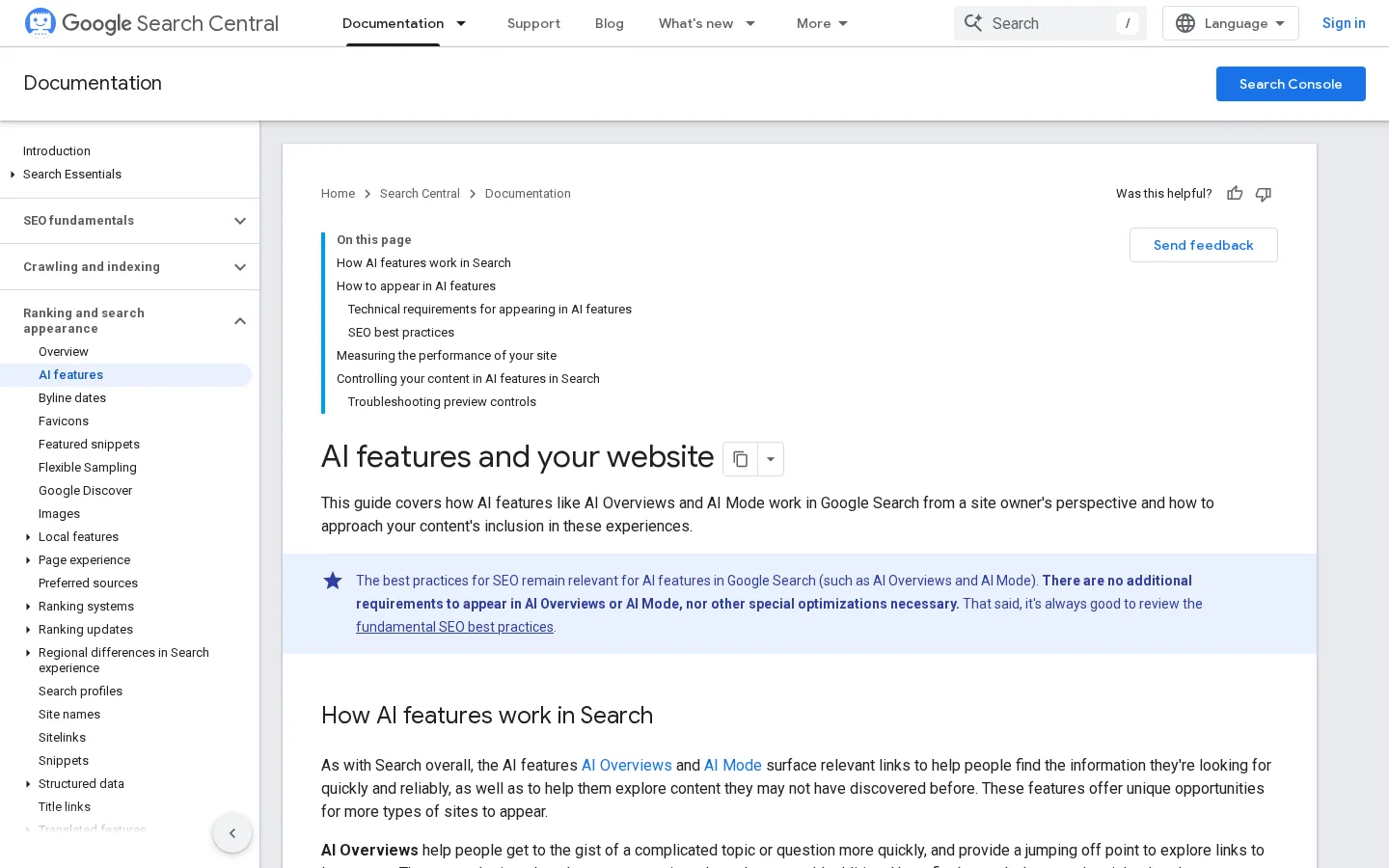
Principle. An overview draws its sources from pages that already rank and answer the question clearly. Google's documentation says you need no special work: "There are no additional requirements to appear in AI Overviews or AI Mode, nor other special optimizations necessary." Your job is to make the answer easy to extract. Our guide on how to rank in AI Overviews walks through eight steps for that.
Summaries tend to lift passages, not whole pages. That changes how you write. Give each heading a section that still makes sense when it is read alone: the answer in the first two or three sentences, the term in the first sentence, and the evidence right after. A section that only makes sense after the one before it is hard to quote.
When to use it. When the query is informational and your page already ranks near the top.
Advantage. You keep visibility where the answer is shown. Limit. Pew found that 88% of summaries cite three or more sources, so you share the space, and a citation does not guarantee a click. Example. A guide to submitting a sitemap opens with the answer in one sentence, names the exact Search Console report, then gives the steps. That is a shape a summary can lift without losing your context.Principle. Overviews appear rarely on transactional and local queries, so pages that serve those queries keep more of their clicks. When. When the lost queries are informational but your business earns from a related commercial page. Advantage. Less competition from the summary. Limit. Volume is often smaller, and you have to build the page, not only rewrite one. Example. A guide to AI visibility tools can lead readers to a comparison page with pricing, a demo request and a short list of choices.
Principle. Search is one channel. An email list, a bookmarked tool, a Google Business Profile and direct visits do not pass through the results page. When. When the business depends on repeat customers or local demand. Advantage. The traffic does not depend on the overview. Limit. It takes time to build, and it needs an audience that wants to hear from you. A small list of readers who come back is worth more than a spike of visitors who never return.
Principle. Google's documentation lists nosnippet, data-nosnippet and max-snippet as controls that limit the information shown from your pages in Search. When. Rarely: a proprietary table, a members-only section, or a passage you do not want quoted. Advantage. You keep ranking and hide only the part you choose. Limit. A nosnippet tag also removes your snippet from normal results, so test on one page before you apply it widely. Marking one passage looks like this:
<p>Free preview: <span data-nosnippet>the full checklist is for members</span></p>| Response | What it protects | Effort | Main limit |
|---|---|---|---|
| Get cited in the overview | Visibility on informational queries | Medium | Shared with other cited sources, and a citation is not always a click |
| Target what the overview does not answer | Clicks on commercial and local queries | High | Smaller volume, and new pages to build |
| Rebuild traffic you own | Visits that skip the results page | High and slow | Needs an audience first |
| Snippet controls | Specific text you choose to hide | Low | Also shrinks your normal snippets when nosnippet is used |
Use this sequence for one declining page at a time. Start with the page that lost the most clicks, not the largest page on the site.
Open the at-risk list from the section above. Pick the page with the most lost clicks on informational queries, then note the three queries that lost the most.
Search each query in a private browser window and note three things: whether an overview appears, which sources it cites, and whether your page is among them. Results change by location and by day, so record the date and where you searched. This manual check is the only way to see the live result. The free checker covered below does not do it.
Open the page with one direct sentence that answers the main query. Follow it with two or three sentences of context, then the detail. Use the words of the query in your first heading. A reader who gets the answer in the first lines is more likely to stay, and a summary has an easy sentence to lift.
Overviews summarize what is already public. Add what a summary cannot write for the reader: your own measurements, a test you ran, a dated price, a photo of the real result, a decision table for a specific case. One original detail per section is enough to make the page worth a click.
Give each question its own heading, use lists and tables where the content is a list or a comparison, and state the date of every fact. Do not add files or markup aimed at AI. Google's documentation says you do not need to create "machine readable files, AI text files, or markup" for these features, and that there is "no special schema.org structured data" you need to add. Your AI Overview work is ordinary SEO done carefully.
Tip
Our free AI Overview Checker scores how ready a page is to be used as a source, and points to weak spots such as long paragraphs, missing structure and thin facts. It checks the page, not the live results, so keep step 2 for the query check.
After Google recrawls the page, compare the same queries over equal periods. A change is not visible in a week. Compare clicks on those queries, then decide whether to keep, rewrite or move the page.
Before you publish the rewrite
If the list of declining pages is long, Sorank's content optimization can rewrite old pages on autopilot. Review each rewrite against the checklist before you publish it, because an automated rewrite can still flatten your facts.
You need two views. Search Console shows what happens on Google. A tracking view shows whether AI assistants send visits or recommend your brand. Sorank's GEO / SEO dashboard puts both in one place: Search Console clicks, impressions, CTR and position for periods from 7 days to 12 months, plus page views from ChatGPT, Claude, Gemini, Perplexity and Grok. Pages are sorted into Popular, Growing, Declining and Lost, for Google traffic and for AI traffic.
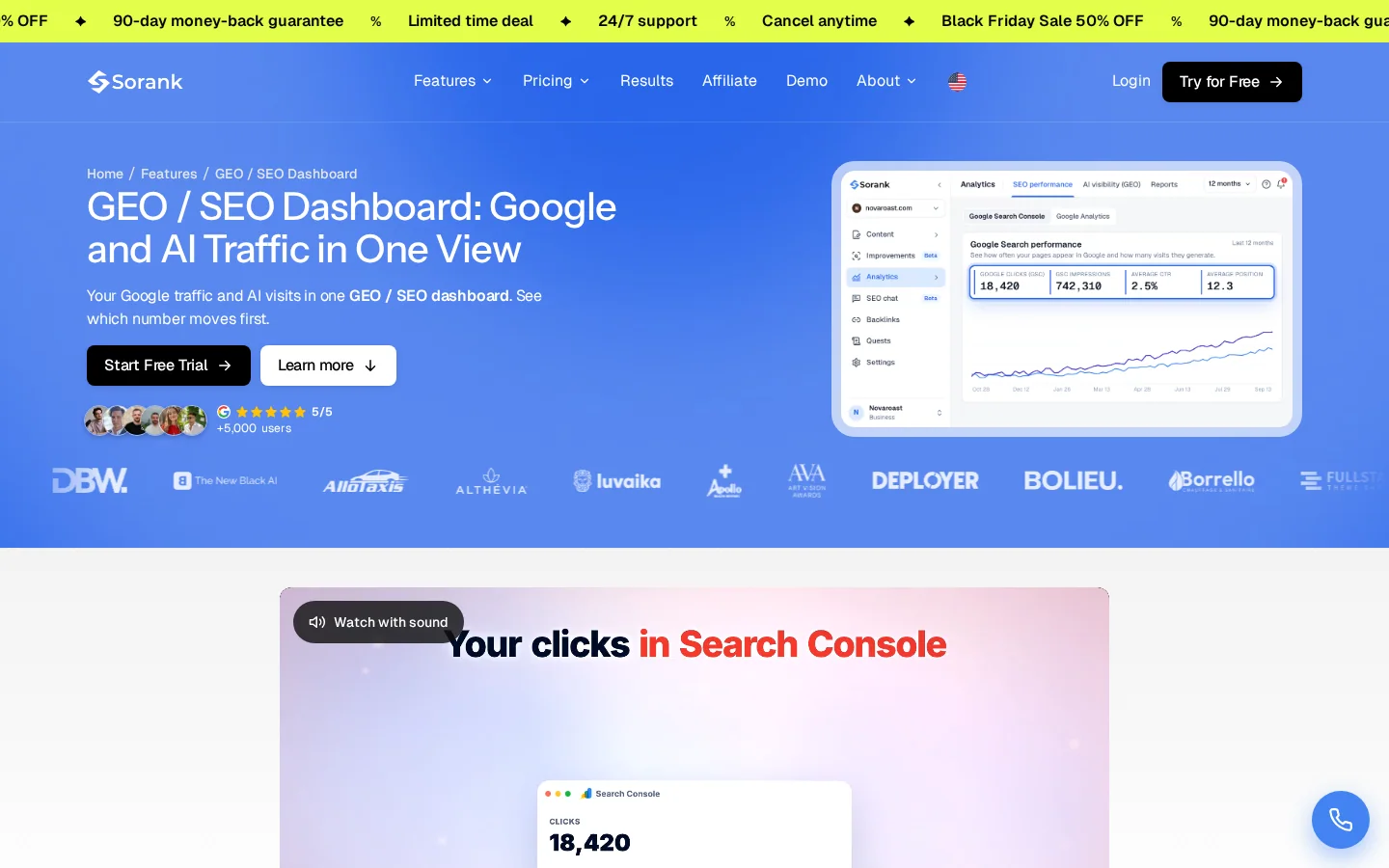
Keep the limits in mind. AI assistant visits are usually small next to Google, so a line that grows from AI is not yet a replacement for lost clicks. To compare tools that track AI answers in general, read our guide to the best AI Overviews tracking tools.
Most wasted effort comes from six mistakes. For each one, here is what it looks like, how to spot it, and how to fix it.
Blocking the AI features, or fixing the page
What it is. Attributing every lost click to AI Overviews. How to spot it. Impressions fell too, or average position got worse. An overview does not explain a fall in impressions. How to fix it. Fix the ranking first, then measure the overview effect on the queries that kept their position.
What it is. Judging the whole site by one average CTR. How to spot it. The average falls while most individual queries hold steady, usually because you started ranking for new, low-CTR queries. How to fix it. Compare CTR query by query and by position band, as shown above.
What it is. Comparing a holiday month with a normal one. How to spot it. The drop lines up with the calendar, or the two periods have different lengths. How to fix it. Use equal windows, and compare the same months a year earlier.
What it is. Adding a robots.txt rule, a sitewide nosnippet setting or a plugin option to "block AI" right after a drop. How to spot it. Check the robots.txt file and the robots meta tags in the page source. How to fix it. Remove the rule, then follow our guide to pages blocked by robots.txt. A sitewide block also stops Google from crawling your pages, which costs you ordinary rankings as well as AI features.
What it is. Rewriting every page to win the summary, including pages that earn money from commercial queries. How to spot it. Informational pages gain while the pages that convert lose clicks. How to fix it. Protect commercial pages, and rewrite only the informational pages that lost clicks.
What it is. Treating a new AI referral line as proof that lost Google traffic is coming back. How to spot it. The AI line stays small while the Google line keeps falling. How to fix it. Track both, and build owned channels such as email and returning visitors.
Expect partial recovery at best on informational queries, and plan around a lower baseline. The wider trend of fewer clicks predates your drop, so your goal is different: keep the visits that matter and make each remaining visit count. Measure that with four checks.
| Measure | Compare | Question it answers |
|---|---|---|
| Clicks on the at-risk queries | Equal periods, same queries | Is the page still losing ground? |
| CTR by position band | Before and after the rewrite | Does the new answer earn more clicks? |
| Conversions from the page | Equal periods | Are the visits still worth having? |
| Visits from AI assistants | Month by month | Is a second channel growing? |
Start this week with these actions:
Yes, for many informational queries. Ahrefs found that the top-ranking page had a 58% lower average click-through rate when an AI Overview was present, in a February 2026 study of 300000 keywords. The effect depends on the query type and on the page, so measure your own queries.
Compare impressions and clicks over equal periods in Search Console. If impressions hold or rise while clicks and CTR fall on the same queries, an AI Overview is the likely cause. Falling impressions point to rankings or demand, and a sharp break on one date points to a technical problem.
Usually not. Google's documentation says there are no special requirements to appear in AI features, and the snippet controls such as nosnippet also remove your snippet from normal results. A sitewide block stops Google from crawling your pages, which costs ordinary rankings too.
We analyse your competitors, your website and your AI visibility to create a tailored content plan for free.
 AI Content Brief Generator
 FAQ Schema Generator
 AI Blog Post Ideas Generator
 Structured Data Validator (Schema Validator)
 Alt Text Checker
 Internal Link Analyzer
 Backlink Challenge
 AI Meta Description Generator
 AI Blog Title Generator
 Google Indexability Checker
 AI Blog Outline Generator
 UTM Link Builder
 Keyword Clustering Tool
 Canonical Tag Checker
 XML Sitemap Generator
 Broken Link Checker
 AI SEO Title Generator
 Headline Analyzer
 SERP Preview Tool
 Redirect Checker
 Hreflang Tag Generator
 Heading Structure Analyzer
 HTTP Headers Checker
 Favicon Extractor
 SERP CTR Calculator
 SEO vs Paid Search Savings Calculator
 SEO Share of Voice Calculator
 SEO ROI Calculator
 SEO Traffic and Revenue Forecast Calculator
 SEO Budget Calculator
 SEO Break-Even Calculator
 SaaS SEO ROI Calculator
 ROAS Calculator
 Reading Time Calculator
 Ranking Gain Simulator
 Organic Traffic Value Calculator
 Organic Traffic Estimator and Website Traffic Checker
 LTV to CAC Ratio Calculator
 Local SEO ROI Calculator
 Link Building Cost Calculator
 Keyword Value Calculator
 Keyword Opportunity Score Calculator
 Keyword Density Calculator
 GEO ROI Calculator
 GEO Content Investment Calculator
 Ecommerce SEO ROI Calculator
 Customer Lifetime Value Calculator
 Customer Acquisition Cost Calculator
 CTR Calculator
 Cost Per Article Calculator
 Conversion Rate Calculator
 Content Marketing ROI Calculator
 ChatGPT Referral Traffic Estimator
 Bounce Rate Calculator
 Backlink ROI Calculator
 AI Visibility Score Calculator
 AI Traffic Value Calculator
 AI Share of Voice Calculator
 Cost of AI Invisibility Calculator
 AI Citation Rate Calculator
 llms.txt Validator
 AI Overview Checker and AI Overviews Rank Checker
 Robots.txt Checker
 AI SEO Audit
 LLM Readability Checker
 SearchGPT Readiness Checker
 Structured Data LLM Audit
 Website Crawlability AI Audit
 Why ChatGPT Is Not Recommending My Website
 Gemini Ranking Tool
 Perplexity Ranking Checker
 LLM Citation Checker
 Answer Engine Optimization Audit
 GEO Audit
 AI Search Visibility Test
 ChatGPT Visibility Checker
 llms.txt Generator
 URL Extractor
 Webpage to Markdown
 Sitemap Checker
 SERP Volatility Sensor
 Page Size Checker
 Word Counter
 Slug Generator
 Schema Generator
 Robots Generator
 OG Preview
 Meta Tags Generator
 Image Compressor
 Favicon Generator
 On-Page SEO Audit: SEO Checker and SEO Analyzer
 Backlink Analysis Tool
 Keyword Research Tool
 Domain Authority Checker
 “I tested Sorank on a real client site and it's insane. It does everything an agency would bill you $1500 a month for. It's going into production on that client now.”

 Guillaume Guersanguersanguillaume.com“We are an Ads agency and we wanted to get our SEO back on track once and for all. Sorank gave us a clear view of our site, helped us prioritize optimizations, and properly structure our content. The tool is easy to use, well designed for a team, and very practical for centralizing tracking without having to juggle multiple platforms. A very solid foundation to start fresh with our SEO.”
 Gaspard MadouiAds Agency
 “I just let the Sorank software do its thing, and now my DR is 25 and my page is ranking higher.”
 Lucas Flandrefoundertrace.fr“I specialized in GEO thanks to Sorank. The GEO Leaderboard allows me to show my clients their position vs competitors on ChatGPT. It’s a real commercial differentiator.”
 MélanieSEO Freelance“Great service, works well for our website and helps us understand how to improve it to rank better on Google and elsewhere. Congrats, keep going, I recommend it.”
 Hugo T.E-commerce merchant