Preferences
Privacy is important to us, so you have the option of disabling certain types of storage that may not be necessary for the basic functioning of the website. Blocking categories may impact your experience on the website. More information
Privacy is important to us, so you have the option of disabling certain types of storage that may not be necessary for the basic functioning of the website. Blocking categories may impact your experience on the website. More information

Learn how to do a GEO audit in five steps: check AI crawler access, structured data and citability, then test real AI answers and fix what blocks citations.
In short
A GEO audit checks whether AI assistants like ChatGPT, Perplexity, Gemini and Google AI Overviews can reach, read and quote your pages. Run it in a fixed order: crawler access first, then structured data, then content, then a live test of what the assistants say. A page that no AI bot can fetch is never cited, however good it is.
Want to go further? Ask
Quick quiz
How should you get mentioned by ChatGPT and other AI assistants?
Sorank matches your answers


Test it for 3 days on your own site and see where you stand on Google, ChatGPT and the other AIs.
Start 3-day free trial3 days free, then stop whenever you want. 90-day results guarantee, conditions apply.
A GEO audit answers one question: is this page ready to be quoted in an AI answer? An SEO audit asks whether a page can rank in a list of links. A GEO audit asks three different things. Can the answer engine fetch the page? Can it lift a clear claim from the text? Will it trust that claim enough to name your brand next to it? Both audits use the same raw material, so a good SEO audit is the foundation. The GEO layer adds checks that a classic crawl does not report by default: which AI bots your robots.txt allows, whether your facts are machine-readable, and whether each section can stand on its own once it is pulled out of the page.
| Point of comparison | SEO audit | GEO audit |
|---|---|---|
| Question it answers | Can the page rank for a query? | Can an AI answer extract and cite the page? |
| Main checks | Indexing, speed, titles, internal and external links | AI crawler access, structured data, answer structure, facts, dates |
| Who reads the page | Googlebot, then the ranking systems | Search crawlers, AI crawlers and the retrieval systems behind AI answers |
| Main output | A fix list ranked by traffic at risk | A fix list ranked by citation blockers, plus a test of real AI answers |
| Signal of success | Clicks and positions in Search Console | Mentions and citations in AI answers, measured prompt by prompt |
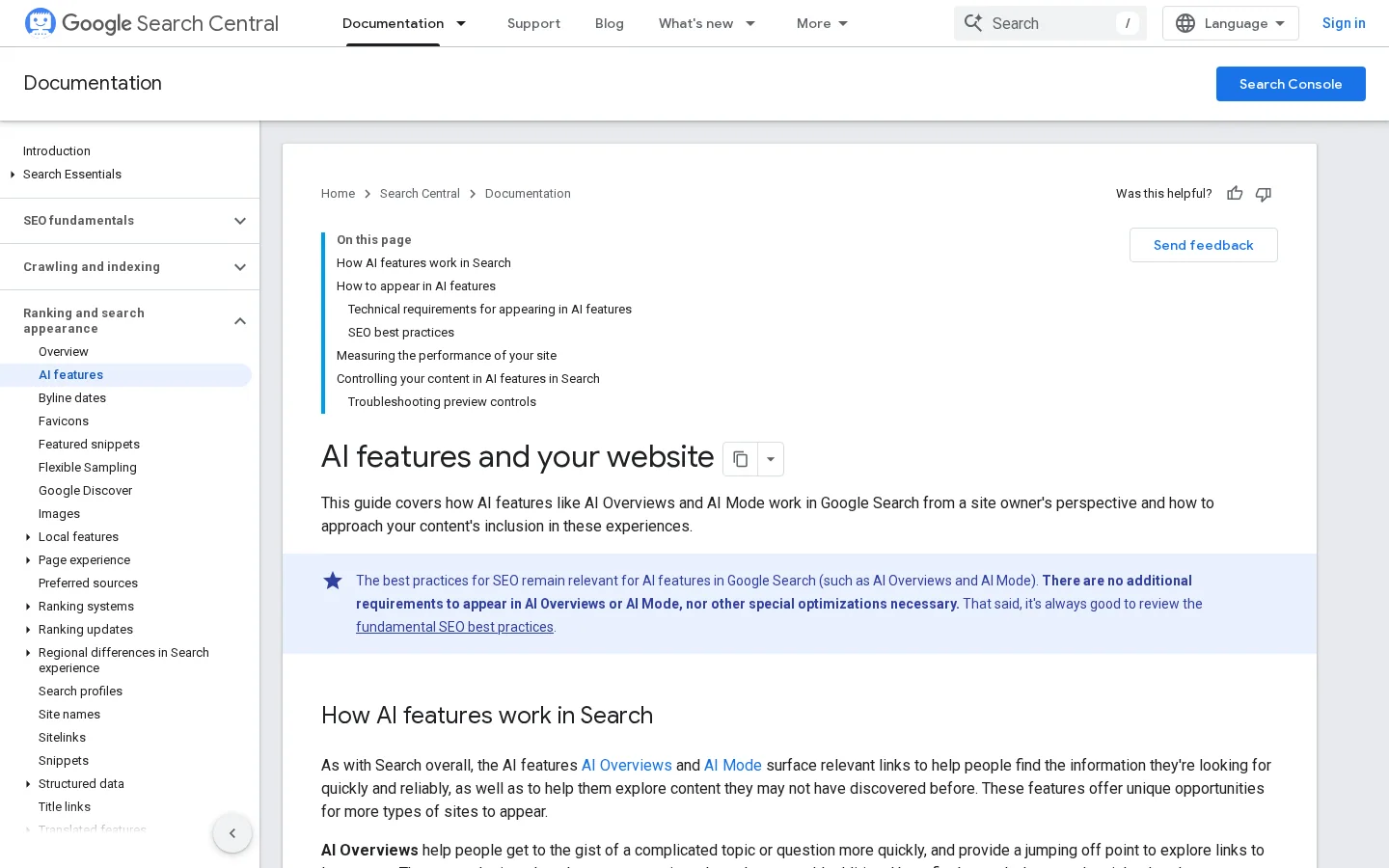
Google is clear that AI features do not need a separate technical setup. Its documentation says there are no additional requirements to appear in AI Overviews or AI Mode, beyond being indexed and eligible to show a snippet (Google Search Central, "AI features and your website"). That is why a GEO audit starts from SEO basics and adds a layer on top. It does not replace the SEO audit.
Why spend the time at all? Because AI summaries change how people click. In a Pew Research Center study published on July 22, 2025, Google users clicked a traditional result in 8% of visits when an AI summary appeared, against 15% of visits without one. They clicked a link inside the summary in only 1% of visits. Fewer clicks on the classic result make the answer itself a bigger share of your visibility.
In GEO, prompts replace keywords. A keyword tells you what people type into a search box. A prompt is the full question someone asks an assistant, often with context about their company, budget or problem. Your baseline is the record of what the assistants say today about that kind of question, and it is the only way to prove later that a fix worked.
Build the list before you open any audit tool. Collect the questions from sales calls, support tickets, the long-tail queries in Search Console and the sub-questions an assistant runs before it answers. Keep the list to the prompts that matter for buying or for your category. A list of 30 to 50 prompts is a workable size for one brand, and each prompt should have a clear reason to exist. Our brand-level AI visibility audit walks through this prompt test in detail. This article uses that test as the baseline, then audits the pages behind the answers.
Run every prompt on the assistants your buyers use, typically ChatGPT, Gemini, Perplexity, Claude and Google AI Overviews. Use clean or logged-out sessions so your own history does not shape the answer. For each run, record four things: whether your brand is named, where it appears in the list, which URLs are cited, and whether the facts about you are correct. Save the sheet with today's date.
Note
The same prompt can give a different answer on a second run, and answers vary between users. Run each prompt at least twice and read the results as a pattern, not as a single verdict.

The order matters because each stage removes a blocker for the next one. A page that no AI bot can fetch will not be cited, so there is no point rewriting its paragraphs first. The free GEO audit on sorank.com follows the same logic: it weights access and structured data higher than content depth, because those two signals gate everything else.
The five stages, in order
Access is the first check because it is binary. An AI assistant that cannot fetch your page cannot quote it, and no content work changes that. A block is often there by accident, added for a different reason years ago or by a security setting nobody remembers.
Each AI provider uses its own user agent names, and a bot obeys the group in robots.txt that names it. If no group names it, the bot falls back to the group marked with an asterisk. That matching rule is why one broad block can catch a bot you never meant to block. Open your robots.txt and list each user agent with the rule that applies to it. Our robots.txt for AI crawlers guide explains which bots to allow for each goal, and the AI crawlers entry gives the names in one list. You can test the file with the robots.txt checker, which validates the syntax and reports the access for each AI bot.
The most common confusion is between OpenAI's two bots. GPTBot is the crawler used for model training. OAI-SearchBot decides whether your site can appear in ChatGPT search answers. OpenAI's crawler documentation (OpenAI, overview of crawlers) says the two settings are independent, and gives the example of allowing OAI-SearchBot while disallowing GPTBot. It also says that a site opted out of OAI-SearchBot will not be shown in ChatGPT search answers.
Two OpenAI bots, two decisions
So a site that wants visibility in ChatGPT search but does not want training can allow one bot and block the other. Which choice is right is a business decision, not an SEO one. The audit's job is to make sure the choice is deliberate.
Note
OpenAI's page says that a robots.txt update can take about 24 hours to reach its search systems. It attaches that timing to search results only, so do not assume the same delay for GPTBot training opt-outs.
Google-Extended is a separate control. Google's crawler documentation (Google, common crawlers) says it controls whether content can be used to train Gemini models and for grounding in Gemini Apps and Vertex AI. It also states that Google-Extended "does not impact a site's inclusion in Google Search nor is it used as a ranking signal." Blocking Google-Extended does not remove you from Google Search. Blocking Googlebot does. Google's AI features page also lists snippet controls such as nosnippet, and notes that these changes can take days to months to show up, because they depend on recrawl timing.
Here is a robots.txt that allows the two search-facing bots and blocks training, with the reasons written as comments:
# Search-facing bots: allowed, they decide whether you appear in answers
User-agent: OAI-SearchBot
Allow: /

User-agent: PerplexityBot
Allow: /

# Training bot: blocked, a business choice that keeps content out of training
User-agent: GPTBot
Disallow: /
One rule for every bot versus one group per purpose
Some AI crawlers do not run JavaScript. If your article is assembled in the browser, the crawler may receive an empty shell. Test it yourself. Pick a sentence from the middle of the page, then fetch the raw HTML and search for it. Run this command on your page, with the sentence in quotes:
curl -s https://www.example.com/your-page | grep -c "a sentence from the middle of your article"A result of 1 or more means the sentence is in the HTML as served. A result of 0 means it is missing, and the likely cause is client-side rendering. Fix it with server-side rendering or static generation, then run the test again. The free GEO audit reads the HTML as served as well, and it does not count content that only appears after JavaScript runs. For the wider picture, read our technical GEO checklist.
Structured data is a machine-readable description of what a page is about. It names the organization, the author, the date and the questions the page answers, in a format a parser can read without guessing. The format most sites use is JSON-LD, placed in a script tag in the head. The rule that matters more than the syntax is this: every value in the markup must match something a visitor can read on the page. Markup that disagrees with the visible text does not help an assistant trust the page, and it creates a mismatch that is hard to notice by eye.
A minimal Organization block for the home page looks like this:
{
  "@context": "https://schema.org",
  "@type": "Organization",
  "name": "Example Co",
  "url": "https://www.example.com/",
  "sameAs": [
    "https://www.linkedin.com/company/example-co"
  ]
}
The schema markup entry explains the main types. If you need a starting block for an article or a FAQ, the schema generator produces the JSON-LD, and the structured data LLM audit checks how a model reads the result.
Structured data check, page by page
Warning
FAQPage markup on questions that are not on the page is one of the fastest ways to lose trust. Keep the markup to the questions and answers a visitor can read. If you add a FAQ only for the markup, remove it.
Why the match matters: an assistant that compares a claim in your markup with the text it reads has a reason to doubt the whole page. Markup is also easy to forget after a redesign. Put a markup check in your release process, not only in the annual audit. Our FAQ schema guide covers the question-and-answer case in more depth.
Once the bots can reach the page and the markup is accurate, the content has to be easy to lift. An assistant does not quote a whole article. It picks one section, one list or one table that answers the question in front of it. Your job is to make each part of the page work alone. Our answer-ready content entry defines the idea, and the checks below turn it into tests.
Put the direct answer in the first sentence under each heading, then develop it. Compare two versions of the same paragraph:
Before: "There are many factors to consider when you think about how AI systems access a website, and the right approach depends on your goals and your situation."
After: "Allow OAI-SearchBot and PerplexityBot in robots.txt if you want to appear in those assistants' answers. Block GPTBot only if you do not want your content used for model training."
The second version can be quoted as it stands. The first cannot, because the answer is not in it. Test every H2 this way: cover the paragraphs below it and read the first sentence. If it does not answer the heading, rewrite it.
An assistant prefers claims it can attribute. A figure with a named source, a publisher and a date is a claim it can repeat. A figure with no source is a claim it has to drop. Each number on your page should name who measured it and when. If you cannot name the source, remove the number. The free GEO audit counts figures as a signal of factual density, but a number nobody can trace adds nothing, and a reader will notice that before a model does.
Expose the publication date and the last-update date in visible text and in the markup. Change dateModified only when the content changes in a way a reader would care about. Updating the date to make a page look fresh is a shortcut that fails on the first careful reader, and it makes every later date on your site harder to trust. The free GEO audit checks that a machine-readable date exists. It cannot check whether the date is honest, so that part is on you.
llms.txt is a proposed file that points AI systems to the most useful content on a site. It is not a requirement for AI features in Google, which says there are no additional technical requirements for them. Build it once the access, structured data and content checks pass, and keep it accurate. The llms.txt entry explains the format, and the llms.txt validator checks the file once you publish it.
There is no single GEO audit. Three approaches answer three different questions, and a mature program uses all three at different frequencies. Use the page readiness audit to find what is blocking a page, the live prompt test to see what the assistants actually say, and the citation source analysis to see who the assistants trust instead of you.
How it works. You check one page against a fixed list of signals: robots.txt access, the HTML as served, structured data, headings, depth, lists, dates and figures. Each check passes or fails, and each failure has a fix.
When to use it. Before publishing a page, after a redesign, and as the first step of any audit. It is the fastest of the three.
Advantages. It is repeatable, it does not depend on the assistants' current behaviour, and it gives you a list of changes you can make this week.
Limits. A page can pass every check and still never be cited, because another source is more relevant to the question. It measures readiness, not results.
Illustrative example. A pricing page allows every AI bot, carries valid markup and has clear headings, but has no date in its markup. The audit flags the date. The fix takes ten minutes, and the score moves.
How it works. You run your prompt set on each assistant and record whether your brand is named, where it appears, which URLs are cited and whether the facts are correct. This is the baseline described above, repeated on a schedule.
When to use it. Before the audit, to decide what to fix, and after each change, to see whether anything moved.
Advantages. It shows the outcome that matters, which is whether you are named. It also catches errors about your company that no page check can see.
Limits. Answers vary between runs and users, so one run proves little. Manual runs are slow, and they do not tell you why an answer happened. Our AI visibility audit article covers how to set up the sheet so the results stay comparable.
Illustrative example. For the prompt "best project software for small agencies", Perplexity names three competitors and cites two of their comparison pages. You are absent from the answer. The next step is to find out why, and that is the citation source analysis.
How it works. For each prompt where you are absent, list the domains and URLs the assistant cites, then classify them: comparison articles, research, forums, review platforms, documentation, or your competitors' own pages. Count which source types recur across the prompt cluster.
When to use it. When the live test shows gaps you cannot explain from your own pages, and when you plan outreach or PR.
Advantages. It turns a vague sense that "the AI prefers competitors" into a list of specific sources. That list is also an outreach list, which is why a citation source audit is the step that connects GEO to link and brand work.
Limits. It tells you where the citations come from, not whether you can get a place in them. Some sources are closed to you, and some cited pages are old and will not change. Read the pattern before you act on a single domain.
Illustrative example. Across twelve prompts about CRM software, the assistants cite the same three review platforms and one comparison blog. Your site appears on none of them. The fix is a listing and a review strategy, not a rewrite of your homepage. For the gap logic, see our citation gap guide.
| Approach | Question it answers | Best moment to run it | Main limit |
|---|---|---|---|
| Page readiness audit | Can AI read and quote this page? | Before publishing, after a redesign, at the start of an audit | Readiness is not the same as being chosen |
| Live prompt test | Does the assistant name my brand, and is it accurate? | Before and after each change, on a fixed schedule | Answers vary, and it does not explain the cause |
| Citation source analysis | Which sources do the assistants trust for my topics? | When the live test shows gaps I cannot explain | It shows where citations come from, not how to get one |
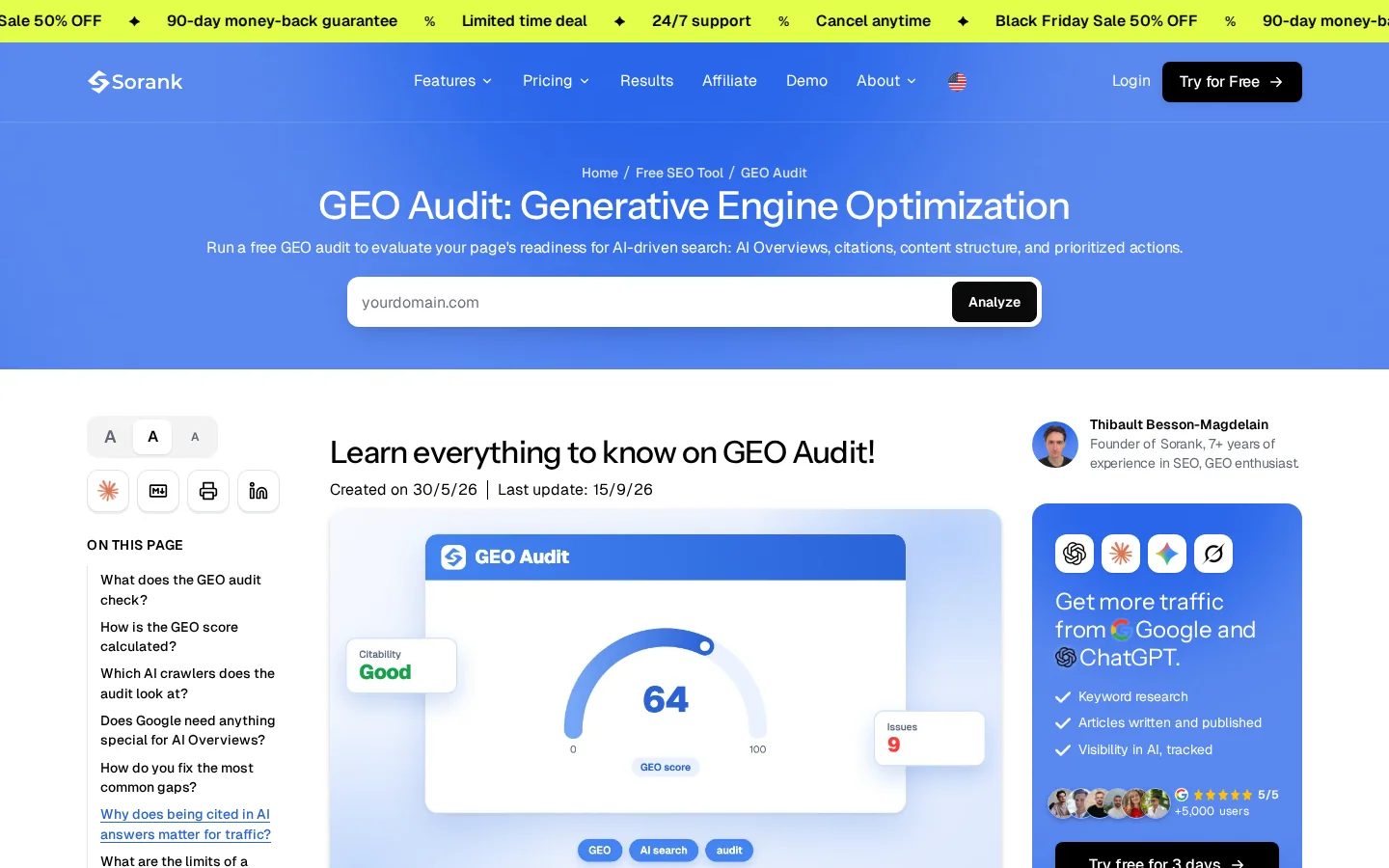
This is the method for one important page. Start with the page that already answers a question your buyers ask, because you can measure the change on a prompt you already track. Run the steps in order, and log each result in the same sheet as your baseline. The tool you start from looks like this:
Tip
Run the GEO audit tool on the page first, then fix the failed checks in weight order. Re-run it after each release, so you can see the score move with the changes you made.
The free GEO audit scores ten signals. Each check earns its full weight when it passes, half when it is partial and nothing when it fails. The weights add up to 12, so the score is the points earned divided by 12, times 100. Access and structured data count double, because without them the other signals are hard to use. The table below lists the checks in the order you should fix them.
| Check | Passes when | Partial when | Weight |
|---|---|---|---|
| AI crawlers allowed | At least 4 of the 5 key answer-engine bots can access the site | 2 or 3 bots can access it | 2 |
| Structured data | At least one JSON-LD block | No partial level: it fails without JSON-LD | 2 |
| llms.txt | A file is found at /llms.txt | No partial level: it fails without the file | 1 |
| FAQ and Q&A content | FAQPage markup | Question-style headings without markup | 1 |
| Meta description | Between 50 and 320 characters | Present but outside that range | 1 |
| Heading structure | One H1 and at least two H2 | At least one H1 | 1 |
| Content depth | 600 words or more | 250 to 599 words | 1 |
| Scannable formatting | Two or more lists or tables | One list or table | 1 |
| Freshness | A machine-readable date | No partial level: it fails without a date | 1 |
| Factual density | 5 or more figures, percentages or amounts | 1 to 4 figures | 1 |
A worked example makes the arithmetic concrete. Take a page that allows the AI bots, has JSON-LD, a valid meta description, one H1 with two H2s, five figures and two lists. It has no llms.txt and no date, its headings are questions without FAQ markup, and it runs to 420 words. The points are: 2 for access, 2 for structured data, 1 for the meta description, 1 for headings, 1 for figures, 1 for two lists, 0.5 for the headings without markup, 0.5 for the 420 words, and nothing for llms.txt and the date. That is 9 out of 12, a score of 75, grade B. Adding a machine-readable date gives 10 points, and adding FAQPage markup gives 10.5, a score of about 88.
Example
The page above scores 75 (grade B). The two cheapest fixes are a date in the markup and FAQPage markup for the questions it already answers. Together they add 1.5 points, a score of about 88, which is still grade B but close to A. Access and structured data already pass, so the work that remains is content.
Warning
A high score measures readiness, not results. A page can score 90 and still not be quoted, because other sources are more relevant to the prompt. Measure that separately with the live prompt test, and use the ChatGPT visibility checker for a quick look at one assistant.
Most GEO audit problems come from a small set of mistakes. Each one below has a clear symptom, a way to confirm it, and a fix you can make in an afternoon.
What it is. A robots.txt with a broad group, usually added to stop scrapers or to protect staging, that also blocks the search-facing AI bots. The site can then disappear from AI answers while its Google rankings look normal.
How to spot it. Look for a "User-agent: *" group with "Disallow: /", then check the access for each AI bot with the AI bot access test. If OAI-SearchBot or PerplexityBot is blocked and you did not decide that, this is the cause.
How to fix it. Write a named group for each bot you have chosen to allow or block, as shown in the access section. Remove the broad block unless it protects a path that really needs it, and put the path in its own rule.
What it is. A page whose article text, tables or FAQ are inserted by a script after load. A visitor's browser sees the content, but a crawler that does not run scripts sees a shell.
How to spot it. Run the curl test from the access section on a sentence from the middle of the page. A count of 0 means the text is not in the HTML as served.
How to fix it. Move the content into the server response with server-side rendering or static generation. If that is not possible right away, at least put the key answers and the main table in the HTML, so the most quotable parts are present.
What it is. FAQPage markup with questions added only for the markup, or with answers that are longer or different from the visible text. It looks thorough in the code and empty on the page.
How to spot it. Compare each question and answer in the JSON-LD with the page. Any question you cannot find on the page is a mismatch.
How to fix it. Keep only the questions a visitor can read, and make the markup answer match the visible text. If a question is worth having, write it into the page first, then add the markup. Our question-and-answer markup article covers the details.
What it is. A dateModified that moves forward on every deploy, or a visible date that changes when only a menu or a banner changed. The page looks fresh, but nothing in the content is newer.
How to spot it. Compare the dateModified in the markup with your change log. If the date moved and the text did not, the date is wrong.
How to fix it. Tie the date to the content. Update dateModified when you change the facts, the steps or the examples, and leave it alone for layout work. Keep a short change note on the page when the update is substantial.
What it is. Running the audit on the home page and assuming the rest of the site is fine. The free GEO audit reads one URL at a time, and the robots.txt and llms.txt apply to the whole domain, so a single run covers less than it looks.
How to spot it. Check which URLs you have audited in your log. If the list is one page, the audit is incomplete.
How to fix it. Sample by page type. Audit the home page, one service or category page, one long article, one glossary entry and one product or landing page. The same fix often repeats across a template, so a single change can lift a whole group of pages.
What it is. Figures on the page, such as "most buyers" or "up to 40%", with no named study behind them. They may look like evidence, but an assistant cannot attribute them, and a careful reader cannot check them.
How to spot it. Read each figure and ask who measured it, when, and on what sample. If you cannot answer in one sentence, the figure is unsourced.
How to fix it. Name the source in the sentence that uses the figure, with its date, as in the Pew example earlier in this article. Remove the figures you cannot source, and keep the ones you can.
A GEO audit is a process, not a one-time report. The assistants change their crawlers, their answer formats and their sources, and your competitors publish. Re-run the page readiness audit after each release of a key page, and re-run the live prompt test on a fixed schedule, at least monthly for the prompts that matter most. The sheet you built for the baseline is the record that makes the results comparable over time. Our GEO reporting guide shows how to turn that record into a monthly report.
Track four things. Mention rate: how often your brand is named across the prompt set. Citation rate: how often one of your URLs is cited. Accuracy: whether the facts about you are right. Share of voice: how often you are named compared with the competitors in the same answers. On Sorank, AI mention tracking follows your brand across ChatGPT, Claude, Gemini and other assistants, prompt by prompt, and the GEO leaderboard shows which sites are cited in your market and where you rank among them.
If you also run a classic site audit, keep it separate from the GEO audit. Our SEO audit guide covers the crawl, indexing and search data work, which feeds the access and content checks in this article.
Start with three actions that take an afternoon. First, read your robots.txt and list the access for each AI bot you care about, then decide on each one. Second, run the curl test on your most important page and fix any content that is missing from the HTML. Third, write your first 30 prompts and run them on two assistants, so you have a baseline before you change anything. If you want the full picture of what GEO means in practice, the GEO glossary entry is the place to start.
A GEO audit checks whether AI assistants such as ChatGPT, Perplexity, Gemini and Google AI Overviews can reach, read and quote a page. It covers crawler access, structured data, content structure, and a live test of the answers the assistants give. It lists what to fix, in order of impact.
An SEO audit asks whether a page can rank in a list of links. A GEO audit asks whether an AI answer can fetch, extract and cite that page. Both use the same crawl data, so a good SEO audit is the foundation for a GEO audit.
Only the ones you have a reason to block. Blocking a search bot such as OAI-SearchBot or PerplexityBot can remove you from that assistant's answers. Blocking a training bot such as GPTBot keeps your content out of model training, which is a business choice.
We analyse your competitors, your website and your AI visibility to create a tailored content plan for free.
 Duplicate Content Checker
 Mobile-Friendly Test
 Website Speed Test
 Subdomain Finder
 Domain Age Checker
 CMS Detector
 Googlebot Simulator
 Nofollow Link Checker
 Meta Tag Checker
 Keyword Cannibalization Checker
 Keyword Intent Checker
 Keyword Extractor
 Google Ads Cost Calculator
 CPC Calculator
 Local Citation Finder
 Reddit Threads Finder
 Disavow File Generator
 Redirect Generator
 Canonical Tag Generator
 Passive Voice Checker
 Google Location Changer
 Google Review Calculator
 Google Review Link Generator
 Keyword Combiner
 Podcast Show Notes Generator
 AI Content Rewriter
 AI Text Humanizer
 ChatGPT Prompt Generator
 Twitter Thread Generator
 Tweet Generator
 Landing Page Copy Generator
 Google Ads Copy Generator
 Pinterest Pin Description Generator
 Anchor Text Generator
 Social Media Post Generator
 LinkedIn Post Generator
 Free AI Writer
 Review Response Generator
 LSI Keyword Generator
 YouTube Video Ideas Generator
 YouTube Tag Generator
 YouTube Description Generator
 Product Description Generator
 CTA Generator
 Blog Introduction Generator
 Conclusion Generator
 Hook Generator
 AI Content Brief Generator
 FAQ Schema Generator
 AI Blog Post Ideas Generator
 Structured Data Validator (Schema Validator)
 Alt Text Checker
 Internal Link Analyzer
 Backlink Challenge
 AI Meta Description Generator
 AI Blog Title Generator
 Google Indexability Checker
 AI Blog Outline Generator
 UTM Link Builder
 Keyword Clustering Tool
 Canonical Tag Checker
 XML Sitemap Generator
 Broken Link Checker
 AI SEO Title Generator
 Headline Analyzer
 SERP Preview Tool
 Redirect Checker
 Hreflang Tag Generator
 Heading Structure Analyzer
 HTTP Headers Checker
 Favicon Extractor
 SERP CTR Calculator
 SEO vs Paid Search Savings Calculator
 SEO Share of Voice Calculator
 SEO ROI Calculator
 SEO Traffic and Revenue Forecast Calculator
 SEO Budget Calculator
 SEO Break-Even Calculator
 SaaS SEO ROI Calculator
 ROAS Calculator
 Reading Time Calculator
 Ranking Gain Simulator
 Organic Traffic Value Calculator
 Organic Traffic Estimator and Website Traffic Checker
 LTV to CAC Ratio Calculator
 Local SEO ROI Calculator
 Link Building Cost Calculator
 Keyword Value Calculator
 Keyword Opportunity Score Calculator
 Keyword Density Calculator
 GEO ROI Calculator
 GEO Content Investment Calculator
 Ecommerce SEO ROI Calculator
 Customer Lifetime Value Calculator
 Customer Acquisition Cost Calculator
 CTR Calculator
 Cost Per Article Calculator
 Conversion Rate Calculator
 Content Marketing ROI Calculator
 ChatGPT Referral Traffic Estimator
 Bounce Rate Calculator
 Backlink ROI Calculator
 AI Visibility Score Calculator
 AI Traffic Value Calculator
 AI Share of Voice Calculator
 Cost of AI Invisibility Calculator
 AI Citation Rate Calculator
 llms.txt Validator
 AI Overview Checker and AI Overviews Rank Checker
 Robots.txt Checker
 AI SEO Audit
 LLM Readability Checker
 SearchGPT Readiness Checker
 Structured Data LLM Audit
 Website Crawlability AI Audit
 Why ChatGPT Is Not Recommending My Website
 Gemini Ranking Tool
 Perplexity Ranking Checker
 LLM Citation Checker
 Answer Engine Optimization Audit
 GEO Audit
 AI Search Visibility Test
 ChatGPT Visibility Checker
 llms.txt Generator
 URL Extractor
 Webpage to Markdown
 Sitemap Checker
 SERP Volatility Sensor
 Page Size Checker
 Word Counter
 Slug Generator
 Schema Generator
 Robots Generator
 OG Preview
 Meta Tags Generator
 Image Compressor
 Favicon Generator
 On-Page SEO Audit: SEO Checker and SEO Analyzer
 Backlink Analysis Tool
 Keyword Research Tool
 Domain Authority Checker
 “I tested Sorank on a real client site and it's insane. It does everything an agency would bill you $1500 a month for. It's going into production on that client now.”

 Guillaume Guersanguersanguillaume.com“We are an Ads agency and we wanted to get our SEO back on track once and for all. Sorank gave us a clear view of our site, helped us prioritize optimizations, and properly structure our content. The tool is easy to use, well designed for a team, and very practical for centralizing tracking without having to juggle multiple platforms. A very solid foundation to start fresh with our SEO.”
 Gaspard MadouiAds Agency
 “I just let the Sorank software do its thing, and now my DR is 25 and my page is ranking higher.”
 Lucas Flandrefoundertrace.fr“I specialized in GEO thanks to Sorank. The GEO Leaderboard allows me to show my clients their position vs competitors on ChatGPT. It’s a real commercial differentiator.”
 MélanieSEO Freelance“Great service, works well for our website and helps us understand how to improve it to rank better on Google and elsewhere. Congrats, keep going, I recommend it.”
 Hugo T.E-commerce merchant